Clodura.ai vs The Org (2026): Which B2B Data Tool Wins?
Clodura.ai sells sales intelligence and sequencing; The Org maps company hierarchies. We compare data, pricing, and use cases so you pick the right one in 2026 — and where a leaner stack beats both.
TL;DR
- Clodura.ai is a sales-intelligence platform: a contact database, buyer-intent signals, email/phone data, and a built-in sequencing engine. The Org is a public company-directory and org-chart product focused on mapping who reports to whom.
- They are not true head-to-head competitors. Clodura wants to be your prospecting-to-outreach stack; The Org wants to be the map of a target account's leadership.
- Pick Clodura.ai if you need contact data plus outbound automation in one seat. Pick The Org if you mostly need visual hierarchy and executive discovery for account planning.
- Both charge for bundles you may not use. If your real bottleneck is finding and verifying accurate emails at a predictable price, a focused tool like Tomba Email Finder covers that slice for far less.
- Below: a feature-by-feature table, honest pros and cons, pricing reality, and a recommendation by team type.
What are Clodura.ai and The Org?#
Clodura.ai (clodura.ai) positions itself as an all-in-one sales prospecting platform. It bundles a B2B contact database (hundreds of millions of records by its own claim), direct-dial phone numbers, buyer-intent and technographic signals, email verification, and a native sequencing/cadence tool. The pitch is that a rep can research an account, pull verified contacts, and launch a multi-step email sequence without leaving the app.
The Org (theorg.com) is a different animal. It is a public directory of company org charts. Companies (and crowdsourced contributors) build out visual hierarchy maps showing executives, teams, and reporting lines. For a seller, it answers "who runs demand gen at this account, and who do they report to?" — the political map, not the contact database.
So the honest framing: Clodura is a data + outreach engine. The Org is an account-intelligence and org-mapping layer. People compare them because both show up when you search "how do I find the right person at a target company," but they solve different halves of that problem.
Wait — that is a homepage, not a screenshot. The point stands: when you evaluate these tools, look at where each one actually spends its engineering. Clodura spends it on data volume and automation. The Org spends it on the visual hierarchy graph and keeping executive moves current.
How do Clodura.ai and The Org compare feature by feature?#
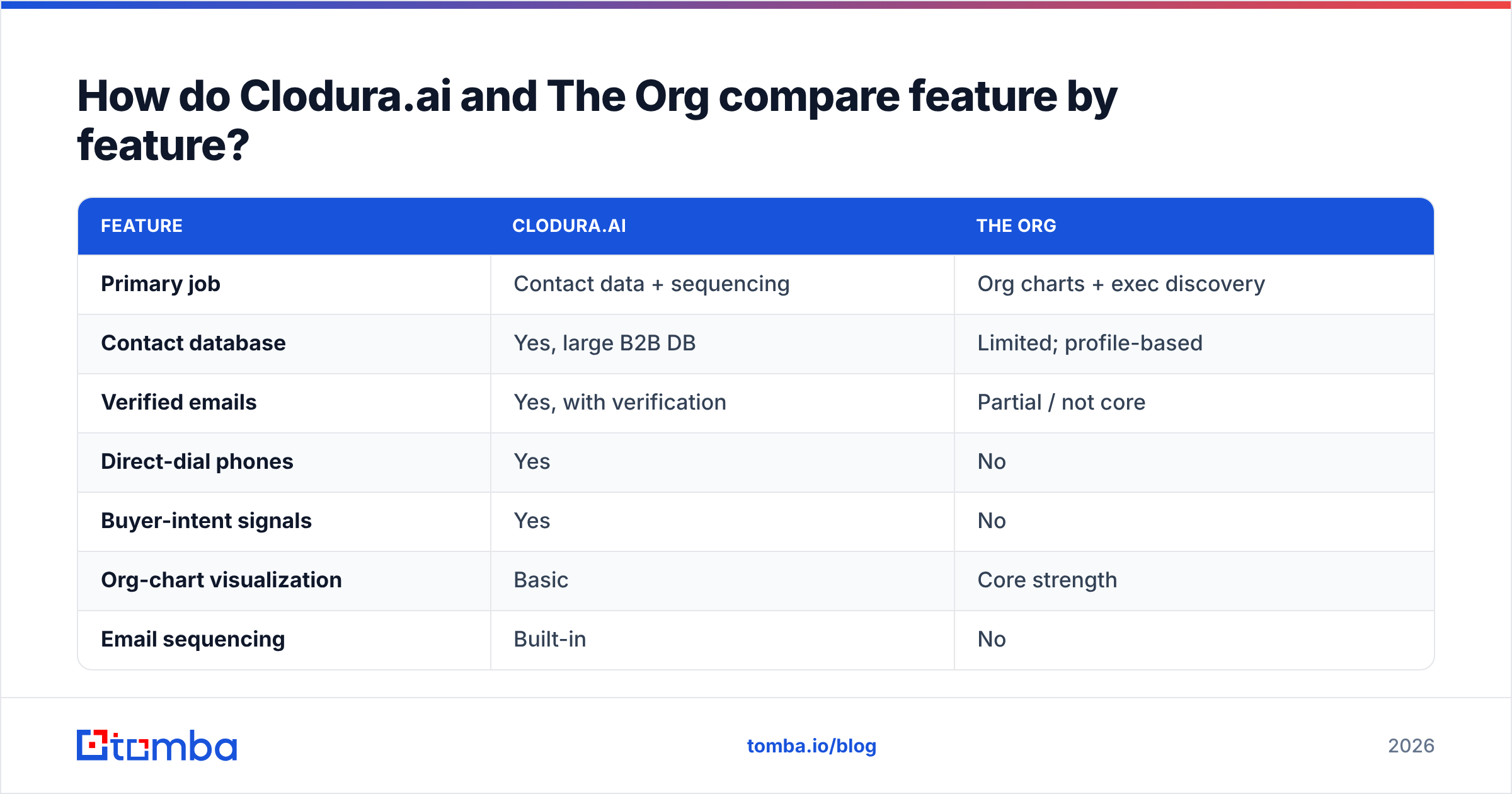
Here is the core comparison. Treat the counts as directional — vendors update tiers often, so verify current numbers on their own pages before you buy.
| Feature | Clodura.ai | The Org |
|---|---|---|
| Primary job | Contact data + sequencing | Org charts + exec discovery |
| Contact database | Yes, large B2B DB | Limited; profile-based |
| Verified emails | Yes, with verification | Partial / not core |
| Direct-dial phones | Yes | No |
| Buyer-intent signals | Yes | No |
| Org-chart visualization | Basic | Core strength |
| Email sequencing | Built-in | No |
| Free tier | Limited free plan | Free browsing of public charts |
| Best for | SDR/AE outbound teams | Account planning, exec mapping |
The split is clear. If you want one seat that takes you from "cold account" to "sent sequence," Clodura carries more of the workflow. If you already have data and outreach tooling and you just need to understand the leadership structure of enterprise accounts, The Org fills a gap Clodura only sketches.
Where each one is genuinely strong:
- Clodura — data breadth. One place for emails, phones, intent, and technographics is a real time-saver for a small team without a full data stack.
- Clodura — native cadences. You do not need a separate sequencer for basic outbound. That consolidation matters on a tight budget.
- The Org — hierarchy clarity. The visual reporting map is genuinely better than trying to reconstruct it from LinkedIn scrolling.
- The Org — executive freshness. Because leadership moves are the whole product, senior-title accuracy tends to be a focus.
- The Org — public and free to browse. You can research an account's structure before paying anyone.
Which tool has better data accuracy?#
Neither vendor should be taken at its marketing word — and neither should any data vendor, including us. Accuracy is a function of freshness and verification, not database size. A 300-million-record database that has not re-verified a contact in 18 months will bounce your cold email just as hard as a small one.
Clodura runs its own verification and is the stronger choice when you need bulk verified emails and phone numbers together. The Org is not built as a contact-data provider; its emails and direct contact details are thinner, because its center of gravity is the hierarchy graph, not the mailbox.
This is exactly where a dedicated layer earns its keep. Before any sequence goes out, run your list through a real email verifier to strip catch-alls and dead addresses — bounce rate is the single biggest lever on deliverability, and no all-in-one platform verifies as aggressively as a focused one. If you are pulling contacts by company, a targeted domain search often returns cleaner results than a broad database export you then have to scrub.
For context on how much accuracy varies across providers, independent review sites like G2 are more honest than any vendor page — read the low-star reviews, not the average.
How much do Clodura.ai and The Org cost?#
Pricing is where "all-in-one" bites back. Bundled platforms charge for the whole suite even when you use one module, and credit overages add up fast.
| Plan aspect | Clodura.ai | The Org | Tomba |
|---|---|---|---|
| Free tier | Limited free plan | Free public browsing | 25 searches/mo |
| Entry paid | Mid-tier SaaS pricing | Paid for advanced/API | $49/mo (Starter) |
| Growth tier | Higher, credit-based | Custom | $99/mo |
| What you pay for | Data + intent + cadence | Org-chart depth + data | Email find + verify |
| Overage risk | Credit overages | Lower | Predictable credits |
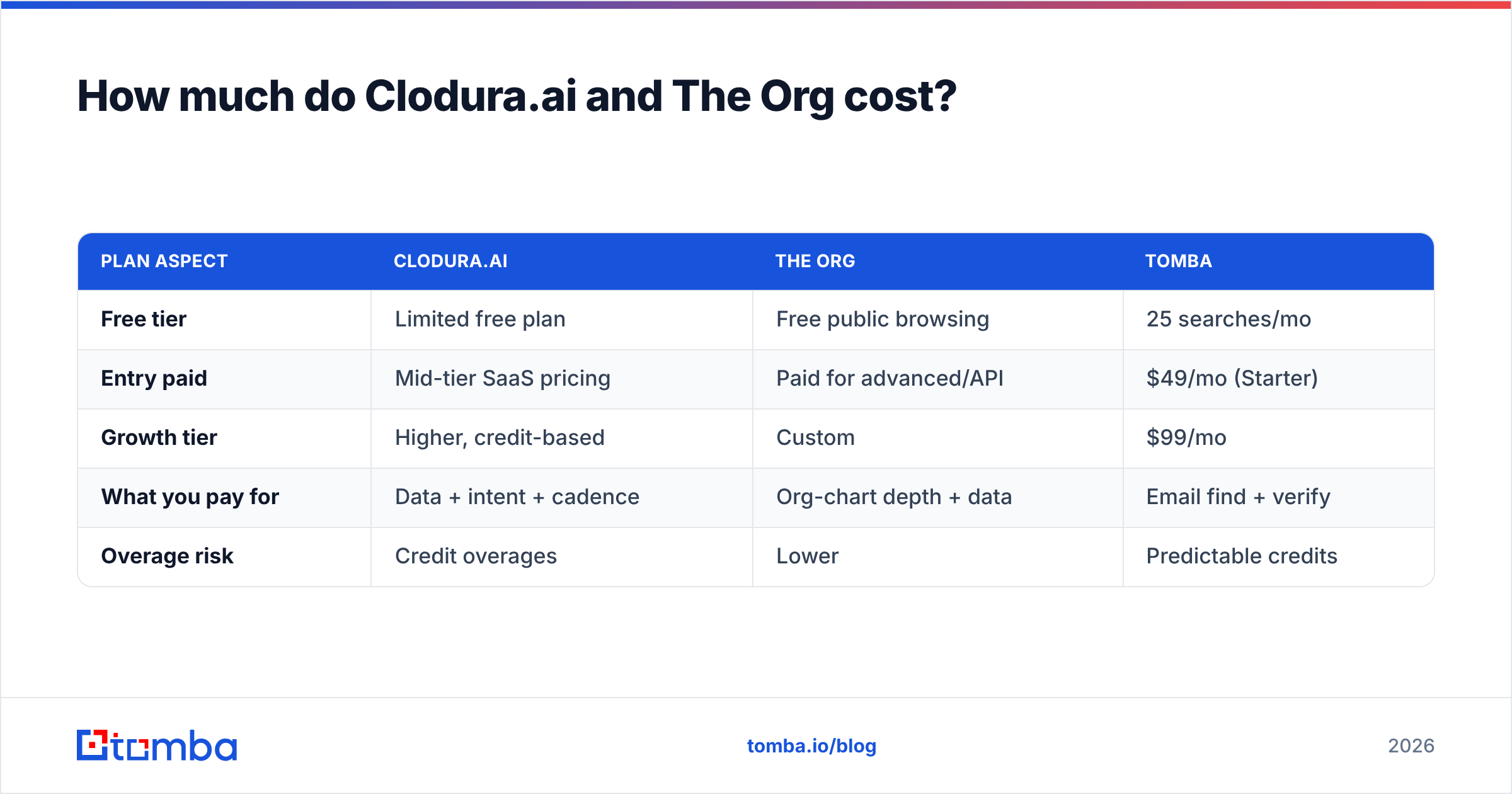
Clodura's list price is competitive against enterprise incumbents, but the real cost shows up in credit consumption once a team ramps outreach. The Org's core browsing is free, with paid tiers for deeper data and API access.
If your spend is being driven mostly by email lookups and verification, paying for intent data and sequencing you barely touch is waste. Compare that to transparent, credit-based Tomba pricing: Free (25 searches/mo), Starter $49/mo, Growth $99/mo, Pro $249/mo. You pay for finding and verifying contacts — not for a bundle.
Is Clodura.ai better than The Org?#
It depends on the job — they barely overlap. Ask what you are actually short on:
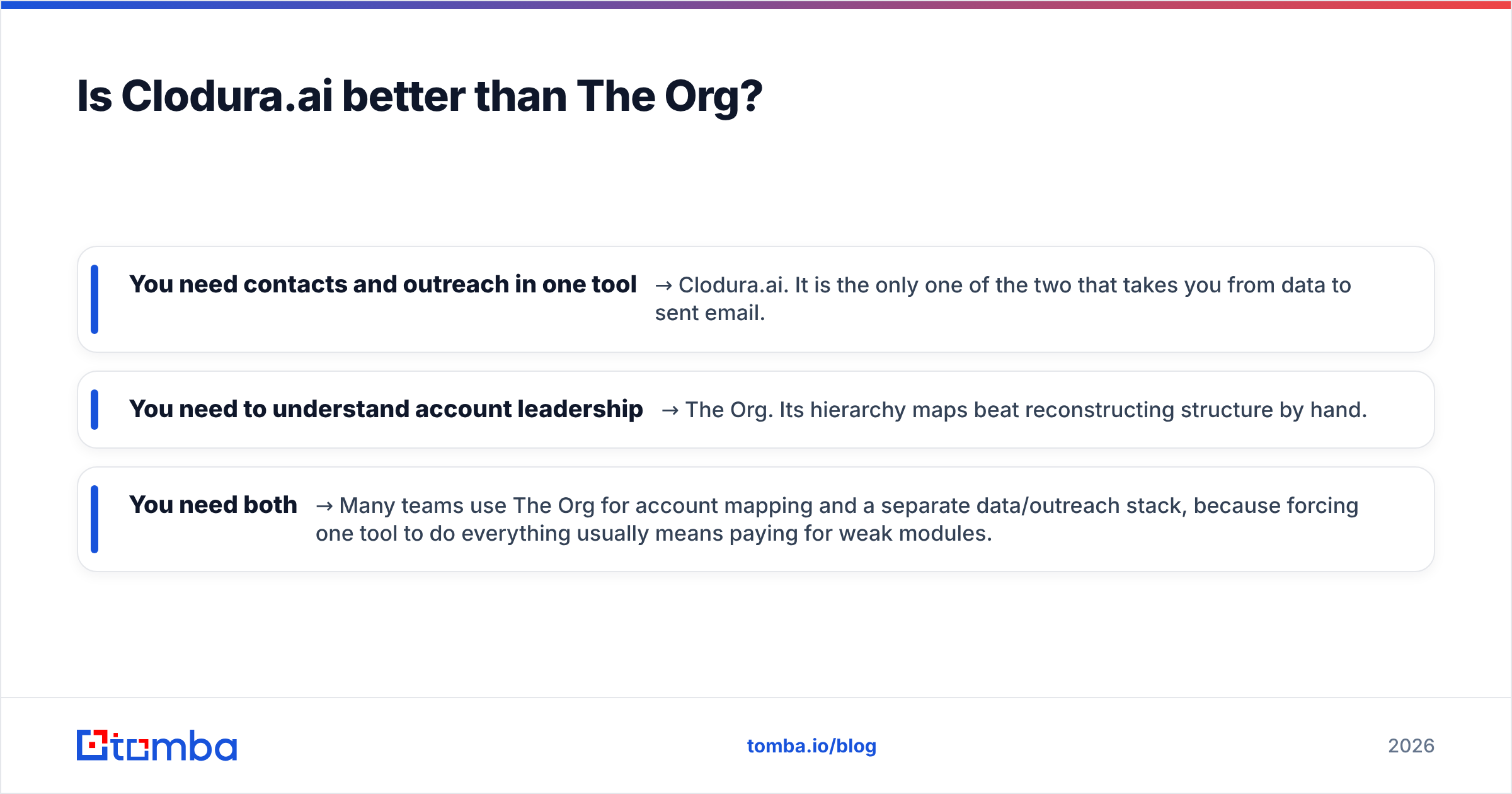
- You need contacts and outreach in one tool → Clodura.ai. It is the only one of the two that takes you from data to sent email.
- You need to understand account leadership → The Org. Its hierarchy maps beat reconstructing structure by hand.
- You need both → Many teams use The Org for account mapping and a separate data/outreach stack, because forcing one tool to do everything usually means paying for weak modules.
The trap with all-in-one platforms is the "80% good at nothing" problem. Clodura's sequencer is fine, not best-in-class. The Org's contact data is present, not deep. You often get better results — and lower total cost — from a focused stack: a specialized finder, a specialized verifier, and your existing sequencer.
What is the best-value alternative stack?#
The unbundled approach: use each tool for the one thing it does best, and stop paying for filler.
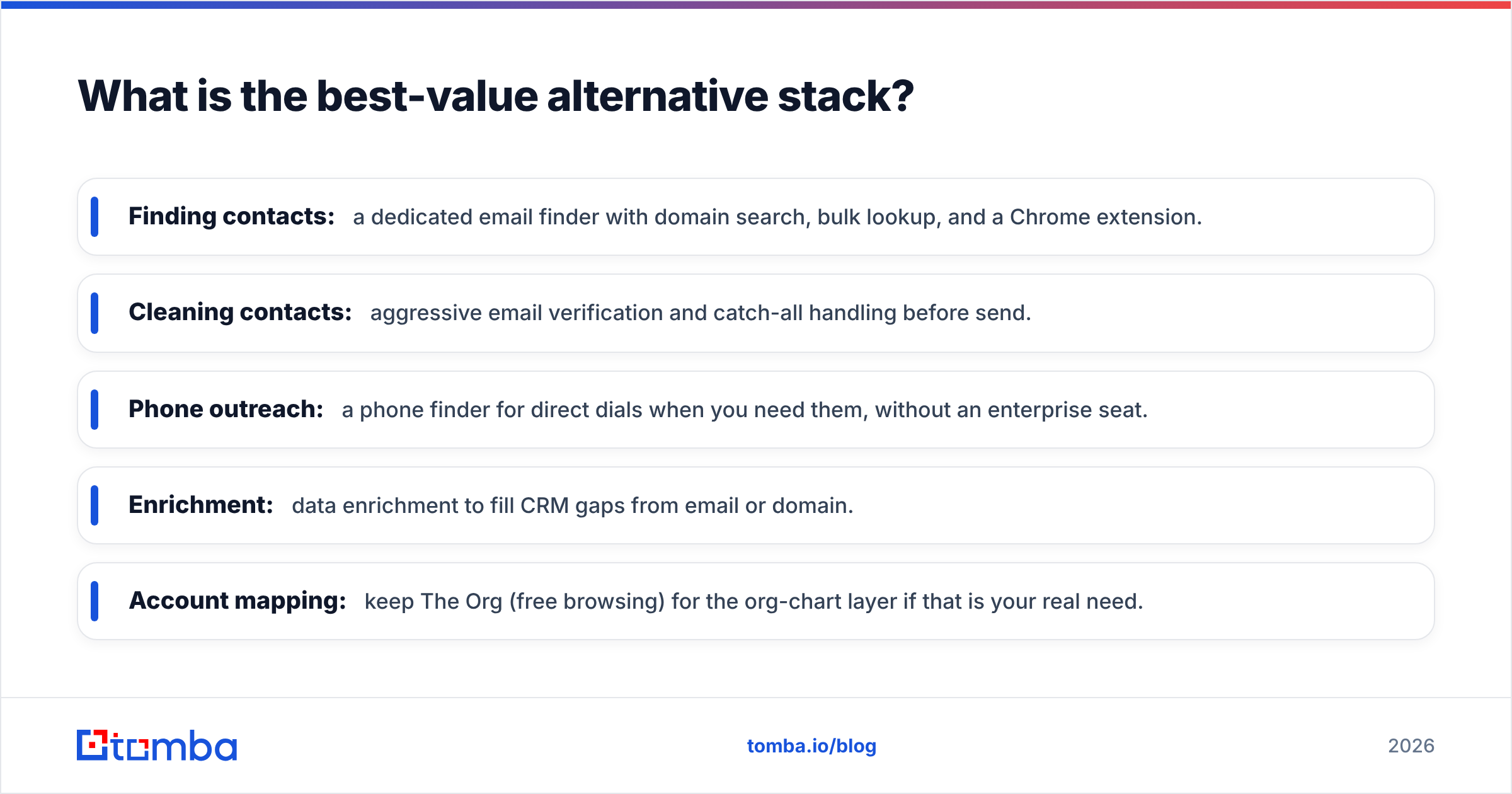
- Finding contacts: a dedicated email finder with domain search, bulk lookup, and a Chrome extension.
- Cleaning contacts: aggressive email verification and catch-all handling before send.
- Phone outreach: a phone finder for direct dials when you need them, without an enterprise seat.
- Enrichment: data enrichment to fill CRM gaps from email or domain.
- Account mapping: keep The Org (free browsing) for the org-chart layer if that is your real need.
This stack lets you scale spend with usage instead of prepaying for a suite. When email lookup volume is your bottleneck, a tool priced per search is almost always cheaper than a platform priced per seat plus credits.
Here is the honest summary in one line: Clodura.ai vs The Org is not really a duel — one is a data-and-outreach engine, the other an org-chart map. Choose by the gap in your workflow, and do not overpay for modules you will not use.
Frequently asked questions#
Is The Org free? Browsing public org charts is free. Advanced data, exports, and API access sit behind paid tiers.
Does Clodura.ai include email sending? Yes — it has a native sequencing engine, so you can send cadences without a separate tool, though dedicated sequencers offer deeper features.
Can I use them together? Yes. A common pattern is The Org for leadership mapping, plus a dedicated finder/verifier for accurate contact data, plus your own sequencer.
Which is more accurate for emails? Clodura is the stronger contact-data source of the two, but you should still verify any list before sending — that is what protects your sender reputation.
The bottom line#
Pick Clodura.ai if you want data plus outbound in a single seat and can manage credit costs. Pick The Org if executive discovery and org-chart clarity are your real gap. But if the thing actually slowing your team down is finding and verifying accurate emails, don't buy a suite to solve one problem.
Start with the Tomba Email Finder — free for your first 25 searches, then $49/mo — and pair it with built-in verification so every contact you pull is ready to send. It is the leanest way to fix the data half of the problem without paying for modules you'll never open. Spin up a free account, run a domain search on your next target account, and see how clean the results are before you commit to anything bigger.
Related guides#
// get started
Find, verify and enrich your first contacts today
Start on the free plan with 25 searches a month, then scale when your team is ready.
Free plan · No credit card required · GDPR & CCPA
// about the author