Coldreach Pros and Cons: An Honest 2026 Review for Sales Teams
Coldreach promises AI buying signals that tell you who to email and why. Here's a neutral breakdown of the pros, the cons, the pricing questions, and who should actually buy it in 2026.
Coldreach sells a simple, seductive idea: stop guessing who to prospect and let AI surface accounts that are showing real buying intent right now. For a lot of outbound teams drowning in cold lists, that pitch lands. But "AI finds your best-fit accounts" is a claim worth pressure-testing before you sign a contract.
This is a neutral review of the Coldreach pros and cons — what the platform genuinely does well, where it gets thin, what the pricing really looks like, and who should buy it versus who is better off with a leaner stack.
TL;DR: Is Coldreach worth it?#
- What it is: an AI signal-tracking and account intelligence tool that monitors buying signals (hiring, funding, tech changes, news, initiatives) and tells you which accounts to reach out to and why.
- Biggest pro: it compresses hours of manual account research into a prioritized, "reach out now because X" feed — genuinely useful for account-based outbound.
- Biggest con: pricing is quote-only and lands in the mid-market/enterprise range, and signals still don't hand you a verified contact to email or call.
- Watch-out: signal quality depends on your ICP being well-defined. Vague targeting produces noisy alerts.
- Bottom line: great timing and context layer, not a complete prospecting stack. You still need a reliable email finder and verifier to turn a signal into a sent message.
What is Coldreach and how does it work?#
Coldreach is a signal-based prospecting platform. Instead of starting from a static list of companies, you define your ideal customer profile and the "triggers" that mean a company is likely in-market — think a new VP of Sales, a fresh funding round, a job post mentioning a pain you solve, or a shift in their tech stack.
The platform then continuously scans public sources, matches those events against your criteria, and delivers a ranked feed of accounts with a plain-language reason attached ("They just posted 12 SDR roles — likely scaling outbound"). It layers AI-drafted messaging on top so reps can act on the signal without writing every line from scratch. You can read the vendor's own description on the Coldreach site and cross-check user sentiment on G2.
The underlying philosophy is signal-based selling: reach buyers when a trigger event raises their odds of caring, rather than blasting a cold list on a fixed cadence. That approach is well-documented across modern sales orgs and pairs naturally with disciplined sales prospecting workflows.

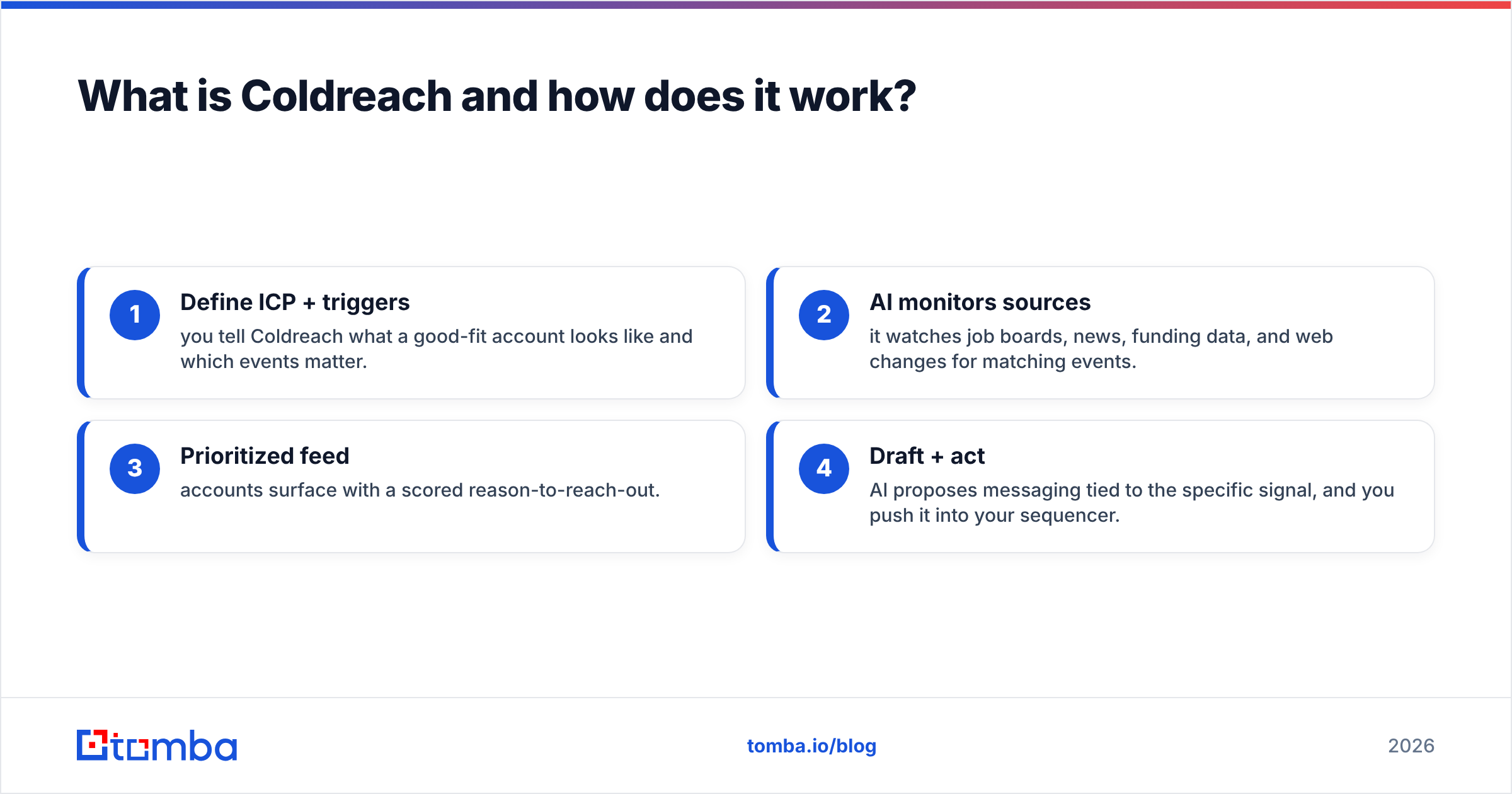
The core loop, in four steps#
- Define ICP + triggers — you tell Coldreach what a good-fit account looks like and which events matter.
- AI monitors sources — it watches job boards, news, funding data, and web changes for matching events.
- Prioritized feed — accounts surface with a scored reason-to-reach-out.
- Draft + act — AI proposes messaging tied to the specific signal, and you push it into your sequencer.
What are the pros of Coldreach?#
Here's where Coldreach earns its keep.
- Timing you can't easily fake manually. Catching a company right after a trigger event is the single biggest lever in outbound. Coldreach automates the part reps hate — the daily research grind — and surfaces "why now" context on a plate.
- Relevance lifts reply rates. A message that references a real, recent event reads less like spam. When the signal is accurate, the personalization writes itself.
- Less list fatigue. Instead of grinding the same 5,000-account list until it's exhausted, your reps work a rolling feed of freshly-warm accounts.
- Faster ramp for new reps. Junior SDRs don't need years of intuition about which accounts are worth a call — the platform points them at the live ones.
- Message drafting built in. The AI copy is a starting point that removes blank-page paralysis, even if you'll edit it.
The through-line: Coldreach is strong at the "who and why now" half of prospecting. That's a real, hard problem, and automating it is worth money to the right team.
What are the cons of Coldreach?#
No tool is all upside. The honest limitations:
- Pricing is opaque and not cheap. There's no public self-serve tier. You book a demo, get quoted, and the number typically fits mid-market and enterprise budgets — not a solo founder or a two-person SDR team testing the waters.
- Signals ≠ contacts. A trigger tells you an account is warm. It does not reliably hand you the decision-maker's verified email or direct phone. You still need a contact-data layer to actually reach anyone.
- Garbage in, garbage out. If your ICP and trigger definitions are loose, the feed gets noisy fast. The tool amplifies the quality of your targeting — good or bad.
- AI drafts still need a human. The generated copy is serviceable, not brilliant. Send it unedited at scale and it starts to sound like every other AI sequence in the inbox.
- Overlap with tools you may own. If you already run an intent/ABM platform, some of Coldreach's value is duplicated.
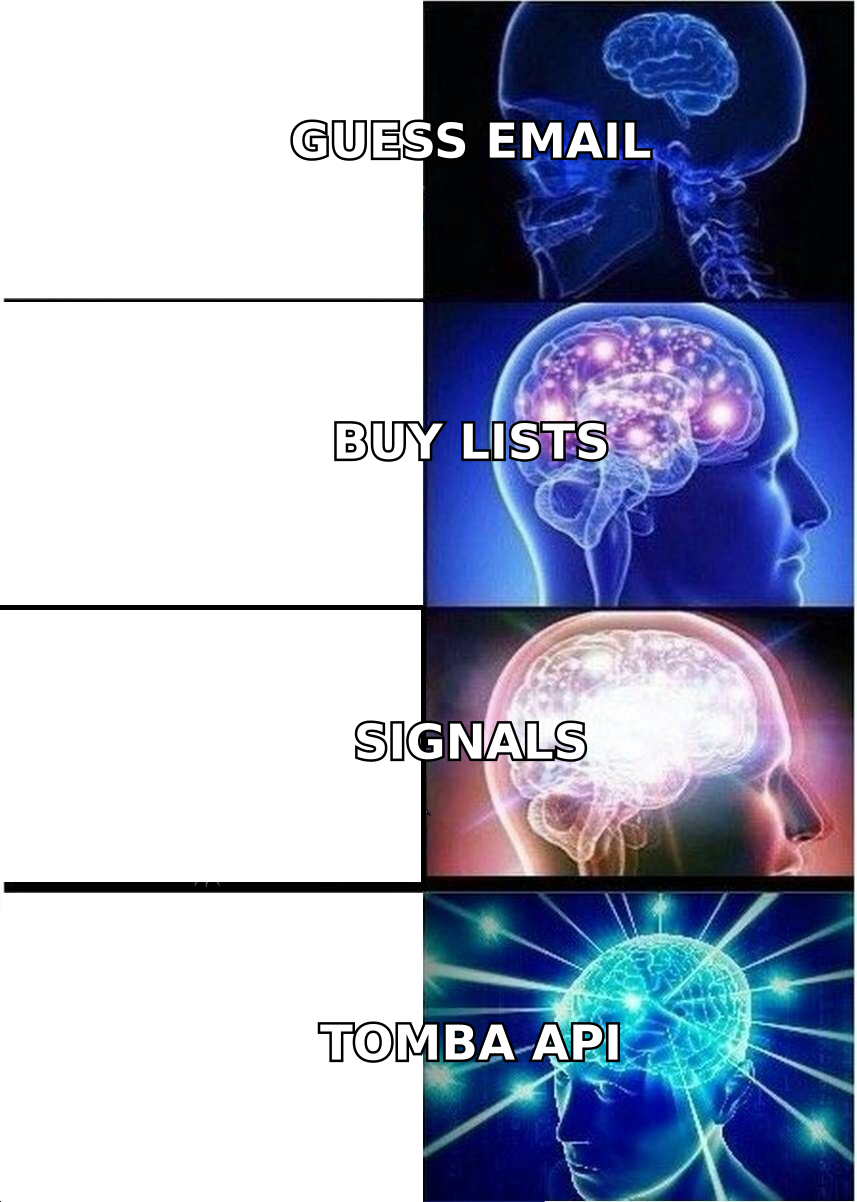
Coldreach pros and cons at a glance#
| Dimension | Pro | Con |
|---|---|---|
| Account timing | Surfaces "why now" trigger events automatically | Only as good as your trigger definitions |
| Personalization | AI drafts tied to real signals | Copy needs human editing to stand out |
| Rep efficiency | Kills the manual research grind | Doesn't replace a sequencer or dialer |
| Contact data | Points you at the right account | No verified email/phone included |
| Pricing | Priced for teams that live in outbound | Quote-only, mid-market+ budget |
| Onboarding | Fast for well-defined ICPs | Steeper if your ICP is fuzzy |
How does Coldreach compare to the alternatives?#
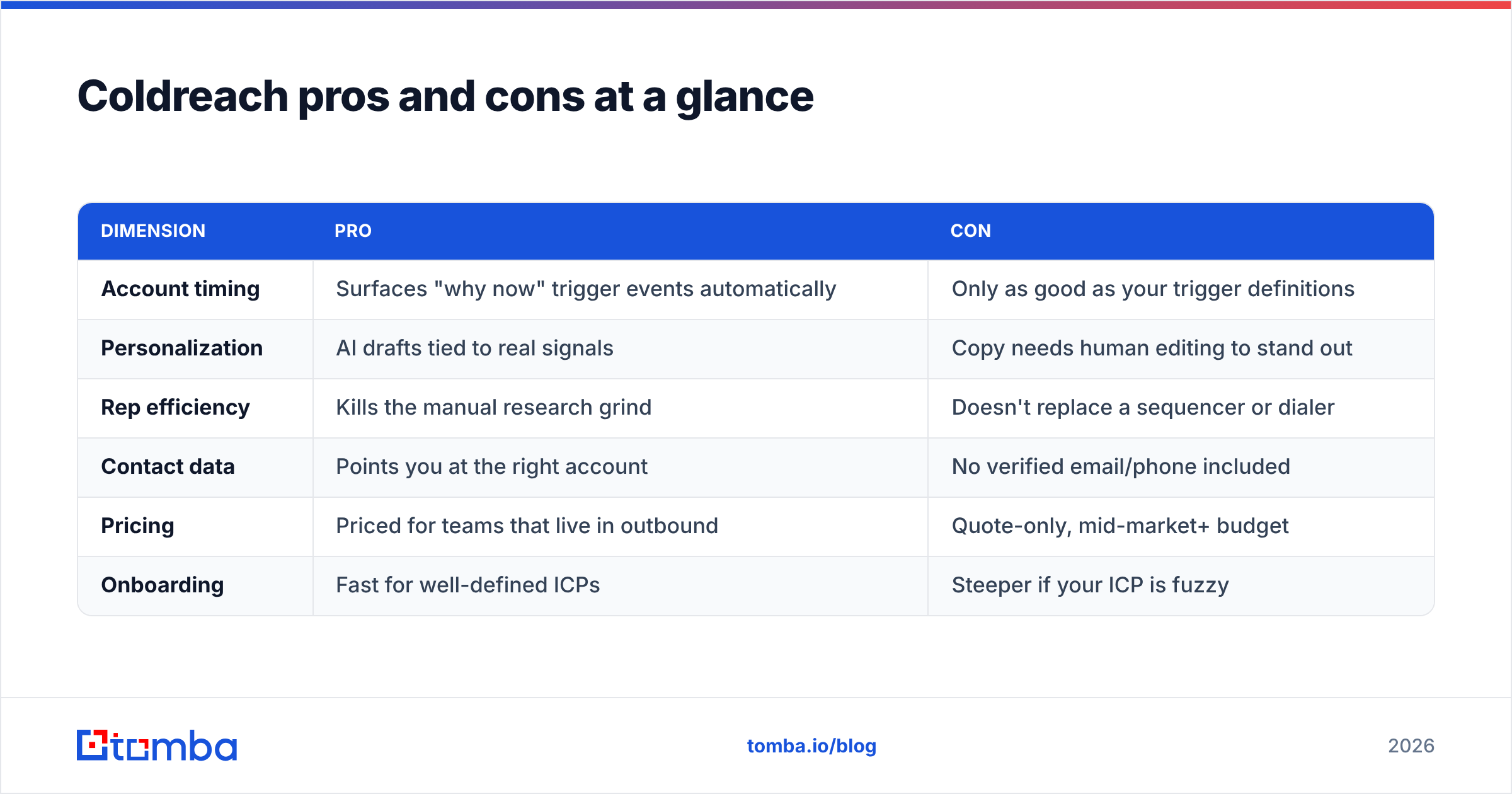
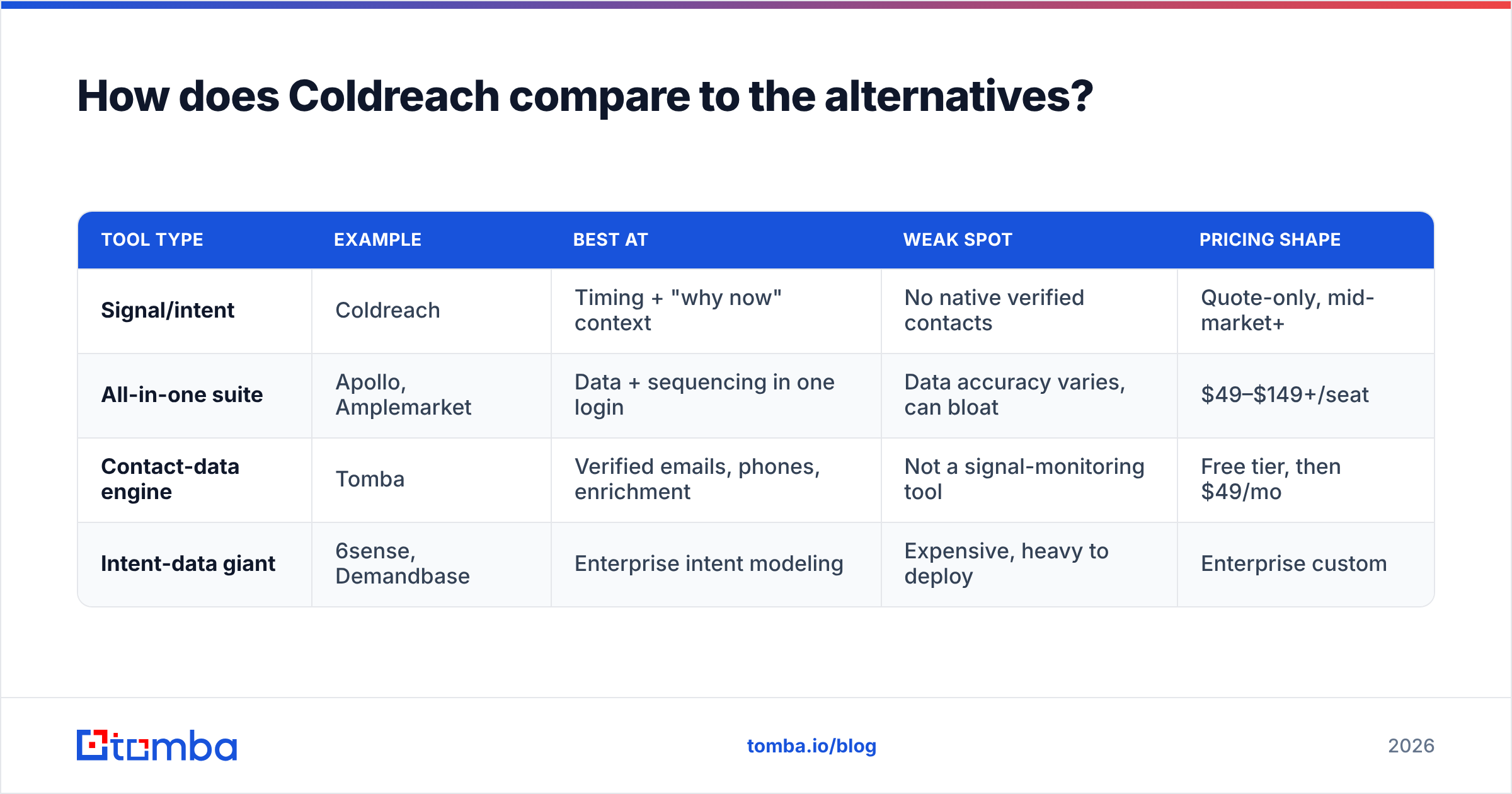
Coldreach sits in a crowded neighborhood. Broadly, you're choosing between three approaches: signal/intent platforms, all-in-one prospecting suites, and focused contact-data tools. They solve different halves of the same job.
| Tool type | Example | Best at | Weak spot | Pricing shape |
|---|---|---|---|---|
| Signal/intent | Coldreach | Timing + "why now" context | No native verified contacts | Quote-only, mid-market+ |
| All-in-one suite | Apollo, Amplemarket | Data + sequencing in one login | Data accuracy varies, can bloat | $49–$149+/seat |
| Contact-data engine | Tomba | Verified emails, phones, enrichment | Not a signal-monitoring tool | Free tier, then $49/mo |
| Intent-data giant | 6sense, Demandbase | Enterprise intent modeling | Expensive, heavy to deploy | Enterprise custom |
The key insight: Coldreach is a timing layer, not a data layer. It tells you when and which account. It does not reliably tell you who to email and at what verified address. That's a different tool.
This is exactly where a dedicated contact-data engine complements it. Once Coldreach flags an account, you run a domain search to pull the right people, then a quick email verification pass so your carefully-timed message actually lands. For teams that also want phone outreach on hot signals, a B2B phone numbers lookup closes the loop.
Who should buy Coldreach — and who shouldn't?#
Coldreach is a strong fit if you:
- Run account-based outbound and live or die by timing.
- Have a tightly defined ICP and can articulate real trigger events.
- Have SDRs whose hours are eaten by manual account research.
- Sit in mid-market or enterprise with budget for a specialized tool.
Look elsewhere if you:
- Are a solo founder or tiny team validating a market — the price and setup overhead outweigh the benefit early on.
- Have a vague or broad ICP — you'll get noise, not signal.
- Mainly need verified emails and phone numbers, not timing intelligence — a contact-data tool is cheaper and more direct.
- Already own an intent/ABM platform covering the same ground.
Does Coldreach replace an email finder?#
No — and this is the most common misunderstanding. Signal tools and contact-data tools are complements, not substitutes.
Think of it like a restaurant reservation. Coldreach tells you a table just opened up at the account you want (great timing). But it doesn't hand you the phone number to call and book — you still need the contact details. An email finder is that phone number.
Here's how the two fit together in a clean workflow:
- Signal fires — Coldreach flags an in-market account with a reason.
- Find the people — run the domain through an email finder to get the right decision-makers.
- Verify — confirm the addresses are deliverable so you protect email deliverability.
- Enrich — layer in role, seniority, and firmographics with data enrichment.
- Reach out — send the timely, personalized message.
Skip steps 2–4 and your beautifully-timed signal dies at "I don't have their email." That gap is why most signal-selling stacks pair a tool like Coldreach with a reliable contact-data provider such as Tomba. You can see how affordable that layer is on the Tomba pricing page — the Free tier alone (25 searches/month) is enough to test the workflow before committing.
What does Coldreach cost in 2026?#
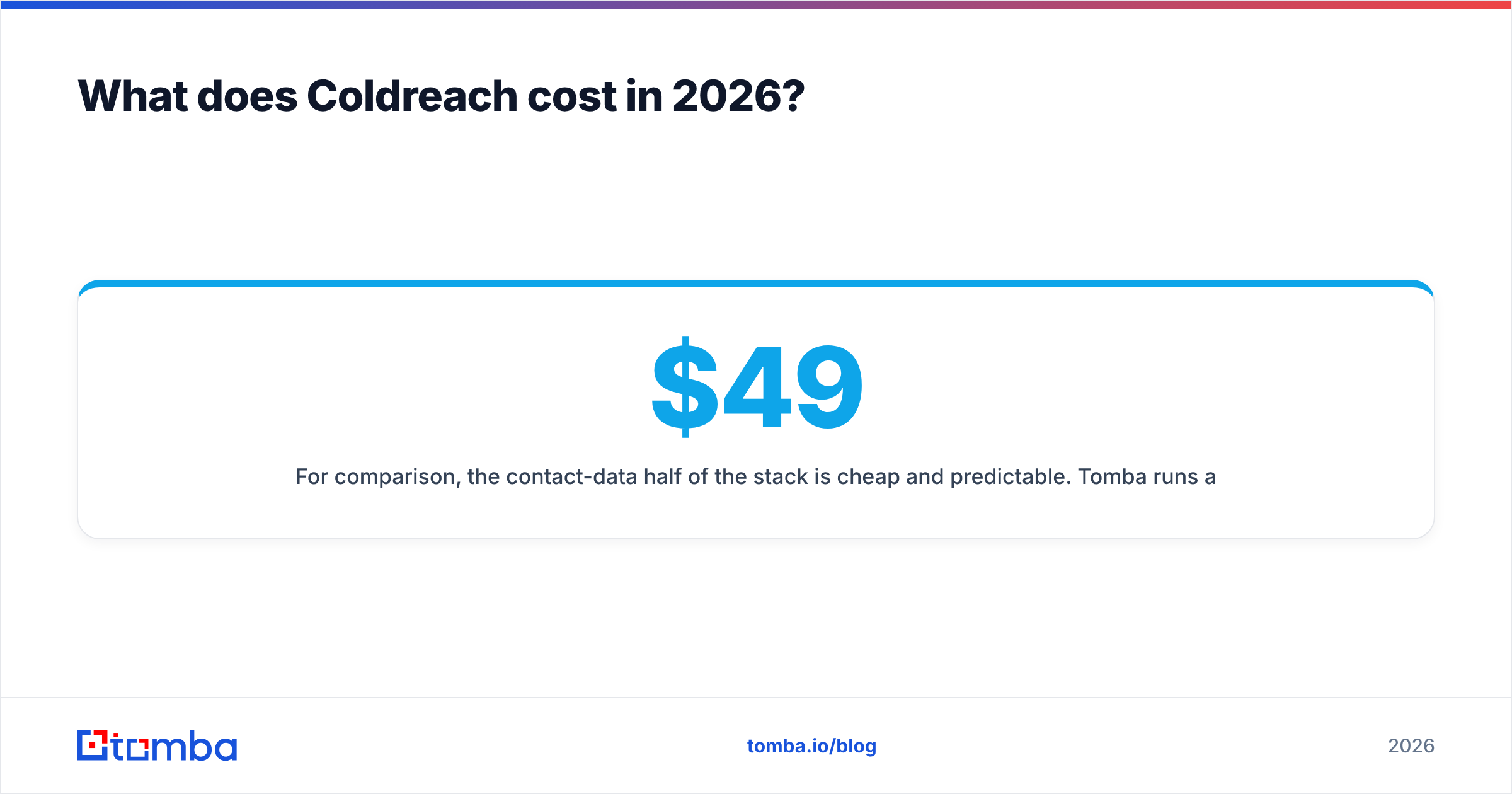
There's no publicly listed self-serve price. Coldreach uses a demo-and-quote model, and reported deals cluster in the mid-market-and-up range — meaningfully more than a self-serve data tool's entry plan. That's not a knock; it's a positioning choice. Coldreach is built for teams whose entire motion is signal-driven outbound, and those teams tend to have the budget.
For comparison, the contact-data half of the stack is cheap and predictable. Tomba runs a Free tier at 25 searches/month, then Starter at $49/mo, Growth at $99/mo, and Pro at $249/mo — with a public B2B database and an email finder API if you want to wire signals straight into contact lookup. The lesson for budgeting: price the timing layer and the data layer separately, because you almost certainly need both.
Final verdict: Coldreach pros and cons#
Coldreach does one hard thing well — it automates account timing and delivers "why now" context that lifts outbound relevance. If you run account-based selling with a sharp ICP and the budget to match, it can meaningfully cut research time and sharpen your reps' focus.
But it's a layer, not a full stack. It won't hand you verified emails, it won't dial the phone, and it punishes fuzzy targeting with noise. Treat it as the intelligence that tells you when and where to strike, then pair it with a dependable contact-data engine that turns each signal into a real, verified point of contact.
That contact layer is where Tomba's Email Finder fits. When a signal fires, drop in the domain, pull the right decision-makers, verify them in seconds, and send while the trigger is still hot — starting free, no demo required. Timing gets you the opening; verified data gets you the conversation. Use both, and your outbound stops guessing.
Related guides#
Ready to find emails that actually work?
Join 150,000+ professionals who stopped guessing and started sending. Free credits on signup — no credit card required.
Get the Tomba newsletter
Practical outbound tactics and product updates — once every two weeks.
About the author