Best Cold Email Software in 2026: Top 9 Tools Compared
A no-fluff breakdown of the best cold email software in 2026 — pricing, deliverability features, and which tool fits your team. Plus the data layer most guides ignore.
You can buy the slickest cold email platform on the market and still land in spam if the addresses you load are garbage. That's the uncomfortable truth most "best cold email software" roundups skip. This guide ranks the tools that actually move reply rates in 2026 — and shows you where the sending platform ends and the data layer begins.
TL;DR — Which cold email software wins in 2026?#
- Best all-around: Instantly and Smartlead lead for high-volume senders who need inbox rotation and built-in warmup.
- Best all-in-one (data + sending): Apollo, if you want a database and sequencer in one bill — but with looser data accuracy.
- Best for SMB simplicity: Saleshandy and Lemlist balance price and ease of use.
- The part nobody ranks: your list quality. Even the top platform fails on stale, unverified contacts — fix that with an email verifier before you send.
- Pricing reality: expect $30–$99/mo per platform, plus a separate data tool. All-in-one suites cost more but consolidate billing.
What is cold email software, exactly?#
Cold email software is the sending and automation layer that turns a list of contacts into a sequenced, tracked outbound campaign. Think of it like the kitchen in a restaurant: the platform plates and serves the meal (sequencing, sending, follow-ups, reply detection), but it does not grow the ingredients. The ingredients — accurate, verified contact data — come from somewhere else.
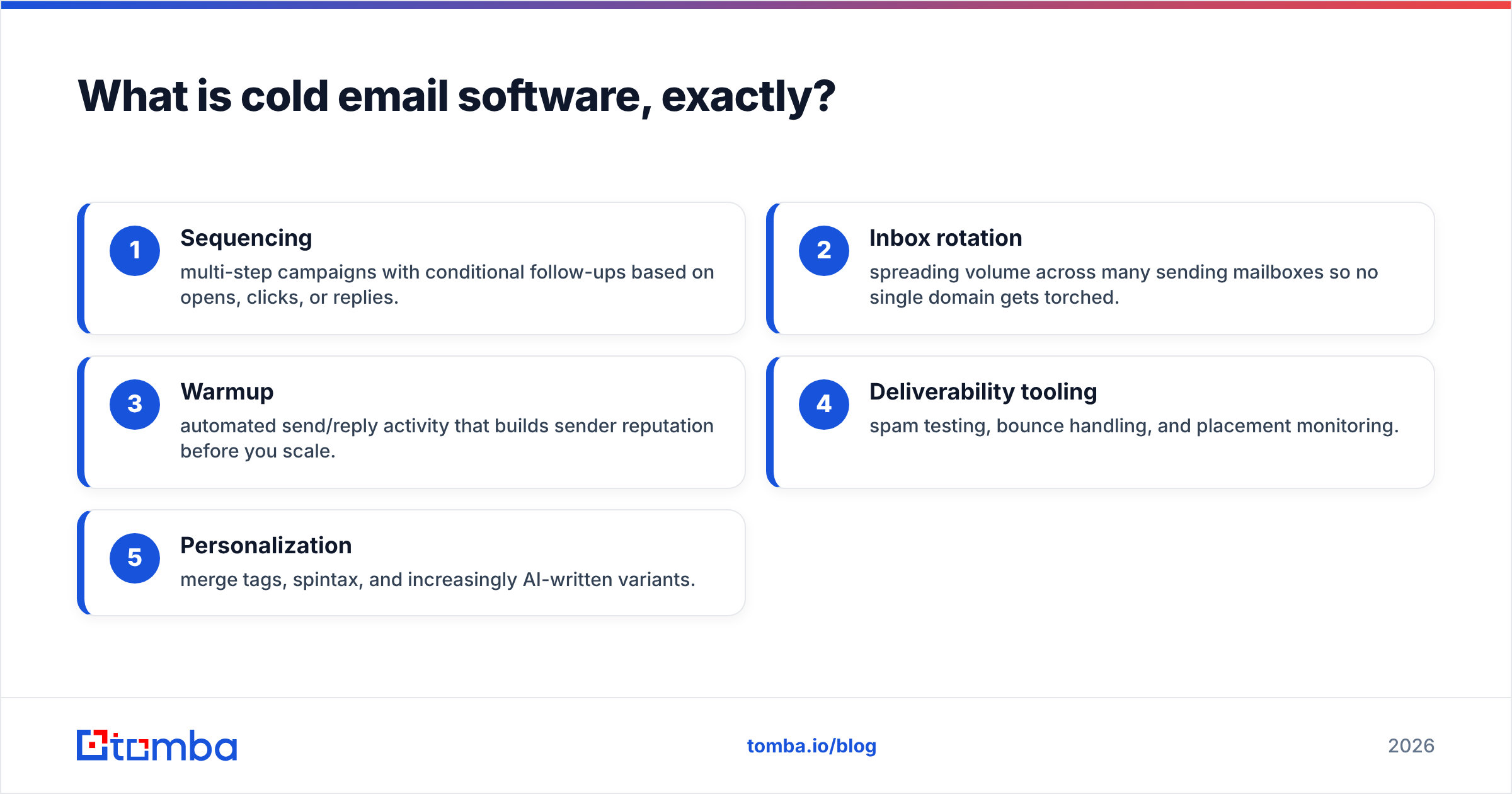
A modern cold email tool typically bundles five jobs:
- Sequencing — multi-step campaigns with conditional follow-ups based on opens, clicks, or replies.
- Inbox rotation — spreading volume across many sending mailboxes so no single domain gets torched.
- Warmup — automated send/reply activity that builds sender reputation before you scale.
- Deliverability tooling — spam testing, bounce handling, and placement monitoring.
- Personalization — merge tags, spintax, and increasingly AI-written variants.
The mistake teams make is treating the platform as the whole solution. It's half. The other half is whether the addresses you feed it are real, current, and safe to send to. Get that wrong and even great email deliverability features can't save you.
)
How did we rank the best cold email software?#
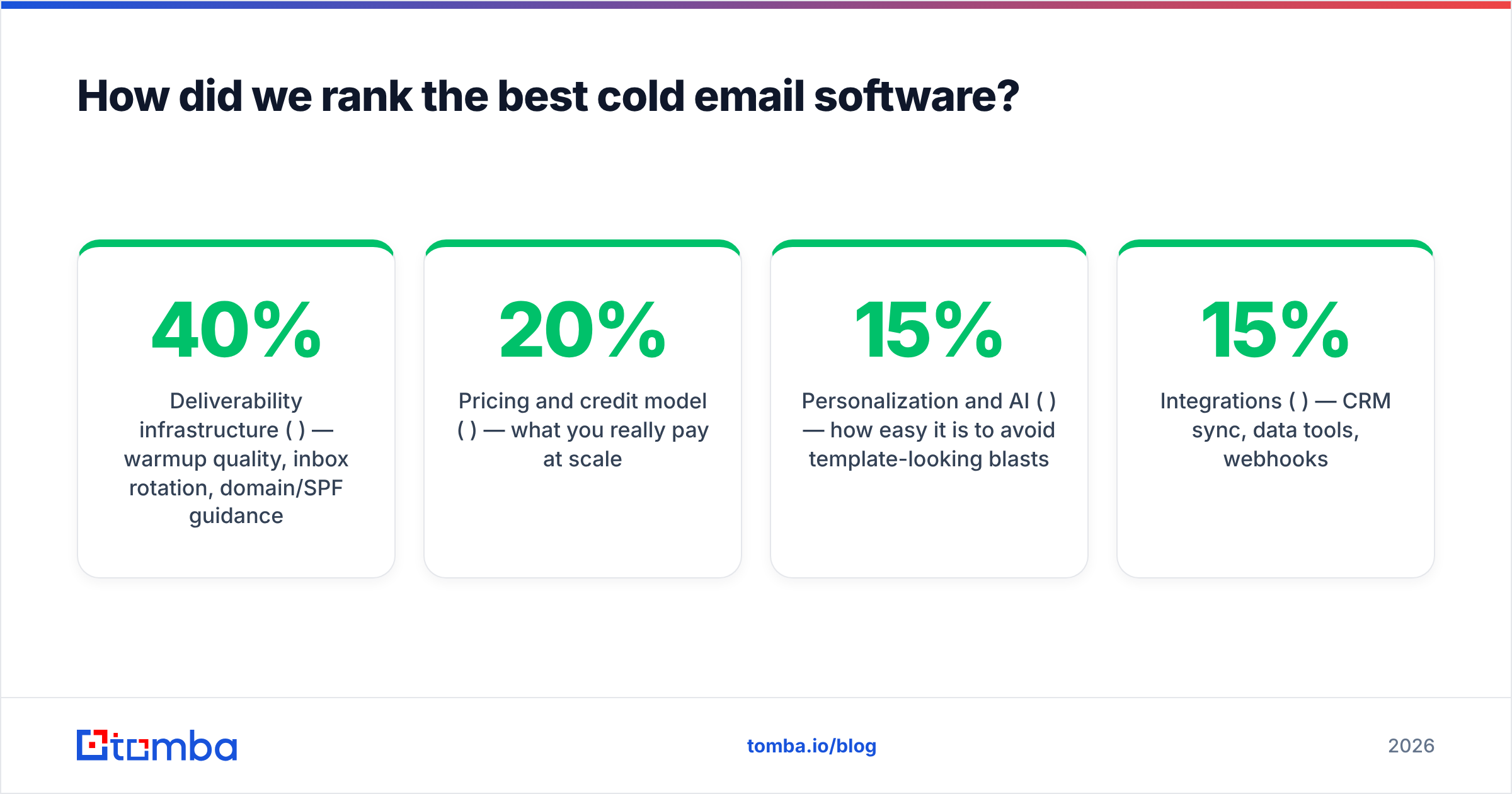
We weighted five factors that correlate with actual booked meetings, not vanity opens:
- Deliverability infrastructure (40%) — warmup quality, inbox rotation, domain/SPF guidance.
- Pricing and credit model (20%) — what you really pay at scale.
- Personalization and AI (15%) — how easy it is to avoid template-looking blasts.
- Integrations (15%) — CRM sync, data tools, webhooks.
- Ease of use (10%) — time to first campaign.
Tools that hide bounce rates or push you toward huge unverified blasts lost points. Reputation is fragile, and a spam checker only catches content problems — not list problems.
What is the best cold email software in 2026?#
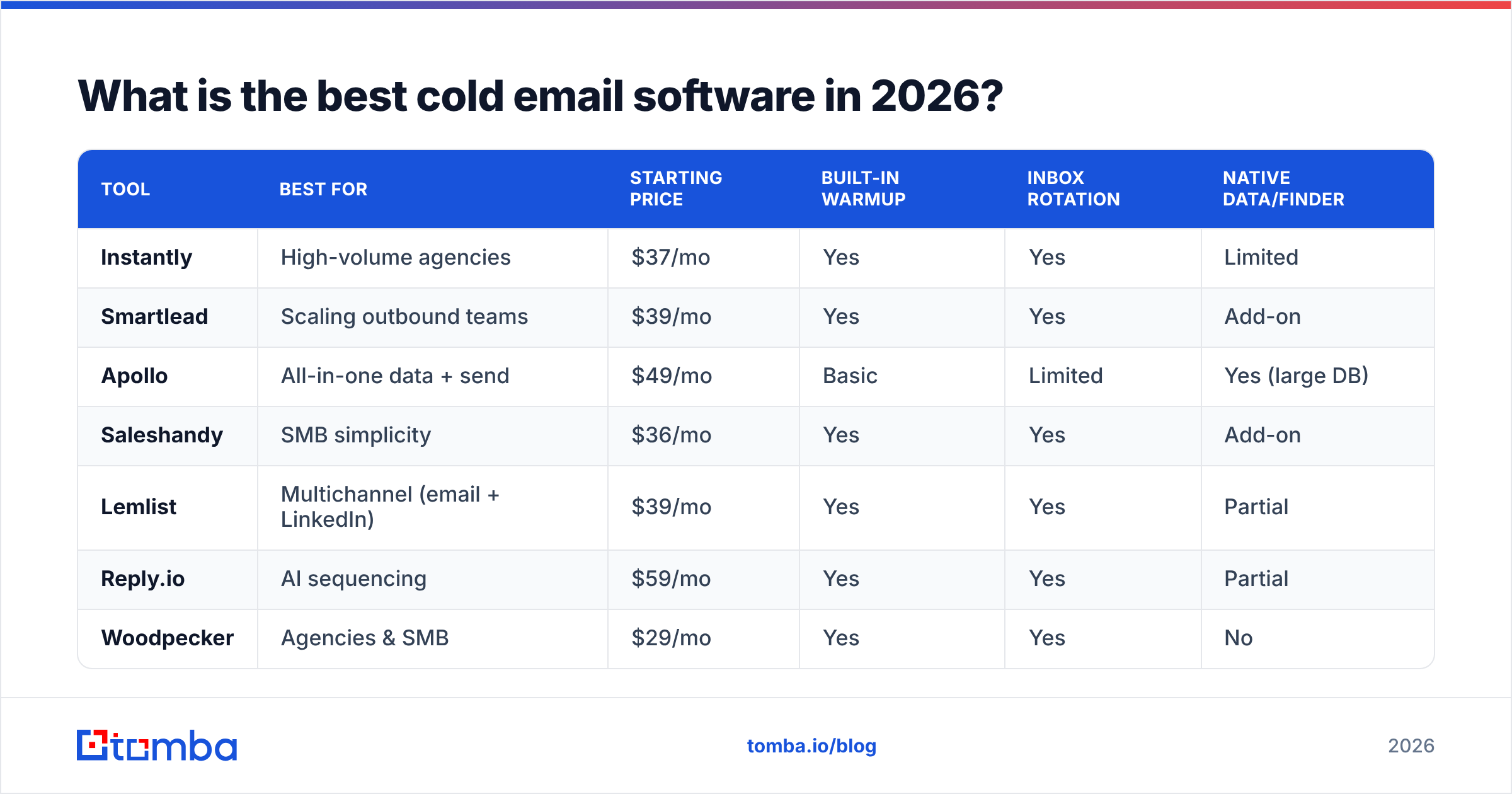
Here's the head-to-head. Prices are entry tiers as of mid-2026; check each vendor for current rates.
| Tool | Best for | Starting price | Built-in warmup | Inbox rotation | Native data/finder |
|---|---|---|---|---|---|
| Instantly | High-volume agencies | $37/mo | Yes | Yes | Limited |
| Smartlead | Scaling outbound teams | $39/mo | Yes | Yes | Add-on |
| Apollo | All-in-one data + send | $49/mo | Basic | Limited | Yes (large DB) |
| Saleshandy | SMB simplicity | $36/mo | Yes | Yes | Add-on |
| Lemlist | Multichannel (email + LinkedIn) | $39/mo | Yes | Yes | Partial |
| Reply.io | AI sequencing | $59/mo | Yes | Yes | Partial |
| Woodpecker | Agencies & SMB | $29/mo | Yes | Yes | No |
| QuickMail | Deliverability-first | $49/mo | Yes | Yes | No |
| Mailshake | Beginners | $45/mo | Add-on | Limited | No |
A few honest takeaways from the table:
- Instantly and Smartlead are the volume kings. If you're running multiple domains and dozens of mailboxes, their rotation and warmup are the most battle-tested.
- Apollo is the only one that ships a serious built-in database. That convenience is real, but its email accuracy trails dedicated finders — many teams pair it or replace its data. If you're weighing it, see why people look for an Apollo alternative.
- Woodpecker and QuickMail punch above their weight on deliverability for smaller teams.
- None of these is a true substitute for verified data. Every "partial" or "add-on" in the data column is a gap you'll fill yourself.
Is Instantly or Smartlead better for cold email?#
Short answer: Smartlead if you want granular control and white-labeling; Instantly if you want the simplest path to scaled sending.
Both nail the fundamentals — unlimited or high mailbox counts, auto-rotation, and a warmup pool. Smartlead leans toward agencies with sub-accounts, API depth, and a master inbox for managing replies across clients. Instantly's UI is cleaner and its onboarding is faster, which matters if your SDRs aren't technical.
Where they converge: neither solves your data problem. You still need to source and verify addresses. Loading a Smartlead campaign with a list full of catch-all or dead inboxes produces the same bounce spike it would anywhere. Run lists through a catch-all verifier first so you're not gambling reputation on ambiguous domains.
Do all-in-one tools like Apollo replace a dedicated email finder?#
No — and this is the single most expensive assumption in outbound. All-in-one suites are convenient, but their data is optimized for breadth, not precision. You get millions of contacts at the cost of accuracy, and you pay for it in bounces.
Here's the structural difference between the two approaches:
- All-in-one suites (Apollo, etc.): one bill, one login, "good enough" data, sequencing included. Great for teams that value simplicity over precision.
- Best-of-breed stack: a dedicated email finder for accurate sourcing, a verifier for hygiene, and a sending platform built purely for deliverability. More tools, better numbers.
- Hybrid (most common in 2026): use Apollo or a CRM for discovery, then re-verify and enrich through a dedicated provider before the addresses ever touch your sequencer.
- Where the math flips: at scale, bounce rates above 3–4% drag your domain reputation down fast, and the "free" data inside an all-in-one suite becomes the most expensive line item you have.
)
The data underneath your campaigns deserves its own scrutiny. If you've never audited where your contacts come from, read up on data sources and what separates verified records from scraped guesses. Bolt a clean source onto any of the nine platforms above and your reply rate moves more than switching senders ever will.
How much should you actually budget for cold email software?#
Plan for two line items, not one: the sending platform and the data layer.
| Cost center | Typical monthly | What it covers |
|---|---|---|
| Sending platform | $30–$99 | Sequencing, warmup, rotation, inboxes |
| Email finder + verifier | $49–$99 | Sourcing and verifying accurate addresses |
| Sending domains | $10–$30 | Secondary domains to protect your primary |
| Mailbox seats | $6–$12 each | Google/Microsoft inboxes for rotation |
For the data layer, Tomba pricing starts with a free tier (25 searches/mo), then Starter at $49/mo, Growth at $99/mo, and Pro at $249/mo — so you can pair a verified-data workflow with whichever sender you pick without doubling your spend. Teams running bulk campaigns lean on a bulk email finder to source and verify in one pass, then export straight into the sequencer.
A frequent rookie error is over-investing in the sender and under-investing in data. A $99/mo platform fed by a junk list performs worse than a $37/mo platform fed by verified contacts. Spend where the leverage is.
What features actually protect deliverability?#
These are the non-negotiables to look for, ranked by impact:
- Automated warmup with a real pool — gradual ramp, varied content, genuine reply behavior. Skipping warmup is the fastest way to spam.
- Inbox rotation across multiple domains — never concentrate volume on your primary domain.
- Correct authentication — SPF, DKIM, and DMARC set up before you send. Check yours with an SPF checker and confirm the record with this overview of the SPF record.
- Pre-send verification — bounce protection that catches dead and risky addresses before they hit a sequence.
- Placement monitoring — visibility into inbox vs. spam vs. promotions, not just open rates.
For the deliverability fundamentals behind these features, Google's own Postmaster Tools guidance is the authoritative reference on bulk-sender requirements, and HubSpot's deliverability resources are a solid primer for non-technical teams. Vendor docs are useful, but cross-check claims against independent reviews on G2 before you commit a budget.
Which cold email software should you choose?#
Match the tool to your motion:
- Agency or 50+ mailboxes: Smartlead or Instantly. You need rotation and warmup at scale, and both deliver.
- Single SMB team, want it simple: Saleshandy or Woodpecker. Fast setup, fair pricing, solid deliverability.
- Multichannel (email + LinkedIn): Lemlist or Reply.io.
- Want one bill for data + sending: Apollo — but plan to re-verify its data.
- Deliverability is your #1 fear: QuickMail.
Whatever you pick, remember the ranking that matters most isn't the platform — it's the list. The best sender in the world can't make a wrong address right.
The data layer your cold email stack is missing#
Every platform above assumes you arrive with a clean, accurate list. Most teams don't, and that's why campaigns underperform regardless of the logo on the dashboard. Before your next sequence, source and verify your contacts with the Tomba Email Finder — find professional emails by domain, name, or company, verify them in the same workflow, and export them straight into Instantly, Smartlead, Apollo, or whichever sender you chose. Start free with 25 searches a month, and let your reply rate prove that clean data beats a fancier sender every time.
// get started
Find, verify and enrich your first contacts today
Start on the free plan with 25 searches a month, then scale when your team is ready.
Free plan · No credit card required · GDPR & CCPA
// about the author