CUFinder vs LFBBD Lead For Business: Which Wins in 2026?
CUFinder and LFBBD Lead For Business both promise B2B contact data, but they solve very different problems. Here's an honest, side-by-side breakdown of accuracy, pricing, and fit.
The CUFinder vs LFBBD Lead For Business choice comes down to one question. Do you want a live enrichment engine or a static list you buy once and export? Both tools sell "B2B contact data," so people lump them together. But they behave nothing alike in a real prospecting workflow.
This is a neutral, side-by-side look at both tools. You'll see where each one is strong. You'll see where each one quietly costs you money. And you'll see which one fits how your team sources leads in 2026.
TL;DR — CUFinder vs LFBBD Lead For Business#
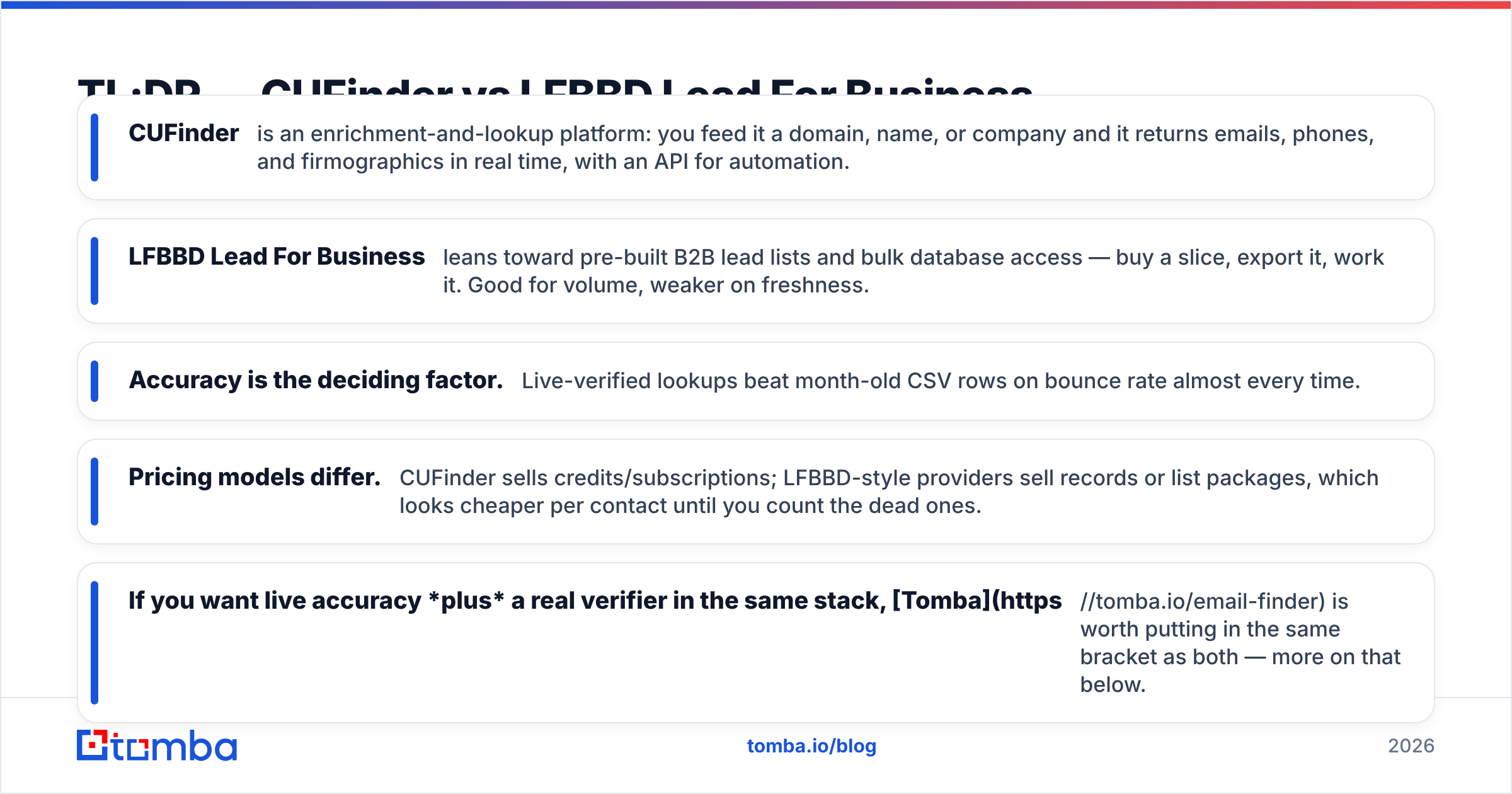
- CUFinder is an enrichment-and-lookup platform. You feed it a domain, name, or company. It returns emails, phones, and firmographics in real time, with an API for automation.
- LFBBD Lead For Business leans toward pre-built B2B lead lists and bulk database access — buy a slice, export it, work it. Good for volume, weaker on freshness.
- Accuracy is the deciding factor. Live-verified lookups beat month-old CSV rows on bounce rate almost every time.
- Pricing models differ. CUFinder sells credits or subscriptions. LFBBD-style providers sell records or list packages. That looks cheaper per contact until you count the dead ones.
- If you want live accuracy plus a real verifier in the same stack, Tomba is worth putting in the same bracket as both — more on that below.
What is CUFinder?#
CUFinder is a B2B data enrichment and prospecting tool. You give it a signal you already have: a company website, a person's name at a domain, or a LinkedIn URL. It returns the missing pieces — work email, phone number, company size, industry, tech stack, and more. It exposes this through a web app, a Chrome extension, and an API. Teams use the API to enrich records automatically inside a CRM or sequencer.
The mental model: CUFinder is a lookup engine. It shines when you enrich known accounts, fill gaps in an existing list, or wire enrichment into an automated flow. Results are pulled and checked close to the moment you request them. So freshness is generally better than a bulk list.
What is LFBBD Lead For Business?#
LFBBD Lead For Business sits on the database and list side of the market. The core promise is scale. You get large volumes of B2B contacts, filtered by industry, geography, title, or company size, delivered as an exportable set. Think of it as buying a slice of a big warehouse rather than running individual lookups.
The mental model here is a prospect list vendor. That's useful when you need to fill a top-of-funnel campaign fast and you run your own verification pass. The tradeoff is freshness and precision. A record accurate the day it was compiled decays every month as people change jobs. A static export can't know that.

Is CUFinder better than LFBBD Lead For Business?#
Neither is universally "better." They optimise for different jobs. Here's the honest split in the CUFinder vs LFBBD Lead For Business debate:
- Pick CUFinder if your workflow is account-based and you enrich records inside a CRM or sequencer. It fits teams that value freshness over raw volume. The API and real-time lookups are the draw.
- Pick an LFBBD-style list provider if you need large batches of contacts for broad outbound. You'll want a strong in-house verification step. This fits when cost-per-record on paper matters more than per-contact deliverability.
- Pick a hybrid tool if you want both — live finding and built-in verification — without stitching two vendors together.
The place both approaches get punished is deliverability. A cheap list with a 25% bounce rate isn't cheap. It's a domain-reputation problem waiting to happen. That's why the verification story matters as much as the sourcing story. See the email deliverability fundamentals if bounce rate is new to you.
How do CUFinder and LFBBD compare on accuracy?#
Accuracy is where the two philosophies visibly diverge. A live lookup validates the email pattern and, ideally, checks the mailbox at request time. A bulk list was accurate whenever it was compiled — last week or last quarter. Independent benchmarks of email-finder tools are consistent here. Verify-at-lookup workflows post much lower bounce rates than exported static databases.

The practical takeaway: treat verification as non-negotiable, whatever you buy. If a provider doesn't verify at the point of delivery, budget for a dedicated pass through an email verifier before you send. It's cheaper than burning a warmed-up domain.

CUFinder vs LFBBD Lead For Business: full comparison table#
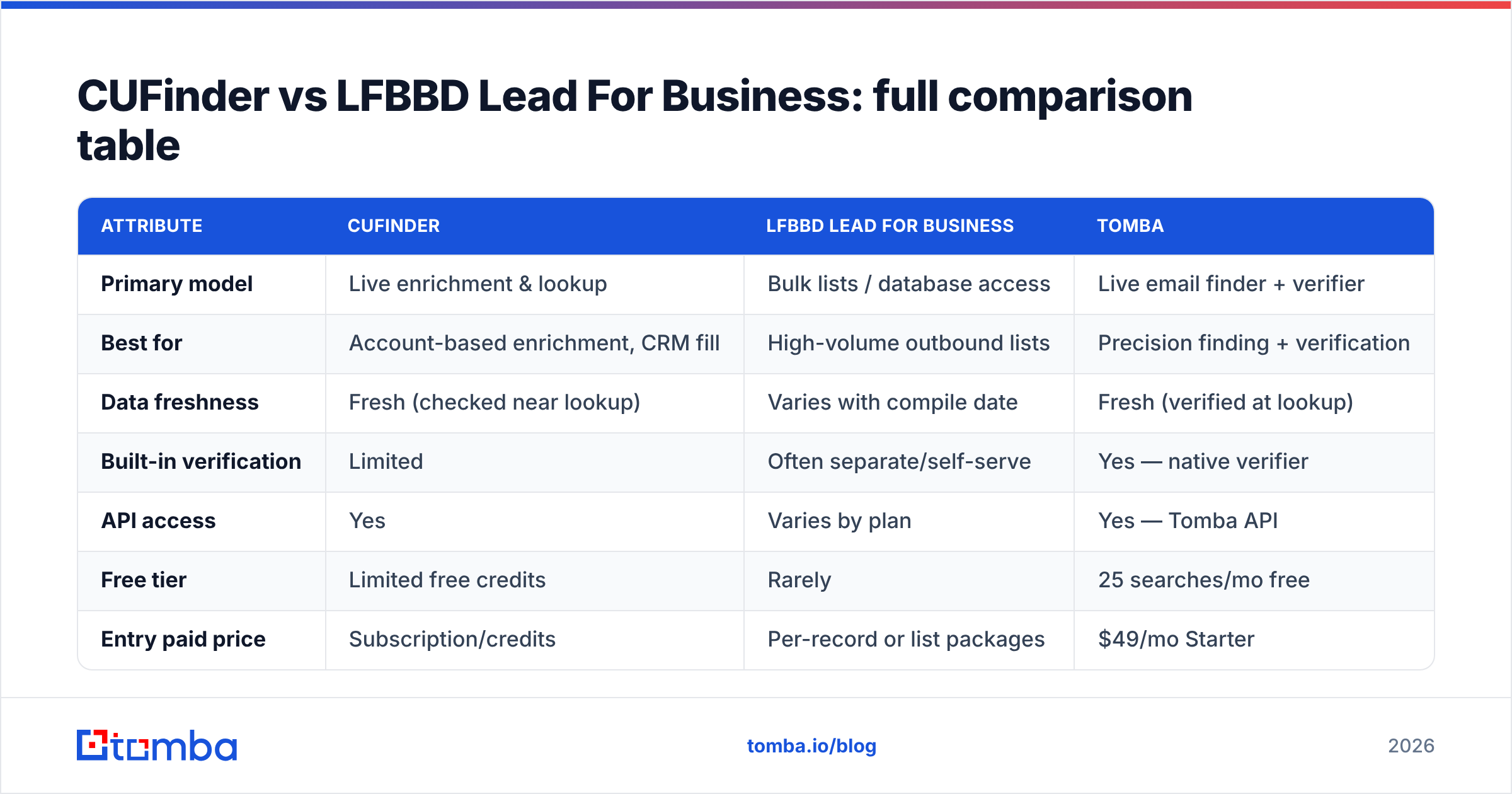
| Attribute | CUFinder | LFBBD Lead For Business | Tomba |
|---|---|---|---|
| Primary model | Live enrichment & lookup | Bulk lists / database access | Live email finder + verifier |
| Best for | Account-based enrichment, CRM fill | High-volume outbound lists | Precision finding + verification |
| Data freshness | Fresh (checked near lookup) | Varies with compile date | Fresh (verified at lookup) |
| Built-in verification | Limited | Often separate/self-serve | Yes — native verifier |
| API access | Yes | Varies by plan | Yes — Tomba API |
| Free tier | Limited free credits | Rarely | 25 searches/mo free |
| Entry paid price | Subscription/credits | Per-record or list packages | $49/mo Starter |
| Bulk workflow | Supported | Core strength | Bulk finder |
| Phone numbers | Yes | Varies | Phone finder add-on |
Prices and package structures change. Confirm current figures on each vendor's own site. Cross-check reviews on G2 or Capterra before you commit. The point of the table isn't the exact dollar figure. It's the shape of what you're buying: metered live lookups versus a static volume of records.
What does each one actually cost?#
Cost comparisons between these two models are deceptive because the units differ. List providers advertise a low cost per record. That looks unbeatable until you subtract undeliverable, duplicated, and role-based addresses. Lookup tools charge per successful, verified result. That reads as more expensive per line, but often works out cheaper per usable contact.
A quick way to normalise it: take any quoted price and divide by your realistic deliverable rate.
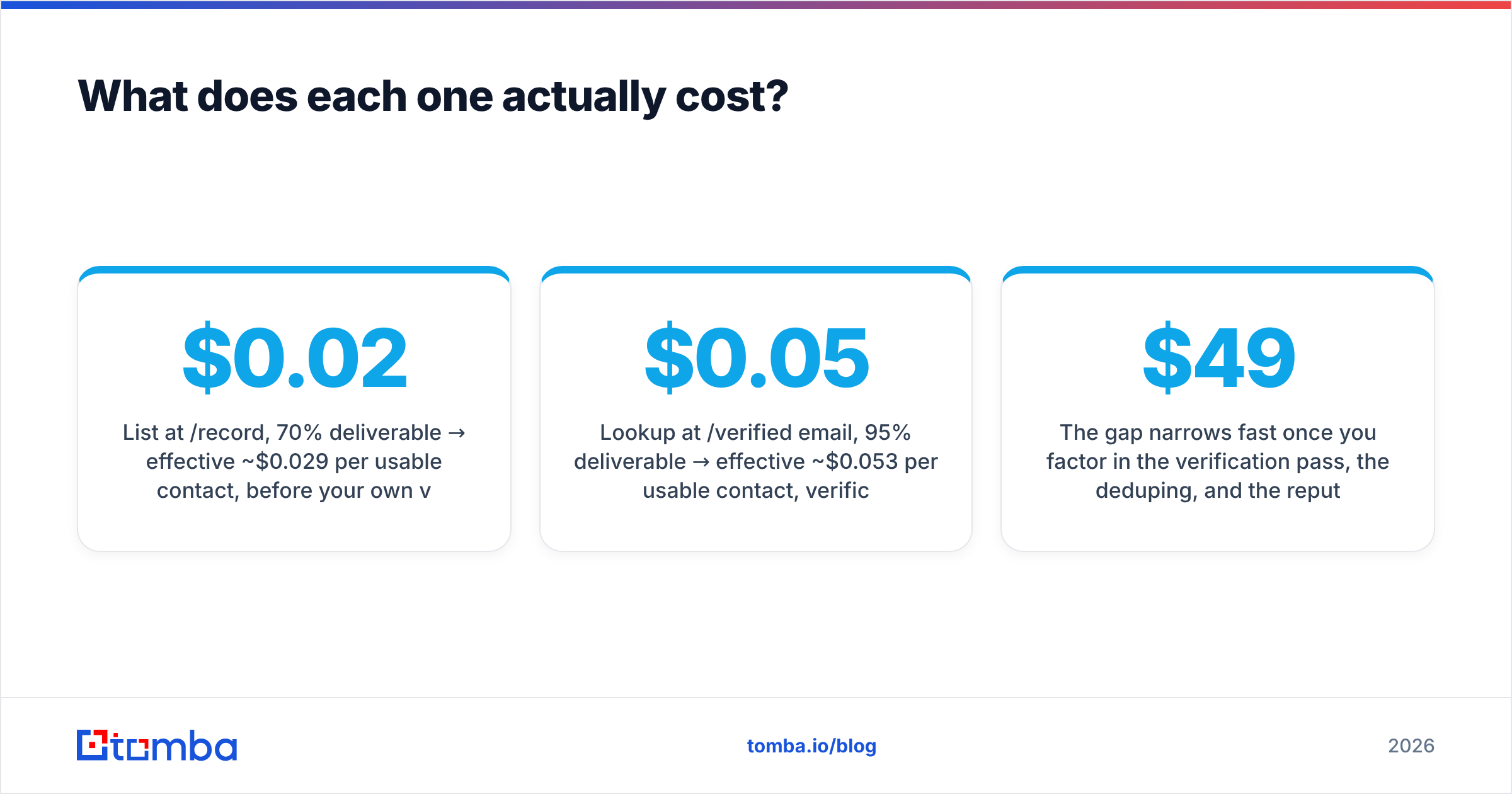
- List at $0.02/record, 70% deliverable → effective ~$0.029 per usable contact, before your own verification cost.
- Lookup at $0.05/verified email, 95% deliverable → effective ~$0.053 per usable contact, verification already included.
The gap narrows fast once you factor in the verification pass, the deduping, and the reputation risk you avoid. For Tomba, transparent tiers run from a free plan (25 searches/mo) up through Starter at $49/mo and Growth at $99/mo. Full Tomba pricing is public, so you can run the same math yourself.
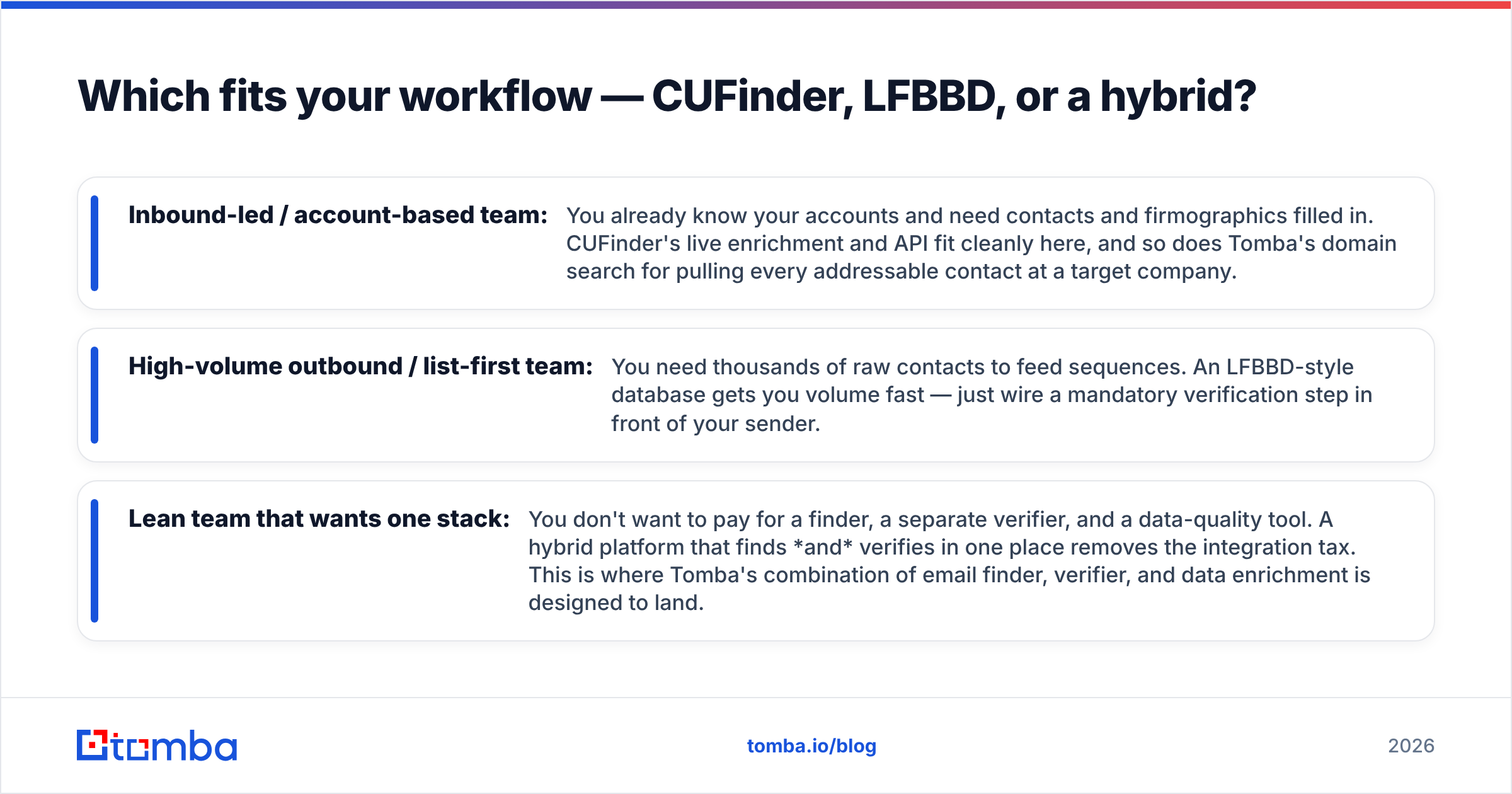
Which fits your workflow — CUFinder, LFBBD, or a hybrid?#
Match the tool to the motion, not the marketing:
- Inbound-led / account-based team: You already know your accounts and need contacts and firmographics filled in. CUFinder's live enrichment and API fit cleanly here. So does Tomba's domain search for pulling every addressable contact at a target company.
- High-volume outbound / list-first team: You need thousands of raw contacts to feed sequences. An LFBBD-style database gets you volume fast. Just wire a mandatory verification step in front of your sender.
- Lean team that wants one stack: You don't want to pay for a finder, a separate verifier, and a data-quality tool. A hybrid platform that finds and verifies in one place removes the integration tax. This is where Tomba's combination of email finder, verifier, and data enrichment is designed to land.
If your sourcing is scattered across spreadsheets and one-off exports, the hybrid path usually wins on total cost of ownership. Every hand-off between tools is a place where data goes stale or gets dropped.
Where does Tomba fit in the CUFinder vs LFBBD debate?#
Tomba isn't a bulk-list warehouse, and it isn't only an enrichment API. It's a find-and-verify platform. That puts it squarely between the two options you're weighing in the CUFinder vs LFBBD Lead For Business decision. You can look up a single professional email by name and domain. You can pull an entire company's contacts. You can verify addresses natively, so you don't ship a list to a separate tool. And you can automate all of it through the API or the bulk finder.
That matters for the failure mode this comparison keeps circling back to: deliverability. When finding and verification live in one system, you don't inherit a list's decay or pay twice to clean it. You also get transparency on where the data comes from. That's the question every serious buyer should ask any provider — CUFinder, LFBBD, or otherwise.
None of this means CUFinder or LFBBD Lead For Business are bad choices. CUFinder is a capable enrichment engine. List providers earn their place when raw volume is the goal. The right pick depends on your bottleneck: finding contacts, buying them in bulk, or keeping them deliverable. Most teams underestimate that last one.
The bottom line#
CUFinder wins on live, API-driven enrichment for account-based teams. LFBBD Lead For Business wins on fast, high-volume list access when you own the verification step. But maybe your real problem is landing in the inbox, not just collecting rows. Then a find-and-verify platform beats either on effective cost per usable contact.
If that's you, start with the Tomba Email Finder. Find professional emails by name, domain, or company. Verify them in the same workflow. Export clean, deliverable contacts your outbound can actually trust. The free tier gives you 25 searches a month. Test it against whatever CUFinder or an LFBBD list hands you — run both, compare the bounce rates, and let the deliverability numbers decide.
Related guides#
Ready to find emails that actually work?
Join 150,000+ professionals who stopped guessing and started sending. Free credits on signup — no credit card required.
Get the Tomba newsletter
Practical outbound tactics and product updates — once every two weeks.
About the author