9 Best DeBounce Alternatives in 2026 (Tested and Compared)
DeBounce is cheap and fast, but it is a verifier only — and its catch-all handling frustrates plenty of teams. Here are nine DeBounce alternatives compared on accuracy, credit model, and real cost per verified contact.

TL;DR
- DeBounce is a solid, low-cost bulk email verifier. It stops being the right tool the moment you need to find addresses, verify catch-all domains with confidence, or run verification inside a live enrichment pipeline.
- The cheapest per-credit price is almost never the cheapest real cost. What matters is the percentage of your list that comes back "unknown" — those credits are spent and unusable.
- If you want find + verify in one place, Tomba, Hunter, and Apollo cover both. If you only need bulk hygiene, MillionVerifier, EmailListVerify, and Bouncer are the price leaders.
- Catch-all domains are the deciding factor for most B2B lists. Roughly a quarter of B2B domains accept all mail, and tools differ wildly in how they score them.
- Run the same 1,000-row sample through two or three vendors before you commit. Vendor-published accuracy numbers are marketing; your own bounce rate is data.
What is DeBounce and what is it actually good at?#
DeBounce is a bulk email verification service. You upload a CSV, it runs syntax checks, MX lookups, SMTP handshakes, disposable-domain detection, and role-account flagging, then hands back a scored list. It has been around since 2017, sells credits that do not expire on most plans, and undercuts most of the well-known verifiers on price. The official DeBounce site also ships a JavaScript widget for form-level validation and integrations with the usual ESPs.
That is the honest positioning: DeBounce is a cleaner, not a finder. It tells you whether an address you already have is likely to bounce. It does not tell you the email address of the VP of Engineering at a company you just added to your target list.
For a lot of teams that is fine. For anyone running outbound, it is half a workflow.
Why do teams start looking for DeBounce alternatives?#
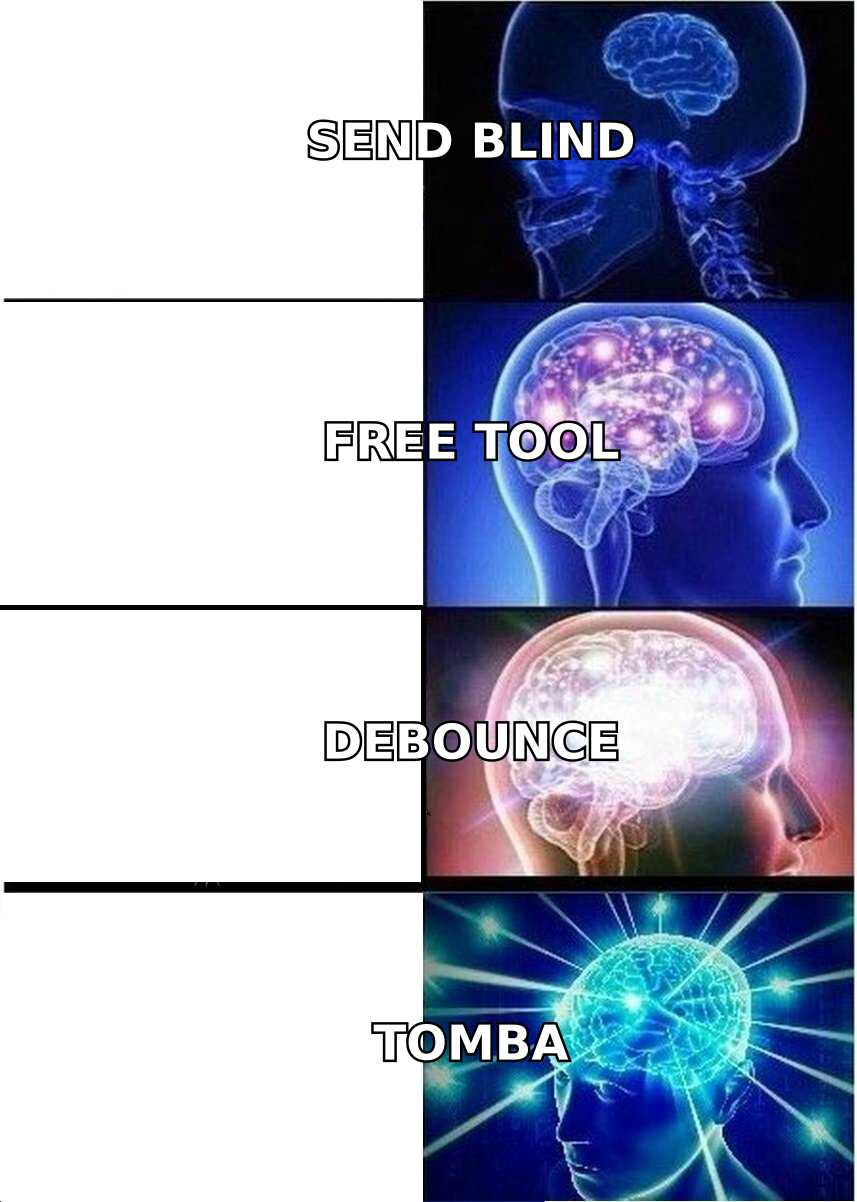
Five complaints show up repeatedly in G2's email verification category reviews and in the switching conversations we see:
- Catch-all results are a coin flip. Accept-all domains return "unknown" or "accept-all" and you are left to decide. On a typical B2B list that is 20-30% of your rows — credits spent, no answer delivered.
- No email discovery. You still need a separate finder, which means a second vendor, a second bill, and a second CSV round trip.
- No real-time enrichment path. The API exists, but the product is built around batch uploads. If you want verification to fire the instant a lead hits your CRM, you are building glue code.
- Support latency on large jobs. Multi-hundred-thousand-row uploads occasionally stall, and the queue gives limited visibility into why.
- Credit model confusion. Unknowns consume credits on most verifiers, DeBounce included. Cheap credits stop being cheap when a third of them return nothing actionable.
None of these make DeBounce a bad product. They make it a narrow one. The question is whether narrow-and-cheap beats broad-and-slightly-pricier for your workflow.
What should you compare before switching?#
Do not compare marketing pages. Compare these six things, in this order:
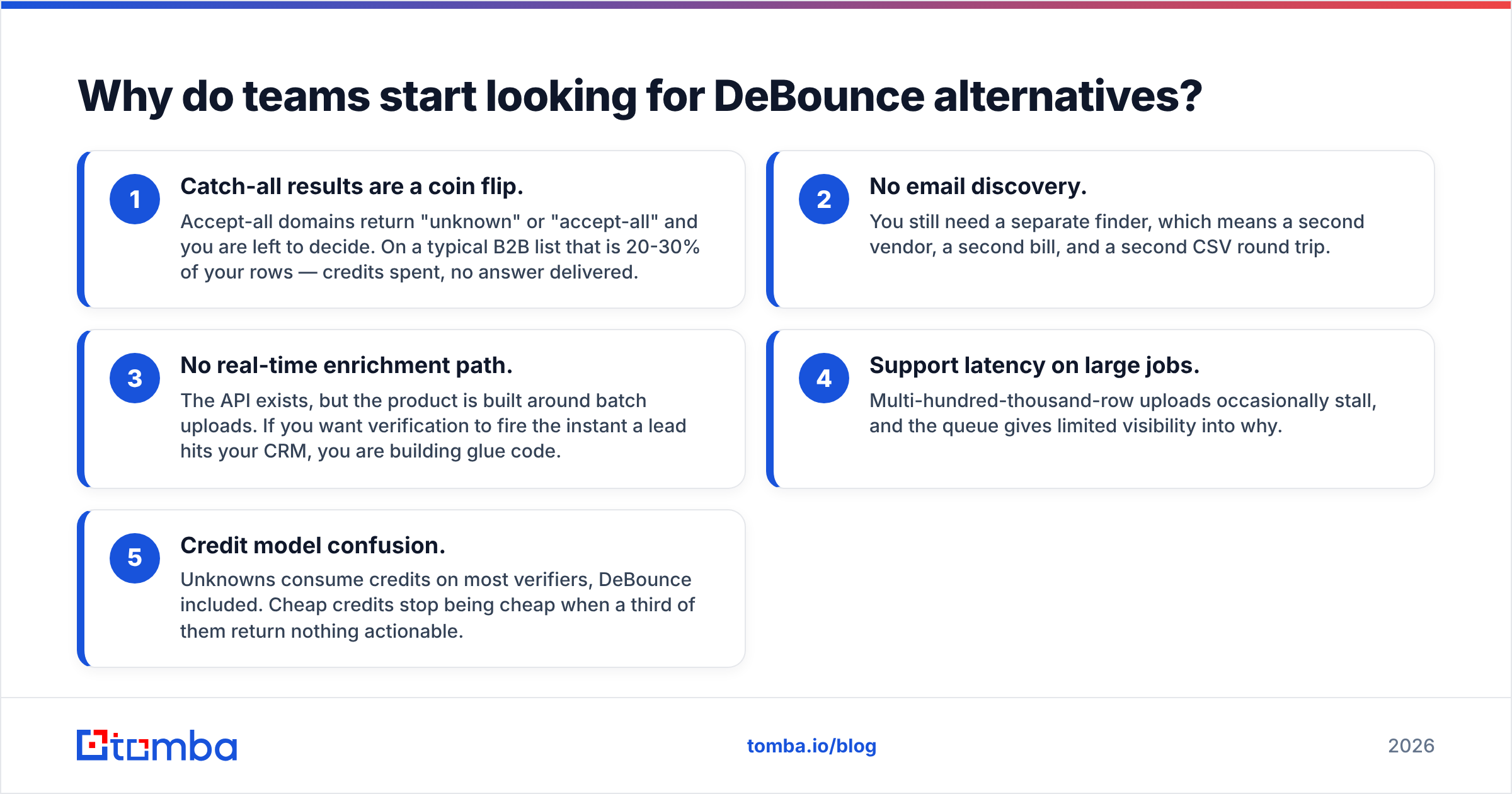
- Usable-result rate, not accuracy rate. Ask: of 1,000 rows, how many come back with a decisive verdict (valid or invalid)? A vendor claiming 99% accuracy on the 70% it will commit to is worse than one claiming 96% on 92% of rows.
- Catch-all methodology. Does the tool guess, abstain, or apply pattern-plus-signal scoring? Abstaining is honest. Guessing without disclosure is dangerous. Scoring with a confidence value is the most useful.
- Credit accounting. Are unknowns billed? Do credits expire? Are finder and verifier credits separate pools or shared?
- Whether finding is included. If you need both, one vendor with a shared credit pool is materially cheaper and simpler than two.
- API and pipeline fit. Rate limits, webhook support, native CRM connectors, and whether there is a CLI or MCP layer for automation.
- Compliance posture. GDPR and CCPA handling, data residency, and whether the vendor will sign a DPA. This kills deals late if you skip it.
Which DeBounce alternatives are worth testing in 2026?#
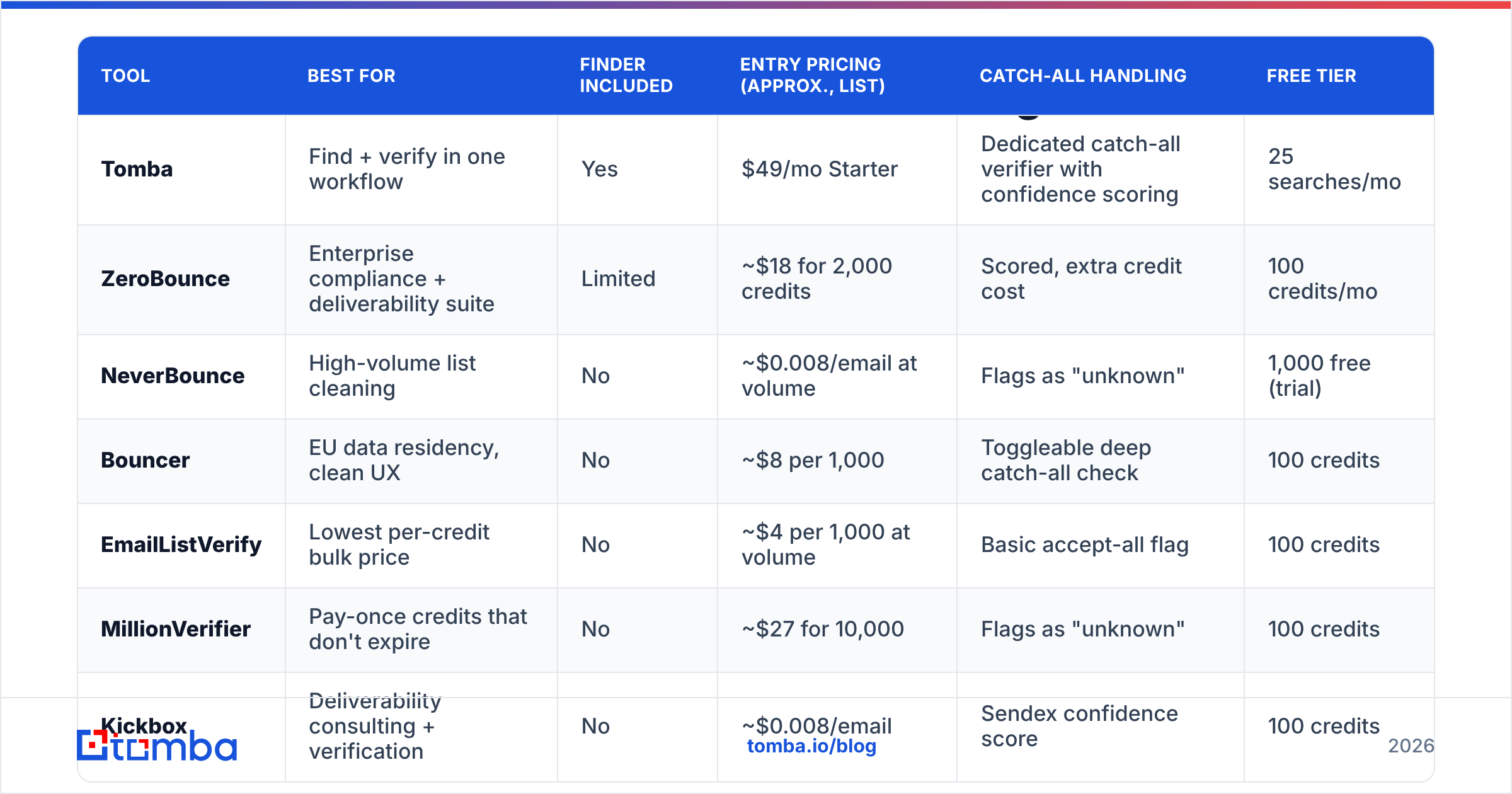
| Tool | Best for | Finder included | Entry pricing (approx., list) | Catch-all handling | Free tier |
|---|---|---|---|---|---|
| Tomba | Find + verify in one workflow | Yes | $49/mo Starter | Dedicated catch-all verifier with confidence scoring | 25 searches/mo |
| ZeroBounce | Enterprise compliance + deliverability suite | Limited | ~$18 for 2,000 credits | Scored, extra credit cost | 100 credits/mo |
| NeverBounce | High-volume list cleaning | No | ~$0.008/email at volume | Flags as "unknown" | 1,000 free (trial) |
| Bouncer | EU data residency, clean UX | No | ~$8 per 1,000 | Toggleable deep catch-all check | 100 credits |
| EmailListVerify | Lowest per-credit bulk price | No | ~$4 per 1,000 at volume | Basic accept-all flag | 100 credits |
| MillionVerifier | Pay-once credits that don't expire | No | ~$27 for 10,000 | Flags as "unknown" | 100 credits |
| Kickbox | Deliverability consulting + verification | No | ~$0.008/email | Sendex confidence score | 100 credits |
| Clearout | Real-time API validation | Yes (limited) | ~$21 for 5,000 | Guessed with confidence % | 100 credits |
| BookYourData | Buying pre-verified contact lists | N/A (database) | Pay-per-contact | Verified before delivery | Sample available |
| Hunter | Domain-first prospecting | Yes | ~$34/mo entry | Confidence score, no dedicated module | 25 searches/mo |

Tomba — the pick when you need find and verify together#
Tomba's core product is the email finder, with verification, domain search, phone lookup, and enrichment built around it on a shared credit pool. That structure is the actual differentiator versus DeBounce: you go from a company domain to a named contact to a verified address without exporting anything.
The catch-all verifier is the part worth testing specifically. Instead of returning a flat "accept-all — good luck," it combines observed company email patterns, historical delivery signals, and source corroboration into a confidence score you can threshold on. In practice that converts a meaningful slice of "unknown" rows into decisions.
Tomba pricing runs Free (25 searches/mo), Starter $49/mo, Growth $99/mo, Pro $249/mo, and Enterprise custom. Per raw credit that is more than EmailListVerify. Per usable verified contact including discovery, it is usually less, because you are not paying two vendors and not eating a discovery step.
Trade-off: if you genuinely only clean lists you already own and never need to find anyone, you are paying for capability you will not use.
ZeroBounce — the compliance-heavy option#
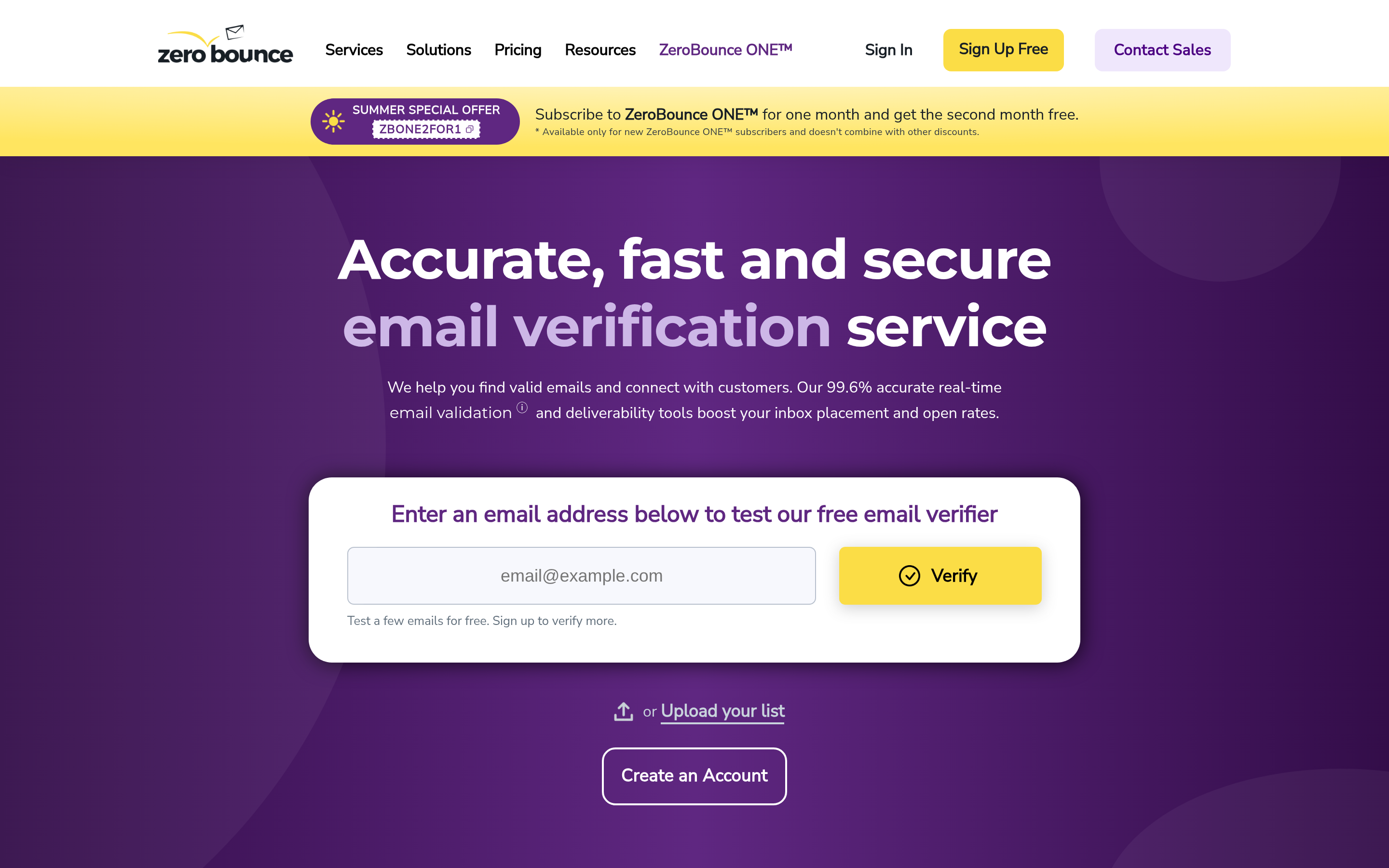
ZeroBounce brings SOC 2, GDPR tooling, an activity-data layer, blacklist monitoring, and inbox placement testing. It is the closest thing to an enterprise deliverability suite on this list. It is also the most expensive per credit, and some of the good stuff (AI scoring for catch-alls) is metered separately. See the ZeroBounce alternative breakdown if you are weighing it directly.
NeverBounce, Bouncer, EmailListVerify, MillionVerifier — the bulk price tier#
These four are functionally similar to DeBounce and compete on price, throughput, and UI polish rather than capability.
- NeverBounce (ZoomInfo-owned) is the safe enterprise-procurement choice with strong throughput.
- Bouncer is EU-hosted with the cleanest interface of the group and an optional deeper catch-all check.
- EmailListVerify is the price floor at high volume; expect a more utilitarian experience.
- MillionVerifier sells non-expiring credits, which suits sporadic cleaning.
If your only complaint about DeBounce is speed or UI, one of these solves it. If your complaint is "I still need a finder," none of them do.
Kickbox and Clearout — the API-first picks#
Kickbox's Sendex score is a genuinely useful confidence signal, and the company publishes real deliverability guidance rather than credit-burn marketing. Clearout leans harder into real-time API validation at signup forms, with a modest finder attached. Both are strong if verification is something your product does, not just something your sales team does.
BookYourData — when you would rather buy the list than build it#
BookYourData sits in a different lane: it sells pre-verified B2B contact records with a stated accuracy guarantee rather than verifying lists you bring. That is a legitimate and often faster path when you are entering a new segment and have no source data at all. It complements a verifier more than it replaces one — many teams buy from a database like this and still run a hygiene pass before their first send.
How accurate are these tools actually?#

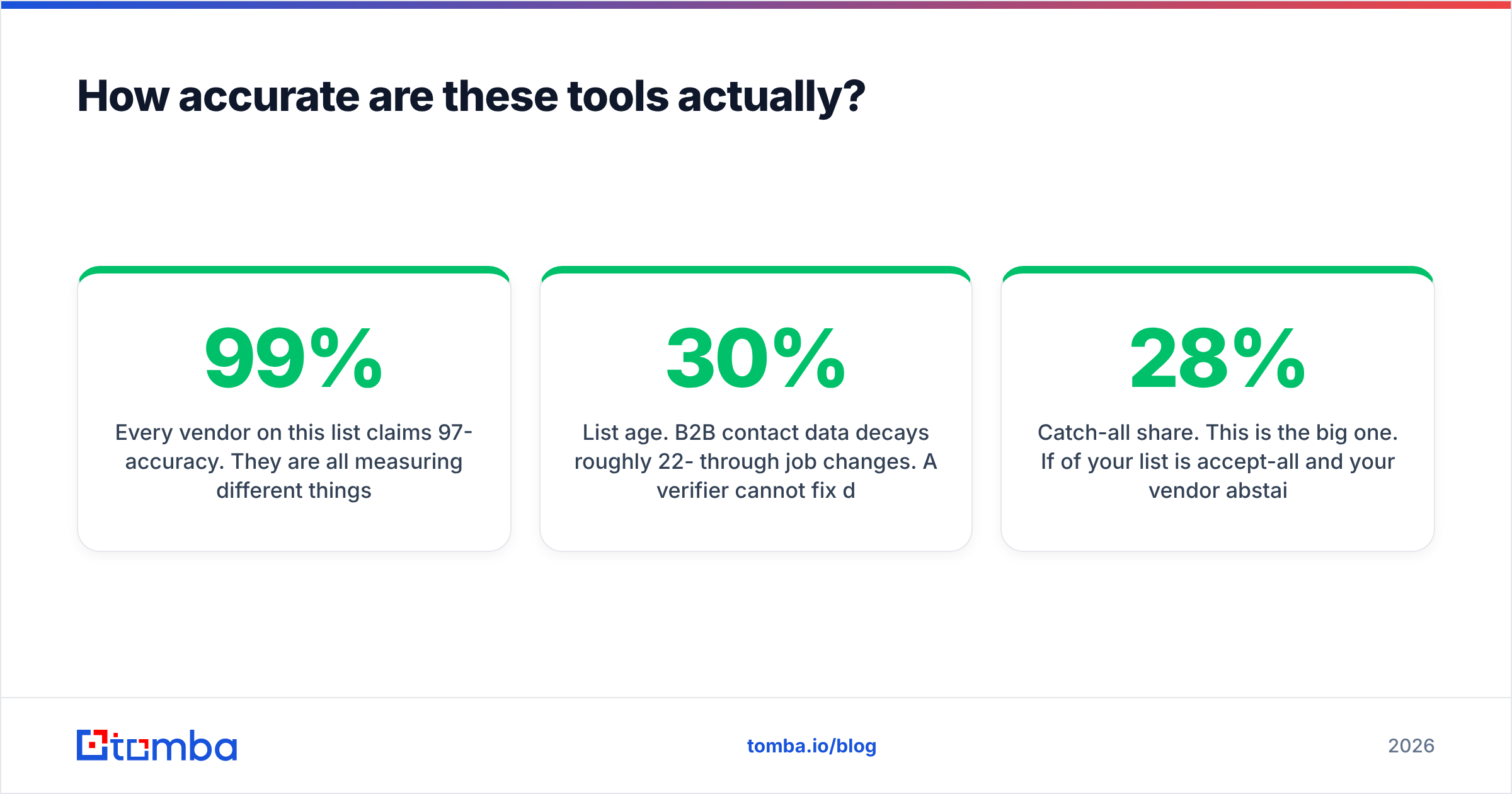
Every vendor on this list claims 97-99% accuracy. They are all measuring different things.
The number that matters is bounce rate on your actual sends, and it depends on three variables the marketing page does not control:
- List age. B2B contact data decays roughly 22-30% per year through job changes. A verifier cannot fix data that was correct last quarter and is now dead. It can only tell you it is dead now.
- Domain mix. Google Workspace and Microsoft 365 domains verify cleanly. Corporate mail servers with aggressive greylisting do not. A list skewed toward enterprise domains will show worse numbers everywhere.
- Catch-all share. This is the big one. If 28% of your list is accept-all and your vendor abstains on all of it, your "accuracy" is technically perfect and practically useless.

The only test that counts: take 1,000 rows from a real list. Run them through DeBounce and two alternatives. Compare three columns — valid count, invalid count, unknown count. Then send to the valid set from each vendor and record actual bounces. That costs you a few dollars in credits and settles the argument permanently. Anything less is vendor trust.
Is a verifier enough, or do you need a finder too?#
Ask what your bottleneck is.
If you have more contacts than you can email, and your problem is bounce rate, a pure verifier is correct. Buy the cheapest one that handles catch-alls the way you want and move on. DeBounce may already be that tool.
If you run out of contacts before you run out of send capacity, a verifier is solving the wrong problem. You need discovery — domain search to pull every address at a target company, LinkedIn-based lookup, and bulk email finder runs against an account list — with verification as a step inside that flow rather than a separate purchase.
Most outbound teams that outgrow DeBounce are in the second category. They did not need a better verifier. They needed the verifier to stop being a separate errand.
There is also a maintenance angle. Your CRM decays continuously, not in batches. Pairing an email verifier with scheduled re-verification through an API or a native CRM connector keeps the database clean without anyone remembering to export a CSV on the first of the month. That is a pipeline design question, and it favors vendors with real API depth over vendors with cheap credits.
Which DeBounce alternative should you pick?#
- You only clean lists, and price is the deciding factor. EmailListVerify or MillionVerifier. Stay on DeBounce if it already works — switching to save $2 per thousand is not a project.
- You need EU data residency. Bouncer.
- You need procurement-friendly enterprise compliance. ZeroBounce or NeverBounce.
- You are embedding validation in a product signup flow. Kickbox or Clearout.
- You have no source data for a new segment. BookYourData, then verify before your first send.
- You need to find contacts and verify them, in one workflow, with catch-alls actually resolved. Tomba.
Ready to stop paying two vendors for one workflow?#
If your DeBounce bill is really a symptom — you are cleaning lists someone else had to find first — collapse the two steps. The Tomba Email Finder takes a company domain or a name and returns a verified professional address, with catch-all scoring, bulk processing, and a full API behind it on the same credit pool. Start on the free tier with 25 searches a month, run your 1,000-row sample against whatever you use today, and compare the unknown column. That single test will tell you more than any comparison post, including this one.
Related guides#
Ready to find emails that actually work?
Join 150,000+ professionals who stopped guessing and started sending. Free credits on signup — no credit card required.
Get the Tomba newsletter
Practical outbound tactics and product updates — once every two weeks.
About the author