GetProspect vs Techsalerator: B2B Data Compared for 2026
One is a self-serve email finder built on LinkedIn workflows. The other licenses bulk datasets by quote. Here is how GetProspect and Techsalerator actually differ on data, pricing, and fit.
TL;DR
- GetProspect is a self-serve B2B email finder and LinkedIn prospecting tool. You sign up, pull contacts, export a CSV, and start sending the same day.
- Techsalerator is a data-as-a-service vendor. It licenses bulk B2B and consumer datasets — often millions of records, delivered by file or API, priced by quote.
- They are not really competitors. They serve two different buyers: an SDR who needs 500 verified emails this week, and a data team that needs 4 million records for enrichment or modelling.
- Neither publishes hard, independently audited accuracy numbers. Run your own 100-row bounce test before you commit budget to either.
- If you need per-contact precision plus a documented API and transparent pricing, a dedicated finder-plus-verifier stack is usually the cheaper middle path.
What are GetProspect and Techsalerator?#
Think of it like buying produce. GetProspect is the greengrocer — you walk in, pick the exact tomatoes you want, pay at the till, and leave with a bag. Techsalerator is the wholesale market — you negotiate a pallet, agree terms, and take delivery of far more than you can carry by hand.
GetProspect launched as a Chrome-extension email finder for LinkedIn and grew into a fuller prospecting platform: a searchable contact database, list building, verification, CRM-style contact management, and lightweight email sending. The buyer is an individual SDR, a founder doing their own outbound, or a small agency team.
Techsalerator sits in a different category entirely. It is a data provider that sells licensed datasets — B2B firmographics, contact records, consumer data, geospatial data, financial data — across a very wide list of countries. Delivery is by bulk file, S3 drop, or API feed. The buyer is a RevOps lead, a data engineering team, or a company building an internal enrichment layer.
Understanding that split matters more than any feature-by-feature scorecard, because it determines which failure mode you will hit. GetProspect's failure mode is running out of credits mid-campaign. Techsalerator's is signing a five-figure licence for records you never fully use.
How does GetProspect actually work?#
The workflow is familiar to anyone who has used a modern prospecting tool:
- Search or scrape. Filter the built-in database by job title, company size, industry, and geography — or run the Chrome extension across a LinkedIn Sales Navigator list.
- Find the email. GetProspect resolves a work email for each profile, using pattern inference plus its own database of previously discovered addresses.
- Verify. Results are labelled valid, risky, or unknown so you can filter before export. Catch-all domains typically land in the middle bucket.
- Organise. Contacts go into lists with custom properties, tags, and notes — a light CRM layer so you are not immediately dumping to a spreadsheet.
- Export or sync. CSV, Google Sheets, or push to a CRM and sequencer via native integrations and Zapier.
The appeal is speed. You can go from "I need heads of marketing at 200 Series A SaaS companies" to a usable list in under an hour, with no procurement conversation.
The limits are equally clear. Credit-based pricing punishes high-volume work, coverage outside North America and Western Europe thins out quickly, and you are dependent on whatever the tool's own database happens to hold. There is no way to license the underlying data and run it through your own pipelines.
What does Techsalerator actually sell?#
Techsalerator's product is the dataset itself, not the interface around it. A typical engagement looks like this:
- You scope the request. Industry codes, geography, employee-count bands, technographic signals, contact seniority — you define the slice you want.
- They quote. Pricing is bespoke. There is no public price card, no self-serve checkout, and no free tier you can poke at over a weekend.
- You receive a sample. Good practice with any bulk vendor is to demand a sample file of a few thousand rows before signing.
- Delivery happens in bulk. CSV, JSON, Parquet, S3 bucket, or API feed depending on the contract.
- Refresh is contractual. How often the data updates — quarterly, monthly, on-demand — is a term you negotiate, not a setting you toggle.
This model is genuinely useful when your problem is scale. If you are building a total-addressable-market model, backfilling a warehouse, training a scoring model, or enriching an existing CRM of 300,000 accounts, buying per-contact credits from a self-serve tool is economically absurd. A licensed dataset is the right instrument.
It is the wrong instrument when you need 40 specific people at 12 specific target accounts. Bulk data is optimised for coverage breadth, not for "is this exact address deliverable today."
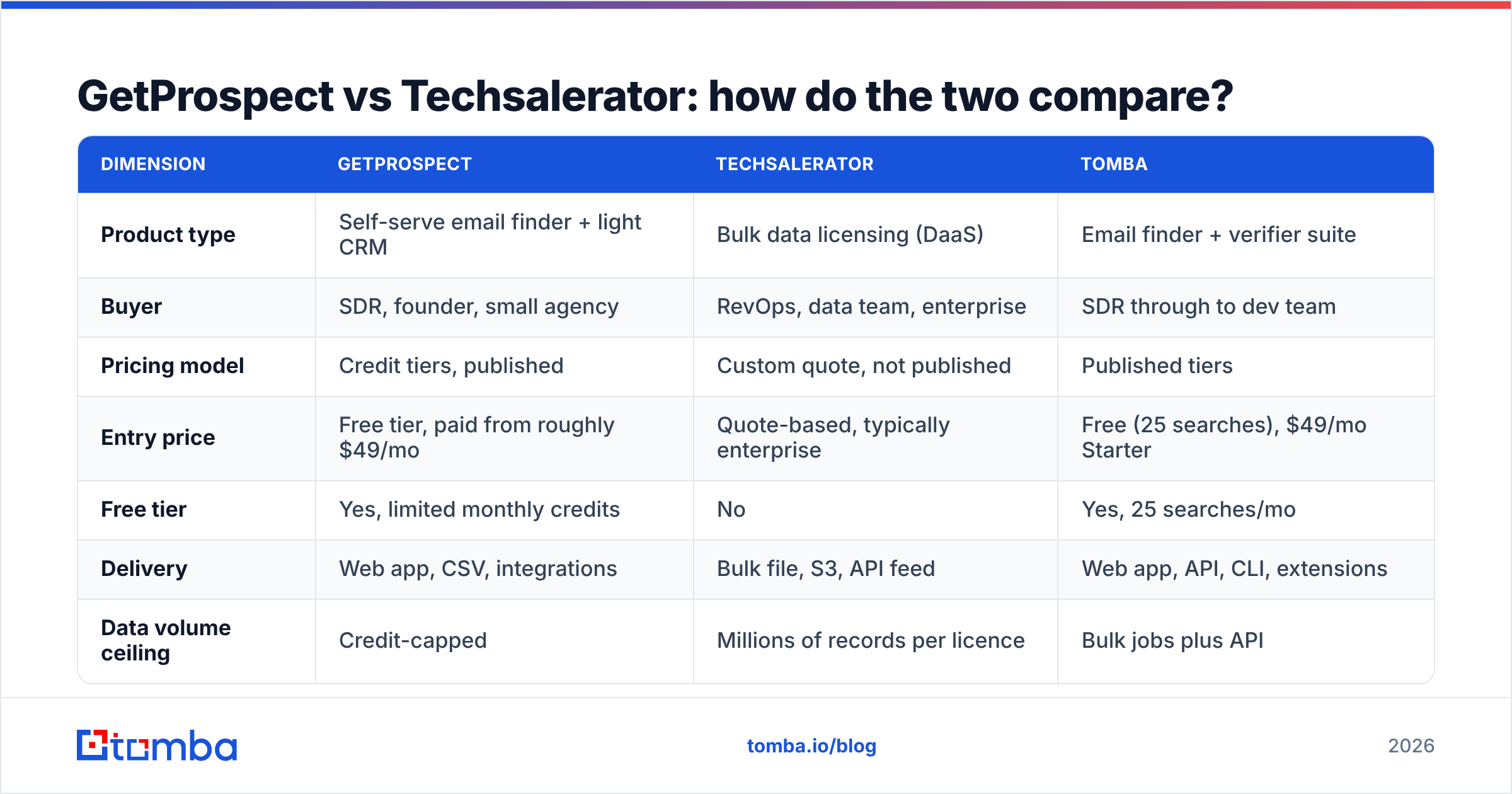
GetProspect vs Techsalerator: how do the two compare?#
Here is the honest side-by-side. Where a vendor does not publish a figure, that is stated rather than guessed.
| Dimension | GetProspect | Techsalerator | Tomba |
|---|---|---|---|
| Product type | Self-serve email finder + light CRM | Bulk data licensing (DaaS) | Email finder + verifier suite |
| Buyer | SDR, founder, small agency | RevOps, data team, enterprise | SDR through to dev team |
| Pricing model | Credit tiers, published | Custom quote, not published | Published tiers |
| Entry price | Free tier, paid from roughly $49/mo | Quote-based, typically enterprise | Free (25 searches), $49/mo Starter |
| Free tier | Yes, limited monthly credits | No | Yes, 25 searches/mo |
| Delivery | Web app, CSV, integrations | Bulk file, S3, API feed | Web app, API, CLI, extensions |
| Data volume ceiling | Credit-capped | Millions of records per licence | Bulk jobs plus API |
| Verification included | Yes, basic status labels | Varies by contract | Yes, dedicated verifier + catch-all |
| LinkedIn workflow | Chrome extension | No | Chrome extension + LinkedIn finder |
| Time to first list | Minutes | Days to weeks (procurement) | Minutes |
| Best for | Targeted, ongoing outbound | TAM modelling, mass enrichment | Precision outbound + dev pipelines |

The pattern in that table is consistent: GetProspect optimises for time-to-first-email, Techsalerator optimises for cost-per-thousand-records, and the two rarely compete for the same budget line.
Which one has better data accuracy?#
Neither vendor publishes an independently audited accuracy figure, so treat any marketing percentage — from either side — as a claim, not a fact.
What you can do is test properly. Here is the protocol that actually separates vendors:
- Build one control list. Pick 100 contacts you can verify by hand or already have confirmed addresses for. Same list goes to every vendor.
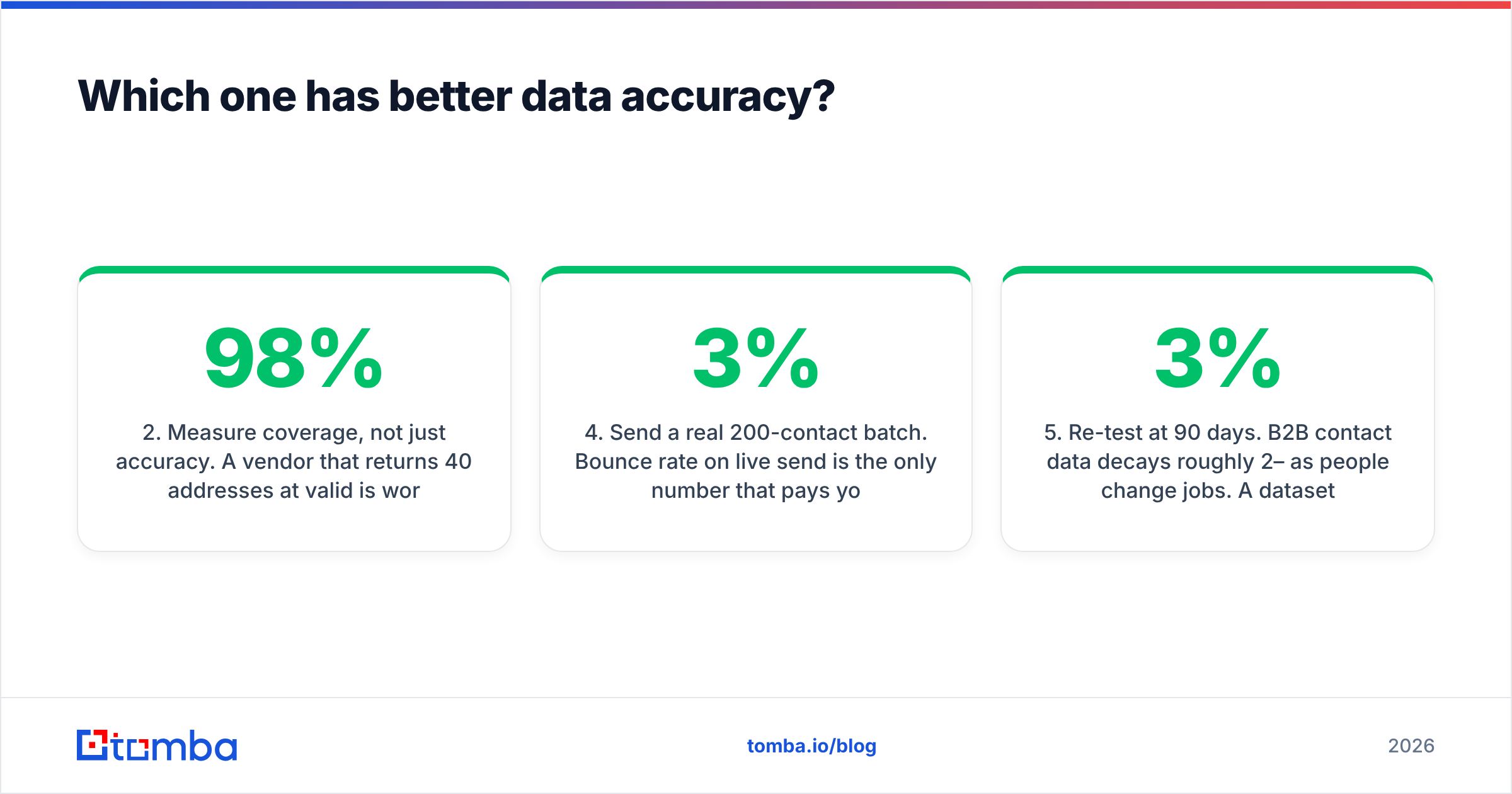
- Measure coverage, not just accuracy. A vendor that returns 40 addresses at 98% valid is worse than one returning 85 at 92% for most campaigns. Multiply hit rate by validity rate to get useful contacts per 100 attempts.
- Isolate catch-all domains. These are the single biggest source of inflated accuracy scores. A provider that marks every catch-all "valid" is not accurate, it is optimistic. Use a dedicated catch-all verifier to separate real mailboxes from accept-all servers.
- Send a real 200-contact batch. Bounce rate on live send is the only number that pays your bills. Under 3% is healthy, over 5% is a deliverability problem forming.
- Re-test at 90 days. B2B contact data decays roughly 2–3% per month as people change jobs. A dataset licensed in January is materially worse by April unless the refresh terms are strong.

Structurally, real-time finders and bulk licences fail in opposite directions. A finder that resolves an address the moment you ask has the freshest possible signal, but a thinner index. A bulk licence has enormous breadth but a snapshot timestamp — and the older the snapshot, the more you are emailing people who left the company.
For bulk-purchased data specifically, always run the file through an email verifier before the first send. Vendors deliver what they have; they do not guarantee mailbox state on the day you press send.
How much does each really cost?#
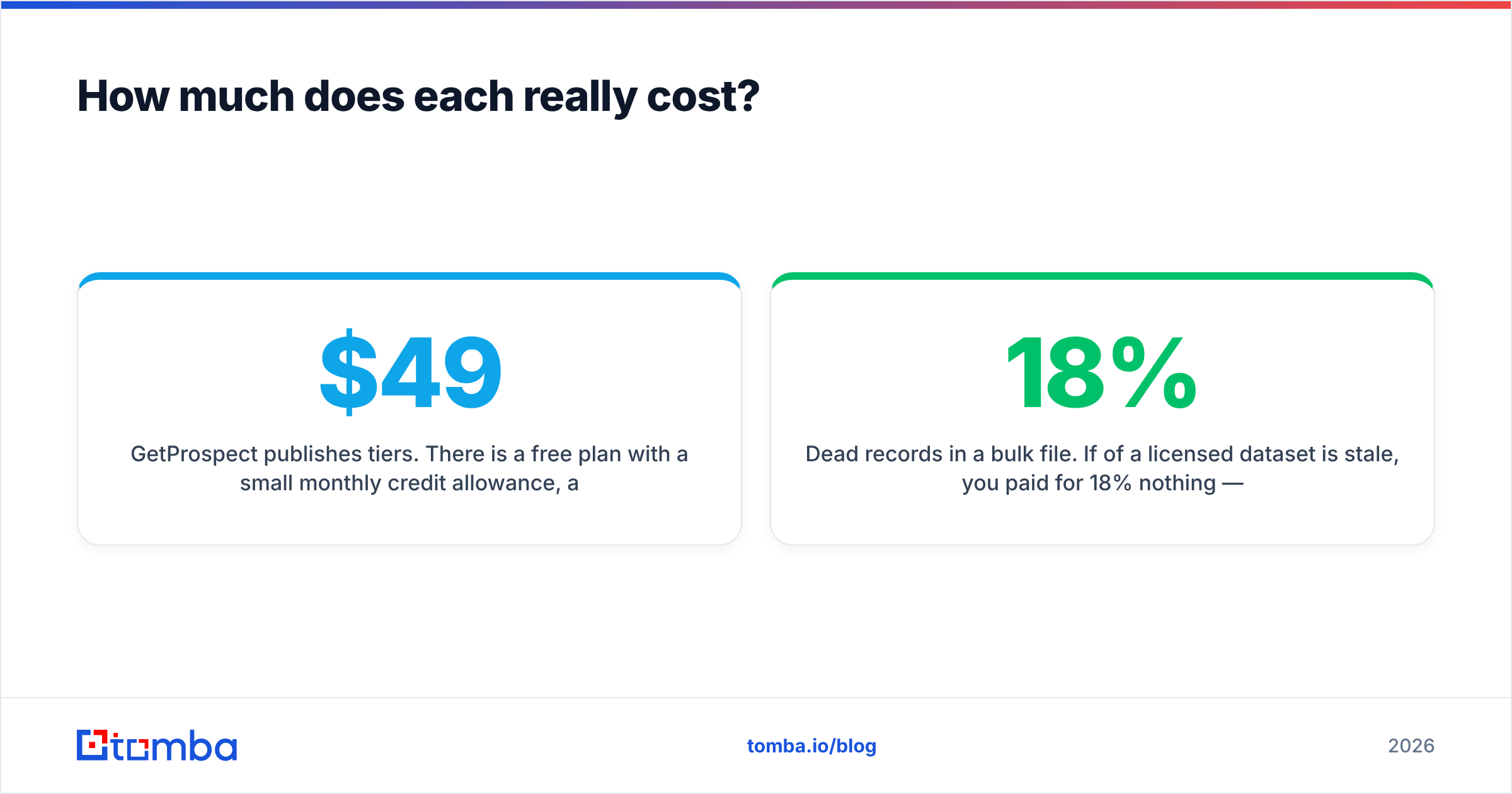
GetProspect publishes tiers. There is a free plan with a small monthly credit allowance, and paid plans that scale by verified emails per month — the entry paid tier sits in the roughly $49/month range at the time of writing, climbing with volume. Always confirm on the vendor's own page, since credit definitions shift.
Techsalerator does not publish pricing at all. Every deal is quoted against the slice of data you request, the geographies, the refresh cadence, and the licence terms. In practice that means a procurement cycle, a legal review of the licence, and a commitment measured in thousands rather than tens of dollars. That is normal for data-as-a-service and not a criticism — it is simply a different purchasing motion.
The hidden costs are where teams get caught:
- Credit burn on failed lookups. Check whether unfound contacts consume credits. Over a year this is a real percentage of spend.
- Verification as a separate line item. Some stacks charge you to find an address and again to confirm it.
- Dead records in a bulk file. If 18% of a licensed dataset is stale, you paid for 18% nothing — and your sender reputation pays a second time.
- Engineering time. Bulk data needs deduplication, normalisation, and a pipeline. Budget the sprint, not just the licence.
- Seat minimums. Team plans on self-serve tools often force seats you do not need.

Independent review sites like G2 are useful for spotting where reported costs diverge from list prices, particularly around renewal and overage. Read the two-star reviews first — they describe the billing surprises the five-star ones never mention.
Which should you choose for your team?#
Match the tool to the shape of your problem, not to the length of its feature list.
- Choose GetProspect if you are running targeted outbound to a few hundred contacts a month, you live in LinkedIn Sales Navigator, and you want to be sending by this afternoon without a procurement conversation.
- Choose Techsalerator if your problem is genuinely bulk — TAM sizing, warehouse enrichment, international coverage in markets self-serve tools ignore, or feeding a scoring model. You have engineering capacity and a budget approval process.
- Choose neither, alone, if you need both precision and programmatic access. That is the most common real-world case and the one both products handle only partially.
The third option deserves a moment. Most teams do not have a pure "500 leads" problem or a pure "4 million records" problem. They have a rolling need: enrich inbound signups in real time, top up target-account lists weekly, verify an inherited CRM once a quarter, and occasionally run a larger batch. That workload wants an API-first finder with published pricing, not a credit meter or a licence negotiation.
Where does Tomba fit between the two?#
Tomba occupies the middle: per-contact precision with developer-grade access, priced transparently.
The core email finder resolves work addresses by name and domain, with a domain search for mapping every published contact at a company, a verifier with genuine catch-all handling, bulk jobs for larger lists, and phone and enrichment endpoints alongside. The Tomba API is documented, with a CLI, an MCP server, and Sheets, Excel, and Airtable add-ins — so the same data reaches an SDR's browser and an engineer's pipeline without a second contract.
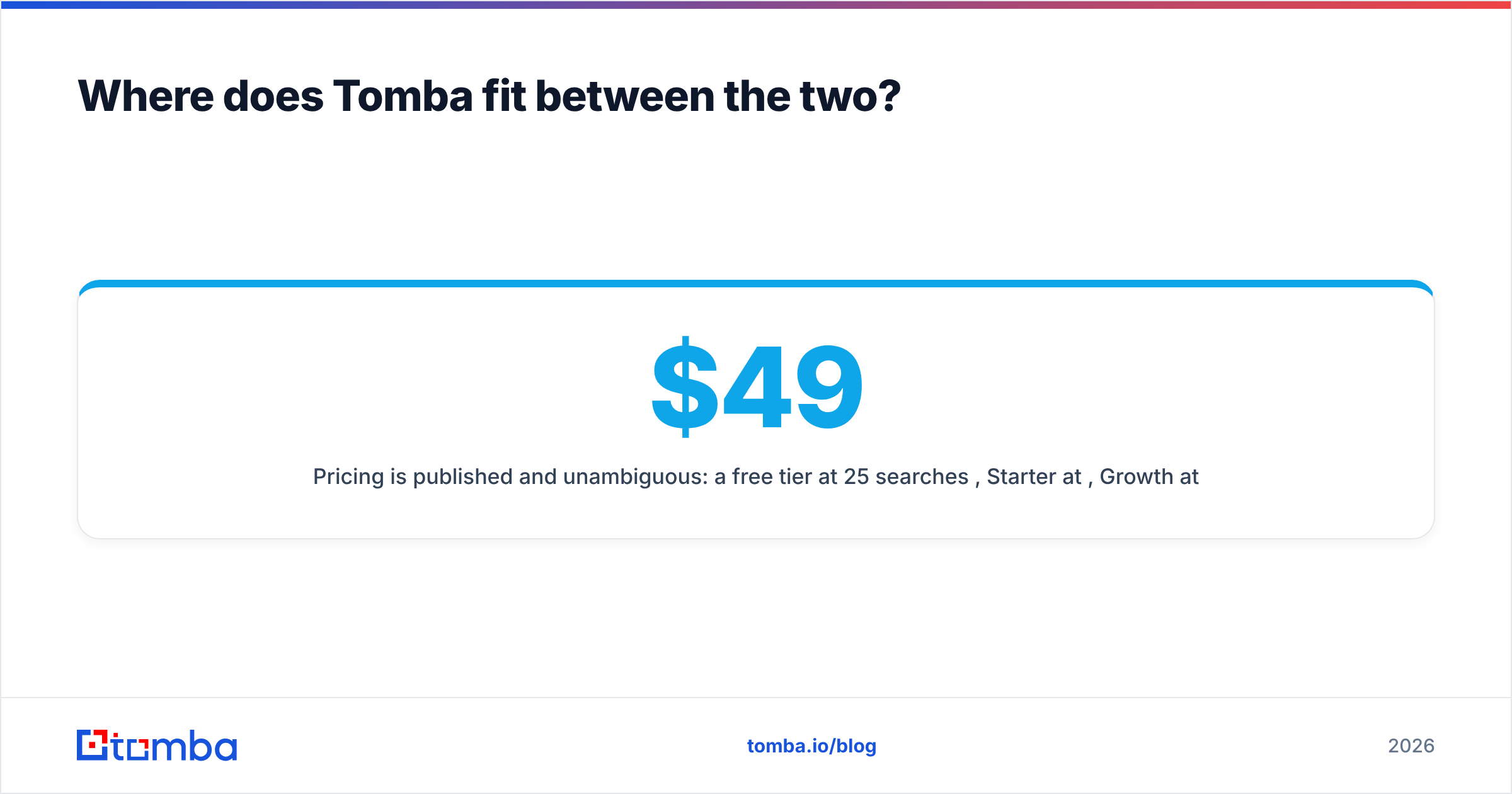
Pricing is published and unambiguous: a free tier at 25 searches per month, Starter at $49/month, Growth at $99/month, Pro at $249/month, and custom Enterprise. Full details are on the Tomba pricing page. No quote request to find out whether it fits your budget.
That does not make GetProspect or Techsalerator wrong choices. If your entire motion is LinkedIn-first and human-paced, GetProspect's interface is pleasant and fast. If you need ten million rows across forty countries, a licensed dataset is the only sane answer and Tomba is not trying to be that. Pick the instrument that matches the job.
What should you do next?#
Run the 100-contact test described above against every vendor on your shortlist, including your incumbent. It takes an afternoon and it will tell you more than any comparison article, this one included.
If your outbound depends on reaching specific people at specific companies — and you want the same data available in the browser, in a spreadsheet, and behind an API without renegotiating a licence — start with the Tomba Email Finder. The free tier gives you 25 searches a month, which is enough to run a real accuracy test before you spend anything. Test it against whatever you use today, compare bounce rates on a live send, and let the numbers decide.
Related guides#
Ready to find emails that actually work?
Join 150,000+ professionals who stopped guessing and started sending. Free credits on signup — no credit card required.
Get the Tomba newsletter
Practical outbound tactics and product updates — once every two weeks.
About the author