Infofree vs Tomba: Which B2B Lead Data Tool Wins in 2026?
Infofree sells unlimited access to a static US business list. Tomba finds and verifies email addresses in real time. Here is where each one actually pays off, and where it quietly wastes your budget.
TL;DR
- Infofree is a flat-rate US list subscription. You pay a fixed monthly fee for access to a large compiled database of American businesses and consumers, then download records within a download cap.
- Tomba is a real-time email finder and verifier. You give it a domain or a name plus a company, and it returns a verified professional email address with a confidence score.
- They solve different halves of the same problem. Infofree answers "who should I call?" Tomba answers "what is this specific person's working email?"
- Pricing models are not comparable line-for-line. Infofree bundles volume into a subscription; Tomba charges per credit across Free (25 searches/mo), Starter $49/mo, Growth $99/mo, and Pro $249/mo.
- If your motion is cold email, verification is the constraint, not volume. A compiled list without SMTP-level verification is the fastest way to burn a sending domain.
If you searched "infofree vs tomba," you were probably handed two tabs by a manager and told to pick one. That framing is slightly wrong, and this post explains why — and then tells you which to buy anyway.
What is Infofree and who actually uses it?#
Infofree is a subscription service that sells access to compiled US business and consumer databases. It comes out of the Vin Gupta lineage — the same founder behind infoUSA, which later became Infogroup. That heritage matters because it tells you what kind of data you are buying: compiled data, assembled from public filings, phone directories, credit sources, and survey data, refreshed on a batch schedule rather than looked up live.
The product wraps that database in a simple promise: pay a flat monthly fee, search by SIC code, geography, revenue, employee count, or title, and download leads up to your plan's cap. It also ships a lightweight built-in CRM so small teams do not need a separate pipeline tool on day one.
Who it fits:
- Local and regional field sales — insurance agents, merchant services reps, HVAC and B2B services firms working a metro area.
- Telemarketing and appointment setting — the phone and address coverage on US SMBs is the strongest part of the dataset.
- Direct mail campaigns — postal addresses degrade more slowly than email addresses, so compiled data holds up better here.
- Teams that want predictable billing — no credit anxiety, no overage surprises.
Who it does not fit: anyone selling outside the United States, anyone targeting specific named decision-makers at mid-market or enterprise accounts, and anyone whose primary channel is cold email.
What is Tomba and how is it different?#
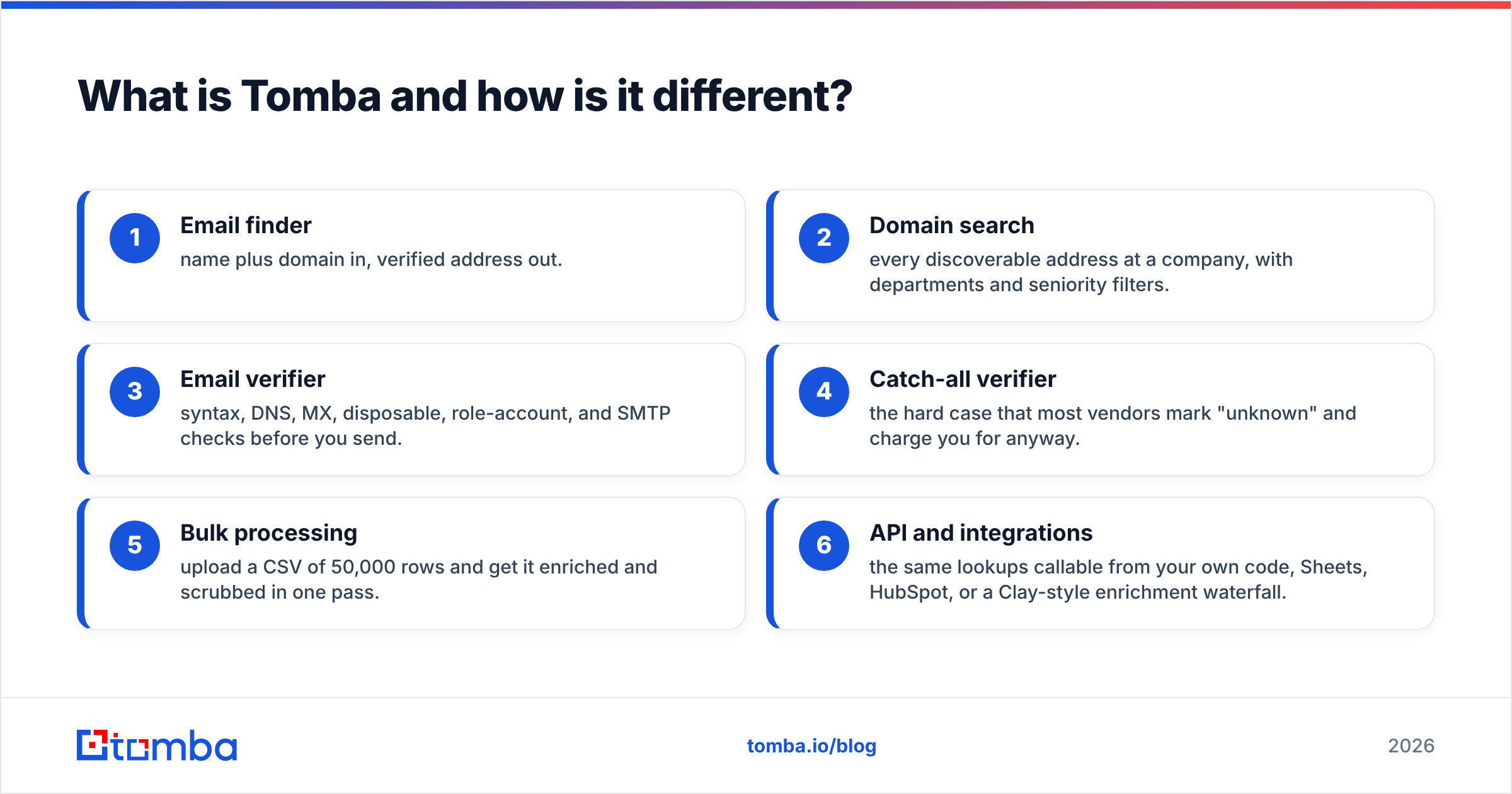
Tomba approaches the problem from the opposite end. Instead of handing you a pre-built list and hoping a slice of it is current, it resolves contacts on demand. You supply an input — a company domain, a first and last name, a LinkedIn profile, an article byline — and Tomba returns the email address, the pattern it used to derive it, sources where the address was observed, and a confidence score.
The surrounding toolkit fills in the rest of the workflow:
- Email finder — name plus domain in, verified address out.
- Domain search — every discoverable address at a company, with departments and seniority filters.
- Email verifier — syntax, DNS, MX, disposable, role-account, and SMTP checks before you send.
- Catch-all verifier — the hard case that most vendors mark "unknown" and charge you for anyway.
- Bulk processing — upload a CSV of 50,000 rows and get it enriched and scrubbed in one pass.
- API and integrations — the same lookups callable from your own code, Sheets, HubSpot, or a Clay-style enrichment waterfall.
The mental model: Infofree sells you a warehouse. Tomba sells you a lookup.

How do Infofree and Tomba compare head-to-head?#
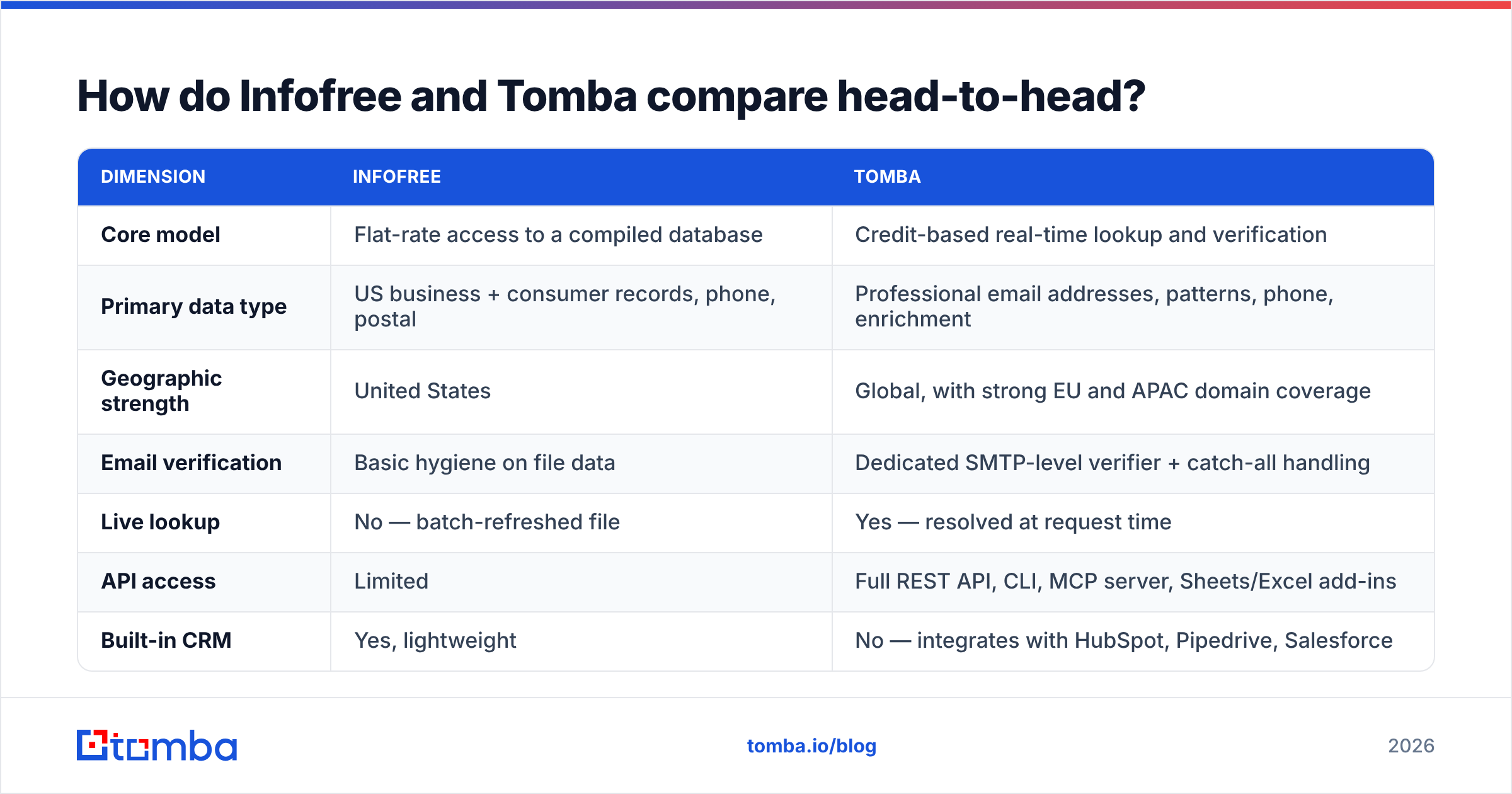
| Dimension | Infofree | Tomba |
|---|---|---|
| Core model | Flat-rate access to a compiled database | Credit-based real-time lookup and verification |
| Primary data type | US business + consumer records, phone, postal | Professional email addresses, patterns, phone, enrichment |
| Geographic strength | United States | Global, with strong EU and APAC domain coverage |
| Email verification | Basic hygiene on file data | Dedicated SMTP-level verifier + catch-all handling |
| Live lookup | No — batch-refreshed file | Yes — resolved at request time |
| API access | Limited | Full REST API, CLI, MCP server, Sheets/Excel add-ins |
| Built-in CRM | Yes, lightweight | No — integrates with HubSpot, Pipedrive, Salesforce |
| Free entry point | Trial offer | Free tier, 25 searches/mo, no card |
| Best channel | Phone, direct mail, local SMB | Cold email, ABM, API-driven enrichment |
Read that table as a routing decision rather than a scoreboard. If three of your top four rows point at phone and postal outreach in US metros, Infofree is the cheaper path. If they point at email, APIs, or non-US accounts, the compiled-database model will fight you.
Is unlimited data better than verified data?#
This is the real argument underneath "infofree vs tomba," and it deserves a straight answer: unlimited volume is only valuable when marginal records are still good records.
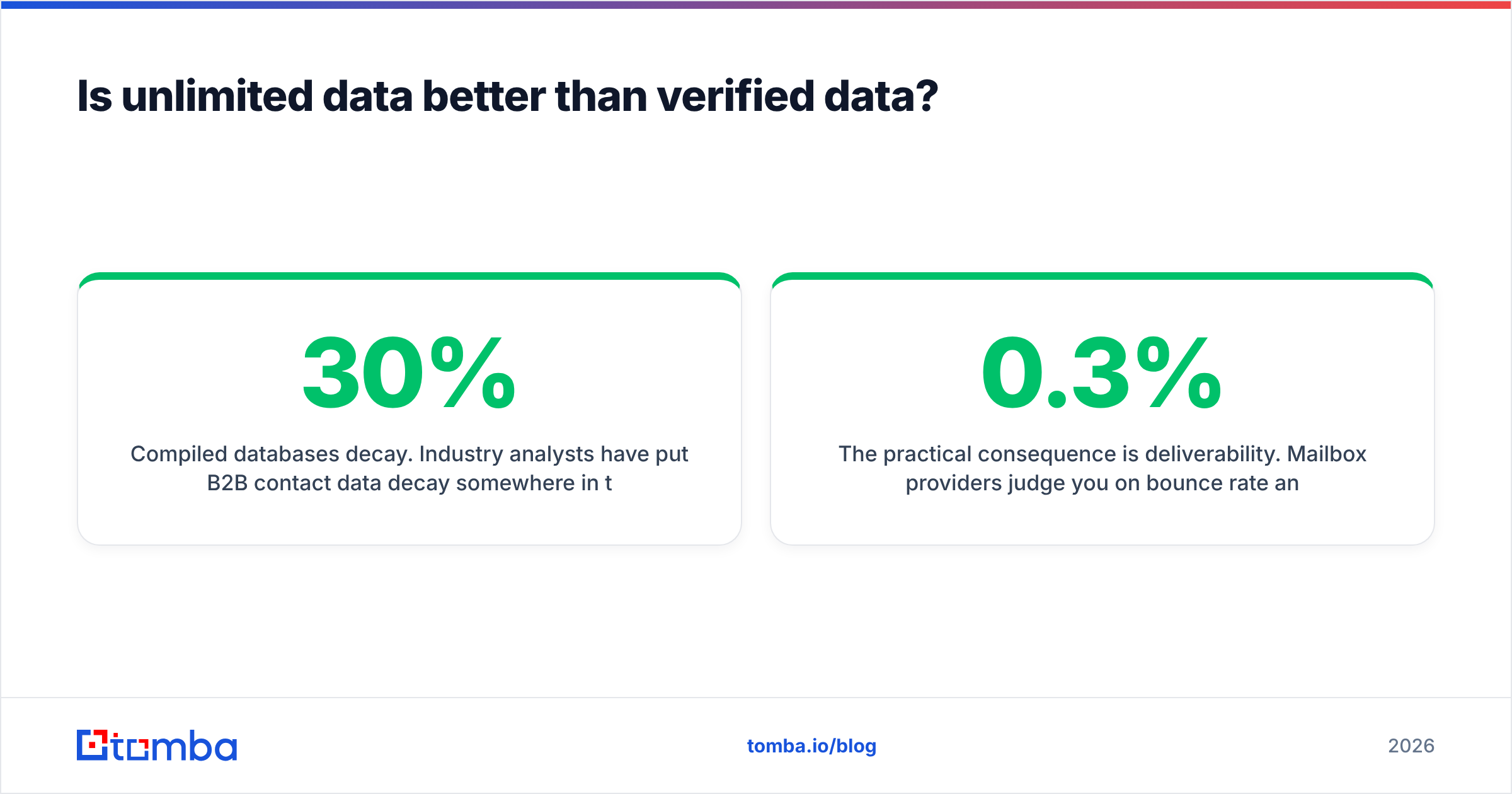
Compiled databases decay. Industry analysts have put B2B contact data decay somewhere in the 22–30% range per year, and job-change churn accelerated after 2022. A record that was accurate when it entered the file two refresh cycles ago may now point at a person who left, a company that rebranded, or a domain that no longer resolves. Unlimited access to that file does not fix any of it — it just means you can download the decay faster.
Real-time lookup inverts the risk. When Tomba resolves jane.doe@acme.com, it is checking the pattern against currently observable sources and then probing the mail server. That does not make it infallible — catch-all domains, aggressive greylisting, and privacy-forward mail providers all create genuinely ambiguous cases — but it means the failure mode is "we told you we're unsure" rather than "here's a 2023 address with full confidence."
The practical consequence is deliverability. Mailbox providers judge you on bounce rate and complaint rate. Google and Yahoo's bulk-sender requirements pushed the acceptable spam-complaint ceiling to 0.3%, and a hard-bounce rate above roughly 2% is enough to start suppressing inbox placement. If you export 5,000 compiled records and blast them unverified, you can cross both thresholds in a single send and spend the next six weeks repairing sender reputation.
If you go the compiled-list route, run the export through an email verifier before it touches your sending platform. That single step is what separates a working list from a domain reset.
What does each one actually cost?#
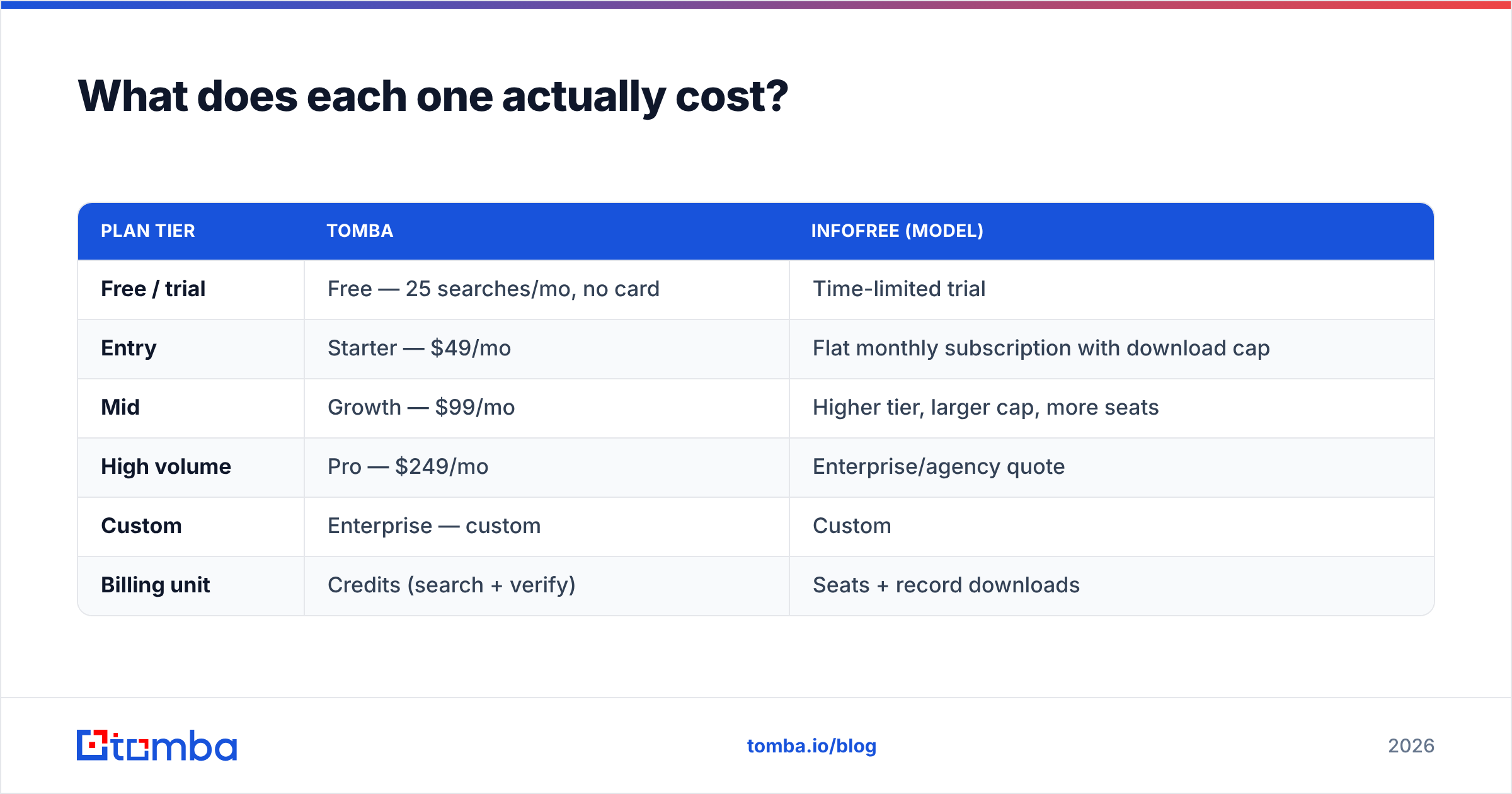
Pricing is where the comparison gets slippery, because the two products bill on different axes. Infofree's public plans are subscription tiers with download caps — check their site for the current numbers, since the tiers have been repositioned more than once. Tomba's pricing is credit-based and published transparently.
| Plan tier | Tomba | Infofree (model) |
|---|---|---|
| Free / trial | Free — 25 searches/mo, no card | Time-limited trial |
| Entry | Starter — $49/mo | Flat monthly subscription with download cap |
| Mid | Growth — $99/mo | Higher tier, larger cap, more seats |
| High volume | Pro — $249/mo | Enterprise/agency quote |
| Custom | Enterprise — custom | Custom |
| Billing unit | Credits (search + verify) | Seats + record downloads |
Full tier details are on the Tomba pricing page, and on Infofree's own pricing page for their side. Two notes before you build a spreadsheet:
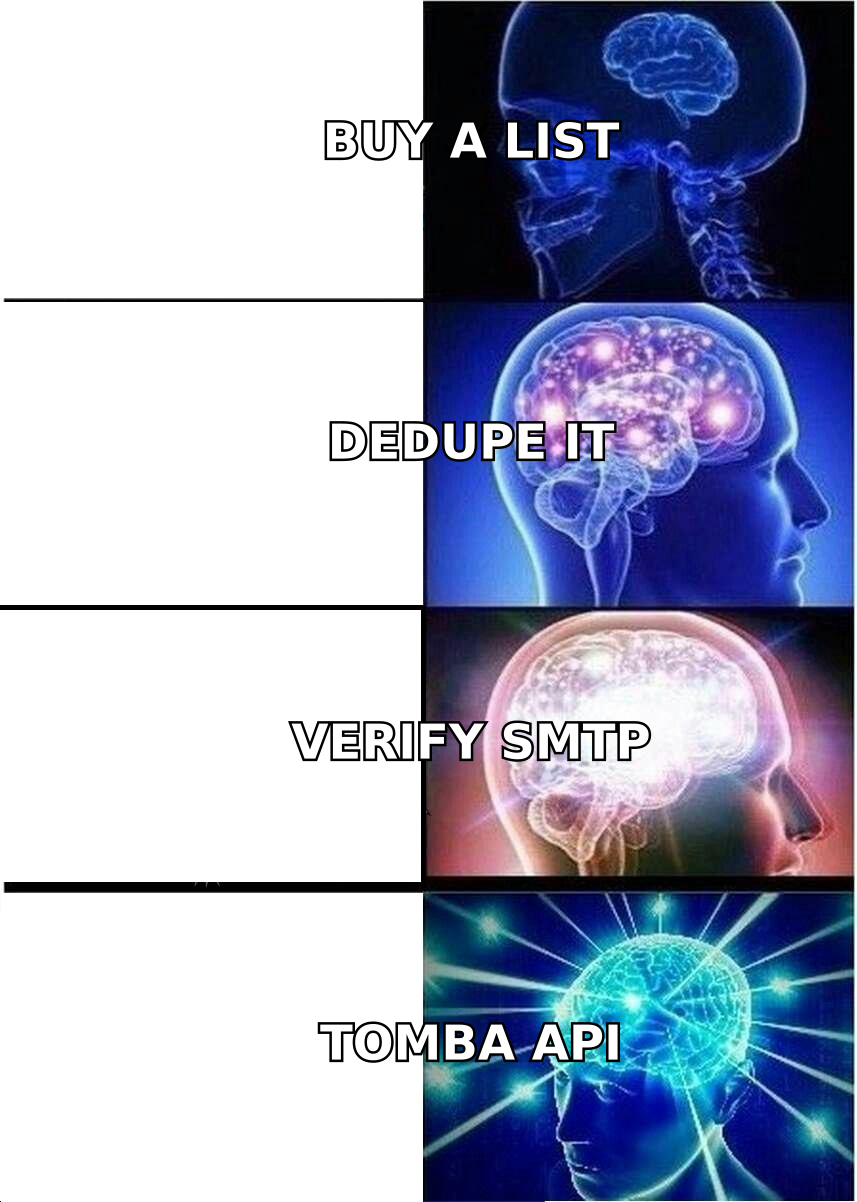
- Compare cost per usable contact, not cost per record. A $99 subscription yielding 5,000 records at 65% deliverable is 3,250 usable contacts. A $99 credit plan yielding 3,000 verified contacts at 95% deliverable is 2,850 — close, and the verified set will not cost you a domain.
- Factor in the cleanup tax. Unverified lists need deduplication, role-account stripping, and verification. That is either your SDR's Tuesday or a second vendor invoice.
Which tool fits which use case?#
- Local US SMB phone prospecting — Infofree. Its SIC-code and radius search over compiled US business records is purpose-built for this, and phone data degrades more gracefully than email.
- Cold email to named decision-makers — Tomba. You need the specific person at the specific domain, verified, with a confidence score you can threshold on.
- Direct mail campaigns — Infofree. Postal addresses are the strongest asset in a compiled file.
- ABM against a target account list — Tomba's domain search returns the org chart slice you care about rather than whatever the compiler happened to capture.
- Programmatic enrichment inside your product or warehouse — Tomba. The Tomba API, CLI, and MCP server exist for exactly this; a list subscription has no equivalent.
- Non-US territories — Tomba. Compiled US databases thin out fast past the border.
What are the honest weaknesses of each?#
Where Infofree is weak: the interface feels like software designed a decade ago, because much of it was. Coverage outside the US is not competitive. Contact-level accuracy for named individuals at larger companies lags behind live-lookup tools. And "unlimited" is always bounded by a download cap, so read the cap before you assume it fits your volume. Reviews on G2 and similar directories consistently praise the price and flag the data currency — a fair summary.
Where Tomba is weak: it is not a prospecting database in the Infofree sense. You cannot say "show me every HVAC contractor within 30 miles of Tulsa with 10–50 employees" and get a list — you bring the account list, Tomba resolves the contacts. There is a B2B database for discovery, but if firmographic list-building by radius and SIC code is your entire workflow, a dedicated list vendor is a better primary tool. Tomba also charges per lookup, which means a sloppy, untargeted process costs real money — a feature disguised as a drawback, since it forces targeting discipline.
Where both are weak: neither sends your email. You still need a sequencer, a warmed domain, proper SPF/DKIM/DMARC, and copy that does not read like a template. Data quality raises your ceiling; it does not raise your floor.
Can you use both together?#
Yes, and for some teams it is the correct answer.
The pattern: use Infofree for discovery — build the account universe by geography, industry, and size, and pull company names, domains, and switchboard numbers. Then use Tomba for resolution — feed those domains into bulk processing to find and verify the specific decision-makers you actually want to reach, and to scrub anything you plan to email.
That split plays each tool to its strength: cheap breadth from the subscription, verified depth from the lookup engine. It also caps your Tomba spend, because you are only resolving contacts at accounts that already passed a firmographic filter instead of burning credits on speculative lookups.
If your budget only covers one, ask a single question: what percentage of your pipeline comes from email? Above roughly 40%, buy the verification-first tool. Below it — if you live on the phone in a US territory — buy the list subscription and verify anything you email as a secondary step.
What should you do next?#
The comparison resolves cleanly once you stop treating these as competitors. Infofree is a well-priced US compiled-data subscription for phone and mail motions run by small local teams. Tomba is a real-time contact resolution and verification layer for teams whose revenue depends on email landing in an inbox.
If you are running outbound email in 2026, the constraint is not how many rows you can download. It is how many of those rows are real. Start with the Tomba Email Finder free tier — 25 searches a month, no card required — and run it against twenty accounts you already have compiled records for. Compare what comes back. That fifteen-minute test will settle the question better than any comparison table, including this one.
Related guides#
// get started
Find, verify and enrich your first contacts today
Start on the free plan with 25 searches a month, then scale when your team is ready.
Free plan · No credit card required · GDPR & CCPA
// about the author