Insightly vs Nutshell (2026): Which CRM Fits Your Sales Team?
Insightly leans project management, Nutshell leans sales simplicity. Here's how both CRMs compare on price, pipelines, automation and reporting in 2026 — and which one your team should actually buy.
TL;DR
- Nutshell is the cheaper, faster-to-adopt sales CRM. Entry plans start in the low teens per user per month, and most teams are running real pipelines within a week.
- Insightly is the better fit when the deal doesn't end at "closed won." Its native project management module converts a won opportunity into a delivery project without a second tool.
- Pricing diverges hard at the top. Insightly's enterprise tier lands near $99/user/month; Nutshell's top tier is meaningfully lower, but add-ons (marketing, scheduling) stack up.
- Neither one finds or verifies contact data. Both are storage and workflow layers — the quality of what you put in decides whether either works.
- Pick Nutshell for transactional B2B sales. Pick Insightly for consultative, project-delivery businesses. Everything else is a tiebreaker.
What are Insightly and Nutshell, really?#
Both are mid-market CRMs that sell to teams too big for a spreadsheet and too small (or too pragmatic) for Salesforce. That's where the similarity stops.
Insightly started as a CRM with project management bolted on, and that DNA still shows. Won an opportunity? Insightly converts it into a project with tasks, milestones, and pipelines of its own. Agencies, consultancies, systems integrators, and anyone who sells a scope of work rather than a subscription tend to gravitate here. Insightly also sells AppConnect (its integration layer), Insightly Marketing, and Insightly Service as separate products — the "unified platform" pitch.
Nutshell is narrower on purpose. It's a sales CRM with built-in email sequences, a decent pipeline board, and a reporting layer that doesn't require a certified admin. Nutshell's positioning is explicitly anti-bloat: fewer configuration surfaces, faster onboarding, less time spent teaching reps where to click. It has grown a marketing suite too, but the core product is still "pipeline plus outreach."
The practical question is not which one is better. It's whether your revenue motion ends at the signature or continues past it.
How do Insightly and Nutshell compare on price and features?#
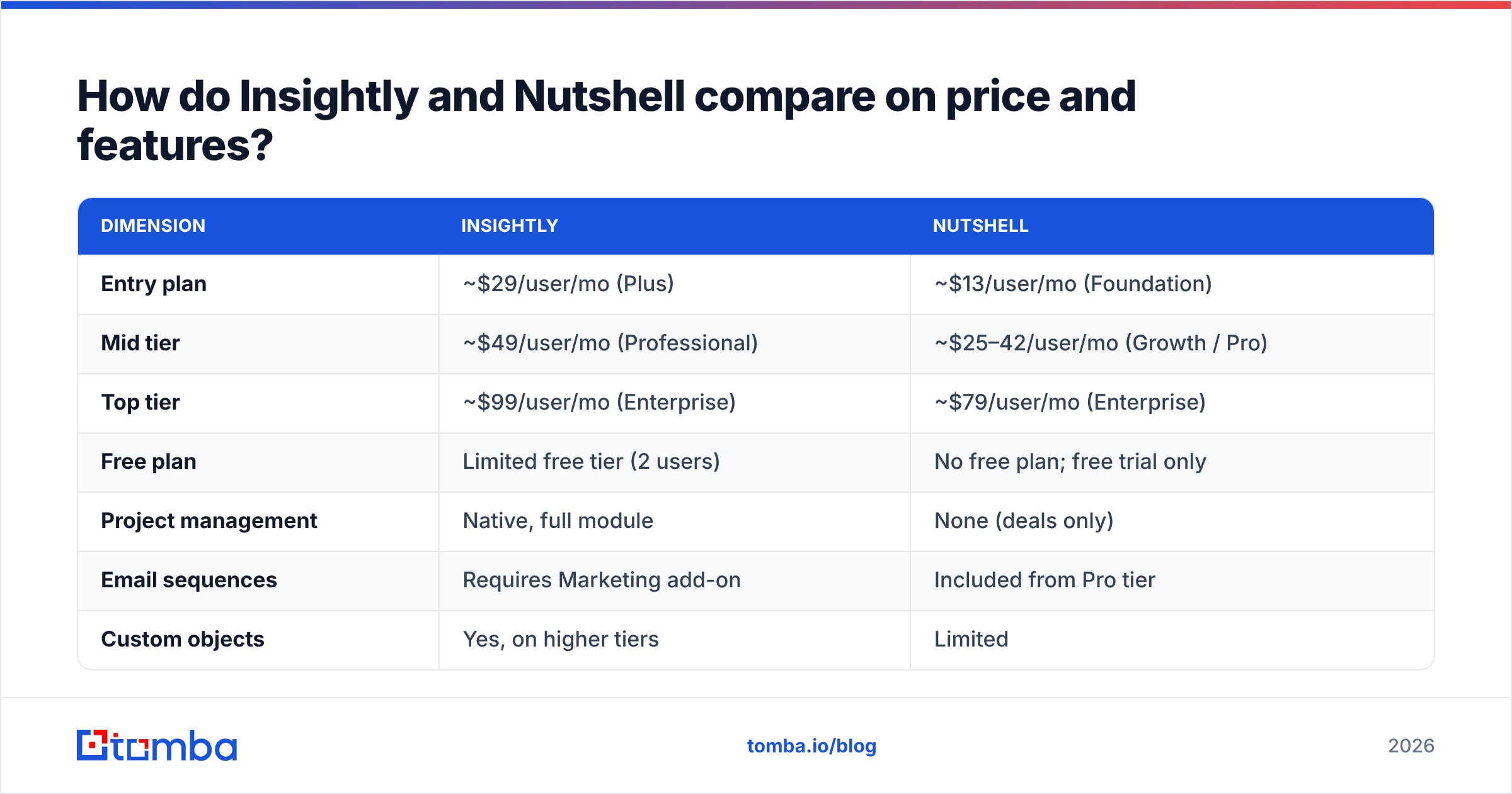
Pricing below reflects publicly listed per-user, per-month rates billed annually at the time of writing. Both vendors reprice periodically — confirm before you sign.
| Dimension | Insightly | Nutshell |
|---|---|---|
| Entry plan | ~$29/user/mo (Plus) | ~$13/user/mo (Foundation) |
| Mid tier | ~$49/user/mo (Professional) | ~$25–42/user/mo (Growth / Pro) |
| Top tier | ~$99/user/mo (Enterprise) | ~$79/user/mo (Enterprise) |
| Free plan | Limited free tier (2 users) | No free plan; free trial only |
| Project management | Native, full module | None (deals only) |
| Email sequences | Requires Marketing add-on | Included from Pro tier |
| Custom objects | Yes, on higher tiers | Limited |
| Reporting | Dashboards + custom report builder | Pre-built reports, lighter customization |
| Onboarding time | 2–6 weeks typical | Days to 2 weeks typical |
| Best for | Agencies, consultancies, project delivery | SMB sales teams, transactional B2B |
Two things jump out. First, Nutshell's floor is roughly half of Insightly's, which matters a lot at 15+ seats. Second, Insightly's price climbs faster because you're buying modules, not just seats — and the marketing and service products are priced separately on top.
If you want third-party sentiment rather than vendor copy, both products carry thousands of reviews on G2, and the pattern is consistent: Nutshell wins on ease of use and support responsiveness, Insightly wins on customization depth and gets dinged for a steeper learning curve.
Which CRM handles pipelines and deal management better?#
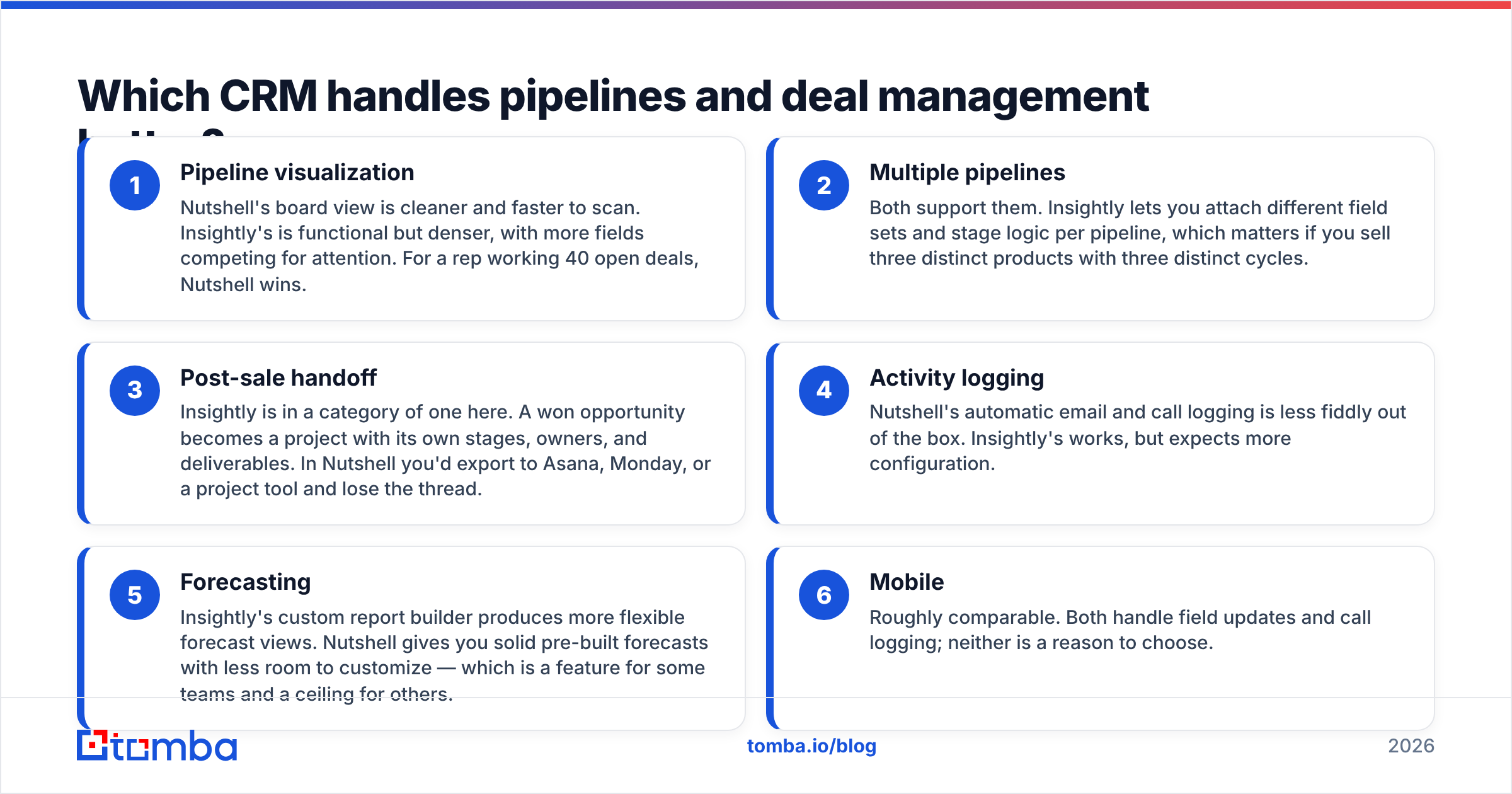
Here's the honest split, broken down by what reps actually do every day:
- Pipeline visualization — Nutshell's board view is cleaner and faster to scan. Insightly's is functional but denser, with more fields competing for attention. For a rep working 40 open deals, Nutshell wins.
- Multiple pipelines — Both support them. Insightly lets you attach different field sets and stage logic per pipeline, which matters if you sell three distinct products with three distinct cycles.
- Post-sale handoff — Insightly is in a category of one here. A won opportunity becomes a project with its own stages, owners, and deliverables. In Nutshell you'd export to Asana, Monday, or a project tool and lose the thread.
- Activity logging — Nutshell's automatic email and call logging is less fiddly out of the box. Insightly's works, but expects more configuration.
- Forecasting — Insightly's custom report builder produces more flexible forecast views. Nutshell gives you solid pre-built forecasts with less room to customize — which is a feature for some teams and a ceiling for others.
- Mobile — Roughly comparable. Both handle field updates and call logging; neither is a reason to choose.
If your sales process is "qualify, demo, negotiate, close, hand to CS," Nutshell covers it and stays out of the way. If your process is "qualify, scope, propose, close, deliver a 12-week engagement, upsell," Insightly's project module removes an entire tool from your stack.
How do automation and workflows differ?#
Insightly's workflow automation is more powerful and more demanding. You get multi-step workflows, conditional branching, record creation across objects, and webhook actions on higher tiers. AppConnect extends this into an iPaaS-style builder that can orchestrate flows across other systems — closer to a light Workato than a simple trigger tool.
Nutshell's automation is deliberately simpler: stage-based task creation, automatic assignment rules, and email sequences that fire on pipeline movement. It covers maybe 80% of what an SMB sales team needs, and it's configurable by a sales manager rather than an ops hire.
The cost calculus is real. Insightly's power assumes someone owns the system. If nobody on your team wants to be "the CRM person," that power becomes shelfware within two quarters — and you'll have paid Enterprise rates for a contact database. This is the single most common failure mode in mid-market CRM purchases, and it has nothing to do with which vendor is objectively better.
Both plug into the usual suspects — Gmail, Outlook, Slack, QuickBooks, Zapier. If you're routing data programmatically, check whether your enrichment and outbound tools have native connectors or whether you'll be living in Zapier. Tomba, for example, ships direct integrations plus an API, so contact discovery can write into either CRM without a middleman.
Is Insightly better than Nutshell for reporting?#
Yes, if you need custom reports. No, if you need reports today.
Insightly's report builder lets you create custom dashboards across any object, including project data — so you can report on delivery margin alongside pipeline, which very few CRMs at this price point allow. Enterprise tiers add scheduled report delivery and more dashboard cards.
Nutshell ships a fixed set of well-designed reports: pipeline by stage, sales by rep, activity volume, forecast, loss reasons. They're genuinely useful and require zero setup. The limitation appears when leadership asks a question the pre-built reports don't answer. You'll be exporting to a spreadsheet.
A reasonable rule: if your reporting needs fit on one page today and you don't expect them to grow, Nutshell's simplicity is worth more than Insightly's flexibility. If you already run custom reports in a spreadsheet every month, that work moves into Insightly and stops being manual.
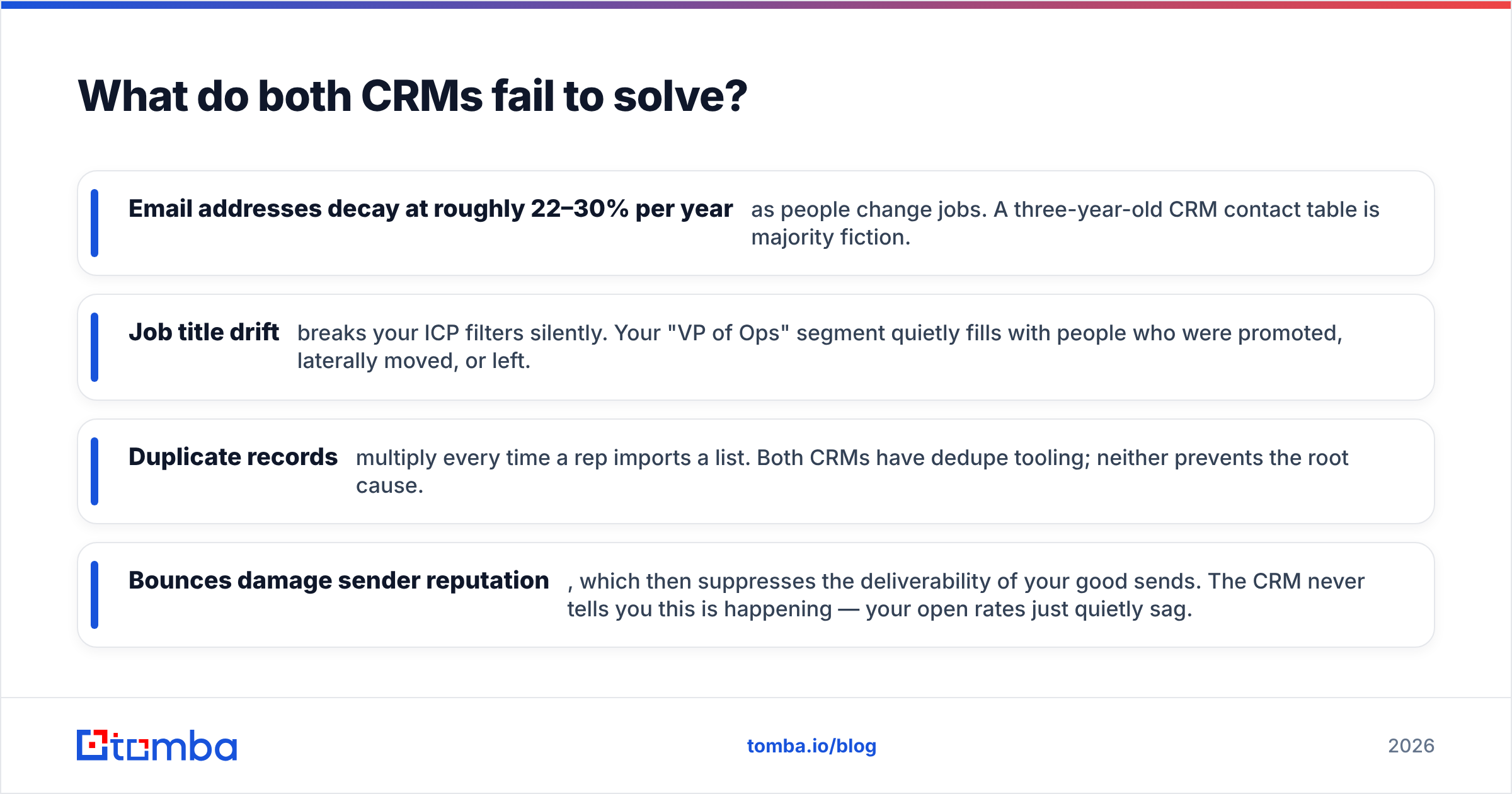
What do both CRMs fail to solve?#
Neither product creates data. That sounds obvious until you watch a team spend $99 per seat on Insightly Enterprise and then feed it a contact list scraped from a conference site two years ago.
Here's what actually degrades in a CRM:
- Email addresses decay at roughly 22–30% per year as people change jobs. A three-year-old CRM contact table is majority fiction.
- Job title drift breaks your ICP filters silently. Your "VP of Ops" segment quietly fills with people who were promoted, laterally moved, or left.
- Duplicate records multiply every time a rep imports a list. Both CRMs have dedupe tooling; neither prevents the root cause.
- Bounces damage sender reputation, which then suppresses the deliverability of your good sends. The CRM never tells you this is happening — your open rates just quietly sag.
None of that is Insightly's fault or Nutshell's fault. It's a data layer problem, and it sits upstream of whichever CRM you pick. The fix is boring: source contacts from a live provider rather than a static purchase, verify before import, and re-verify on a schedule.
Running new contacts through an email verifier before they hit the CRM keeps bounce rates in single digits and stops your pipeline reports from counting ghosts. For accounts you already have, data enrichment backfills missing titles, company size, and direct contacts so segmentation actually works.
Which one should you pick?#
Concrete recommendations, not hedging:
Pick Nutshell if:
- You have 3–30 reps and no dedicated ops person.
- Your sales cycle is under 90 days and ends at the contract.
- You want reps productive in the CRM within a week.
- Budget sensitivity is real and you'd rather spend the delta on data or outreach tooling.
Pick Insightly if:
- You deliver projects after the sale and currently juggle a CRM plus a PM tool.
- You need custom objects and reports that span sales and delivery.
- Someone on the team will own configuration and actually maintain it.
- You're consolidating marketing, service, and CRM with one vendor.
Pick neither if:
- You need heavy field-sales territory management (look at Salesforce or HubSpot Sales Hub).
- Your entire motion is product-led and usage-driven (a CRM is the wrong first purchase; instrument your product first).
One more test that cuts through the feature lists: run a two-week trial with real deals, not demo data. Import 200 actual contacts, have two reps work them, and see which UI they stop complaining about. Feature parity charts don't predict adoption. Friction does.
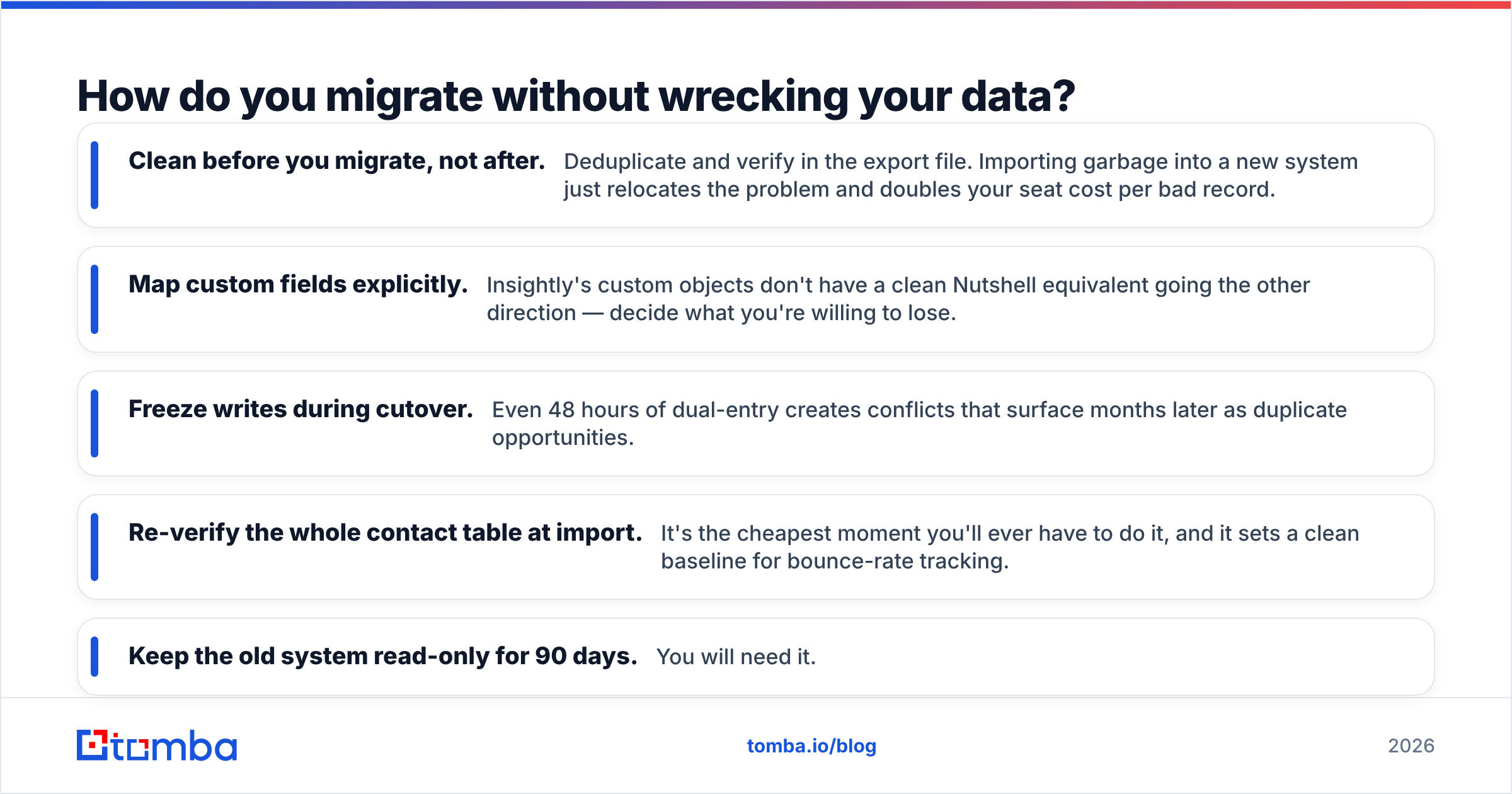
How do you migrate without wrecking your data?#
Whichever way you go, the migration is where value gets destroyed. A short checklist:
- Clean before you migrate, not after. Deduplicate and verify in the export file. Importing garbage into a new system just relocates the problem and doubles your seat cost per bad record.
- Map custom fields explicitly. Insightly's custom objects don't have a clean Nutshell equivalent going the other direction — decide what you're willing to lose.
- Freeze writes during cutover. Even 48 hours of dual-entry creates conflicts that surface months later as duplicate opportunities.
- Re-verify the whole contact table at import. It's the cheapest moment you'll ever have to do it, and it sets a clean baseline for bounce-rate tracking.
- Keep the old system read-only for 90 days. You will need it.
If you're rebuilding the contact table anyway, that's the right moment to fill gaps rather than carry them forward. A domain search across your target account list will surface the contacts you should have had in the CRM in the first place — current, structured, and ready to import instead of guessed.
What's the verdict on Insightly vs Nutshell in 2026?#
Nutshell is the better default. It's cheaper, faster to adopt, and the feature ceiling is high enough for the overwhelming majority of SMB and lower-mid-market sales teams. Most companies evaluating these two will get more revenue impact from Nutshell plus a real data layer than from Insightly plus a half-configured workflow engine.
Insightly earns its premium in one specific scenario — when you sell and deliver, and the handoff between those two motions is currently a spreadsheet and a prayer. In that case the project module isn't a nice-to-have, it's the reason to buy, and the higher price is offset by killing a second subscription.
What neither decision changes is the input. A CRM is a filing cabinet with opinions. If the contacts you file are stale, unverified, or missing decision-makers entirely, you'll be running the same weak pipeline in a nicer interface.
Fix that part first. Use the Tomba Email Finder to build and refresh your contact table before it hits Insightly or Nutshell — search by domain, name, or company, verify in the same pass, and push clean records straight in via integration or API. The free tier covers 25 searches a month so you can test against your own account list, and paid plans start at $49/mo on Starter with Growth at $99/mo when you're ready to run volume. Full Tomba pricing is public, no sales call required.
Related guides#
// get started
Find, verify and enrich your first contacts today
Start on the free plan with 25 searches a month, then scale when your team is ready.
Free plan · No credit card required · GDPR & CCPA
// about the author