Lead Carrot vs Wiza (2026): Which Lead Tool Actually Wins?
Lead Carrot scrapes local business lists. Wiza exports LinkedIn contacts. They solve different problems, and picking the wrong one wastes a quarter of pipeline. Here is the honest head-to-head, with pricing, accuracy and the stack that beats both.
Lead Carrot vs Wiza is the wrong fight for most teams. One tool finds local businesses. The other pulls people off LinkedIn. Pick the one that matches your buyer, not the longer feature list.
TL;DR
- Not real competitors. Lead Carrot builds local business lists from public web and map data. Wiza pulls contacts out of LinkedIn and Sales Navigator.
- Pick Lead Carrot if you sell to small local firms and want names, sites, phones and site-quality flags in one sweep.
- Pick Wiza if your buyers live on LinkedIn — SaaS, tech, mid-market — and you already build Sales Navigator lists.
- Same weakness. Both hand you raw contact data. You still have to verify it before you send.
- What teams land on: one tool to find accounts, plus a finder and verifier layer (Tomba, or a list vendor like BookYourData). That keeps bounces under 3%.
What is Lead Carrot and who is it for?#
Lead Carrot is a local lead database. You pick a business type and a place — "roofers in Phoenix," "med spas in Manchester." It returns businesses with website, phone, address and social profiles. It also adds qualification flags: is the site mobile-friendly, is there a Facebook pixel, does the business run ads, does the site look dated.
Those flags are the real product. The list itself comes from public web and map data. Anyone with a scraper can copy that part. The flags are what let an agency open with a reason to call: "these 140 dentists have no mobile site."
Who buys it: digital agencies, SEO freelancers, web designers, local service providers, SMB-focused SaaS. Who should skip it: anyone whose buyer is a VP at a 500-person company. Local databases are thin above the SMB line. A decision-maker's direct email is not sitting on a Google Business Profile.
What is Wiza and who is it for?#
Wiza sits on top of LinkedIn. You run a search in LinkedIn or Sales Navigator, then point Wiza at it. It exports the profiles to a CSV or your CRM with work emails, personal emails, and mobile numbers on higher tiers. There is a Chrome extension for one-off lookups and an API for teams.
The value is speed on a list you already built. Say you spend an hour on a Sales Navigator filter: Series B, 50-200 employees, Head of Ops, changed jobs in the last 90 days. Wiza turns that into a contactable list in minutes. By hand it takes a day.
The limit is just as clear. No LinkedIn presence, no record. Trades, local services, small manufacturers and most non-English SMB markets are thin. Wiza is a great tool for one ICP shape and a weak one outside it.
Lead Carrot vs Wiza: how do they compare head-to-head?#
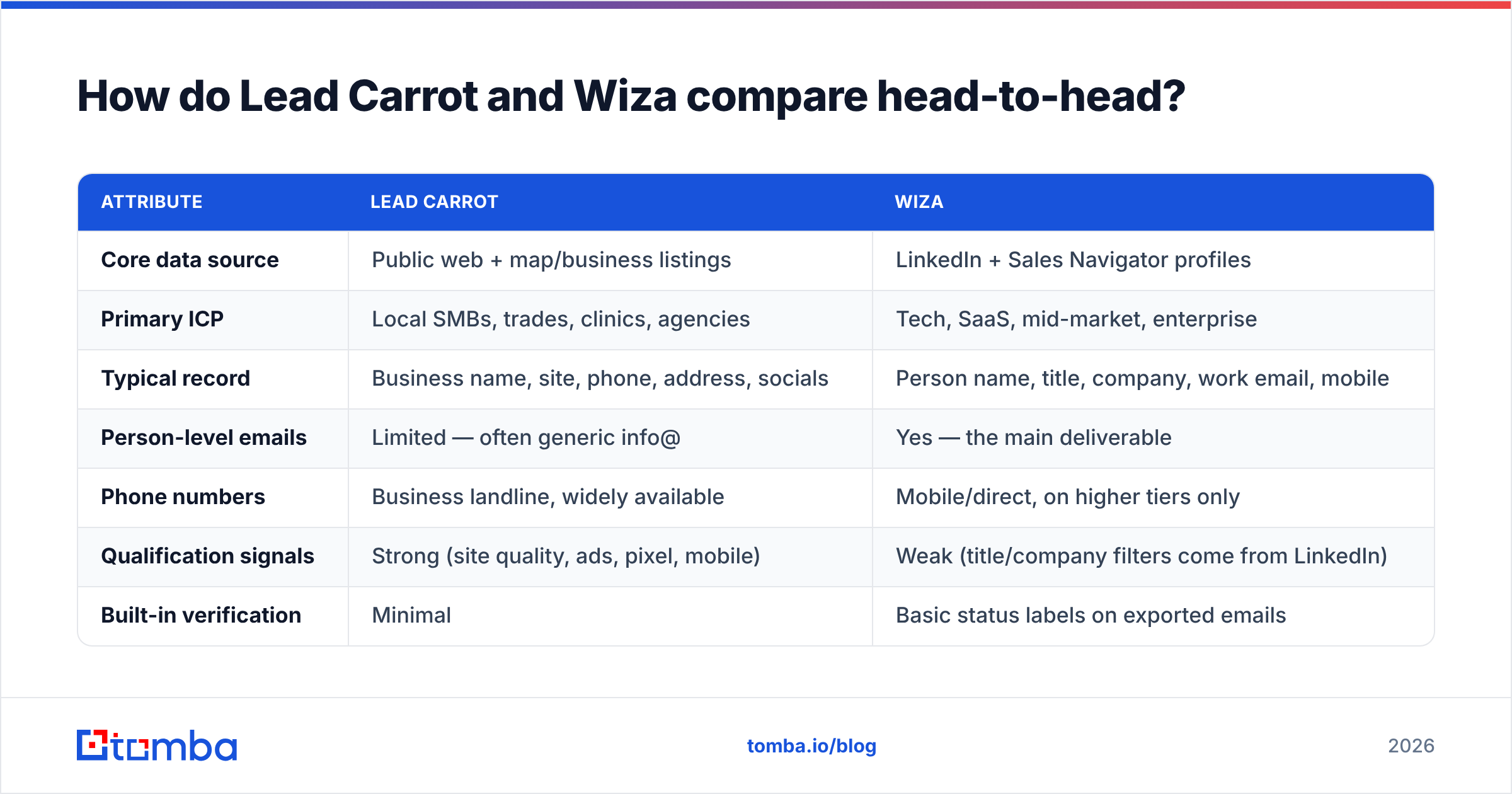
Here is the comparison that matters before you pay for either. Prices are list prices at the time of writing. Both vendors change tiers often, so check their own pages first.
| Attribute | Lead Carrot | Wiza |
|---|---|---|
| Core data source | Public web + map/business listings | LinkedIn + Sales Navigator profiles |
| Primary ICP | Local SMBs, trades, clinics, agencies | Tech, SaaS, mid-market, enterprise |
| Typical record | Business name, site, phone, address, socials | Person name, title, company, work email, mobile |
| Person-level emails | Limited — often generic info@ | Yes — the main deliverable |
| Phone numbers | Business landline, widely available | Mobile/direct, on higher tiers only |
| Qualification signals | Strong (site quality, ads, pixel, mobile) | Weak (title/company filters come from LinkedIn) |
| Built-in verification | Minimal | Basic status labels on exported emails |
| API access | Not a core offering | Yes |
| Free tier | Trial-based | Small monthly credit allowance |
| Entry price (list) | Low double-digit to ~$100/mo range | Roughly $80–$100/mo for the email-only tier |
| Best at | Finding which businesses to call | Finding who to email at a known company |
The row that decides most purchases is "typical record." Lead Carrot hands you a business. Wiza hands you a person. If you call the owner, a business record is enough. If you email the Director of RevOps, you need the person — and an address that actually delivers.
Which tool gives you better data accuracy?#
Neither wins outright. They fail in opposite directions.
Lead Carrot's business data ages fast. Local businesses close, rebrand, move and change numbers. Any listings crawl lags behind. Expect dead phone numbers and parked domains on lists older than a few months. The site-quality flags are different. They run at query time, so they hold up well. That is the part you are really buying.
Wiza's person data is fresher on job titles, because people update their own profiles. The emails are softer. Many "work emails" from LinkedIn tools are guessed from a pattern. The tool knows the name and the company domain, then applies the most common format. That is a fair guess, not a checked mailbox. On catch-all domains, nobody ever checks it.

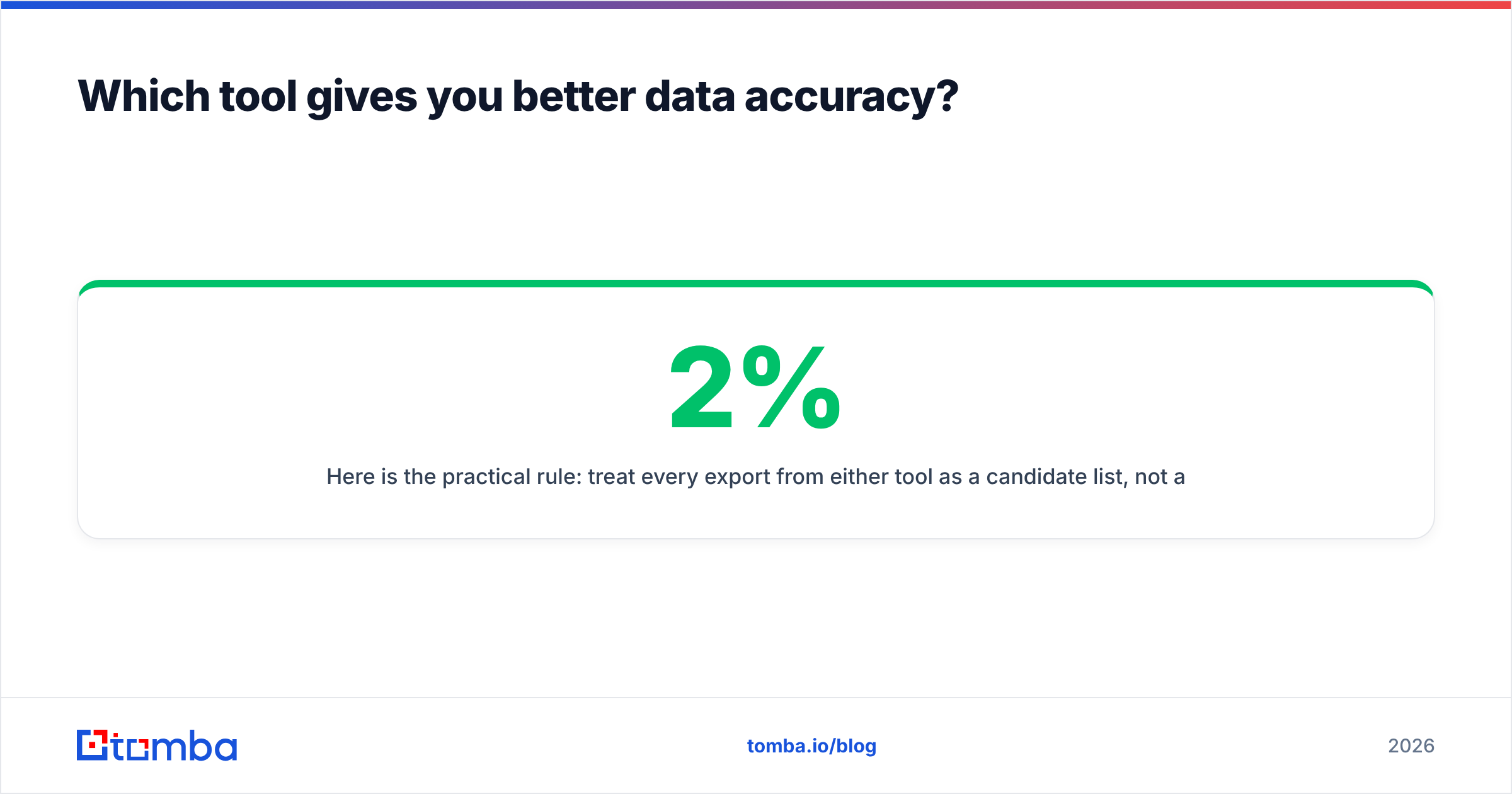
So here is the rule: treat every export from either tool as a candidate list, not a send list. Run it through an email verifier before it touches your sequencer. On a 5,000-row export, that is often the gap between a 2% bounce rate and a 12% one. A 12% bounce rate burns a sending domain in a week.
Check these five things before you trust any exported list:
- Guessed or confirmed. Does the tool say the mailbox was checked, or only that the pattern matched? Guessed addresses need a second pass.
- Catch-all handling. Some domains accept every address, so lazy verifiers call them "valid." Use a catch-all verifier that flags them honestly.
- Role accounts. info@, sales@ and contact@ pad the list and sink reply rates. Local lists are full of them. Strip or segment them.
- How fresh the company record is. A correct email at an old employer is still a wasted touch. Cross-check title and tenure.
- Duplicates. Two sources means the same person twice, under different domains. Dedupe before import, not after your first reply.
What does each one cost in practice?#
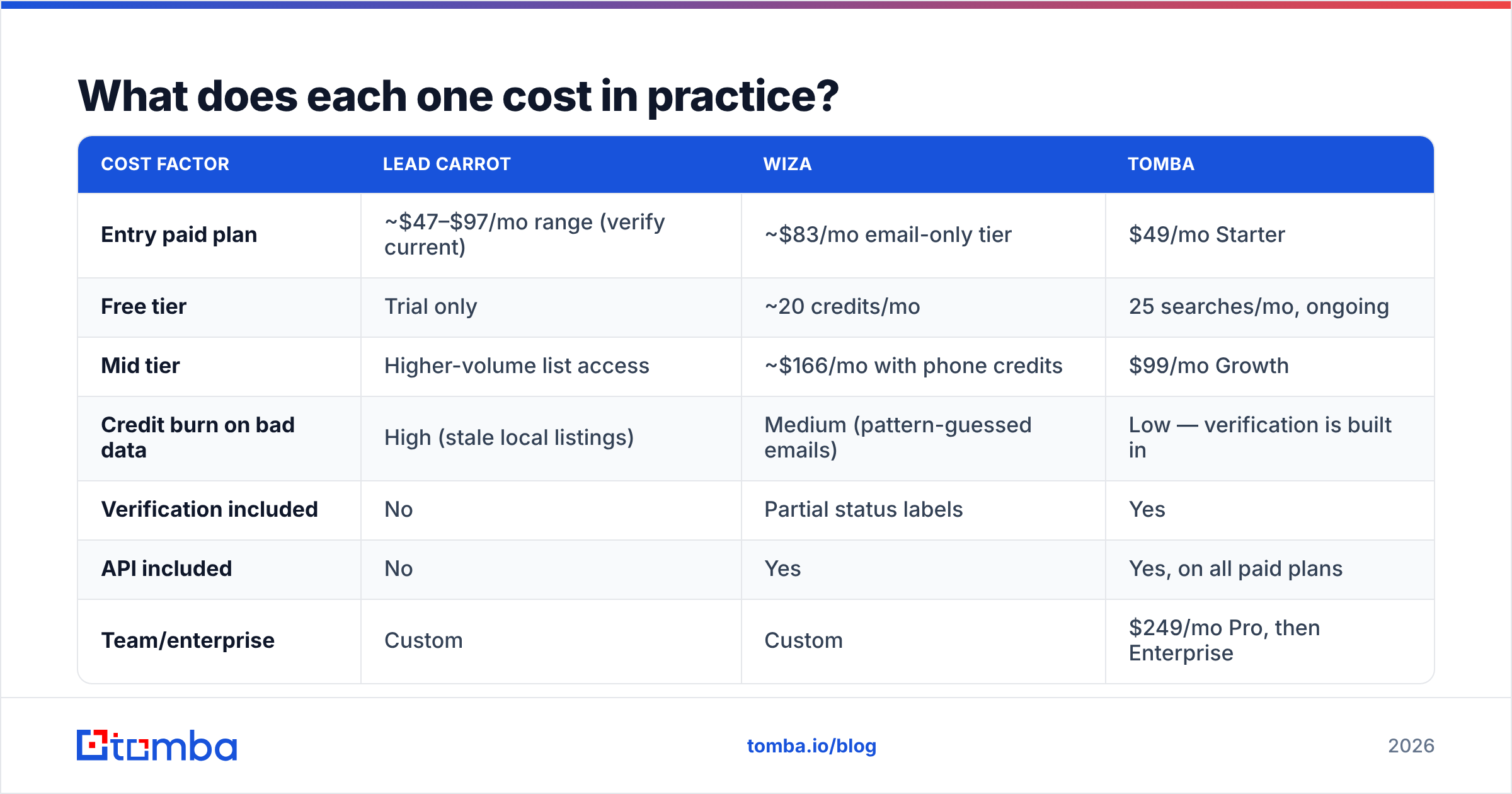
Sticker price is the smaller half of the bill. The real cost is credits burned on rows you cannot use.
| Cost factor | Lead Carrot | Wiza | Tomba |
|---|---|---|---|
| Entry paid plan | ~$47–$97/mo range (verify current) | ~$83/mo email-only tier | $49/mo Starter |
| Free tier | Trial only | ~20 credits/mo | 25 searches/mo, ongoing |
| Mid tier | Higher-volume list access | ~$166/mo with phone credits | $99/mo Growth |
| Credit burn on bad data | High (stale local listings) | Medium (pattern-guessed emails) | Low — verification is built in |
| Verification included | No | Partial status labels | Yes |
| API included | No | Yes | Yes, on all paid plans |
| Team/enterprise | Custom | Custom | $249/mo Pro, then Enterprise |
Two things stand out. A credit spent on an email you cannot verify is a credit you pay for twice: once to find it, once to verify it elsewhere. And entry prices cluster tightly across the category. You can see the full Tomba pricing tiers for the same comparison. The gap is not $30 a month. It is how many rows you can actually send to.

Is Lead Carrot better than Wiza for cold outreach?#
For cold calls to local businesses, yes. Lead Carrot's flags give you an opening line that is not generic. "I noticed your booking page doesn't load on mobile" beats "I help businesses grow" every time. That flag comes free with the list.
For cold email to defined B2B titles, no. Wiza wins, and it is not close. You cannot email a Director of Engineering you cannot name. Business listings rarely name them.
For hybrid motions, neither tool is complete. Say you sell to SMBs but need the owner's inbox, not info@. Lead Carrot gets you the company. You still need an email finder to turn "Sunrise Dental, sunrisedental.com" into "dr.parker@sunrisedental.com." Most local outbound programs stall at that step.
What are the best Lead Carrot and Wiza alternatives in 2026?#

| Tool | Strongest at | Weakest at | Entry price |
|---|---|---|---|
| Lead Carrot | Local SMB discovery + site-quality flags | Person-level emails, enterprise ICPs | ~$47–$97/mo |
| Wiza | LinkedIn/Sales Nav list export | Non-LinkedIn markets, SMB trades | ~$83/mo |
| Tomba | Domain-to-email + verification + API | Not a LinkedIn scraper | $49/mo |
| BookYourData | Prebuilt, filterable B2B contact lists with strong accuracy guarantees | Less useful if you need signal-based qualification | Pay-as-you-go |
| Apollo | All-in-one database + sequencer | Data depth varies by region; heavier tool | Free tier, paid from mid-double-digits |
BookYourData is worth a note. If your problem is "I need 5,000 verified contacts in one segment by Friday," a curated database beats a scrape-and-clean workflow. It is a different kind of purchase: you buy a list, not a tool. For some teams that is simply the faster path.
If LinkedIn dependency is your issue with Wiza, a Wiza alternative built on company domains removes that single point of failure. Tomba's domain search takes a domain and returns the people and email patterns at that company. It works even when nobody there keeps a profile current. That helps most in the markets where LinkedIn coverage thins out. There is also a LinkedIn finder if you prefer to work profile-first.
For an outside read, spend ten minutes in the sales intelligence category on G2. Review volume by company size tells you more about real-world fit than any feature grid, including this one.
How do you build a stack that beats either tool alone?#
The pattern that works has three layers, not one tool.
Layer 1 — Discovery. Find where your ICP shows up. Local and trades: Lead Carrot or a maps-based source. Tech and mid-market: Wiza on Sales Navigator. Many segments at once: a database vendor. This layer answers which accounts.
Layer 2 — Contact resolution. Turn accounts into named people with reachable addresses. An email-finder API earns its keep here, because it runs on every row on its own. Check the Tomba API docs if you want it wired into your enrichment job instead of a weekly CSV ritual.
Layer 3 — Verification and hygiene. Verify, strip role accounts, flag catch-alls, dedupe. Non-negotiable. This layer protects the sending domain your whole program runs on.
Skip layer 2 and you end up emailing info@ and calling it outbound. Skip layer 3 and you end up rebuilding a burned domain. Lead Carrot and Wiza are both fine layer-1 tools. Neither one covers layers 2 and 3, and both are fuzzy about that.
Frequently asked questions#
Can Lead Carrot and Wiza be used together? Yes, but few teams need both. Their ICPs barely overlap. The exception is an agency that sells to local SMBs and to venture-backed startups. Even then, run both feeds through one shared verification step.
Does Wiza violate LinkedIn's terms? LinkedIn's user agreement limits automated data extraction. Every LinkedIn export tool sits in that grey zone. Read the current terms and set your own risk line. That is a policy call, not a feature call.
Which has better support for non-US markets? Wiza, as a rule, because LinkedIn coverage is global. Local-business databases lean heavily on US and UK listings.
What bounce rate should I expect? Unverified exports from either tool often land at 8–15%. After a proper verification pass, 1–3% is realistic. If your sequencer reports more, the problem is your data layer, not your copy.
Lead Carrot vs Wiza: which should you choose?#
Choose Lead Carrot if you sell services to local businesses and want qualification signals baked into the list. Choose Wiza if your buyers live on LinkedIn and you already work in Sales Navigator. Choose neither as your whole stack. Both hand you raw material, and it still needs a contact and verification layer before it is safe to send.
That layer is what Tomba is built for. Point the Tomba Email Finder at a company domain or a person and get a verified address back. Use the dashboard, the browser extension, a bulk upload, or the API inside your own pipeline. Start free with 25 searches a month. Run your existing Lead Carrot or Wiza export through it, then compare the bounce rate on your next send. That one test tells you more than any comparison table, including this one.
Related guides#
// get started
Find, verify and enrich your first contacts today
Start on the free plan with 25 searches a month, then scale when your team is ready.
Free plan · No credit card required · GDPR & CCPA
// about the author