Lead Kahuna vs ZoomInfo: Local Leads vs Enterprise B2B Data
Lead Kahuna and ZoomInfo both sell leads, but they work in very different ways. One scrapes local businesses from your desktop. The other licenses an enterprise-grade B2B database. Here's which one fits your pipeline and your budget.
TL;DR
- Lead Kahuna is a lead-scraping and outreach tool built for finding local and small businesses. It pulls public listing data, bundles basic CRM and email alerts, and is sold as a flat license at a low price.
- ZoomInfo is an enterprise B2B intelligence platform. It offers a large contact and company database, org charts, intent data, and CRM integrations. Pricing is custom and usually runs to five figures a year.
- Choose Lead Kahuna if you sell to plumbers, dentists, restaurants, or agencies and want unlimited local lists for little money.
- Choose ZoomInfo if you sell into mid-market or enterprise accounts, need named decision-makers with direct dials, and have the budget and RevOps staff to run it.
- If you mostly need verified work emails for specific people, both tools cost more than you need to spend. A dedicated email finder covers that for $49/mo.
What is Lead Kahuna?#
Lead Kahuna is a lead-generation tool for agencies, freelancers, and service providers who sell to local businesses. Its main job is to scrape public business listings (directories, map listings, and business websites) and turn them into prospect lists with a company name, phone number, website, address, and any email addresses it can find.
The product has gone through several major versions. Recent versions advertise 80+ aggregated data points per lead. Alongside the scraper, Lead Kahuna includes:
- Unlimited lead searches. You aren't charged per lead or per credit.
- Basic CRM features such as contact management and task assignment.
- Email outreach with "Lead Aware" alerts. You get SMS or email notifications when a prospect opens or clicks, so you can call while the lead is warm.
- Import and export to other CRMs and autoresponders.
Lead Kahuna has historically been sold as a desktop application with annual or tiered licenses, not per-seat SaaS. Third-party listings quote very different prices, from a few hundred dollars a year to roughly $100–$400/month depending on tier and billing cycle. Confirm current pricing on the vendor's site before you buy.
The important limit is that Lead Kahuna's data comes from what local businesses publish about themselves. That works well for "every roofing company in Phoenix." It works badly for "the VP of Finance at a 2,000-person SaaS company."
What is ZoomInfo?#
ZoomInfo is one of the largest B2B data vendors. Its platform, now sold as ZoomInfo SalesOS alongside marketing and operations products, combines:
- A large database of company and contact profiles with job titles, reporting lines, work emails, and direct dials
- Intent data showing which accounts are researching topics related to what you sell
- Technographics, firmographics, and org charts
- Website visitor identification, conversation intelligence, and workflow automation in higher tiers
- Deep integrations with Salesforce, HubSpot, Outreach, Salesloft, and similar tools
ZoomInfo doesn't publish list prices on its website. Buyer reports on review sites and procurement forums put typical contracts in the five figures per year, with annual commitments, seat minimums, and credit caps on exports. It's built for sales teams that can justify a large data spend with large deal sizes.

How do Lead Kahuna and ZoomInfo compare side by side?#
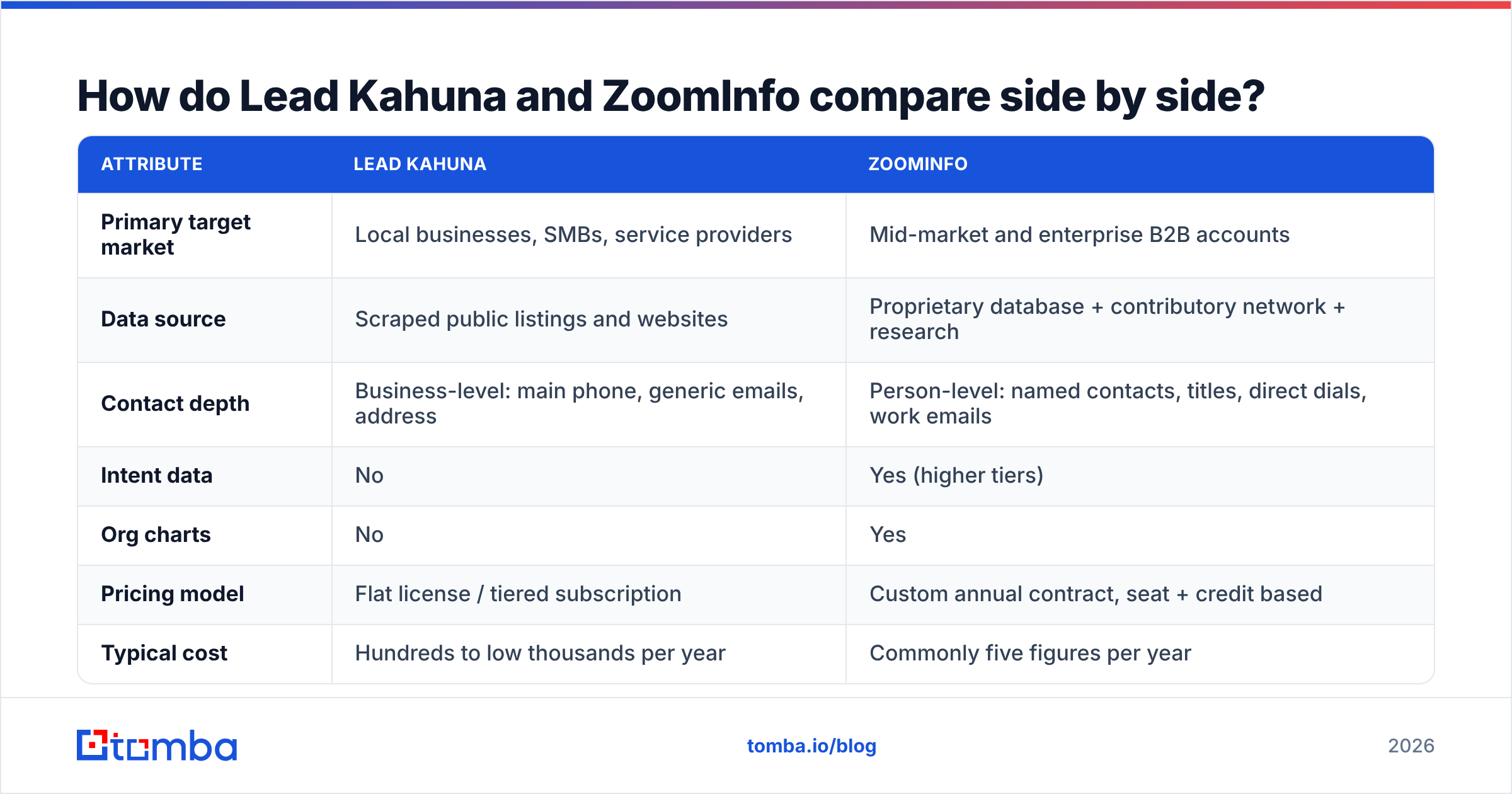
The two tools barely compete. They cover different parts of the B2B market. The table shows where each one is strong.
| Attribute | Lead Kahuna | ZoomInfo |
|---|---|---|
| Primary target market | Local businesses, SMBs, service providers | Mid-market and enterprise B2B accounts |
| Data source | Scraped public listings and websites | Proprietary database + contributory network + research |
| Contact depth | Business-level: main phone, generic emails, address | Person-level: named contacts, titles, direct dials, work emails |
| Intent data | No | Yes (higher tiers) |
| Org charts | No | Yes |
| Pricing model | Flat license / tiered subscription | Custom annual contract, seat + credit based |
| Typical cost | Hundreds to low thousands per year | Commonly five figures per year |
| Lead limits | Marketed as unlimited | Credit-capped exports |
| Built-in outreach | Yes: email + open/click alerts | Yes (Engage module, extra cost) |
| CRM integrations | Import/export to common CRMs | Native, bi-directional Salesforce/HubSpot sync |
| Setup effort | Low: install and search | High: onboarding, admin, CRM mapping |
| Best for | Agencies prospecting local SMBs | SDR teams selling to named accounts |
If your ideal customer is "any dental clinic in Texas," ZoomInfo is overkill and Lead Kahuna is the more practical buy. If your ideal customer is "IT directors at healthcare systems with 500+ employees," Lead Kahuna won't find those people, and ZoomInfo is the more serious option.
Which has better data quality?#
"Better" depends on which data you need.
Lead Kahuna's data is fresh but shallow. It scrapes live public sources, so business names, phone numbers, and websites tend to be current. The weak spot is contacts. Emails pulled from small-business websites are often role addresses like info@, office@, or contact@. Those rarely reach the owner quickly and hurt reply rates.
ZoomInfo's data is deep but uneven. Coverage of US mid-market and enterprise companies is strong, and its org charts and direct dials are the main reason teams pay for it. Reviews on sites like G2 regularly report stale job titles, bounced emails in fast-moving sectors, and thinner coverage outside North America. No static database keeps up perfectly with job changes.
Neither tool guarantees deliverability. Whatever you export, run it through an email verifier before you load it into a sequence. Bounce rates above roughly 2–3% put your sender reputation at risk no matter where the list came from.
How much do Lead Kahuna and ZoomInfo cost in 2026?#
This is where the gap is widest.
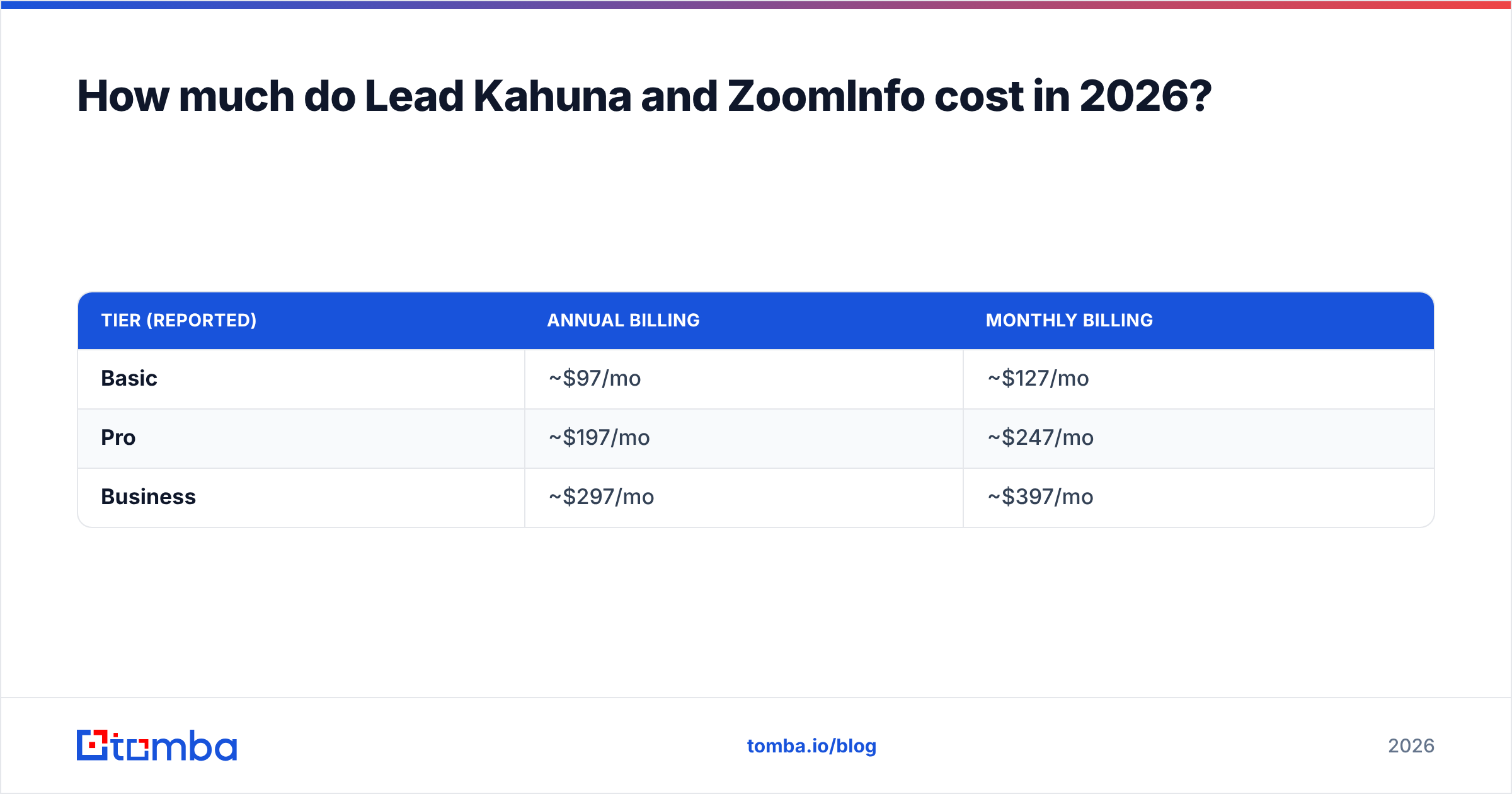
Lead Kahuna sells on "unlimited leads for one price." Based on public listings, expect roughly:
| Tier (reported) | Annual billing | Monthly billing |
|---|---|---|
| Basic | ~$97/mo | ~$127/mo |
| Pro | ~$197/mo | ~$247/mo |
| Business | ~$297/mo | ~$397/mo |
Older annual-license offers have been advertised from around $299/year. Pricing has changed between versions, so treat these numbers as ballpark figures.
ZoomInfo has no public pricing. What buyers commonly report:
- Entry packages for small teams start in the low-to-mid five figures per year
- Price rises with seats, credits, and add-ons (intent, Engage, Chorus, Enrich)
- Contracts are usually annual, and some buyers report auto-renewal clauses you need to watch
- Negotiation matters. End-of-quarter deals and multi-year terms can change the price a lot
At the low end of each, ZoomInfo can cost 10–30x what Lead Kahuna costs. That's only worth it if one closed deal pays for the contract.
Who should choose Lead Kahuna?#
Lead Kahuna is a good fit when:
- Your buyers are local businesses. Contractors, clinics, restaurants, real estate offices, law firms, and similar businesses list themselves publicly, and Lead Kahuna is built to find them.
- You run a marketing, SEO, or web-design agency. Prospecting local businesses for website or ad services is the core use case.
- You pick up the phone. Business main lines are reliable, and the "Lead Aware" open alerts suit a call-after-email approach.
- Your budget is tight. A flat price with unlimited searches means you won't burn credits on bad lists.
- You're comfortable doing some setup yourself. Expect a more utilitarian interface than modern SaaS tools.
Skip it if you need named decision-makers inside companies with more than a few dozen employees, or if you need clean CRM sync with Salesforce.
Who should choose ZoomInfo?#
ZoomInfo makes sense when:
- Your average contract value is high. Five-figure data costs need five- or six-figure deals to pay back.
- You run account-based selling. Org charts, buying committees, and intent signals are where ZoomInfo stands out.
- You have RevOps support. Someone has to own the integration, field mapping, enrichment rules, and credit governance. Without that, the platform ends up underused. A good CRM workflow matters more than the data itself.
- You need phone-first outreach to executives. Direct dials and mobile numbers are among ZoomInfo's strongest assets.
- You sell mainly into North America. Coverage is deepest there.
Skip it if you're a solo founder or small team, if you mostly sell to SMBs, or if you can't commit to an annual contract.
Are there cheaper ways to get the same outcome?#
Often, yes. Many teams comparing Lead Kahuna and ZoomInfo don't need either one. What they actually need is:
- A list of target companies (which a spreadsheet, LinkedIn, or industry directories can often give them), and
- The verified email of the right person at each company
That second step is where most of the value, and most of the cost, sits. You can fill that gap for far less with a dedicated tool:
- A domain search returns every public work email found for a company's domain. That's useful when Lead Kahuna gives you a website but only an
info@address. Tomba's domain search is built for this. - An email finder takes a first name, last name, and domain and returns the most likely work address with a confidence score. This covers most of what small teams use ZoomInfo contacts for.
- A verifier checks the list before you send, which protects your domain.
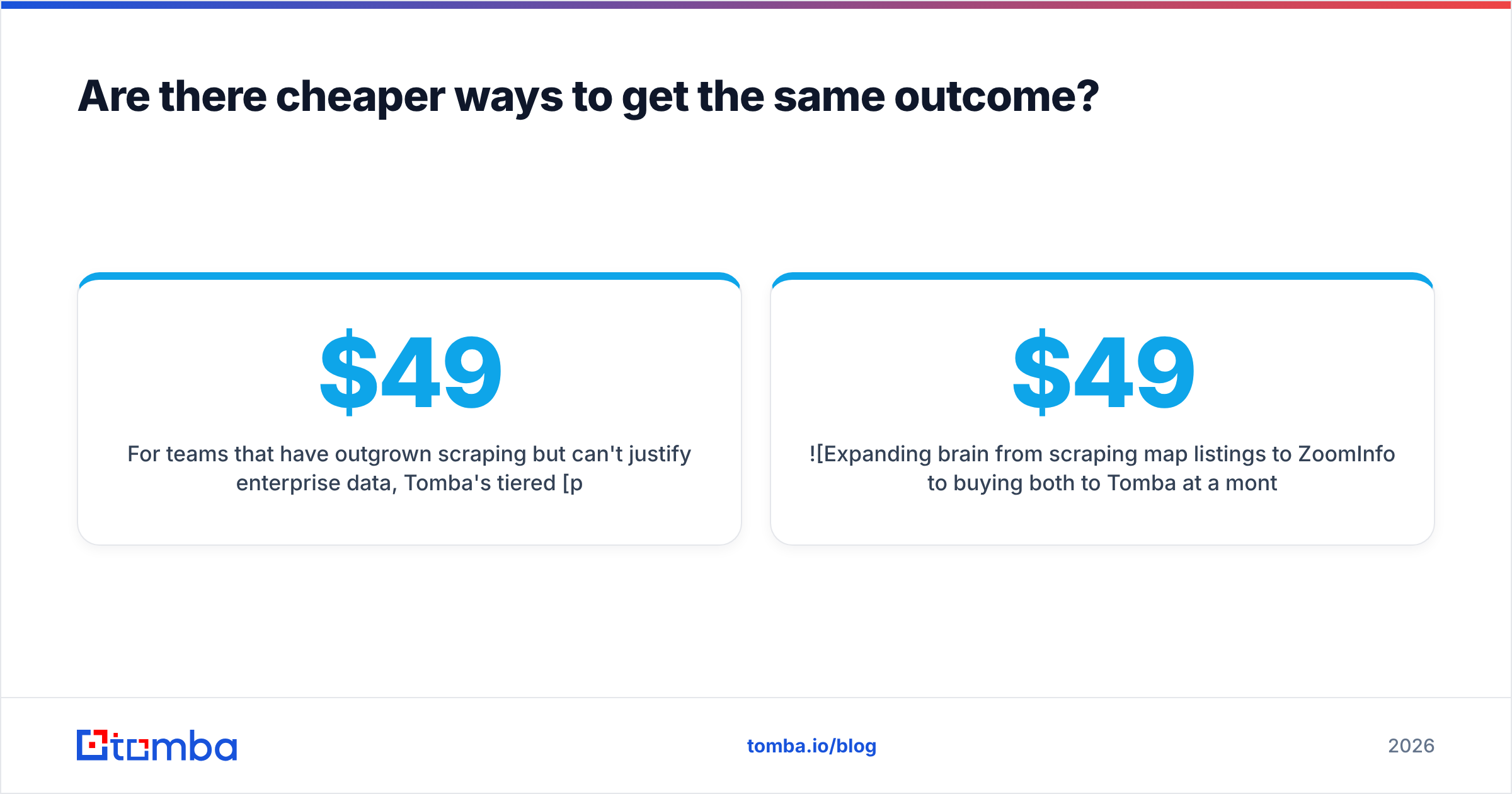
For teams that have outgrown scraping but can't justify enterprise data, Tomba's tiered pricing starts with a 25-search free tier. Paid plans run $49/mo (Starter), $99/mo (Growth), and $249/mo (Pro), with Enterprise priced on request. Even the Pro plan costs a fraction of a typical ZoomInfo seat.

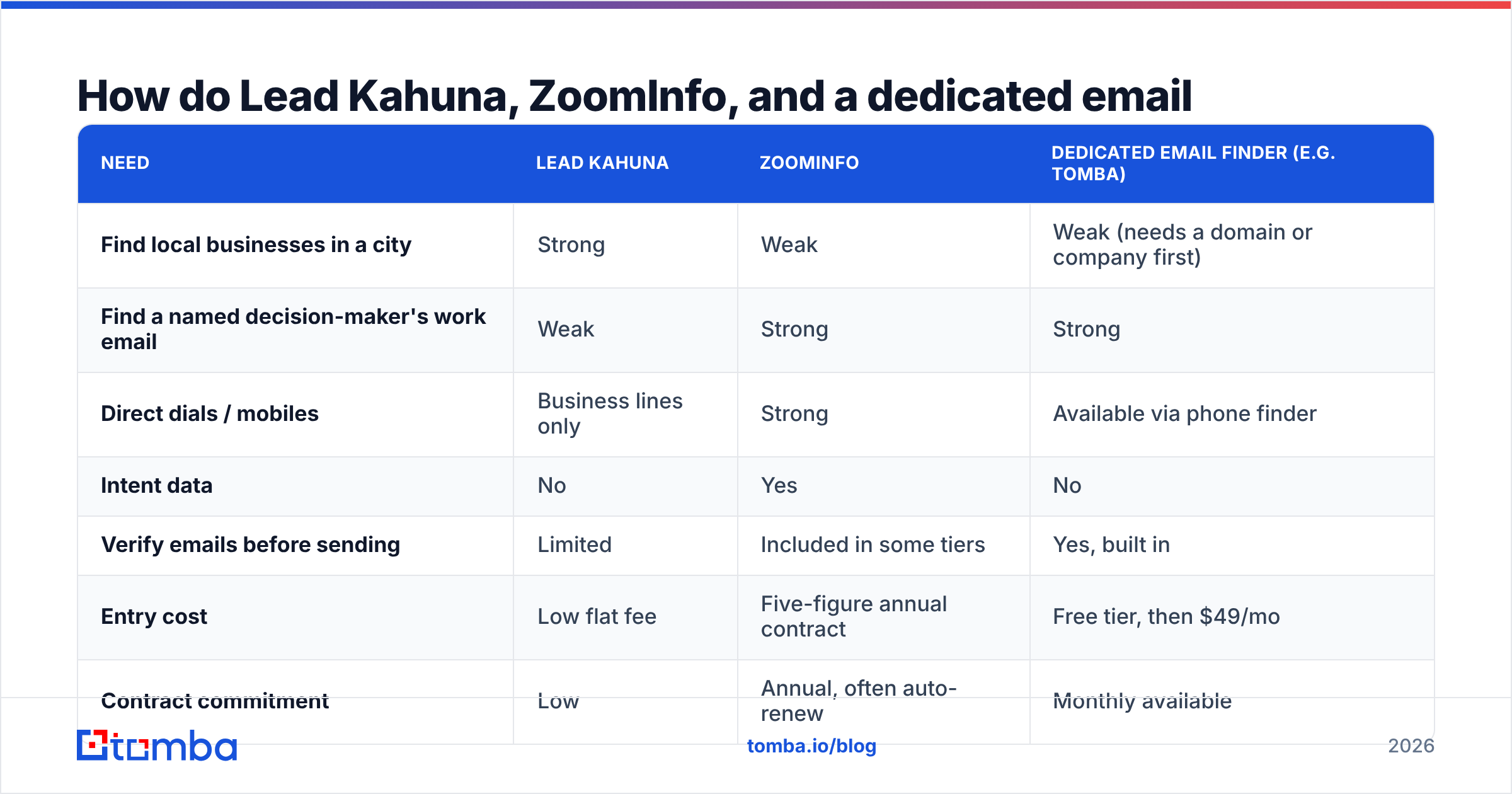
How do Lead Kahuna, ZoomInfo, and a dedicated email finder compare?#
| Need | Lead Kahuna | ZoomInfo | Dedicated email finder (e.g. Tomba) |
|---|---|---|---|
| Find local businesses in a city | Strong | Weak | Weak (needs a domain or company first) |
| Find a named decision-maker's work email | Weak | Strong | Strong |
| Direct dials / mobiles | Business lines only | Strong | Available via phone finder |
| Intent data | No | Yes | No |
| Verify emails before sending | Limited | Included in some tiers | Yes, built in |
| Entry cost | Low flat fee | Five-figure annual contract | Free tier, then $49/mo |
| Contract commitment | Low | Annual, often auto-renew | Monthly available |
A common setup for budget-conscious agencies: use Lead Kahuna or a similar scraper to build the local company list, then use an email finder to replace generic inboxes with the owner's or manager's direct address. For mid-market teams, a common setup is a list-building source plus an email finder and verifier. Some of these teams only add ZoomInfo once deal sizes justify intent data.
What are the pros and cons of each?#
Lead Kahuna: pros
- Unlimited searches at a flat, predictable price
- Well suited to local and SMB prospecting
- Outreach with open/click alerts built in
- Low learning curve for the core scraping workflow
Lead Kahuna: cons
- Mostly business-level data, not person-level
- Many emails are generic role addresses
- Desktop-style product, fewer native integrations
- Not built for enterprise or account-based selling
ZoomInfo: pros
- Large, deep B2B contact and company database
- Org charts, direct dials, and intent data
- Mature integrations with major CRMs and sales engagement tools
- Strong fit for enterprise SDR and ABM teams
ZoomInfo: cons
- High, non-transparent pricing with annual commitments
- Credit caps limit how much you can export
- Data decay in fast-moving roles and outside North America
- Needs dedicated admin time to get full value
So, Lead Kahuna vs ZoomInfo: which one wins?#
Neither tool is better overall. The right choice depends on who you sell to.
- Selling to local businesses on a small budget? Lead Kahuna wins. ZoomInfo's depth doesn't help when your buyer is a single-location HVAC company.
- Selling to named executives at mid-market and enterprise accounts with a real data budget? ZoomInfo wins. Lead Kahuna can't map a buying committee.
- Selling B2B to companies you can already name, and you just need to reach the right person? You probably don't need either. A verified email finder is the lowest-cost way to cover that part of the process.
Before you sign anything, write down your ideal customer profile, the number of new contacts you need each month, and your average deal value. The math usually makes the choice obvious.
Ready to reach the right person without an enterprise contract?#
If you already know which companies you want to reach and just need the decision-maker's verified work address, start with the Tomba Email Finder. Enter a name and company domain and you get a verified professional email with a confidence score. Or pull every public address at a company in one search. You can start on the free tier with 25 searches a month and move up to Starter at $49/mo when your outbound grows, with no annual contract and no sales call.
Related guides#
// get started
Find, verify and enrich your first contacts today
Start on the free plan with 25 searches a month, then scale when your team is ready.
Free plan · No credit card required · GDPR & CCPA
// about the author