Leadmine vs Seamless.AI: Email Finder Comparison for 2026
Leadmine is a lightweight, credit-based email finder. Seamless.AI is a sales-led contact search engine with annual contracts. Here's which one fits your team and budget, and how to test both before you commit.
TL;DR
- Leadmine is a lightweight email finder built around credits. It suits freelancers, agencies and small teams who want to look up contacts by name and domain without a sales call.
- Seamless.AI is a larger contact search engine with a Chrome extension, phone numbers, buyer-intent add-ons and CRM sync. Its paid plans are mostly quote-based and usually billed annually.
- If you want low commitment and simple lookups, Leadmine is the easier start. If you want a full prospecting database and have the budget for a yearly contract, look at Seamless.AI.
- With either tool, verify every address before you send. Neither vendor's claimed accuracy should replace your own bounce test on 100 to 200 real prospects.
- If you want transparent monthly pricing (from $49/mo) with a built-in verifier, domain search and an API, Tomba sits between the two.
What are Leadmine and Seamless.AI?#
These two products get compared a lot, but they were built for different buyers.
Leadmine is an email finder for people who already know who they want to reach. You enter a first name, last name and company domain, and it returns a likely professional address with a confidence signal. Most of its features cover that job: single lookups, domain-level searches, bulk file uploads and basic verification. You buy credits and spend them. There is no large prospecting database to browse and no sales-engagement layer on top.
Seamless.AI describes itself as a real-time search engine for B2B contacts. It finds people and companies for you, then returns emails, direct dials and mobile numbers. Most people use it through the Seamless.AI Chrome extension on LinkedIn profiles and company websites. Higher tiers add intent data, job-change alerts, list building and native CRM integrations. It is sold like enterprise software: there is a free trial tier, and the paid plans are generally quoted through a sales rep.
So the question isn't really which tool finds more emails. It's whether you need an email lookup utility or a prospecting platform.
How do Leadmine and Seamless.AI compare side by side?#
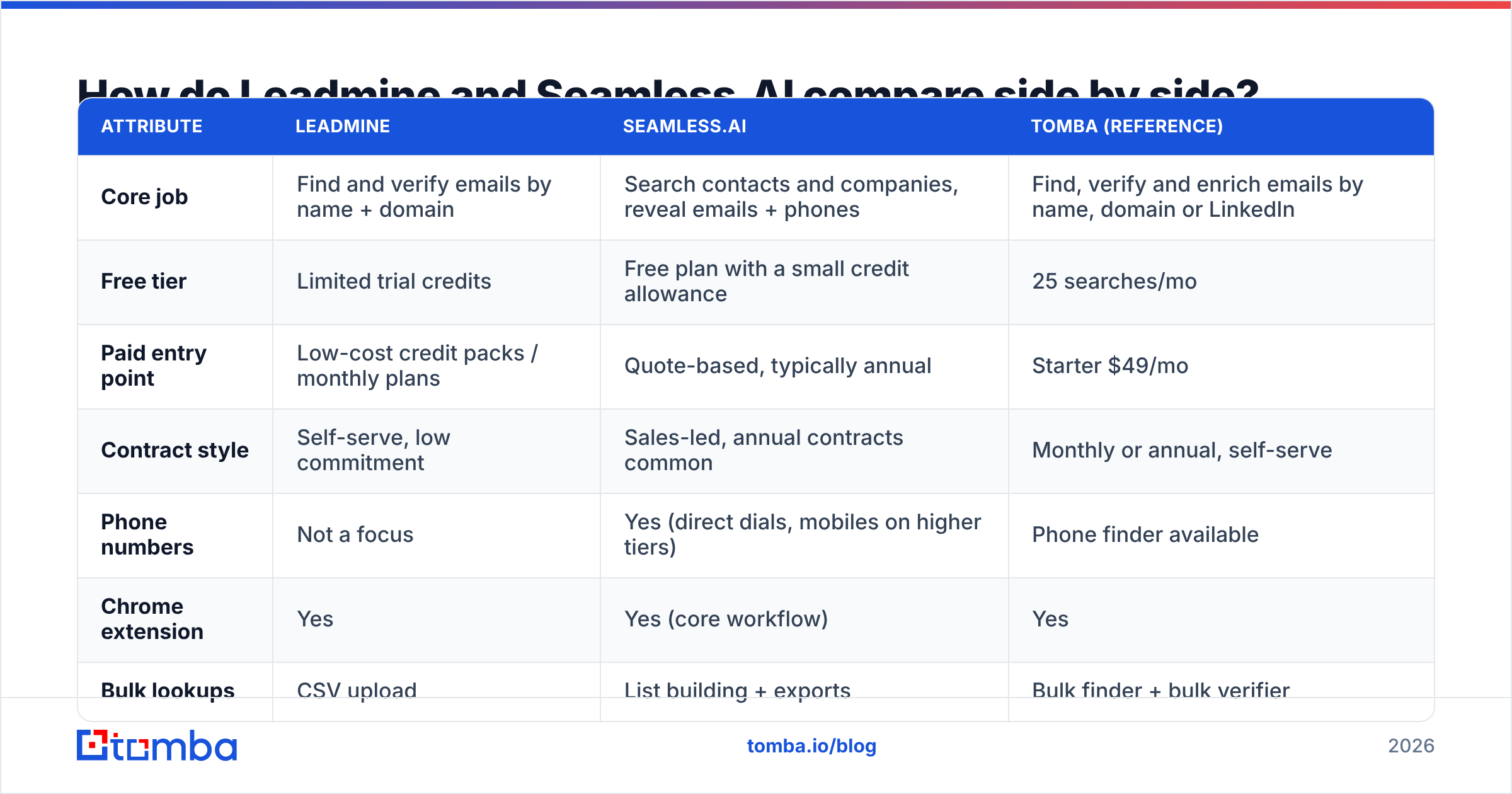
The table below covers the attributes buyers ask about most. Pricing for both vendors changes often and Seamless.AI rarely publishes full numbers, so check each vendor's current terms before you sign.
| Attribute | Leadmine | Seamless.AI | Tomba (reference) |
|---|---|---|---|
| Core job | Find and verify emails by name + domain | Search contacts and companies, reveal emails + phones | Find, verify and enrich emails by name, domain or LinkedIn |
| Free tier | Limited trial credits | Free plan with a small credit allowance | 25 searches/mo |
| Paid entry point | Low-cost credit packs / monthly plans | Quote-based, typically annual | Starter $49/mo |
| Contract style | Self-serve, low commitment | Sales-led, annual contracts common | Monthly or annual, self-serve |
| Phone numbers | Not a focus | Yes (direct dials, mobiles on higher tiers) | Phone finder available |
| Chrome extension | Yes | Yes (core workflow) | Yes |
| Bulk lookups | CSV upload | List building + exports | Bulk finder + bulk verifier |
| Built-in verification | Basic | Included in search results | Dedicated verifier + catch-all verifier |
| CRM integrations | Limited / via export | Salesforce, HubSpot and others natively | HubSpot, Salesforce, Pipedrive, Zapier, Make |
| API | Limited | Available on upper tiers | Full REST API, CLI, MCP |
| Best for | Freelancers, small agencies, occasional lookups | SDR teams wanting one database for email + phone | Teams that want transparent pricing and verification in one place |
In one sentence: Leadmine is cheaper and simpler, Seamless.AI covers more ground and costs more, and the deciding factors are contract flexibility and verified accuracy.

How does pricing actually work for each tool?#
Pricing is where the two tools differ most, and where buyers most often get surprised.
Leadmine uses a straightforward credit model. One successful email lookup costs one credit, and failed lookups are usually not charged. You can buy a small pack, test it and top up later. For a founder doing 50 to 300 lookups a month, total spend stays small and predictable. The trade-off is that you only get emails. You won't get direct dials or intent signals, and data refreshes on an existing list aren't part of the package.
Seamless.AI gives you a free plan with a limited number of credits so you can try the extension. The Basic, Pro and Enterprise tiers are usually priced through a sales conversation, and annual billing is the norm. Reviews on G2's Seamless.AI page mention auto-renewal and cancellation terms again and again, both positively and negatively. Read the renewal clause before you sign, and put the renewal date in your calendar.
A few practical points on cost:
- Work out cost per valid email, not cost per credit. A cheap credit that returns an address that bounces costs you more than an expensive credit that lands. Run your own sample test.
- Price the seats. Seamless.AI pricing often scales per user. A five-person SDR team on a yearly contract is a very different budget line from one founder buying a credit pack.
- Check what a credit covers. On some platforms, revealing a phone number costs extra or uses a separate credit pool. Ask before you commit.
- Look at the exit terms. Monthly, self-serve plans let you leave when the data quality drops. A 12-month contract doesn't.
For reference, Tomba plans start with a free tier of 25 searches a month, then Starter at $49/mo, Growth at $99/mo and Pro at $249/mo, with Enterprise on custom terms. That's more than a basic Leadmine credit pack but far below a typical multi-seat annual Seamless.AI deal, and you can cancel month to month.
Which tool finds more accurate emails?#
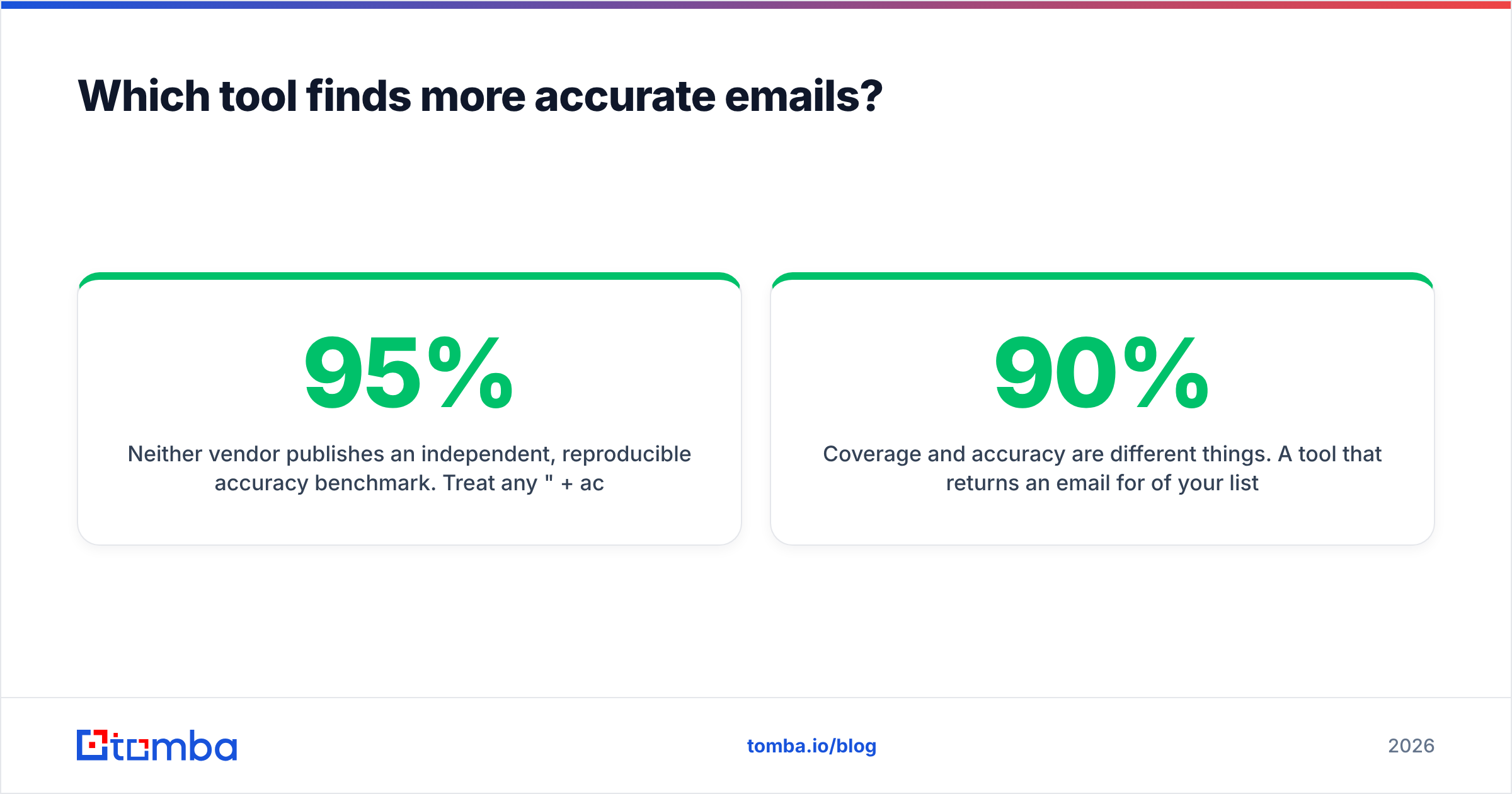
Neither vendor publishes an independent, reproducible accuracy benchmark. Treat any "95%+ accurate" claim on a landing page as marketing until you've tested it on your own list.
The two tools are built differently, and that affects what you'll see in practice:
- Leadmine works mostly on the fly. It combines known company email patterns with verification checks for each lookup. That tends to work well on domains with clean patterns (firstname.lastname@company.com), and less well on catch-all domains, where the mail server accepts every address and verification can't prove a mailbox exists.
- Seamless.AI runs a real-time search across web sources and its own index, then attaches contact data. Users on G2 and Capterra report mixed email accuracy. Some teams see strong hit rates in North American tech, while others report outdated records and bounces in smaller markets or niche industries.
Coverage and accuracy are different things. A tool that returns an email for 90% of your list but bounces 15% of them is worse for your sender reputation than one that returns 70% and bounces 2%.

How should you run your own accuracy test?#
Here's a 30-minute test that tells you more than any vendor claim:
- Pull 150 real prospects from your ICP: same regions, company sizes and titles you actually sell to.
- Run the same list through both tools and record the find rate (emails returned divided by prospects).
- Verify every result independently with a separate email verifier so neither vendor grades its own work.
- Split the results into valid, invalid, catch-all and unknown. Catch-all addresses need their own handling. Don't count them as wins.
- Calculate valid emails per dollar. Pick the tool with the best number, not the best headline.
Which is better for daily prospecting workflows?#
Workflow is where Seamless.AI earns its higher price, if you actually need the extra features.
The Seamless.AI workflow centres on the Chrome extension. An SDR opens a LinkedIn profile or a Sales Navigator list, clicks "Find", and gets email plus phone in the sidebar. Contacts can go straight into Salesforce or HubSpot. For a team that makes cold calls and sends emails from the same list, having the phone number in the same click saves real time. List building, saved searches and job-change alerts add to that if your team uses them every day.
The Leadmine workflow is closer to a utility. You already have names and companies from a conference list, an ABM target account sheet or a scraped directory. You upload the file, get emails back, and export to your sequencer. It's quick and cheap, and nothing extra gets in the way. You won't get territory management, intent data or phone enrichment.
Use this as a quick filter:
- You run a phone-heavy SDR motion: Seamless.AI's phone data is the main reason to pay for it.
- You already have target lists and just need emails: Leadmine, or any solid credit-based finder, is enough.
- You need emails pushed into a CRM automatically: Seamless.AI's native integrations are ahead of Leadmine. Tomba also covers this through its HubSpot, Salesforce and Pipedrive integrations.
- You build lists programmatically: check API access carefully. Seamless.AI restricts it to higher tiers, and Leadmine's API support is limited.
What do users complain about with each tool?#
Knowing the typical complaints helps you ask the right questions on a demo call.
Common Seamless.AI complaints (from public review sites):
- Contract and renewal friction. Auto-renewals and cancellation windows come up often.
- Uneven data quality. Strong in some segments, stale in others. Phone numbers get more praise than emails in several reviews.
- Credit burn. Credits can run out faster than expected when reveals include both phone and email.
- Upsell pressure. Features like intent data and job-change alerts often sit behind higher tiers.
Common Leadmine limitations:
- Narrow scope. It finds emails and nothing else. You'll need other tools for phones, firmographics and enrichment.
- Smaller ecosystem. Fewer native integrations, so you'll lean on CSV exports or a connector like Zapier.
- Catch-all handling. Like most lightweight finders, it can't confirm whether mailboxes on accept-all domains exist, so you'll get more "risky" results on some lists.
- Less brand visibility. Fewer public reviews make it harder to benchmark against peers before you buy.
Neither list rules either tool out. Each one tells you what to test during your trial.
Is Leadmine or Seamless.AI more compliant with GDPR and CAN-SPAM?#
Both vendors say they source data from publicly available information. Compliance, though, sits mostly with you as the sender. Under GDPR, cold B2B email to EU contacts typically relies on legitimate interest. That means documenting your reasoning, offering a clear opt-out and honouring removal requests quickly.
Some practical steps apply whichever tool you pick:
- Ask each vendor for its data processing agreement (DPA) and sub-processor list.
- Keep a record of where each contact came from.
- Don't buy more data than you'll use in 90 days, because stored personal data is a liability.
- Verify before you send. Bounces damage deliverability and also signal careless list practices.

Who should choose Leadmine, and who should choose Seamless.AI?#
Here's the recommendation.
Choose Leadmine if:
- You're a freelancer, consultant, small agency or solo founder.
- You already have named targets and only need their emails.
- You want to pay per use without a contract or sales call.
- Your volume is under a few hundred lookups a month.
Choose Seamless.AI if:
- You run an SDR team that works both phone and email.
- You want one search tool for discovering and contacting prospects.
- You have budget for annual, per-seat pricing and someone to manage the renewal.
- Native CRM sync and intent signals will actually get used, not just sit in the feature list.
Consider a middle option if you want Leadmine's flexibility with more capability behind it: verification, catch-all checks, domain-wide search, bulk processing and an API, without an annual contract. That's the gap tools like Tomba fill. If you're mainly leaving Seamless.AI because of contract terms or data quality, our Seamless.AI alternative breakdown goes into more detail.
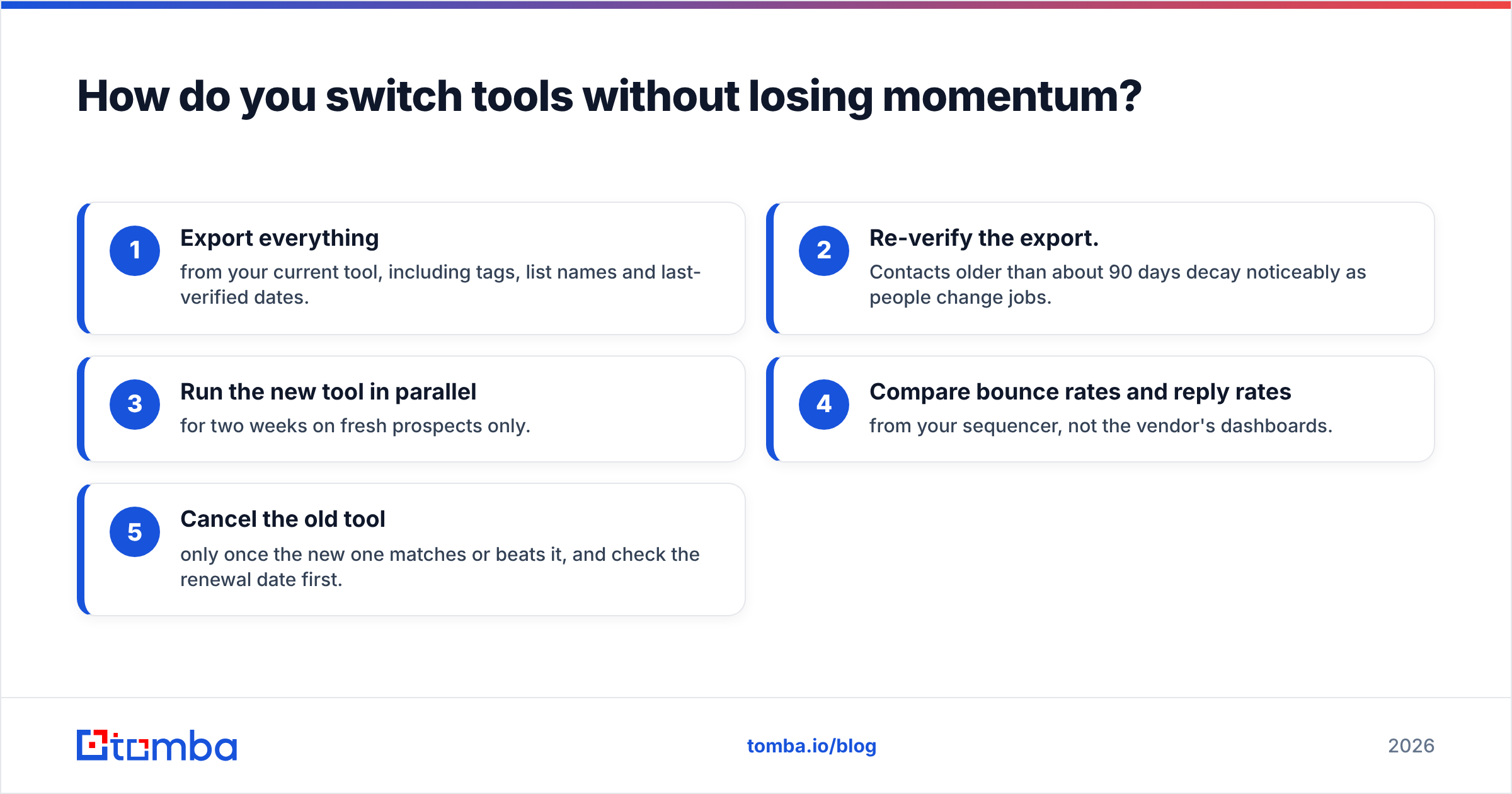
How do you switch tools without losing momentum?#
If you're moving from one to the other, or trying a third option, don't do it mid-campaign. Use this sequence:
- Export everything from your current tool, including tags, list names and last-verified dates.
- Re-verify the export. Contacts older than about 90 days decay noticeably as people change jobs.
- Run the new tool in parallel for two weeks on fresh prospects only.
- Compare bounce rates and reply rates from your sequencer, not the vendor's dashboards.
- Cancel the old tool only once the new one matches or beats it, and check the renewal date first.
Final verdict: Leadmine vs Seamless.AI#
In short:
- Leadmine is a low-commitment email lookup utility. It's cheap and simple, and it's narrow by design.
- Seamless.AI is a sales-led prospecting platform with phone data and CRM depth. It suits funded SDR teams, as long as you negotiate the contract carefully.
- Neither vendor's accuracy claim matters as much as your own test. Measure valid emails per dollar on your ICP, and verify independently.
If you want something in between, with self-serve monthly pricing, verification built in and room to scale, Tomba Email Finder is worth a trial. You can find addresses by name, domain or company, check them with the built-in verifier and catch-all tools, and run whole lists through the bulk email finder. The free plan gives you 25 searches a month, which is enough to run the 150-prospect test above over a few weeks, and paid plans start at $49/mo with no annual lock-in.
Related guides#
// get started
Find, verify and enrich your first contacts today
Start on the free plan with 25 searches a month, then scale when your team is ready.
Free plan · No credit card required · GDPR & CCPA
// about the author