Leadmine vs Thomson Data: Which B2B Data Source Wins in 2026?
Leadmine lets you look up contacts yourself, one credit at a time. Thomson Data sells ready-built lists after a sales call. Here's which model fits your pipeline, where each falls short, and our pick.
TL;DR
- Leadmine is a self-serve lead finder and email lookup tool. You search, filter, and pay per credit, and there's a small free tier (10 credits/month).
- Thomson Data is a list provider and broker. You describe the audience you want and get a quote for a custom-built email or mailing list, with 75+ filters ("selects") to choose from.
- Pick Leadmine if your reps prospect every week and need contacts on demand. Pick Thomson Data if marketing needs a large, segmented list for one campaign and would rather not build it by hand.
- Neither one gets you out of verifying before you send. Bought lists go stale, and "verified at export" doesn't mean verified on the day you send.
- If you want self-serve lookups plus built-in verification and an API, a dedicated email finder like Tomba belongs on the same shortlist.
What is the real difference between Leadmine and Thomson Data?#
These two tools get compared because both "give you B2B contacts," but they work in very different ways.
Leadmine is a product. You log in, filter by industry, location, job title, revenue, and headcount, then reveal contacts with credits. It also has an email lookup (name + company domain) and a Chrome extension that pulls leads from company websites and Google results. Leadmine says it has 200+ million business contacts gathered from the public web, and that it only returns emails it can verify.
Thomson Data is a service. It sells pre-built and custom B2B mailing and email lists: technology users, healthcare professionals, C-level executives, and industry lists. It also offers list brokerage and data append. You don't search a database yourself. You send a spec, a salesperson quotes it, and you get a file.
So "Leadmine vs Thomson Data" is really a choice between two ways of buying data:
- Pull (Leadmine): you find contacts when you need them, in small batches, and control each lookup.
- Push (Thomson Data): you order a finished list once and load it into your CRM or email platform.
Which model suits you matters more than any feature on either spec sheet.
How do Leadmine and Thomson Data compare feature by feature?#
Here's how they line up on the attributes that affect cost, data quality, and workflow. Figures come from each vendor's own public materials as of 2026. Where a vendor doesn't publish a number, we say so rather than guess.
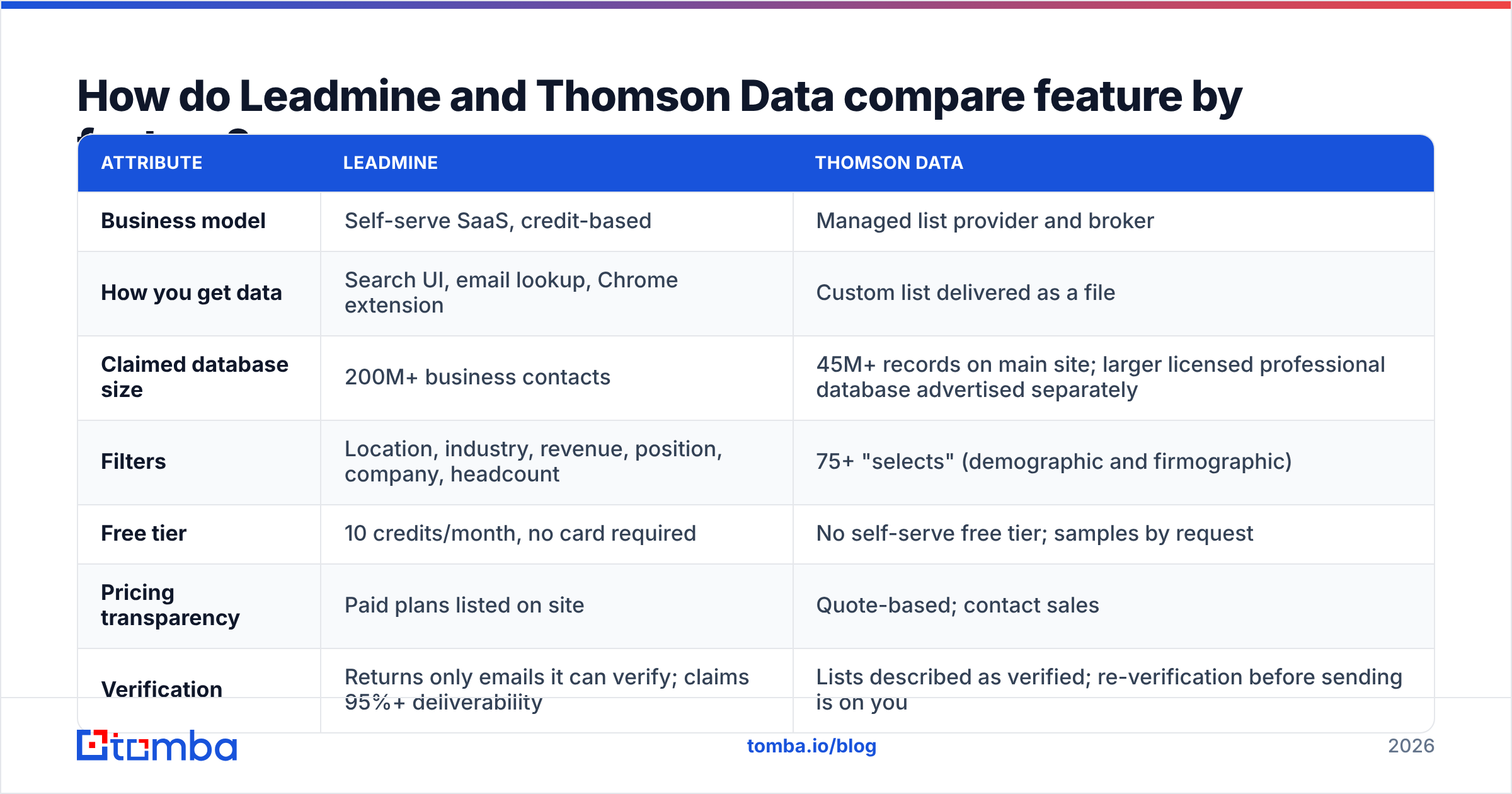
| Attribute | Leadmine | Thomson Data |
|---|---|---|
| Business model | Self-serve SaaS, credit-based | Managed list provider and broker |
| How you get data | Search UI, email lookup, Chrome extension | Custom list delivered as a file |
| Claimed database size | 200M+ business contacts | 45M+ records on main site; larger licensed professional database advertised separately |
| Filters | Location, industry, revenue, position, company, headcount | 75+ "selects" (demographic and firmographic) |
| Free tier | 10 credits/month, no card required | No self-serve free tier; samples by request |
| Pricing transparency | Paid plans listed on site | Quote-based; contact sales |
| Verification | Returns only emails it can verify; claims 95%+ deliverability | Lists described as verified; re-verification before sending is on you |
| Best for | SDRs and founders prospecting weekly | Marketing teams running large one-off or periodic campaigns |
| Data append / enrichment | Limited to lookup-style enrichment | Offers data append on existing records |
| Time to first contact | Minutes | Days (spec → quote → build → delivery) |
Two rows in that table matter most for most buyers: pricing transparency and time to first contact. With Leadmine you can test data quality this afternoon for free. With Thomson Data you'll have a sales conversation before you see a single record. That's not necessarily bad, since some teams want a human to scope the list, but plan for it.

Which one has better data quality?#
Neither vendor publishes independent third-party accuracy audits, so be skeptical of any review that declares a clear winner on accuracy. What you can compare is how each one keeps data fresh, because that's where accuracy is won or lost.
Leadmine verifies at lookup time. When you reveal an email, it's checked then, and Leadmine says it won't return addresses it can't verify. For a list you'll email this week, that's what you want: the data is only a few hours old when it reaches your sequencer.
Thomson Data verifies at build time. A custom list is compiled and cleaned when you order it. If you send the same week, fine. But B2B contact data decays steadily as people change jobs, companies get acquired, and domains change. A list that sits in a shared drive for a quarter will bounce noticeably more than it did on delivery day.
The practical rule for both:
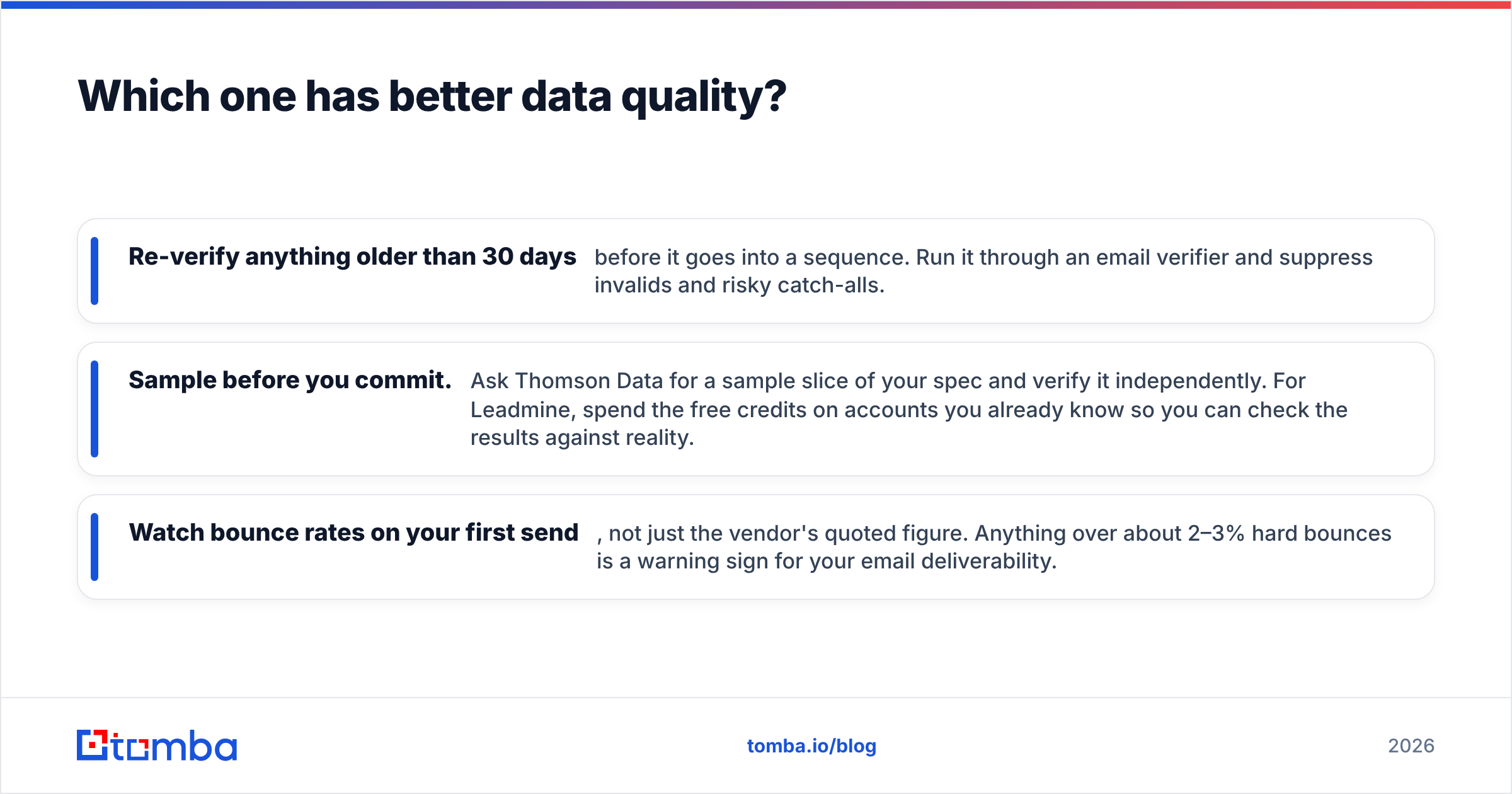
- Re-verify anything older than 30 days before it goes into a sequence. Run it through an email verifier and suppress invalids and risky catch-alls.
- Sample before you commit. Ask Thomson Data for a sample slice of your spec and verify it independently. For Leadmine, spend the free credits on accounts you already know so you can check the results against reality.
- Watch bounce rates on your first send, not just the vendor's quoted figure. Anything over about 2–3% hard bounces is a warning sign for your email deliverability.
How does pricing compare between Leadmine and Thomson Data?#
They price in ways that are hard to compare directly, so think in terms of cost per usable contact, not the headline number.
Leadmine uses credits. The free plan gives you 10 per month without a card, which is enough to test quality but not to run outbound. Paid tiers are listed on its website and scale by monthly credits. Check the current page before you budget, because credit counts and prices change more often than blog posts get updated.
Thomson Data quotes each list. Price depends on list size, how narrow your filters are (niche healthcare specialties or specific tech installs cost more than broad industry lists), whether you want postal, phone, and email together, and whether it's a one-time rental or an ongoing license. The only way to get a real number is to send a spec to their sales team.
A simple way to compare:
- Estimate how many contacts you'll actually email in the next 90 days, not how many you'd like to own.
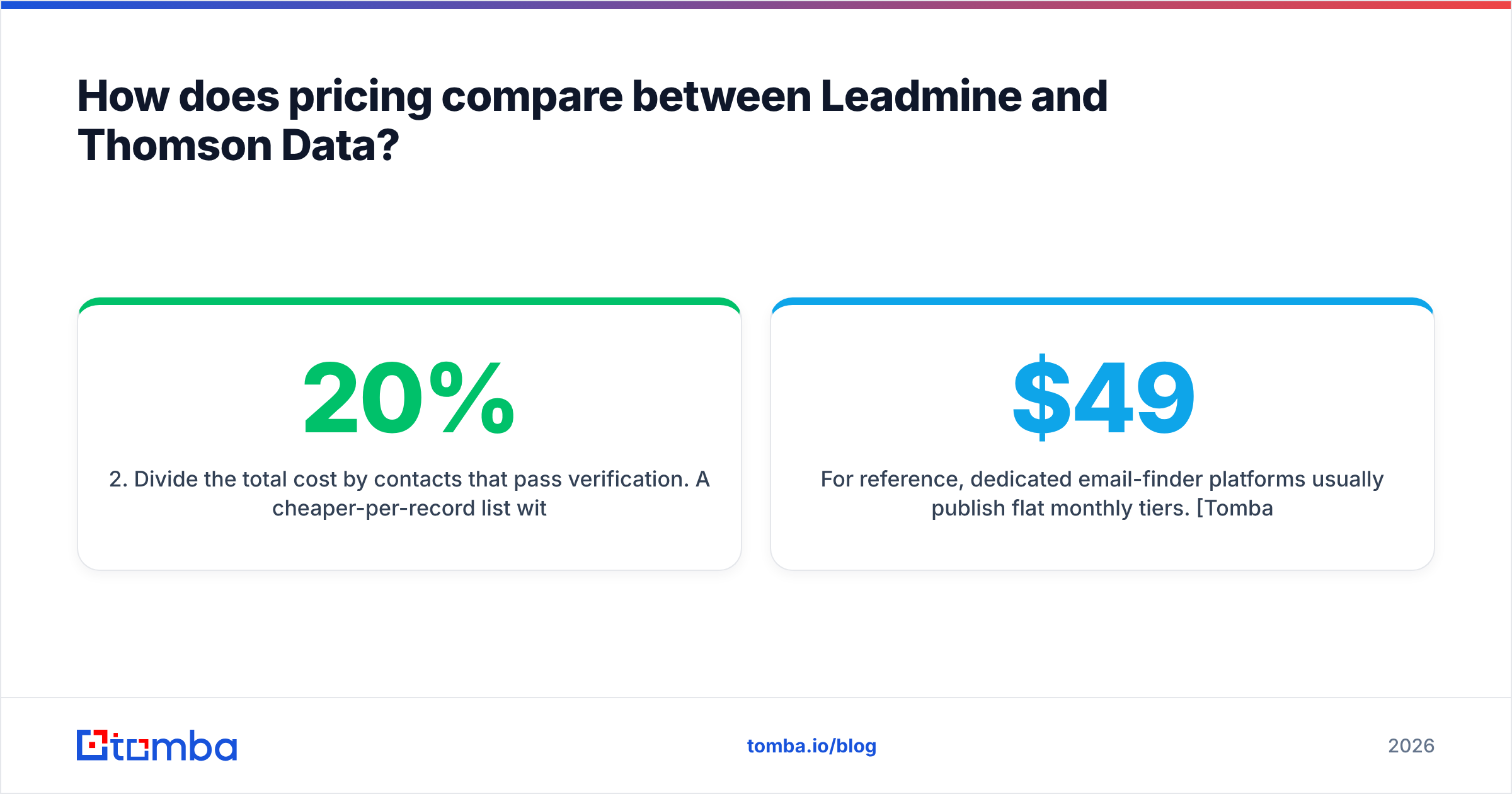
- Divide the total cost by contacts that pass verification. A cheaper-per-record list with 20% invalids can cost more per usable contact than a pricier self-serve tool.
- Add your time. Self-serve means someone on your team builds the list. Managed means someone else does, but you wait longer and have less control over individual records.
For reference, dedicated email-finder platforms usually publish flat monthly tiers. Tomba pricing, for example, starts with a free tier of 25 searches a month, then Starter at $49/mo, Growth at $99/mo, Pro at $249/mo, and custom Enterprise. That's the budget range Leadmine competes in, not the managed-list range Thomson Data sits in.
Which is better for outbound sales teams?#
Leadmine, most of the time. Outbound reps build lists continuously: a new account shows intent, a champion changes jobs, a trigger event hits the news. They need to go from company name to verified email in under a minute, and that's what a self-serve lookup and Chrome extension are built for.
Where Leadmine fits well:
- Account-based prospecting. You have 50 target accounts and need three to five contacts at each. Run a domain search-style lookup and filter by title.
- Founder-led sales. Low volume and tight budgets, where the free tier plus a small paid plan covers you.
- Research while browsing. The Chrome extension pulls contacts off company sites and search results without an export step.
Where Leadmine is weaker:
- Very large one-shot pulls. Credit-based pricing adds up at tens of thousands of records.
- Non-email channels at scale. If you also need postal addresses for direct mail, list providers are generally better equipped.
Which is better for marketing campaigns?#
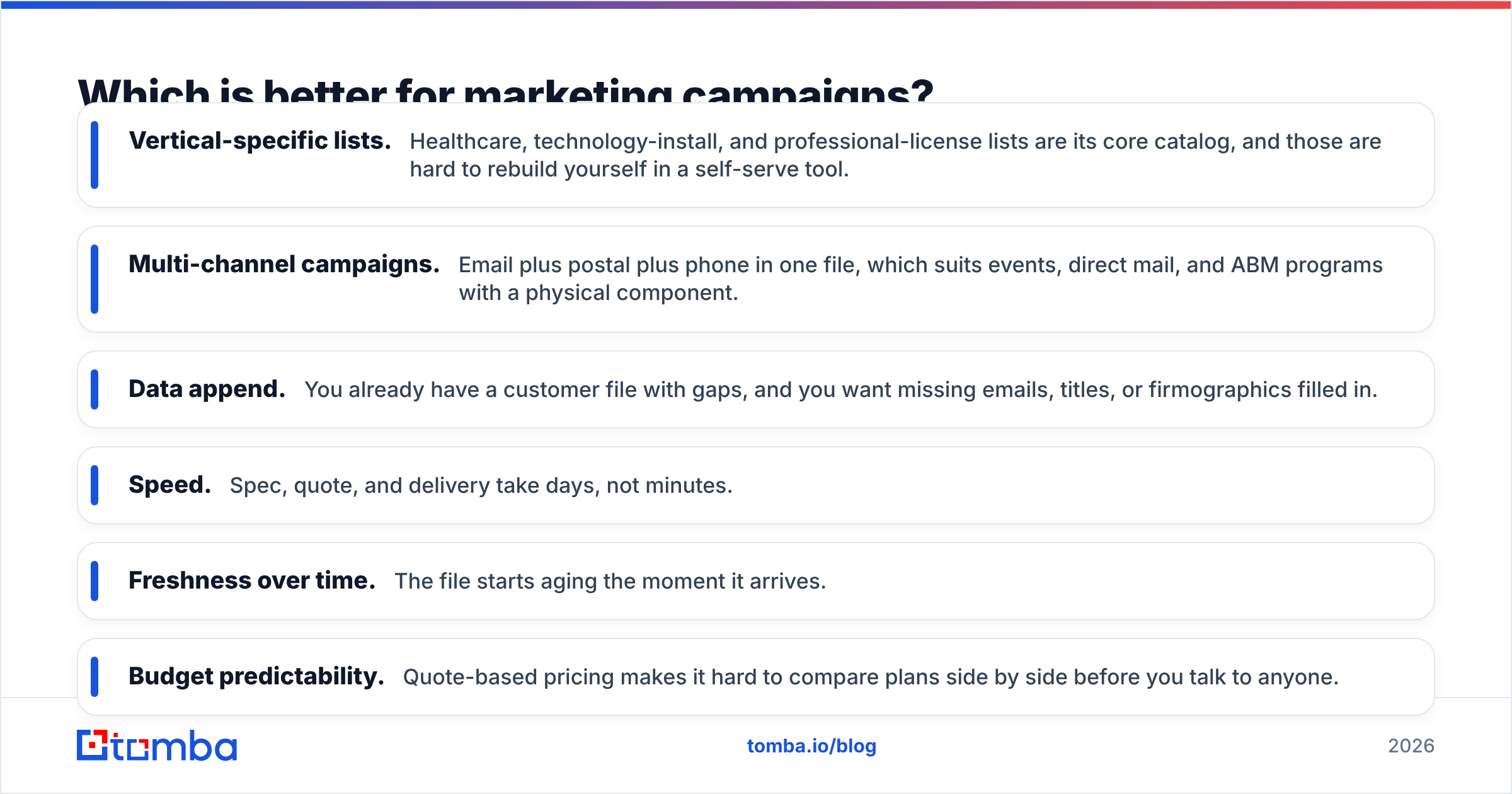
Thomson Data has the edge here. Marketing teams often need large, cleanly segmented audiences for a specific campaign: "IT decision-makers at US mid-market manufacturers using a specific ERP," or "practice managers at dental clinics in three states." That's where a list provider's filters and human-built segments are worth the money.
Where Thomson Data fits well:
- Vertical-specific lists. Healthcare, technology-install, and professional-license lists are its core catalog, and those are hard to rebuild yourself in a self-serve tool.
- Multi-channel campaigns. Email plus postal plus phone in one file, which suits events, direct mail, and ABM programs with a physical component.
- Data append. You already have a customer file with gaps, and you want missing emails, titles, or firmographics filled in.
Where Thomson Data is weaker:
- Speed. Spec, quote, and delivery take days, not minutes.
- Freshness over time. The file starts aging the moment it arrives.
- Budget predictability. Quote-based pricing makes it hard to compare plans side by side before you talk to anyone.

What about compliance, GDPR, and cold email rules?#
Buying data doesn't transfer your legal obligations to the vendor. Whichever option you choose, you're the sender, so you're responsible for how you use the contacts.
Things to check with either vendor:
- Sourcing. Leadmine says its data comes from the public web. Thomson Data describes a mix of research and compiled sources. Ask both how contacts can opt out and how often suppression lists are applied.
- Jurisdiction. If you email people in the EU or UK, the GDPR requires a lawful basis (usually legitimate interest for B2B), a clear opt-out, and the ability to say where you got someone's data. Keep a record of source and date for every contact you import.
- Rentals vs licenses. Some brokered lists are licensed for a fixed number of sends or a fixed period. Read the terms before you load a list into an always-on sequence.
- Unsubscribe handling. CAN-SPAM in the US and similar laws elsewhere require working opt-outs. Your sequencer handles the mechanics, but a bad list makes complaints more likely.
Independent reviews on sites like G2 are worth reading before you sign, especially complaints about bounce rates and refunds.
Is there a better alternative to both?#
That depends on which gap bothers you most.
If you like Leadmine's self-serve model but want more verification control, an API, and integrations, look at dedicated email-finder platforms. Tomba, for example, pairs an email finder with a separate verifier, catch-all handling, domain search, and phone finder. That lets you find and verify in one workflow instead of trusting a single "verified" flag.
If you like Thomson Data's done-for-you approach but want fresher data, the usual fix is a hybrid: buy the segmented list for targeting, then re-verify and enrich it just before each campaign with a lookup tool.
Here's a quick decision guide:
- You send fewer than 2,000 cold emails a month and prospect weekly: use a self-serve tool (Leadmine or a similar email finder).
- You need a 20,000-contact vertical list for one campaign: request a quote from a list provider like Thomson Data, sample it, and verify it.
- You run both outbound and campaigns: use a self-serve finder for rep-level prospecting and a list provider for occasional bulk segments, with one verifier in front of both.
- You need data in your own product or pipeline: choose a tool with a real API. Managed list providers usually don't offer one.
What is our verdict on Leadmine vs Thomson Data?#
They solve different problems, so the right pick depends on who's buying.
Choose Leadmine if you're an SDR team, agency, or founder who needs verified emails on demand, wants to test before paying, and prefers predictable monthly pricing. Its free credits and lookup-time verification make it low-risk to try.
Choose Thomson Data if you're a marketing team that needs a large, tightly segmented, often vertical-specific list, possibly with postal and phone data, and you're happy to go through a sales process to get it.
Choose neither on its own if deliverability is a hard requirement. Whatever you buy, verify it again before you send.
If your team's real need is fast, self-serve prospecting with verification built into the same workflow, try Tomba Email Finder. You can find professional emails by name, domain, or company, check them with the built-in verifier, and push results to your CRM or sequencer through the API or integrations. Start on the free tier with 25 searches a month and see how it performs on your own target accounts before you commit to any data vendor.
Related guides#
// get started
Find, verify and enrich your first contacts today
Start on the free plan with 25 searches a month, then scale when your team is ready.
Free plan · No credit card required · GDPR & CCPA
// about the author