Leadrocks vs Warpleads: Pricing, Accuracy and Which to Pick in 2026
Leadrocks charges per contact reveal; Warpleads sells flat-rate unlimited exports. We compare pricing, data quality, workflow and cost per usable lead so you can pick the right database for your outbound volume.
TL;DR
- Leadrocks uses credits (one credit = one revealed contact). It has a free tier with 50 credits, paid plans start at $29/mo for 1,000 credits, and it's strongest when you pull contacts one at a time from LinkedIn with its Chrome extension.
- Warpleads charges a flat fee per workspace ($59/mo Essentials, $99/mo Unlimited) and lets you export from a 100M+ contact database without metering each download. It makes the most sense for agencies and high-volume outbound teams.
- Neither tool is a finished list. Independent testers have reported email validity well below vendor claims for large-database exports, and Warpleads itself tells users to verify emails before sending.
- Our pick: choose Warpleads if you export more than roughly 3,000 contacts a month. Choose Leadrocks if you prospect in small, targeted batches. Either way, put a verification step between export and send.
What are Leadrocks and Warpleads?#
Both are B2B contact databases with a Chrome extension attached. They sell the same basic thing: names, job titles, company details, and email addresses (plus phone numbers in some cases) that you can filter and export into a sequencer or CRM. Where they differ is how they charge you, and that shapes who each one works for.
Leadrocks (leadrocks.io) is aimed at solo founders, freelancers, and small sales teams. One subscription gets you a database of 100M+ records, a LinkedIn profile scanner extension, a built-in email verifier, and basic Gmail/Outlook sequencing. The model is credit-based: each contact you reveal costs one credit.
Warpleads (warpleads.com) is a list-building tool for teams that export in bulk. It advertises 100M+ people and 20M+ companies, filters by job title, location, headcount, industry, and technology, automatic de-duplication on every export, and a Chrome extension for grabbing single contacts. Its main selling point is that exports aren't metered by credits. You pay a flat monthly fee per workspace.
Think of it like an electricity bill. Leadrocks is pay-per-kilowatt: cheap if you use a little, expensive if you run the air conditioning all summer. Warpleads is a flat-rate plan: you pay the same whether you use a lot or a little, so it only pays off if you actually use it.
How do Leadrocks and Warpleads compare side by side?#
These are published list prices at the time of writing (September 2026). Vendors change plans often, so check each pricing page before you buy.
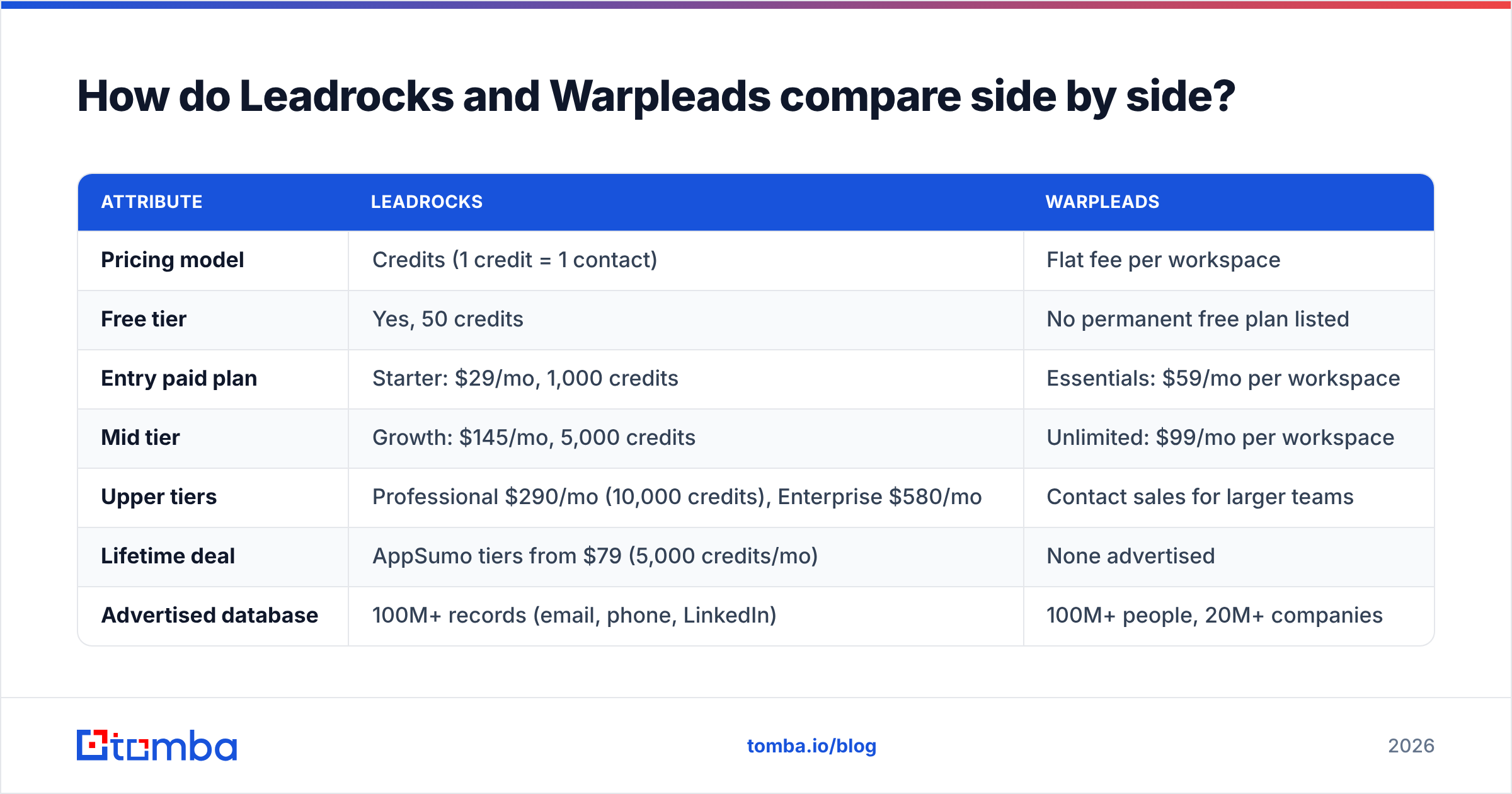
| Attribute | Leadrocks | Warpleads |
|---|---|---|
| Pricing model | Credits (1 credit = 1 contact) | Flat fee per workspace |
| Free tier | Yes, 50 credits | No permanent free plan listed |
| Entry paid plan | Starter: $29/mo, 1,000 credits | Essentials: $59/mo per workspace |
| Mid tier | Growth: $145/mo, 5,000 credits | Unlimited: $99/mo per workspace |
| Upper tiers | Professional $290/mo (10,000 credits), Enterprise $580/mo | Contact sales for larger teams |
| Lifetime deal | AppSumo tiers from $79 (5,000 credits/mo) | None advertised |
| Advertised database | 100M+ records (email, phone, LinkedIn) | 100M+ people, 20M+ companies |
| Bulk export | Limited by credits | Up to 10,000 records per selection, unmetered |
| Chrome extension | LinkedIn profile scanner | Email finder for websites and LinkedIn |
| Built-in verification | Yes, basic verifier | No, verifying emails externally is recommended |
| Sequencing | Basic Gmail/Outlook sequences | No, export to your own sequencer |
| Best fit | Small, targeted prospecting | High-volume lists, agencies |

Here's the short version. Leadrocks bundles more tools (verifier, sequencer) into a cheaper starting price. Warpleads gives up those extras in exchange for volume.
Which is cheaper: Leadrocks or Warpleads?#
It depends on how many contacts you pull each month. Here's the break-even math.
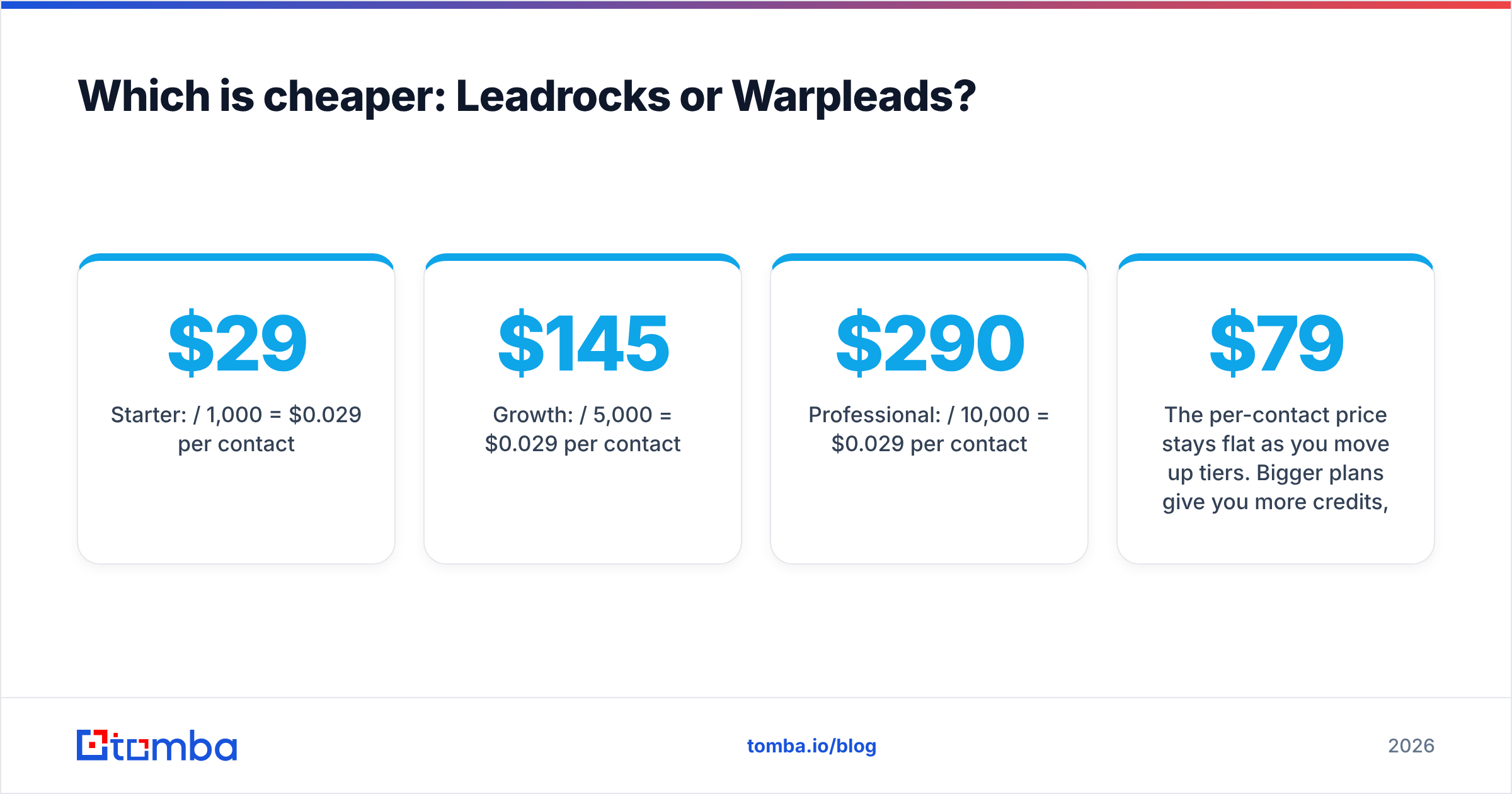
Leadrocks cost per contact:
- Starter: $29 / 1,000 = $0.029 per contact
- Growth: $145 / 5,000 = $0.029 per contact
- Professional: $290 / 10,000 = $0.029 per contact
The per-contact price stays flat as you move up tiers. Bigger plans give you more credits, but each credit doesn't get cheaper. The AppSumo lifetime deal is the one real discount: $79 once for 5,000 credits a month works out far cheaper over a year, as long as the product keeps getting updates.
Warpleads cost per contact:
On the $99 Unlimited plan, your cost per contact falls with every export:
- 1,000 contacts/mo: $0.099
- 3,414 contacts/mo: $0.029 (break-even with Leadrocks)
- 10,000 contacts/mo: $0.0099
- 30,000 contacts/mo: $0.0033
The rule of thumb: below roughly 3,400 contacts a month, Leadrocks costs less. Above that, Warpleads gets cheaper with every export, and at agency volume it isn't close.
There's a catch, though. Cost per exported contact isn't the number that matters. Cost per deliverable email is. If half of an export bounces, your real cost per usable lead doubles, and you also take a hit to your sender reputation. That leads to the question that should decide this comparison.

How accurate is the data in Leadrocks vs Warpleads?#
Neither vendor publishes an independent accuracy audit, so be skeptical of any single percentage, including theirs.

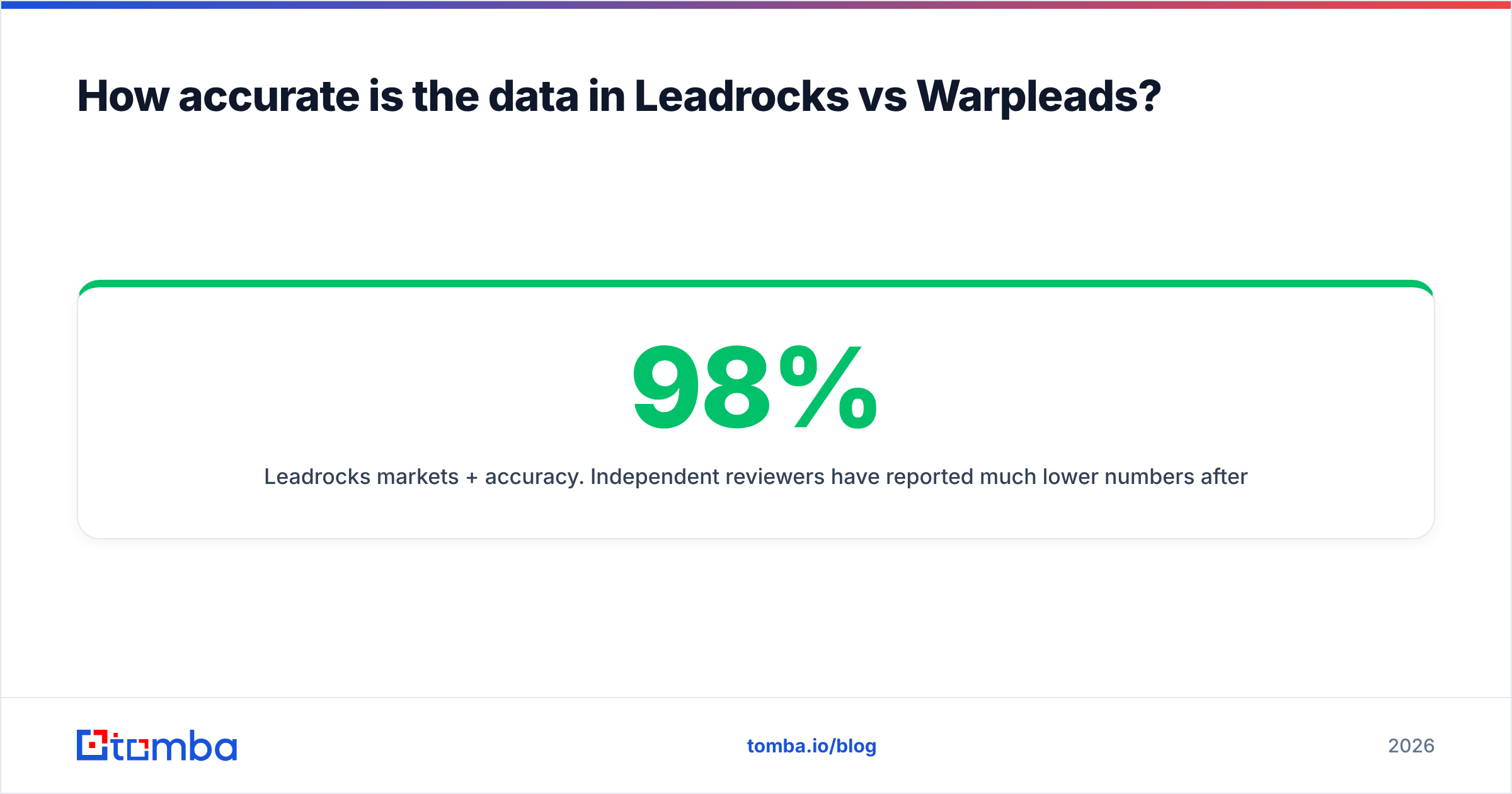
Leadrocks markets 98%+ accuracy. Independent reviewers have reported much lower numbers after running Leadrocks exports through third-party verifiers. One published test found about 873 usable emails out of 4,828, an 18% hit rate. Other reviewers reported results in the 18–53% range. Sample sizes and methods differ, so don't treat these figures as definitive. Still, the gap between the marketing claim and outside testing is wide enough that you should budget for verification.
Warpleads is more upfront about the problem. Its own guidance says downloaded emails should be checked with an email verifier before you send. De-duplication cleans up duplicate rows, but it can't tell you whether jane.doe@company.com still works after Jane changed jobs last quarter.
Both tools have the same structural issue as every static database: B2B data decays. People change jobs, companies rebrand, domains move to new mail servers. A record that was valid when it was scraped may not be valid when you export it. Gartner has long flagged poor data quality as a significant cost for organizations (gartner.com), and contact data is among the fastest-decaying data a sales team handles.
What this means for you:
- Never send straight from a raw export. Run every list through an email verifier first.
- Handle catch-all domains separately. Many mid-market and enterprise domains accept all mail at the SMTP level, so a basic "valid" check tells you nothing. A dedicated catch-all verifier gives you a real risk score.
- Measure your own hit rate. Export 500 contacts from each tool in your ICP, verify all 1,000, and compare. That takes an afternoon and beats any review, including this one.
Which has the better workflow?#
The workflows differ in ways that matter day to day.
Leadrocks workflow#
- Find the prospect on LinkedIn (regular search or Sales Navigator).
- Open the Leadrocks extension to scan the profile or search page.
- Reveal contacts, spending one credit each.
- Verify with the built-in verifier.
- Send through Leadrocks' basic Gmail/Outlook sequences, or export to your main tool.
This works well for account-based prospecting, where you research 20 accounts a day and pick the right three people at each one. The extension has strong user ratings in the Chrome Web Store, and having everything in one place helps if you don't have a full sales stack yet.
The downside is the sequencer. It's basic. Once you need A/B testing, inbox rotation, or reply detection across several mailboxes, you'll outgrow it and move to a dedicated sending tool.
Warpleads workflow#
- Build a filter in the web app: title, seniority, location, headcount, industry, tech stack.
- Select up to 10,000 records at a time.
- Export as de-duplicated CSV.
- Verify externally.
- Import into your sequencer (Warpleads is documented in Salesforge's help center, so it fits that ecosystem naturally, but any CSV-friendly sender works).
This is a list factory. It's built for the agency owner who needs 15,000 SaaS VPs of Marketing in North America by Monday. The single-contact Chrome extension is there, but it isn't the main reason to buy.
The trade-off is that Warpleads assumes you already have a sending and verification stack. If you don't, you'll be putting one together alongside it.
What do users say about each tool?#
Review coverage for both tools is thin compared with bigger platforms like Apollo or ZoomInfo, so check current listings on G2 before you commit. Common themes across public reviews:
Leadrocks, praised for:
- Low entry price and a free tier you can test with
- Chrome extension that's easy to use on LinkedIn
- All-in-one bundle (database, verifier, sequencer)
Leadrocks, criticized for:
- Accuracy that doesn't match the marketing claims in independent tests
- A sequencer that's too basic for serious outbound
Warpleads, praised for:
- Predictable flat pricing with no credit anxiety
- Large filterable database with de-duplicated exports
- Strong value for agencies that export a lot
Warpleads, criticized for:
- No built-in verification, so you pay for a verifier separately
- Less useful for small, one-at-a-time research workflows
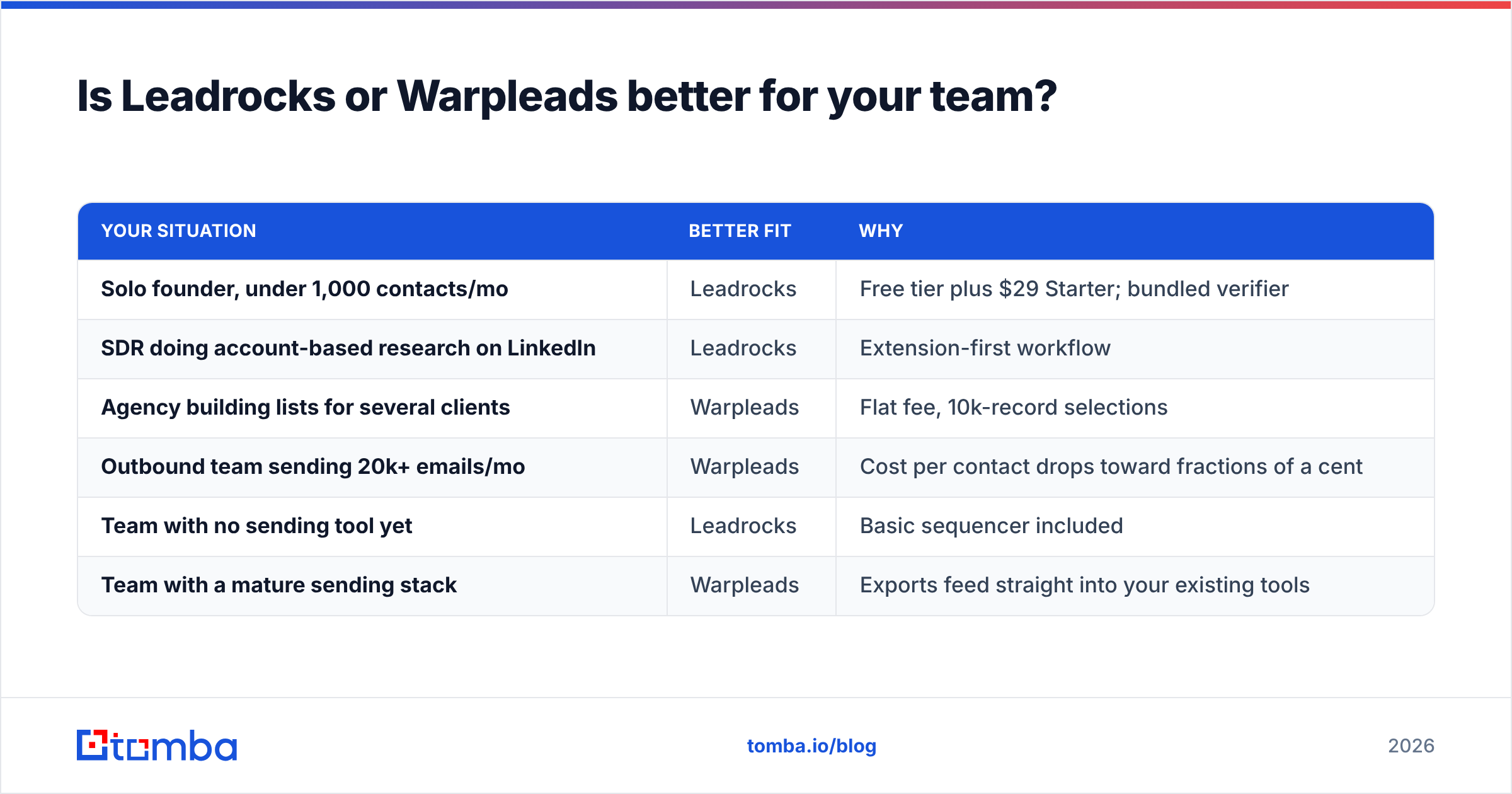
Is Leadrocks or Warpleads better for your team?#
Pick based on volume and workflow, not on who has the bigger database number. Both claim 100M+, and that number tells you very little about how well either one covers your specific ICP.
| Your situation | Better fit | Why |
|---|---|---|
| Solo founder, under 1,000 contacts/mo | Leadrocks | Free tier plus $29 Starter; bundled verifier |
| SDR doing account-based research on LinkedIn | Leadrocks | Extension-first workflow |
| Agency building lists for several clients | Warpleads | Flat fee, 10k-record selections |
| Outbound team sending 20k+ emails/mo | Warpleads | Cost per contact drops toward fractions of a cent |
| Team with no sending tool yet | Leadrocks | Basic sequencer included |
| Team with a mature sending stack | Warpleads | Exports feed straight into your existing tools |

What is the smarter setup: a database or a finder?#
You could skip the debate over which database is bigger. Many outbound teams now split list-building into two jobs:
- Account and persona discovery: any database, including Leadrocks or Warpleads, to find who to target.
- Contact resolution and verification: a dedicated email finder to confirm the current address in real time, then verification before anything reaches a sequencer.
The reason is simple. A database gives you a snapshot, while a finder checks the address live when you look it up. If your Warpleads export shows a VP of Sales at a company, a real-time lookup confirms whether that person still has a working address at that domain today. For account-based motions, domain search lets you pull every public address at a target company and pick the right contacts yourself, instead of trusting a pre-built record.
This hybrid setup costs a little more per contact than a raw export. It usually costs much less per reply, because fewer bounces protect your domain and every email reaches a real inbox. HubSpot's own guidance on email deliverability makes the same point: list hygiene is the foundation that everything else depends on.
Leadrocks vs Warpleads: what is the final verdict?#
- Choose Leadrocks if you're early-stage, work in small batches, prospect mainly from LinkedIn, and want a cheap all-in-one starter kit. Use the free 50 credits to test accuracy in your niche before you pay.
- Choose Warpleads if you export thousands of contacts a month, run an agency, or already have a sending stack. Past about 3,400 contacts a month, its flat fee beats per-credit pricing.
- With either tool, verify before you send. The biggest risk in both products is bounce rate, not price, and a burned sending domain costs far more than any subscription.
Ready to turn raw exports into emails you can actually send?#
Whichever database you choose, the gap between "exported" and "delivered" is where outbound campaigns fail. Tomba Email Finder finds professional email addresses by name, domain, or company in real time, so you're working with current data instead of an old snapshot. It works alongside Tomba's verifier, catch-all checks, and enrichment. You can start on the free tier with 25 searches a month, and paid plans begin at $49/mo. Compare Tomba plans, run your next Leadrocks or Warpleads export through it, and see how many of those contacts actually hold up.
Related guides#
// get started
Find, verify and enrich your first contacts today
Start on the free plan with 25 searches a month, then scale when your team is ready.
Free plan · No credit card required · GDPR & CCPA
// about the author