Leadsforge vs Seamless.AI: Which Lead Tool Wins in 2026?
Leadsforge builds lead lists from a plain-English prompt. Seamless.AI searches for contacts in real time from a Chrome extension. We compare data quality, pricing, contracts, and workflow fit so you can pick the right one.
Leadsforge vs Seamless.AI is a choice between two ways to prospect. One builds lead lists from a prompt, and the other looks up contacts while you browse.
TL;DR
- Leadsforge is an AI list builder. You describe your ideal customer in plain English and get back a filtered, verified lead list. Best for small outbound teams using Salesforge or a similar sequencer.
- Seamless.AI is a real-time contact search engine with a Chrome extension. It suits reps who prospect one account at a time from LinkedIn and company websites.
- Pricing models differ. Leadsforge publishes monthly credit plans. Seamless.AI has a limited free tier, but Pro and Enterprise mostly need an annual contract and a sales call.
- Data accuracy varies for both. Plan to verify every email before you send, whichever tool you choose.
- Our pick: Choose Leadsforge for fast, ICP-driven list building on a monthly budget. Choose Seamless.AI if your team lives in LinkedIn and wants in-browser lookups at scale. If you only need accurate emails, a dedicated email finder costs less than either.
What are Leadsforge and Seamless.AI?#
Both tools promise the same thing: a pipeline of B2B contacts you can email and call. They get there in very different ways, and that difference decides which one fits you.
Leadsforge belongs to the "Forge" family of outbound products, alongside Salesforge (sequencing), Mailforge and Infraforge (sending infrastructure), and Warmforge (warmup). Its main feature is a chat-style search. You type something like "Series A fintech companies in the US with 50–200 employees, targeting VP Finance," and it turns that into filters and returns a list. You can refine the list, find lookalike companies, and push contacts straight into a sequence.
Seamless.AI is older and much bigger. It calls itself a real-time search engine for B2B contacts. It doesn't only serve a static database. It says it finds and checks contact data at the moment you search. Most users work through its Chrome extension, which sits on top of LinkedIn and company websites and reveals emails and phone numbers as they browse.
Put simply, Leadsforge starts from your ideal customer and works out to contacts. Seamless.AI starts from a person or company you've already spotted and works back to their contact details.
How do Leadsforge and Seamless.AI work differently?#
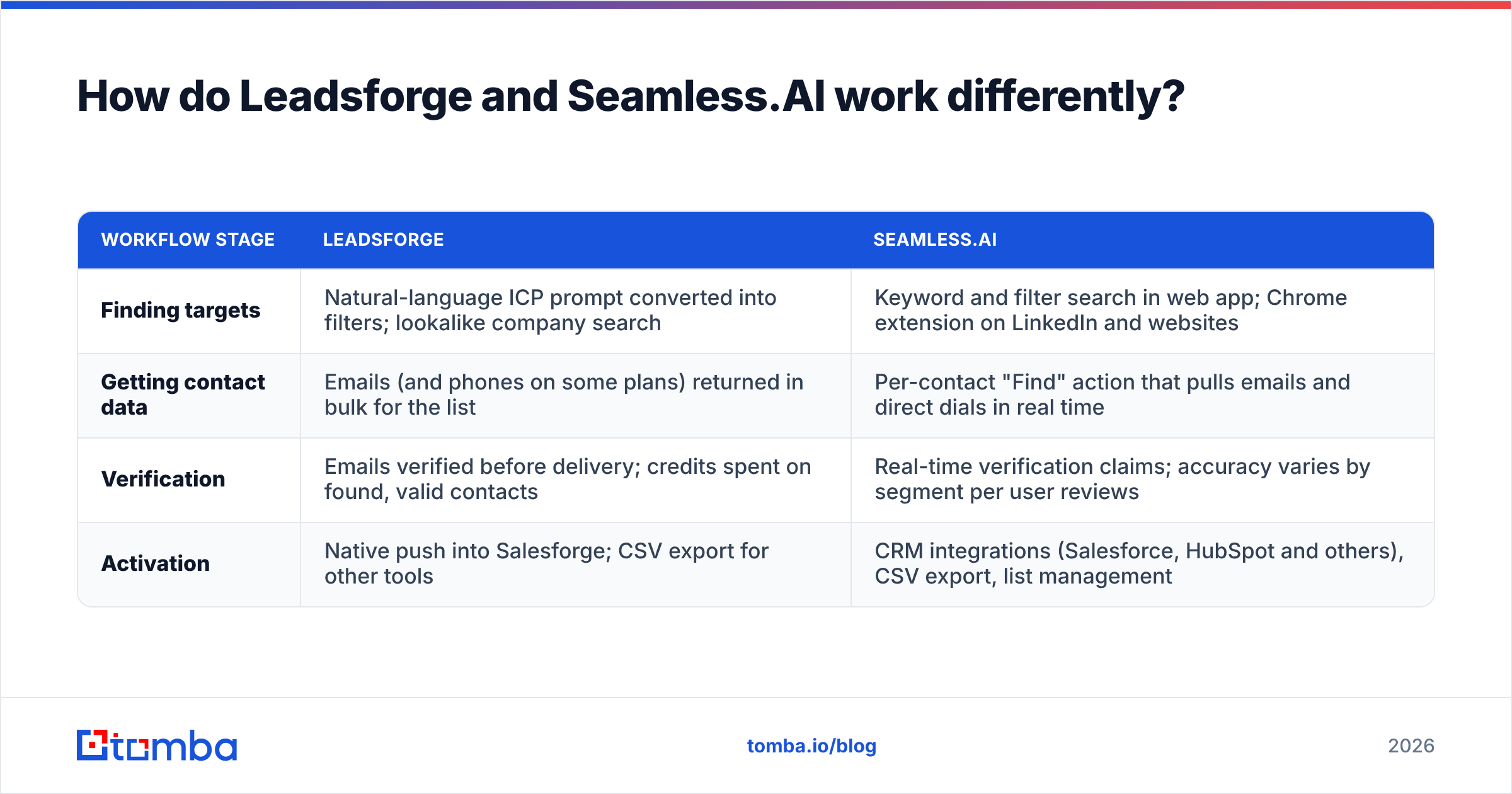
The quickest way to see the gap is to compare the four stages of any prospecting workflow side by side.
| Workflow stage | Leadsforge | Seamless.AI |
|---|---|---|
| Finding targets | Natural-language ICP prompt converted into filters; lookalike company search | Keyword and filter search in web app; Chrome extension on LinkedIn and websites |
| Getting contact data | Emails (and phones on some plans) returned in bulk for the list | Per-contact "Find" action that pulls emails and direct dials in real time |
| Verification | Emails verified before delivery; credits spent on found, valid contacts | Real-time verification claims; accuracy varies by segment per user reviews |
| Activation | Native push into Salesforge; CSV export for other tools | CRM integrations (Salesforce, HubSpot and others), CSV export, list management |
That table shows the core choice.
- Leadsforge is built around lists. You think in segments ("every DevOps lead at mid-market SaaS in DACH"), and the tool is designed to make that segment quickly with little clicking.
- Seamless.AI is built around contacts. You think in accounts and people ("I need the CFO at this company I just found"), and the extension makes that single lookup fast.
- Leadsforge expects a sequencer downstream. It's clearly designed to feed Salesforge. If you use Instantly, Smartlead, or Lemlist, you'll export CSVs.
- Seamless.AI expects a CRM downstream. Its integrations and list tools are aimed at sales teams that record everything in Salesforce or HubSpot.
Which has better data quality: Leadsforge or Seamless.AI?#
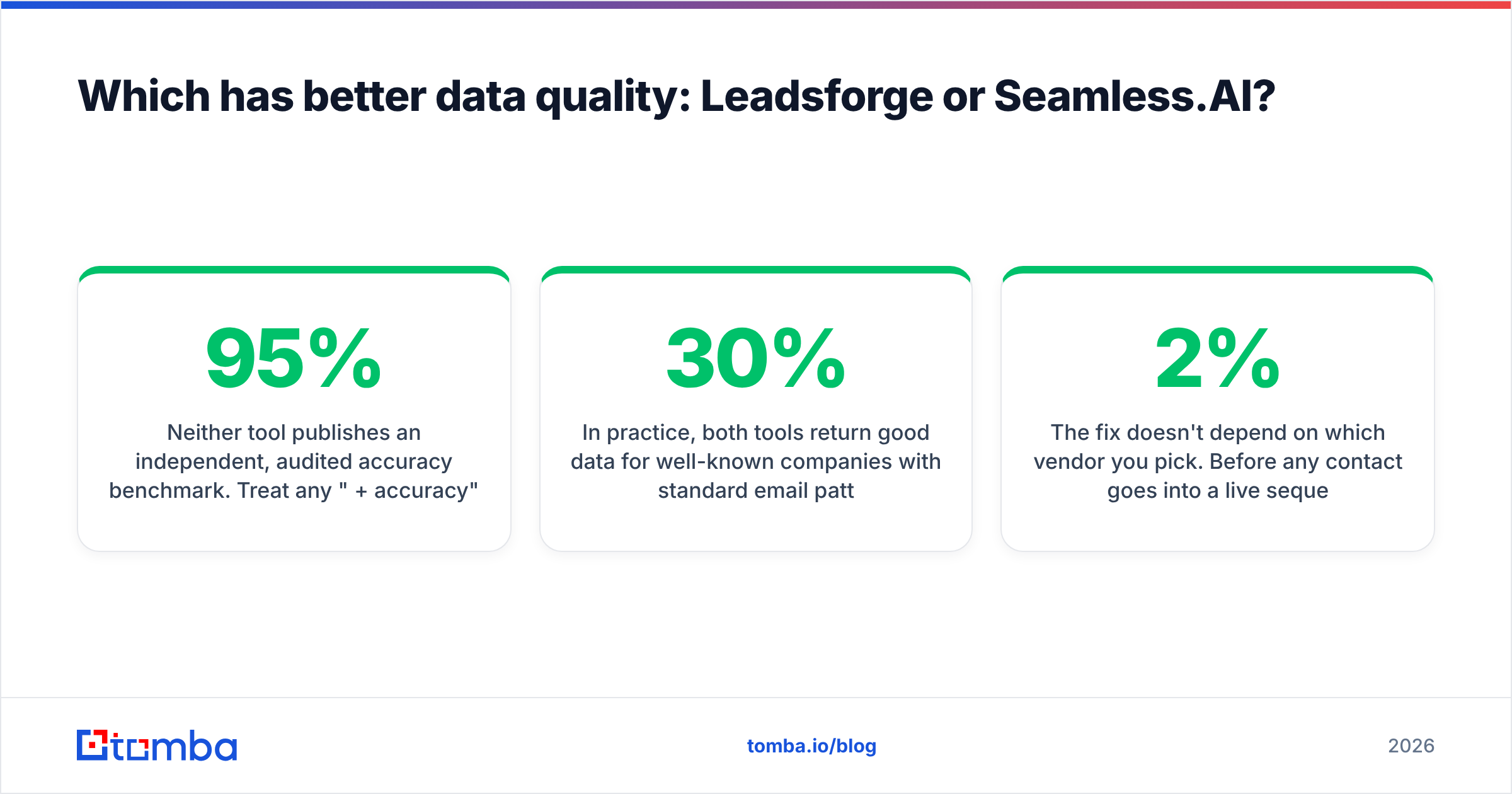
Neither tool publishes an independent, audited accuracy benchmark. Treat any "95%+ accuracy" marketing claim, from either vendor, as a best case rather than an average.
What we can say:
- Leadsforge builds its database from several sources and runs verification before it returns results. Because it's focused on outbound email, it's designed to avoid handing you undeliverable addresses. Using it that way protects the sending domains you set up with Mailforge or Infraforge. Coverage is strongest for tech, SaaS, and English-speaking markets. It gets thinner in niche verticals and regions outside North America and Western Europe.
- Seamless.AI has very broad coverage, especially in North America, and a large set of direct-dial phone numbers. Reviews on G2 are mixed on accuracy. Many users like the volume and the extension. A recurring group complains about bounced emails and outdated job titles. Real-time search helps with freshness, but it doesn't guarantee it.
In practice, both tools return good data for well-known companies with standard email patterns. Both struggle with catch-all domains. Those are domains whose mail server accepts every address, so a basic SMTP check can't confirm a mailbox exists. On a typical B2B list, 15–30% of domains can be catch-all. Neither tool fully solves that.
Whichever side of Leadsforge vs Seamless.AI you land on, the fix is the same. Before any contact goes into a live sequence, run the list through a separate email verifier. It adds a small cost per contact and keeps your bounce rate under the roughly 2% level where inbox providers start to punish you.
How much do Leadsforge and Seamless.AI cost?#
This is where the two tools differ most. Pricing changes often, so check both vendors' pricing pages before you decide. The patterns below have held steady, though.
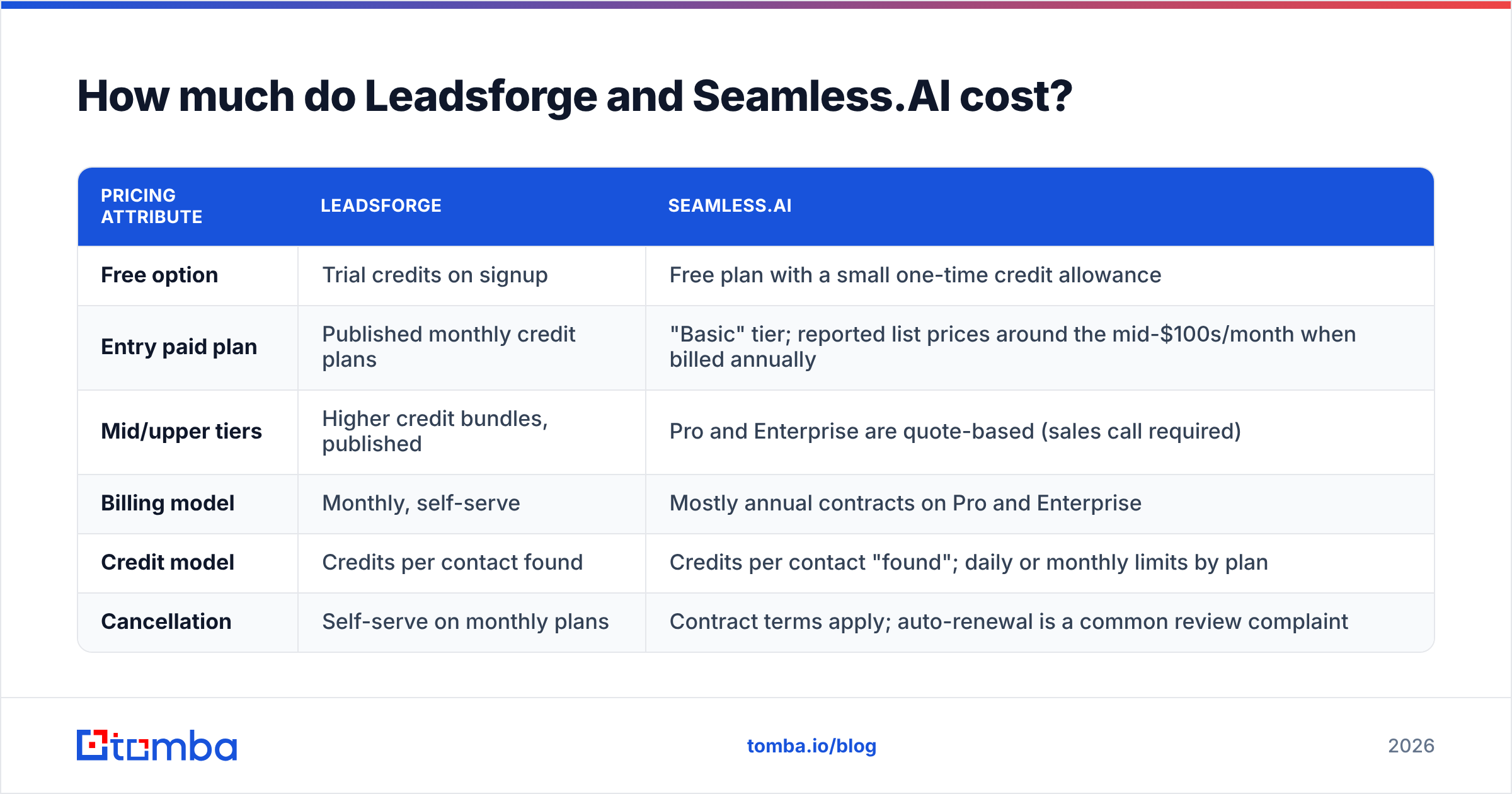
| Pricing attribute | Leadsforge | Seamless.AI |
|---|---|---|
| Free option | Trial credits on signup | Free plan with a small one-time credit allowance |
| Entry paid plan | Published monthly credit plans | "Basic" tier; reported list prices around the mid-$100s/month when billed annually |
| Mid/upper tiers | Higher credit bundles, published | Pro and Enterprise are quote-based (sales call required) |
| Billing model | Monthly, self-serve | Mostly annual contracts on Pro and Enterprise |
| Credit model | Credits per contact found | Credits per contact "found"; daily or monthly limits by plan |
| Cancellation | Self-serve on monthly plans | Contract terms apply; auto-renewal is a common review complaint |
Leadsforge's model is easy to predict. You buy a credit bundle, spend it, and upgrade or cancel. For a founder or a two-person SDR team testing outbound, that low commitment matters a lot.
Seamless.AI's model is built for larger sales teams. Once you pass the free tier, you'll usually talk to a sales rep, get a quote, and sign an annual agreement. That can be good value if your team uses the credits every day. It hurts if you're still testing a market or your SDRs didn't stay. Many negative reviews focus on renewal terms rather than the product. So read the contract, note the cancellation window, and set a calendar reminder.

If you only need email addresses and don't need a full prospecting database, both tools may cost more than necessary. For comparison, Tomba pricing starts with a free tier of 25 searches a month, then goes to Starter at $49/month, Growth at $99/month, and Pro at $249/month. All plans are monthly, and there's a custom Enterprise option.
Which is easier to use day to day?#
Leadsforge is faster to learn. Most people get the chat-based search right away. You don't need to know which filter combination the database expects. You describe the buyer, then adjust. The downside is less precise control. When the AI reads "enterprise" differently from how you meant it, you'll spend a few rounds correcting it. Power users who know the exact filters they want may find the chat layer gets in the way.
Seamless.AI rewards reps who work from LinkedIn. The Chrome extension is its best feature. You open a LinkedIn profile or a company page, click, and contact data shows up. For reps working through a named account list, that's a very fast loop. The web app itself feels denser. It has more filters, more list screens, and more to click through. Some users also say bulk "find" jobs are slow. Real-time lookups take longer than pulling from a static index.
A useful test is to ask where your reps spend their first hour of the day. If it's building segments and launching campaigns, Leadsforge fits. If it's researching accounts in LinkedIn and Salesforce, Seamless.AI fits.
How do they integrate with the rest of your stack?#
Integrations often matter more than any feature. A lead tool that doesn't feed your sequencer or CRM cleanly creates manual work every week.
Leadsforge:
- Salesforge: native and close to one click. If you're already in the Forge ecosystem, this is the main reason to choose Leadsforge.
- Other sequencers: CSV export. It works, but you're re-mapping fields every time.
- CRM: lighter native support. Most teams route contacts through their sequencer into the CRM.
Seamless.AI:
- CRMs: native integrations with Salesforce and HubSpot, plus others, including pushing contacts and enriching records.
- Sales engagement: connections to common platforms, with CSV as the fallback.
- Browser: the extension works on LinkedIn, Sales Navigator, and company websites.
If your team runs on a proper CRM and RevOps enforces hygiene rules, Seamless.AI's CRM integrations are a real advantage. If your stack is a sending tool plus a spreadsheet, Leadsforge is simpler.
What are the pros and cons of each tool?#
Leadsforge — pros
- Natural-language list building gets non-specialists to a usable segment in minutes
- Monthly, self-serve pricing with no annual lock-in on standard plans
- Tight fit with Salesforge and the rest of the Forge sending infrastructure
- Verified-before-delivery emails reduce the cleanup you need before sending
Leadsforge — cons
- Younger product with a smaller database than the long-established players
- Coverage weakens outside tech-heavy, English-speaking markets
- Less precise filter control for advanced users
- Most valuable if you also use other Forge products
Seamless.AI — pros
- Very large contact coverage, especially in North America
- Strong Chrome extension for prospecting from LinkedIn and websites
- Direct-dial phone numbers, useful for teams that do a lot of cold calling
- Mature CRM integrations for Salesforce and HubSpot shops
Seamless.AI — cons
- Quote-based pricing and annual contracts on higher tiers
- Recurring reviewer complaints about auto-renewal and cancellation terms
- Accuracy varies by segment, so you'll still need to verify
- The interface feels busy compared with newer tools
Leadsforge vs Seamless.AI: which should you choose?#
Base the decision on how your team actually works, not on the feature list.
Choose Leadsforge if:
- You run outbound email campaigns and think in ICP segments, not named accounts
- You already use Salesforge, or you're happy to export CSVs into your sequencer
- You want monthly billing while you're still testing messaging and markets
- Your team is small, and speed to a first list matters more than precise filtering
Choose Seamless.AI if:
- Your reps do account-based prospecting from LinkedIn and Sales Navigator every day
- Phone outreach is a real channel for you and you need direct dials
- You have a mature Salesforce or HubSpot setup and want contacts enriched inside it
- You have the budget and headcount to use an annual credit commitment fully
Choose neither (or add a lighter tool) if:
- You already know which companies and people you want and only need their email addresses
- You're paying for a large database but using 10% of it
- Bounce rates from your current tool are hurting your sender reputation
That last group is bigger than most teams realise. If you're weighing Seamless.AI mainly for its email data, our Seamless.AI alternative breakdown shows where a focused email finder covers the same need at a fraction of the contract size.
What should you do before signing up for either?#
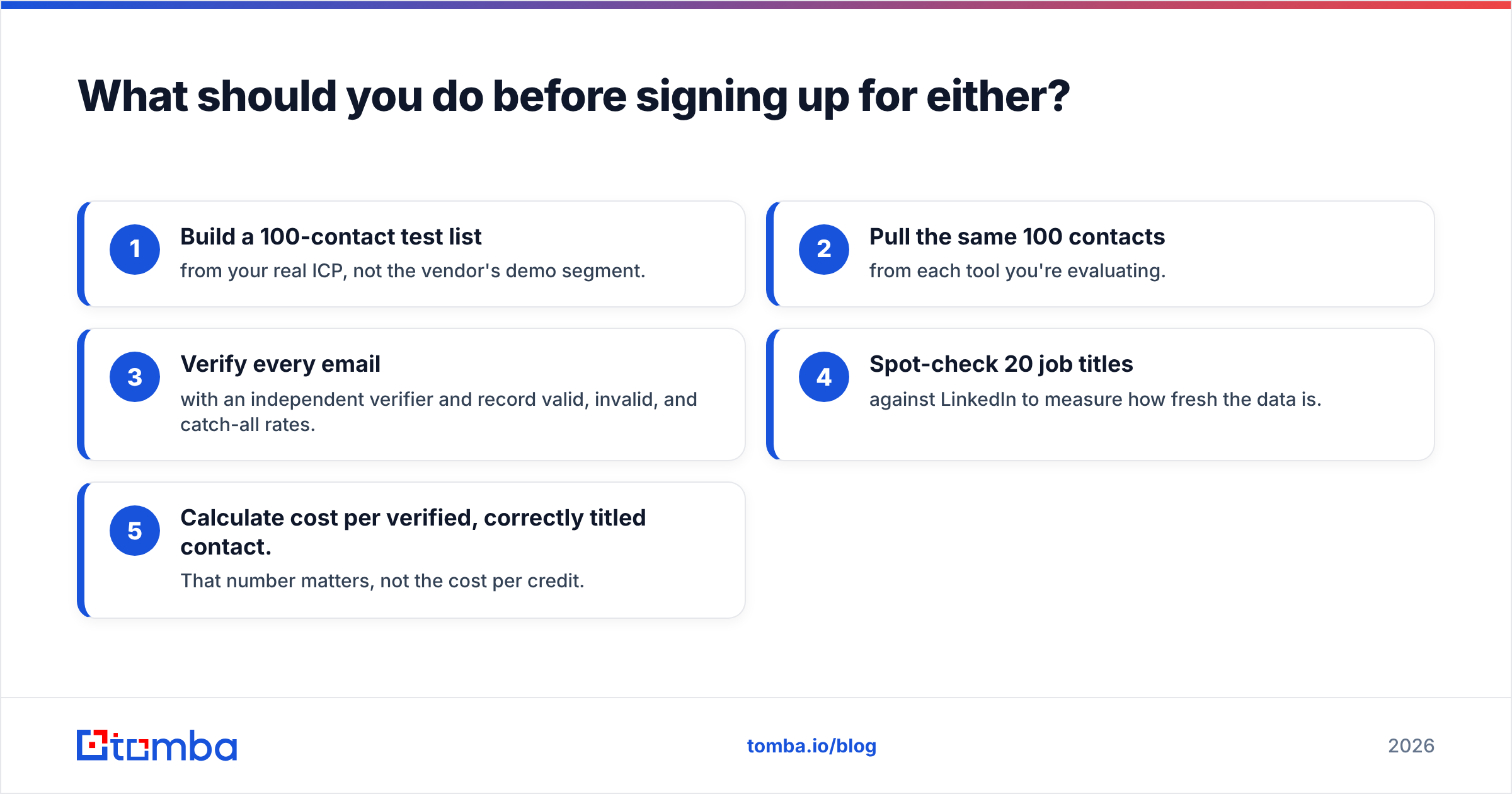
Run a simple, fair test before you commit money:
- Build a 100-contact test list from your real ICP, not the vendor's demo segment.
- Pull the same 100 contacts from each tool you're evaluating.
- Verify every email with an independent verifier and record valid, invalid, and catch-all rates.
- Spot-check 20 job titles against LinkedIn to measure how fresh the data is.
- Calculate cost per verified, correctly titled contact. That number matters, not the cost per credit.
A test like this takes an afternoon and regularly overturns the conclusion you'd reach from demos alone. Industry research from firms like Gartner has long found that poor data quality costs organizations real money every year. Bad lead data costs you in bounces, wasted SDR hours, and damaged domains.
The bottom line#
Leadsforge and Seamless.AI take different approaches to the same problem. Leadsforge is the modern, AI-first list builder for lean outbound teams that want monthly flexibility. Seamless.AI is the established, extension-first contact engine for sales teams working in LinkedIn and the CRM. Neither is better in every case. The right choice depends on whether your team works from segments or from named accounts, and whether you can commit to an annual contract.
If what you actually need is the email address, and not another database subscription, try the Tomba Email Finder. Enter a name and company domain and it returns a professional email address with a confidence score. The email verifier is built into the same workspace. You can start free with 25 searches a month, move to Starter at $49/month when you're ready, and cancel whenever you like.
Related guides#
// get started
Find, verify and enrich your first contacts today
Start on the free plan with 25 searches a month, then scale when your team is ready.
Free plan · No credit card required · GDPR & CCPA
// about the author