Leadsforge vs Warpleads (2026): Credits or Unlimited Leads?
Leadsforge charges per verified contact you pull. Warpleads charges a flat fee for unlimited exports. We ran the cost-per-lead math, compared search and data depth, and show which model fits your outbound volume.
TL;DR
- Leadsforge is an AI lead search engine from the Salesforge team. You describe your ICP in plain language, and each contact you export costs credits: $49/mo buys 2,000 credits, and unused credits roll over.
- Warpleads is a flat-rate B2B database with 100M+ contacts. Essentials is $59/mo, Unlimited is $99/mo, and exports are unlimited, so your cost per lead drops the more you pull.
- Under about 4,000 contacts a month, Leadsforge's credit model usually costs the same or less, and you get better ICP discovery. Above that, Warpleads' flat pricing wins on cost.
- Neither tool removes the need to verify before you send. Run every export through a verifier and a catch-all check, or bounces will hurt your sender reputation.
- Our pick: Leadsforge for targeted, signal-led outbound. Warpleads for high-volume list building on a fixed budget.
What are Leadsforge and Warpleads?#
Both tools solve the same problem: you need a list of B2B contacts with working emails, and you don't want to pay ZoomInfo prices for it. They take opposite approaches to pricing, and that difference decides which one fits your team.
Leadsforge calls itself a lead search engine. It comes from the team behind Salesforge, the cold email platform, and it's designed to feed that outbound stack. Its main feature is the prompt-style search. Instead of stacking 15 filters, you type something like "Series A fintech companies in the UK hiring SDRs" and it builds the list. It advertises 500M+ contacts, buying-signal filters, and options to pull a competitor's followers or local businesses. You pay per contact you export.
Warpleads is a more traditional B2B contact database. It advertises 100M+ leads, standard targeting filters, enrichment, de-duplication, and a Chrome extension for finding emails while you browse. You pay a flat monthly subscription, and exports are unlimited.
Think of it as a taxi versus a monthly transit pass. The taxi (Leadsforge) takes you exactly where you want to go, and you pay per trip. The pass (Warpleads) costs the same whether you ride twice or two hundred times, so it rewards heavy use.
How do Leadsforge and Warpleads compare side by side?#
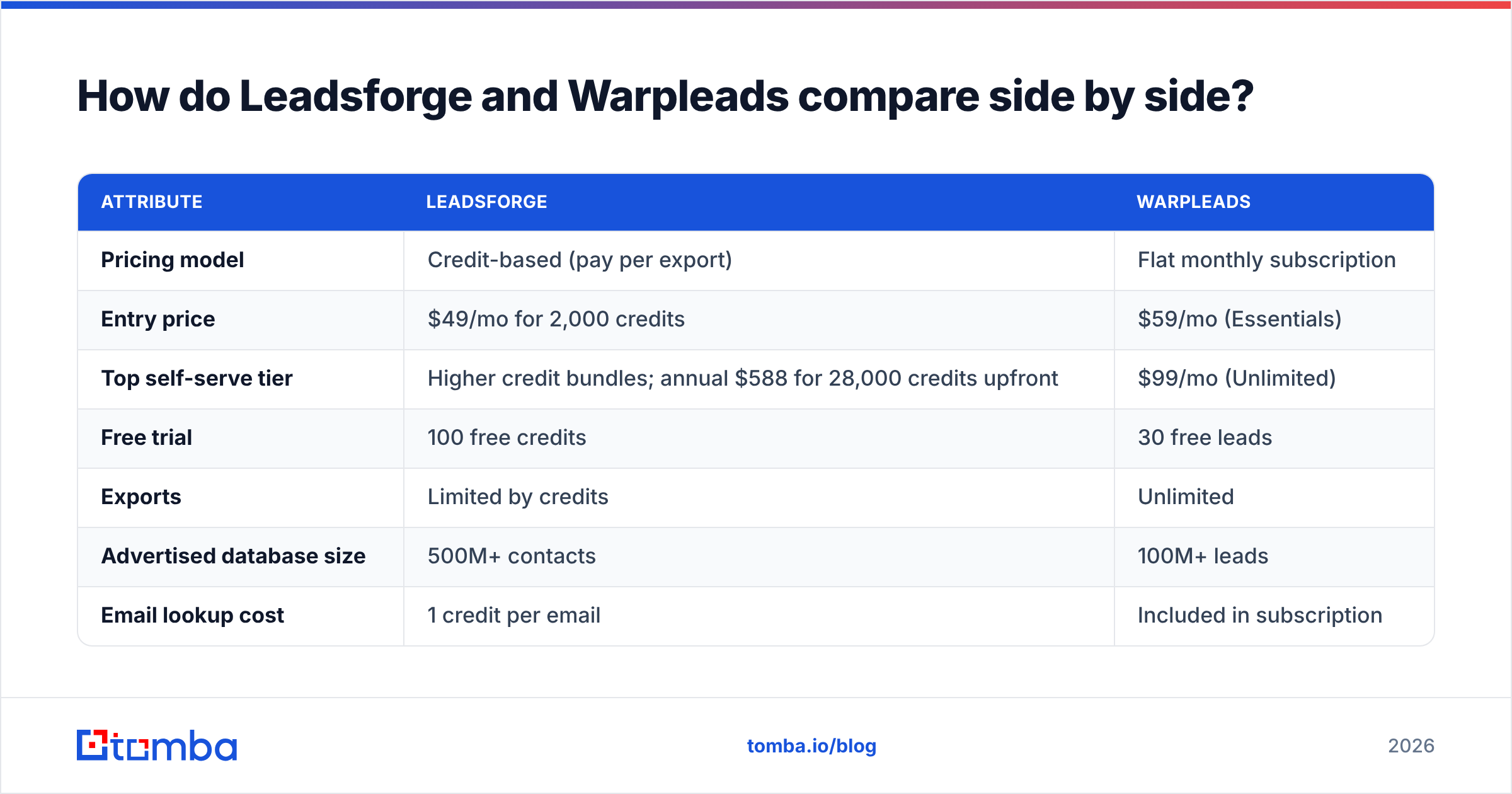
This table uses the public pricing each vendor listed at the time of writing. Check their pricing pages before you buy, because both change plans periodically.
| Attribute | Leadsforge | Warpleads |
|---|---|---|
| Pricing model | Credit-based (pay per export) | Flat monthly subscription |
| Entry price | $49/mo for 2,000 credits | $59/mo (Essentials) |
| Top self-serve tier | Higher credit bundles; annual $588 for 28,000 credits upfront | $99/mo (Unlimited) |
| Free trial | 100 free credits | 30 free leads |
| Exports | Limited by credits | Unlimited |
| Advertised database size | 500M+ contacts | 100M+ leads |
| Email lookup cost | 1 credit per email | Included in subscription |
| Phone lookup cost | 10 credits per phone | Check plan details |
| Credit rollover | Yes, unused credits don't expire | N/A (no credits) |
| Search style | Natural-language AI prompt + filters | Traditional filters |
| Buying signals | Yes (five signal filters) | Not a headline feature |
| Chrome extension | Not the core workflow | Yes, email finder extension |
| API | Available via the Forge ecosystem | $299/mo billed quarterly, requires Unlimited |
| Best fit | Targeted, signal-driven outbound | High-volume list building |
Two rows in that table matter most for most buyers: pricing model and search style. Everything else is secondary. If you already know whether you'll export 1,500 contacts a month or 15,000, you can mostly stop reading and go to the cost section.
How does pricing actually work for each tool?#
The headline prices look close ($49 vs $59 vs $99). The real cost depends on your volume.
Leadsforge. The Essential plan is $49/mo for 2,000 credits. An email costs 1 credit and a phone number costs 10. Email validation uses extra credits on top of the base export cost, so plan for your effective email cost to be a bit higher than $0.0245 if you validate inside the tool. The annual option is $588 for 28,000 credits delivered upfront. That works out to about $0.021 per email and gives you 4,000 bonus credits compared with paying monthly. Because credits roll over, a slow month doesn't waste your budget.
Warpleads. Essentials is $59/mo and Unlimited is $99/mo, billed per workspace. Exports are unlimited, so your cost per lead is simply the subscription divided by how many leads you pull. API access is a separate $299/mo line item, billed quarterly ($897 upfront), and it requires an active Unlimited subscription. That makes Warpleads' real API cost roughly $398/mo.
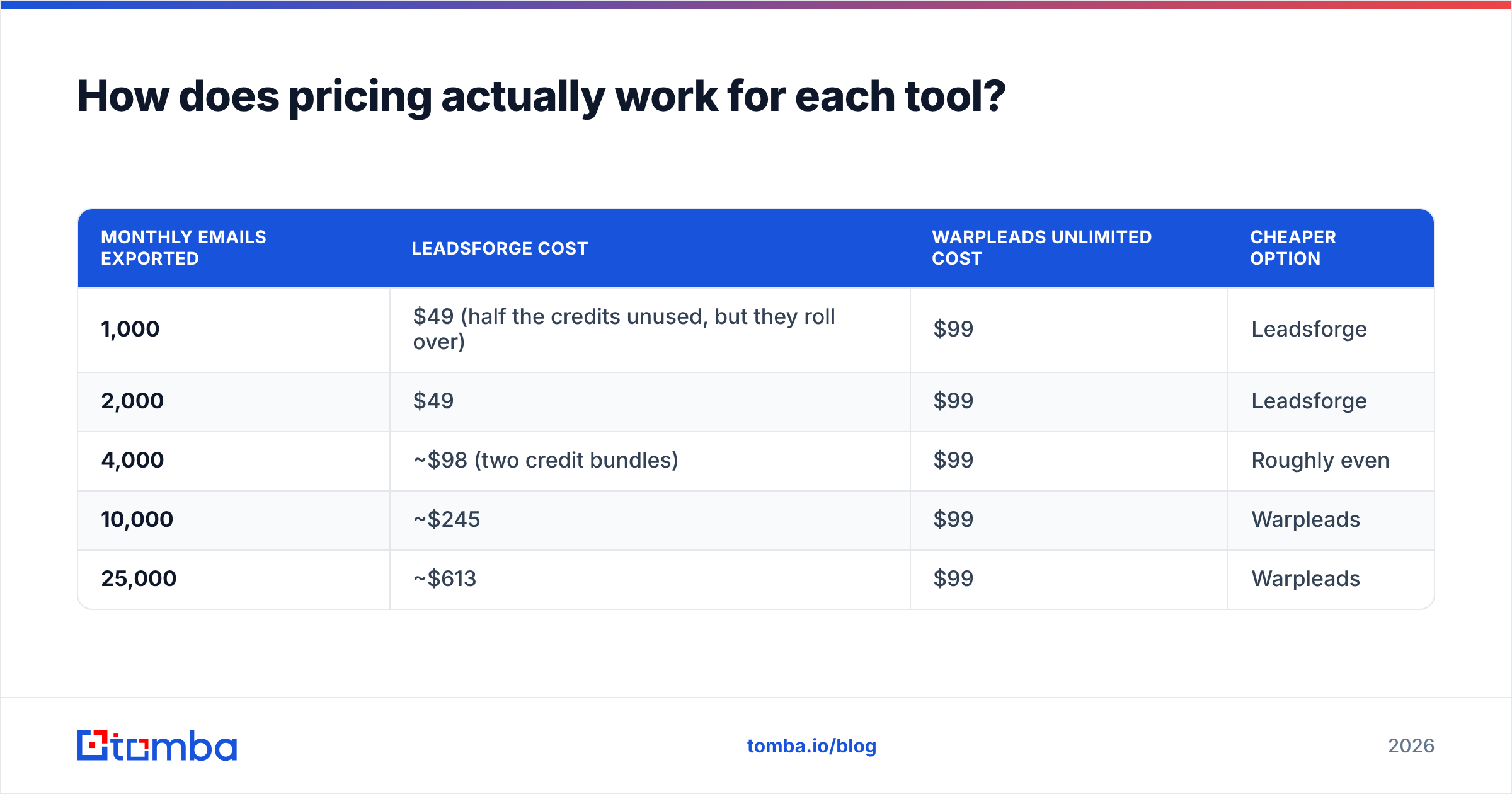
Here's the break-even math on email-only exports, comparing Leadsforge monthly with Warpleads Unlimited:
| Monthly emails exported | Leadsforge cost | Warpleads Unlimited cost | Cheaper option |
|---|---|---|---|
| 1,000 | $49 (half the credits unused, but they roll over) | $99 | Leadsforge |
| 2,000 | $49 | $99 | Leadsforge |
| 4,000 | ~$98 (two credit bundles) | $99 | Roughly even |
| 10,000 | ~$245 | $99 | Warpleads |
| 25,000 | ~$613 | $99 | Warpleads |
The crossover sits at about 4,000 emails a month. Below that, Leadsforge's credits cost less and keep their value. Above it, Warpleads' flat fee gets cheaper with every extra row.
Two things complicate that clean line:
- Phones change the math. At 10 credits per phone, pulling 500 mobile numbers on Leadsforge uses 5,000 credits. If your motion depends on calling, check how phone data is handled on Warpleads' plans before you assume the flat rate covers it.
- "Unlimited" is only as valuable as your usable data. If 20% of a 10,000-row export bounces or duplicates your CRM, you effectively paid for 8,000 leads. Cost per deliverable lead is the number that matters, and that's a data-quality question, not a pricing one. The standard cost per lead formula assumes every lead is usable. Cold outbound never works that way.
Which tool has better data and search?#
This is where the tools differ most in practice.
Leadsforge's AI search is its real differentiator. Writing a prompt is faster than building a filter tree, especially for fuzzy ICPs like "B2B SaaS companies that recently raised and use HubSpot." The buying-signal filters (hiring, funding, and similar triggers) let you time outreach instead of blasting a static segment. Pulling a competitor's followers is useful for displacement campaigns. If your team runs small, targeted campaigns of a few hundred contacts each, this workflow saves real hours.
The tradeoff is that prompt-based search can return lists that look right but drift at the edges. Treat the first result as a draft, not a final list. Spot-check 20 rows before you export 2,000.
Warpleads uses a familiar database workflow. You pick industry, title, seniority, location, and company size, then export. It's less clever, but it's predictable, and predictable is what you want when you're building large lists for SDR teams on a weekly schedule. The Chrome extension adds a second workflow: finding emails one at a time while you browse company sites or profiles.
On database size, Leadsforge advertises 500M+ contacts and Warpleads 100M+. Don't read too much into either number. Advertised database size measures coverage, not accuracy. Your real question is how many contacts in your ICP each tool has, and how many of those emails are deliverable. The only reliable way to answer that is a side-by-side test on the same list of 200 target accounts. Both tools have free trials (100 credits vs 30 leads), which is enough for a small sample.
If you want outside opinions, G2 is worth checking for recent user reviews. Filter by company size, because a 5-person agency and a 200-seat sales floor need very different things.
What are the pros and cons of each tool?#
Leadsforge: pros
- Natural-language ICP search makes list building much faster for complex or niche targets.
- Buying-signal filters support trigger-based outbound, which usually gets better reply rates than static lists.
- Credits roll over, so irregular campaign schedules don't waste money.
- Native fit with Salesforge if you already use that sending stack.
Leadsforge: cons
- Costs rise linearly with volume. High-volume teams pay more than they would on a flat plan.
- Phone numbers use credits fast at 10 per lookup.
- Validation costs extra credits, so the headline per-email price isn't the full cost.
Warpleads: pros
- Predictable flat pricing with unlimited exports on both tiers.
- Cost per lead drops sharply at high volume.
- Chrome extension for finding emails one at a time while browsing.
- Built-in de-duplication and enrichment reduce list-cleaning work.
Warpleads: cons
- Traditional filter search takes longer for fuzzy or signal-based ICPs.
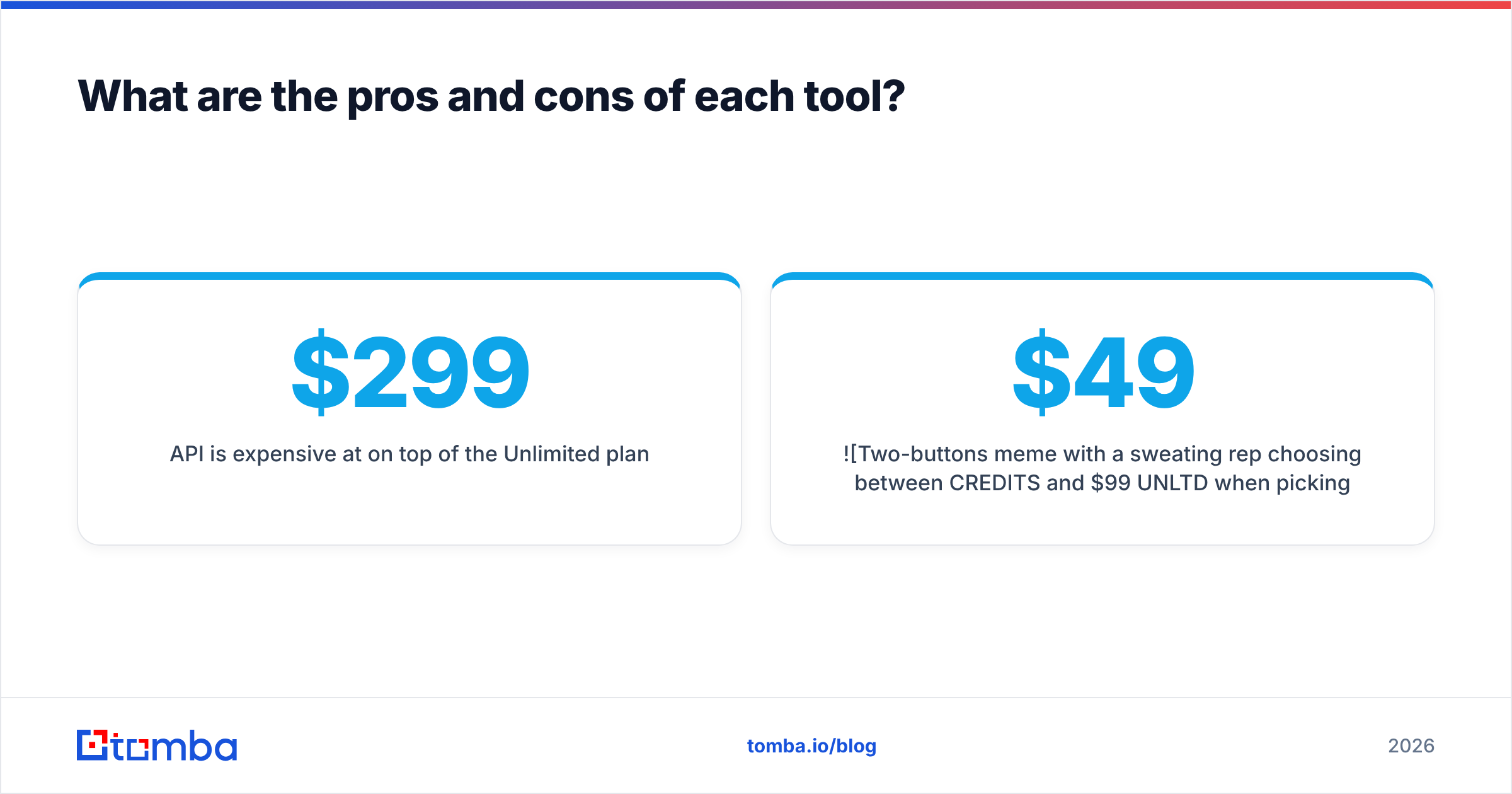
- API is expensive at $299/mo on top of the Unlimited plan.
- Unlimited exports make over-pulling easy, and large unchecked lists are how domains get burned.
Leadsforge vs Warpleads: which should you choose?#
Use these rules to decide quickly:
- Choose Leadsforge if you send fewer than about 4,000 new contacts a month. The credit model costs less at that volume, and rollover protects you in slow months.
- Choose Leadsforge if your outbound depends on timing. Signal filters and prompt search suit trigger-based campaigns better than static filters do.
- Choose Warpleads if you pull 10,000+ contacts a month. At that volume, the flat $99 plan is cheaper than any credit plan.
- Choose Warpleads if budget predictability matters more than precision. Finance teams like one fixed number, and agencies billing clients a set fee do too.
- Choose Warpleads only if you're ready to pay for the API. At about $398/mo all-in, it's a real commitment. Compare it with credit-based APIs before you commit.
- Choose neither as your only data source if you work in a niche vertical. Run a 200-account coverage test first, and keep a separate email finder for the gaps.
For many teams, the honest answer is a hybrid: a database for bulk top-of-funnel lists, plus a precise email finder for high-value accounts where the database came up empty.
What should you do with the list after you export it?#
This is where most outbound programs lose money, and it applies to both tools.
A database export is a snapshot. People change jobs, companies change domains, and catch-all mail servers accept every address during validation and then silently drop mail. If you load a raw export straight into your sequencer, you'll see it in your bounce rate within a week.
A clean post-export workflow looks like this:
- Deduplicate against your CRM. Warpleads does this within its own exports. You still need to check against existing customers and open opportunities.
- Verify every address with a dedicated email verifier, even if the source tool claims its data is verified. A second check catches decay since the vendor last refreshed the data.
- Handle catch-all domains separately. Standard SMTP checks can't confirm catch-all addresses. A catch-all verifier scores them so you can decide whether to send, deprioritize, or drop them.
- Fill gaps with a precise finder. For key accounts where the database has no contact or only a generic info@ address, use a name-plus-domain email finder to get the specific decision-maker.
- Send in small batches at first. Watch bounce and reply rates on the first 200 to 300 sends before you scale the list.
HubSpot's guide to email deliverability is a solid primer if you're new to how bounce rates affect inbox placement.
Frequently asked questions#
Is Leadsforge cheaper than Warpleads?#
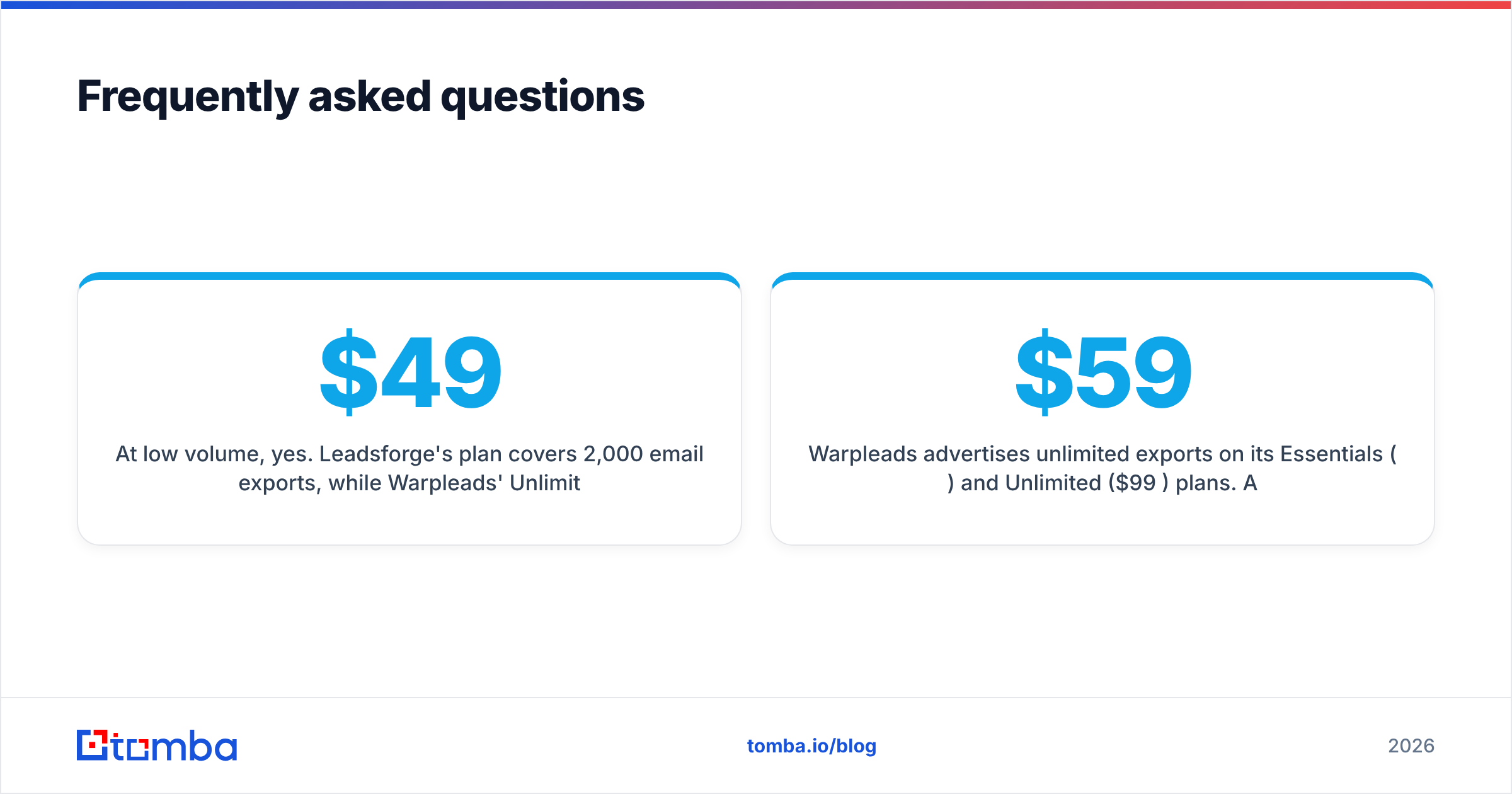
At low volume, yes. Leadsforge's $49/mo plan covers 2,000 email exports, while Warpleads' Unlimited plan is $99/mo. They cost about the same at 4,000 emails a month. Above that, Warpleads is cheaper because its exports are unlimited.
Does Warpleads really offer unlimited exports?#
Warpleads advertises unlimited exports on its Essentials ($59/mo) and Unlimited ($99/mo) plans. API access is a separate $299/mo add-on and requires the Unlimited plan. Review the fair-use terms before you plan very large pulls.
Do Leadsforge credits expire?#
No. According to Leadsforge, unused credits stay in your account after the billing period ends. That makes the credit model more forgiving if your campaigns are irregular.
Can I try both tools for free?#
Yes. Leadsforge gives 100 free credits at signup, and Warpleads offers 30 free leads. Use the same set of target accounts in both so the comparison is fair.
Do I still need an email verifier if I use either tool?#
Yes. Data decays constantly, and catch-all domains can't be confirmed by standard checks. Verifying each export before sending is the cheapest way to protect your sending domain.
Where does Tomba fit?#
Leadsforge and Warpleads are both good at building lists. Neither is built to be the last check before an email reaches an inbox. That's where Tomba fits. Use Tomba Email Finder to find the exact decision-maker at high-priority accounts that your database export missed. It searches by name, domain, or company, and the email verifier and catch-all verifier are built in. You can start free with 25 searches a month, and paid plans start at $49/mo. See the Tomba pricing page to match a plan to your volume. Build the list with the database that fits your budget, then use Tomba to find the remaining contacts and verify the list before you send.
Related guides#
// get started
Find, verify and enrich your first contacts today
Start on the free plan with 25 searches a month, then scale when your team is ready.
Free plan · No credit card required · GDPR & CCPA
// about the author