LetsExtract vs WarpLeads: Scraper or Lead Database in 2026?
One is a one-time-license desktop scraper, the other a $99/mo unlimited-export B2B database. Here's how LetsExtract and WarpLeads compare on data quality, cost, and compliance, and which one fits your outbound.
LetsExtract vs WarpLeads is a choice between two very different ways to build a lead list. One scrapes emails from the open web. The other sells access to a ready-made B2B database. Here is how they compare.
TL;DR
- LetsExtract is a Windows desktop scraper. It crawls websites and search results and pulls out any email it finds. You pay once (reported at $39–$79), and a basic verifier and sender come included.
- WarpLeads is a cloud B2B contact database with about 100M records, per third-party reviews. You filter by job title, industry, company size, and tech stack. The main plan is reported at a flat $99/mo with unlimited exports, plus a free tier of 30 contacts.
- LetsExtract finds whatever emails a page publishes. WarpLeads finds named decision-makers who match your ICP.
- For outbound to specific roles, pick WarpLeads. For cheap, one-off scraping of public contact pages, LetsExtract costs less but carries more compliance and bounce risk.
- Whichever you pick, verify every list before you send.
What is LetsExtract?#
LetsExtract, sold as LetsExtract Email Studio, is a desktop app for Windows that does three things:
- Extracts email addresses (and optionally phone numbers and social links) from websites, search-engine results, and files.
- Verifies them with a built-in syntax, domain, and SMTP checker.
- Sends campaigns from its own mailer module.
You give it keywords or a URL list. It runs searches and crawls the result pages to the depth you set. Every address it finds goes into a local database. You can export to CSV and use the list anywhere.
LetsExtract sells one-time licenses, not subscriptions. Listings on sites like AlternativeTo put the tiers at about $39 (Basic), $59 (Pro), and $79 (Ultimate), plus a limited free version. Desktop software prices change often, so check the official LetsExtract site before you buy.
The limit comes from how it works. LetsExtract only collects what is published on the pages it crawls. That usually means info@, sales@, support@, and any staff emails on a team page. It doesn't know who the VP of Marketing is. It can't find an address that was never published.
What is WarpLeads?#
WarpLeads is a cloud prospecting database with a Chrome extension. It is linked to the Salesforge ecosystem, and Salesforge's help center documents exporting "unlimited leads" from it. You don't crawl anything yourself. You search an existing index of people and companies using filters:
- Job title (predefined or custom)
- Location
- Company size and industry
- Technologies used
Then you export matching contacts with their work emails.
Reported pricing is simple: a free plan with 30 contacts and 30 exports per month, and a flat $99/mo plan with unlimited contacts and exports. Extra export packs are reported for high-volume or API use. The flat rate is the main selling point, since most rivals charge per credit. Confirm current terms on the WarpLeads homepage.
Put simply, LetsExtract is a fishing net you throw over the open web. WarpLeads is a catalog where you order exactly the fish you want.

How do LetsExtract and WarpLeads differ at the core?#
These are the six points that matter most for an outbound team. The first three cover data and targeting:
- Data source: LetsExtract builds lists live from web pages you choose. WarpLeads searches a pre-built B2B contact database.
- Contact type: LetsExtract returns mostly role inboxes plus any personal emails it finds. WarpLeads returns named people with titles, which is what personal cold email needs.
- Targeting: With LetsExtract, you target by keyword and domain, then clean the results by hand. With WarpLeads, you filter by title, seniority, industry, headcount, and tech stack before you export.
The next three cover freshness, cost, and risk:
- Freshness: LetsExtract data is only as fresh as the page it scraped, which can be years old. WarpLeads data is as fresh as the vendor's last refresh.
- Cost model: LetsExtract is a one-time license that runs on your own hardware, IPs, and proxies. WarpLeads is a monthly plan with no per-credit fees on the main tier.
- Compliance: When you scrape personal emails, all GDPR and CAN-SPAM risk sits with you. A database vendor shares some of that load, but you are still the sender of record.
LetsExtract vs WarpLeads: how do they compare side by side?#
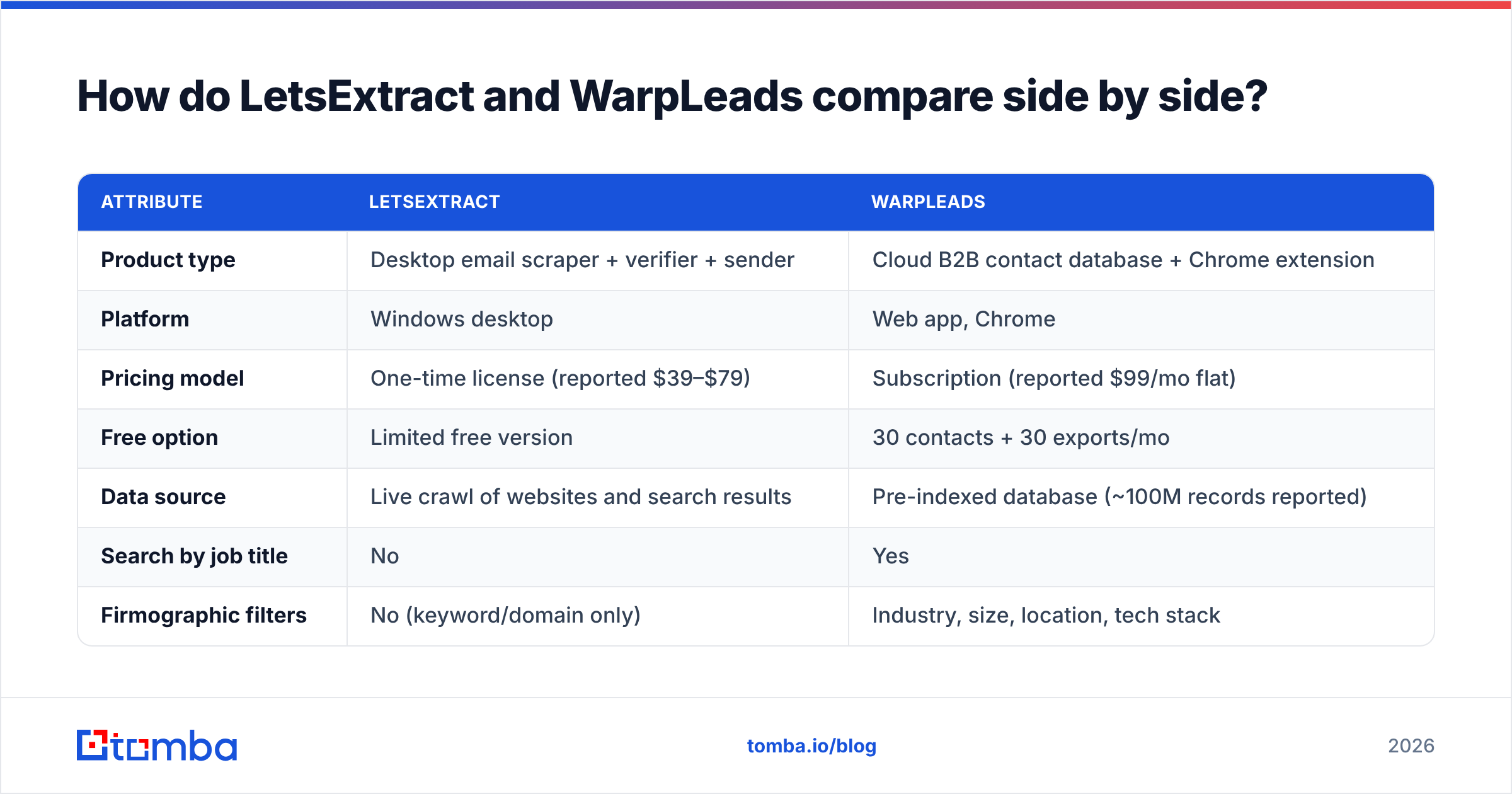
| Attribute | LetsExtract | WarpLeads |
|---|---|---|
| Product type | Desktop email scraper + verifier + sender | Cloud B2B contact database + Chrome extension |
| Platform | Windows desktop | Web app, Chrome |
| Pricing model | One-time license (reported $39–$79) | Subscription (reported $99/mo flat) |
| Free option | Limited free version | 30 contacts + 30 exports/mo |
| Data source | Live crawl of websites and search results | Pre-indexed database (~100M records reported) |
| Search by job title | No | Yes |
| Firmographic filters | No (keyword/domain only) | Industry, size, location, tech stack |
| Typical output | Role inboxes, published staff emails | Named decision-makers with titles |
| Built-in verification | Yes, basic SMTP check | Emails pre-processed by vendor; external verification still advised |
| Built-in sending | Yes | No (pairs with sequencers such as Salesforge) |
| Scaling limit | Your CPU, IPs, and proxy budget | Effectively unlimited exports on flat plan |
| Best for | Local/SMB niches, directories, publishers | ICP-driven B2B outbound at volume |
Which one has better data quality and accuracy?#
On accuracy, WarpLeads has the edge for B2B outbound, with one caveat.
LetsExtract's problem is relevance more than validity. A scraped address is real, since someone published it. But scrape 50 agency sites and you get plenty of hello@ and careers@, a few webmaster@, and the odd spam trap. Spam traps are planted on pages to catch email address harvesting. So a scraped list can pass LetsExtract's own verifier and still hurt your sender reputation.
WarpLeads' problem is decay. B2B contact data goes stale as people change jobs. Any static database, WarpLeads included, holds emails for people who left last quarter. Reviewers rate the flat-rate plan highly for value. They rate data freshness as "about the same as other mid-market databases," not "best in class." Expect to verify.
In both cases, the rule is the same. Run every export through a dedicated email verifier before it reaches your sequencer. Treat catch-all domains separately. Neither tool removes that step.
Which is cheaper: LetsExtract or WarpLeads?#
In the LetsExtract vs WarpLeads cost comparison, the sticker price favors LetsExtract. The total cost often doesn't.
LetsExtract real cost:
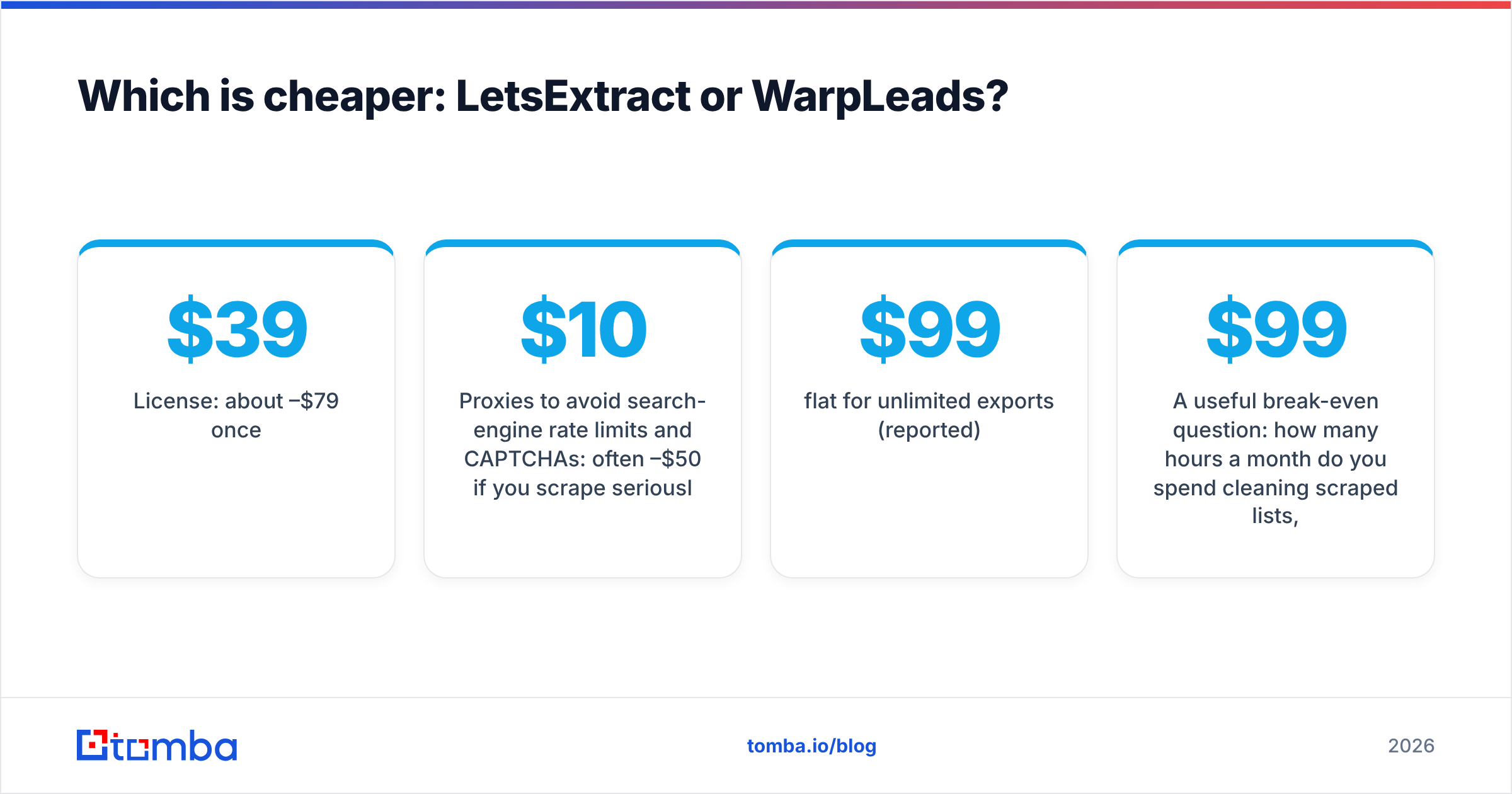
- License: about $39–$79 once
- Proxies to avoid search-engine limits and CAPTCHAs: often $10–$50/mo if you scrape a lot
- Your time: setting up crawls, removing junk role addresses, removing duplicates, and matching emails to companies
- A separate verifier for anything you send at scale, since a built-in desktop check isn't enough
WarpLeads real cost:
- $99/mo flat for unlimited exports (reported)
- A verifier pass on exports
- Much less manual cleanup, because titles and companies come attached
A useful break-even question: how many hours a month do you spend cleaning scraped lists? What is that time worth? For an SDR team, $99/mo quickly pays for itself in saved hours. A solo operator building one local-business list may never need more than the one-time license.
Is LetsExtract or WarpLeads better for cold email?#
In a LetsExtract vs WarpLeads matchup for person-level cold email, WarpLeads is the better fit.
Good cold email depends on relevance: the right person, with a message about their problem. You can't personalize to "info@". Emails to role inboxes tend to get fewer replies and more spam complaints. Complaint rates now directly affect inbox placement with Gmail and Yahoo.
WarpLeads gives you "Head of RevOps at 50–200-person SaaS companies using HubSpot." That is a segment you can write a sequence for. LetsExtract gives you "every email on the first three pages of results for 'SaaS consultancy Berlin'." That is a starting point that still needs research.
LetsExtract still makes sense in some cases:
- Local-business outreach (restaurants, dental clinics, trades), where the owner often is the
info@inbox and the business isn't in B2B databases at all - Publisher and link-building outreach, where contact pages are the intended entry point
- Niche directories and association member lists that commercial databases don't index
What about compliance and legal risk?#
On compliance, LetsExtract vs WarpLeads is a question of how much risk you take on. Legal responsibility for your outreach stays with you either way.
- Scraping (LetsExtract): Under GDPR, a work email tied to a named person is personal data. You need a lawful basis (usually legitimate interest) and a written balancing test. You also need a way to tell people where you got their data. "I crawled it from your website" is a weak position in some EU countries. Scraping can also break website terms of service and search-engine policies.
- Database (WarpLeads): The vendor's data practices are part of your due diligence. Ask where the data comes from, how opt-outs work, and what the vendor documents. You still need a legitimate-interest assessment and a working unsubscribe.
If you sell into the EU or UK, the database route is easier to defend. That only holds if the vendor can explain where its data comes from.

Who should choose LetsExtract?#
Choose LetsExtract if:
- You mainly target SMBs, local businesses, or publishers that B2B databases don't cover well.
- You want to own the software outright and avoid another subscription.
- You're comfortable with Windows desktop tools, proxies, and manual cleanup.
- Your volumes are modest and you'll verify externally before sending.
Skip it if you need titles, seniority, or firmographic targeting. A scraper can't reliably provide those.
Who should choose WarpLeads?#
Choose WarpLeads if:
- You run ICP-driven B2B outbound and need named contacts by role.
- You export thousands of contacts a month, where per-credit pricing on other tools adds up fast.
- You already use, or plan to use, a sequencer such as Salesforge that WarpLeads connects to cleanly.
- You want a free tier to test data quality before you commit.
Skip it if your market is mostly micro-businesses without LinkedIn-style org data. Also skip it if you need the freshest possible data for enterprise accounts.
Are there alternatives worth considering?#
Yes. Many teams find the LetsExtract vs WarpLeads choice isn't either/or, because neither tool covers the whole workflow. They need to find a specific person's email at a specific company. They need to confirm it will land. And they want both steps inside their CRM or spreadsheet.
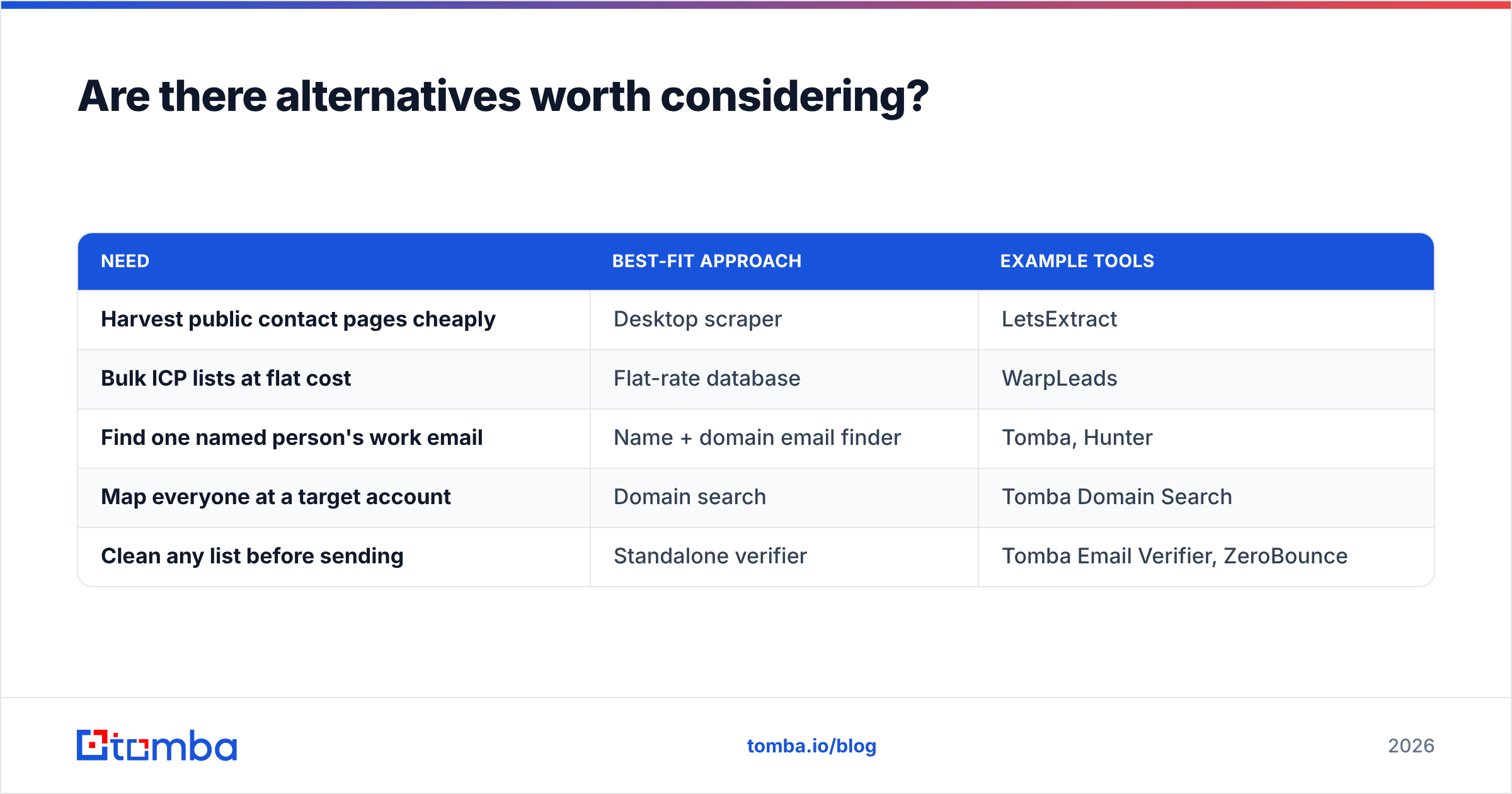
That's what a dedicated email finder is built for. It doesn't scrape pages or export from a fixed index. You give it a name and domain (or just a domain). It returns the most likely address with a confidence score and sources. A few options to look at:
| Need | Best-fit approach | Example tools |
|---|---|---|
| Harvest public contact pages cheaply | Desktop scraper | LetsExtract |
| Bulk ICP lists at flat cost | Flat-rate database | WarpLeads |
| Find one named person's work email | Name + domain email finder | Tomba, Hunter |
| Map everyone at a target account | Domain search | Tomba Domain Search |
| Clean any list before sending | Standalone verifier | Tomba Email Verifier, ZeroBounce |
A common pattern is to build the top of the list with WarpLeads or LetsExtract. Then run domain search on your highest-value accounts to find more contacts. Verify everything before import. User reviews on G2 help you check any of these vendors against your use case.
What's the final verdict on LetsExtract vs WarpLeads?#
WarpLeads wins for most B2B outbound teams. You get role-level targeting, named contacts, and flat-rate unlimited exports. Once you send at any real volume, those matter more than a one-time license fee.
LetsExtract wins in narrow cases: low-budget scraping of public contact pages in local, SMB, and publisher niches that commercial databases miss.
Neither tool replaces verification. Neither fully replaces a precise, person-level email finder for your top accounts.
Ready to find the exact contact instead of the nearest inbox?#
If you need the decision-maker's work email, not a scraped info@ or a stale database record, try Tomba Email Finder. Enter a name and company domain. You get the most likely address, a confidence score, and the public sources behind it. Email verification sits alongside it in the same account. Start on the free tier with 25 searches a month, and move to Starter at $49/mo when you scale. See the pricing details to choose the plan that fits your outbound volume.
Related guides#
// get started
Find, verify and enrich your first contacts today
Start on the free plan with 25 searches a month, then scale when your team is ready.
Free plan · No credit card required · GDPR & CCPA
// about the author