MagicCRM Pricing, Reviews, Pros and Cons: 2026 Buyer's Guide
MagicCRM doesn't publish a price list, has only a handful of public reviews, and is easy to mix up with other "Magic" products. Here's what's verifiable, what isn't, and how to compare it with HubSpot, Pipedrive and Zoho before you sign.
TL;DR
- MagicCRM pricing isn't public. It's an Italian CRM from MagicLeader. Directories say it's quote-based and priced per user. You'll need a sales call to learn what it costs.
- Public reviews are rare. G2 and Capterra list only a few. Reviewers like how much it covers (sales, marketing automation, BI dashboards) for the price. Complaints mention a cluttered interface, setup bugs and slow support.
- The API is the big open question. At least one directory says MagicCRM has no API. If you plan to connect enrichment, outreach or BI tools, get this confirmed in writing.
- It fits best for Italian or EU mid-market teams that want one vendor for CRM plus marketing automation and are happy with a guided rollout.
- It's a weaker fit for small teams that want self-serve signup, public pricing or a large integration marketplace. HubSpot, Pipedrive and Zoho are easier to compare on paper.
What is MagicCRM?#
MagicCRM is a customer relationship management platform built and sold by MagicLeader, an Italian company that focuses on CRM software. The MagicLeader website presents it as an all-in-one suite. It covers contact and account management, the sales pipeline, marketing automation, customer service and business-intelligence reporting. This guide walks through MagicCRM pricing and reviews, then compares it with the main alternatives.
The name causes confusion, so get this straight before you read any reviews. Several unrelated products also carry "Magic" in the name:
- Magic (reputation/SMS platform): a separate product with its own listings on Software Advice and GetApp, and its own published price.
- SMS Magic: a texting add-on for CRMs, with its own reviews and billing complaints.
- Magic Software's 2000s-era "Magic CRM": a legacy product from a different company.
- Magic.dev: an AI coding tool, unrelated.
If a review site quotes a flat monthly price or mentions SMS templates, it's almost certainly describing one of these, not MagicCRM. Many "MagicCRM pricing" results online mix these products together. That's the main reason buyers get confused.
MagicCRM pricing: how much does it cost in 2026?#
The short answer is that nobody outside a sales call knows exactly. This is what you can verify:
- No published tiers. MagicLeader's site does not list per-plan prices.
- Quote-based. Software Finder describes MagicCRM pricing as personalised to each business's requirements.
- Per-user model. Capterra's listing gives the pricing model as "Per User" and the starting price as "Not provided by vendor."
- A possible free entry point. One Brazilian comparison directory lists a starting price of R$0/month with a time-limited trial. This isn't confirmed on the vendor's own site, so treat it as a trial, not a free-forever plan.
- "Inexpensive" in practice. One G2 reviewer says the price is low for the number of features. That's an opinion, not a number.
What that means for your budget: expect a per-seat licence, probably billed annually. You may also pay for onboarding or customisation, because reviewers say the product needs configuring to fit your workflows. Ask for these line items separately:
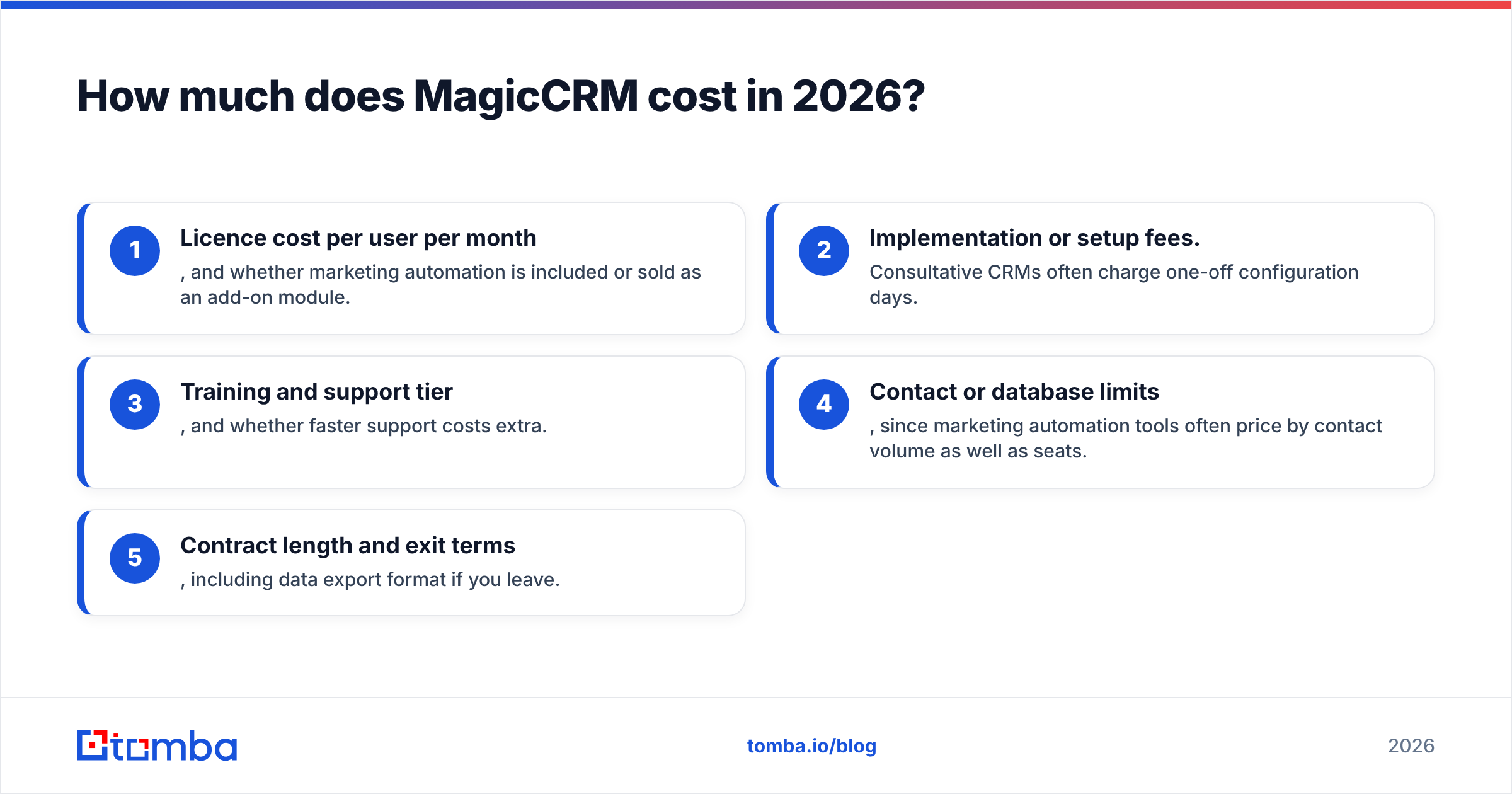
- Licence cost per user per month, and whether marketing automation is included or sold as an add-on module.
- Implementation or setup fees. Consultative CRMs often charge one-off configuration days.
- Training and support tier, and whether faster support costs extra.
- Contact or database limits, since marketing automation tools often price by contact volume as well as seats.
- Contract length and exit terms, including data export format if you leave.
What do MagicCRM reviews actually say?#
The review sample is small, so read it as a sketch, not a verdict. On the MagicCRM G2 page and the Capterra listing, the feedback falls into a few clear themes.
What reviewers like
- Breadth. Reviewers say it "covers all major CRM areas" rather than doing pipeline management only.
- Built-in marketing automation. The most repeated praise is that marketing automation and CRM live in one place, so you don't have to stitch two tools together.
- Value for money. At least one reviewer calls it inexpensive given how much it does.
- Segmentation and BI. Directory listings highlight contact segmentation and KPI dashboards as strengths.
What reviewers dislike
- Interface. A reviewer quoted on a comparison page called the UI cluttered and less customisable than advertised.
- Setup friction. The same reviewer mentioned bugs during setup and slow support responses.
- Customisation effort. Software Finder lists "requires customization to fit unique workflows" as a con.
- No API (reported). Software Finder lists "does not offer an API." For a modern sales stack, this is the most important con to check.
Two caveats apply to all of these. First, with single-digit review counts, one unhappy or delighted customer can swing the picture. Second, some reviews may date from older product versions. Ask MagicLeader for two or three reference customers in your industry and country, then talk to them directly.
What are MagicCRM's pros and cons at a glance?#
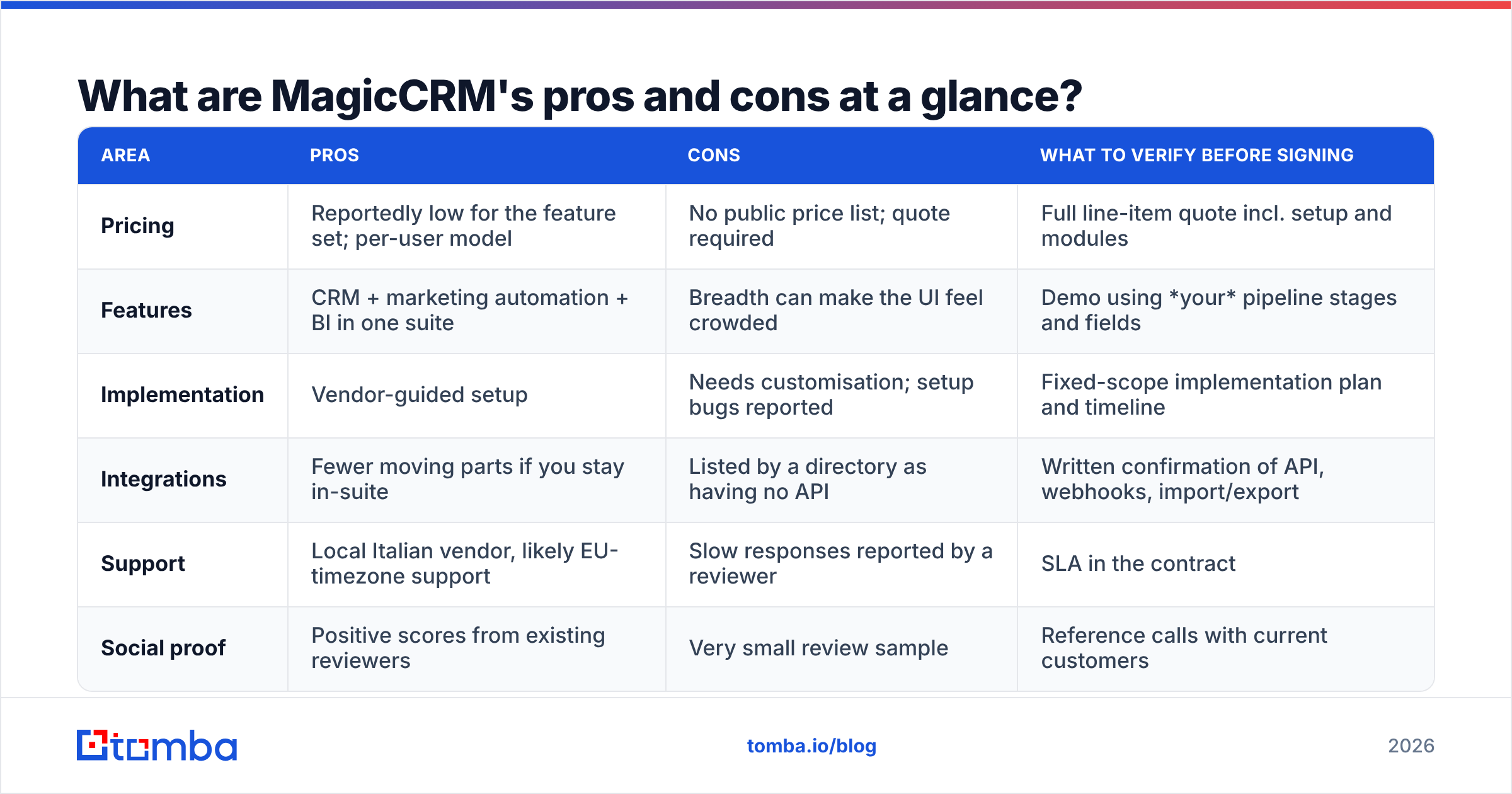
| Area | Pros | Cons | What to verify before signing |
|---|---|---|---|
| Pricing | Reportedly low for the feature set; per-user model | No public price list; quote required | Full line-item quote incl. setup and modules |
| Features | CRM + marketing automation + BI in one suite | Breadth can make the UI feel crowded | Demo using your pipeline stages and fields |
| Implementation | Vendor-guided setup | Needs customisation; setup bugs reported | Fixed-scope implementation plan and timeline |
| Integrations | Fewer moving parts if you stay in-suite | Listed by a directory as having no API | Written confirmation of API, webhooks, import/export |
| Support | Local Italian vendor, likely EU-timezone support | Slow responses reported by a reviewer | SLA in the contract |
| Social proof | Positive scores from existing reviewers | Very small review sample | Reference calls with current customers |
Is MagicCRM better than HubSpot, Pipedrive or Zoho CRM?#
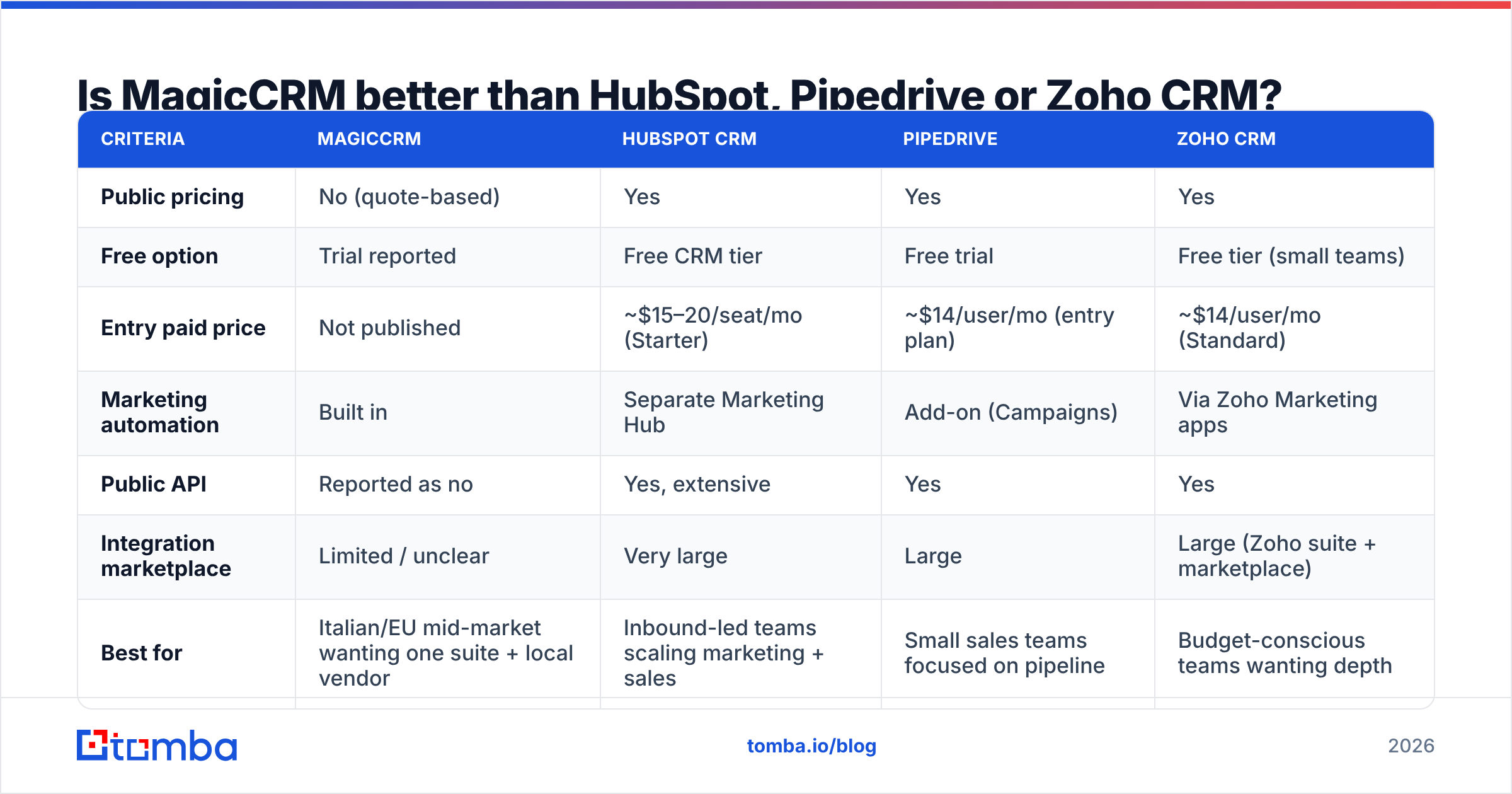
It depends on what you value more. MagicCRM offers one suite and local service. The others offer clear pricing and a big ecosystem. Here's how the four compare on what most buyers check first. Competitor prices are list prices at the time of writing and change often, so check each vendor's pricing page before you decide.
| Criteria | MagicCRM | HubSpot CRM | Pipedrive | Zoho CRM |
|---|---|---|---|---|
| Public pricing | No (quote-based) | Yes | Yes | Yes |
| Free option | Trial reported | Free CRM tier | Free trial | Free tier (small teams) |
| Entry paid price | Not published | ~$15–20/seat/mo (Starter) | ~$14/user/mo (entry plan) | ~$14/user/mo (Standard) |
| Marketing automation | Built in | Separate Marketing Hub | Add-on (Campaigns) | Via Zoho Marketing apps |
| Public API | Reported as no | Yes, extensive | Yes | Yes |
| Integration marketplace | Limited / unclear | Very large | Large | Large (Zoho suite + marketplace) |
| Best for | Italian/EU mid-market wanting one suite + local vendor | Inbound-led teams scaling marketing + sales | Small sales teams focused on pipeline | Budget-conscious teams wanting depth |
| Review volume | Very low | Very high | High | High |
A few notes on reading this table:
- HubSpot is the default comparison for "CRM plus marketing automation". Costs climb fast once you need Professional-tier marketing features. MagicCRM's main pitch is that you get that bundle for less, which only holds if the quote proves it.
- Pipedrive is the cleanest choice if all you need is a sales pipeline. It doesn't try to be a marketing platform.
- Zoho CRM is the nearest match to MagicCRM's "lots of modules, sensible price" positioning, with a public API and published plans.
Who should actually buy MagicCRM?#
MagicCRM makes sense when most of these are true:
- You're based in Italy or work mostly in Italian. A local vendor, local-language support and EU data handling count for more than a global app marketplace.
- You want CRM and marketing automation from one vendor and don't plan to add many outside tools.
- You're comfortable with a consultative purchase. Demo, quote, implementation project, rather than credit-card signup.
- Your sales stack is simple. You don't need real-time syncing with a dialer, a sequencer, an enrichment API and a data warehouse.
Look elsewhere if you're a five-person startup that wants to start today. The same goes if your RevOps team automates everything through APIs and webhooks, or if you need hundreds of peer reviews before you can justify a purchase.
What hidden costs should you watch for?#
Quote-based CRMs rarely surprise you with the licence fee. The surprises come from everything around it.
- Implementation days. If the product "requires customization to fit unique workflows", someone pays for that customisation. Get it fixed-scope.
- Module creep. Confirm whether marketing automation, BI dashboards and customer service are in the base licence or priced as separate modules.
- Integration workarounds. If there's no API, every connection becomes a manual CSV export/import or a custom development project. That's labour cost, even if it's not on the invoice.
- Data hygiene. A CRM full of bounced or outdated emails makes the marketing automation module look broken. Your sender reputation drops and campaigns underperform. Budget for keeping the data clean.
- Switching costs. Ask how you'd export contacts, activities and custom fields if you leave, and in what format.

How do you keep MagicCRM (or any CRM) filled with accurate contacts?#
Every CRM review eventually comes back to the same point: the software only works as well as the data in it. Marketing automation built on stale addresses means bounces. Bounces hurt deliverability, and poor deliverability makes the "all-in-one" suite look like it's underperforming.
Whichever CRM you pick, a practical workflow looks like this:
- Source: Use an email finder to get professional addresses by name and company domain for the accounts you're targeting.
- Clean: Run every list through an email verifier before importing, so invalid and risky addresses never reach your marketing automation.
- Import: If your CRM has an API or native connector (HubSpot does; see the HubSpot integration), sync directly. If it doesn't, which may be the case with MagicCRM, export a verified CSV and import it on a fixed schedule.
- Refresh: Re-verify older segments every quarter. B2B contact data decays as people change jobs, and that decay is the main reason CRM campaigns stop working.
The no-API question matters most here. With an API, enrichment and verification can run automatically. Without one, someone on your team becomes the integration, so plan for that time.
How should you run a MagicCRM evaluation?#
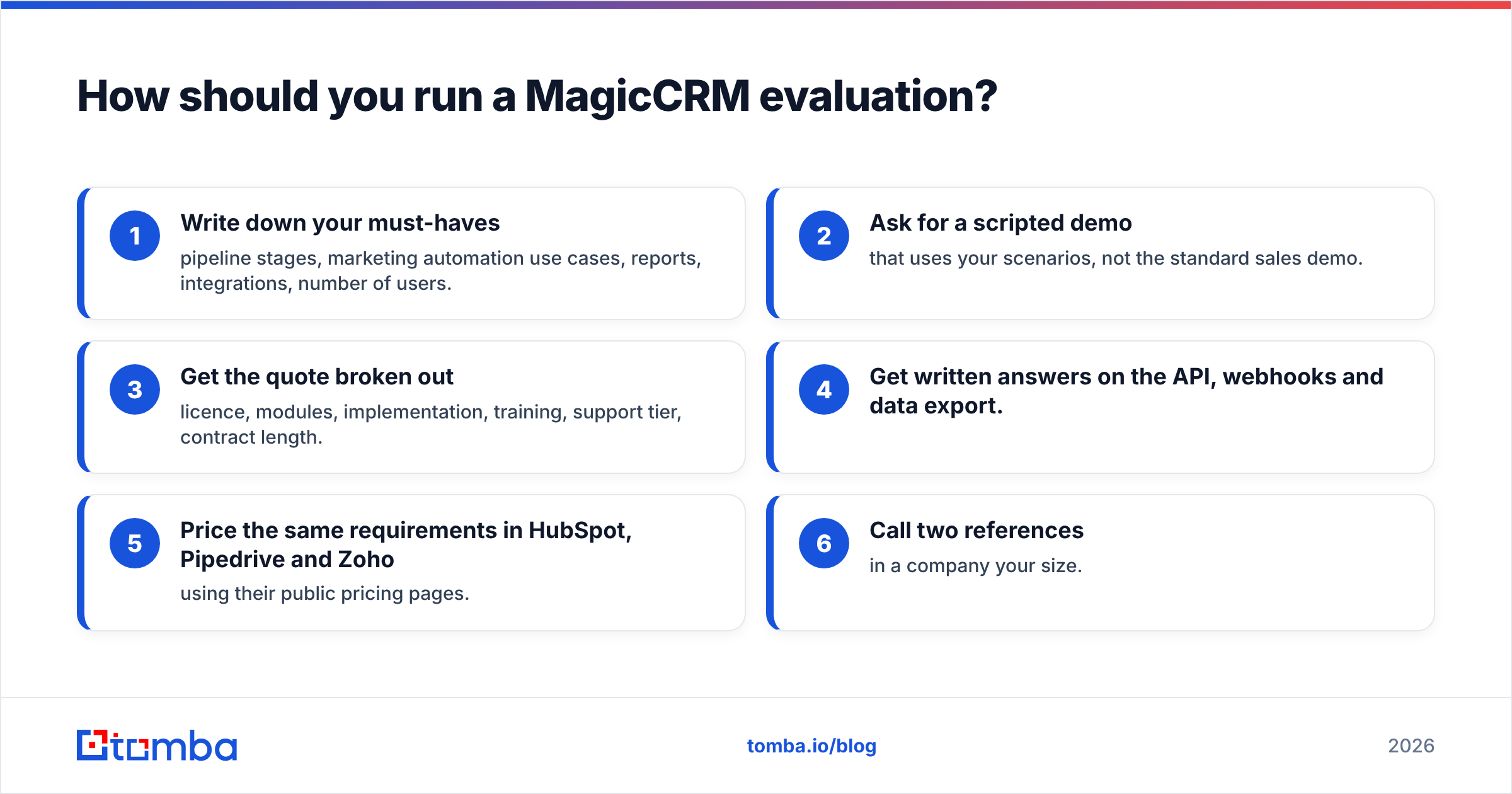
Use a short, structured process so the quote-based model works for you rather than against you:
- Write down your must-haves: pipeline stages, marketing automation use cases, reports, integrations, number of users.
- Ask for a scripted demo that uses your scenarios, not the standard sales demo.
- Get the quote broken out: licence, modules, implementation, training, support tier, contract length.
- Get written answers on the API, webhooks and data export.
- Price the same requirements in HubSpot, Pipedrive and Zoho using their public pricing pages.
- Call two references in a company your size.
If MagicCRM pricing comes out lower for the same scope and the integration answers are acceptable, it's a reasonable choice. If you can't get clear answers on the API or the total cost, that tells you how the relationship will go after you sign.
Final verdict: is MagicCRM worth it?#
MagicCRM is a credible option for one kind of buyer. That buyer is an Italian or EU mid-market company that wants CRM, marketing automation and BI from one local vendor. It should also be happy with a guided rollout. Reviewers' praise for its breadth and value is real but based on very few reviews. The complaints about the interface, setup and especially the reported lack of an API are serious enough to check before you commit.
For everyone else, the lack of published pricing and the thin review base make HubSpot, Pipedrive or Zoho easier to justify. You can compare them line by line today.
Whichever CRM you pick, its value depends on the contacts inside it. Before importing your next prospect list, run it through the Tomba Email Finder. It finds work email addresses by name, company or domain. You can verify them in the same workflow, so your CRM starts with deliverable contacts. The free tier includes 25 searches a month, and paid plans start at $49/mo. See Tomba pricing for the full breakdown.
Related guides#
// start free
See who Tomba finds at any company
Type a company's domain to see its people, their roles and verified work emails, each with the pages it was found on. Free account, no card.
Free plan · No credit card required · GDPR & CCPA
// about the author