Best B2B CRM Software in 2026: Features, Pricing & Picks
A vendor-neutral guide to choosing B2B CRM software in 2026 — how CRMs actually work, what to compare, pricing tiers, and which platform fits your team.
Choosing B2B CRM software in 2026 is less about finding the "best" platform and more about matching a system to how your team actually sells. The wrong CRM becomes an expensive contact graveyard. The right one compounds: every call logged, every deal staged, every record enriched makes the next quarter easier to forecast.
This guide skips the marketing gloss. You get a working definition, a side-by-side comparison, real pricing, and a decision framework you can apply this week.
TL;DR#
- A B2B CRM is the system of record for accounts, contacts, and deals — it tracks relationships across long, multi-stakeholder sales cycles.
- The four platforms most B2B teams shortlist in 2026 are HubSpot, Salesforce, Pipedrive, and Zoho CRM — each wins for a different team size and budget.
- Price ranges from free (HubSpot, Zoho starter) to $165+/user/mo (Salesforce Enterprise). Per-seat math matters more than the sticker.
- A CRM is only as good as the data inside it. Decayed contacts and bad emails quietly destroy forecast accuracy.
- Pair your CRM with an enrichment and email finder layer so records stay current instead of rotting.
What is B2B CRM software?#
A B2B CRM (customer relationship management) platform is the single place your revenue team stores and acts on everything about a buyer: the company, the people inside it, the open deals, and the full history of every touch.
Think of it like a flight control tower. Individual reps are pilots flying their own routes, but the tower sees every plane, every runway, and every potential collision. Without it, two reps email the same prospect, a renewal slips because nobody owned it, and your forecast is a guess. Technically, a CRM is a relational database with a sales-shaped UI, automation rules, and reporting on top.
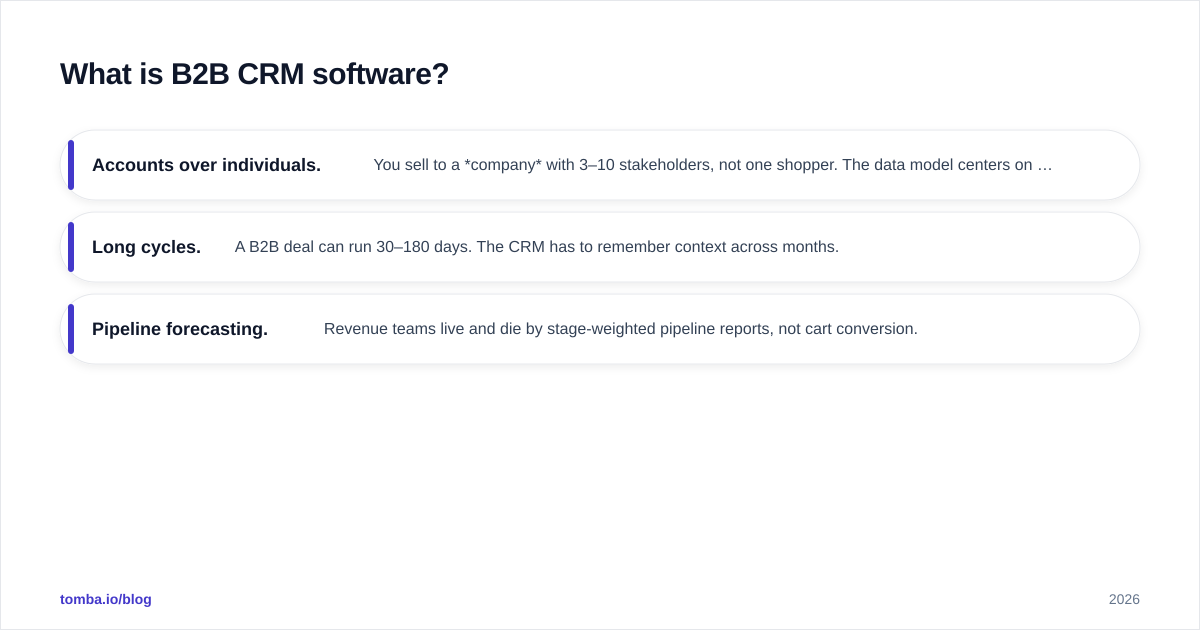
B2B CRMs differ from B2C tools in three ways:
- Accounts over individuals. You sell to a company with 3–10 stakeholders, not one shopper. The data model centers on the account.
- Long cycles. A B2B deal can run 30–180 days. The CRM has to remember context across months.
- Pipeline forecasting. Revenue teams live and die by stage-weighted pipeline reports, not cart conversion.
How do B2B CRMs actually work?#
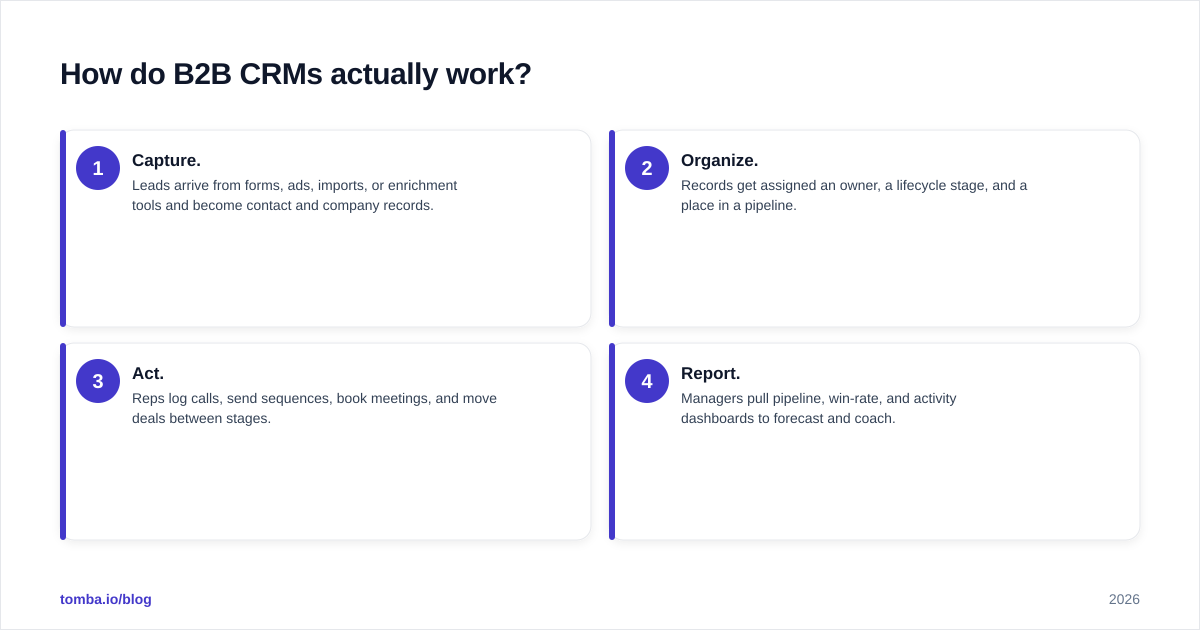
Every B2B CRM, regardless of brand, runs the same loop: capture → organize → act → report.
- Capture. Leads arrive from forms, ads, imports, or enrichment tools and become contact and company records.
- Organize. Records get assigned an owner, a lifecycle stage, and a place in a pipeline.
- Act. Reps log calls, send sequences, book meetings, and move deals between stages.
- Report. Managers pull pipeline, win-rate, and activity dashboards to forecast and coach.
The magic — and the failure point — is step 1. Garbage capture means garbage everywhere downstream. If a contact's email bounces, that lead silently dies inside an otherwise expensive system. This is why connecting data enrichment and verification at the capture stage matters more than any single feature checkbox.
Which B2B CRM software should you compare in 2026?#
Four platforms cover roughly 80% of B2B shortlists. Here is how they stack up on the attributes that actually drive the decision.
| Attribute | HubSpot | Salesforce | Pipedrive | Zoho CRM |
|---|---|---|---|---|
| Free tier | Yes (limited) | No | 14-day trial | Yes (3 users) |
| Entry paid price | ~$20/user/mo | $25/user/mo | $14/user/mo | $14/user/mo |
| Mid tier | ~$90/user/mo | $80/user/mo | $49/user/mo | $40/user/mo |
| Enterprise | ~$150/user/mo | $165+/user/mo | $99/user/mo | $52/user/mo |
| Best for | SMB to mid-market | Large, complex orgs | Lean sales teams | Budget-conscious SMBs |
| Setup difficulty | Low–medium | High | Low | Medium |
| Native marketing | Strong | Add-on (Marketing Cloud) | Weak | Moderate |
| Customization ceiling | Medium | Very high | Low–medium | High |
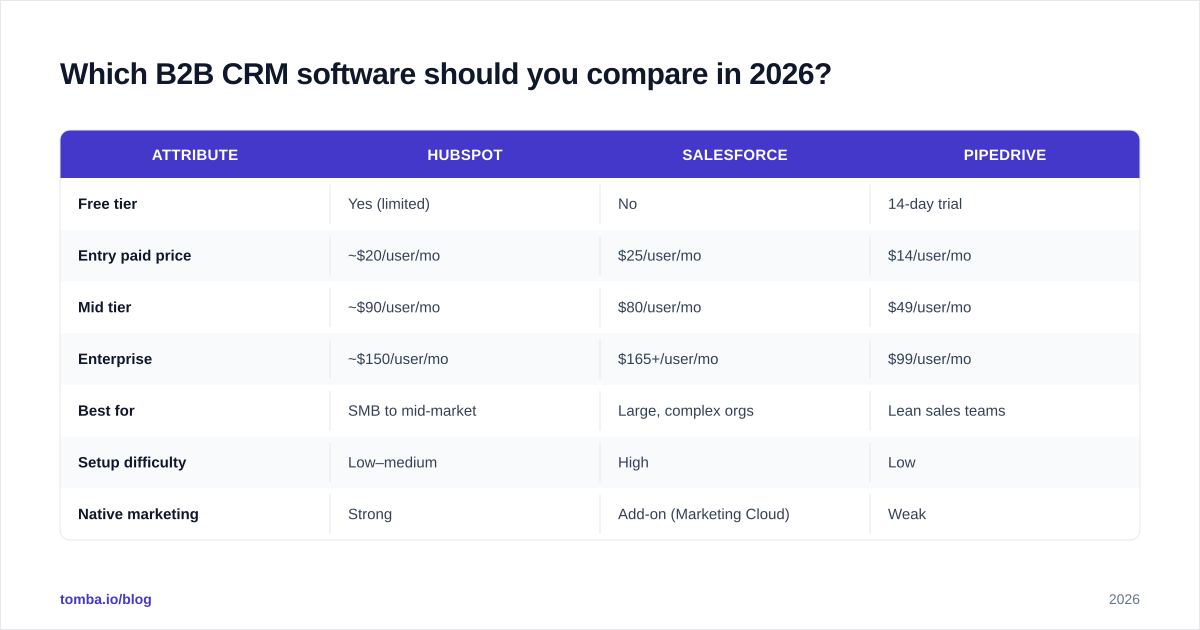
Prices reflect publicly listed 2026 plans and are billed annually; always confirm current numbers on each vendor's pricing page, since B2B CRM list prices change frequently. Sources: HubSpot, Salesforce, and verified user reports on G2.
HubSpot — best all-in-one for SMB and mid-market#
HubSpot wins when you want CRM, marketing, and service in one account without a systems integrator. The free tier is genuinely usable, and the upgrade path is smooth. The catch: costs scale fast once you add Marketing Hub seats and contact tiers. If you connect it to your stack, the HubSpot integration keeps enriched contacts flowing in automatically.
Salesforce — best for complex, large organizations#
Salesforce is the configurable everything-platform. If you have a RevOps team, custom objects, and territory rules, nothing else matches its ceiling. That power is also its cost: implementation is a project, not an afternoon. The Salesforce integration handles the contact-data side so admins focus on workflow logic.
Pipedrive — best for lean, activity-driven sales teams#
Pipedrive is unapologetically a sales tool. Visual pipeline, fast data entry, minimal bloat. Marketing and reporting are thinner, but for a 5–30 person sales org that just wants deals to move, it's hard to beat on price-to-value. Pair it with the Pipedrive integration to auto-fill missing emails and phone numbers.
Zoho CRM — best on a budget#
Zoho delivers 80% of the feature set at a fraction of the price, especially if you already use other Zoho apps. The trade-off is a busier interface and a steeper learning curve for non-technical reps.
Is an expensive CRM better than a cheap one?#
No — fit beats price, and an underused $165/seat CRM is worse than a fully-adopted $14/seat one.
The single biggest predictor of CRM ROI is adoption, not feature count. A 2025 industry survey repeatedly cited on Gartner found that the majority of CRM failures trace to low user adoption and poor data quality — not missing features. So the real question isn't "which CRM has the most modules," it's "which CRM will my reps actually use every day, and how do I keep its data clean?"
Run this gut check before you sign anything:
- Will a rep log a call in under 10 seconds? If not, they won't.
- Does it forecast the way your leadership thinks? Stage-weighted vs. commit-based matters.
- What's the true per-seat cost at your headcount in 18 months, not today?
- How does data get in and stay accurate? This is the part most buyers skip.
How do you keep B2B CRM data from rotting?#
Roughly 22–30% of B2B contact data decays every year as people change jobs, companies rebrand, and emails get deactivated. A pristine CRM at signup is a decaying asset by month six unless you maintain it.
Three habits keep a CRM healthy:
- Verify on entry. Run every new email through an email verifier before it creates a record, so bounces never enter the system.
- Enrich automatically. When a form gives you only a name and company, use domain search and enrichment to fill the rest instead of leaving fields blank.
- Re-validate quarterly. Bulk-check aging records so your "active" list is actually active.
This is where a dedicated data layer earns its keep. Your CRM is the system of record; it is not a data sourcing tool. Feeding it accurate, verified contacts — via API, bulk enrichment, or a Chrome extension — is what separates a forecast you trust from one you hope about. For teams running outbound, missing emails are the most common reason a promising account stalls before it ever reaches the pipeline.
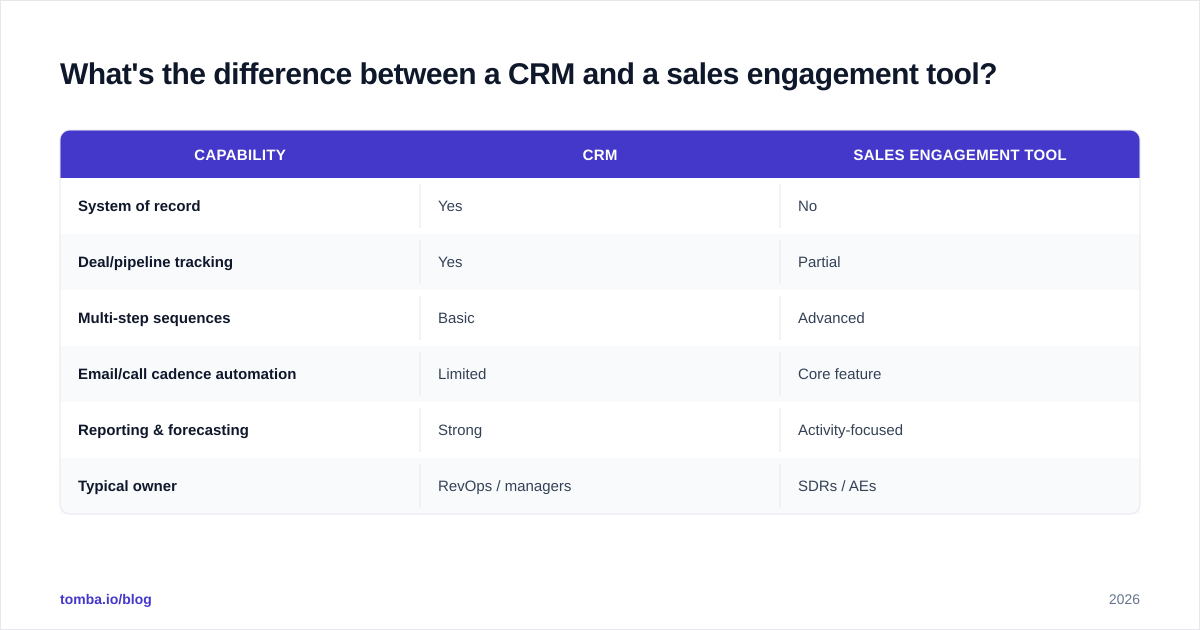
What's the difference between a CRM and a sales engagement tool?#
They solve adjacent problems and are easy to confuse.
| Capability | CRM | Sales engagement tool |
|---|---|---|
| System of record | Yes | No |
| Deal/pipeline tracking | Yes | Partial |
| Multi-step sequences | Basic | Advanced |
| Email/call cadence automation | Limited | Core feature |
| Reporting & forecasting | Strong | Activity-focused |
| Typical owner | RevOps / managers | SDRs / AEs |
Most B2B teams run both: the CRM as the source of truth, the engagement tool driving day-to-day outreach, with data syncing between them. If you're early-stage, start with the CRM and add engagement once volume justifies it.
How should a small B2B team choose in 2026?#
Match the CRM to your stage, not to the loudest review site.
- 1–5 reps, tight budget: Start with HubSpot Free or Zoho. Don't overbuy. You'll outgrow the free tier before you regret it.
- 5–30 reps, sales-led: Pipedrive or HubSpot Starter/Professional. Prioritize fast data entry and clean pipeline views.
- 30+ reps, multiple products/regions: Salesforce or HubSpot Enterprise. You now need custom objects, territories, and granular permissions.
- Heavy outbound motion: Whatever CRM you pick, budget separately for a verified-data layer so reps aren't emailing dead inboxes.
Whatever you choose, write down your non-negotiables first — forecasting model, must-have integrations, per-seat ceiling — then disqualify ruthlessly. A demo will make any CRM look great; your requirements list is what protects you.
Before committing, sanity-check total cost against the live numbers on each vendor's site and compare honest reviews on Capterra. Sticker price and real 18-month cost are rarely the same.
Frequently asked questions#
Is a free CRM good enough for a B2B startup? Yes, initially. HubSpot Free and Zoho's free tier handle contact management, basic pipelines, and a handful of users. You'll hit limits on automation, reporting, and seats — by then you'll know exactly what to pay for.
Do I need a separate tool to find and verify contact data? Usually, yes. CRMs store data well but don't source or verify it. A dedicated email finder and verifier keeps records accurate so your pipeline reflects reality.
How long does CRM implementation take? Pipedrive and HubSpot Starter: days. Salesforce Enterprise: weeks to months, often with a partner. Plan for adoption training either way — software alone doesn't change rep behavior.
Get your CRM the clean data it deserves#
The best B2B CRM software in 2026 is the one your team adopts and feeds with accurate data. Picking the platform is the easy half. Keeping it full of verified, current contacts is the half that decides whether your forecast means anything.
Start there. Use the Tomba Email Finder to source and verify professional emails by name, company, or domain — then push them straight into HubSpot, Salesforce, or Pipedrive. The free tier gives you 25 searches a month to test it against your own list; paid plans start at $49/mo when you're ready to scale. Your CRM is only as smart as the data inside it — make that data count.
// get started
Find, verify and enrich your first contacts today
Start on the free plan with 25 searches a month, then scale when your team is ready.
Free plan · No credit card required · GDPR & CCPA
// about the author