Meeting Scheduling Software for B2B Sales: 2026 Buyer's Guide
The back-and-forth of booking sales calls kills deals. Here's how meeting scheduling software cuts the email tag, and how to pick the right tool for your B2B pipeline in 2026.
TL;DR
- Meeting scheduling software replaces the "what time works for you?" email chain with a shareable link that books straight into your calendar, with buffers, time zones, and CRM sync handled automatically.
- For B2B sales, the features that actually move pipeline are lead routing, qualification gating, round-robin distribution, and reschedule/no-show handling, not just a pretty booking page.
- Calendly leads on brand recognition; HubSpot Meetings wins if you already live in HubSpot; Chili Piper and Cal.com fight over the routing-heavy revenue teams.
- A booking link is only as good as the traffic you send it. You still need verified contact data and outreach to get qualified prospects onto the calendar in the first place.
- Pick on routing logic, CRM depth, and qualification, then layer scheduling on top of a clean prospecting motion.
What is meeting scheduling software?#
Meeting scheduling software is a tool that lets someone book time on your calendar through a self-service link instead of trading emails to find a slot. Think of it like an open-table reservation system for your workday: the tool reads your real availability, shows only the open slots, and locks in the booking the moment a prospect picks one, then drops the event onto both calendars with the conferencing link attached.
Under the hood, the good ones do four jobs at once: read availability across one or more connected calendars, apply rules (buffers, minimum notice, daily caps), collect information from the booker via a form, and write the result back to your calendar and CRM. The difference between a free personal scheduler and a real B2B sales tool is what happens around that core booking, especially routing and qualification.
For revenue teams, the payoff is speed-to-meeting. Research on lead response consistently shows that the odds of qualifying a lead drop sharply after the first few minutes. A booking link embedded on a demo page or in a reply lets a hot prospect grab time instantly, instead of waiting a day for your "Does Tuesday at 2 work?" reply.
Why does scheduling friction cost B2B teams deals?#
Every manual step between "I'm interested" and "we're on a call" is a place where intent leaks out. The classic failure is email tag: a rep proposes three times, the prospect counters with two, time zones get confused, and four days later the prospect has cooled or signed with whoever booked them first.
Scheduling friction shows up in three measurable ways:
- Slower speed-to-lead. Inbound demo requests that wait for a human to coordinate convert worse than those offered an instant slot.
- No-shows. Without automated reminders and easy reschedule links, B2B demo no-show rates routinely land in the 20-30% range.
- Rep time tax. A rep coordinating their own calendar by hand burns selling hours on administrative ping-pong.
The fix is not "send the link earlier" alone. It's pairing a frictionless calendar with accurate targeting so the meetings you book are with people who can actually buy. That second half depends on your data layer, your B2B database and the verified contacts feeding your outreach, as much as the scheduler itself.
What features actually matter for B2B sales scheduling?#
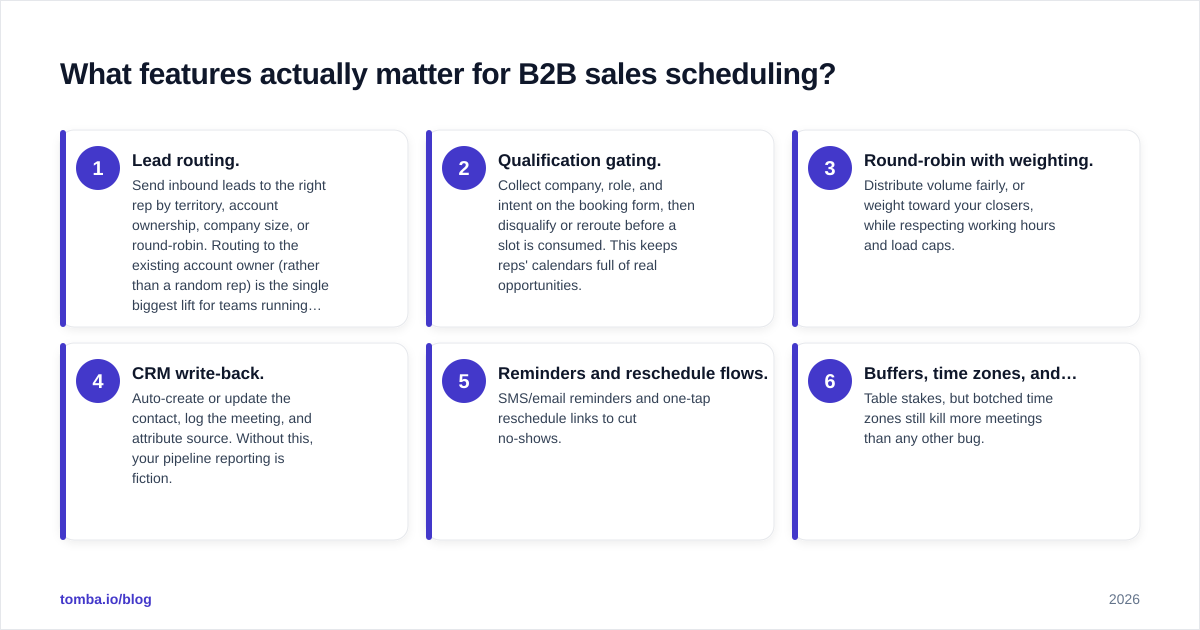
Most buyers over-index on the booking page and under-index on routing. Here is the priority order that matters when meetings tie to revenue:
- Lead routing. Send inbound leads to the right rep by territory, account ownership, company size, or round-robin. Routing to the existing account owner (rather than a random rep) is the single biggest lift for teams running ABM.
- Qualification gating. Collect company, role, and intent on the booking form, then disqualify or reroute before a slot is consumed. This keeps reps' calendars full of real opportunities.
- Round-robin with weighting. Distribute volume fairly, or weight toward your closers, while respecting working hours and load caps.
- CRM write-back. Auto-create or update the contact, log the meeting, and attribute source. Without this, your pipeline reporting is fiction.
- Reminders and reschedule flows. SMS/email reminders and one-tap reschedule links to cut no-shows.
- Buffers, time zones, and availability rules. Table stakes, but botched time zones still kill more meetings than any other bug.
A scheduler that nails 1-4 but has an ugly booking page will outperform a gorgeous page with no routing every time.
Which meeting scheduling software is best in 2026?#
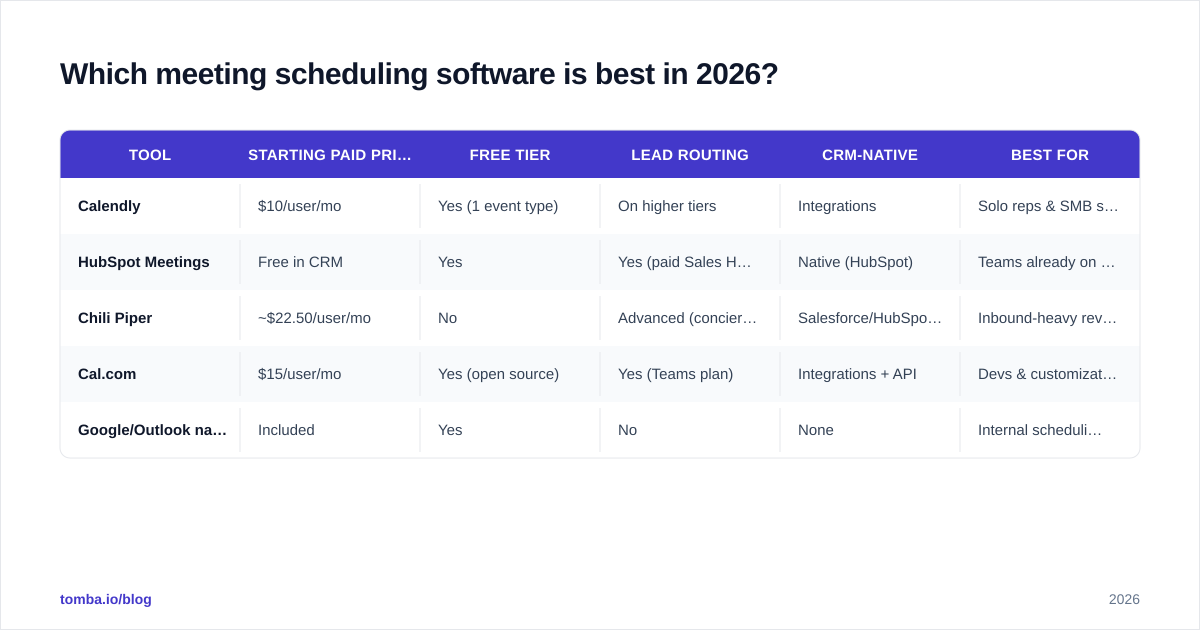
There is no single winner, the right tool depends on whether you optimize for solo simplicity, HubSpot-native depth, or heavy inbound routing. Here is how the main options compare.
| Tool | Starting paid price | Free tier | Lead routing | CRM-native | Best for |
|---|---|---|---|---|---|
| Calendly | $10/user/mo | Yes (1 event type) | On higher tiers | Integrations | Solo reps & SMB simplicity |
| HubSpot Meetings | Free in CRM | Yes | Yes (paid Sales Hub) | Native (HubSpot) | Teams already on HubSpot |
| Chili Piper | ~$22.50/user/mo | No | Advanced (concierge) | Salesforce/HubSpot sync | Inbound-heavy revenue teams |
| Cal.com | $15/user/mo | Yes (open source) | Yes (Teams plan) | Integrations + API | Devs & customization |
| Google/Outlook native | Included | Yes | No | None | Internal scheduling only |
A few honest caveats. Calendly's routing and Salesforce features sit on its pricier Teams/Enterprise tiers, so the headline $10 is misleading for a sales org. HubSpot Meetings is genuinely free inside the CRM but the round-robin and routing depth you'd want lives behind paid Sales Hub seats. Chili Piper is the routing powerhouse for high inbound volume but is overkill (and overpriced) for a five-person team. Cal.com's open-source core is the pick if you want to self-host or build on the API.
Check current numbers on each vendor's own pricing page and cross-reference reviews on G2 before committing, scheduling pricing changes often and tier names shift.
How do you choose the right scheduler for your team?#
Match the tool to your motion, not to the brand with the loudest marketing. Use this decision shortcut:
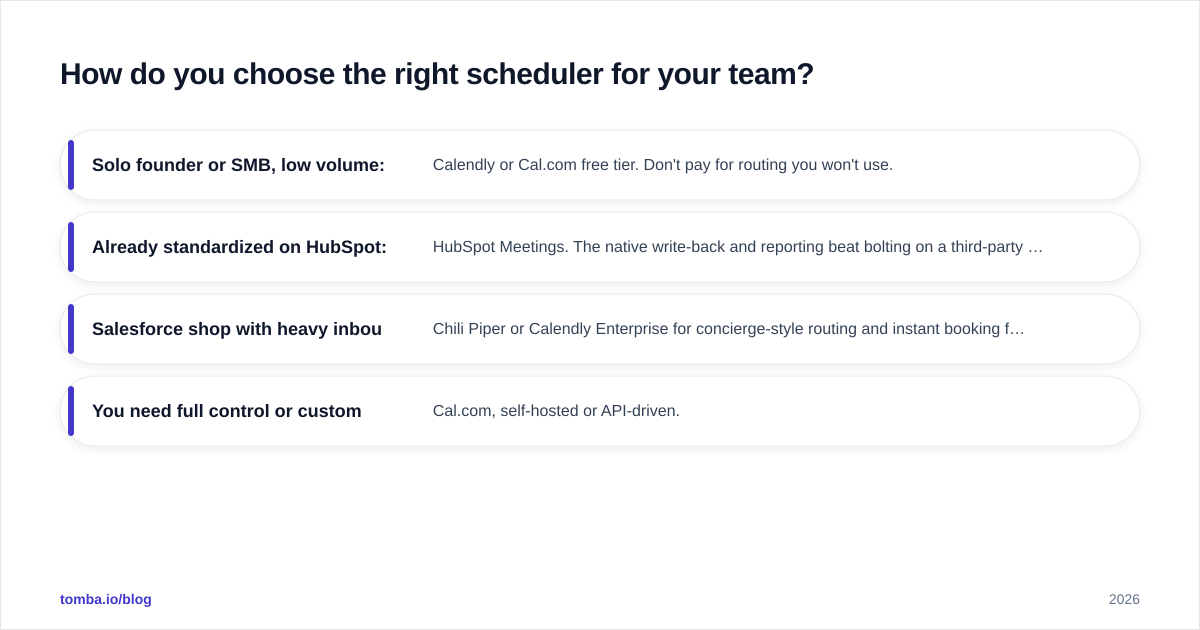
- Solo founder or SMB, low volume: Calendly or Cal.com free tier. Don't pay for routing you won't use.
- Already standardized on HubSpot: HubSpot Meetings. The native write-back and reporting beat bolting on a third-party tool. Wire it up through the HubSpot integration so enriched contacts flow into the same place your meetings land.
- Salesforce shop with heavy inbound: Chili Piper or Calendly Enterprise for concierge-style routing and instant booking from web forms.
- You need full control or custom flows: Cal.com, self-hosted or API-driven.
Whatever you choose, audit two things before signing: how the tool handles reassignment when a rep leaves (orphaned routing rules are a silent killer), and whether meeting data writes back cleanly to your system of record. A scheduler that doesn't update your CRM just creates a second source of truth you'll have to reconcile later.
How does scheduling fit into the full outbound process?#
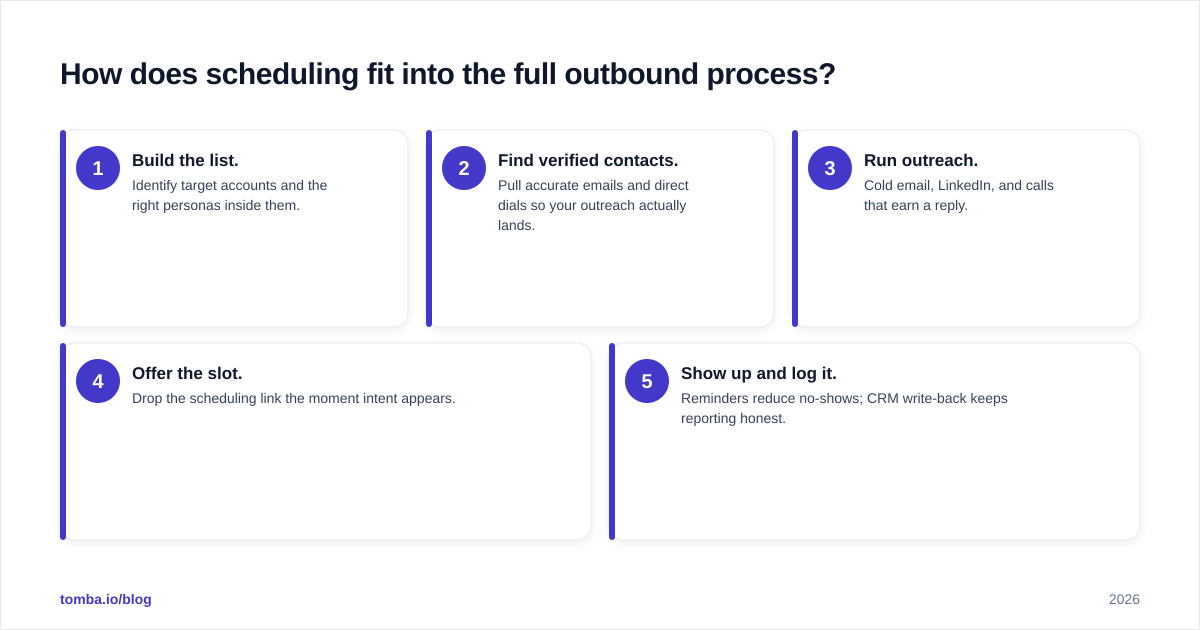
A booking link is the finish line, not the race. The sequence that fills it looks like this:
- Build the list. Identify target accounts and the right personas inside them.
- Find verified contacts. Pull accurate emails and direct dials so your outreach actually lands.
- Run outreach. Cold email, LinkedIn, and calls that earn a reply.
- Offer the slot. Drop the scheduling link the moment intent appears.
- Show up and log it. Reminders reduce no-shows; CRM write-back keeps reporting honest.
Steps 1-2 are where most "scheduling problems" actually originate. An empty calendar usually means a thin or stale contact list, not a bad booking page. If your outreach bounces or reaches the wrong person, no scheduler can save it. That's why teams pair their booking tool with an email verifier to protect deliverability and an email finder to source the contacts in the first place. Scheduling software converts intent you've already created; it doesn't manufacture intent on its own.
This is also why "speed-to-lead" wins start upstream. The fastest booking link in the world can't help a lead you never identified or a contact whose email was wrong. Get the data and the outreach right, and the scheduler does exactly one job extremely well: removing the last bit of friction between a yes and a calendar invite.
Frequently asked questions#
Do I really need paid scheduling software, or is Calendly free enough? For a solo rep booking discovery calls, the free tier is genuinely fine. The moment you need routing, round-robin, qualification, or CRM write-back, you're in paid territory, and that's where the ROI shows up for a team.
Will a scheduler reduce no-shows on its own? Partly. Automated reminders and easy reschedule links help, but the bigger lever is qualifying who gets to book. A tight booking form that filters out tire-kickers does more for show rates than another reminder email.
Can scheduling software replace an SDR? No. It removes coordination overhead so SDRs and AEs spend more time selling. It doesn't prospect, qualify nuance, or build relationships, it just protects the calendar.
The bottom line#
Meeting scheduling software is one of the highest-leverage, lowest-cost tools in a B2B stack, but only when it sits on top of a clean prospecting motion. Pick on routing, qualification, and CRM depth rather than the prettiest page, and remember that an empty calendar is almost always a data and outreach problem, not a booking problem.
Before you optimize the last click, fix the first one: make sure you're reaching the right people with verified contact details. The Tomba Email Finder helps you find and verify professional email addresses by domain, name, or company, so the leads you route into your shiny new scheduler are real, reachable, and worth a rep's time. Start free with 25 searches, then scale into a paid plan as your pipeline grows.
// get started
Find, verify and enrich your first contacts today
Start on the free plan with 25 searches a month, then scale when your team is ready.
Free plan · No credit card required · GDPR & CCPA
// about the author