Proposal and CPQ Software in 2026: A B2B Buyer's Guide
Quotes that take days to build lose deals. Here's how proposal and CPQ software fixes pricing chaos, plus a buyer's framework and tool comparison for 2026.
TL;DR
- Proposal software builds and tracks the documents you send buyers; CPQ (Configure, Price, Quote) software enforces the pricing logic behind those documents. Most mature stacks need both.
- CPQ pays off when your pricing has variables — tiers, bundles, usage, regional rates, approval thresholds — that reps get wrong by hand.
- The biggest ROI isn't speed alone. It's margin protection: stopping unauthorized discounts and quoting errors before they reach the customer.
- Budget roughly $30–$150 per user/month for proposal tools, and far more for enterprise CPQ tied to your CRM.
- Garbage in, garbage out: a quote is only as good as the contact and account data feeding it. Clean prospect data upstream is part of the same problem.
What is proposal and CPQ software?#
Think of CPQ as the kitchen and proposal software as the waiter. The kitchen (CPQ) decides what can be made, in what combinations, at what price, and whether the manager has to approve the order. The waiter (proposal software) plates it, presents it to the customer, and tells you when they've read the menu.
CPQ — Configure, Price, Quote — is the engine that turns product rules into a valid, priced quote. It answers three questions automatically:
- Configure: Which products and options can be sold together? (No selling a feature that requires a plan tier the buyer didn't pick.)
- Price: What's the correct price after volume discounts, contract terms, currency, and promotions?
- Quote: Generate a clean, approval-checked quote document.
Proposal software takes it from there: branded templates, e-signature, content libraries, analytics on when a prospect opened the doc and how long they lingered on the pricing page.
You'll see three overlapping categories in the market:
- Pure proposal tools (PandaDoc, Proposify, Qwilr) — great documents, light pricing logic.
- Pure CPQ (Salesforce CPQ, DealHub, Conga) — deep pricing rules, lives inside the CRM.
- Hybrid suites that try to do both well enough for mid-market teams.
Why do B2B teams need CPQ at all?#
Short answer: because manual quoting silently leaks revenue.
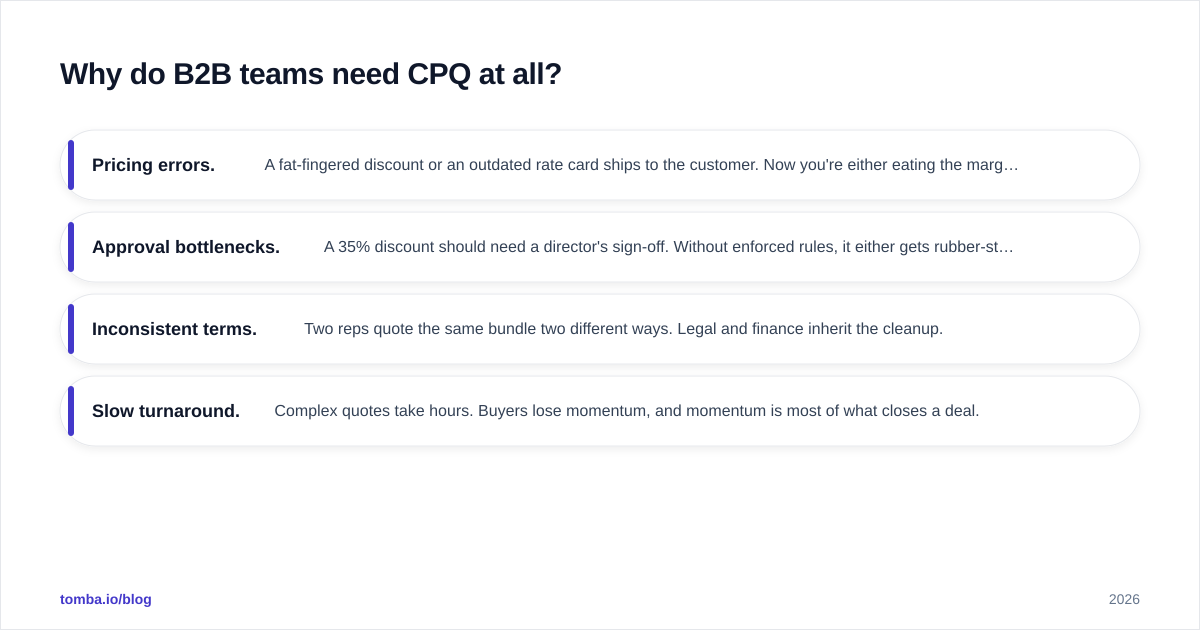
When a rep builds a quote in a spreadsheet, four things go wrong at scale:
- Pricing errors. A fat-fingered discount or an outdated rate card ships to the customer. Now you're either eating the margin or walking back a number you already put in writing.
- Approval bottlenecks. A 35% discount should need a director's sign-off. Without enforced rules, it either gets rubber-stamped over Slack or stalls for three days.
- Inconsistent terms. Two reps quote the same bundle two different ways. Legal and finance inherit the cleanup.
- Slow turnaround. Complex quotes take hours. Buyers lose momentum, and momentum is most of what closes a deal.
Gartner has tracked CPQ as a maturing category precisely because these problems compound as a product catalog grows. You can read their CPQ market overview for the analyst framing. The pattern is consistent: the more SKUs, tiers, and regional variations you sell, the faster CPQ pays for itself.
What's the difference between proposal software and CPQ?#
They solve adjacent problems and people conflate them constantly. Here's the clean split.
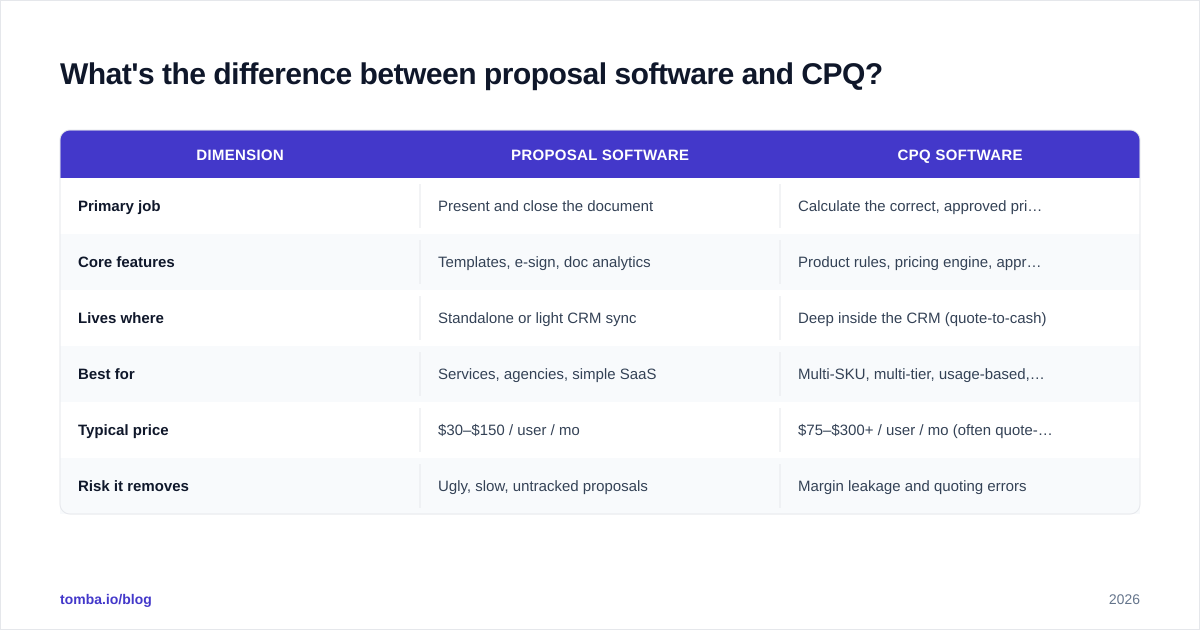
| Dimension | Proposal software | CPQ software |
|---|---|---|
| Primary job | Present and close the document | Calculate the correct, approved price |
| Core features | Templates, e-sign, doc analytics | Product rules, pricing engine, approval workflows |
| Lives where | Standalone or light CRM sync | Deep inside the CRM (quote-to-cash) |
| Best for | Services, agencies, simple SaaS | Multi-SKU, multi-tier, usage-based, hardware |
| Typical price | $30–$150 / user / mo | $75–$300+ / user / mo (often quote-based) |
| Risk it removes | Ugly, slow, untracked proposals | Margin leakage and quoting errors |
A useful rule: if your pricing fits on a napkin, you need a proposal tool. If it needs a decision tree, you need CPQ. Many teams start with the former and graduate to the latter — or buy a hybrid that does both at the mid-market level.
How do you choose the right tool? A buyer's framework#
Don't start with the vendor demo. Start with your own pricing complexity. Score yourself on five axes before you book a single call.
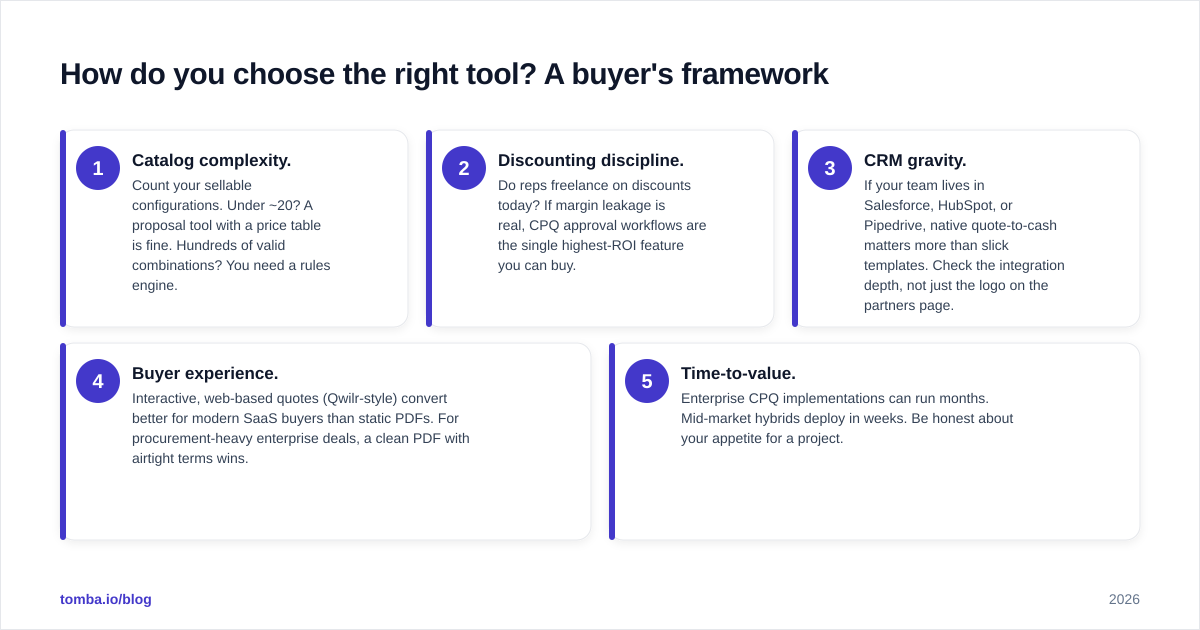
- Catalog complexity. Count your sellable configurations. Under ~20? A proposal tool with a price table is fine. Hundreds of valid combinations? You need a rules engine.
- Discounting discipline. Do reps freelance on discounts today? If margin leakage is real, CPQ approval workflows are the single highest-ROI feature you can buy.
- CRM gravity. If your team lives in Salesforce, HubSpot, or Pipedrive, native quote-to-cash matters more than slick templates. Check the integration depth, not just the logo on the partners page.
- Buyer experience. Interactive, web-based quotes (Qwilr-style) convert better for modern SaaS buyers than static PDFs. For procurement-heavy enterprise deals, a clean PDF with airtight terms wins.
- Time-to-value. Enterprise CPQ implementations can run months. Mid-market hybrids deploy in weeks. Be honest about your appetite for a project.
Salesforce, which sells one of the most established platforms in this space, frames the same idea in its own CPQ overview — configuration and pricing rules are the foundation, documents are the surface. HubSpot's quotes documentation shows the lighter end of the spectrum, where quoting is bundled into the CRM rather than sold as a heavyweight engine.
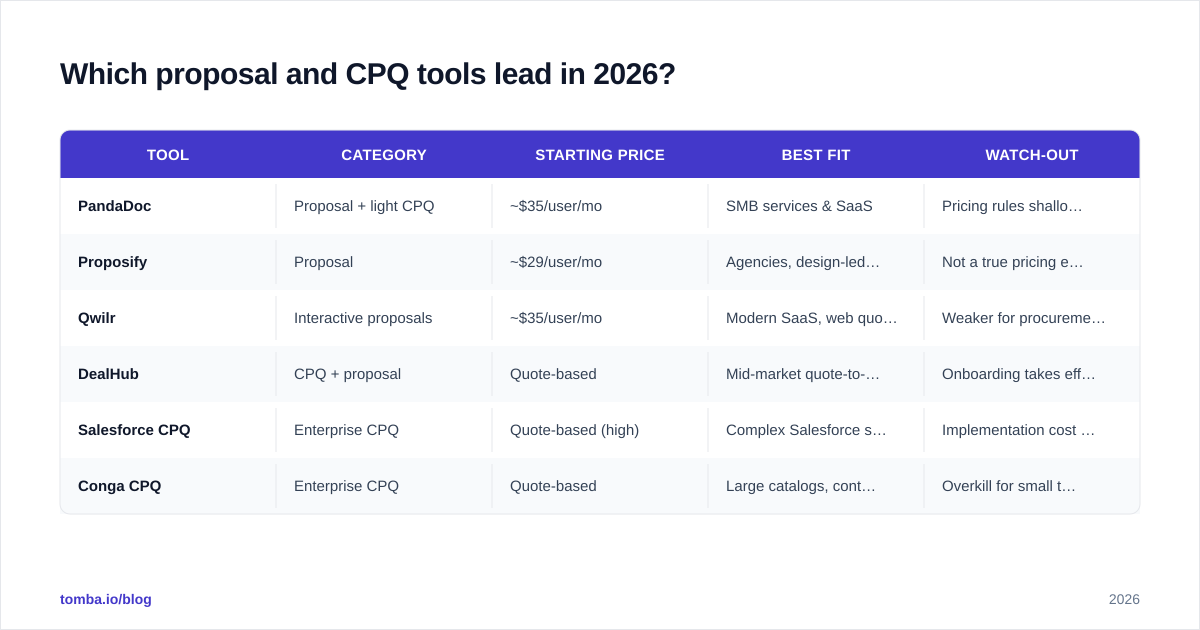
Which proposal and CPQ tools lead in 2026?#
No single tool wins for everyone. Match the tool to the framework score above. Here's how the common options sort out.
| Tool | Category | Starting price | Best fit | Watch-out |
|---|---|---|---|---|
| PandaDoc | Proposal + light CPQ | ~$35/user/mo | SMB services & SaaS | Pricing rules shallow at scale |
| Proposify | Proposal | ~$29/user/mo | Agencies, design-led docs | Not a true pricing engine |
| Qwilr | Interactive proposals | ~$35/user/mo | Modern SaaS, web quotes | Weaker for procurement PDFs |
| DealHub | CPQ + proposal | Quote-based | Mid-market quote-to-cash | Onboarding takes effort |
| Salesforce CPQ | Enterprise CPQ | Quote-based (high) | Complex Salesforce shops | Implementation cost & time |
| Conga CPQ | Enterprise CPQ | Quote-based | Large catalogs, contracts | Overkill for small teams |
A few honest takeaways:
- PandaDoc and Proposify are where most teams under 50 reps should look first. Fast, affordable, good enough pricing tables.
- Qwilr wins on buyer experience if you sell software to digital-native buyers.
- DealHub is the sweet spot when you've outgrown a proposal tool but don't want a 6-month Salesforce CPQ build.
- Salesforce CPQ and Conga are for genuine enterprise complexity. If you don't have a deal desk, you probably don't need them yet.
Cross-check any shortlist against real reviews on G2's CPQ category rather than vendor case studies. Filter by company size to see how the tool behaves at your scale, not the flagship logo's.
Where does data quality fit into quote-to-cash?#
This is the part most CPQ buyers underestimate. A perfect pricing engine still produces a worthless quote if it's addressed to the wrong person at a misidentified account.
CPQ sits at the end of your revenue pipeline. By the time a quote is generated, the contact, company, and firmographic data were captured way upstream — often months earlier during prospecting. If that data is wrong, every downstream step inherits the error:
- Quote goes to a contact who left the company.
- Account tier is misjudged because the company size field was never enriched.
- Approval routing fails because the deal's region or segment is blank.
Clean inputs are part of the same machine. Before a deal ever reaches your CPQ, you want verified contacts and enriched accounts. That's why teams pair their quote-to-cash stack with a reliable email finder to confirm the buyer's address, email verification to keep bounce rates down, and data enrichment to fill in the firmographics your pricing rules depend on. When you're mapping an entire buying committee at a target account, domain search pulls every relevant contact in one pass.
The discipline is simple: enrich and verify before the quote, not after the bounce. A CPQ quote built on stale contact data isn't faster — it's faster at being wrong. If you want a refresher on the terminology connecting these stages, Tomba's glossary entry on CRM and the broader B2B data and intelligence tooling are good starting points.
How do you measure CPQ ROI?#
Track four numbers before and after rollout. If the tool is working, all four move.
- Quote turnaround time. From "rep starts" to "buyer receives." Good CPQ cuts hours to minutes.
- Average discount given. Enforced approval rules usually shrink this measurably — that delta is pure margin recovered.
- Quote accuracy / rework rate. How often does a quote get reissued because of an error? Should trend toward zero.
- Win rate on quoted deals. Faster, cleaner, more professional quotes correlate with higher win rates, especially in competitive cycles.
A practical baseline: if your reps each send 20 quotes a month and CPQ saves 45 minutes per quote, that's 15 hours/rep/month returned to selling. Multiply by your fully loaded rep cost and the math usually clears the subscription price several times over — before you even count the margin you stop leaking on discounts.
What are common CPQ implementation mistakes?#
- Modeling your catalog before cleaning it. If your product data is messy, CPQ just automates the mess faster. Audit SKUs and pricing first.
- Over-engineering rules on day one. Start with your 80% case. Edge-case configurations can come in phase two.
- Ignoring the buyer's view. Internal efficiency is half the win; the proposal the customer actually receives is the other half.
- Skipping the data layer. As covered above, a CPQ fed by unverified contacts and thin firmographics will misroute and misprice. Fix inputs upstream.
- No deal-desk ownership. Someone has to own pricing rules and approval thresholds, or they rot within a quarter.
Final take: which should you buy?#
If you sell simple, fixed-price offerings, buy a proposal tool and move on — PandaDoc or Qwilr will serve you for years. If your pricing has real variability and you're losing margin to manual discounting, invest in CPQ, and budget for the implementation honestly. Most growing B2B teams end up running a hybrid: a pricing engine wired into the CRM, with a polished proposal layer on top.
Whatever you choose, remember the quote is the last mile of a much longer pipeline. The cleanest CPQ in the world can't fix a quote sent to the wrong contact at a misidentified company.
Start where the errors actually begin — your data. Use the Tomba Email Finder to confirm you're quoting the right decision-maker, verify the address before it bounces, and enrich the account so your pricing rules fire correctly. It's free to try for 25 searches a month, and the Starter plan is $49/mo when you're ready to scale. Get the contact data right, and every downstream quote gets more accurate by default.
// get started
Find, verify and enrich your first contacts today
Start on the free plan with 25 searches a month, then scale when your team is ready.
Free plan · No credit card required · GDPR & CCPA
// about the author