Cold Email Reply Handling: The 2026 Playbook for SDRs
Most reps win or lose the deal in the first reply. Here's a repeatable system for sorting, triaging, and responding to cold email replies in 2026.
You spend weeks building lists, warming domains, and writing sequences — then a prospect replies "interested, tell me more" and it sits in an inbox for two days. That gap is where pipeline dies. Cold email reply handling is the discipline of catching, sorting, and answering inbound replies fast enough and well enough to convert curiosity into a booked meeting.
This guide gives you a repeatable system: how to triage every reply type, how fast to respond, what to actually say, and how to stop your best replies from rotting in a shared inbox.
TL;DR#
- Speed is the lever. Replies answered within the first hour book meetings at multiples of those answered the next day. Build for minutes, not days.
- Triage before you type. Every reply falls into one of six buckets — sort first, then respond with the matching play.
- Objections are signal, not rejection. "Not now" and "send me pricing" are buying questions in disguise; treat them as opening moves.
- Systematize the response, not just the send. Templates, routing rules, and a clean inbox beat heroic individual effort every time.
- Verify before you re-engage. Bounced or role-based replies waste cycles; clean data keeps your reply queue full of real humans.
What is cold email reply handling?#
Cold email reply handling is the process of managing every response a cold campaign generates — positive, negative, neutral, or automated — and moving each one toward a clear next step. Think of it like a restaurant host station: orders (sends) go out, but the host also has to seat walk-ins (replies) immediately, route them to the right table, and never let one stand at the door. Most teams obsess over the kitchen and ignore the door.
Technically, reply handling spans four jobs: detection (knowing a reply landed), classification (what kind of reply it is), routing (who owns it), and response (the actual message back). Sequencing tools handle sends well; reply handling is where human judgment and a tight system earn their keep.
The mistake most reps make is treating a reply as the finish line. A reply is the start of the conversation that actually books revenue. Your response rate tells you the top of this funnel is working — how you handle what comes back decides whether it converts.
Why does reply speed matter so much?#
Because attention decays fast. A prospect who replies "sounds interesting" is, in that moment, thinking about your offer. An hour later they're in three meetings and a budget review, and your reply lands cold again. Lead-response research popularized by HubSpot and the well-known Lead Response Management Study has shown for years that contacting a fresh lead within minutes dramatically outperforms waiting hours — and the same physics apply to email replies.
There's a second reason: deliverability and thread health. When a prospect replies and you answer in the same thread quickly, mailbox providers read that as a genuine human conversation, which protects your sender reputation. Letting replies pile up unanswered trains both the prospect and the algorithm to deprioritize you.
A practical target: positive replies answered inside 15 minutes during working hours, everything else inside 2 hours. If you can't hit that with humans alone, that's a routing and tooling problem to solve — not a reason to lower the bar.

How do you triage cold email replies?#
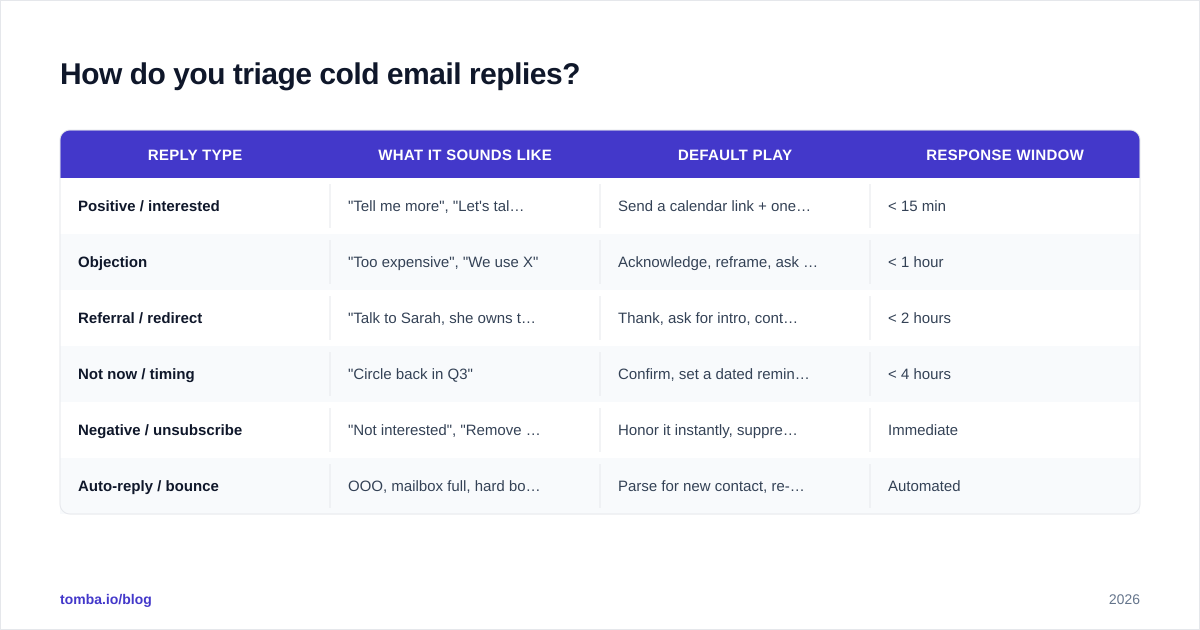
Sort before you respond. Every reply lands in one of six buckets, and each bucket has a default play. Triaging first stops you from writing a thoughtful three-paragraph reply to an out-of-office bot.
| Reply type | What it sounds like | Default play | Response window |
|---|---|---|---|
| Positive / interested | "Tell me more", "Let's talk" | Send a calendar link + one qualifying line | < 15 min |
| Objection | "Too expensive", "We use X" | Acknowledge, reframe, ask one question | < 1 hour |
| Referral / redirect | "Talk to Sarah, she owns this" | Thank, ask for intro, contact Sarah | < 2 hours |
| Not now / timing | "Circle back in Q3" | Confirm, set a dated reminder, add value | < 4 hours |
| Negative / unsubscribe | "Not interested", "Remove me" | Honor it instantly, suppress the address | Immediate |
| Auto-reply / bounce | OOO, mailbox full, hard bounce | Parse for new contact, re-route or clean | Automated |
The discipline here is to classify in seconds, not minutes. A shared label system or simple tags ("hot", "objection", "nurture", "dead") lets a whole team triage consistently. The buckets above cover roughly every reply you'll ever see; if something doesn't fit, default it to "objection" and ask a clarifying question.
How should you respond to each reply type?#
Positive replies#
Don't over-write these. The prospect already raised their hand — your only job is to remove friction to a meeting. Offer a scheduling link and two concrete time options (some people won't click a link), plus one short line that qualifies without interrogating. Keep it under four sentences.
Objections#
An objection is a question wearing a frown. "You're too expensive" means "justify this." "We already use a competitor" means "why would I switch?" The play is always the same shape: acknowledge it honestly, reframe around the outcome they care about, then ask one open question that keeps the thread alive. Never argue.
Referrals#
When someone points you to a colleague, you've been handed warm internal credibility — use it. Thank the original contact, ask if they'll loop the colleague in, and reach out to the new person referencing the introduction. If you don't have the new contact's address, this is exactly where an email finder earns its place in the workflow instead of guessing the format.
Not-now / timing replies#
These are the most under-managed replies in B2B. "Reach out in Q3" is a gift if you actually log it. Confirm the date, set a real reminder, and — critically — send something useful between now and then so you're not a cold stranger when Q3 arrives.
Negative and unsubscribe#
Honor every opt-out immediately and suppress the address everywhere. It's the law in most markets, and it protects your domain. There's no clever play here; speed and cleanliness are the whole game.
What tools and templates make reply handling repeatable?#
Reply handling falls apart when it depends on one diligent rep refreshing an inbox. Systematize it. Pre-write a template for each of the six buckets so the rep is editing, not composing from scratch. Tools like HubSpot Sales Hub and Salesforce can route replies to owners and log them against the deal, while an AI assist can draft a first pass you then personalize.
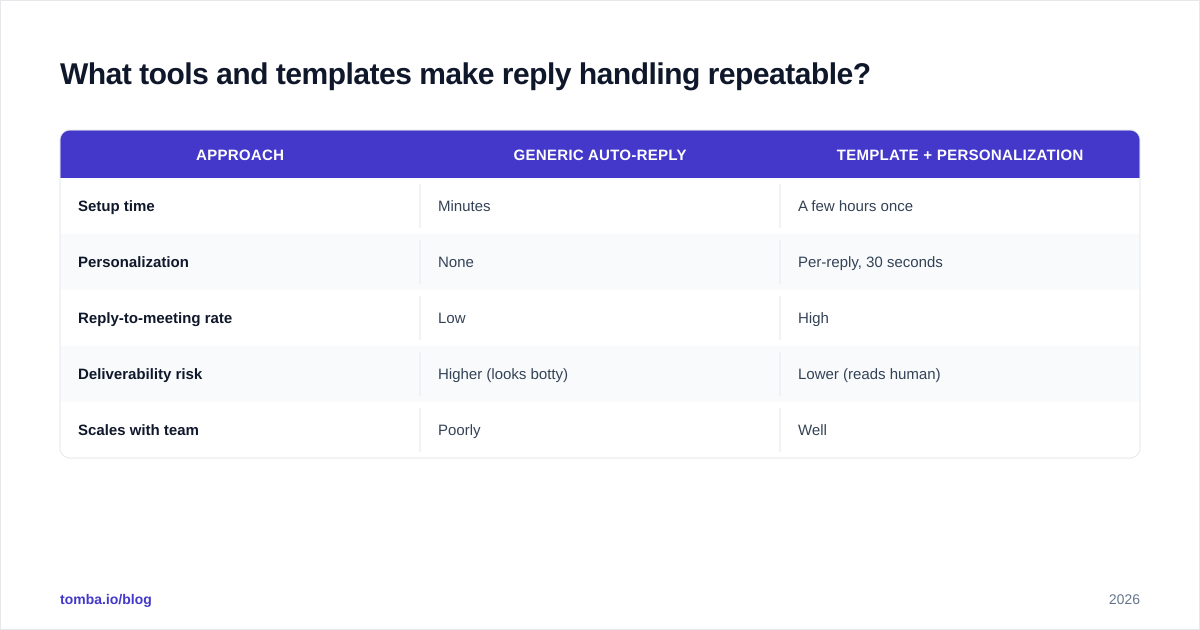
A good template is a skeleton, not a script. Here's the difference in practice:
| Approach | Generic auto-reply | Template + personalization |
|---|---|---|
| Setup time | Minutes | A few hours once |
| Personalization | None | Per-reply, 30 seconds |
| Reply-to-meeting rate | Low | High |
| Deliverability risk | Higher (looks botty) | Lower (reads human) |
| Scales with team | Poorly | Well |
Keep a living library of these. Tomba's free cold email templates and the AI email response generator are useful starting points when you need a fast, on-brand first draft for a bucket you haven't templated yet. The rule: let the tool handle the 80% that's boilerplate, and spend your human seconds on the 20% that's specific to this person.

How do data quality and verification affect replies?#
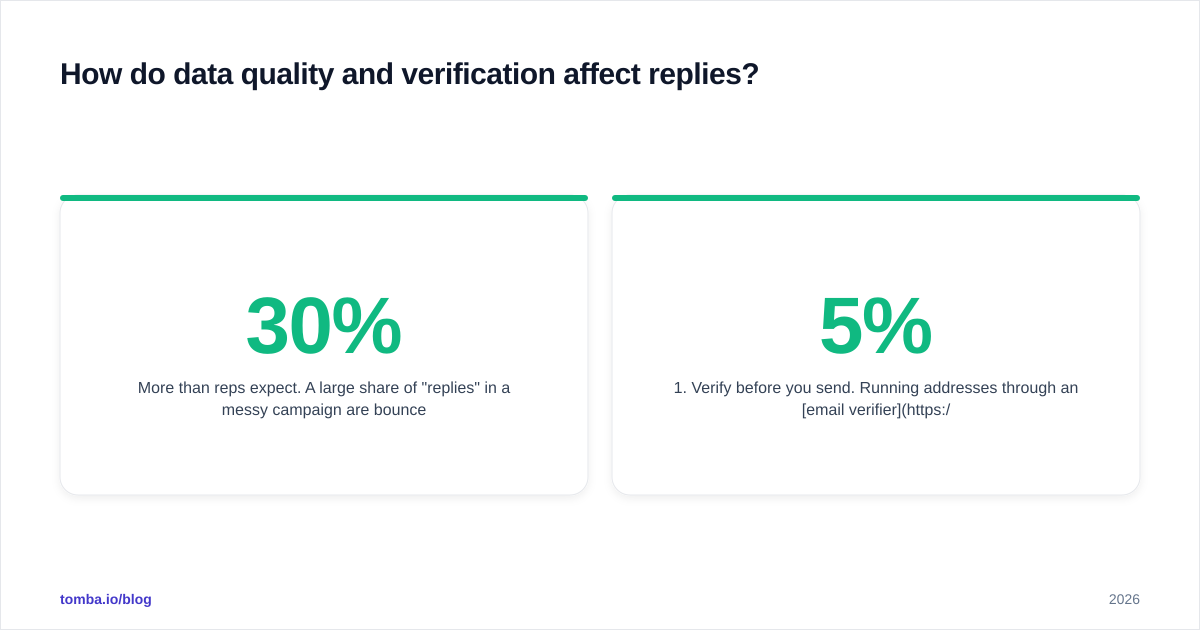
More than reps expect. A large share of "replies" in a messy campaign are bounces, auto-responders, and role-based catch-alls — noise that drowns the real signal. If 30% of your reply queue is junk, your triage is 30% slower and your sender reputation is quietly eroding.
Two habits fix most of it:
- Verify before you send. Running addresses through an email verifier before a campaign cuts bounces, which means your reply queue is mostly real people. According to vendor benchmarks aggregated on review sites like G2, bounce rates above 3–5% are where deliverability problems start compounding.
- Parse auto-replies for new data. An out-of-office often hands you a colleague's name and address, or a "no longer with the company" gives you a reason to re-enrich the account. Don't delete those — mine them.
Clean inbound data also speeds routing: when every reply maps to a known contact and account, your CRM can auto-assign it instead of leaving it in a shared inbox lottery.
What does a reply-handling workflow look like end to end?#
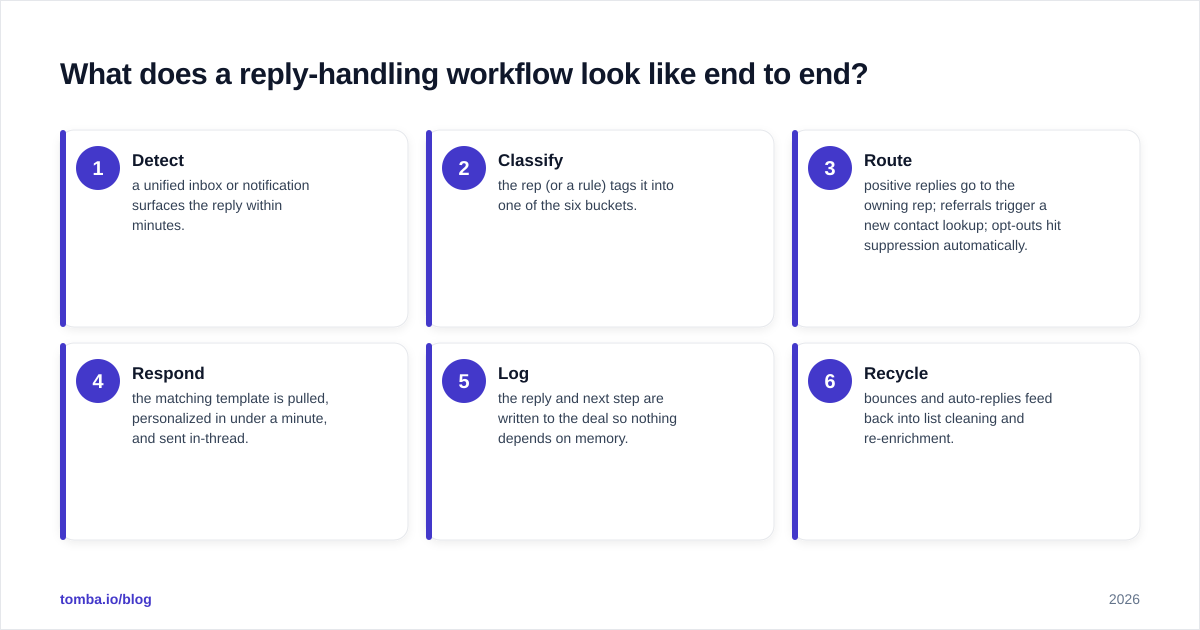
Here's the loop a well-run team runs every working hour:
- Detect — a unified inbox or notification surfaces the reply within minutes.
- Classify — the rep (or a rule) tags it into one of the six buckets.
- Route — positive replies go to the owning rep; referrals trigger a new contact lookup; opt-outs hit suppression automatically.
- Respond — the matching template is pulled, personalized in under a minute, and sent in-thread.
- Log — the reply and next step are written to the deal so nothing depends on memory.
- Recycle — bounces and auto-replies feed back into list cleaning and re-enrichment.
The teams that win at outbound aren't the ones sending the most email — they're the ones who treat this loop as the actual product. Sending is the cost of getting replies; reply handling is where the revenue is.
A final note on measurement: track reply-to-meeting rate as religiously as you track reply rate. If lots of people respond but few book, your problem isn't the top of the funnel — it's how you handle what comes back. Fix the response plays before you touch the sequence.
Common reply-handling mistakes to avoid#
- Treating "not now" as "no." It's a dated lead, not a dead one.
- Writing essays to positive replies. You'll talk them out of the meeting they already wanted.
- Letting replies sit in a shared inbox with no clear owner.
- Arguing with objections instead of asking a question.
- Ignoring auto-replies that contain your next contact.
- Skipping verification, so half your queue is noise.
Get the contact data your reply handling runs on#
Great reply handling starts before the reply: clean, accurate contacts mean your queue is full of real prospects, your bounces stay low, and every referral lead is one lookup away. Tomba Email Finder finds verified professional email addresses by name, company, or domain — so when a prospect points you to a colleague, you reach the right inbox instead of guessing the format. Start free with 25 searches a month, and scale up on the Starter plan at $49/mo when your reply volume earns it. Build the system, feed it good data, and watch more replies turn into booked meetings.
// get started
Find, verify and enrich your first contacts today
Start on the free plan with 25 searches a month, then scale when your team is ready.
Free plan · No credit card required · GDPR & CCPA
// about the author