Cold Email Tools and Platforms: Best Picks for 2026
The cold email tool you pick decides whether you land in the inbox or the spam folder. Here's how the 2026 stack fits together: sending, warmup, data, and deliverability.
Cold email lives or dies on the stack behind it. The copy matters, but the tools decide whether your message reaches a human or rots in a spam folder. This guide breaks down the cold email tools and platforms that actually matter in 2026, how they fit together, and how to assemble a stack without overpaying for overlap.
TL;DR#
- A modern cold email stack has four layers: data (finding and verifying contacts), sending (the outbound engine), warmup/deliverability (staying out of spam), and analytics (knowing what works).
- No single platform does all four well. The best operators pair a dedicated sending tool with a separate data and verification layer.
- Deliverability is the bottleneck, not volume. Warmup, domain setup, and clean lists matter more than how many emails you can blast.
- Pricing ranges from free tiers to $250+/mo. Most teams overspend on sending seats and underspend on data quality.
- Verify every address before you send. A 5% bounce rate can tank your domain reputation for weeks.
What are cold email tools and platforms?#
Cold email tools are the software you use to find prospects, send outreach at scale, keep those emails out of spam, and measure replies. "Platform" usually implies an all-in-one suite (sending plus warmup plus a contact database), while "tool" can mean a single-purpose utility like a verifier or a warmup service.
Think of it like a kitchen. A platform is the full restaurant line: stoves, prep stations, and plating all in one. A tool is a single great knife. You can cook a meal with just the line, but professionals still keep their own knives because the built-in ones are dull. Cold email works the same way: the all-in-one platforms get you 80% there, and the specialist tools cover the 20% that actually moves reply rates.
The mistake most teams make is treating cold email as one purchase. It is really four jobs, and the tool that's great at sending is rarely the tool that's great at data.
What categories make up a cold email stack?#
There are four functional layers, and every serious outbound motion touches all of them.
1. Data layer. This is where you build the target list: finding prospects, pulling their work emails, and verifying those addresses before they ever enter a sequence. Garbage in, garbage out. If 15% of your list is invalid, your bounce rate spikes and mailbox providers start throttling you. This is where an email finder and an email verifier earn their keep.
2. Sending layer. The outbound engine that rotates inboxes, personalizes at scale, schedules sends across time zones, and handles reply detection. This is the part most people picture when they hear "cold email tool" — Instantly, Smartlead, and similar platforms.
3. Deliverability and warmup layer. Warmup services age your sending domains by simulating real conversations so mailbox providers trust you. Paired with proper authentication (SPF, DKIM, DMARC), this is what keeps you in the primary inbox.
4. Analytics layer. Reply rates, positive-reply rates, bounce rates, and deliverability monitoring. Without this you are flying blind and can't tell a copy problem from a deliverability problem.

How do the top cold email platforms compare in 2026?#
Here's a side-by-side of the categories you'll actually be choosing between. Prices are entry-tier and shift often, so confirm on each vendor's page before you commit.
| Layer | Example tools | Starter price | Best for | Watch out for |
|---|---|---|---|---|
| All-in-one sending | Instantly, Smartlead | $30–$97/mo | Agencies running many inboxes | Built-in data is thin |
| Data / email finder | Tomba, Apollo | Free–$49/mo | Accurate, verified contacts | Credit limits on cheap tiers |
| Email verification | Tomba Verifier,ZeroBounce | Free–$20/mo | Cutting bounce rates | Catch-all domains stay ambiguous |
| Warmup / deliverability | Built-in or standalone | Often bundled | Domain reputation | Fake "warmup" inflates open rates |
| Sales engagement suite | Outreach, Salesloft | $100+/mo seat | Enterprise SDR teams | Overkill and pricey for SMBs |
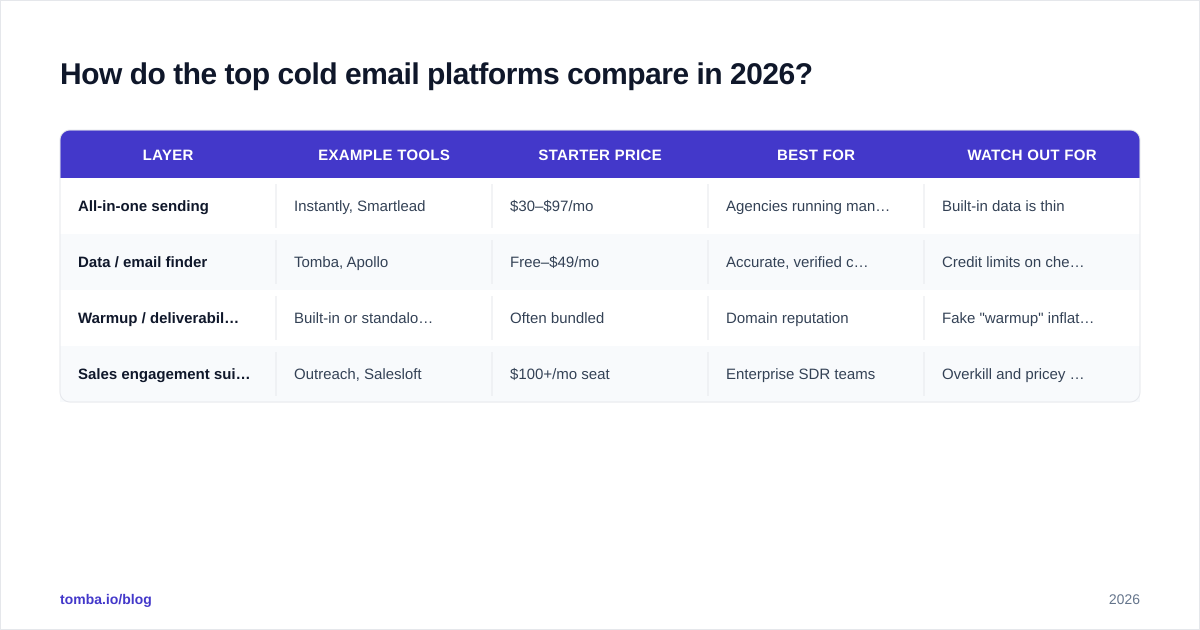
The pattern to notice: the cheap all-in-one platforms bundle a data feature, but it is almost always the weakest part of the suite. That's why high-performing teams run a dedicated data layer and treat the sending platform as a pure delivery engine.
If you're weighing a specific suite, comparison sites like G2 are useful for filtering by company size and reading verified reviews rather than vendor marketing. And if you've outgrown one platform, it's worth checking dedicated breakdowns like an Instantly alternative guide before you renew.
Do you need email warmup tools?#
Yes, if you are sending from a new domain or scaling volume — and almost everyone doing cold email is doing one of those.
Warmup is like breaking in a new pair of boots before a long hike. Walk straight into a 20-mile day in fresh leather and you'll be crippled by mile three. Warmup gradually increases your sending volume and generates positive engagement signals (opens, replies, "move to inbox" actions) so mailbox providers learn that your domain sends wanted mail.
A few rules that hold up in 2026:
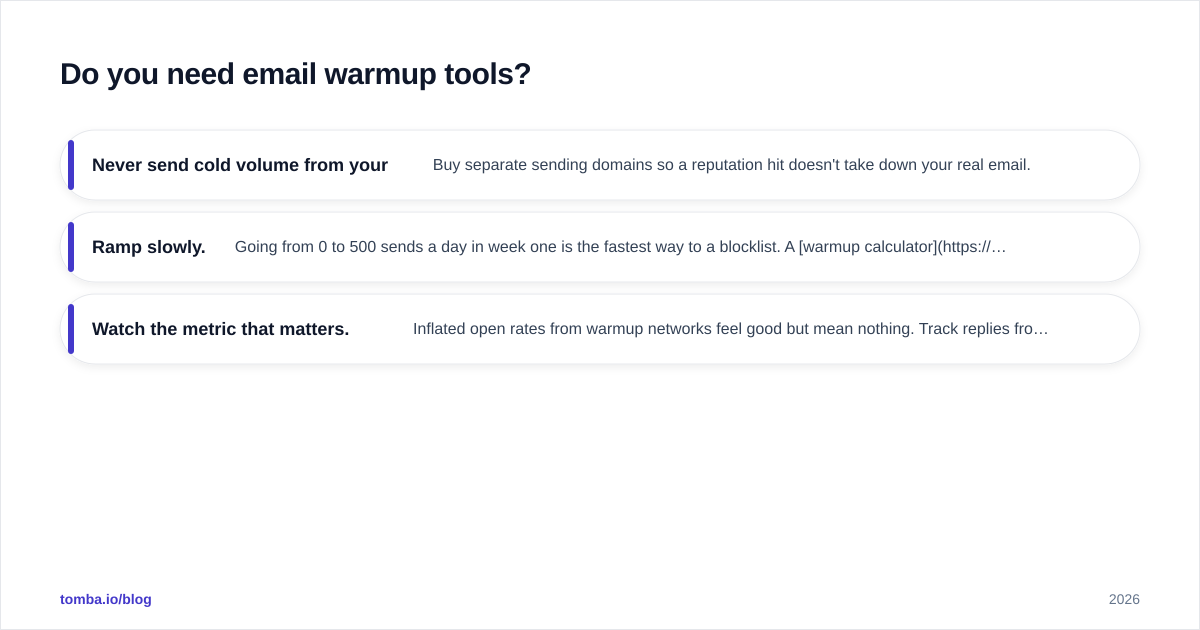
- Never send cold volume from your primary domain. Buy separate sending domains so a reputation hit doesn't take down your real email.
- Ramp slowly. Going from 0 to 500 sends a day in week one is the fastest way to a blocklist. A warmup calculator helps you plan a realistic ramp.
- Watch the metric that matters. Inflated open rates from warmup networks feel good but mean nothing. Track replies from real prospects.
Authentication is the non-negotiable foundation underneath warmup. If your SPF, DKIM, and DMARC records aren't set correctly, no amount of warmup saves you. Google's own Postmaster Tools will show you exactly how Gmail sees your domain reputation, and it's free.
For the deeper mechanics of why messages get filtered, the email deliverability breakdown is a good primer to keep open while you configure things.
How important is your data and email-finding layer?#
It's the layer that quietly decides everything downstream. You can have flawless copy and perfect warmup, but if a sixth of your list bounces, mailbox providers read that as spammer behavior and your inbox placement collapses.
Two numbers drive the whole motion:
- Coverage — what percentage of your target accounts you can actually find a contactable email for.
- Accuracy — what percentage of those emails are real, deliverable, and current.
The all-in-one platforms tend to optimize for coverage (big database, lots of "matches") while quietly tolerating low accuracy. That looks great in a demo and terrible in your bounce report. A specialist data tool flips the priority: find the email, then verify it before it ever reaches your sending tool.
A clean workflow looks like this:
- Pull contacts by company using domain search so you get every relevant role at a target account.
- Find specific decision-makers by name and company.
- Run the full list through verification and drop anything that isn't a confirmed deliverable.
- For ambiguous catch-all domains, use a dedicated catch-all verifier rather than guessing.
- Only then push the cleaned list into your sending platform.
This is the step most people skip, and it's why their "the tool doesn't work" complaints are almost always a data problem in disguise.
How do you build a cold email stack that books meetings?#
Match the stack to your stage instead of buying the biggest platform you can afford.
Solo founder or early sales (under $100/mo total). Use a free or starter email finder plus a low-cost all-in-one sender. Keep volume modest, warm up two sending domains, and obsess over verifying your list. You don't need an enterprise suite to book your first 20 meetings.
Growing team / agency ($100–$400/mo). Separate your layers. Run a dedicated data and verification tool, a multi-inbox sending platform, and standalone warmup. This is the sweet spot where most reply-rate gains come from clean data, not more seats.
Enterprise SDR org ($400+/mo). Now a sales engagement suite like Outreach or Salesloft earns its price through CRM sync, sequence governance, and reporting. But even here, feed it from a high-accuracy data layer — the suite's built-in contact data is rarely good enough on its own.
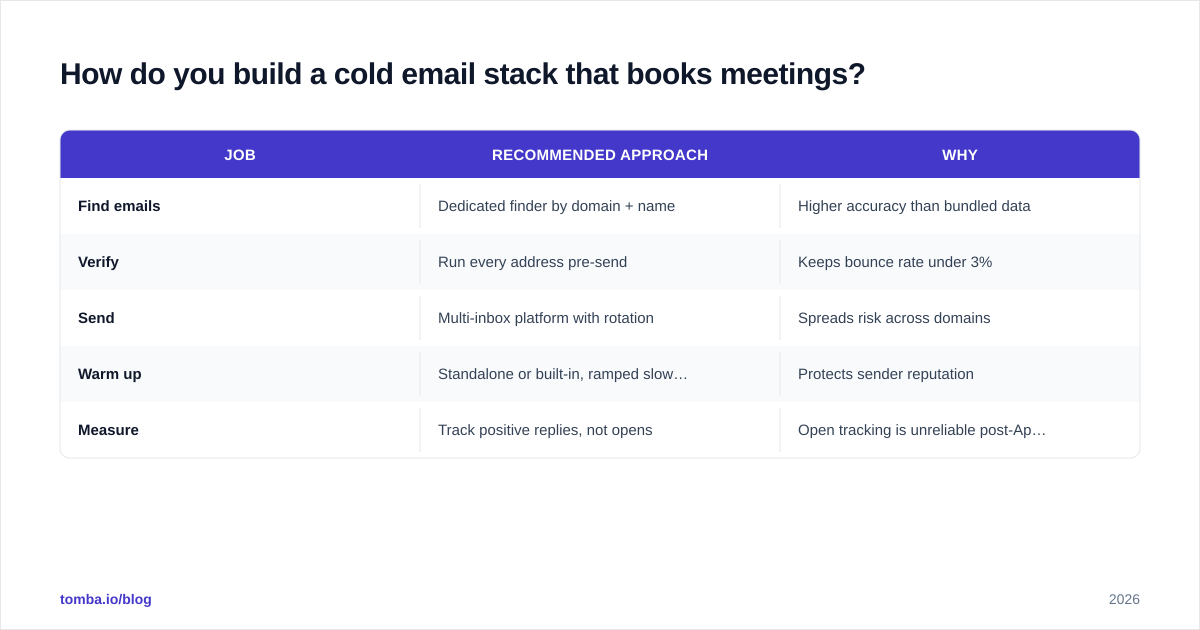
A reasonable default stack for most B2B teams in 2026:
| Job | Recommended approach | Why |
|---|---|---|
| Find emails | Dedicated finder by domain + name | Higher accuracy than bundled data |
| Verify | Run every address pre-send | Keeps bounce rate under 3% |
| Send | Multi-inbox platform with rotation | Spreads risk across domains |
| Warm up | Standalone or built-in, ramped slowly | Protects sender reputation |
| Measure | Track positive replies, not opens | Open tracking is unreliable post-Apple MPP |
The throughline: spend on data and deliverability, economize on sending seats. Most teams do the opposite and wonder why their open-the-wallet-for-more-volume strategy stalls.
What mistakes kill cold email deliverability?#
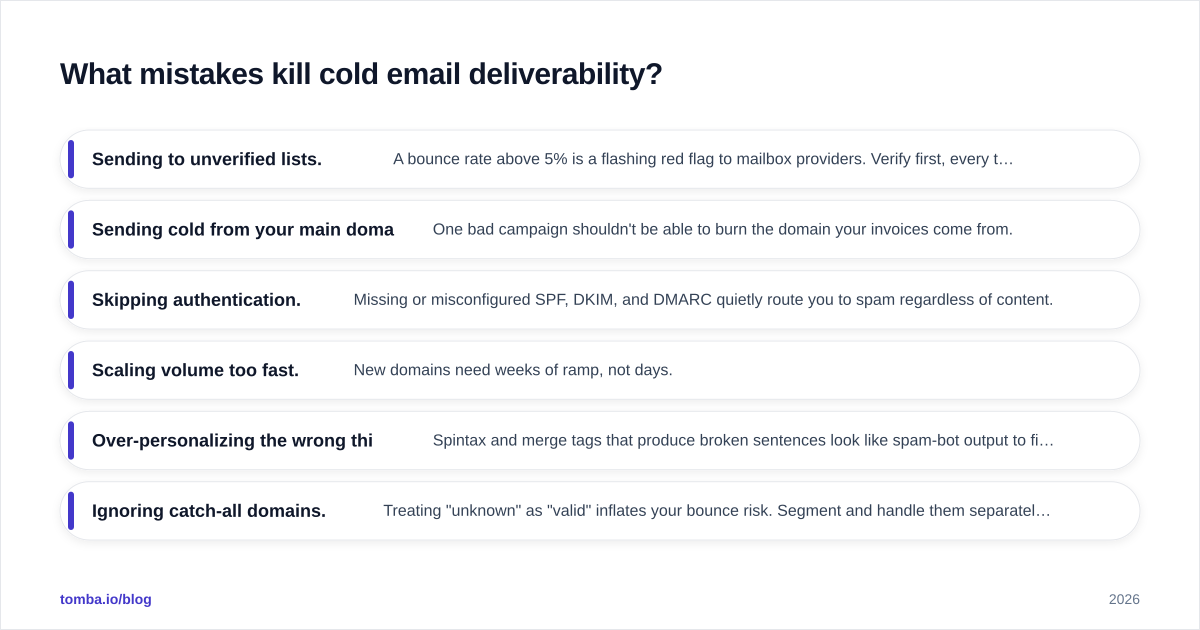
These are the recurring killers, in rough order of how often they sink campaigns:
- Sending to unverified lists. A bounce rate above 5% is a flashing red flag to mailbox providers. Verify first, every time.
- Sending cold from your main domain. One bad campaign shouldn't be able to burn the domain your invoices come from.
- Skipping authentication. Missing or misconfigured SPF, DKIM, and DMARC quietly route you to spam regardless of content.
- Scaling volume too fast. New domains need weeks of ramp, not days.
- Over-personalizing the wrong things. Spintax and merge tags that produce broken sentences look like spam-bot output to filters and humans alike.
- Ignoring catch-all domains. Treating "unknown" as "valid" inflates your bounce risk. Segment and handle them separately.
- Buying lists. Purchased lists are stale, unverified, and often spam-trap-laden. Build your own with a finder and verify it.
Fix the bottom four and your reply rate often doubles without touching the copy at all.
Frequently asked questions#
What's the difference between a cold email tool and an email marketing tool? Email marketing tools (Mailchimp-style) are built for opted-in subscribers and bulk newsletters. Cold email tools are built for 1:1-style outreach to people who haven't subscribed, with inbox rotation and deliverability features marketing tools lack. Don't run cold outreach through a marketing ESP — you'll get the account suspended.
Can one platform replace the whole stack? Partly. All-in-one platforms cover sending, warmup, and analytics well. The layer they consistently underdeliver on is data accuracy, which is exactly the layer that determines your bounce rate. Most teams pair a sending platform with a dedicated finder and verifier.
How many sending domains do I need? Plan for roughly one sending domain per a few hundred daily sends, each with its own warmup. Keep them separate from your primary brand domain so reputation risk is contained.
Does open tracking still work in 2026? Treat it as directional at best. Apple Mail Privacy Protection and similar features inflate open numbers. Optimize for positive replies and meetings booked, which are the only metrics that survive privacy changes.
Build the data layer first#
The fastest win in cold email isn't a flashier sending platform — it's a list that's actually deliverable. Start by finding and verifying every contact before it touches your sequence. Tomba's Email Finder pulls professional emails by domain, name, or company and pairs with built-in verification, so the addresses entering your sending tool are real ones. The free tier gives you 25 searches a month to test it, and paid plans start at $49/mo with bulk find-and-verify built in — check current Tomba pricing to match a plan to your volume. Get the data layer right, and the rest of your stack finally gets to do its job.
// get started
Find, verify and enrich your first contacts today
Start on the free plan with 25 searches a month, then scale when your team is ready.
Free plan · No credit card required · GDPR & CCPA
// about the author