List Hygiene and Spam Traps: The 2026 Deliverability Guide
Spam traps wreck sender reputation fast. Learn how list hygiene works in 2026, the trap types that blacklist you, and a repeatable cleaning workflow.
You can write the best cold email in the world, and a single spam trap can still drop the whole campaign into the void. Traps don't care how good your copy is — they care how clean your list is. This guide breaks down what spam traps actually are, how they end up on your list, and the list-hygiene workflow that keeps your sender reputation out of the blacklist gutter in 2026.
TL;DR#
- Spam traps are email addresses that exist only to catch senders who don't practice list hygiene — hitting even one can damage your domain reputation for weeks.
- There are three trap families: pristine traps, recycled traps, and typo/role traps. Each tells mailbox providers a different story about how you source data.
- List hygiene is the fix: verify before you send, suppress hard bounces, monitor engagement, and re-validate older lists on a schedule.
- Tools like an email verifier and a catch-all verifier remove most trap risk before a single message goes out.
- Hygiene is not a one-time cleanup. Lists decay roughly 2–2.5% per month, so treat it as a recurring process, not a project.
What is a spam trap?#
A spam trap is an email address that no real person uses, planted by mailbox providers and anti-spam organizations to identify senders with poor data practices. Think of it like a tagged banknote in a bait wallet — nobody legitimate should ever "spend" it, so the moment it shows up in your send, the system knows the wallet was stolen (or in your case, the list was scraped, bought, or never cleaned).
When you email a trap, the operator — often a blocklist provider like Spamhaus — records your sending domain and IP. Hit enough of them and you land on a blocklist, which mailbox providers consult before deciding whether your mail reaches the inbox, the spam folder, or nowhere at all. This is why email deliverability and list hygiene are inseparable topics.
The painful part: you usually can't see which address was a trap. There's no bounce, no error, no reply. The damage is silent and it accrues against your sender reputation, the score mailbox providers assign your domain over time.
What are the types of spam traps?#
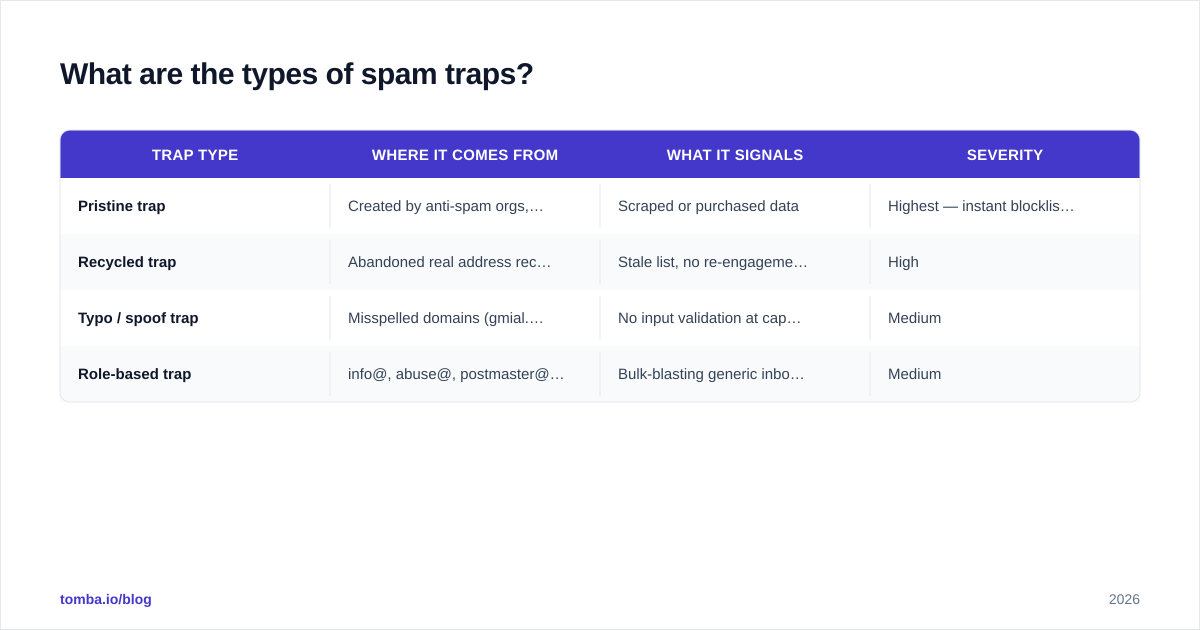
Not all traps are equal. The type you hit signals a different data-quality problem, and mailbox providers weight them differently.
| Trap type | Where it comes from | What it signals | Severity |
|---|---|---|---|
| Pristine trap | Created by anti-spam orgs, never opted in anywhere | Scraped or purchased data | Highest — instant blocklist risk |
| Recycled trap | Abandoned real address reclaimed after ~6–12 months | Stale list, no re-engagement | High |
| Typo / spoof trap | Misspelled domains (gmial.com, hotmal.com) | No input validation at capture | Medium |
| Role-based trap | info@, abuse@, postmaster@ used as traps | Bulk-blasting generic inboxes | Medium |
Pristine traps are the worst. They were never valid addresses, so the only way one enters your list is if you scraped it, bought it, or harvested it. Mailbox providers treat a pristine hit as near-proof of bad sourcing.
Recycled traps are more forgivable but still costly. A real person used the address, abandoned it, and the provider reactivated it as a trap after a dormancy window. If you're emailing recycled traps, your list is simply old and you're not pruning inactive contacts.
Typo traps catch sloppy capture. Someone typed john@gmial.com, your form accepted it, and that domain is now a trap. A simple syntax-and-domain check at the point of entry kills this entire category.
How do spam traps hurt deliverability?#
One conclusion up front: traps damage reputation faster than they damage any single campaign. The bounce you can see is recoverable. The reputation hit you can't see is the one that follows you.
Here's the chain reaction:
- You send to a trap.
- The trap operator logs your domain/IP and may add you to a blocklist.
- Mailbox providers (Gmail, Outlook, Yahoo) query those blocklists.
- Your future mail — even to engaged, legitimate subscribers — starts landing in spam.
- Lower inbox placement means lower opens, which mailbox providers read as more evidence you're a low-quality sender.
It's a doom loop. And because Gmail and Yahoo tightened bulk-sender requirements (authentication, low complaint rates, easy unsubscribe), the tolerance for trap hits in 2026 is lower than it has ever been. You can monitor the downstream effect in Google Postmaster Tools, where domain reputation visibly dips after a trap-heavy send.
How do you practice list hygiene?#
List hygiene is the discipline of keeping your email list accurate, engaged, and trap-free. The goal is to never send to an address you haven't earned and haven't recently validated.
Here's the workflow that scales:
1. Validate at the point of capture#
Stop bad data before it enters. Add inline syntax checks and domain validation to every form, and reject obvious typos like gmial.com. A free email checker handles ad-hoc checks, while an API call validates form submissions in real time.
2. Verify the whole list before any send#
Before a campaign, run the list through an email verification pass. A good verifier flags invalid syntax, dead mailboxes, role accounts, disposable domains, and known traps. For mixed lists where servers accept everything, a dedicated catch-all verifier tells you whether a catch-all address is actually deliverable instead of guessing.
3. Suppress, don't delete (and never re-import)#
Maintain a suppression list of hard bounces, complainers, and unsubscribes. Suppression beats deletion because a deleted address can sneak back in on your next CSV import — and if it was a trap, you re-trigger the damage. Run a deduplicate email list pass on every import so the same bad record can't slip through twice.
4. Monitor engagement and prune#
Recycled traps live in the part of your list that hasn't opened in 6–12 months. Segment by last-engagement date and either re-permission or drop the dormant cohort. No engagement for a year is a recycled-trap warning light.
5. Re-verify on a schedule#
Lists rot. Contacts change jobs, abandon inboxes, and get reclaimed as traps. Re-verify high-volume lists monthly and the long tail quarterly. For large databases, a bulk verify job handles hundreds of thousands of records in one pass.
6. Watch your blocklist status#
Check your domain and IP against major blocklists regularly with a blacklist checker. Catching a listing early — and requesting delisting — beats discovering it after a quarter of dead campaigns.

Build a list, or clean one? Sourcing matters more than scrubbing#
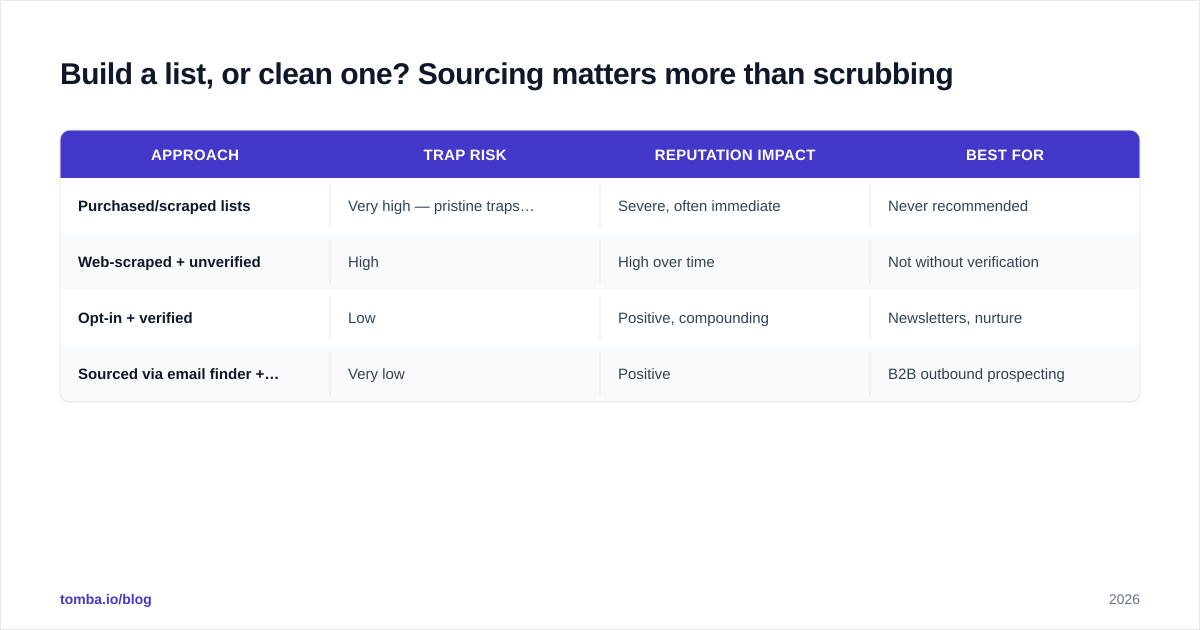
The cheapest way to avoid spam traps is to never acquire them. Cleaning a bought list is damage control; sourcing accurate data is prevention. The difference shows up in your trap rate within one send.
| Approach | Trap risk | Reputation impact | Best for |
|---|---|---|---|
| Purchased/scraped lists | Very high — pristine traps likely | Severe, often immediate | Never recommended |
| Web-scraped + unverified | High | High over time | Not without verification |
| Opt-in + verified | Low | Positive, compounding | Newsletters, nurture |
| Sourced via email finder + verified | Very low | Positive | B2B outbound prospecting |
For B2B outbound specifically, sourcing verified contacts beats renting a list every time. A domain search returns the deliverable addresses at a target company along with confidence scores, so you're building from validated data rather than scrubbing someone else's garbage after the fact. Pair that with verification and your trap exposure drops close to zero.
This is also where data sources matter. Knowing where your provider gets its data tells you whether the addresses were ethically sourced and recently confirmed — or harvested in a way that practically guarantees trap contamination.
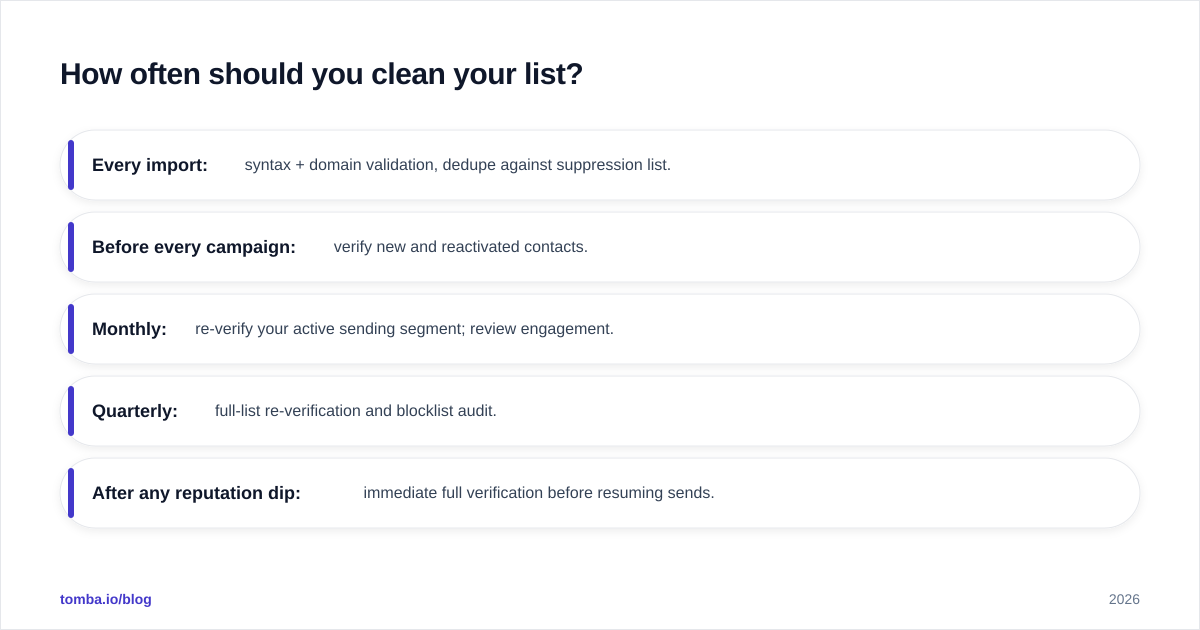
How often should you clean your list?#
Conclusion first: clean continuously, deep-verify on a calendar. Email lists decay at roughly 2–2.5% per month as people change roles and abandon inboxes, per long-running data from teams like HubSpot. That compounds to a quarter of your list going stale within a year if you do nothing.
A practical cadence:
- Every import: syntax + domain validation, dedupe against suppression list.
- Before every campaign: verify new and reactivated contacts.
- Monthly: re-verify your active sending segment; review engagement.
- Quarterly: full-list re-verification and blocklist audit.
- After any reputation dip: immediate full verification before resuming sends.
If you run high volume, automate the recurring passes through the Tomba API so verification happens on a schedule instead of when someone remembers to do it.
What does a spam trap on your list actually cost?#
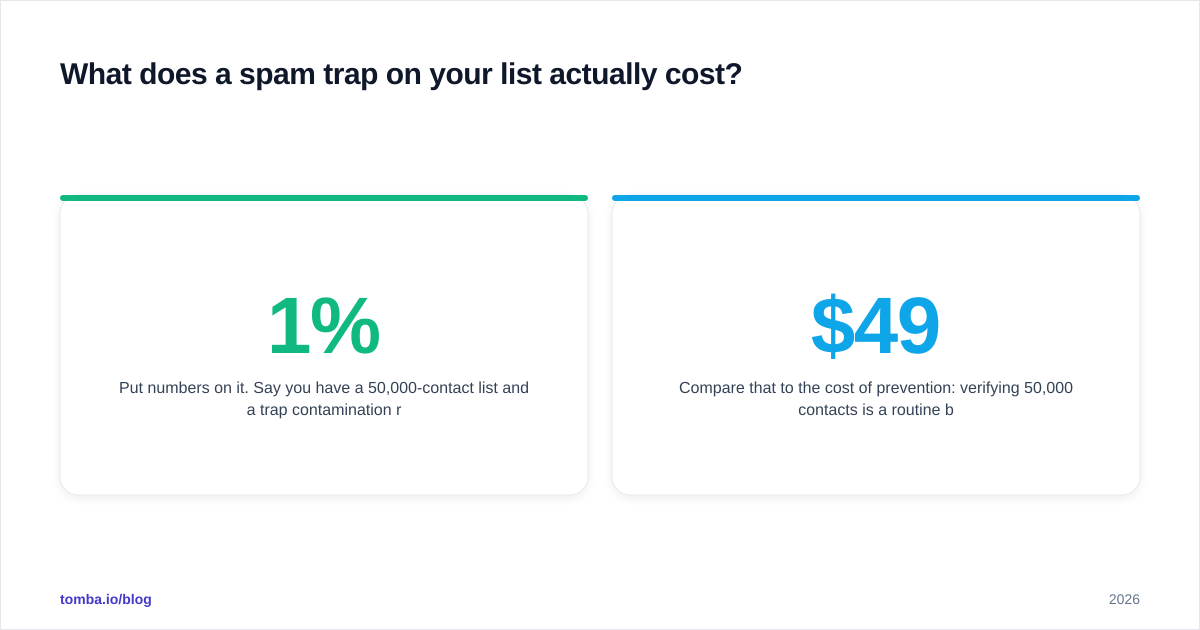
Put numbers on it. Say you have a 50,000-contact list and a 1% trap contamination rate — that's 500 traps. You won't see them bounce. What you'll see is your inbox placement slide from 90% to 60% over a few sends as blocklists pick you up. On a list that size, that's roughly 15,000 messages per send now landing in spam instead of the inbox. Your reply rate and revenue follow it down.
Compare that to the cost of prevention: verifying 50,000 contacts is a routine bulk job that costs a fraction of one lost campaign. The math is not close. Hygiene is the cheapest deliverability insurance you can buy, and the Tomba pricing tiers — Free (25 searches/mo), Starter at $49/mo, Growth at $99/mo, and Pro at $249/mo — scale verification to whatever your list volume demands.
Common list-hygiene mistakes to avoid#
- Treating cleaning as a one-time event. A list cleaned in January is a stale list by April.
- Deleting bounces instead of suppressing them. Deleted records re-enter on the next import and re-trigger traps.
- Trusting a "valid syntax" check as verification.
nobody@gmial.comis syntactically perfect and a textbook typo trap. - Mailing role accounts in bulk.
info@,sales@, andabuse@are common trap addresses and rarely belong to a single decision-maker. - Ignoring catch-all domains. Catch-alls accept everything, including traps — verify them with a dedicated catch-all email check rather than assuming deliverable.
- Skipping warm-up after a reputation hit. If traps already cost you, rebuild slowly; don't blast your way out.
Clean lists start before the send#
Spam traps are a sourcing-and-hygiene problem wearing a deliverability costume. Validate at capture, verify before every send, suppress the dead weight, and re-check on a schedule — do that and traps stop being a threat. Skip it, and no subject line will save you.
If you want to remove most trap risk before your next campaign even loads, start with the Tomba Email Finder to source verified, deliverable B2B contacts from clean data — then run them through the email verifier so every address you send to is one you've earned and confirmed. Build the list right, and list hygiene becomes a habit instead of a rescue mission.
Ready to find emails that actually work?
Join 150,000+ professionals who stopped guessing and started sending. Free credits on signup — no credit card required.
Get the Tomba newsletter
Practical outbound tactics and product updates — once every two weeks.
About the author