Email Provider Guidelines 2026: Gmail, Yahoo & Outlook Rules
Gmail, Yahoo, and Microsoft now enforce hard sending rules. Here's a plain-English breakdown of the 2026 email provider guidelines and how to stay in the inbox.
Email providers stopped treating their sending rules as suggestions. Since 2024, Gmail and Yahoo turned their "best practices" into enforced gates, and Microsoft followed in 2025. If you send cold outreach or marketing email in 2026 and ignore the published email provider guidelines, your messages don't go to spam — increasingly, they get rejected at the door.
This guide breaks down what each major mailbox provider actually requires, where the thresholds sit, and the order in which you should fix things.
TL;DR#
- Authentication is non-negotiable. SPF, DKIM, and DMARC are now baseline requirements at Gmail, Yahoo, and Microsoft — not bonus points.
- Bulk senders (5,000+/day to Gmail) face the strictest rules: enforced DMARC, one-click unsubscribe, and a spam complaint rate kept under 0.3%.
- Spam complaint rate is the kill switch. Cross 0.3% and inbox placement collapses regardless of how clean your authentication is.
- List hygiene drives everything. Invalid addresses inflate bounces, trigger spam traps, and wreck sender reputation faster than bad copy ever will.
- Each provider exposes its own scoreboard — Google Postmaster Tools, Yahoo Sender Hub, Microsoft SNDS. Watch them weekly.
What are email provider guidelines?#
Email provider guidelines are the published technical and behavioral requirements a mailbox provider (Gmail, Yahoo, Outlook/Microsoft) enforces before it agrees to deliver your mail to a recipient's inbox. Think of them like airport security: it doesn't matter how nice your luggage looks if you can't show ID and a valid boarding pass. Authentication is your ID, sending reputation is your boarding pass, and the spam complaint rate is the agent who pulls you out of line.
Technically, these guidelines cover four areas: authentication (proving you are who you claim to be), infrastructure (valid PTR records, TLS, formatting), engagement signals (opens, replies, complaints), and list quality (bounces, spam traps, unsubscribe handling). Get all four right and providers reward you with consistent inbox placement.
The shift that matters: pre-2024, these were graded on a curve. A strong domain reputation could paper over a missing DKIM signature. In 2026, the big providers apply hard floors. Miss a floor and you're throttled or bounced before reputation even enters the conversation.
What does Gmail require in 2026?#
Gmail splits senders into two tiers, and the tier you fall into decides how strict the rules get.
All senders must:
- Set up SPF or DKIM (at minimum one).
- Have valid forward and reverse DNS (PTR) records for sending IPs.
- Use a TLS connection for transmission.
- Keep spam rates low in Google Postmaster Tools.
- Format messages to the RFC 5322 standard.
Bulk senders — anyone sending 5,000 or more messages per day to Gmail accounts — must additionally:
- Authenticate with both SPF and DKIM.
- Publish a DMARC policy (even
p=nonesatisfies the baseline, but alignment is required). - Ensure the
From:header aligns with the authenticated domain. - Support one-click unsubscribe (RFC 8058) and honor it within two days.
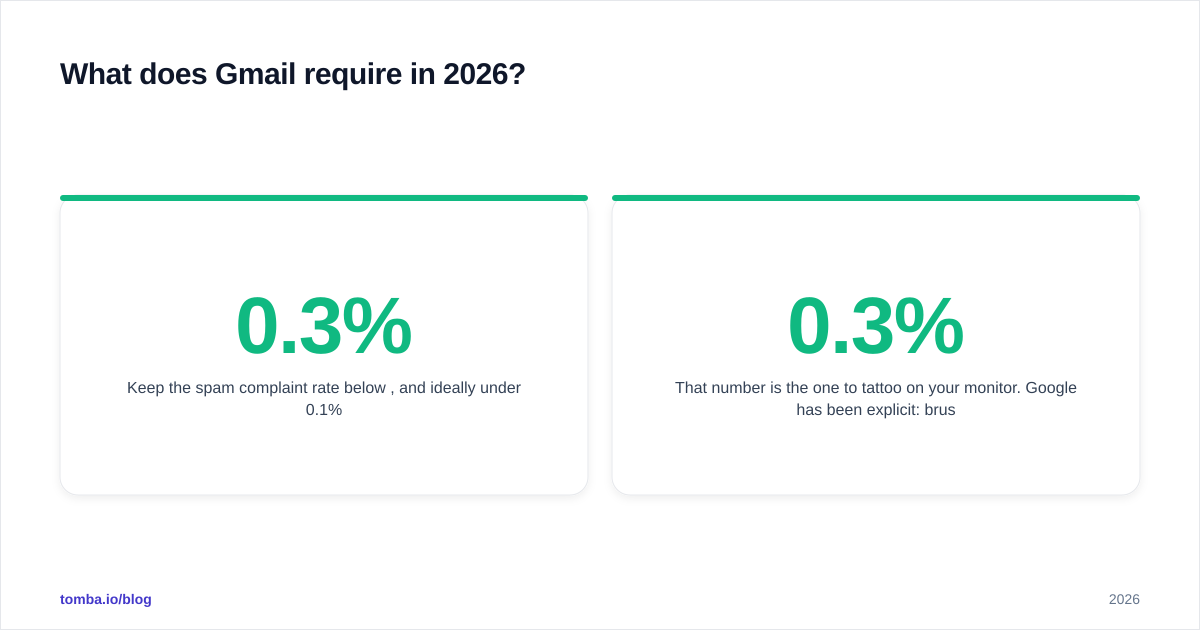
- Keep the spam complaint rate below 0.3%, and ideally under 0.1%.
That 0.3% number is the one to tattoo on your monitor. Google has been explicit: brush against 0.3% and you'll see degraded delivery; sit above it and mail gets refused. The complaint rate is measured per the volume Gmail sees, so a small list of unhappy recipients does disproportionate damage.
A quick reality check before you send: run your sending domain through an SPF checker to confirm the record resolves and includes every service that sends on your behalf. A single missing include: is the most common reason "properly configured" domains still fail Gmail's check.
What are Yahoo and Microsoft's rules?#
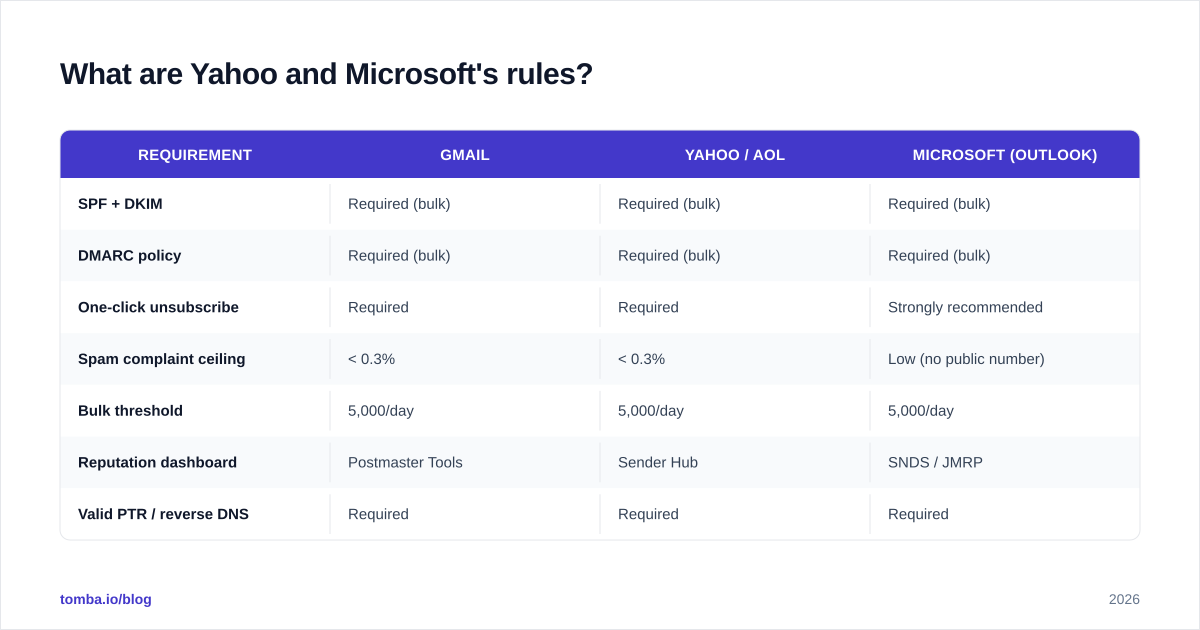
Yahoo aligned almost perfectly with Gmail in 2024 — by design. The two coordinated their bulk-sender requirements so that one compliance project covers both. Yahoo (which also covers AOL) requires SPF, DKIM, DMARC, one-click unsubscribe, and the same sub-0.3% complaint threshold for bulk senders. Yahoo exposes its own data through the Yahoo Sender Hub.
Microsoft was the latecomer. In 2025 it announced that high-volume senders (5,000+ messages per day to Outlook.com, Hotmail, and Live.com addresses) must meet the same authentication trifecta — SPF, DKIM, DMARC — or land in Junk, with rejection as the eventual enforcement step. Microsoft's reputation data lives in SNDS (Smart Network Data Services) and JMRP (the Junk Mail Reporting Program), accessible through Microsoft's Sender Support.
Here's how the three stack up:
| Requirement | Gmail | Yahoo / AOL | Microsoft (Outlook) |
|---|---|---|---|
| SPF + DKIM | Required (bulk) | Required (bulk) | Required (bulk) |
| DMARC policy | Required (bulk) | Required (bulk) | Required (bulk) |
| One-click unsubscribe | Required | Required | Strongly recommended |
| Spam complaint ceiling | < 0.3% | < 0.3% | Low (no public number) |
| Bulk threshold | 5,000/day | 5,000/day | 5,000/day |
| Reputation dashboard | Postmaster Tools | Sender Hub | SNDS / JMRP |
| Valid PTR / reverse DNS | Required | Required | Required |
The takeaway: solve for Gmail and you've solved roughly 90% of Yahoo and Microsoft at the same time. The differences are in the dashboards and the enforcement timelines, not the core rules.
Why does authentication matter so much?#
Authentication matters because it's the only part of deliverability you fully control, and providers now treat it as a pass/fail gate rather than a ranking signal.
Three records do the work, and they stack:
SPF (Sender Policy Framework) publishes which servers are allowed to send for your domain. It's a DNS TXT record listing authorized IPs and services. If you send through a CRM, an ESP, and your own server, all three must be in the record.
DKIM (DomainKeys Identified Mail) adds a cryptographic signature to each message. The provider checks the signature against a public key in your DNS to confirm the message wasn't altered and genuinely came from your domain.
DMARC (Domain-based Message Authentication, Reporting & Conformance) ties SPF and DKIM together with a published policy telling providers what to do when a message fails: nothing (
p=none), quarantine, or reject. It also sends you reports on who's sending mail as your domain.
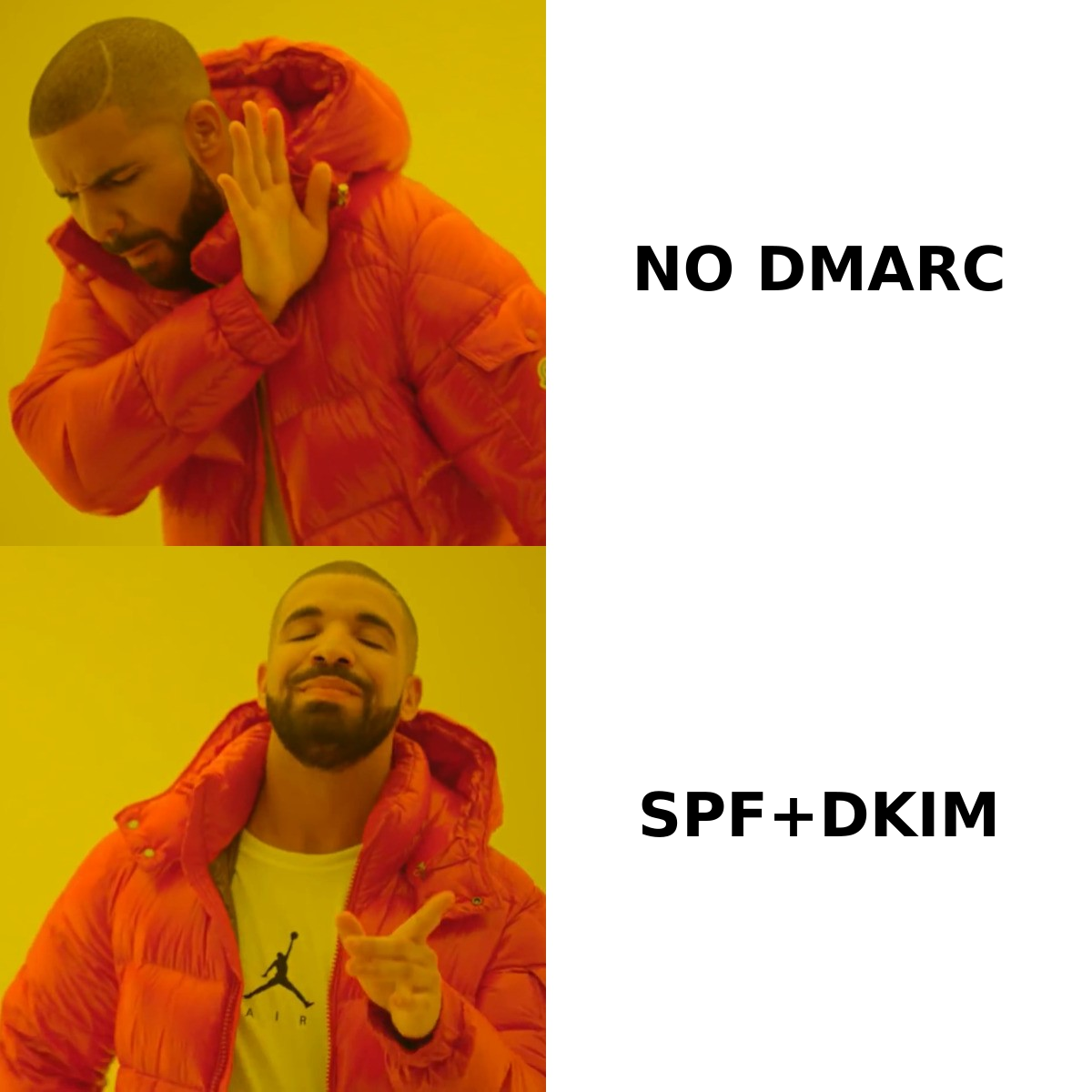
The analogy: SPF is the guest list, DKIM is the tamper-proof seal on the envelope, and DMARC is the standing instruction to the doorman about what to do with anyone not on the list. Providers want all three because spammers and phishers can fake one but rarely all three in alignment.
For a deeper primer on how these signals feed into overall email deliverability, the mechanics are worth understanding before you touch a single DNS record. And once your domain is live, monitor sender reputation continuously — it decays the moment hygiene slips.
How do you keep your complaint and bounce rates low?#
You keep complaints and bounces low by sending wanted mail to valid addresses — which sounds obvious until you look at where most senders fail.
Complaints come from recipients hitting "report spam." The fixes are mostly about expectation-setting:
- Only mail people who actually opted in or have a genuine business reason to hear from you.
- Make the unsubscribe link obvious — burying it drives "report spam" clicks, which cost 10x more than an unsubscribe.
- Match your subject line to your content. Bait-and-switch is the fastest route to a complaint.
- Respect frequency. The same person who tolerates one email a week will flag five.
Bounces come from sending to addresses that don't exist. This is where pre-send list hygiene pays for itself. A hard bounce rate above 2-3% signals to providers that you don't maintain your list, and spam traps — addresses specifically planted to catch sloppy senders — can blacklist your domain outright.
The single highest-leverage habit: verify every address before you send. Running a list through an email verifier strips out invalid, role-based, and risky addresses so your bounce rate stays in safe territory. For catch-all domains, where standard verification can't confirm a mailbox, a dedicated catch-all verifier gives you a confidence score instead of a coin flip.
You can also pre-check your domain against major blocklists with a blacklist checker and gauge how mailbox providers currently view you using an email reputation checker. Treat both as weekly vitals, not one-time setup.
What's the compliance checklist before you send?#
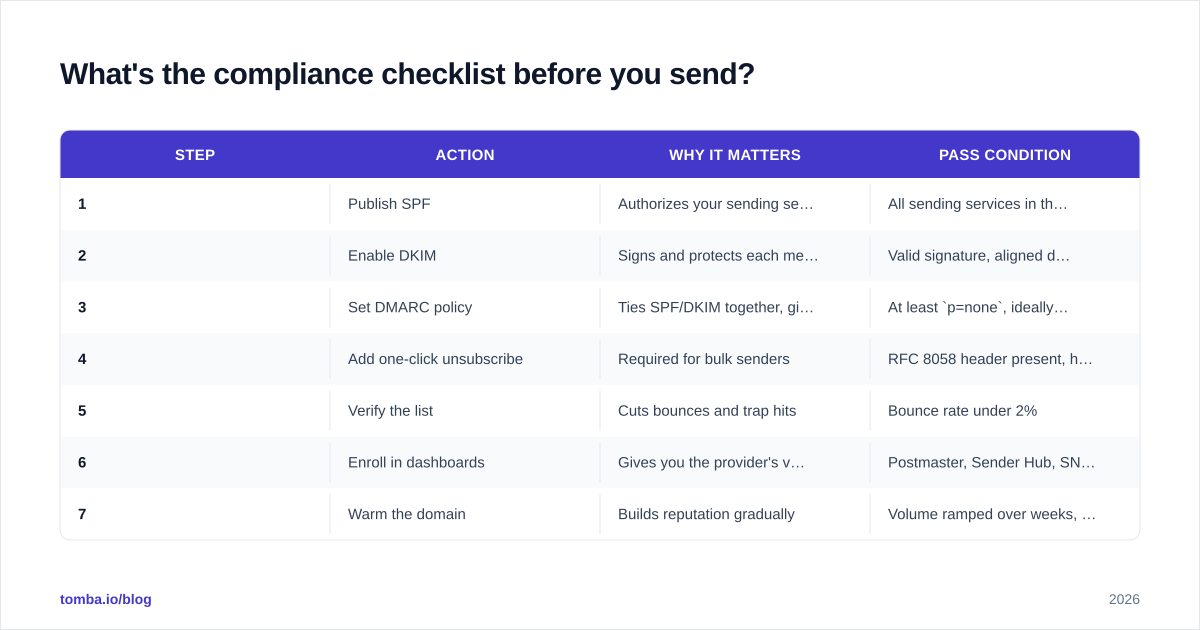
Work this list in order. Each step depends on the one before it.
| Step | Action | Why it matters | Pass condition |
|---|---|---|---|
| 1 | Publish SPF | Authorizes your sending servers | All sending services in the record |
| 2 | Enable DKIM | Signs and protects each message | Valid signature, aligned domain |
| 3 | Set DMARC policy | Ties SPF/DKIM together, gives reports | At least p=none, ideally quarantine |
| 4 | Add one-click unsubscribe | Required for bulk senders | RFC 8058 header present, honored in 2 days |
| 5 | Verify the list | Cuts bounces and trap hits | Bounce rate under 2% |
| 6 | Enroll in dashboards | Gives you the provider's view | Postmaster, Sender Hub, SNDS active |
| 7 | Warm the domain | Builds reputation gradually | Volume ramped over weeks, not days |
Step 7 deserves a note: if you're on a new domain or IP, don't blast 5,000 emails on day one. Providers read a sudden spike from an unknown sender as a spammer signal. Ramp volume gradually so reputation builds in step with your sending — start in the low hundreds and roughly double every few days while watching complaint rates.
How do you monitor compliance after setup?#
You monitor compliance by treating each provider's dashboard as a recurring report, not a place you visit once after setup.
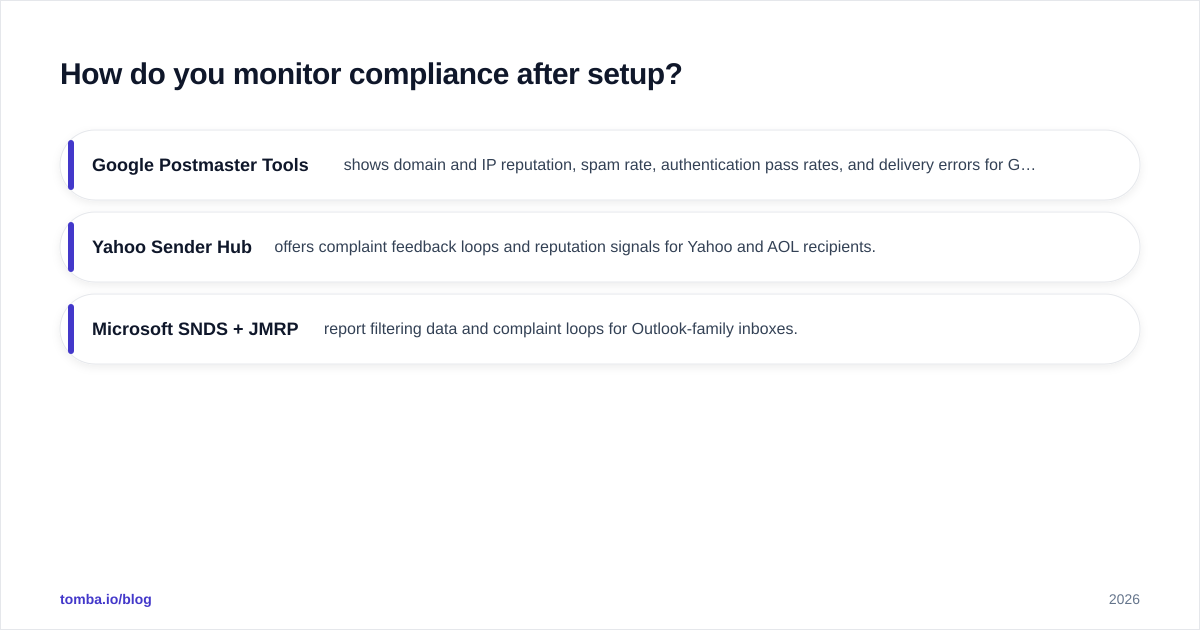
- Google Postmaster Tools shows domain and IP reputation, spam rate, authentication pass rates, and delivery errors for Gmail. Check the spam-rate graph weekly; any sustained move toward 0.3% is an early warning.
- Yahoo Sender Hub offers complaint feedback loops and reputation signals for Yahoo and AOL recipients.
- Microsoft SNDS + JMRP report filtering data and complaint loops for Outlook-family inboxes.
Set a standing weekly review. The senders who stay inboxed are the ones who catch a reputation dip in week one and fix the underlying list problem, not the ones who discover it three months later when an entire campaign vanishes into Junk.
One more habit worth building: tie your sending data back to your CRM so you can suppress addresses that complained or bounced before they ever get mailed again. Most reputation damage is repeat damage — the same bad addresses, mailed twice.
The bottom line#
Email provider guidelines in 2026 reward boring, disciplined senders. Authenticate with SPF, DKIM, and DMARC. Keep your complaint rate under 0.3%. Honor unsubscribes fast. And above all, send to addresses that actually exist — because a clean list is what protects every other signal.
That last point is where the work starts, not ends. If you're building outbound lists, the quality of your data decides your bounce rate before a single email leaves your server. Tomba Email Finder locates verified professional email addresses by name, domain, or company, and pairs with Tomba's email verifier so the list you load into your sending tool is already clean. Start on the free tier (25 searches a month), scale up on the Starter plan at $49/mo, and check the full Tomba pricing when your volume grows. Protect your sender reputation at the source — verify before you send, and let the provider guidelines work in your favor instead of against you.
// get started
Find, verify and enrich your first contacts today
Start on the free plan with 25 searches a month, then scale when your team is ready.
Free plan · No credit card required · GDPR & CCPA
// about the author