Sender Reputation and Email Blacklists: The 2026 Survival Guide
Your cold emails land in spam because your sender reputation tanked or a blacklist flagged your domain. Here's how to diagnose, fix, and protect both in 2026.
You spent weeks building a cold email campaign. The copy is tight, the list is clean, and you hit send on 5,000 contacts. Two days later your open rate is 4% and replies are zero. The problem usually is not your copy — it is that mailbox providers stopped trusting you. Your sender reputation dropped, or worse, a blacklist flagged your sending IP or domain.
This guide explains how sender reputation and blacklists actually work in 2026, how to check both in minutes, and what to do when you are already in trouble.
TL;DR#
- Sender reputation is a trust score (roughly 0–100) that Gmail, Outlook, and Yahoo assign to your domain and IP based on spam complaints, bounce rates, authentication, and engagement.
- Blacklists (Spamhaus, Barracuda, SORBS) are public block lists. Landing on one can drop inbox placement to near zero overnight.
- The two are linked: bad reputation gets you listed, and getting listed craters your reputation further.
- Most damage is self-inflicted — sending to unverified lists, skipping warmup, or missing SPF/DKIM/DMARC.
- You can recover, but it takes weeks of disciplined sending. Prevention (list hygiene + warmup + authentication) is far cheaper.
What is sender reputation?#
Sender reputation is your email credit score. Just as a lender checks your credit history before approving a loan, Gmail checks your sending history before deciding whether your message reaches the inbox, the spam folder, or nowhere at all.
It is calculated at two levels:
- IP reputation — tied to the server IP you send from. Shared on most ESPs, dedicated on high-volume setups.
- Domain reputation — tied to your sending domain. This one follows you even if you switch IPs, which is why it matters more in 2026.
Providers weigh signals like spam complaint rate, hard bounce rate, spam-trap hits, authentication pass/fail, and recipient engagement (opens, replies, "move to inbox"). Google summarizes domain reputation as High, Medium, Low, or Bad inside Google Postmaster Tools.
If your reputation is "Bad," even authenticated mail can get rejected outright. Treat that dashboard as your single source of truth for Gmail placement.
What is an email blacklist?#
A blacklist (also called a DNSBL or RBL) is a public database of IP addresses and domains known for sending spam. Mail servers query these lists in real time during the SMTP handshake. If your IP or domain is listed, the receiving server can reject, defer, or silently junk your message.
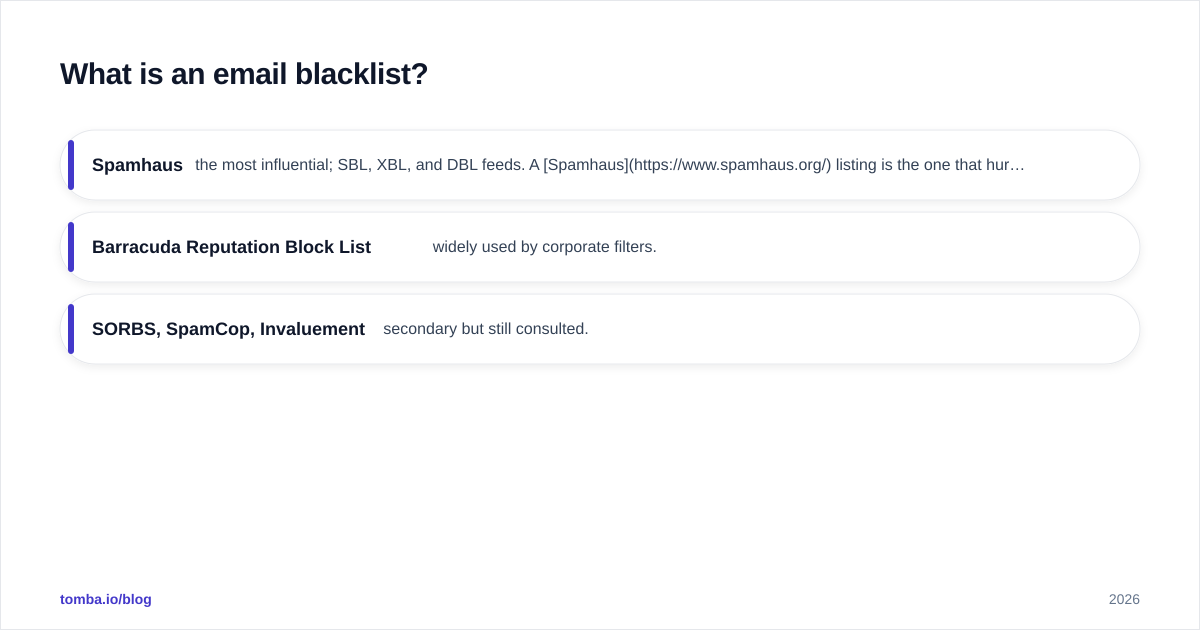
The lists that matter most:
- Spamhaus — the most influential; SBL, XBL, and DBL feeds. A Spamhaus listing is the one that hurts.
- Barracuda Reputation Block List (BRBL) — widely used by corporate filters.
- SORBS, SpamCop, Invaluement — secondary but still consulted.
You can land on one by hitting a spam trap, generating high complaint volume, or sending from a freshly provisioned IP block with no history. Check your status at MXToolbox or with Tomba's free blacklist checker, which queries dozens of DNSBLs at once.
How are sender reputation and blacklists related?#
They feed each other in a doom loop. Picture a restaurant: a few bad health-code violations (complaints, bounces) lower your rating (reputation). Enough violations and the inspector posts a closure notice on the door (blacklist). Once that notice is up, fewer customers come, your numbers drop further, and the rating falls again.
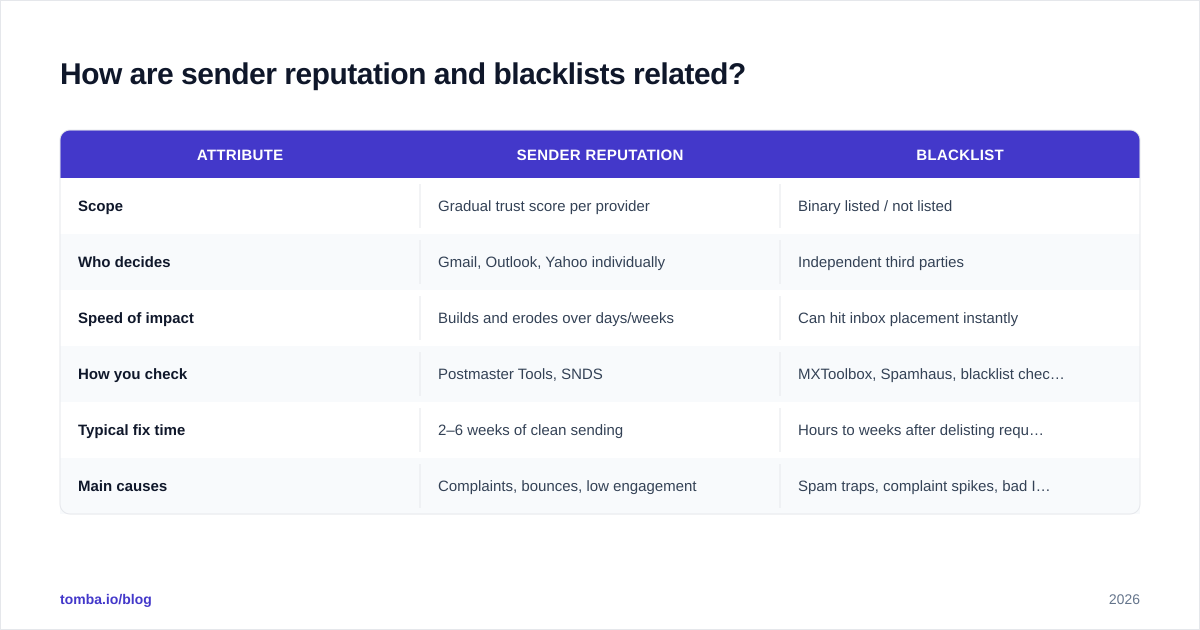
Here is the practical difference:
| Attribute | Sender reputation | Blacklist |
|---|---|---|
| Scope | Gradual trust score per provider | Binary listed / not listed |
| Who decides | Gmail, Outlook, Yahoo individually | Independent third parties |
| Speed of impact | Builds and erodes over days/weeks | Can hit inbox placement instantly |
| How you check | Postmaster Tools, SNDS | MXToolbox, Spamhaus, blacklist checker |
| Typical fix time | 2–6 weeks of clean sending | Hours to weeks after delisting request |
| Main causes | Complaints, bounces, low engagement | Spam traps, complaint spikes, bad IP neighbors |
Reputation is the slow-moving foundation; a blacklist is the alarm that fires when the foundation has already cracked.
What damages sender reputation the fastest?#
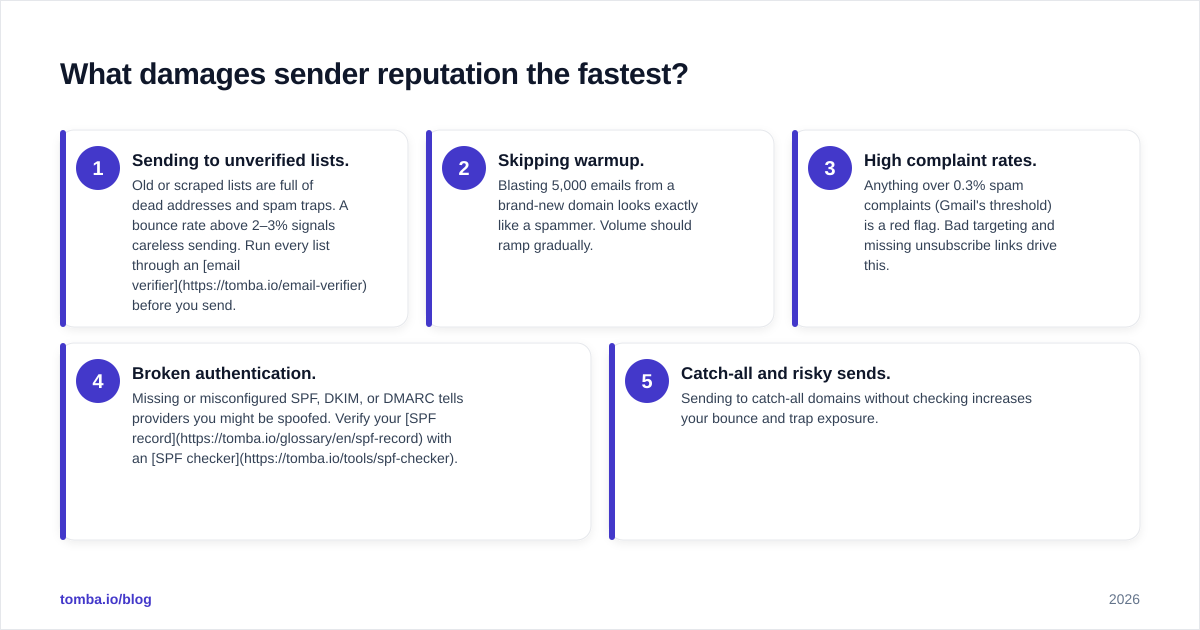
Most reputation collapses trace back to a handful of mistakes:
- Sending to unverified lists. Old or scraped lists are full of dead addresses and spam traps. A bounce rate above 2–3% signals careless sending. Run every list through an email verifier before you send.
- Skipping warmup. Blasting 5,000 emails from a brand-new domain looks exactly like a spammer. Volume should ramp gradually.
- High complaint rates. Anything over 0.3% spam complaints (Gmail's threshold) is a red flag. Bad targeting and missing unsubscribe links drive this.
- Broken authentication. Missing or misconfigured SPF, DKIM, or DMARC tells providers you might be spoofed. Verify your SPF record with an SPF checker.
- Catch-all and risky sends. Sending to catch-all domains without checking increases your bounce and trap exposure.

The pattern is consistent: speed and volume without hygiene. The fix is the opposite — slow, verified, authenticated.
How do you check your sender reputation and blacklist status?#
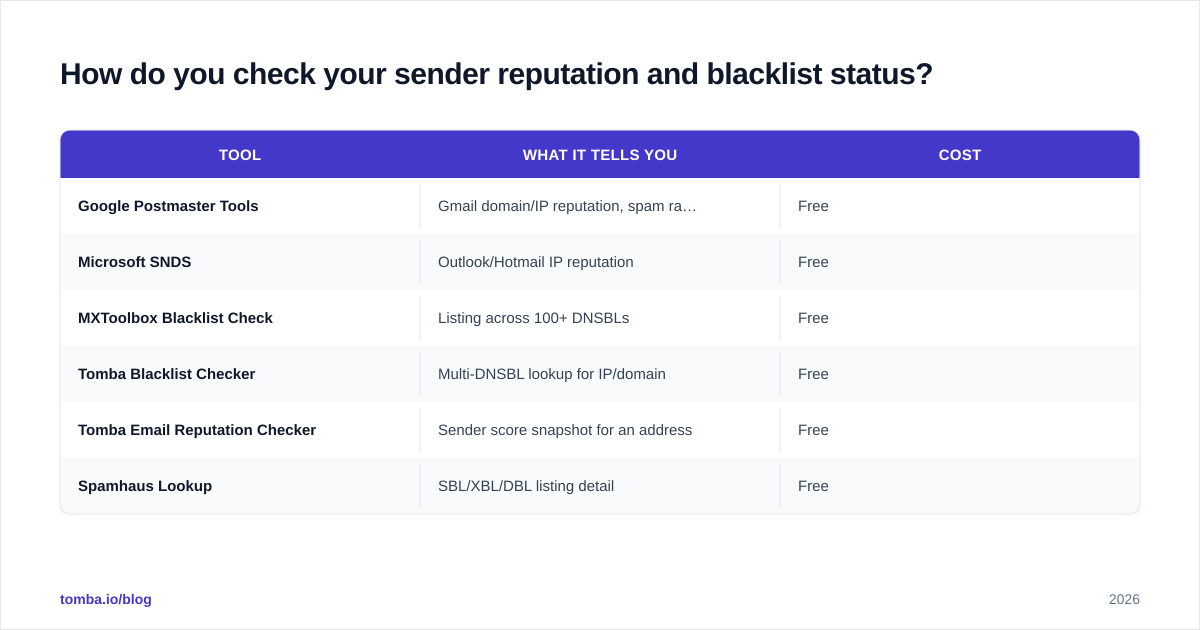
Run this five-minute audit before and during any campaign:
| Tool | What it tells you | Cost |
|---|---|---|
| Google Postmaster Tools | Gmail domain/IP reputation, spam rate, auth | Free |
| Microsoft SNDS | Outlook/Hotmail IP reputation | Free |
| MXToolbox Blacklist Check | Listing across 100+ DNSBLs | Free |
| Tomba Blacklist Checker | Multi-DNSBL lookup for IP/domain | Free |
| Tomba Email Reputation Checker | Sender score snapshot for an address | Free |
| Spamhaus Lookup | SBL/XBL/DBL listing detail | Free |
Start with Postmaster Tools for Gmail (the majority of most B2B lists), confirm Outlook via SNDS, then sweep blacklists. If you are clean on all three, your delivery problem is likely content or engagement — not reputation.
How do you recover from a blacklist or damaged reputation?#
Recovery is methodical, not magical. Work the steps in order.
1. Stop sending. Pause all campaigns from the affected domain or IP. Sending more while listed digs the hole deeper.
2. Find the root cause. Was it a bounce spike? A complaint surge? A spam trap from an old list? Pull your last 30 days of bounce and complaint data. You cannot delist sustainably without fixing the source.
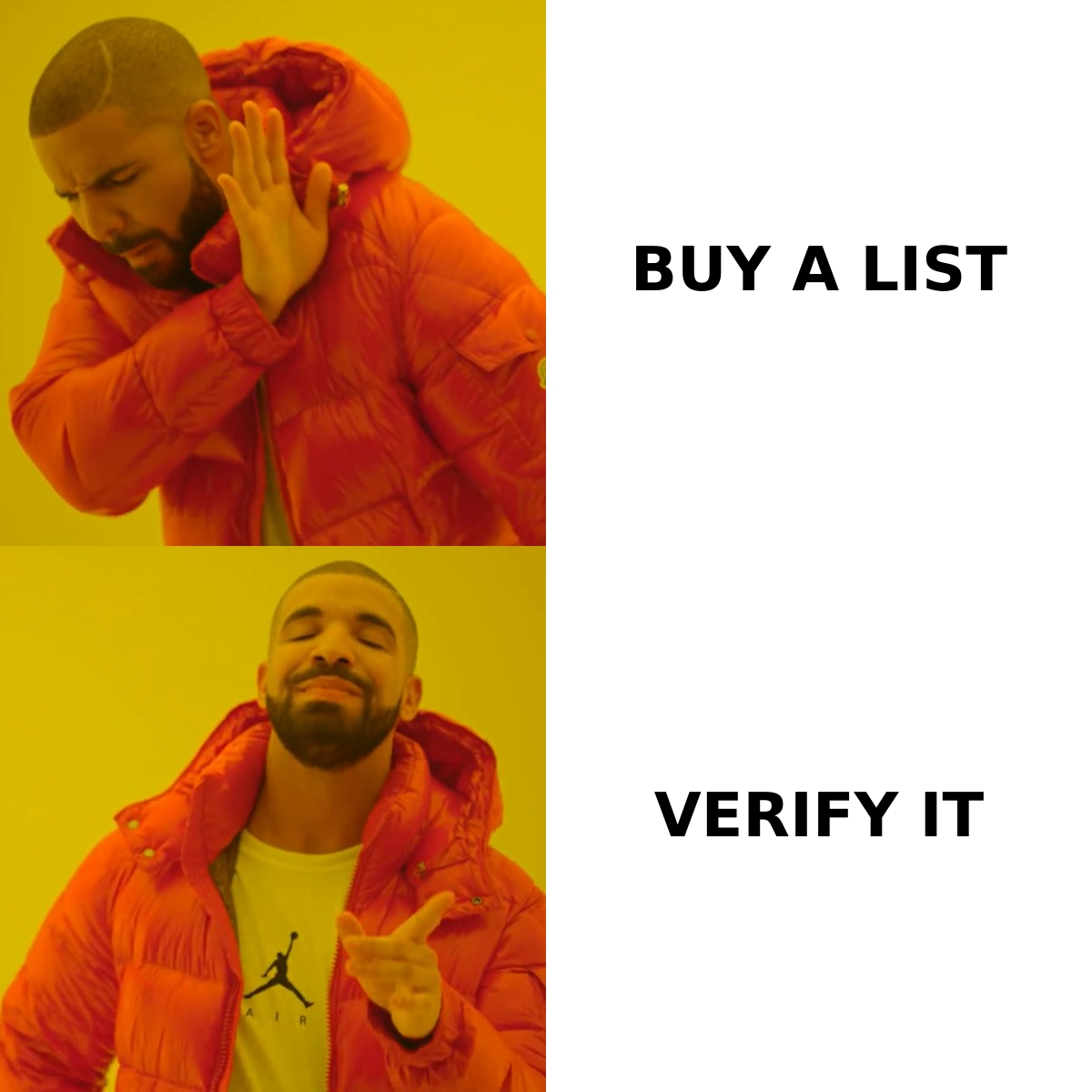
3. Clean the list. Remove every invalid, risky, and unknown address. Use bulk verification to scrub the entire database, not just new additions. This single step prevents most re-listings.
4. Fix authentication. Confirm SPF, DKIM, and DMARC all pass. A DMARC policy of at least p=quarantine signals legitimacy in 2026.
5. Request delisting. Most blacklists have a removal form. Spamhaus and Barracuda will delist once the underlying problem is resolved — but only once. Repeat offenders get harder to remove.
6. Re-warm slowly. Treat the domain as new. Start at 20–50 emails per day to engaged contacts, ramp 30–50% weekly, and watch the sender reputation graph recover before scaling.
Expect two to six weeks for a damaged Gmail domain reputation to climb back from Low to High. There is no shortcut — providers want to see a sustained pattern of clean, engaged sending.
How do you protect reputation long-term?#
Prevention is a routine, not a one-time setup:
- Verify before every send. Make list verification a non-negotiable step in your workflow, not an occasional cleanup.
- Segment by engagement. Mail your most active contacts first each campaign; their opens and replies lift your reputation and pull the rest of the batch into the inbox.
- Honor unsubscribes instantly. Complaints are the fastest reputation killer. Make opting out one click.
- Monitor weekly. Set a recurring check on Postmaster Tools and a blacklist sweep. Catching a dip early is far cheaper than recovering from a listing.
- Keep volume steady. Erratic spikes look automated and trigger filters. Consistency builds trust.
For the deeper mechanics of inbox placement, see our primer on email deliverability.
The bottom line#
Sender reputation is the trust you build over time; a blacklist is what happens when that trust breaks publicly. Both are downstream of one thing you fully control — the quality of the list you send to. Clean data, gradual warmup, and solid authentication keep you off block lists and in the inbox.
The cheapest insurance is verifying contacts before they ever hit your sequence. Start with the Tomba Email Finder to source accurate, deliverable addresses, then run them through Tomba's verifier and bulk tools so spam traps and dead addresses never reach your sender. Protect your reputation before you need to repair it — your inbox placement, and your pipeline, depend on it.
// get started
Find, verify and enrich your first contacts today
Start on the free plan with 25 searches a month, then scale when your team is ready.
Free plan · No credit card required · GDPR & CCPA
// about the author