Risky Email Detection in 2026: Spot Unsafe Addresses Fast
Risky emails quietly wreck your sender reputation. Learn how risky email detection works, which signals to flag, and how to clean lists before you hit send.
Risky email detection is the practice of scoring an email address for the likelihood that sending to it will hurt you — a bounce, a spam trap hit, or a complaint — before the message ever leaves your outbox. It sits between "valid syntax" and "safe to send," and it is the single cheapest insurance policy your deliverability has.
TL;DR#
- A risky email passes basic format checks but carries a real chance of bouncing, hitting a spam trap, or triggering complaints. "Valid" and "safe" are not the same thing.
- The highest-signal risk flags are: catch-all domains, disposable/temporary addresses, role accounts (info@, sales@), spam traps, and full inboxes.
- Even a 3-5% bad-address rate can drag your bounce rate over the 2% mailbox-provider threshold and throttle your whole domain.
- Detection is a layered scan — syntax, MX/SMTP, domain reputation, and pattern heuristics — not a single yes/no lookup.
- Run detection at capture, in bulk before campaigns, and via API inside your CRM. A tool like the email verifier automates the whole stack.
What is risky email detection?#
Think of risky email detection like airport security for your contact list. A valid passport (correct syntax) gets you to the gate, but screening still flags the bag that might cause a problem. Risky email detection does the same: it lets the obviously-good through, blocks the obviously-bad, and — crucially — surfaces the gray-zone addresses that look fine but behave badly.
Technically, it is a multi-stage scan that returns a risk classification rather than a binary pass/fail. Most verification engines bucket an address into something like deliverable, risky, unknown, or undeliverable. The "risky" bucket is where the money is. These are addresses that are syntactically perfect and have live mail servers, yet still carry an elevated probability of damaging your sender reputation if you mail them.
Why does the gray zone exist? Because mail servers lie. A catch-all domain accepts every address you throw at it during the SMTP handshake — nonsense@company.com returns the same "OK" as the CEO's real inbox. A simple verifier sees "accepted" and calls it valid. A risk-aware verifier sees "catch-all" and flags it, because you genuinely cannot know whether the mailbox exists until you send and watch what happens.
Why do risky emails wreck deliverability?#
Conclusion first: because mailbox providers judge your entire sending domain by aggregate behavior, a small slice of bad addresses poisons the whole well.
Gmail, Outlook, and Yahoo watch a handful of signals to decide whether your mail lands in the inbox, the spam folder, or nowhere at all. Risky addresses hit almost all of them:
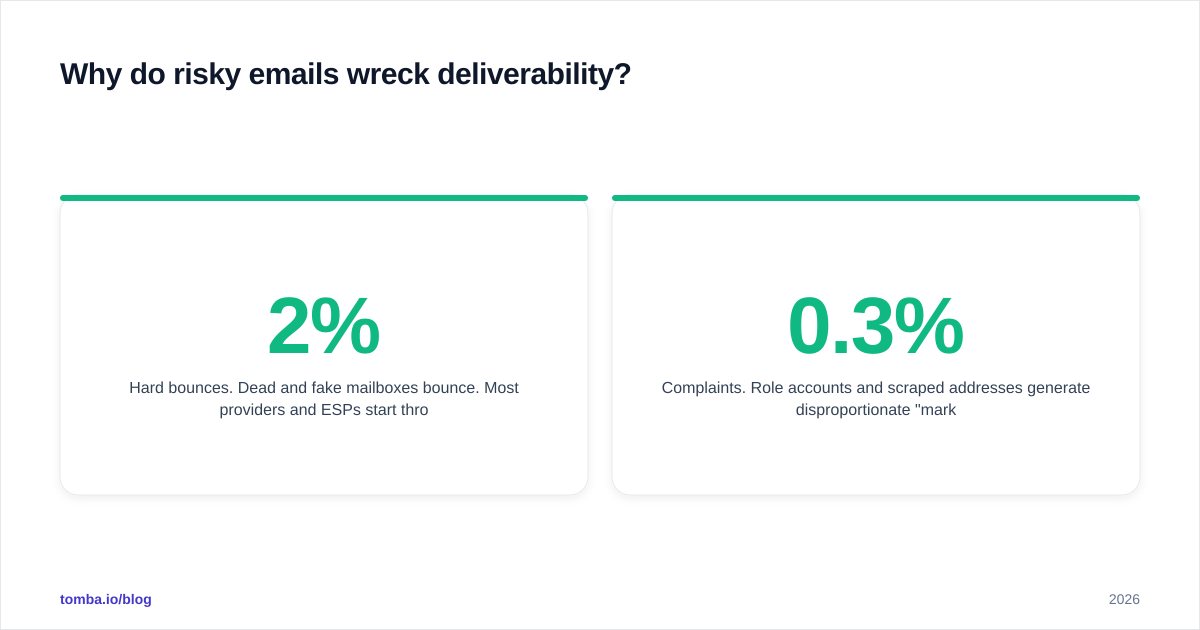
- Hard bounces. Dead and fake mailboxes bounce. Most providers and ESPs start throttling or suspending sends when your bounce rate crosses 2%. A list that is 5% risky can blow past that in one campaign.
- Spam traps. Recycled or pristine trap addresses exist only to catch senders with poor list hygiene. Hitting one can get your domain or IP added to a blocklist with no warning.
- Complaints. Role accounts and scraped addresses generate disproportionate "mark as spam" clicks, and complaint rate above ~0.3% is a fast track to the spam folder.
- Engagement collapse. Risky addresses never open or click, which drags your engagement metrics down and tells providers your mail is unwanted.
The compounding effect is the dangerous part. One bad campaign lowers your sender reputation, which lowers inbox placement on the next campaign — even to your good contacts. You can read more on the mechanics in this primer on email deliverability. Mailbox providers describe the same thresholds in Google's sender guidelines, which are worth bookmarking.
What signals make an email "risky"?#
Not all risk is equal. Here are the categories every detection engine should flag, ranked roughly by how often they cause real damage.
Catch-all (accept-all) domains. The server accepts everything, so deliverability is unknowable from the handshake alone. Common at large enterprises. Treat as medium risk and segment separately.
Disposable / temporary addresses. Services like Mailinator or 10-minute-mail domains. These are throwaway by design — the inbox is gone before your follow-up sends. High risk, almost never worth keeping.
Role-based addresses. info@, support@, sales@, admin@. They route to shared inboxes or distribution lists, generate complaints, and rarely belong to a single decision-maker. Medium-to-high risk for cold outreach.
Spam traps. Pristine traps (never-used addresses) and recycled traps (abandoned mailboxes reactivated as traps). Extremely high risk — these are the addresses that get you blocklisted.
Full or inactive mailboxes. The address exists but the inbox is over quota or dormant. Causes soft bounces that harden over time.
Free-provider mismatches and gibberish patterns. Random-string local parts, recent-creation signals, and known-abused domains all nudge the risk score up.
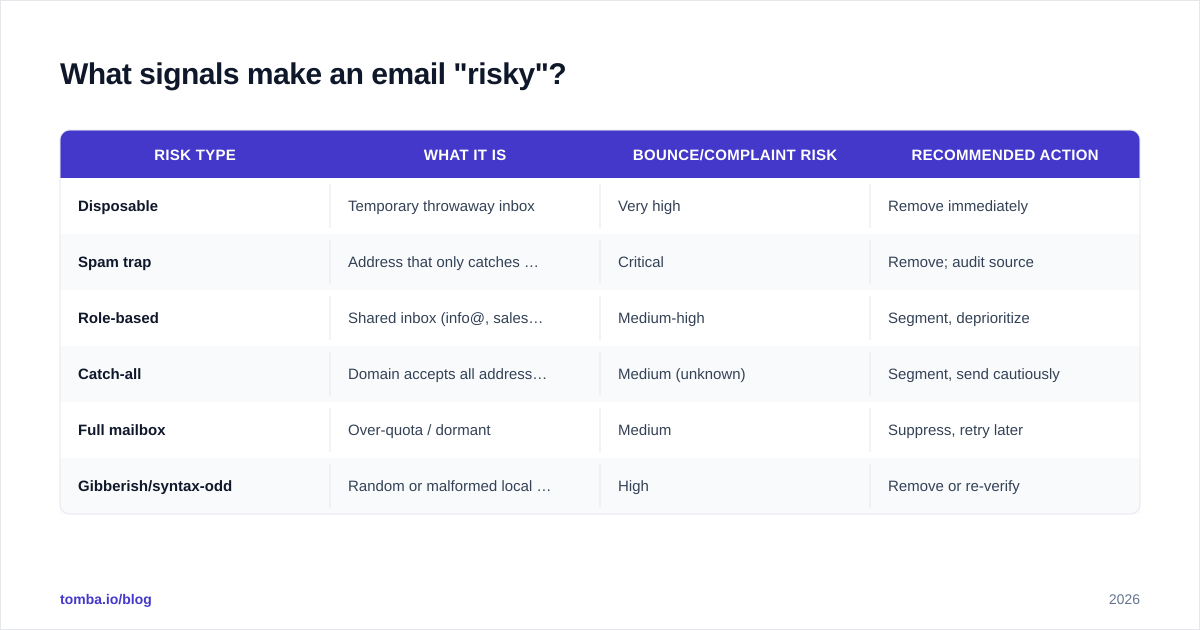
| Risk type | What it is | Bounce/complaint risk | Recommended action |
|---|---|---|---|
| Disposable | Temporary throwaway inbox | Very high | Remove immediately |
| Spam trap | Address that only catches senders | Critical | Remove; audit source |
| Role-based | Shared inbox (info@, sales@) | Medium-high | Segment, deprioritize |
| Catch-all | Domain accepts all addresses | Medium (unknown) | Segment, send cautiously |
| Full mailbox | Over-quota / dormant | Medium | Suppress, retry later |
| Gibberish/syntax-odd | Random or malformed local part | High | Remove or re-verify |
How does risky email detection actually work?#
It works in layers, fastest and cheapest checks first, so the expensive network calls only run on addresses that survive the early gates.
- Syntax and format. RFC-compliant structure, valid characters, sane length. Kills the typos instantly.
- Domain and MX records. Does the domain resolve, and does it publish mail-exchange records? No MX means no mailbox.
- SMTP handshake. The verifier opens a conversation with the receiving server and asks, in effect, "would you accept mail for this user?" without sending anything. The response reveals dead mailboxes — and exposes catch-all behavior when every probe returns OK.
- Reputation and pattern layer. Cross-references disposable-domain lists, known spam-trap patterns, role-account prefixes, and historical data to assign the final risk score.
A quality engine also reconciles its findings against first-party data — bounce history, prior engagement, and the source of the address. Where Tomba's checks pull from is documented on the data sources page, and the same logic is exposed programmatically through the email verification API so you can score addresses inside your own systems.
When should you run detection?#
Three moments, and skipping any of them leaves a gap.
At the point of capture. Validate in real time on signup forms and gated-content fields. A single API call rejects the fake address before it ever enters your database. This is the highest-leverage spot — it stops the problem at the source instead of cleaning it up later.
In bulk before every campaign. Lists decay at roughly 2-3% per month as people change jobs and abandon inboxes. A list verified six months ago is already meaningfully stale. Run a bulk verify pass before any large send, especially after importing a purchased or scraped list.
Continuously, via integration. Wire detection into your CRM so new contacts are scored on entry. Native connectors like the HubSpot integration and Salesforce integration keep enrichment and verification running without manual exports.
How do detection tools compare?#
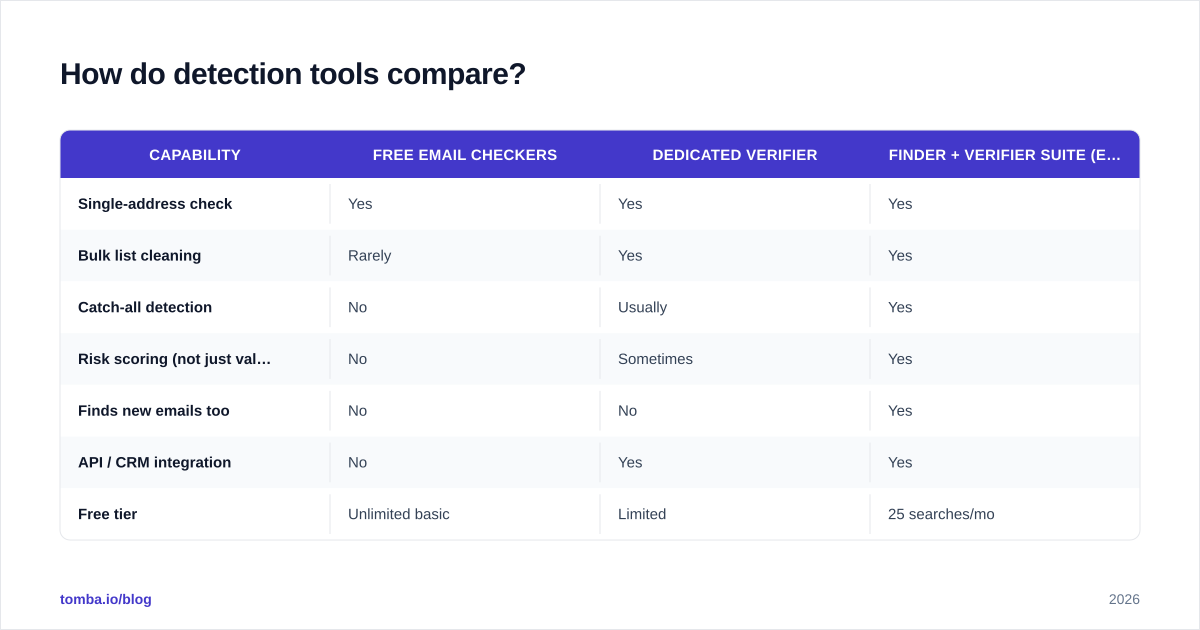
The category spans free single-checkers, dedicated verification platforms, and all-in-one finder-plus-verifier suites. The right pick depends on volume, whether you also need to find addresses, and how deep the risk classification goes.
| Capability | Free email checkers | Dedicated verifier | Finder + verifier suite (e.g. Tomba) |
|---|---|---|---|
| Single-address check | Yes | Yes | Yes |
| Bulk list cleaning | Rarely | Yes | Yes |
| Catch-all detection | No | Usually | Yes |
| Risk scoring (not just valid/invalid) | No | Sometimes | Yes |
| Finds new emails too | No | No | Yes |
| API / CRM integration | No | Yes | Yes |
| Free tier | Unlimited basic | Limited | 25 searches/mo |
For a quick one-off, a free email checker handles a single address with no signup. For ongoing work — capturing, finding, and continuously cleaning — a combined suite removes the gap between "found an address" and "confirmed it is safe to send." That matters because an address sourced from a domain search is only useful once it has passed a risk check.
When you evaluate vendors, weigh accuracy claims against independent reviews on G2 rather than vendor marketing, and confirm the tool actually returns a risk tier rather than a blunt valid/invalid flag. The gray zone is exactly where cheap tools fail.
What should you do with risky addresses?#
Detection is only half the job; the response is the other half. A blanket "delete everything risky" is wasteful, and "send to everything" is reckless. Segment by risk type instead.
- Remove outright: disposable addresses, confirmed spam traps, and gibberish. There is no upside to keeping them.
- Suppress and revisit: full or dormant mailboxes. Park them in a suppression list and re-verify in 60-90 days.
- Segment and warm carefully: catch-all and role-based addresses. Send to them from a warmed domain, in smaller batches, and watch bounce and complaint rates closely. If a catch-all engages, promote it to your main list.
- Re-verify on a schedule: everything else. Lists decay, so a quarterly re-scan keeps your active segments clean.
A practical guardrail: keep your verified-list bounce rate under 2% and your complaint rate under 0.3%. If a segment can't hold those numbers, it is too risky to mail at volume. For teams running cold outreach, pairing clean lists with a measured ramp protects the response rate you worked to build.
How does this fit a real prospecting workflow?#
Risk detection is not a standalone chore — it is a stage in the find → verify → enrich → send pipeline. You locate a contact (via finder or domain search), score the address for risk, enrich the record with firmographic and role data, and only then route it into a sequence. Skipping the risk stage means you are enriching and sequencing addresses that will bounce, which wastes both credits and sender reputation.
The cleaner your inputs, the better every downstream metric behaves: higher inbox placement, higher open rates, higher reply rates, and a sender reputation that compounds in your favor instead of against it. Detection is the quiet step that makes the loud steps work.
Frequently asked questions#
Is a "risky" email always bad? No. Risky means uncertain, not dead. Catch-all and role addresses can be perfectly legitimate — they just carry higher odds of a bounce or complaint, so you handle them with more care rather than discarding them blindly.
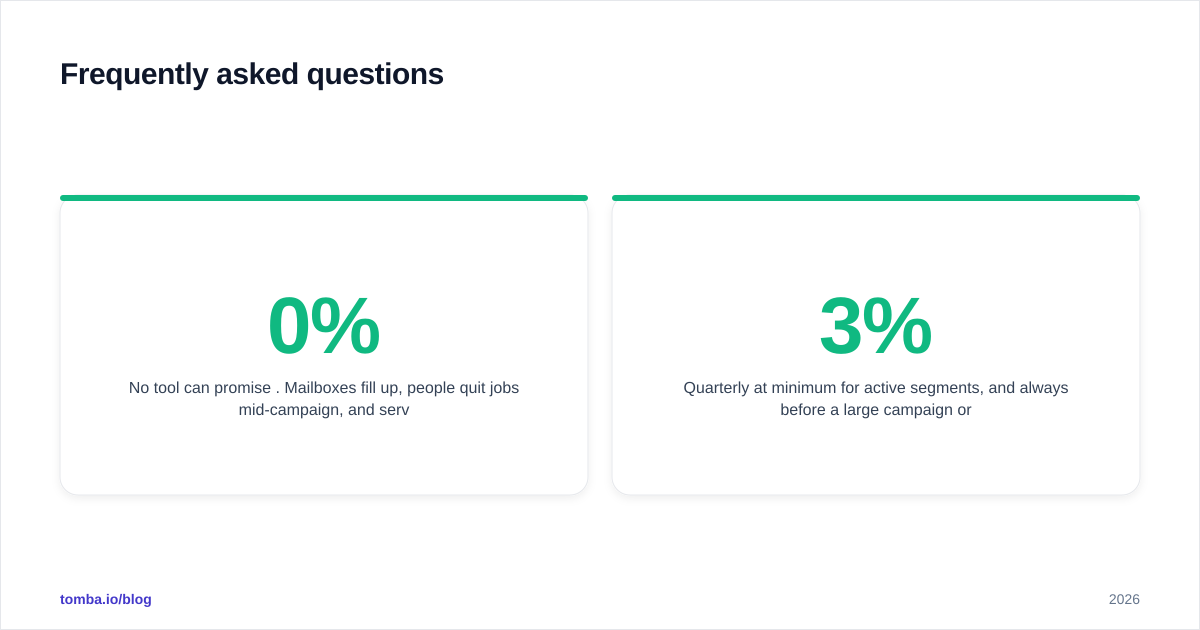
Can detection guarantee zero bounces? No tool can promise 0%. Mailboxes fill up, people quit jobs mid-campaign, and servers misbehave. Good detection drives bounce rates well under the 2% danger line, which is what actually protects deliverability.
How often should I re-verify my list? Quarterly at minimum for active segments, and always before a large campaign or after importing an external list. B2B lists decay 2-3% monthly, so "verified once" ages fast.
Does verifying emails hurt my reputation? No. Reputable verifiers use a non-intrusive SMTP handshake that never delivers a message, so the recipient sees nothing and your domain is not exposed during the check.
Start detecting risky emails before they cost you#
Every bounce, trap hit, and complaint is a small withdrawal from a sender-reputation account that took months to build. Risky email detection is how you stop the leak. Pair the Tomba Email Finder with its built-in verification to source addresses and score them for risk in one pass — catch-all detection, disposable filtering, and role-account flagging included. Start free with 25 searches a month, and scale into a paid plan on the Tomba pricing page when your volume grows. Clean inputs, protected reputation, better replies — in that order.
Ready to find emails that actually work?
Join 150,000+ professionals who stopped guessing and started sending. Free credits on signup — no credit card required.
Get the Tomba newsletter
Practical outbound tactics and product updates — once every two weeks.
About the author