Lead Generation Tools and Services: The 2026 Stack Guide
A no-fluff breakdown of lead generation tools and services in 2026 — what each layer does, how pricing really works, and how to build a stack that fills the pipeline without burning budget.
TL;DR
- "Lead generation tools and services" is not one product — it's four layers: data sources, contact finders, enrichment, and outreach. Buying the wrong layer is why most stacks leak budget.
- A managed service (done-for-you agency or data team) buys speed; tools buy control and lower per-lead cost at scale. Most teams need both, staged over time.
- Accuracy and verification matter more than raw database size. A 200M-contact database with 40% bounce rates is worse than a smaller, verified one.
- Expect to pay per credit, per seat, or per delivered lead. Mixing those models without a unit-economics check is the fastest way to overspend.
- Start with a verified finder + verifier core, layer enrichment, then automate outreach. Tools like the Tomba Email Finder sit at that core data layer.
What do "lead generation tools and services" actually mean?#
Short answer: they're the stack that turns a target market into named, reachable, qualified contacts you can sell to.
Think of it like building a house. The land is your raw market data. The foundation is finding and verifying real contact details. The plumbing and wiring is enrichment — job titles, company size, tech stack, intent signals. The finishing work is outreach: the sequences, calls, and ads that actually start conversations. People say "lead gen tool" as if it's one thing, but every vendor lives on one or two of those floors. The confusion — and the wasted spend — comes from buying a finishing-work tool when your foundation is cracked.
Technically, the category splits into two delivery models:
- Tools — self-serve software you operate yourself (finders, verifiers, enrichment APIs, sequencers, CRMs).
- Services — managed offerings where a team or agency delivers leads or appointments to you, often on a retainer or pay-per-lead basis.
The rest of this guide maps both, shows where they overlap, and gives you a way to decide which layer to buy first.
What are the four layers of a lead generation stack?#
Every durable pipeline runs on the same four layers. Buy them in order; skipping one just moves the bottleneck downstream.
1. Data sources. Where contacts originate — B2B databases, web scraping, intent providers, and your own first-party signals (website visitors, form fills, event lists). A B2B database gives you breadth; first-party data gives you relevance. You want both.
2. Contact finders. Tools that resolve a name + company into a verified work email or phone number. This is the layer most "lead gen tool" searches actually mean. Quality here is measured in deliverability, not volume.
3. Enrichment. Appending firmographics, technographics, role, seniority, and intent to a thin record so you can score and route it. Good data enrichment turns a bare email into a qualified lead.
4. Outreach and capture. Sequencers, dialers, LinkedIn automation, ad platforms, and the CRM that holds it all. This is where leads become conversations.
Services can replace any layer. A list-building agency replaces layers 1–2; a full-funnel appointment-setting firm replaces all four. The trade-off is always the same: services buy speed and remove operational load, tools buy control and lower marginal cost.
Tools vs. services: which should you buy first?#
Conclusion first: if you have no repeatable pipeline yet, buy a service to learn what converts; once you know your ICP and messaging, switch to tools to scale margin. Buying tools before you know your ICP just automates guesswork.
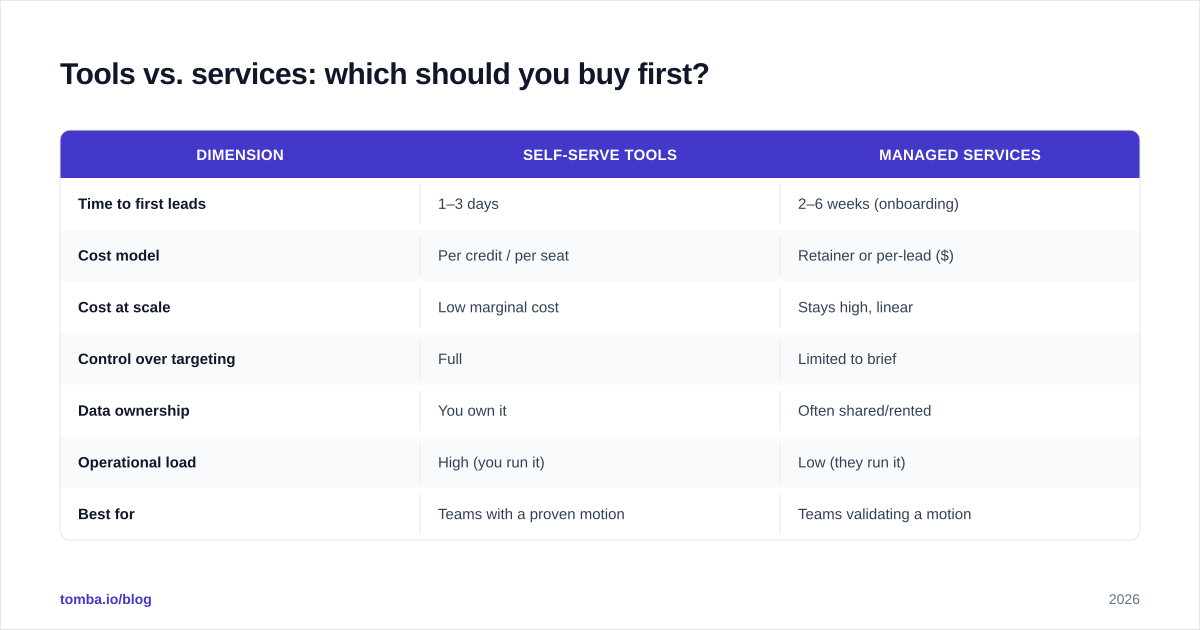
Here's the honest comparison:
| Dimension | Self-serve tools | Managed services |
|---|---|---|
| Time to first leads | 1–3 days | 2–6 weeks (onboarding) |
| Cost model | Per credit / per seat | Retainer or per-lead ($) |
| Cost at scale | Low marginal cost | Stays high, linear |
| Control over targeting | Full | Limited to brief |
| Data ownership | You own it | Often shared/rented |
| Operational load | High (you run it) | Low (they run it) |
| Best for | Teams with a proven motion | Teams validating a motion |
| Risk | Bad setup wastes credits | Opaque quality, lock-in |
A practical pattern: run a 90-day managed pilot to validate ICP and offer, capture every winning data point, then rebuild the same motion in-house with tools at a fraction of the per-lead cost. You get the service's speed early and the tool's economics later.
How do you evaluate lead generation tools on accuracy?#
Accuracy beats database size every time. A vendor advertising "700M contacts" tells you nothing about how many of your 4,000 targets are reachable today.
Score any data or finder tool on five things:
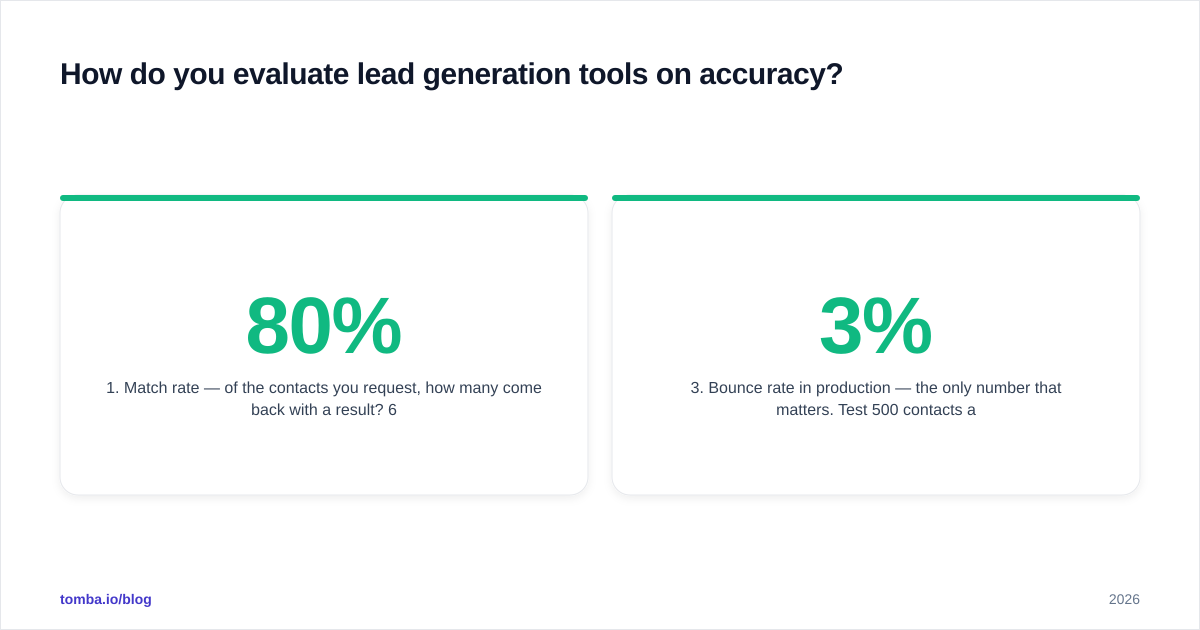
- Match rate — of the contacts you request, how many come back with a result? 60–80% is realistic for B2B work email.
- Verification depth — does it SMTP-verify, catch-all detect, and flag risky addresses, or just pattern-guess? Use a dedicated email verifier to confirm before you send.
- Bounce rate in production — the only number that matters. Test 500 contacts and measure. Under 3% is good; over 8% will hurt your sender reputation.
- Freshness — how recently was the record confirmed? People change jobs every ~2.5 years, so stale data decays fast.
- Source transparency — vendors that explain where data comes from (like Tomba's published data sources) are easier to trust on compliance.
Independent review sites like G2 and Capterra are useful for sanity-checking match-rate claims against real user reviews — but always run your own bounce test before committing budget. No marketing page substitutes for 500 real sends.
What does a 2026 lead generation stack cost?#
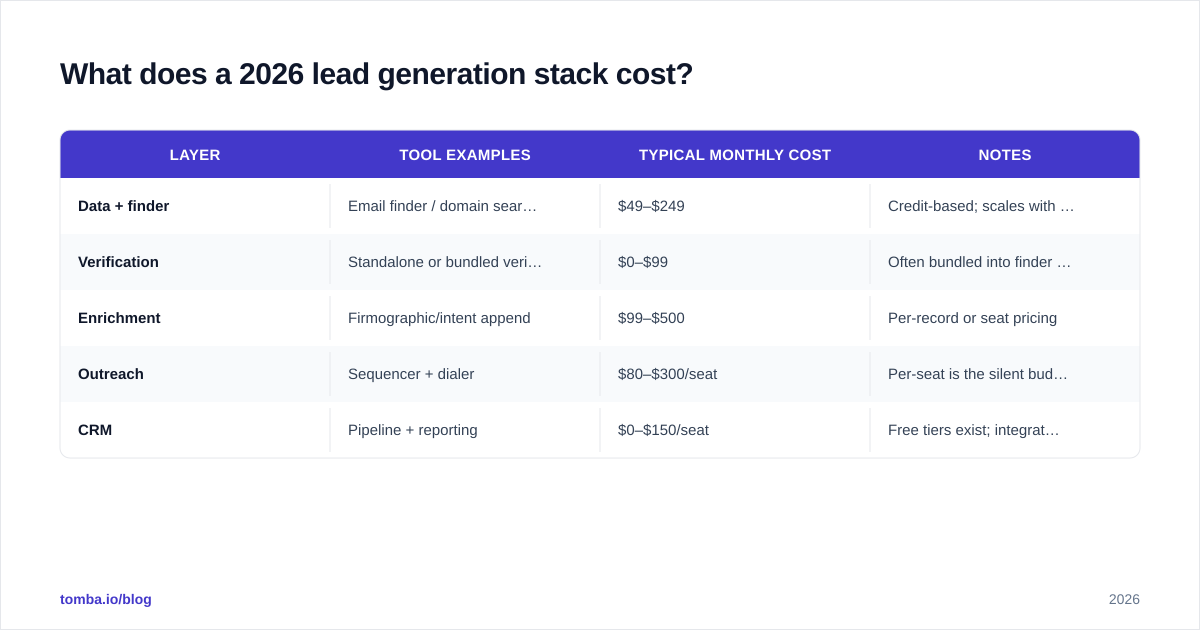
Budget by layer, not by logo. Here's a realistic monthly range for a small B2B team (2–5 reps) running outbound:
| Layer | Tool examples | Typical monthly cost | Notes |
|---|---|---|---|
| Data + finder | Email finder / domain search | $49–$249 | Credit-based; scales with volume |
| Verification | Standalone or bundled verifier | $0–$99 | Often bundled into finder plans |
| Enrichment | Firmographic/intent append | $99–$500 | Per-record or seat pricing |
| Outreach | Sequencer + dialer | $80–$300/seat | Per-seat is the silent budget killer |
| CRM | Pipeline + reporting | $0–$150/seat | Free tiers exist; integration matters |
For reference, Tomba pricing follows a credit model: a Free tier with 25 searches/month, Starter at $49/mo, Growth at $99/mo, Pro at $249/mo, and custom Enterprise. Credit models reward you when match rates are high — you don't pay for guesses that fail. Per-seat models (common in sequencers) punish you as the team grows, so watch that line carefully.
Run the unit math before you sign anything. If a tool costs $99/mo and finds 1,000 usable contacts, that's $0.099 per verified lead. A managed service delivering 50 appointments at a $4,000 retainer is $80 per appointment — different unit, not directly comparable. Normalize everything to cost-per-qualified-conversation and the right choice usually becomes obvious.
How do AI and automation change the 2026 toolset?#
AI moved lead gen from "find more contacts" to "find the right contacts at the right moment." Three shifts matter in 2026:
- Intent and signal scoring. Models now rank accounts by buying signals — hiring, funding, tech changes — so reps work a shortlist instead of a spray list. HubSpot's research on the state of AI in sales shows signal-led prioritization is now standard, not novel.
- Agentic enrichment. Instead of one API call, agents chain lookups: find the email, verify it, pull the LinkedIn profile, append the company's tech stack, then draft the opener. Programmatic access via a email finder API is what makes that chaining possible.
- Generated outreach. AI drafts personalized first lines from enrichment data. Useful — but only as good as the underlying data. Personalization on a wrong email is just a faster bounce.
The temptation in 2026 is to chase every new AI tool and bolt it onto a broken foundation. Resist it. A clever AI opener sent to an unverified address still bounces; the model can't fix bad data.

How do you build a stack that doesn't leak budget?#
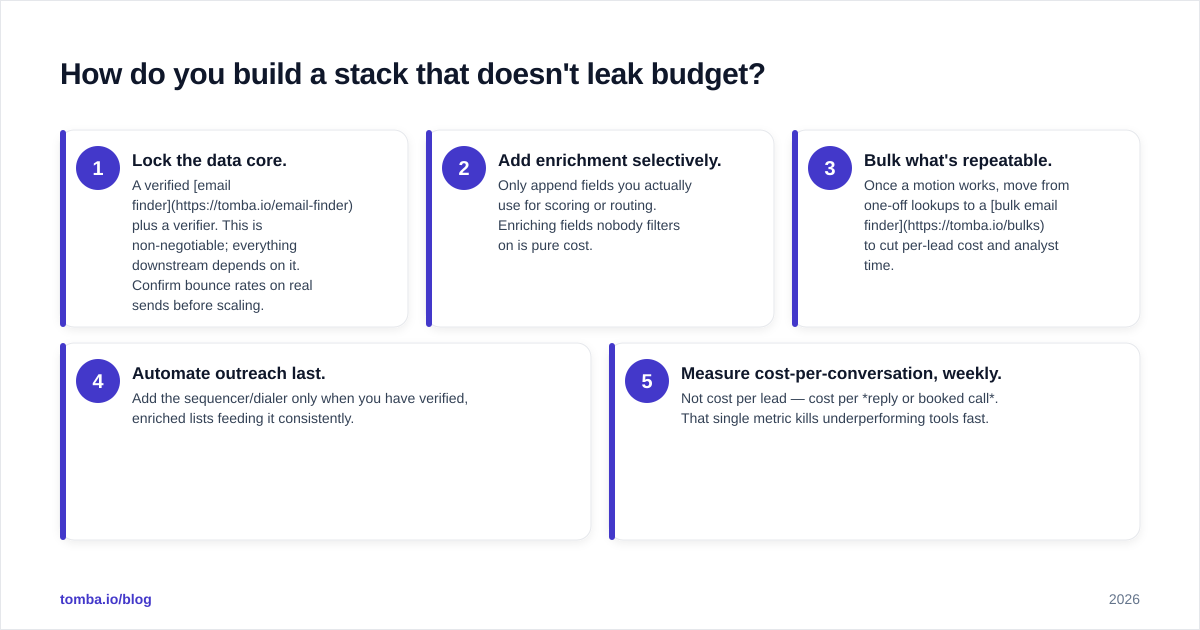
Build inside-out: data core first, automation last. The most common failure is the reverse — buying a $300/seat sequencer before you have verified contacts to put in it.
A sane build order:
- Lock the data core. A verified email finder plus a verifier. This is non-negotiable; everything downstream depends on it. Confirm bounce rates on real sends before scaling.
- Add enrichment selectively. Only append fields you actually use for scoring or routing. Enriching fields nobody filters on is pure cost.
- Bulk what's repeatable. Once a motion works, move from one-off lookups to a bulk email finder to cut per-lead cost and analyst time.
- Automate outreach last. Add the sequencer/dialer only when you have verified, enriched lists feeding it consistently.
- Measure cost-per-conversation, weekly. Not cost per lead — cost per reply or booked call. That single metric kills underperforming tools fast.
For lean teams, integrations decide everything. A finder that pushes straight into your CRM or spreadsheet via native integrations removes the copy-paste tax that quietly eats hours every week. Cross-reference your shortlist against an analyst category overview like Gartner's sales tech research to confirm you're not missing a layer — then ignore the hype and buy only what your pipeline math justifies.
Tools or services — what's the verdict for 2026?#
Both, sequenced. Use a managed service to validate your ICP and offer when you're early or entering a new segment; switch to a tool-driven, in-house stack the moment your motion is repeatable and you want margin back. The teams that win in 2026 aren't the ones with the most tools — they're the ones whose data core is clean enough that everything downstream actually works.
The thread running through every layer is data quality. Get that right and a modest stack outperforms an expensive one built on guesses.
Start with a clean data core#
If you're building or rebuilding a lead generation stack this year, start at the foundation, not the finishing work. The Tomba Email Finder gives you verified, source-transparent contact data at the data-core layer — find emails by name, company, or domain, verify before you send, and push results straight into your CRM. Begin on the free tier (25 searches/month), test it against your own bounce-rate benchmark, and scale through the credit-based Tomba plans only once the numbers prove out. Fix the foundation first; the rest of the stack gets easier from there.
// get started
Find, verify and enrich your first contacts today
Start on the free plan with 25 searches a month, then scale when your team is ready.
Free plan · No credit card required · GDPR & CCPA
// about the author