HubSpot Sales Hub Automation Tools: Scheduling & Inbox (2026)
HubSpot Sales Hub bundles meeting scheduling, a shared inbox, and email sequences into one automation layer. Here's what each tool does, where it stalls, and how to feed it clean data.
TL;DR
- HubSpot Sales Hub automation tools cluster around three jobs: meeting scheduling (Meetings), a shared inbox (Conversations), and email sequences that auto-send and auto-log activity.
- Scheduling links remove the back-and-forth of booking calls; the shared inbox routes replies; sequences chase prospects on a timed cadence until they respond.
- The automation only performs as well as the contact data behind it. Bad emails mean bounced sequences, skewed reporting, and a damaged sender reputation.
- Paid tiers unlock the volume most teams need: Sales Hub Professional starts around $90/seat/mo, while sequences and advanced scheduling are gated behind those paid seats.
- Pair the suite with a clean-data source so sequences enroll real, deliverable addresses, not guesses.
What are Sales Hub sales automation tools?#
Sales Hub automation tools are the features inside HubSpot that remove repetitive manual steps from a rep's day: booking meetings, sorting inbound replies, sending follow-ups, and logging every touch to the CRM automatically. Instead of a rep copy-pasting emails and updating records by hand, the platform does it on a schedule and writes the activity back to the contact timeline.
Think of it like a dishwasher for sales admin. You still load the dishes (define the cadence, write the templates, set your availability), but the machine handles the repetitive scrubbing while you do something that actually needs a human. Technically, these tools sit on top of HubSpot's CRM object model, so every automated action updates the same contact, company, and deal records your reporting runs on.
The three pillars most teams lean on are scheduling (Meetings links), the shared inbox (Conversations), and sequences (timed, semi-automated email cadences). Each solves a different bottleneck, and they compound when used together.
If you want the textbook definition of the broader category, HubSpot's own glossary on sales automation frames it as any software that automates manual, repetitive selling tasks so reps spend more time with buyers.
How does Sales Hub scheduling work?#
Scheduling in Sales Hub centers on the Meetings tool, which generates a personal or team booking link synced to your calendar. A prospect picks an open slot, and the meeting drops onto both calendars with no email tag. It is the single highest-ROI automation for most reps because it kills the "does Tuesday at 3 work?" thread that can stretch a booking across five days.
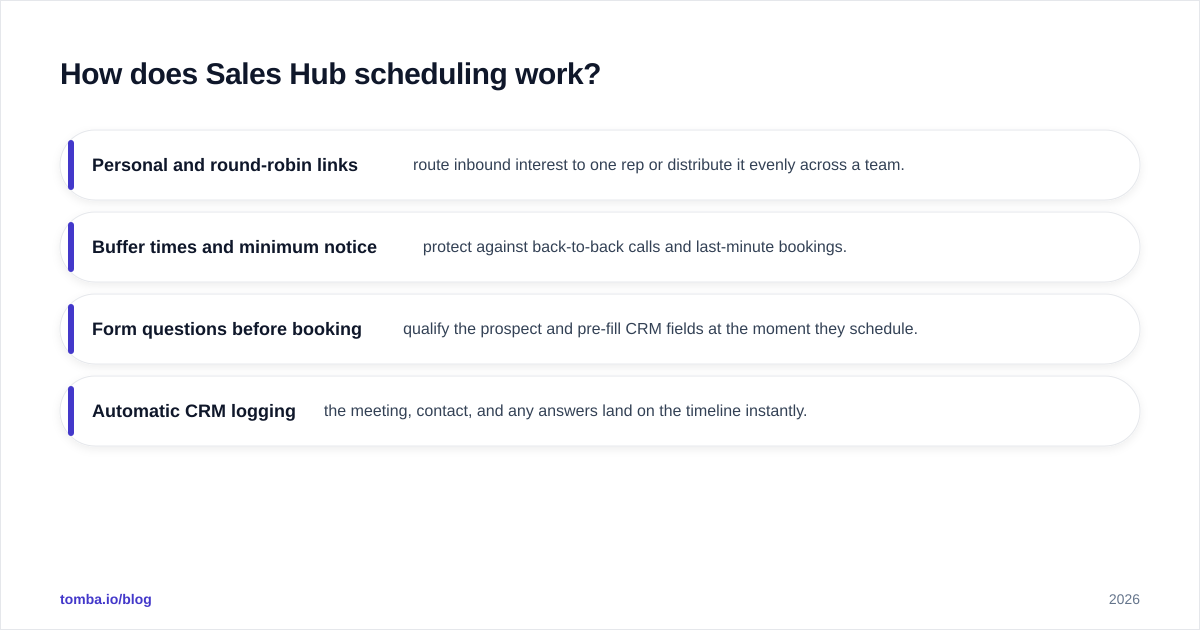
Key scheduling capabilities:
- Personal and round-robin links — route inbound interest to one rep or distribute it evenly across a team.
- Buffer times and minimum notice — protect against back-to-back calls and last-minute bookings.
- Form questions before booking — qualify the prospect and pre-fill CRM fields at the moment they schedule.
- Automatic CRM logging — the meeting, contact, and any answers land on the timeline instantly.
The catch: free and Starter accounts cap the number of personal meeting links and team-based routing. If your motion depends on round-robin distribution across an SDR pod, you are on a Professional seat. Check the live HubSpot Sales Hub pricing before you commit, because the tiering changes the math on team size.
What does the Sales Hub shared inbox do?#
The Conversations inbox is a shared, team-wide inbox that pools email, chat, and form submissions into one routable queue. A reply to any connected channel lands here, gets assigned to an owner, and is logged against the right contact automatically. The point is that no inbound message dies in one rep's personal Gmail.
This matters for automation because the inbox is where your sequences' replies surface. When a prospect answers a sequenced email, HubSpot can detect the reply, pause the sequence so you do not keep robotically chasing someone who already responded, and route the human conversation to an owner. That reply-detection-plus-auto-pause loop is the difference between automation that feels personal and automation that gets you blocked.
The shared inbox also underpins routing rules: round-robin assignment, channel-based ownership, and SLA timers. For RevOps teams, that is the connective tissue that makes sales automation measurable instead of a black box.
How do Sales Hub sequences automate follow-up?#
Sequences are timed series of emails and tasks that enroll a contact and execute on a cadence: send email one today, wait two days, send email two, create a call task on day five, and so on. They are the workhorse automation for outbound and for nurturing warm-but-cold leads.
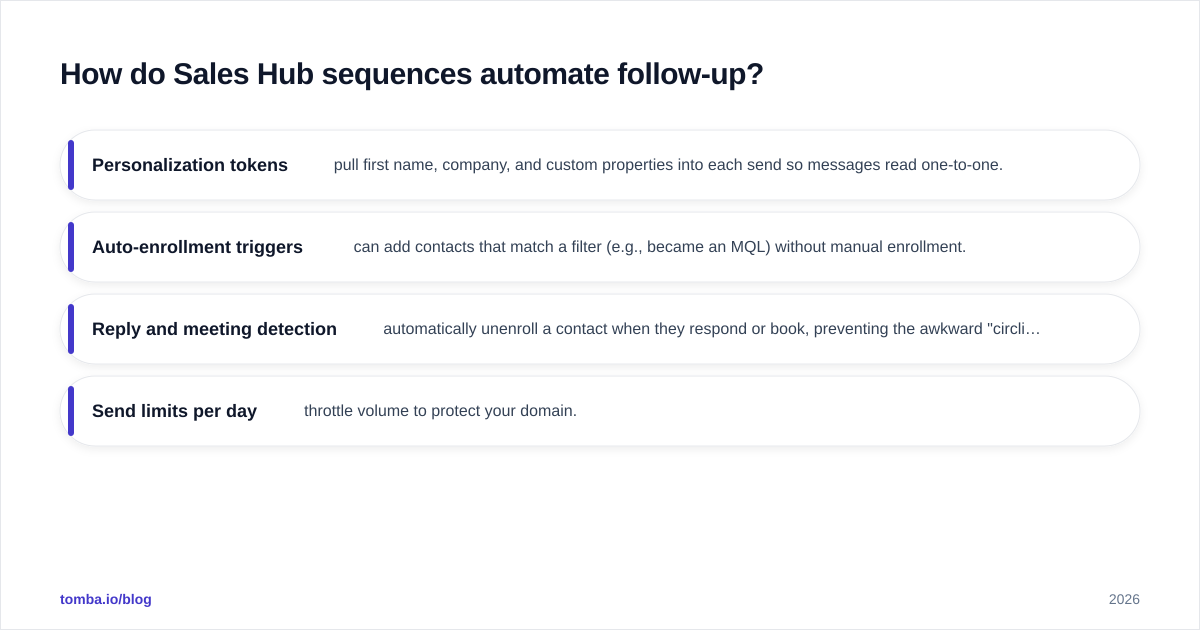
What makes them "semi-automated" rather than a blast tool:
- Personalization tokens pull first name, company, and custom properties into each send so messages read one-to-one.
- Auto-enrollment triggers can add contacts that match a filter (e.g., became an MQL) without manual enrollment.
- Reply and meeting detection automatically unenroll a contact when they respond or book, preventing the awkward "circling back" email after they already said yes.
- Send limits per day throttle volume to protect your domain.
That last point is non-negotiable. Sequences send from your real mailbox, so every bounced or spam-flagged message in a sequence degrades your sender reputation. Enroll a list full of guessed addresses and you will watch open rates crater across every campaign, not just the bad one.

Sales Hub automation tools compared: scheduling vs inbox vs sequences#
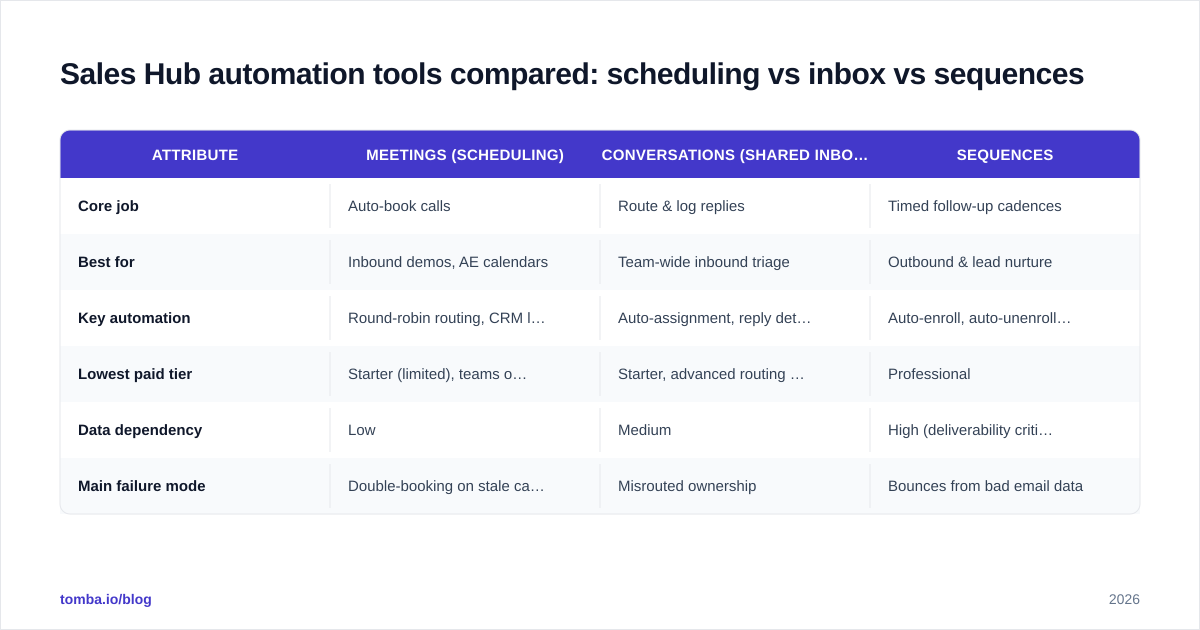
Each tool solves a distinct bottleneck and lives on a different tier. Here is how they stack up so you can see what you are actually buying.
| Attribute | Meetings (Scheduling) | Conversations (Shared Inbox) | Sequences |
|---|---|---|---|
| Core job | Auto-book calls | Route & log replies | Timed follow-up cadences |
| Best for | Inbound demos, AE calendars | Team-wide inbound triage | Outbound & lead nurture |
| Key automation | Round-robin routing, CRM logging | Auto-assignment, reply detection | Auto-enroll, auto-unenroll on reply |
| Lowest paid tier | Starter (limited), teams on Pro | Starter, advanced routing on Pro | Professional |
| Data dependency | Low | Medium | High (deliverability critical) |
| Main failure mode | Double-booking on stale calendars | Misrouted ownership | Bounces from bad email data |
The pattern is clear: the further right you move, the more the automation depends on clean contact data. Scheduling works fine with whatever your calendar holds. Sequences fail loudly the moment your list is full of dead addresses.
How much do Sales Hub automation tools cost?#
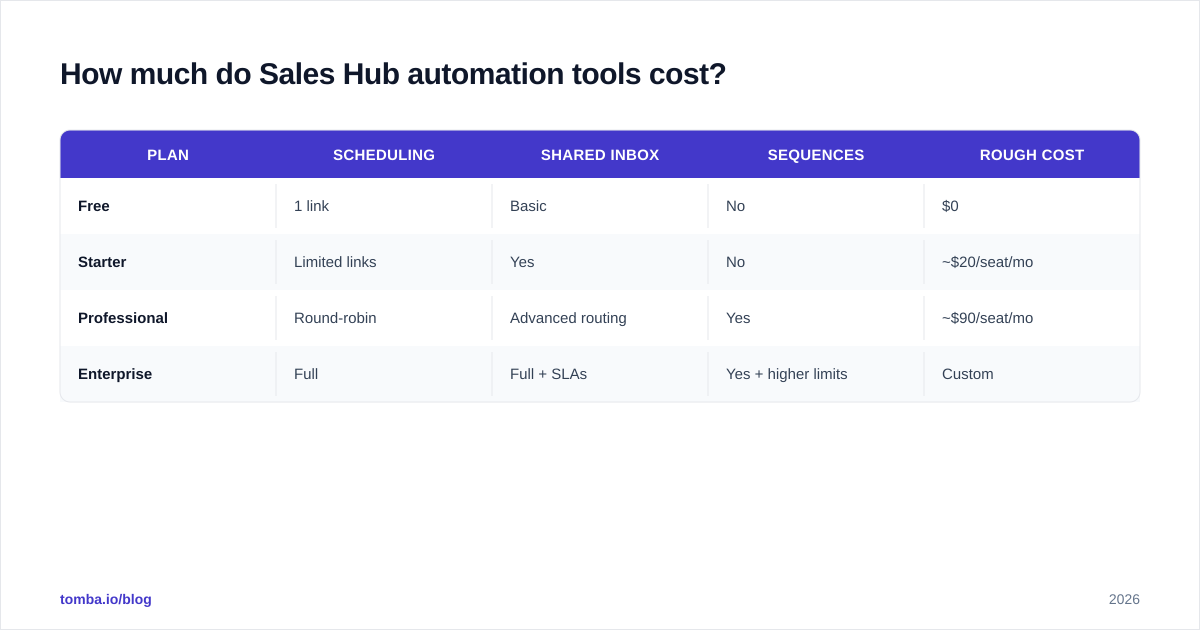
Pricing is the part most "Sales Hub automation" guides gloss over, so here is the blunt version. Sequences, the most-requested automation, require Sales Hub Professional, which lands around $90 per seat per month (billed annually) with a minimum seat count. Starter unlocks basic scheduling and a shared inbox but holds sequences back. Enterprise adds advanced routing, custom objects, and higher limits.
For context, third-party reviews on G2 consistently flag two things: the tooling is genuinely good, and the per-seat cost scales fast once you add a full team. Budget for the seats you need, not the headline Starter price.
| Plan | Scheduling | Shared inbox | Sequences | Rough cost |
|---|---|---|---|---|
| Free | 1 link | Basic | No | $0 |
| Starter | Limited links | Yes | No | ~$20/seat/mo |
| Professional | Round-robin | Advanced routing | Yes | ~$90/seat/mo |
| Enterprise | Full | Full + SLAs | Yes + higher limits | Custom |
If your team also runs HubSpot as its system of record, the native HubSpot integration lets you push enriched, verified contacts straight into the same objects these automations act on, so you are not paying for premium sequences only to fire them at junk records.
Why does data quality decide whether the automation works?#
Automation amplifies whatever you feed it. Aim a sequence at 1,000 verified contacts and you get clean reporting and replies. Aim the same sequence at 1,000 guessed addresses and you get a bounce storm, a flagged domain, and dashboards that lie to you.
Three failure modes show up again and again:
- Bounces tank deliverability. A spike in hard bounces tells mailbox providers your domain looks like a spammer, and your inbox placement drops for everyone on the team.
- Skewed reporting. If half your enrolled contacts never had a valid email, your "open rate" is calculated against a phantom denominator, and you optimize against noise.
- Wasted rep time. Reps chase tasks for contacts that were never reachable, burning the exact hours the automation was supposed to give back.
The fix is upstream: validate and enrich before enrollment. Use an email verifier to drop dead addresses, and a real email finder to source missing decision-maker emails by name and domain instead of permutating guesses. Clean data in means the Sales Hub automation you are paying for actually performs.
Is Sales Hub enough on its own?#
Sales Hub is excellent at executing on data it already holds and weak at sourcing or verifying that data in the first place. That is by design, it is a CRM and engagement layer, not a prospecting database. So the honest answer is: Sales Hub automates the outreach, but you still need a dependable way to fill and clean the list.
A practical stack looks like this:
- Source new decision-maker contacts with a dedicated finder, then verify them.
- Enrich thin records with firmographics and job titles via data enrichment so personalization tokens have something to pull from.
- Hand off clean, deliverable contacts to Sales Hub for scheduling, inbox routing, and sequences.
Skip the first two steps and the third one quietly breaks. That is the most common reason teams blame "the automation" when the real culprit is the list.
Frequently asked questions#
Do I need Sales Hub Professional for sequences? Yes. Sequences are gated to Professional and Enterprise seats. Starter gives you scheduling and the shared inbox but not the timed cadence engine.
Will sequences hurt my sender reputation? Only if you enroll bad data. Sequences send from your real mailbox, so verify every address first and respect the daily send limits to keep your email deliverability intact.
Can the shared inbox pause a sequence automatically? Yes. When HubSpot detects a reply or a booked meeting, it unenrolls the contact so you do not keep chasing someone who already engaged.
Does scheduling work on the free plan? You get a single personal meeting link on free. Round-robin and team routing require a paid seat.
The bottom line#
Sales Hub's scheduling, shared inbox, and sequences are a genuinely strong automation layer, and they earn their keep once you are on the right tier. But every one of those tools is downstream of your contact data. The fastest way to make the automation pay off is to stop feeding it guesses.
Before your next sequence enrolls a single contact, source and verify the addresses with the Tomba Email Finder. Find real decision-maker emails by name and domain, verify them, then push the clean list into HubSpot so your scheduling, inbox, and sequences run on data that actually converts. Start free with 25 searches a month and scale on a Tomba plan that fits your volume, no $249-locked features to send a verified email.
// get started
Find, verify and enrich your first contacts today
Start on the free plan with 25 searches a month, then scale when your team is ready.
Free plan · No credit card required · GDPR & CCPA
// about the author