Sales Hub Sales Process Pipeline for Enterprise Complex Deals 2026
Most pipelines are built for transactional deals and quietly break on six-figure, multi-stakeholder enterprise sales. Here is how to design a Sales Hub pipeline that survives complex deals in 2026.
Enterprise deals do not fail at the close. They fail three stages earlier. The pipeline was built for $5k transactions, and no one adjusted it for a 9-month deal with a 14-person buying committee. If your Sales Hub pipeline still reads "New → Qualified → Demo → Proposal → Closed," you are running complex deals on a simple tool. This guide fixes that. It shows how to build a Sales Hub sales process pipeline enterprise complex deals teams can actually trust.
Below you will find the stage logic, the exit criteria, the data hygiene, and the forecasting discipline that keep a big deal honest from first touch to signature.
TL;DR#
- A transactional 5-stage pipeline collapses on enterprise deals because it tracks rep activity, not buyer progress — switch to stages defined by verifiable buyer commitments.
- Attach exit criteria to every stage (a deal cannot advance until specific MEDDPICC or buyer-evidence boxes are checked), and your forecast accuracy jumps without adding a single tool.
- Multi-thread early: enterprise deals with a single contact die when that contact leaves. Map 5–8 stakeholders per deal and enrich them before the deal heats up.
- Use Sales Hub deal stage probabilities, required properties, and rotting alerts to enforce the process instead of relying on rep memory.
- Clean, complete contact data is the foundation — you cannot multi-thread a committee you cannot reach.
What makes an enterprise deal "complex," and why does the default pipeline break?#
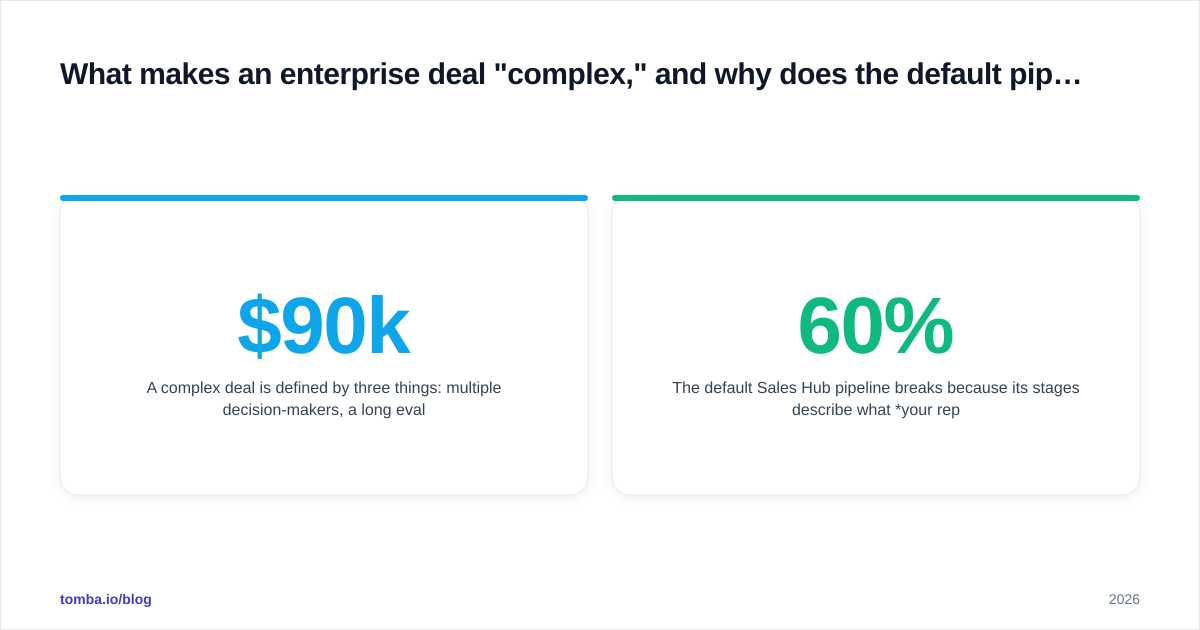
A complex deal has three traits: many decision-makers, a long evaluation cycle, and a high cost of a wrong choice for the buyer. Take a $90k platform purchase with a security review, a procurement gate, and a 7-person committee. It is not a bigger version of a $900 deal. It is a different motion entirely.
The default Sales Hub pipeline breaks because its stages describe what your rep did, not what the buyer committed to. "Demo scheduled" tells you a calendar invite exists. It tells you nothing about whether the economic buyer has acknowledged a problem worth budget. Reps mark deals "Proposal sent" and forecast them at 60%. Three weeks later the deal stalls. No one ever confirmed there was a funded initiative.
Activity-based stages reward motion. Commitment-based stages reward progress. Only one of them forecasts.
According to Gartner research on B2B buying, the typical buying group for a complex solution involves six to ten decision-makers. Each one arrives with four or five facts they gathered on their own. A pipeline that tracks one contact and one linear path cannot represent that reality.
How do you design a Sales Hub sales process pipeline enterprise complex deals can rely on?#
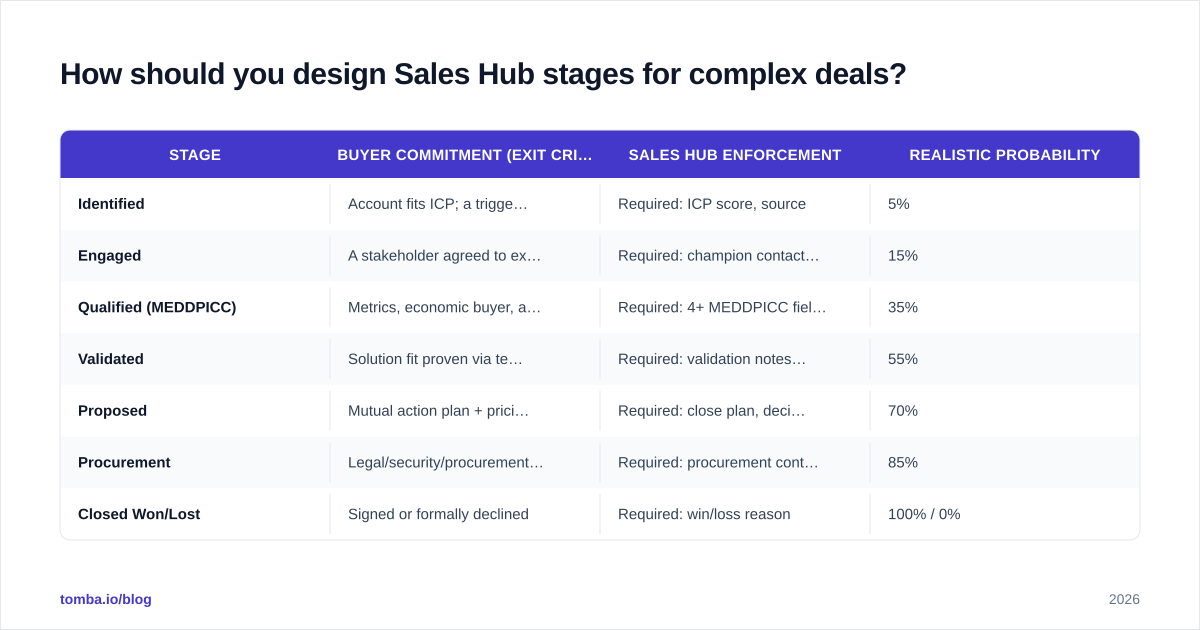
Redesign each stage around a buyer commitment you can verify. Then encode that commitment as a required property in Sales Hub so the deal cannot move forward without it.
Here is a stage model that works for enterprise motions:
| Stage | Buyer commitment (exit criteria) | Sales Hub enforcement | Realistic probability |
|---|---|---|---|
| Identified | Account fits ICP; a trigger or pain exists | Required: ICP score, source | 5% |
| Engaged | A stakeholder agreed to explore the problem | Required: champion contact, pain field | 15% |
| Qualified (MEDDPICC) | Metrics, economic buyer, and decision process confirmed | Required: 4+ MEDDPICC fields | 35% |
| Validated | Solution fit proven via technical/security review | Required: validation notes, blockers | 55% |
| Proposed | Mutual action plan + pricing agreed in principle | Required: close plan, decision date | 70% |
| Procurement | Legal/security/procurement in motion | Required: procurement contact | 85% |
| Closed Won/Lost | Signed or formally declined | Required: win/loss reason | 100% / 0% |
Two rules make this work. First, probabilities must reflect reality, not optimism — if your historical Validated-to-Won rate is 55%, that is the number, regardless of how the rep feels. Second, required properties are non-negotiable gates. HubSpot lets you mark deal properties as required to move to a given stage; use it. A rep who cannot name the economic buyer has not earned the Qualified stage, full stop.
This is also where a qualification framework like MEDDPICC or MEDDIC earns its keep. Each letter becomes a custom property (Metrics, Economic buyer, Decision criteria, Decision process, Identify pain, Champion, Competition). The stage exit criteria reference those fields directly. The methodology then lives inside the pipeline instead of in a training deck nobody reopens.
Why is multi-threading the make-or-break habit?#
Single-threaded enterprise deals die when your one contact changes jobs, loses budget, or stops replying. In a 6–9 month cycle, at least one of those will happen. Multi-threading is the discipline of building relationships across the whole buying committee so the deal survives the loss of any one person.
A practical multi-threading target for a complex deal is five to eight mapped stakeholders, each tagged by role:
- Champion — wants you to win and will spend internal capital to help
- Economic buyer — controls the budget and final yes
- Technical buyer — security, IT, or platform owner who can veto
- End users — the people who live in your product daily
- Blocker — the skeptic or incumbent loyalist you must neutralize
The hard part is not the strategy. It is the data. You cannot multi-thread a committee you cannot reach. This is where most pipelines quietly leak: the rep has one champion's email and no path to the four other people who actually decide. Before a deal reaches your Qualified stage, enrich the account with verified contact details for the full committee.
That is exactly the gap tools like Tomba's data enrichment and email finder fill — turning a half-mapped org chart into a reachable buying group. Pair that with the HubSpot integration and enriched contacts flow straight onto the deal record, so the committee is visible on the pipeline board, not buried in a rep's notebook.

The temptation, of course, is to chase the next shiny tool when the real lever is unglamorous: complete, verified, well-maintained contact data on every active deal. A perfectly designed pipeline with empty contact fields forecasts nothing.
What is the difference between a transactional and a complex-deal pipeline?#
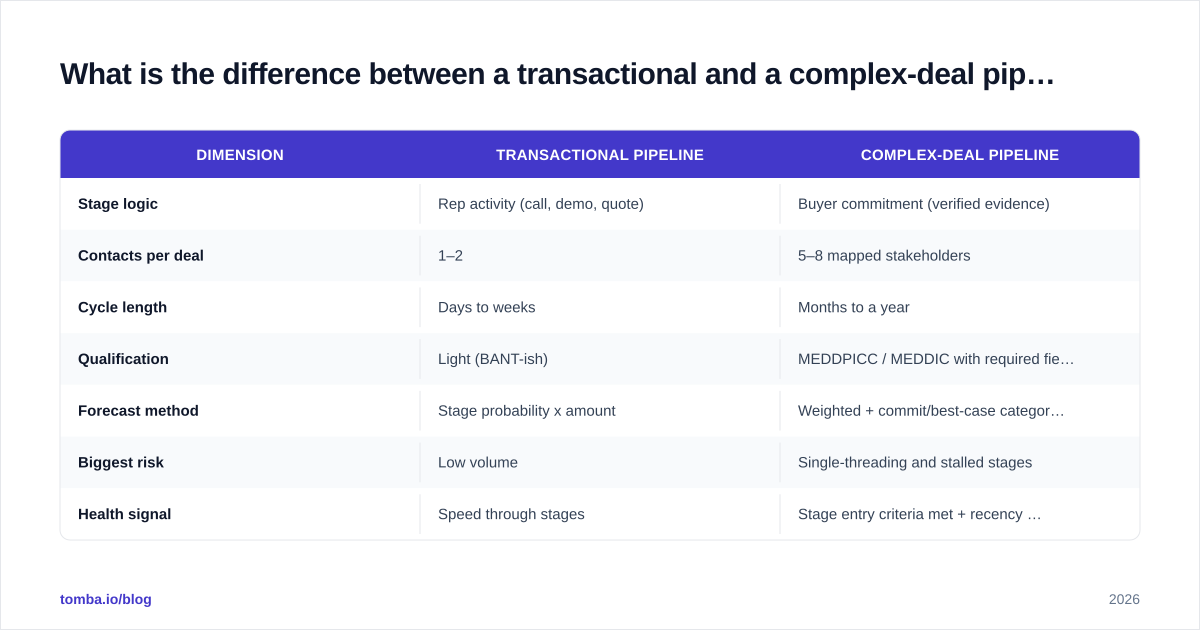
A transactional pipeline optimizes for velocity. A complex-deal pipeline optimizes for accuracy and risk control. They are different instruments tuned for different music.
| Dimension | Transactional pipeline | Complex-deal pipeline |
|---|---|---|
| Stage logic | Rep activity (call, demo, quote) | Buyer commitment (verified evidence) |
| Contacts per deal | 1–2 | 5–8 mapped stakeholders |
| Cycle length | Days to weeks | Months to a year |
| Qualification | Light (BANT-ish) | MEDDPICC / MEDDIC with required fields |
| Forecast method | Stage probability x amount | Weighted + commit/best-case categories + manual judgment |
| Biggest risk | Low volume | Single-threading and stalled stages |
| Health signal | Speed through stages | Stage entry criteria met + recency of multi-thread activity |
If you run both motions in one HubSpot portal, do not force them into one pipeline. Create separate pipelines with their own stages and probabilities. A blended pipeline produces a blended forecast that is wrong for both segments. You can read more on how stage discipline ties into broader revenue operations practice, where pipeline definitions are owned centrally rather than improvised per rep.
How do you keep the forecast honest on long deals?#
Stop forecasting on stage probability alone. Layer in commitment categories plus deal-health signals that catch stalls early.
Three mechanics make a long-cycle forecast trustworthy:
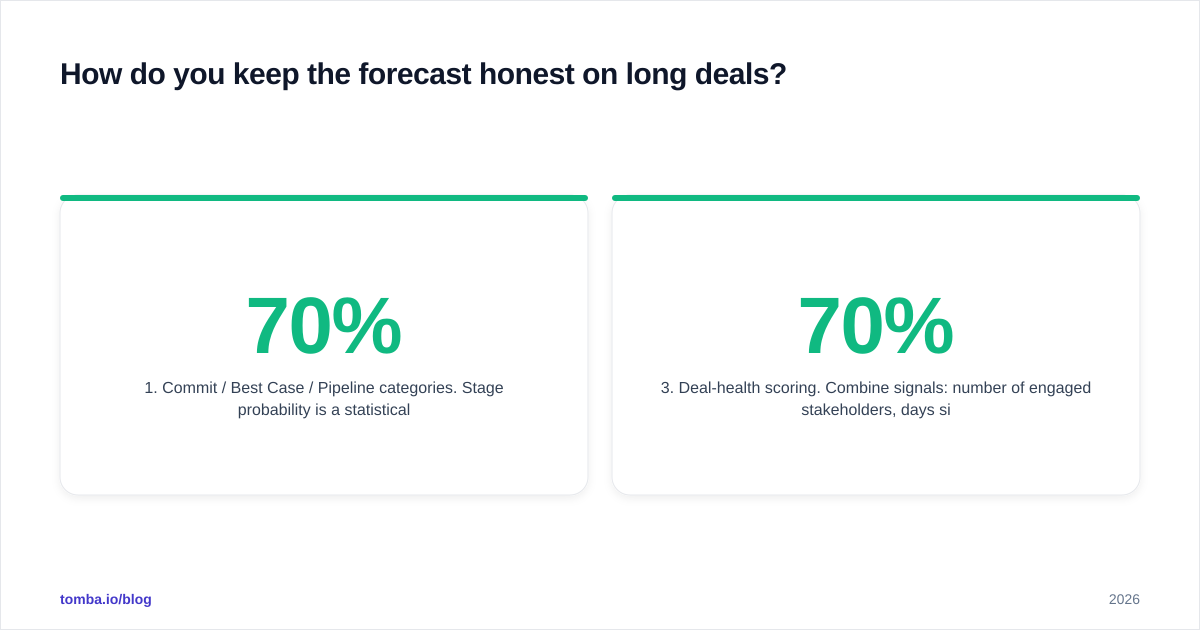
Commit / Best Case / Pipeline categories. Stage probability is a statistical average; a forecast category is a human judgment about a specific deal. A deal can sit in "Proposed" at 70% historically but be a rep's "Commit" because the mutual action plan is signed — or a "Best Case" because procurement just added a surprise security review. Use both numbers.
Rotting and inactivity alerts. HubSpot can flag deals that have not moved in N days. On a complex deal, 21 days of silence is not "still working it" — it is a stall that needs a manager conversation. Set rotting thresholds per stage (shorter early, longer during procurement).
Deal-health scoring. Combine signals: number of engaged stakeholders, days since last multi-thread touch, MEDDPICC completeness, and whether a close plan exists. A deal at 70% probability with one contact and no economic buyer named is not a 70% deal — it is a risk hiding behind a stage label.
This is the discipline Salesforce's guidance on sales pipeline management and most modern revenue teams converge on: the stage is a hypothesis, and the evidence either confirms it or it does not. Reviews on platforms like G2 repeatedly show that teams who enforce exit criteria report tighter forecast accuracy than teams who let reps self-assign probability.
How do you actually configure this in Sales Hub?#
Build it in four passes — structure, gates, automation, then reporting — so each layer rests on the one below it.
1. Structure. Create a dedicated "Enterprise" pipeline. Define the seven stages above with realistic, history-backed probabilities. Add custom deal properties for each MEDDPICC element, plus "Close plan attached," "Decision date," and "Number of engaged stakeholders."
2. Gates. Mark the right properties as required-to-advance on each stage. The Qualified stage should require the economic buyer and at least four MEDDPICC fields. The Procurement stage should require a procurement contact. This is the single highest-leverage change most teams can make in an afternoon.
3. Automation. Use workflows to: set rotting alerts per stage, create a task when a deal enters Validated with fewer than three contacts (a multi-threading nudge), and notify the manager when a deal over a dollar threshold slips a stage. Enrich new contacts on the account automatically so the committee fills in as the deal grows — the Tomba API and HubSpot workflows handle this without manual lookups.
4. Reporting. Build a deal-health dashboard: stage conversion rates, average days in stage, single-threaded deal count, and forecast-category roll-up. Review it weekly. The dashboard is how you find the leak before it costs you a quarter.
A note on data quality: required fields are only as good as the data filling them. If reps are pasting unverified emails to clear a gate, you have moved the problem, not solved it. Validate contact data on entry — a quick email verification step keeps the committee reachable and keeps bounce rates from poisoning your outreach to the very stakeholders the deal depends on.
What are the most common mistakes to avoid?#
- Optimistic probabilities. Reps love a 90% deal. Use historical conversion rates, not feelings.
- Stage-skipping. A deal that jumps from Engaged to Proposed skipped qualification. The gate should make this impossible.
- One-and-done multi-threading. Mapping eight contacts once is useless if seven go cold. Track recency of engagement per stakeholder.
- Treating procurement as a formality. Security, legal, and procurement kill more enterprise deals in the final 60 days than competitors do. Give it its own stage and its own contacts.
- Letting the pipeline rot quietly. A deal with no activity for a month is data telling you something. Listen to it.
Conclusion: the pipeline is only as strong as the data inside it#
A great Sales Hub pipeline for enterprise complex deals does two things at once. It forces honesty about where a deal actually stands. And it keeps you connected to every person who can say yes or no. Stage design and exit criteria handle the first. Complete, verified contact data handles the second — and without it, even the most elegant pipeline forecasts fiction.
If your enterprise deals keep stalling because you are single-threaded into a committee you cannot fully reach, start by closing the data gap. Use the Tomba Email Finder to find and verify the full buying committee — economic buyer, technical buyer, and champion alike — then push them straight into HubSpot so your pipeline reflects the whole room, not just the one contact who replied. The free tier covers 25 searches a month to test it, and Tomba pricing scales from $49/mo Starter to enterprise as your deal volume grows. Map the committee first; the forecast follows.
// get started
Find, verify and enrich your first contacts today
Start on the free plan with 25 searches a month, then scale when your team is ready.
Free plan · No credit card required · GDPR & CCPA
// about the author