Sales Hub Sales Process, Pipeline & Forecasting Guide (2026)
How to wire a clean sales process, a deal pipeline that stays honest, and forecasts you can defend — inside Sales Hub, with the data hygiene that makes it all work.
TL;DR
- A forecast is only as good as its pipeline. A pipeline is only as good as the process feeding it. Fix them in that order: process → pipeline → forecast.
- In HubSpot Sales Hub, your sales process lives in deal stages. Your pipeline is the board those stages render. Forecasting rolls up deal amounts by stage probability or forecast category.
- The biggest accuracy killer is dirty data — stale deals, missing close dates, and bad contact records. Verified contact data fixes more forecast error than any new dashboard.
- Sales Hub Professional and Enterprise unlock weighted and manual forecasting, custom forecast categories, and AI-assisted projections. Starter does not.
- Below: a stage-design framework, a forecasting-method comparison table, and the data hygiene checklist that keeps the whole thing honest.
If your forecast misses by 30% every quarter, the tool is rarely the problem. The three layers beneath it are. This guide treats sales hub sales process pipeline forecasting as one stack — process, then pipeline, then forecast. It shows you where each layer breaks, inside HubSpot Sales Hub.
How do sales hub sales process pipeline forecasting work together in HubSpot?#
Think of it like a kitchen. Your sales process is the recipe — the fixed sequence of steps every deal follows. Your pipeline is the line of dishes in progress, each at a different station. Your forecast is the maître d' telling the dining room how many plates will land in the next hour.
Get the recipe wrong and every dish is inconsistent. Skip the line check and you have no idea what is cooking. Only after both are solid can the forecast mean anything.
In Sales Hub these map cleanly:
- Sales process = your deal stages and the exit criteria for each one.
- Pipeline = the board view (
Deals→ board) where stages are columns and deals are cards. - Forecasting = the
Sales→Forecastworkspace that rolls up open and closed deal amounts.
Most teams make one mistake. They start at the forecast, buy a projection tool, and tweak probabilities — while the process below stays undefined. But you cannot forecast a process you have not written down.
How do you design sales process stages in Sales Hub?#
Stages should describe buyer actions, not seller hopes. "Sent proposal" is a seller action. It tells you nothing about intent. "Proposal reviewed, pricing approved by economic buyer" is a buyer commitment you can verify.
A workable B2B default in Sales Hub:
- Appointment scheduled — meeting booked, no commitment yet.
- Qualified to buy — budget, authority, need, and timeline confirmed (your qualification framework, applied).
- Presentation/demo done — the prospect has seen the solution mapped to their problem.
- Decision-maker bought in — the economic buyer has verbally committed.
- Contract sent — paper is out, terms agreed.
- Closed won / Closed lost.
Two rules keep stages clean:
- Each stage needs an objective exit criterion. If two reps would disagree about where a deal belongs, the criterion is too vague.
- Stage probability should reflect history, not optimism. Sales Hub lets you set a win probability per stage. Pull the real conversion rate from your own closed-deal data instead of guessing 50/50.
When the process is written down, your win rate becomes a number you can move. You can see which stage leaks. For a refresher on the metric itself, HubSpot's own definition of win rate is a useful baseline.
What is the difference between pipeline management and forecasting?#
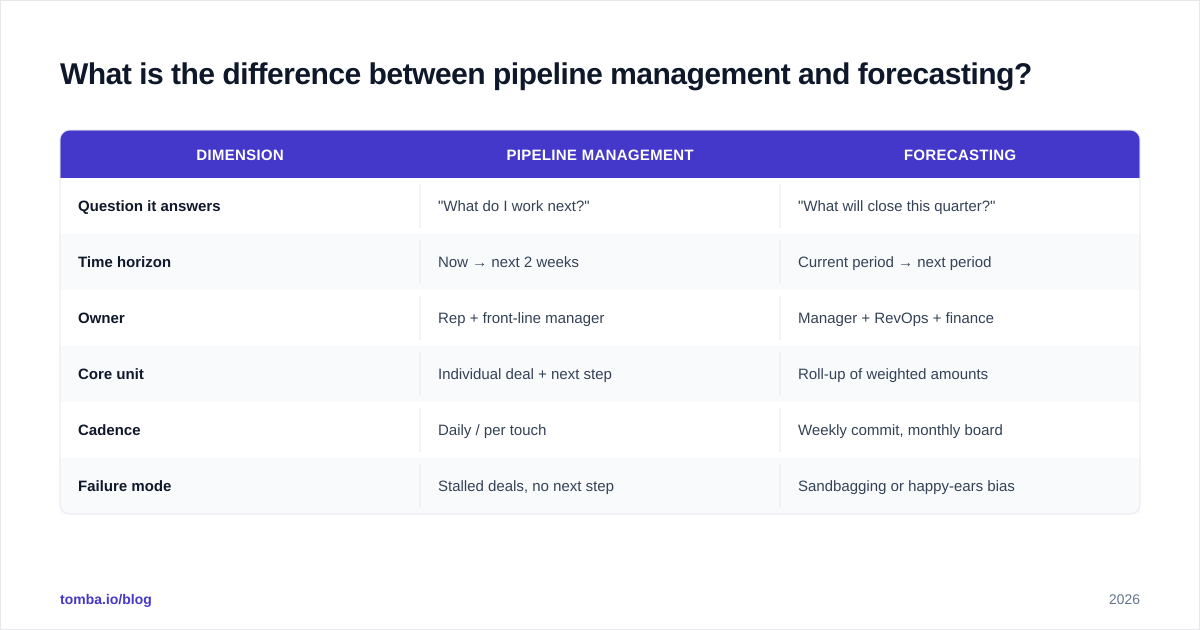
Pipeline management is operational. It is what you do every day to move deals forward. Forecasting is predictive. It is what you tell leadership will close.
| Dimension | Pipeline management | Forecasting |
|---|---|---|
| Question it answers | "What do I work next?" | "What will close this quarter?" |
| Time horizon | Now → next 2 weeks | Current period → next period |
| Owner | Rep + front-line manager | Manager + RevOps + finance |
| Core unit | Individual deal + next step | Roll-up of weighted amounts |
| Cadence | Daily / per touch | Weekly commit, monthly board |
| Failure mode | Stalled deals, no next step | Sandbagging or happy-ears bias |
The two reinforce each other. Clean pipeline hygiene feeds an accurate forecast — every deal has a next step and a real close date. A disciplined forecast review then exposes pipeline problems. A "commit" deal with no activity in 21 days is not a commit. It is a wish.
What forecasting methods does Sales Hub support, and which should you use?#
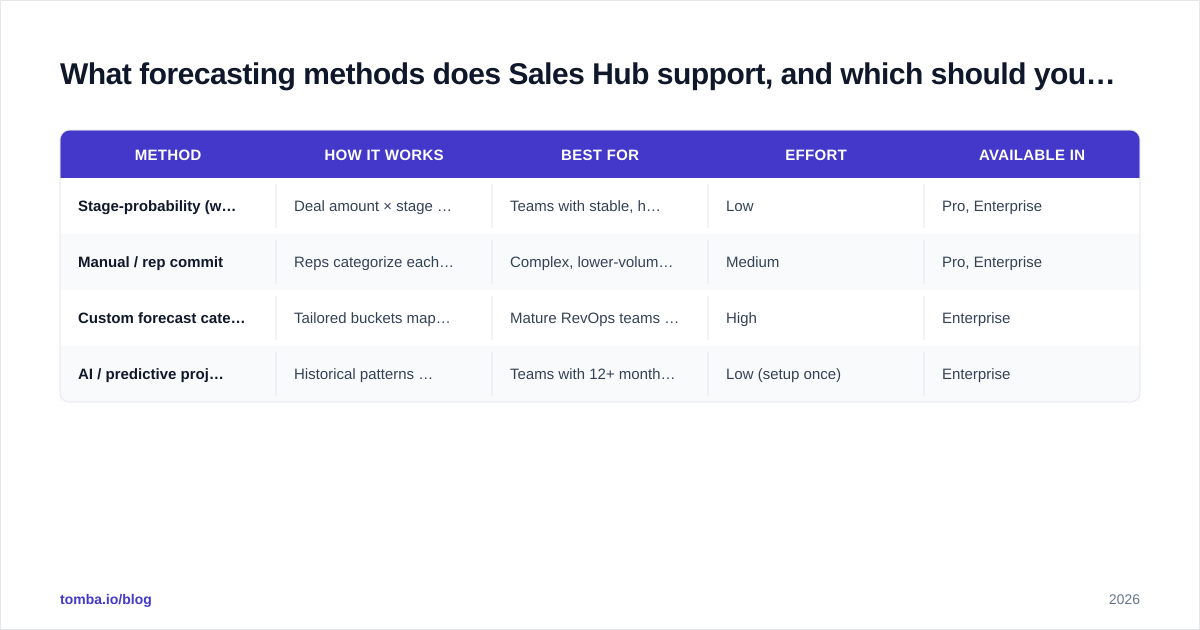
Sales Hub offers three broad approaches, depending on your tier. Here is how they compare on effort, accuracy, and fit.
| Method | How it works | Best for | Effort | Available in |
|---|---|---|---|---|
| Stage-probability (weighted) | Deal amount × stage win % | Teams with stable, high-volume pipelines | Low | Pro, Enterprise |
| Manual / rep commit | Reps categorize each deal (commit / best case / pipeline) | Complex, lower-volume enterprise deals | Medium | Pro, Enterprise |
| Custom forecast categories | Tailored buckets mapped to your stages | Mature RevOps teams with their own model | High | Enterprise |
| AI / predictive projection | Historical patterns project the period total | Teams with 12+ months of clean data | Low (setup once) | Enterprise |
A practical path: start with stage-probability weighting. It is automatic and removes rep bias. Then layer in manual commit categories for your largest deals, where one slip can change the quarter. Reserve AI projections for when your data is genuinely clean — predictive models amplify whatever garbage you feed them.
This is the part teams underestimate. A forecast model is a multiplier on data quality. Salesforce makes the same point in its sales forecasting guidance: the methodology matters far less than the integrity of the underlying records.

Why is your Sales Hub forecast inaccurate?#
Nine times out of ten it is data, not method. Run through this list before you touch a single probability setting.
1. Missing or fake close dates. Sales Hub rolls deals into a period using the close date. A deal parked on "end of quarter" by default inflates whichever period that lands in. Require a real, buyer-validated date.
2. Stale deals nobody closed-lost. Open deals that died months ago still sit in the pipeline. They drag weighted forecasts up. Set an automation: no activity in 30 days → flag for review.
3. Stage probabilities that never got calibrated. The HubSpot defaults are placeholders. Say your "qualified" stage actually converts at 22%. Leaving it at 60% guarantees overshoot.
4. Bad contact and company data. Deals attached to wrong, duplicated, or unreachable contacts skew everything downstream. You cannot weight a deal you cannot even reach. This is where verified contact data earns its keep. Run your deal contacts through an email verifier and fill gaps with data enrichment to keep the records that drive your forecast trustworthy.
5. Pipeline that does not match your real process. If reps skip stages or jam everything into "negotiation," your roll-up is fiction. Audit stage distribution monthly.
Fix data first. A mediocre forecasting method on clean data beats a sophisticated one on dirty data every time.
How do you keep pipeline data clean enough to forecast on?#
Treat data hygiene as a recurring operation, not a one-time cleanup. The checklist that holds up in practice:
- Every open deal has a next step and a future-dated next activity. No next step means it is not a real deal.
- Close dates are buyer-validated, never auto-rolled to the period boundary.
- Contacts on each deal are verified and reachable. Bounced or guessed addresses get corrected before the deal advances.
- Stage exit criteria are enforced in deal-stage required properties (Sales Hub lets you mandate fields per stage).
- Duplicates are merged weekly so one company is not three records inflating coverage.
- Lost reasons are captured so your probabilities stay calibrated against reality.
For the contact layer, prospecting and enrichment tools matter more than people expect. When you are building or repairing the records behind deals, an email finder plus bulk contact enrichment keeps your CRM populated with data you can actually forecast on. And because most of this lives in HubSpot, the native HubSpot integration pushes verified contacts straight into the deals that feed your roll-up.
If you want the textbook definition of the system that ties this together, the CRM glossary entry covers why contact data quality is the foundation, not a footnote.
What is a healthy weekly forecast cadence?#
A forecast is a habit, not a report you generate once a quarter. A cadence that works for most Sales Hub teams:
- Monday — rep pipeline review. Each rep updates stages, close dates, and amounts. Stale deals get closed-lost or rescheduled with a reason.
- Tuesday — manager 1:1 commits. The manager challenges every "commit" deal: where is the next step, who is the economic buyer, what could slip it?
- Wednesday — roll-up. RevOps aggregates the weighted and committed numbers into the period forecast.
- Friday — variance check. Compare this week's forecast to last week's. Movement without a reason is a data problem.
The discipline is in the challenge. A deal is "commit" only if the rep would bet their commission on it. Everything softer is "best case" or "pipeline." When managers enforce that line, the sandbagging-versus-happy-ears noise that wrecks most forecasts drops sharply. Industry research from Gartner on sales forecasting consistently ties accuracy gains to review discipline far more than to tooling.
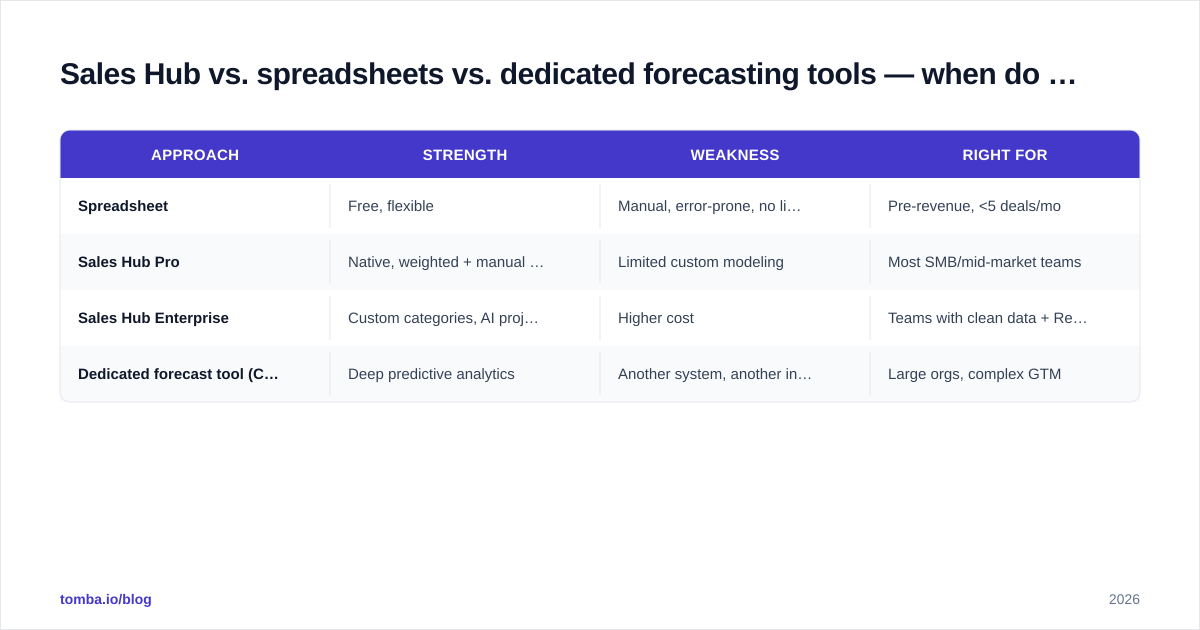
Sales Hub vs. spreadsheets vs. dedicated forecasting tools — when do you upgrade?#
| Approach | Strength | Weakness | Right for |
|---|---|---|---|
| Spreadsheet | Free, flexible | Manual, error-prone, no live data | Pre-revenue, <5 deals/mo |
| Sales Hub Pro | Native, weighted + manual forecast | Limited custom modeling | Most SMB/mid-market teams |
| Sales Hub Enterprise | Custom categories, AI projection, recurring revenue | Higher cost | Teams with clean data + RevOps |
| Dedicated forecast tool (Clari, etc.) | Deep predictive analytics | Another system, another integration | Large orgs, complex GTM |
The honest answer for most teams: you do not need a dedicated forecasting tool yet. Wait until your Sales Hub data is clean and your review cadence is tight. Buying Clari to fix a forecast that is wrong because of stale deals just pays a premium to project bad data more precisely. Tighten process and hygiene first. You may find Sales Hub Professional was enough all along. Compare the tiers on HubSpot's pricing page before assuming you need to move up.
How do you measure whether your forecasting is actually improving?#
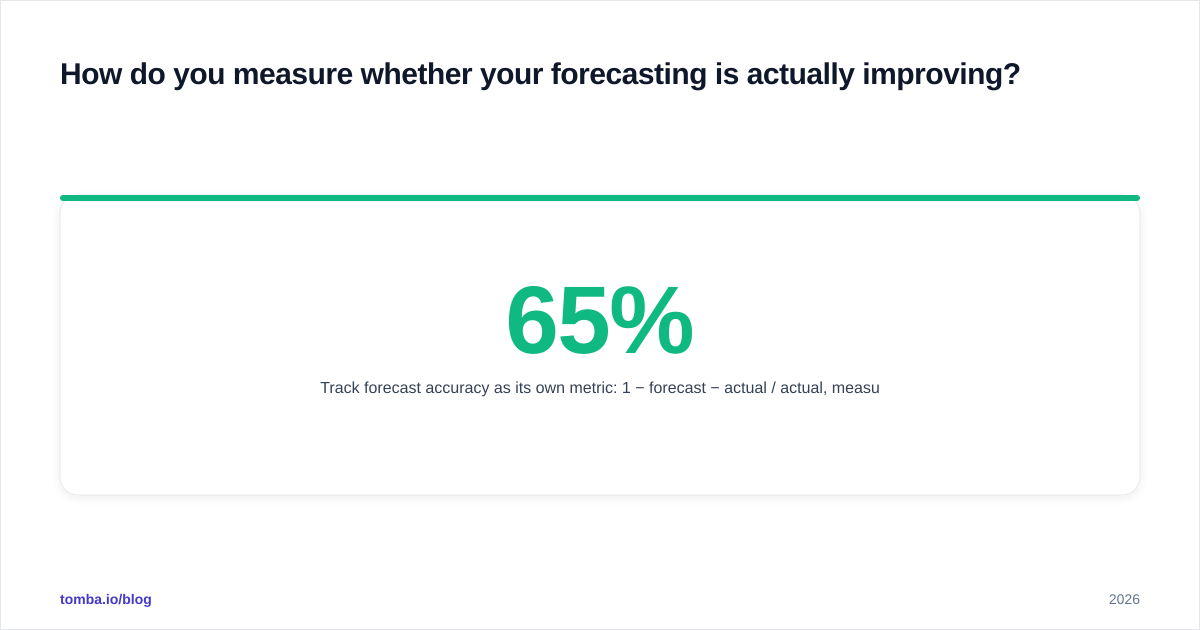
Track forecast accuracy as its own metric: 1 − |forecast − actual| / actual, measured each closed period. Plot it over time. A team going from 65% to 85% accuracy over two quarters is improving its process, not just its luck.
Pair it with two leading indicators:
- Slippage rate — what share of "commit" deals slipped to the next period. High slippage means your commit definition is too loose.
- Pipeline coverage — open weighted pipeline ÷ quota. Below ~3x and you likely cannot hit the number, no matter how you forecast it.
When accuracy climbs and slippage falls, your sales process, pipeline, and forecasting finally work as one system rather than three disconnected reports.
Where Tomba fits#
You cannot forecast deals built on contacts you cannot reach. The fastest accuracy win for most teams is not a new forecasting model. It is clean, verified contact data flowing into every deal. Tomba's Email Finder gives your reps verified professional emails to build pipeline on, the verifier keeps existing records reachable, and enrichment fills the gaps that quietly distort your roll-up. It plugs straight into HubSpot, so the data feeding your Sales Hub forecast stays trustworthy without manual cleanup. Start on the free tier (25 searches/month) and scale up through the Tomba plans — Starter at $49/mo — as your pipeline grows. Fix the data layer, and your sales hub sales process pipeline forecasting finally tells the truth.
// get started
Find, verify and enrich your first contacts today
Start on the free plan with 25 searches a month, then scale when your team is ready.
Free plan · No credit card required · GDPR & CCPA
// about the author