Sales Hub Sales Prospecting & Phone Data Finding (2026 Guide)
A practical 2026 playbook for pairing HubSpot Sales Hub prospecting with accurate, verified phone data — so your reps dial real numbers, not dead ends.
Phone numbers are still the fastest path to a live conversation in B2B — but only if the number actually rings the right person. Most teams running HubSpot Sales Hub have a strong workflow problem solved (sequences, tasks, logging) and a weak data problem unsolved (the numbers themselves are stale, missing, or wrong). This guide fixes the second half.
TL;DR#
- Sales Hub gives you the workflow; it does not give you accurate phone data. You still need a dedicated source for verified, current B2B numbers.
- Bad phone data quietly kills dialer productivity — wrong numbers, disconnected lines, and gatekeeper routing eat 30–50% of an SDR's call time.
- The fix is a three-layer stack: Sales Hub for orchestration, a phone-finding enrichment source, and a validation step before any number reaches a dialer.
- Verify before you dial. Real-time phone validation removes disconnected and invalid numbers so connect rates climb instead of reputation dropping.
- Tomba's phone finder and validator plug into a HubSpot-centered prospecting motion to keep numbers fresh without manual research.
What is "sales prospecting phone data finding"?#
Sales prospecting phone data finding is the process of discovering, enriching, and verifying the direct-dial and mobile numbers of the prospects you want to reach — then feeding those numbers into your outreach system so reps can actually connect.
Think of it like a delivery service. HubSpot Sales Hub is the dispatch board that tells the driver where to go and tracks every stop. But if the addresses on the board are wrong, the best dispatch software in the world just routes your driver to empty lots faster. Phone data finding is the part that keeps the addresses correct.
In practice it has three jobs:
- Find the number that doesn't exist in your CRM yet (a net-new contact or an enriched field on an existing one).
- Enrich the record with context — direct line vs. switchboard, mobile vs. desk, role, and company.
- Validate that the number is live and correctly formatted before a rep wastes a dial on it.
Why isn't HubSpot Sales Hub enough on its own?#
Sales Hub is excellent at what happens around a phone number — sequencing, call logging, task queues, and reporting. What it is not is a B2B phone database. The phone field on a HubSpot contact is only as good as whatever put it there: a form fill, an import, or a manual entry that may be years old.
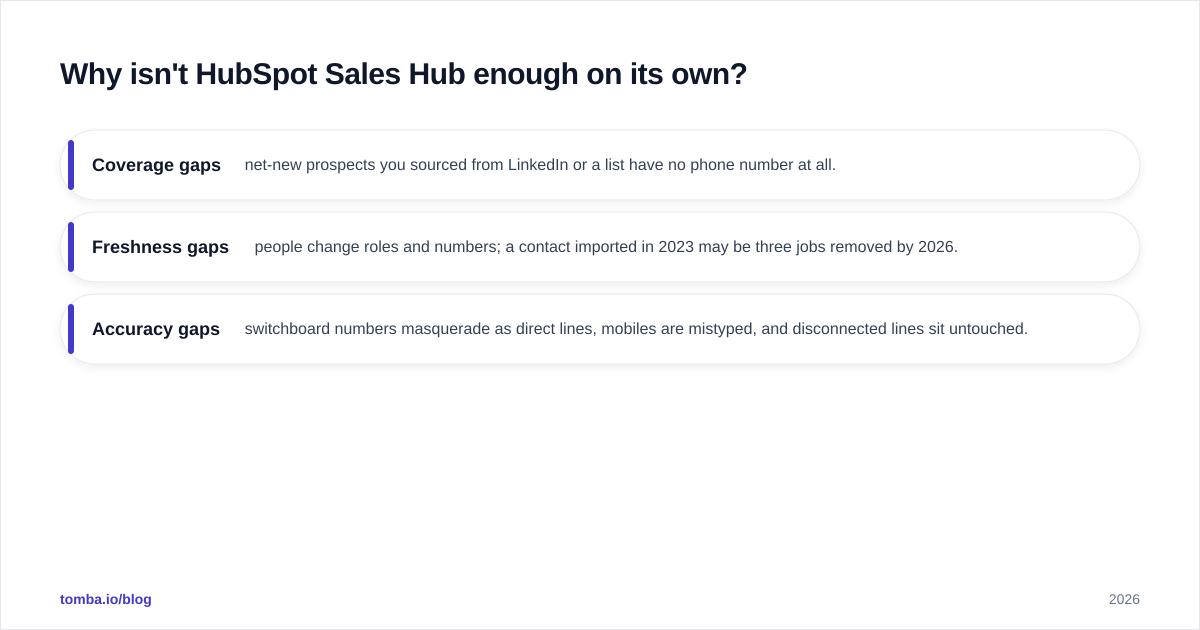
That creates three recurring gaps:
- Coverage gaps — net-new prospects you sourced from LinkedIn or a list have no phone number at all.
- Freshness gaps — people change roles and numbers; a contact imported in 2023 may be three jobs removed by 2026.
- Accuracy gaps — switchboard numbers masquerade as direct lines, mobiles are mistyped, and disconnected lines sit untouched.
HubSpot's own Sales Hub documentation positions it as an engagement and CRM layer, not a contact-data vendor — which is exactly why a separate data source belongs in the stack. You can confirm the same pattern across reviews on G2: teams consistently pair their CRM with a dedicated intelligence or enrichment tool rather than relying on the CRM's native fields.
How does bad phone data actually cost you?#
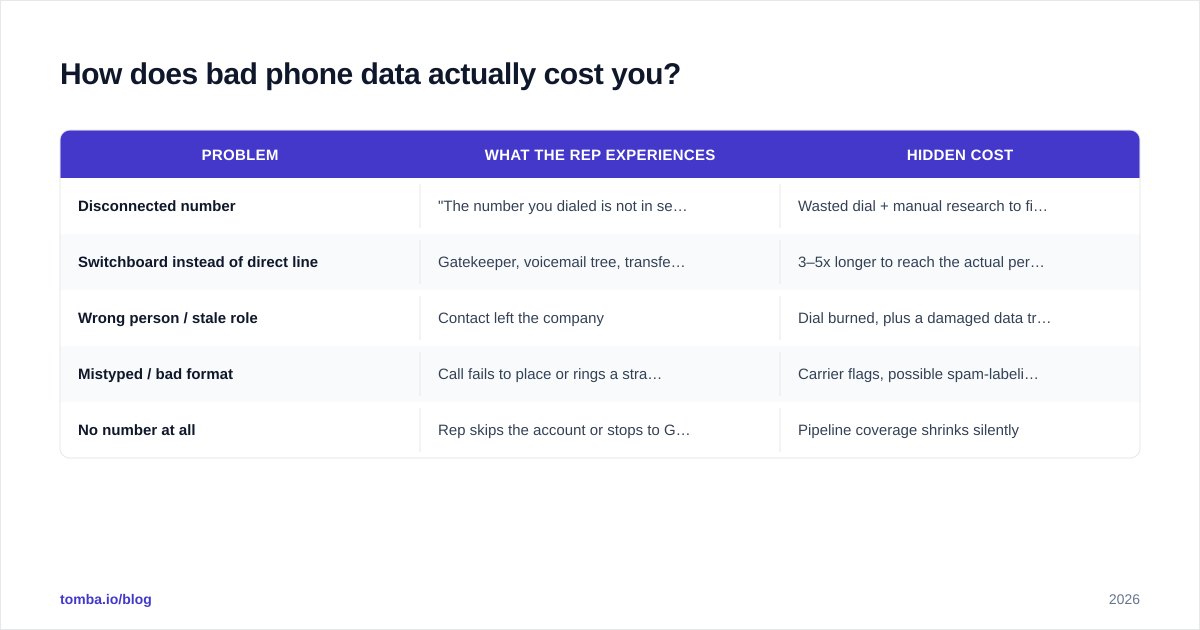
The damage is hidden because it looks like normal activity. A rep dials 60 times, logs 60 calls, and the dashboard looks busy — but 25 of those numbers were never going to connect. Here's where the time leaks.
| Problem | What the rep experiences | Hidden cost |
|---|---|---|
| Disconnected number | "The number you dialed is not in service" | Wasted dial + manual research to find a replacement |
| Switchboard instead of direct line | Gatekeeper, voicemail tree, transfer roulette | 3–5x longer to reach the actual person |
| Wrong person / stale role | Contact left the company | Dial burned, plus a damaged data trust signal |
| Mistyped / bad format | Call fails to place or rings a stranger | Carrier flags, possible spam-labeling of your line |
| No number at all | Rep skips the account or stops to Google it | Pipeline coverage shrinks silently |
A useful rule of thumb: if a quarter of your list is bad, a quarter of your dialing capacity is gone — and you're paying full salary for it. The fix is cheaper than the leak.
What does a good phone-data prospecting stack look like in 2026?#
The winning pattern separates three responsibilities instead of forcing one tool to do all of them. Keep Sales Hub as the system of action, add a finding/enrichment source, and gate everything behind validation.
Layer 1 — Orchestration (Sales Hub). Sequences, call tasks, logging, and reporting stay where your reps already work. Don't move the workflow; feed it better inputs.
Layer 2 — Finding & enrichment. When a contact has no number, a phone-finding source fills it. When a record is thin, data enrichment adds role, company, and direct-dial context so reps prioritize correctly. Tomba's phone finder returns B2B numbers from the same lookup you'd use to find email addresses, which keeps email and phone discovery in one motion instead of two tools.
Layer 3 — Validation. Before any number reaches the dialer, run it through a phone validator to drop disconnected and malformed lines. This is the single highest-ROI step most teams skip.
Then connect the layers. Tomba's HubSpot integration and broader integrations push enriched, validated numbers straight onto the contact record — so the data improvement happens inside the workflow your reps already trust, not in a side spreadsheet that never gets synced back.
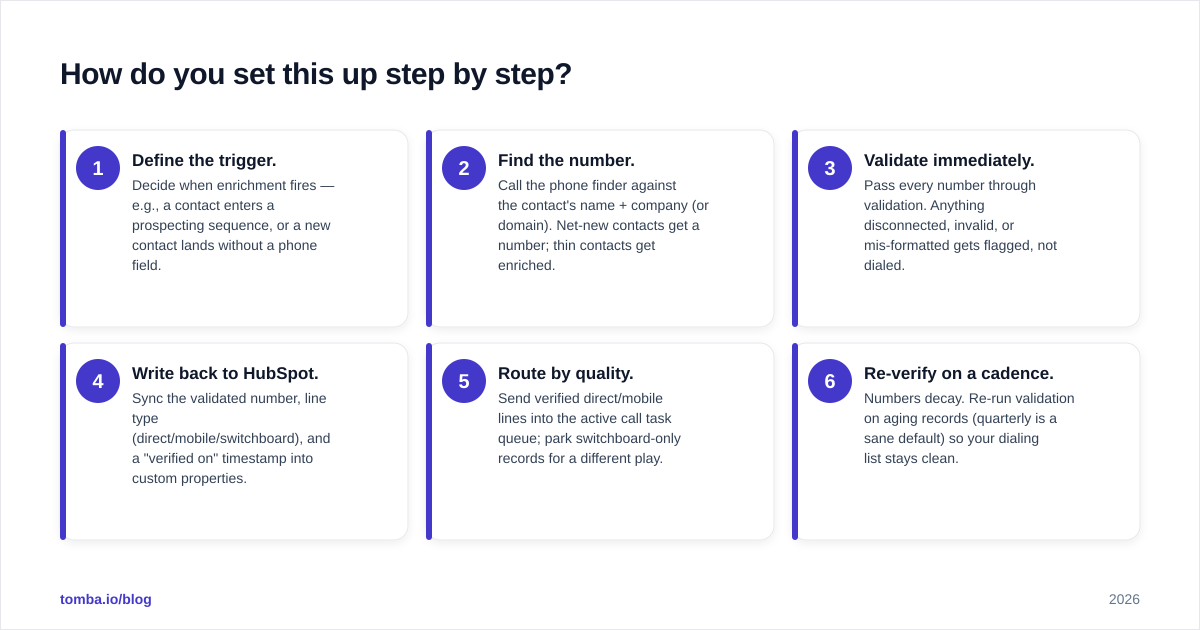
How do you set this up step by step?#
You can stand this up in an afternoon. The point is to make "find → validate → sync → dial" automatic so no rep has to think about data hygiene.
- Define the trigger. Decide when enrichment fires — e.g., a contact enters a prospecting sequence, or a new contact lands without a phone field.
- Find the number. Call the phone finder against the contact's name + company (or domain). Net-new contacts get a number; thin contacts get enriched.
- Validate immediately. Pass every number through validation. Anything disconnected, invalid, or mis-formatted gets flagged, not dialed.
- Write back to HubSpot. Sync the validated number, line type (direct/mobile/switchboard), and a "verified on" timestamp into custom properties.
- Route by quality. Send verified direct/mobile lines into the active call task queue; park switchboard-only records for a different play.
- Re-verify on a cadence. Numbers decay. Re-run validation on aging records (quarterly is a sane default) so your dialing list stays clean.
For bulk list work — say you imported 5,000 contacts from an event — run them through a bulk email finder and validation pass first, then import only the survivors. It's far cheaper to clean before the data enters HubSpot than to discover the rot mid-quarter.
How do the common approaches compare?#
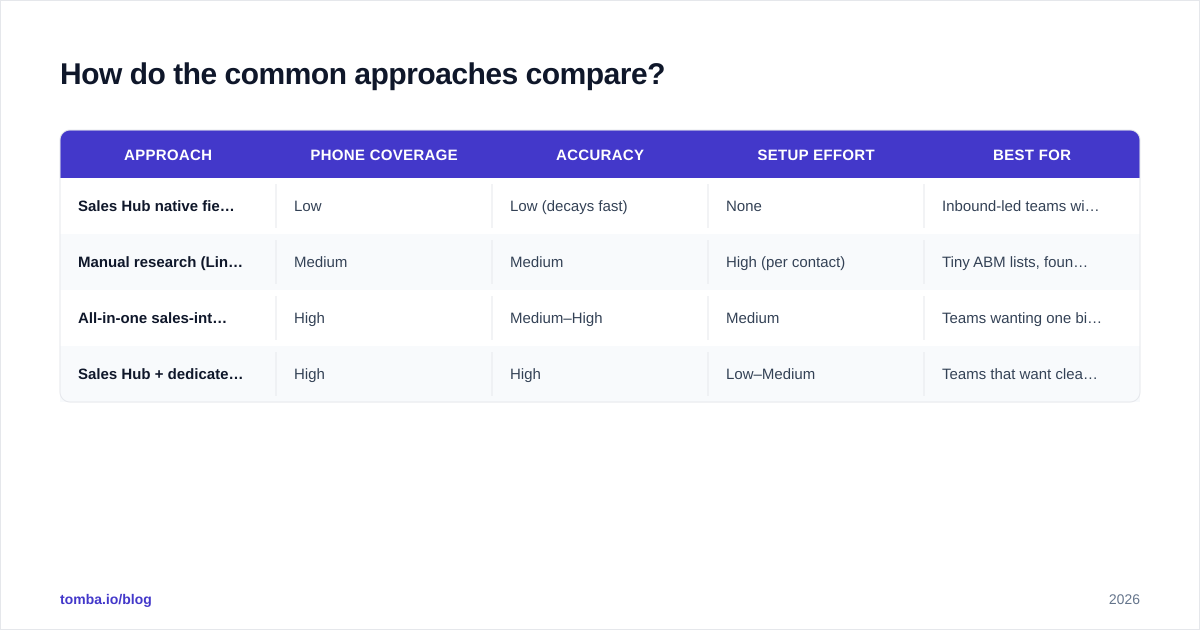
Most teams land on one of four setups. Here's the honest trade-off picture.
| Approach | Phone coverage | Accuracy | Setup effort | Best for |
|---|---|---|---|---|
| Sales Hub native fields only | Low | Low (decays fast) | None | Inbound-led teams with rich form data |
| Manual research (LinkedIn + Google) | Medium | Medium | High (per contact) | Tiny ABM lists, founder-led sales |
| All-in-one sales-intel suite | High | Medium–High | Medium | Teams wanting one bill, less control |
| Sales Hub + dedicated finder/validator | High | High | Low–Medium | Teams that want clean data inside their existing workflow |
The all-in-one suites are convenient but you inherit their refresh cadence and pay for seats whether or not you use the data. The Sales Hub + dedicated-finder model keeps you in control of when and what you enrich, and lets you validate independently — which matters because, as Salesforce's research on data quality repeatedly shows, contact data decays continuously, so the team that re-verifies wins over the team that buys once.
What about compliance and dialing reputation?#
Verifying numbers isn't only an efficiency play — it protects your calling reputation. Carriers increasingly flag and label outbound lines that generate high invalid-number and short-duration call rates. Every disconnected number you dial nudges your line toward a "Spam Likely" label, which then tanks your good calls too.
Two habits keep you clean:
- Validate before dialing so invalid and disconnected numbers never hit the carrier in the first place. This is exactly what a phone validator is for.
- Respect line type. Treat mobile numbers and direct dials differently from switchboards, and honor regional calling rules and do-not-call obligations. Accurate line-type data (which good enrichment provides) is what makes that segmentation possible.
Clean data, in other words, is also compliant data. The same step that raises your connect rate lowers your regulatory and reputation risk.
Where does email fit alongside phone?#
Phone and email aren't competing channels — they're a sequence. The highest-performing prospecting plays in Sales Hub interleave them: a verified email touch, then a call to a validated number, then a follow-up. Running both off the same enrichment source keeps the contact record coherent.
That's why it's worth sourcing email and phone together. The same lookup that powers Tomba's phone finder also drives the email finder and domain search, so a single enrichment pass can populate both the email and phone fields on a HubSpot contact, then validate each. One source, one sync, two channels ready to go.
Frequently asked questions#
Does HubSpot Sales Hub include a phone-number database? No. Sales Hub provides calling, logging, sequencing, and reporting, but the phone numbers themselves come from your imports, forms, or a third-party data source. You need a dedicated finder/enricher for coverage and a validator for accuracy.
How often does B2B phone data go stale? Plan for meaningful decay every quarter as people change roles and companies. Re-validating aging records on a quarterly cadence is a reasonable default for most teams.
Will validating numbers really improve connect rates? Yes — because you stop spending dials on disconnected and invalid lines, and you avoid carrier spam-labeling that suppresses your good calls. The gain shows up as more conversations per hour, not just a cleaner list.
Can I keep all of this inside HubSpot? Largely, yes. With Tomba's HubSpot integration, found and validated numbers write back to the contact record, so reps work entirely inside Sales Hub while the data quality happens in the background.
The bottom line#
Sales Hub is the right place to run phone prospecting — it's just not the right place to source the numbers. Treat phone data as its own discipline: find what's missing, enrich what's thin, validate everything, and sync it back into the workflow your reps already live in. Do that, and the same headcount books more meetings simply because more of their dials reach a human.
Ready to fix the data half of the equation? Start with Tomba's phone finder to fill the gaps in your HubSpot contacts, pair it with the phone validator so every number is live before a rep dials, and let the HubSpot integration keep your records fresh automatically. You can try it on the free tier (25 searches/month), then scale to Starter at $49/mo when your pipeline outgrows it.
Ready to find emails that actually work?
Join 150,000+ professionals who stopped guessing and started sending. Free credits on signup — no credit card required.
Get the Tomba newsletter
Practical outbound tactics and product updates — once every two weeks.
About the author