Adaptio Pros and Cons (2026): An Honest B2B Data Review
A neutral 2026 breakdown of Adaptio's pros and cons — data accuracy, pricing, the Prospector extension, and where cheaper, more focused tools win.
Adaptio (often written Adapt.io) markets itself as an all-in-one B2B contact intelligence and prospecting platform. Before you put it on the company card, you want the unvarnished version: where it shines, where it stalls, and whether a leaner stack gets you the same leads for less. This is that breakdown.
TL;DR — Adaptio pros and cons at a glance#
- Best for: mid-market sales teams that want a contact database, a Chrome prospecting extension, and basic enrichment in one subscription.
- Biggest pros: large B2B contact database, an easy LinkedIn-style Prospector extension, and CRM-friendly exports.
- Biggest cons: opaque per-seat pricing, credit limits that bite at scale, and email accuracy that varies sharply by region and industry.
- The honest verdict: Adaptio is a competent generalist, but if your team mostly needs verified emails, a specialized email finder plus a dedicated email verifier often delivers better accuracy per dollar.
- Read on for: a feature-by-feature table, a decision framework, and the alternatives worth testing first.
What is Adaptio and who is it for?#
Adaptio is a B2B sales intelligence platform built around three things: a contact and company database, a browser extension ("Prospector") that pulls contact details while you browse LinkedIn and company sites, and list-building tools that push data into your CRM or outreach sequencer.
The target user is a sales development rep (SDR), account executive, or small growth team that wants to skip stitching together five point solutions. Instead of buying a database, an email finder, a verifier, and an enrichment API separately, Adaptio bundles them. That bundling is the whole pitch — and, as you'll see, the whole tension.
If you've evaluated ZoomInfo, Apollo, or Lusha, Adaptio lives in the same neighborhood: a broad platform that trades best-in-class depth for convenience. Whether that trade is worth it depends entirely on how you prospect.
What are the main pros of Adaptio?#
Let's start with what genuinely works.
1. A single subscription covers the core prospecting loop. You search for accounts, find contacts, grab emails and phone numbers, and export — without leaving the tool. For a small team, one vendor relationship, one login, and one invoice is a real operational win. Less context-switching usually means more dials and more sends.
2. The Prospector extension is fast. The browser extension is the feature most users praise. Open a prospect's LinkedIn profile or a company's team page, and it surfaces contact details inline. For reps who live in LinkedIn, that's a tight workflow that competes well with tools like ContactOut and Lusha.
3. Decent firmographic filtering. You can slice the database by industry, headcount, location, and technology used. That makes it usable for building an ideal-customer-profile list rather than just one-off lookups — the difference between a database and a glorified rolodex.
4. CRM and sequencer exports are straightforward. Pushing lists into HubSpot, Salesforce, or an outreach tool is built in. If your team already runs sequences, the data lands where it needs to with minimal manual CSV wrangling.
5. Reasonable starting point for generalist outbound. If you don't yet know exactly what you need, Adaptio gives you a wide surface area to experiment with — find contacts, test segments, see what converts — before you specialize your stack.

What are the main cons of Adaptio?#
Now the parts that show up in the renewal conversation.
1. Pricing is opaque and seat-based. Adaptio doesn't publish clean, self-serve tiers the way some competitors do — you're often funneled into a demo and a quote. Seat-based pricing also punishes teams with occasional users: the part-time prospector still costs a full seat. Compare that to usage-based Tomba pricing, where you pay for searches, not chairs.
2. Credit limits create friction at scale. Like most database tools, Adaptio meters how many contacts you can reveal or export per period. Hit the ceiling mid-quarter and you're either rationing leads or buying an upgrade. Heavy list-builders feel this fast.
3. Email accuracy is inconsistent. This is the recurring theme in user reviews on G2 and Capterra: coverage and accuracy are strong in some industries and regions (typically US tech and SaaS) and noticeably weaker in others (smaller markets, non-English regions, niche verticals). When the bundled data misses, you still need a verification step.
4. No deep, standalone verification layer. Bundled platforms tend to treat verification as a checkbox, not a craft. If you send cold email at volume, bounce rate is survival — and a generalist's "verified" flag is rarely as rigorous as a dedicated email verification engine that handles catch-all domains, greylisting, and role accounts explicitly.
5. Catch-all domains are a blind spot. Many B2B domains are catch-all, meaning the server accepts every address whether or not the mailbox exists. Generalist tools often mark these "valid" and let the bounce happen later. A dedicated catch-all verifier is the difference between a clean list and a damaged sender reputation.
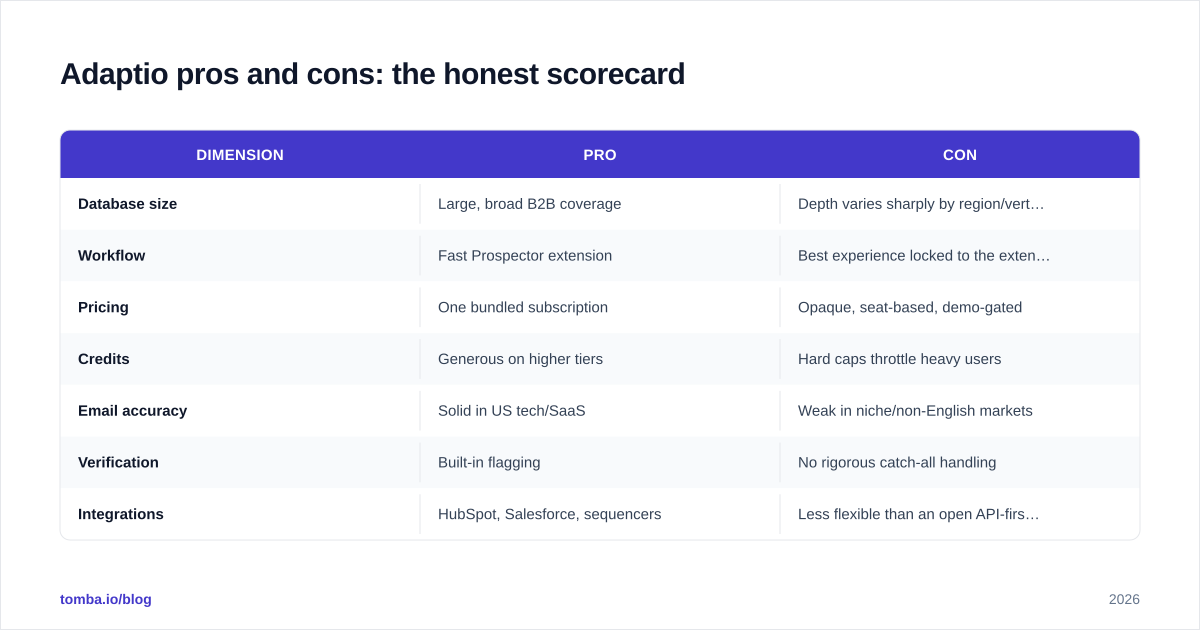
Adaptio pros and cons: the honest scorecard#
Here's the balance sheet in one view.
| Dimension | Pro | Con |
|---|---|---|
| Database size | Large, broad B2B coverage | Depth varies sharply by region/vertical |
| Workflow | Fast Prospector extension | Best experience locked to the extension |
| Pricing | One bundled subscription | Opaque, seat-based, demo-gated |
| Credits | Generous on higher tiers | Hard caps throttle heavy users |
| Email accuracy | Solid in US tech/SaaS | Weak in niche/non-English markets |
| Verification | Built-in flagging | No rigorous catch-all handling |
| Integrations | HubSpot, Salesforce, sequencers | Less flexible than an open API-first stack |
How does Adaptio compare to specialized alternatives?#
The core question isn't "is Adaptio good?" — it's "is a bundle better than focused tools for your motion?"
If your prospecting is email-first (cold email sequences, newsletter outreach, founder-led sales), the accuracy of the email itself outweighs the convenience of a bundle. A specialized email finder paired with strict verification typically produces a cleaner list than a generalist's bundled emails — and you only pay for what you search.
If your prospecting is multi-channel and database-driven (you want firmographics, intent signals, phone numbers, and email in one place), a broad platform's convenience has more pull, and Adaptio earns its seat.
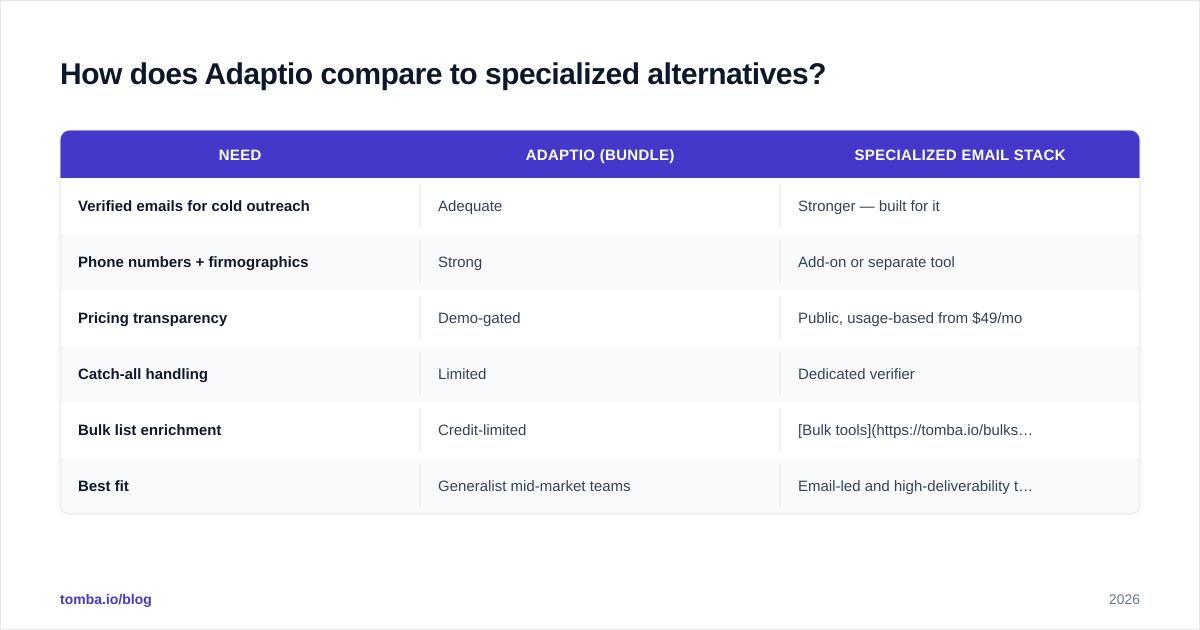
Here's how the categories stack up.
| Need | Adaptio (bundle) | Specialized email stack |
|---|---|---|
| Verified emails for cold outreach | Adequate | Stronger — built for it |
| Phone numbers + firmographics | Strong | Add-on or separate tool |
| Pricing transparency | Demo-gated | Public, usage-based from $49/mo |
| Catch-all handling | Limited | Dedicated verifier |
| Bulk list enrichment | Credit-limited | Bulk tools + API |
| Best fit | Generalist mid-market teams | Email-led and high-deliverability teams |
For teams already eyeing the broader category, it's worth scanning focused options like an Apollo alternative or a RocketReach alternative before committing — the right comparison set saves a quarter of buyer's remorse.
A simple framework for deciding on Adaptio#
Don't evaluate Adaptio on a feature checklist. Evaluate it on your actual workflow. Run these four questions in order.
1. What's your primary channel? If 70%+ of your pipeline comes from cold email, deliverability is your bottleneck, and you should weight email accuracy and verification above everything. If you're balanced across phone, LinkedIn, and email, a bundle's breadth matters more.
2. How many seats actually need full access? Seat-based pricing rewards small, dedicated prospecting teams and punishes "everyone occasionally looks something up" cultures. Count your true power users honestly.
3. What's your monthly contact volume? Map your real list-building volume against credit caps. If you build 10,000-contact lists, a credit-metered bundle gets expensive fast, and a usage-based finder may undercut it.
4. Can you tolerate regional accuracy gaps? If you sell into US tech, Adaptio's data is in its strongest zone. If you sell into smaller markets or non-English regions, run a paid pilot on your exact ICP before signing — averages hide the misses.
If three of those four answers point toward "email-first, lean team, high volume, niche market," a specialized stack will usually beat the bundle. If they point toward "multi-channel, dedicated team, moderate volume, US tech," Adaptio is a defensible choice.
How do you run a fair Adaptio trial?#
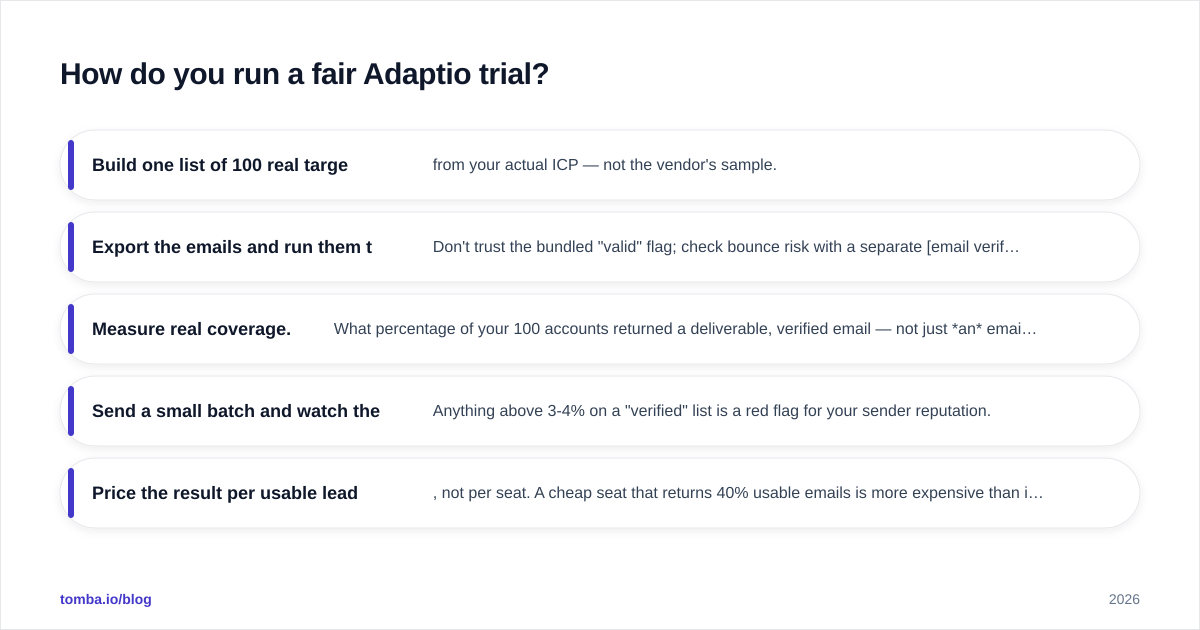
Vendors demo their best-case data. You need your worst case. A fair test looks like this:
- Build one list of 100 real target accounts from your actual ICP — not the vendor's sample.
- Export the emails and run them through an independent verifier. Don't trust the bundled "valid" flag; check bounce risk with a separate email verification pass.
- Measure real coverage. What percentage of your 100 accounts returned a deliverable, verified email — not just an email?
- Send a small batch and watch the bounce rate. Anything above 3-4% on a "verified" list is a red flag for your sender reputation.
- Price the result per usable lead, not per seat. A cheap seat that returns 40% usable emails is more expensive than it looks.
That last metric — cost per usable, verified lead — is the only number that matters at renewal. Bundled platforms often look cheaper per seat and more expensive per usable contact.
Where does Tomba fit in this picture?#
Tomba isn't an all-in-one sales OS, and that's the point. It's a focused email finder and verification platform for teams whose pipeline lives and dies on deliverability. Where Adaptio spreads across firmographics, phones, and lists, Tomba concentrates on getting you a real, verified email and keeping your sender reputation intact.
That focus shows up in three places Adaptio's bundle tends to under-serve:
- Verification rigor — explicit handling for catch-all domains, role accounts, and risky mailboxes via the catch-all verifier, so "valid" actually means deliverable.
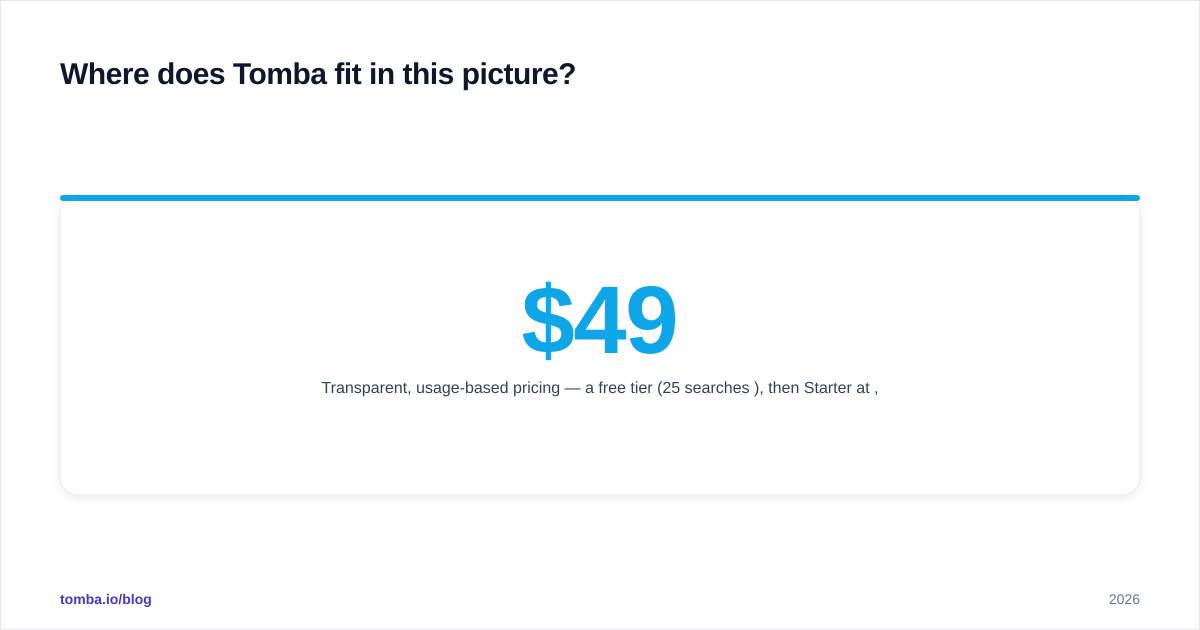
- Transparent, usage-based pricing — a free tier (25 searches/mo), then Starter at $49/mo, Growth at $99/mo, and Pro at $249/mo. You pay for searches, not seats.
- Builder-friendly access — a documented email finder API, bulk tools, and a Chrome extension so the data flows into whatever stack you already run.
For most teams the honest answer is a hybrid: use a broad platform like Adaptio for firmographics and phone numbers if you need them, and route email discovery and verification through a specialist so your cold outreach doesn't bounce.
Is Adaptio worth it in 2026?#
Adaptio is a solid generalist. If you want one subscription that covers contacts, a fast prospecting extension, and CRM exports — and you sell mostly into its strong data regions — it's a reasonable buy. The cons are the usual cost of bundling: opaque seat pricing, credit ceilings, and verification that's adequate rather than excellent.
But "adequate verification" is exactly the wrong place to cut corners if cold email drives your revenue. Every bounce chips at your domain reputation, and reputation is far harder to rebuild than a list is to find.
If your growth depends on landing in the inbox, start by fixing the riskiest link in the chain: the email itself. Try the Tomba Email Finder free — 25 searches a month, no card — run it against the same 100 accounts you'd test Adaptio on, and compare cost per verified lead. Whichever tool wins your pilot is the one to buy. Just make sure you're measuring deliverable emails, not demos.
Ready to find emails that actually work?
Join 150,000+ professionals who stopped guessing and started sending. Free credits on signup — no credit card required.
Get the Tomba newsletter
Practical outbound tactics and product updates — once every two weeks.
About the author