AI Email Finder Tools: Best Picks & Accuracy Ranked 2026
AI email finder tools promise higher match rates and verified contacts. Here's how the top platforms actually compare on accuracy, pricing, and data in 2026.
TL;DR
- AI email finder tools combine pattern matching, web crawling, and machine-learning validation to return a contact's professional email from a name and company or domain — then score how likely it is to be deliverable.
- The differentiator that matters is not "AI" — it's real-time SMTP verification and honest match-rate reporting. Many vendors quote 95%+ accuracy that collapses on catch-all domains.
- For most B2B teams, the decision is about credits, verification depth, and integration surface — not a magic model.
- Tomba, Apollo, Hunter, and RocketReach lead on different axes: Tomba on verified accuracy and price, Apollo on database breadth, Hunter on simplicity, RocketReach on personal-email coverage.
- Below: a feature-by-feature comparison table, an accuracy framework you can apply to any vendor, and a buyer's checklist before you commit budget.
What are AI email finder tools?#
An AI email finder tool turns "first name + last name + company" into a verified email address you can actually send to. Think of it like a translator at an airport: you walk up knowing roughly who you want to reach, and the tool maps your fragment of information to the exact contact line, then double-checks the spelling before you commit.
Technically, these tools chain three jobs together. First, discovery — crawling the public web, company sites, and licensed datasets to learn a company's email pattern (first.last@, flast@, first@). Second, inference — generating the most probable address for your target using that pattern. Third, verification — pinging the mail server over SMTP to confirm the inbox exists, plus catch-all detection so you know when a server accepts everything blindly.
The "AI" label mostly describes the scoring layer: a model weighing signals (pattern frequency, source recency, SMTP response, historical bounce data) to output a confidence percentage instead of a naive guess. That confidence score is the whole game. A tool that returns an address with no honest deliverability signal is just an email permutator with marketing copy.

If you want the underlying mechanics in one diagram, here's the pipeline most modern tools share:
How do AI email finder tools actually work?#
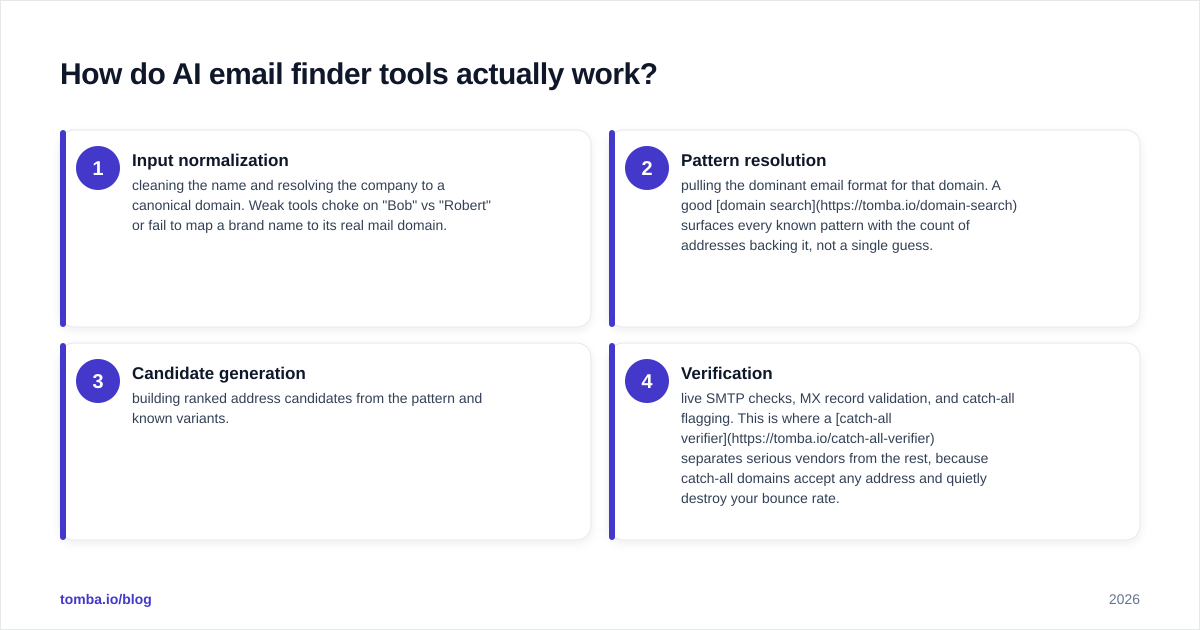
Every credible tool moves your query through the same four stages. The quality gap lives inside each stage.
- Input normalization — cleaning the name and resolving the company to a canonical domain. Weak tools choke on "Bob" vs "Robert" or fail to map a brand name to its real mail domain.
- Pattern resolution — pulling the dominant email format for that domain. A good domain search surfaces every known pattern with the count of addresses backing it, not a single guess.
- Candidate generation — building ranked address candidates from the pattern and known variants.
- Verification — live SMTP checks, MX record validation, and catch-all flagging. This is where a catch-all verifier separates serious vendors from the rest, because catch-all domains accept any address and quietly destroy your bounce rate.
The reason this matters: a finder can be "right" about the pattern and still hand you a dead inbox. Only the verification stage protects your sender reputation. If you skip it, you inherit every bounce — and bounce rate is the single fastest way to wreck email deliverability.
)
Which AI email finder tools are best in 2026?#
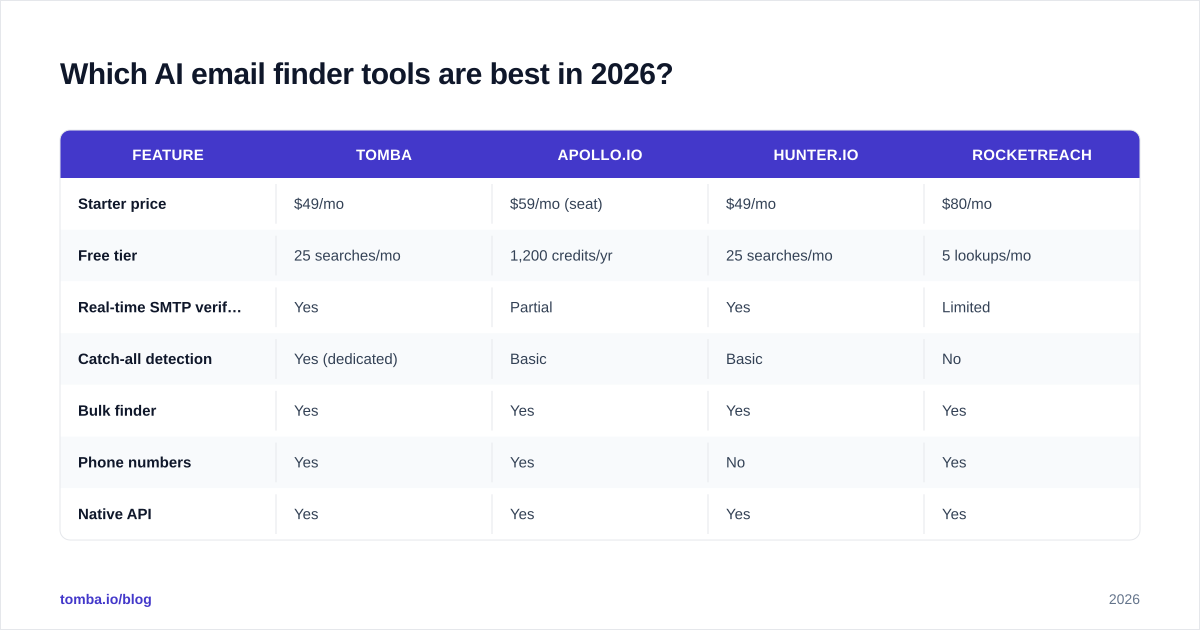
There is no universal winner — there's a best fit for your motion. Here's how the leading platforms stack up on the attributes that change outcomes.
| Feature | Tomba | Apollo.io | Hunter.io | RocketReach |
|---|---|---|---|---|
| Starter price | $49/mo | $59/mo (seat) | $49/mo | $80/mo |
| Free tier | 25 searches/mo | 1,200 credits/yr | 25 searches/mo | 5 lookups/mo |
| Real-time SMTP verification | Yes | Partial | Yes | Limited |
| Catch-all detection | Yes (dedicated) | Basic | Basic | No |
| Bulk finder | Yes | Yes | Yes | Yes |
| Phone numbers | Yes | Yes | No | Yes |
| Native API | Yes | Yes | Yes | Yes |
| Best for | Verified B2B email at scale | All-in-one prospecting DB | Simple domain lookups | Personal + mobile coverage |
A few honest takeaways from the table. Apollo wins on raw database size and being a one-stop CRM-plus-finder, but its included verification is shallower, so teams often layer a dedicated verifier on top. Hunter is the cleanest experience for occasional, low-volume lookups. RocketReach is strong when you need personal emails and mobile numbers, less so for cost efficiency. Tomba leads when verified accuracy per dollar is the priority, with a dedicated catch-all path and transparent confidence scoring baked into the email finder rather than sold as an add-on.
If Apollo specifically is what you're weighing, the deeper breakdown lives in our Apollo alternative guide. For independent buyer reviews across all of these, G2's email-finder category is the least biased third-party source.
Are AI email finder tools accurate, and how do you verify the claim?#
Conclusion first: treat every advertised accuracy number as marketing until you test it on your own list. Vendors define "accuracy" differently — some count any address returned, others count only verified-deliverable ones.

Use this five-point framework to cut through the claims:
- Run a known-answer test. Build a list of 50 contacts whose emails you already have. Feed names + domains to each tool. Measure how many it returns correctly — that's real accuracy, not the brochure number.
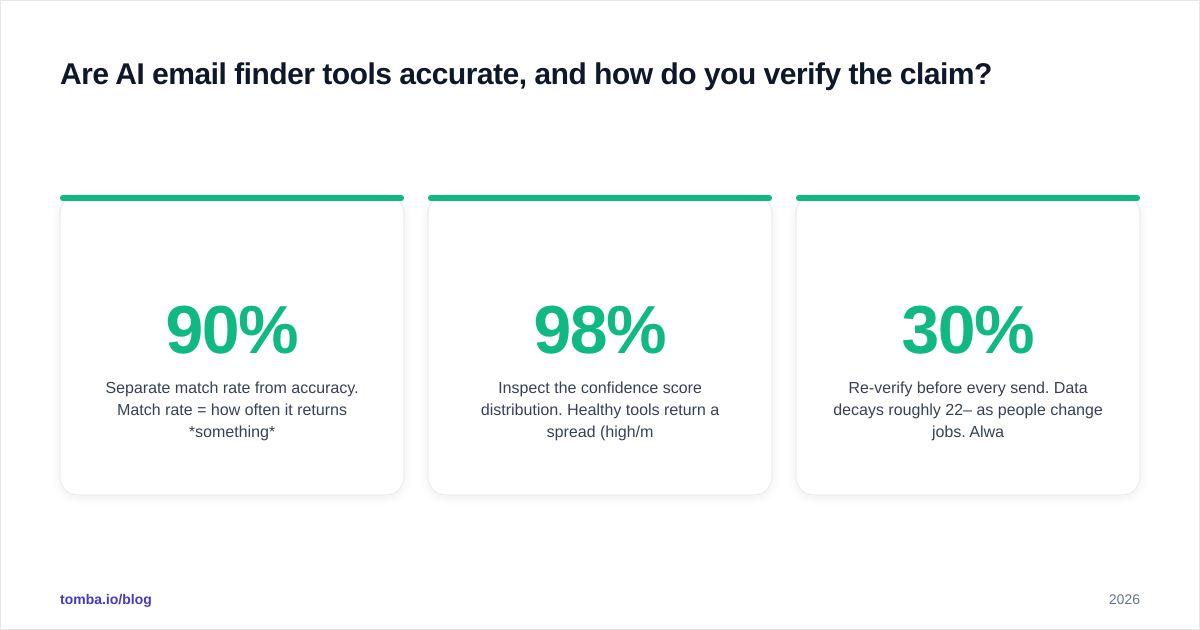
- Separate match rate from accuracy. Match rate = how often it returns something. Accuracy = how often that something is correct and deliverable. A 90% match rate with 70% accuracy is worse than 75% match at 95% accuracy.
- Check catch-all handling. Send a batch of catch-all domains through. Tools that mark them "valid" with high confidence are guessing; a tool that flags them honestly is protecting you.
- Inspect the confidence score distribution. Healthy tools return a spread (high/medium/low). A tool that labels everything "98% confident" is not scoring — it's decorating.
- Re-verify before every send. Data decays roughly 22–30% per year as people change jobs. Always pass your final list through an email verifier close to send time, even if the finder already checked it.
For the deliverability side of the equation — why even accurate addresses still bounce when your domain reputation is weak — Google's own Postmaster Tools documentation is the authoritative reference.
)
What features separate a serious tool from a toy?#
When you strip away the AI branding, five capabilities decide whether a tool earns its line item.
Verification depth. Real-time SMTP plus catch-all logic, not a cached "valid/invalid" flag from months ago. This is non-negotiable for cold outreach.
Bulk throughput. Single lookups are fine for one-off research. For list building you need a bulk email finder that handles thousands of rows with per-row confidence scores and a clean CSV out.
Integration surface. The tool should live where you work. Native HubSpot integration, a Google Sheets add-on, a Chrome extension, and a documented email finder API cover most B2B workflows. A finder you have to copy-paste out of is a finder you'll stop using.
Data transparency. You should be able to see where the tool gets its data and how fresh it is. Vendors that publish their data sources are easier to trust than black boxes.
Honest credit accounting. Some tools burn a credit on every attempt, including failures and unverified guesses. Confirm whether you pay for results or for tries — it changes the true cost per verified contact dramatically. Review the Tomba pricing model and compare credit definitions line by line before committing.
How much do AI email finder tools cost in 2026?#
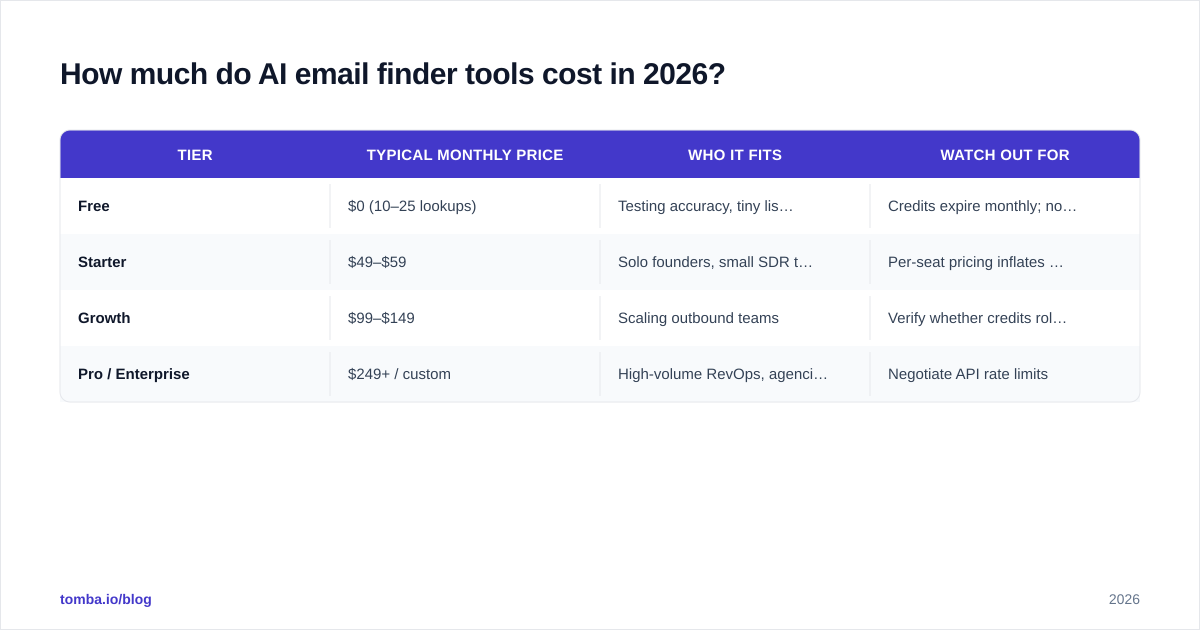
Pricing clusters into three bands, and the headline monthly number hides the metric that matters: cost per verified contact.
| Tier | Typical monthly price | Who it fits | Watch out for |
|---|---|---|---|
| Free | $0 (10–25 lookups) | Testing accuracy, tiny lists | Credits expire monthly; no bulk |
| Starter | $49–$59 | Solo founders, small SDR teams | Per-seat pricing inflates fast |
| Growth | $99–$149 | Scaling outbound teams | Verify whether credits roll over |
| Pro / Enterprise | $249+ / custom | High-volume RevOps, agencies | Negotiate API rate limits |
Tomba's published ladder — Free (25 searches/mo), Starter $49/mo, Growth $99/mo, Pro $249/mo, Enterprise custom — sits at the value end of each band, and credits cover verified results rather than every attempt. The practical move: take the plan price, divide by the verified contacts you actually expect from your accuracy test above, and compare that real number across vendors. A "cheaper" tool that returns 30% junk is more expensive per usable lead.
For broader feature scoring beyond price, cross-reference Capterra's email-finder listings alongside your own test results.
Who should use which tool?#
- Solo founder / first SDR: Start on a free tier, run the known-answer test, then move to a $49 starter plan. You need verified accuracy and a Chrome extension, not a 100-person database license.
- Scaling outbound team: Prioritize bulk throughput, CRM integration, and credit roll-over. Growth-tier plans around $99/mo with native Pipedrive or Salesforce integration fit here.
- RevOps / agency at scale: Buy on API rate limits and data freshness, not seat count. Enterprise plans with documented SLAs and data enrichment matter more than the per-lookup price.
- Researcher / recruiter needing personal contacts: Weight personal-email and mobile coverage higher — this is where a phone finder and broader source coverage earn their keep.
The bottom line#
AI email finder tools are only as good as their verification layer and the honesty of their confidence scores. Branding is cheap; a clean bounce rate is not. Run the known-answer test, separate match rate from accuracy, and price every tool by verified contacts, not headline monthly cost.
If you want a finder that bakes real-time SMTP checks, catch-all detection, and transparent confidence scoring into a plan that starts at $49/mo, try the Tomba Email Finder. Start on the free tier, run it against a list you already know the answers to, and let the accuracy — not the marketing — make the decision for you.
// get started
Find, verify and enrich your first contacts today
Start on the free plan with 25 searches a month, then scale when your team is ready.
Free plan · No credit card required · GDPR & CCPA
// about the author