AI Email Response in 2026: Reply Faster Without Losing Trust
AI email response tools can cut reply time from hours to seconds — but only if you keep a human in the loop. Here's the 2026 playbook for sales teams.
TL;DR
- AI email response tools draft, summarize, and triage replies in seconds — but the teams that win in 2026 treat AI as a co-pilot, not autopilot.
- The biggest risk isn't bad grammar; it's sending a confident, personalized reply to the wrong or dead address. Verify contacts before you automate replies.
- A good workflow has four stages: capture intent, draft with AI, human review, and send-time checks (deliverability + data accuracy).
- Generic "ChatGPT in your inbox" wrappers underperform purpose-built sales reply tools on tone control, CRM context, and guardrails.
- Pair an AI reply assistant with clean contact data so personalization is based on facts, not hallucinations.
What is an AI email response?#
An AI email response is a reply drafted (or fully written) by a large language model based on the incoming message, your past conversation, and context you feed it — sender details, deal stage, product facts, and tone rules.
Think of it like a sous-chef. You still own the dish and plate it for the guest, but the sous-chef does the chopping, reduces the prep time, and hands you something 80% finished. The chef who lets the sous-chef serve guests directly, unsupervised, eventually sends out a bad plate. Technically, the AI ingests the thread, predicts the most likely useful reply, and surfaces it for you to edit or approve.
In a sales context, AI email response covers three distinct jobs that often get lumped together:
- Triage — classify and prioritize what hit your inbox (interested, objection, out-of-office, unsubscribe).
- Drafting — generate a reply that matches intent and tone.
- Send-time safety — confirm the address is real, the domain accepts mail, and you're not about to bounce.
Most tools nail #2 and ignore #1 and #3. That gap is exactly where replies go wrong.
Why do sales teams need AI for email replies in 2026?#
The short answer: speed-to-reply is now a ranking factor for deals, and humans can't keep up at volume.
Lead response research has long shown that replying within the first few minutes dramatically increases the odds of a conversation. When a prospect replies "tell me more," every hour you wait cools the lead. AI closes that gap — a draft is ready before you've finished your coffee.
Three forces make this urgent in 2026:
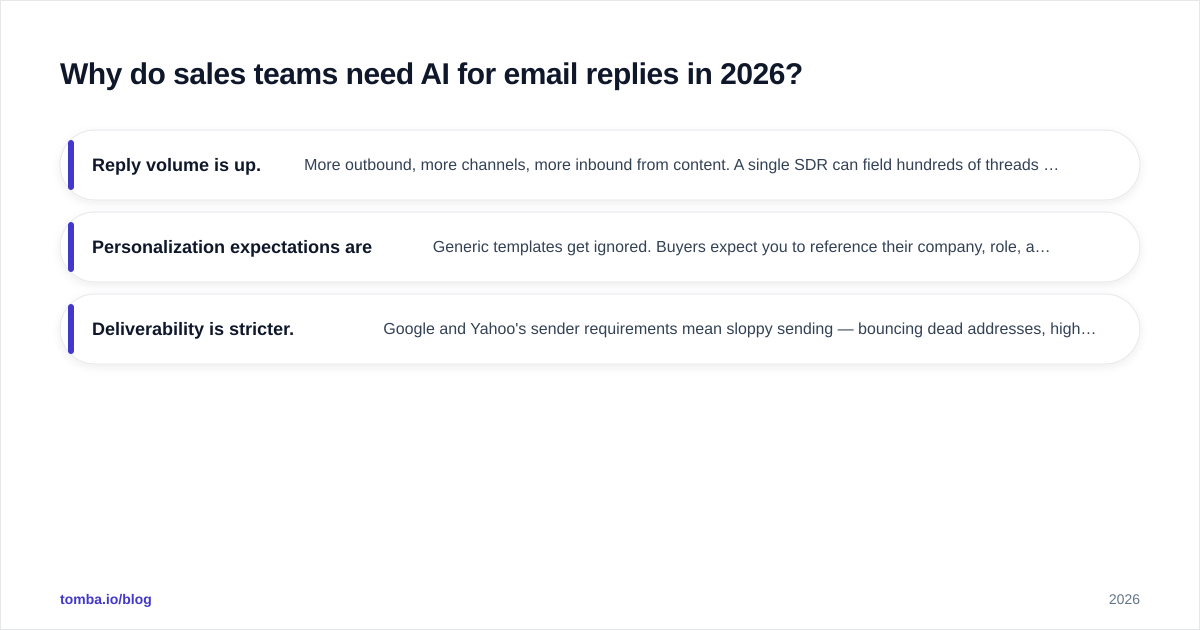
- Reply volume is up. More outbound, more channels, more inbound from content. A single SDR can field hundreds of threads a week.
- Personalization expectations are higher. Generic templates get ignored. Buyers expect you to reference their company, role, and the exact thing they asked.
- Deliverability is stricter. Google and Yahoo's sender requirements mean sloppy sending — bouncing dead addresses, high spam complaints — quietly tanks your whole domain. A fast reply to a fake address is worse than no reply.
The teams getting value aren't the ones who "turn on AI." They're the ones who wire AI into a workflow that already respects email deliverability and data accuracy.
How does an AI email response workflow actually work?#
Here's the four-stage loop the best teams run. Each stage has a human-or-machine owner so nothing ships unchecked.
Stage 1 — Capture intent. The incoming email is parsed. The AI tags it (positive reply, objection, scheduling, referral, churn risk) and pulls thread history plus CRM context. This is where a tool that integrates with your CRM beats a standalone chat window — context is everything.
Stage 2 — Draft. The model writes a reply conditioned on intent, your tone guide, and product facts. Good tools let you set guardrails: never promise pricing you don't have, always include a clear next step, keep it under 120 words.
Stage 3 — Human review. A rep reads, edits, and approves. This is non-negotiable for anything that touches a real prospect. AI hallucinates specifics — a feature you don't have, a discount you never offered. The reviewer catches it in five seconds.
Stage 4 — Send-time checks. Before the reply goes out, verify the recipient address is deliverable and the domain isn't a catch-all that will silently swallow your mail. If you're replying to a forwarded or scraped address, run it through an email verifier first.
Skip Stage 4 and you get the worst outcome in outbound: a beautifully personalized message that bounces, hurts your sender reputation, and never reaches a human.
What's the difference between generic AI and a sales reply tool?#
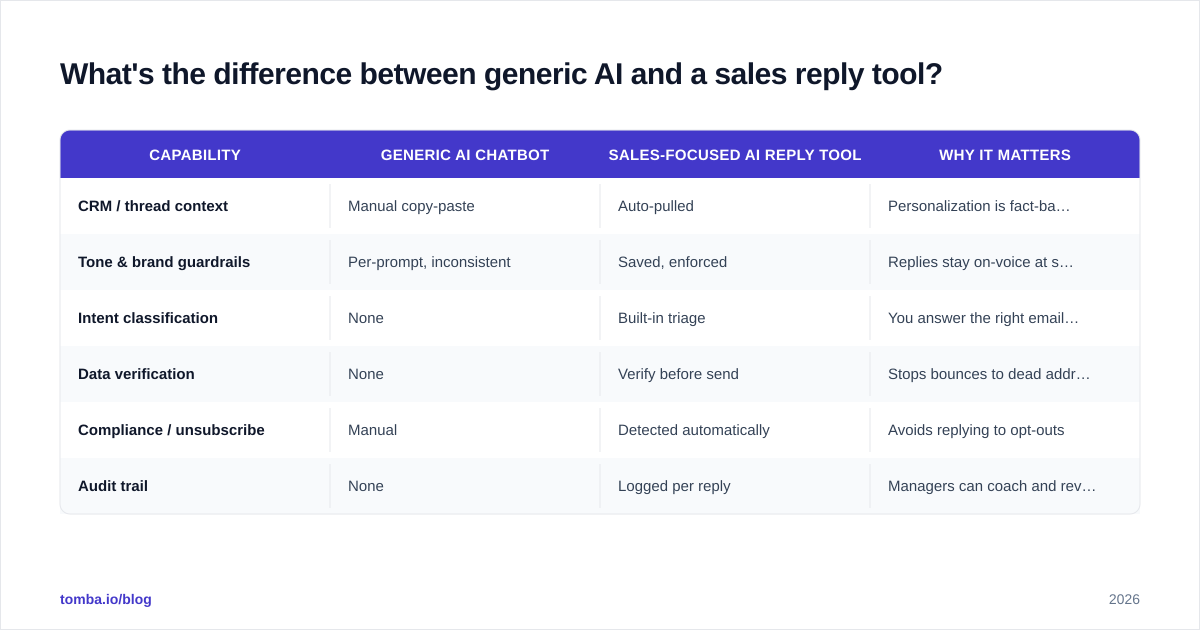
Plenty of people just paste threads into a general chatbot. It works until it doesn't. Purpose-built reply tools differ on context, control, and safety.
| Capability | Generic AI chatbot | Sales-focused AI reply tool | Why it matters |
|---|---|---|---|
| CRM / thread context | Manual copy-paste | Auto-pulled | Personalization is fact-based, not guessed |
| Tone & brand guardrails | Per-prompt, inconsistent | Saved, enforced | Replies stay on-voice at scale |
| Intent classification | None | Built-in triage | You answer the right emails first |
| Data verification | None | Verify before send | Stops bounces to dead addresses |
| Compliance / unsubscribe | Manual | Detected automatically | Avoids replying to opt-outs |
| Audit trail | None | Logged per reply | Managers can coach and review |
The takeaway isn't "never use a chatbot." It's that for revenue-facing replies, the guardrails and context are the product — not the raw text generation, which is now a commodity.
If you want to experiment cheaply before committing, free utilities like an AI email response generator and a cold email AI writer let you test tone and structure without wiring up a full platform.
Which AI email response tools should you compare in 2026?#
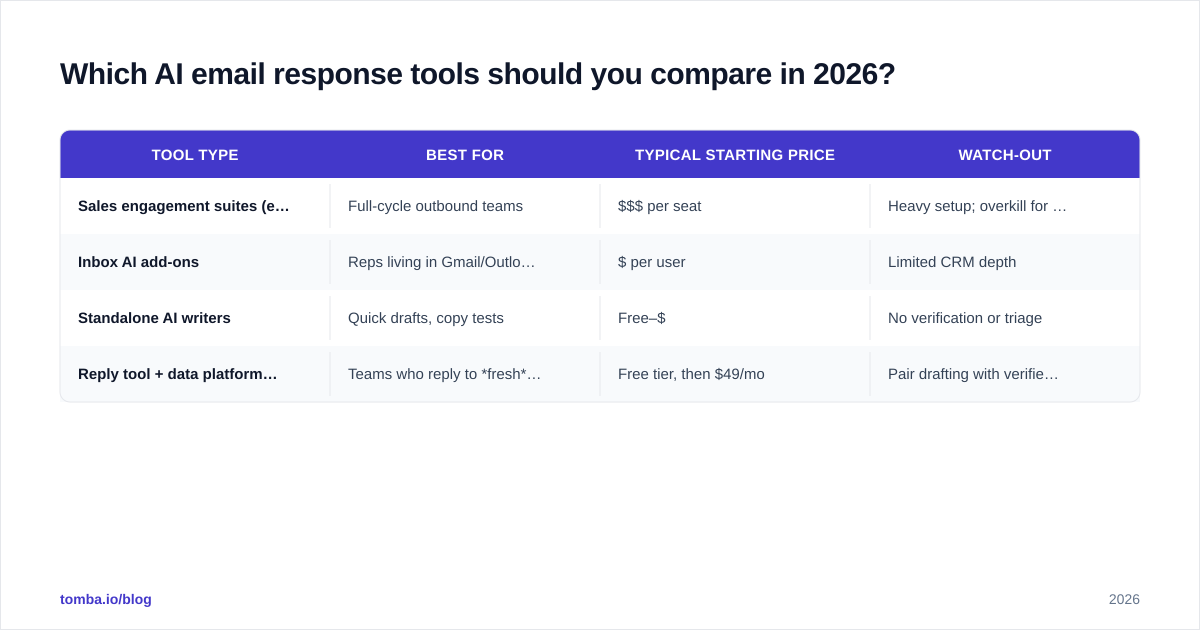
There's no single winner — it depends on whether you want a full sales engagement suite, an inbox add-on, or a lightweight generator. Here's how the categories stack up.
| Tool type | Best for | Typical starting price | Watch-out |
|---|---|---|---|
| Sales engagement suites (e.g. Outreach, Salesloft) | Full-cycle outbound teams | $$$ per seat | Heavy setup; overkill for small teams |
| Inbox AI add-ons | Reps living in Gmail/Outlook | $ per user | Limited CRM depth |
| Standalone AI writers | Quick drafts, copy tests | Free–$ | No verification or triage |
| Reply tool + data platform (e.g. Tomba stack) | Teams who reply to fresh leads | Free tier, then $49/mo | Pair drafting with verified contacts |
A few honest notes:
- Suites are powerful but you pay for the whole machine. If replies are your only pain point, you'll under-use 80% of it.
- Add-ons feel magical in the inbox but often miss deal context.
- Standalone writers are great for ideation and terrible for safety — they'll happily draft a reply to an address that doesn't exist.
For vendor research, lean on third-party review sites like G2 and Capterra rather than vendor landing pages, and read how each handles data privacy. For broader AI-in-sales trends, analyst firms like Gartner publish useful guidance on where automation actually moves the number.
How do you keep AI replies from sounding like a robot?#
Conclusion first: feed the AI facts and constraints, not vibes. Robotic replies come from thin context and over-broad prompts.
Practical rules that work in production:
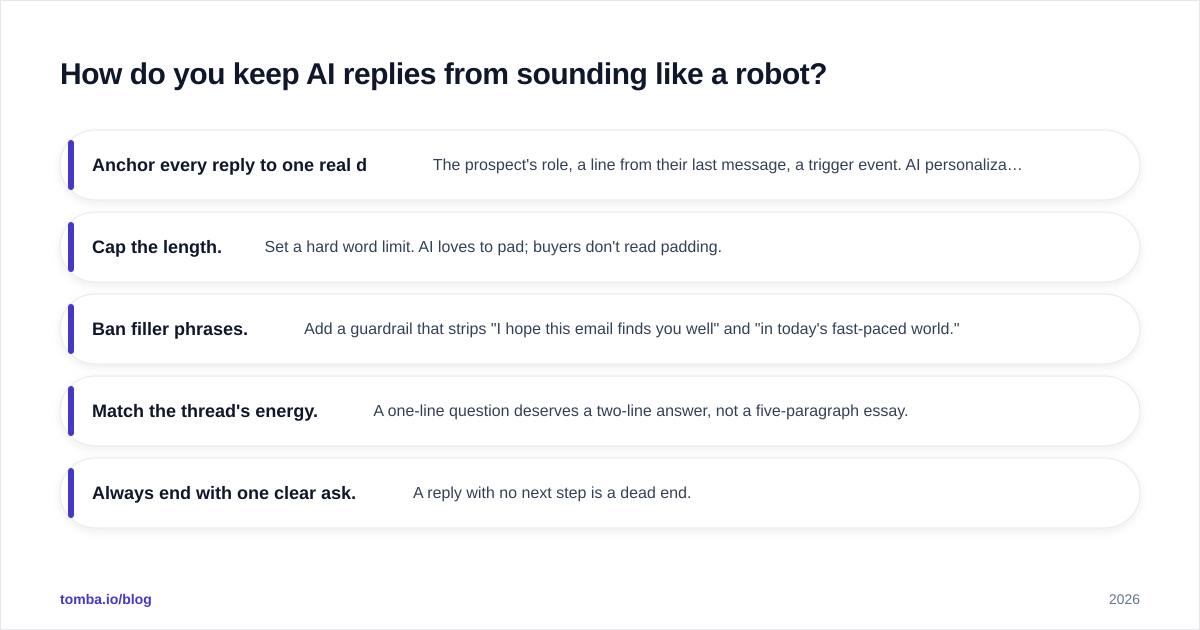
- Anchor every reply to one real detail. The prospect's role, a line from their last message, a trigger event. AI personalization is only as good as the data behind it — which is why verified contact and company data matters more than a cleverer prompt.
- Cap the length. Set a hard word limit. AI loves to pad; buyers don't read padding.
- Ban filler phrases. Add a guardrail that strips "I hope this email finds you well" and "in today's fast-paced world."
- Match the thread's energy. A one-line question deserves a two-line answer, not a five-paragraph essay.
- Always end with one clear ask. A reply with no next step is a dead end.
The reps who sound most human with AI are the ones who treat the draft as a starting point and spend 20 seconds making it theirs. The tool saves the blank-page time; the human keeps the soul.
Where does data accuracy fit into AI email response?#
This is the part most "AI inbox" pitches skip — and it's the part that decides whether your replies land.
An AI reply does three things that depend on accurate data:
- Personalizes using the contact's name, company, and role. Wrong data = wrong, embarrassing reply.
- Sends to an address. Dead or mistyped addresses bounce, and bounces erode sender reputation.
- Enriches the thread with firmographic context for better targeting.
If you're replying to inbound leads who typed their own address into a form, verification is still worth it — typos and disposable addresses are common. If you're replying to scraped or forwarded contacts, verification is mandatory. Run new addresses through an email verifier, and when you only have a name and company, use the email finder to get a deliverable address before you ever hit send.
For teams enriching at scale, data enrichment fills in the role, company size, and other signals your AI needs to write something that actually reflects the buyer. Garbage in, confident-garbage out — that's the failure mode of AI personalization, and clean data is the fix.
What are the risks and limits of AI email replies?#
Be honest with yourself about three failure modes:
- Hallucinated specifics. The model invents a feature, integration, or price. Mitigation: human review on every external reply, plus a fact sheet the AI is constrained to.
- Tone misfires. AI can sound overly eager or weirdly formal. Mitigation: saved tone profiles and a quick human pass.
- Compliance slips. Auto-replying to an unsubscribe or an out-of-office is a fast way to look broken. Mitigation: intent classification that filters those out before drafting.
The meta-risk is automation complacency — trusting the machine because it's usually right. The fix is structural: keep Stage 3 (human review) and Stage 4 (verification) mandatory for anything customer-facing. Automate the drafting, never the judgment.
Frequently asked questions#
Is it safe to let AI send replies automatically? For internal or low-stakes messages, sometimes. For prospects and customers, no — keep a human approving each reply. The cost of one hallucinated promise to a real buyer outweighs the seconds you'd save.
Will AI replies hurt my deliverability? Only if you skip verification. AI generates text; it doesn't check whether an address is real. Verify recipients and avoid bouncing to dead or catch-all domains to protect your response rate and reputation.
Do I need a full sales suite to use AI for replies? No. Many teams start with a standalone generator plus a verification step, then graduate to a suite once volume justifies it.
How do I make AI replies sound like me? Give it real examples of your past replies as a tone reference, constrain length, ban filler, and always do a quick human edit. The data and constraints matter more than the prompt cleverness.
The bottom line#
AI email response is a force multiplier when it sits inside a workflow that respects data accuracy and deliverability — and a liability when it's a chatbot firing replies into the void. Draft with AI, review with a human, and verify before you send.
Want to make sure your AI-personalized replies actually reach a real person? Start with the Tomba Email Finder to confirm you have a deliverable, accurate address before any reply goes out — there's a free tier with 25 searches a month, and paid Tomba plans start at $49/mo when you scale. Clean data is what turns a clever AI draft into a reply that converts.
// get started
Find, verify and enrich your first contacts today
Start on the free plan with 25 searches a month, then scale when your team is ready.
Free plan · No credit card required · GDPR & CCPA
Get the Tomba newsletter
Product and data updates
// about the author