AI Email Response Generator: Reply Faster in 2026
An AI email response generator drafts context-aware replies in seconds. Here's how the tools work, where they win, and how to keep replies human.
TL;DR
- An AI email response generator reads an incoming message and drafts a context-aware reply you can send in seconds instead of writing from scratch.
- The best tools personalize on tone, intent, and prior thread context — not just fill-in-the-blank templates.
- They shine for sales replies, support triage, and follow-ups, but still need a human pass for facts, pricing, and commitments.
- Pricing ranges from free browser tools to $30–$99/mo platforms; most sales teams want CRM and inbox integration, not a standalone toy.
- Pair a response generator with accurate contact data so your replies reach real people — a generator is only as good as the inbox it lands in.
What is an AI email response generator?#
An AI email response generator is software that reads an inbound email and writes a ready-to-send reply for you. Think of it as a sous-chef for your inbox: you still own the final plate, but the chopping, prepping, and first draft are done before you sit down. Technically, these tools pass the incoming message — plus optional context like tone, intent, and your past replies — to a large language model, then return a draft you can accept, edit, or regenerate.
The category has split into three rough tiers. Free browser tools generate one-off replies from a prompt. Inbox assistants (Gmail and Outlook add-ons) sit next to your compose window. And sales-grade platforms tie reply generation to your CRM, sequences, and contact records so the AI knows who it is talking to.
The reason teams care is simple math. If you handle 40 replies a day and each takes four minutes, that is over two and a half hours of typing. Cut the draft time in half and you reclaim an hour daily. That is the pitch — and for repetitive, structured replies, it largely holds up.
How does an AI email response generator actually work?#
The flow is four steps, and understanding it tells you where these tools win and where they break.
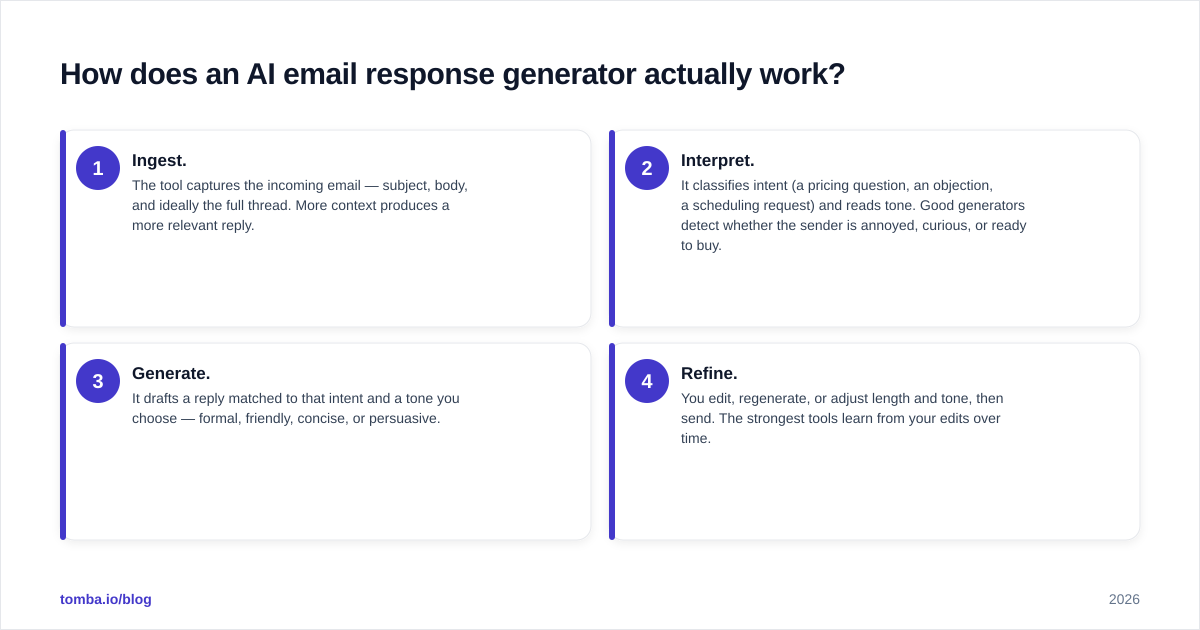
- Ingest. The tool captures the incoming email — subject, body, and ideally the full thread. More context produces a more relevant reply.
- Interpret. It classifies intent (a pricing question, an objection, a scheduling request) and reads tone. Good generators detect whether the sender is annoyed, curious, or ready to buy.
- Generate. It drafts a reply matched to that intent and a tone you choose — formal, friendly, concise, or persuasive.
- Refine. You edit, regenerate, or adjust length and tone, then send. The strongest tools learn from your edits over time.
The quality gap between tools lives in steps 2 and 3. A weak generator treats every email like a blank prompt and produces generic filler. A strong one uses thread history, your saved snippets, and CRM fields so the reply references the actual deal, not a hypothetical one. If you want a deeper primer on the underlying tech, the Wikipedia overview of large language models explains why context length and prompting matter so much to output quality.

When should you use AI to write email replies?#
Use it where replies are frequent, structured, and low-stakes on wording — and slow down where a wrong word costs you a deal or a customer.
Strong fits:
- Sales replies and follow-ups. Objection handling, meeting confirmations, and "just checking in" notes are repetitive enough that a generator nails them. Pair this with a tool built for outbound, like an AI cold email writer, for the first-touch half of the conversation.
- Customer support triage. First-response drafts for common questions free your team to focus on the hard tickets.
- Inbox zero days. When you are 60 emails behind, a generator clears the routine 80% so you can spend real attention on the 20% that matter.
Weak fits:
- Anything with a number or a promise. Pricing, contract terms, SLAs, and legal language need a human who owns the commitment.
- Sensitive or emotional threads. A churned customer or a stalled deal needs judgment the model does not have.
- Highly technical answers. If a wrong detail erodes trust, draft it yourself.
A useful rule: let the AI write the reply, but never let it decide the reply. You make the call; it does the typing.
What features separate a good generator from a gimmick?#
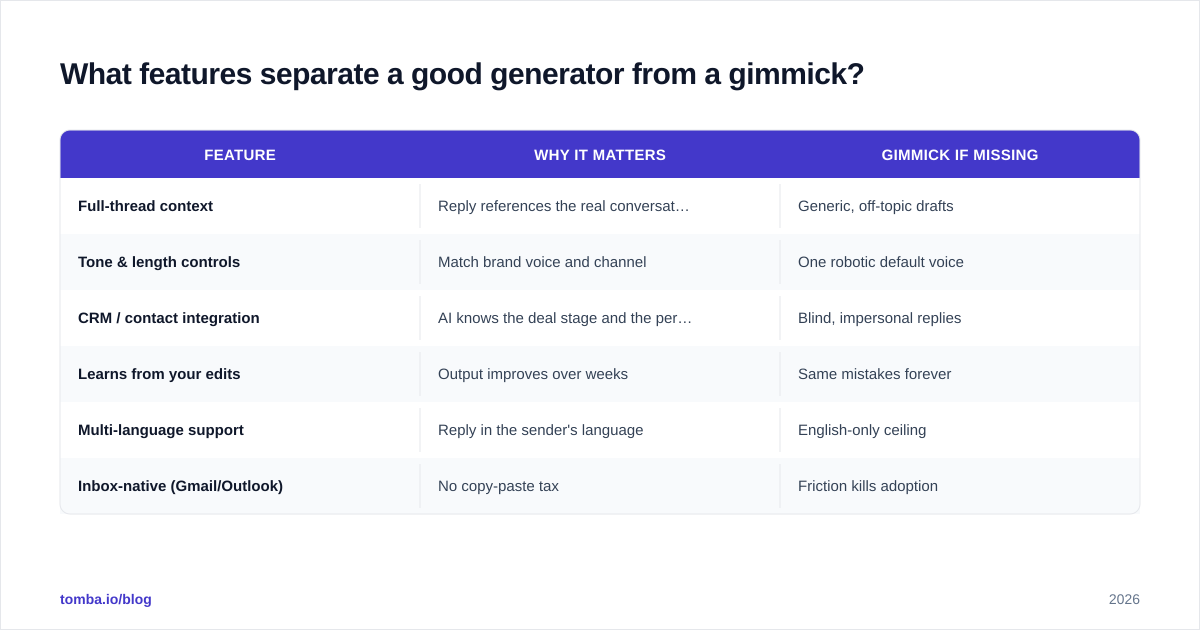
Not all "AI reply" buttons are equal. Here is what actually moves the needle, ranked by how much it changes output quality.
| Feature | Why it matters | Gimmick if missing |
|---|---|---|
| Full-thread context | Reply references the real conversation, not a guess | Generic, off-topic drafts |
| Tone & length controls | Match brand voice and channel | One robotic default voice |
| CRM / contact integration | AI knows the deal stage and the person | Blind, impersonal replies |
| Learns from your edits | Output improves over weeks | Same mistakes forever |
| Multi-language support | Reply in the sender's language | English-only ceiling |
| Inbox-native (Gmail/Outlook) | No copy-paste tax | Friction kills adoption |
If a tool only offers a prompt box and a "generate" button with no thread awareness, it is a novelty. The value compounds when the generator has memory of the conversation and the relationship.
How do the main AI email response generators compare in 2026?#
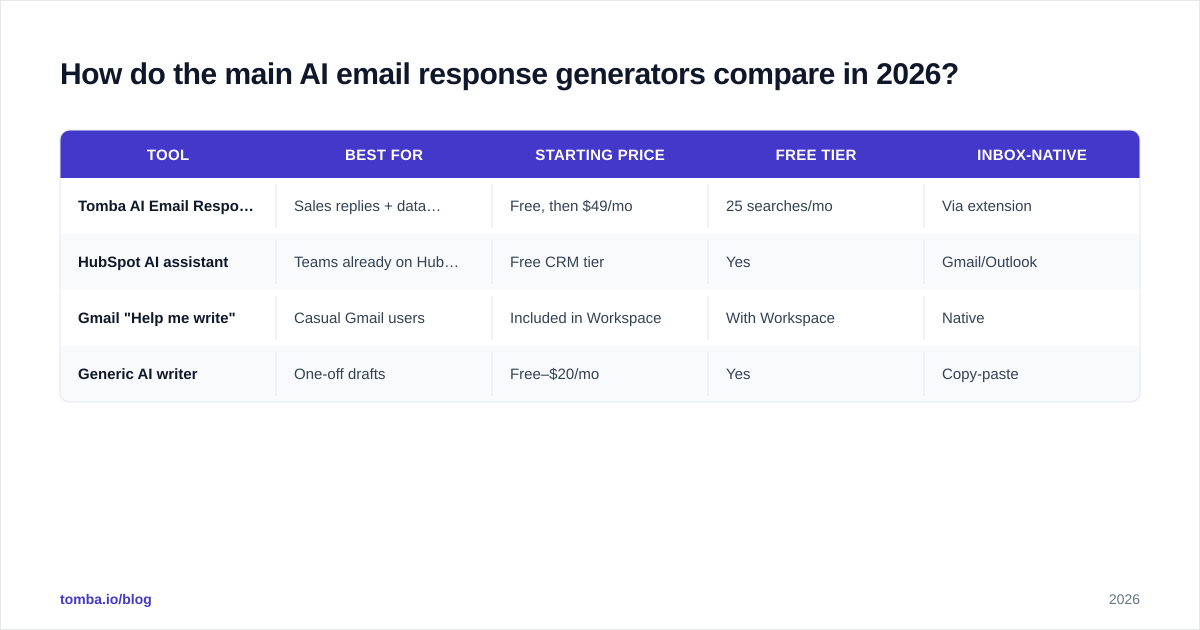
The market spans free utilities to full sales platforms. Here is a practical comparison across the options buyers actually shortlist. Pricing reflects publicly listed plans at the time of writing — always confirm on the vendor's own page.
| Tool | Best for | Starting price | Free tier | Inbox-native |
|---|---|---|---|---|
| Tomba AI Email Response | Sales replies + data-backed outreach | Free, then $49/mo | 25 searches/mo | Via extension |
| HubSpot AI assistant | Teams already on HubSpot CRM | Free CRM tier | Yes | Gmail/Outlook |
| Gmail "Help me write" | Casual Gmail users | Included in Workspace | With Workspace | Native |
| Generic AI writer | One-off drafts | Free–$20/mo | Yes | Copy-paste |
A few honest takeaways. If you live inside HubSpot, its built-in assistant is the path of least resistance. If you only need an occasional draft, Gmail's native feature is free and fine. But sales teams that reply to dozens of leads daily — and need those replies tied to verified contact data — get more from a platform that combines reply generation with finding and verifying the people behind the emails. Check independent reviews on G2 before you commit; star ratings on real workflows beat any vendor claim, including this one.
For the response-generation step specifically, you can try Tomba's AI email response tool to draft context-aware replies, then route the contacts through verification before you hit send.
How do you keep AI-generated replies sounding human?#
Edit for three things every model gets wrong, and your replies stop reading like a robot.
1. Cut the throat-clearing. AI loves opening with "I hope this email finds you well" and "Thank you for reaching out." Delete it. Start with the answer. Humans get to the point; bots warm up.
2. Kill the symmetry. Models default to tidy lists of three and perfectly balanced sentences. Real people are lumpier. Break a parallel structure. Use a fragment. Vary sentence length on purpose.
3. Add one specific detail. Reference something only you would know — the demo last Tuesday, the integration they asked about, the deadline they mentioned. One concrete detail does more for authenticity than ten adjectives.
The process matters as much as the prompt. Treat the generated text as a first draft, not a final answer. The teams that get burned are the ones who send raw AI output without reading it — and ship a reply that confidently states the wrong price. A 20-second human pass is the difference between a tool that saves time and one that creates cleanup work. For more on what lifts reply numbers, see how response rate is actually defined and measured.
Does a response generator help if your emails do not get delivered?#
No — and this is the trap most buyers miss. A perfect reply is worthless if it lands in spam or bounces because the address was wrong. The generator handles wording; it does nothing for deliverability or data accuracy.
Two upstream problems sink reply campaigns regardless of how good the copy is:
- Bad addresses. If you are replying to or following up with contacts pulled from a stale list, a chunk will bounce. High bounce rates wreck your sender reputation, which then sends even your good emails to spam.
- Unverified catch-all domains. Many B2B domains accept every address, so a naive tool reports them as valid when they are not. You need a real email verifier to separate deliverable inboxes from dead ends.
This is why pairing a response generator with a real data layer matters. Writing the reply is half the job; making sure it reaches a real, monitored inbox is the other half. Start with an accurate email finder to source the right contact, verify it, then let the AI draft the reply. Skip the data step and you are writing beautiful messages to nobody.
What does an AI email response generator cost?#
Budget by volume, not by sticker price. A free tool that adds copy-paste friction can cost more in wasted minutes than a paid tool that lives in your inbox.
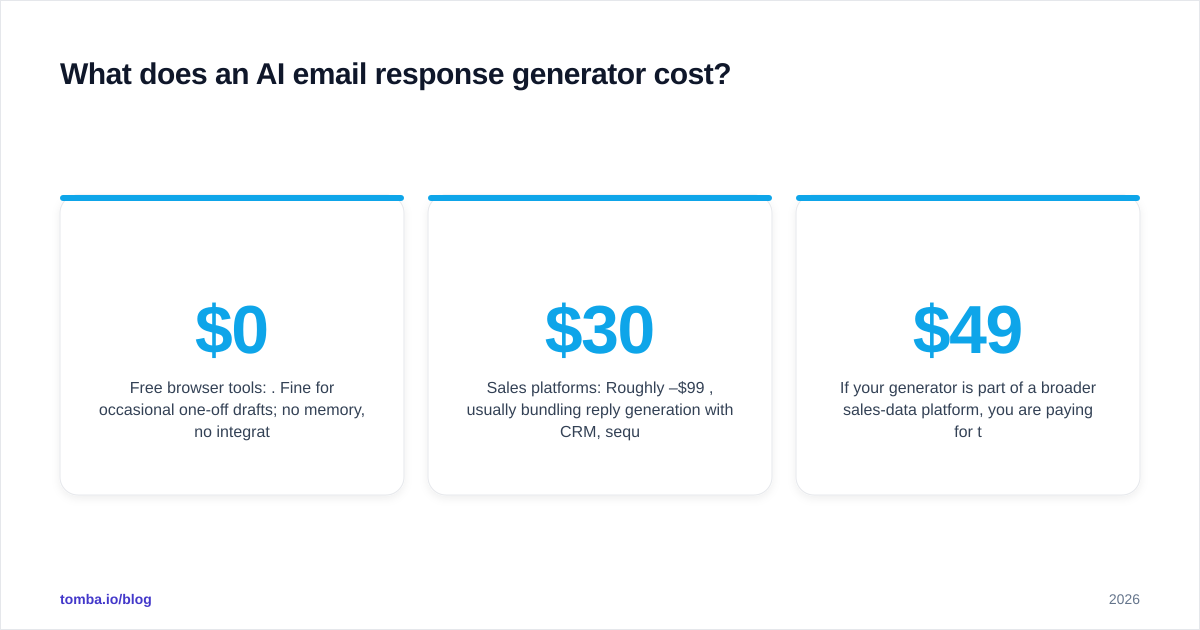
- Free browser tools: $0. Fine for occasional one-off drafts; no memory, no integration.
- Inbox assistants: Often bundled into Google Workspace or Microsoft 365 you already pay for.
- Sales platforms: Roughly $30–$99/mo per seat, usually bundling reply generation with CRM, sequences, and data.
If your generator is part of a broader sales-data platform, you are paying for the data and integrations, with reply generation as one feature among several. Tomba's plans, for reference, run from a free tier (25 searches/mo) to Starter at $49/mo and Growth at $99/mo — see full Tomba pricing for what each tier includes. The question is not "what is the cheapest reply button" but "what is the all-in cost of replies that actually get delivered and convert."
Frequently asked questions#
Is an AI email response generator safe for sensitive data? Check the vendor's data policy. Reputable tools do not train public models on your content, but you should never paste passwords, payment details, or confidential terms into any generator. Keep sensitive replies human.
Will recipients know an AI wrote my reply? If you send raw output, often yes — the throat-clearing and tidy symmetry are tells. Edit for specificity and varied rhythm and it reads as yours. The human pass is what makes it undetectable, and more importantly, accurate.
Can it handle replies in other languages? The better platforms support multiple languages and can reply in the sender's language automatically. Verify quality with a native speaker before you trust it on important threads.
Does it replace email templates? It complements them. Templates are fast for identical situations; a generator adapts to the specific thread. Many teams keep a template library for structure and use AI to tailor each send.
The bottom line#
An AI email response generator is a genuine time-saver for the repetitive, structured replies that eat your day — sales follow-ups, support triage, scheduling. It is not a substitute for judgment on pricing, commitments, or sensitive threads, and it does nothing to fix bad data or deliverability. Use it as a first-draft engine, edit for specificity, and keep a human on every reply that carries a number or a promise.
Most importantly, remember that a reply only works if it reaches a real inbox. Before you let AI draft a single response, make sure you are emailing verified, accurate contacts. Start with the Tomba Email Finder to source and verify the right people, then layer reply generation on top — so every message you send, AI-drafted or not, actually lands. Try the free tier and connect your data layer to your inbox before your next campaign.
// get started
Find, verify and enrich your first contacts today
Start on the free plan with 25 searches a month, then scale when your team is ready.
Free plan · No credit card required · GDPR & CCPA
// about the author