AI Mail Generator: Write Better Emails Faster in 2026
An AI mail generator turns a one-line brief into a ready-to-send email in seconds. Here's how the tools work, where they win, where they fail, and how to pick one in 2026.
An AI mail generator does one thing well: it turns a short brief into a structured, sendable email in seconds. The hard part is no longer the blank page — it is making the output sound like a person, land in the inbox, and earn a reply. This guide covers how these tools actually work, what separates a good one from a gimmick, and how to fit one into a real outbound or support workflow without torching your sender reputation.
TL;DR#
- An AI mail generator creates email drafts (cold outreach, follow-ups, replies, newsletters) from a short prompt, recipient context, or a few bullet points.
- The biggest time savings come from first drafts and variations, not from "press button, send to 5,000 people."
- Output quality depends almost entirely on the inputs you feed it — recipient data, goal, tone, and constraints.
- A generator writes the words; it does not find verified addresses or protect deliverability. Pair it with an email verifier and a clean list.
- Treat every AI draft as a 70% starting point. Edit the opener, the call to action, and anything that sounds like a robot wrote it.
What is an AI mail generator?#
An AI mail generator is a tool that uses a large language model to write email copy from a brief. You describe the situation — "follow up with a prospect who downloaded our pricing PDF but didn't book a call" — and it returns a complete draft with a subject line, opener, body, and call to action.
Think of it like a sous-chef. You decide the dish and hand over the ingredients (who the recipient is, what you want, the tone). The AI does the chopping and plating — the repetitive prep that used to eat your morning. You still taste the food and adjust the seasoning before it goes out.
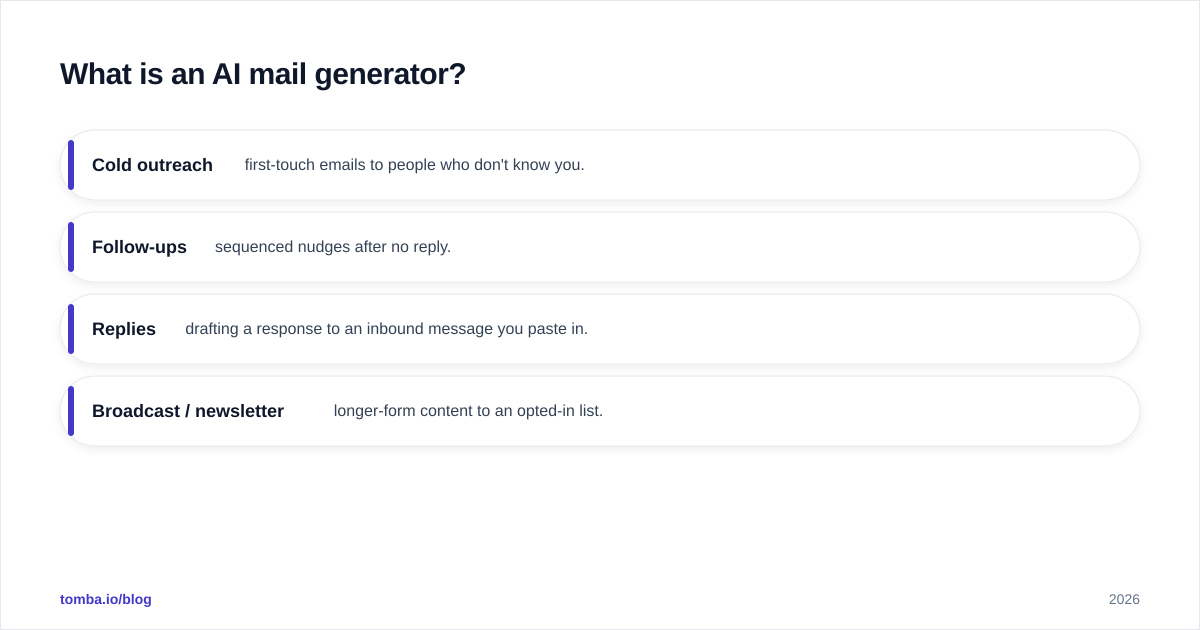
Most modern generators handle four broad jobs:
- Cold outreach — first-touch emails to people who don't know you.
- Follow-ups — sequenced nudges after no reply.
- Replies — drafting a response to an inbound message you paste in.
- Broadcast / newsletter — longer-form content to an opted-in list.
The category overlaps with general AI writing assistants, but a dedicated mail generator usually adds email-specific structure: subject-line testing, preview text, personalization tokens, and CTA placement. If you want to try the cold-outreach flavor without setup, the cold email AI writer is a fast way to see what a structured draft looks like.
How does an AI mail generator actually work?#
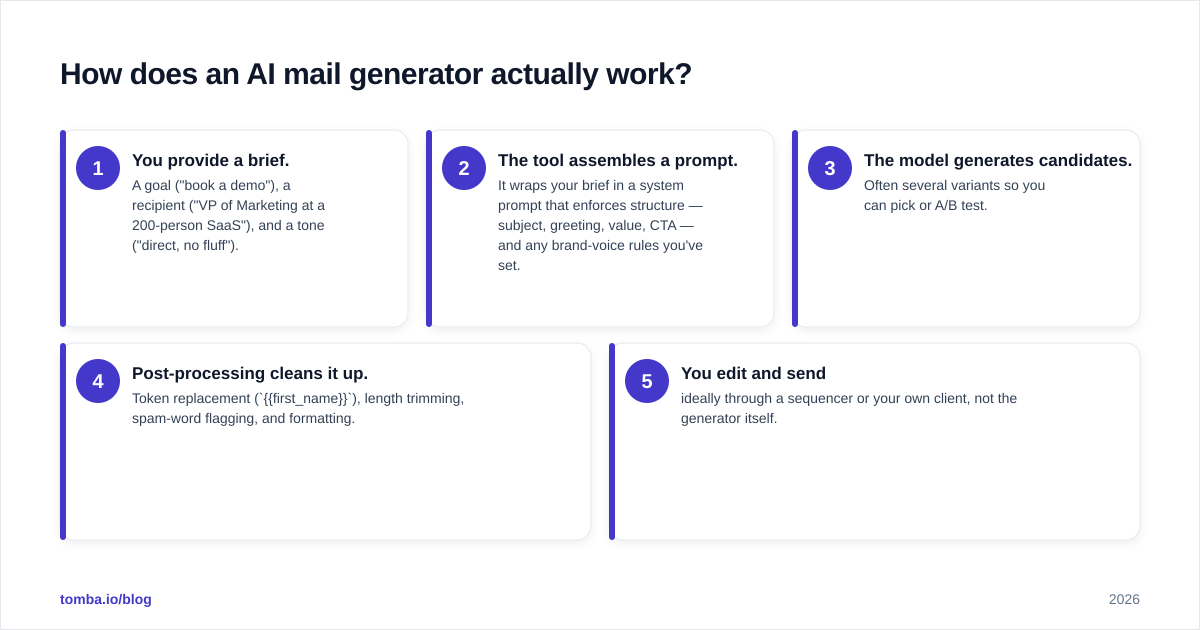
Under the hood, the flow is consistent across tools, even when the UI differs:
- You provide a brief. A goal ("book a demo"), a recipient ("VP of Marketing at a 200-person SaaS"), and a tone ("direct, no fluff").
- The tool assembles a prompt. It wraps your brief in a system prompt that enforces structure — subject, greeting, value, CTA — and any brand-voice rules you've set.
- The model generates candidates. Often several variants so you can pick or A/B test.
- Post-processing cleans it up. Token replacement (
{{first_name}}), length trimming, spam-word flagging, and formatting. - You edit and send — ideally through a sequencer or your own client, not the generator itself.
The quality lever you control most is step 1. A vague brief produces vague, generic mail. A specific brief with a real reason for reaching out produces something a human might actually answer.

What can you realistically use it for?#
Here's where an AI mail generator earns its keep versus where it disappoints.
Strong fits:
- Beating the blank page. Getting from nothing to a structured draft is where the tool shines.
- Generating variations. Need five subject lines or three CTA phrasings to test? Seconds, not an hour.
- Adapting tone. Rewriting a stiff draft as "warm and casual" or "executive and brief."
- Localizing and shortening. Trimming a 220-word email to 90 words without losing the ask.
- Reply drafting. Pasting an inbound message and getting a first-pass response with the AI email response generator.
Weak fits:
- Net-new strategy. The AI won't tell you who to email or why your offer matters. That's your job.
- Deep personalization at the individual level. It can insert a company name, but it doesn't know that the prospect just posted about a hiring freeze.
- Anything requiring verified facts. Models will confidently invent stats, case studies, and names. Check every claim.
A useful mental model: the generator is great at form and unreliable at truth. Use it for the scaffolding, supply the substance yourself.
What separates a good AI mail generator from a bad one?#
Not all generators are equal. When you evaluate one, score it on these attributes rather than the marketing copy.
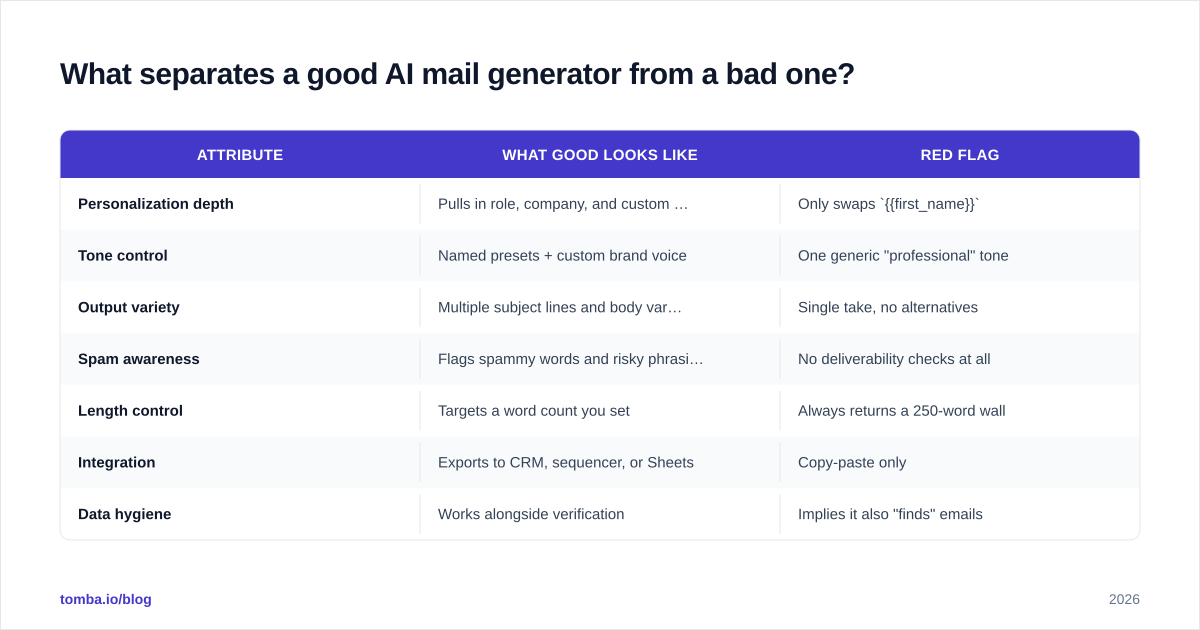
| Attribute | What good looks like | Red flag |
|---|---|---|
| Personalization depth | Pulls in role, company, and custom fields | Only swaps {{first_name}} |
| Tone control | Named presets + custom brand voice | One generic "professional" tone |
| Output variety | Multiple subject lines and body variants | Single take, no alternatives |
| Spam awareness | Flags spammy words and risky phrasing | No deliverability checks at all |
| Length control | Targets a word count you set | Always returns a 250-word wall |
| Integration | Exports to CRM, sequencer, or Sheets | Copy-paste only |
| Data hygiene | Works alongside verification | Implies it also "finds" emails |
That last row matters most and is the one tools blur. A mail generator writes copy. It does not confirm that j.doe@company.com is real, active, and safe to send to. Sending great copy to a dead address still bounces — and bounces wreck your sender reputation. Keep the two jobs separate: generate the words with one tool, validate the address with another.
Is AI-generated email bad for deliverability?#
The copy itself rarely triggers spam filters in 2026 — but lazy use of a generator does. Three patterns cause trouble:
- Identical mass sends. If a thousand recipients get a byte-for-byte identical AI email, filters notice the pattern. Use variants and real personalization.
- Spam-trigger language. "Free," "guarantee," "act now," excessive links, and ALL CAPS still hurt. Run drafts through a spam checker before sending at scale.
- Dirty lists. This is the killer. AI copy can't fix a list full of invalid or catch-all addresses. High bounce rates signal abuse to mailbox providers regardless of how good your writing is.
Major providers like Google and Microsoft weight engagement and bounce rate heavily. HubSpot's research on email deliverability consistently shows that list quality and engagement outrank copy tweaks. So the order of operations is: clean list first, good copy second.
How do you write a brief that gets good output?#
Garbage in, garbage out applies brutally here. A reliable brief has five parts:
- Goal — the single action you want ("reply with availability," "book a 15-min call").
- Recipient — role, seniority, industry, company size, anything that shapes relevance.
- Reason — why you're reaching out now (a trigger, a shared connection, a recent event).
- Tone — direct, warm, formal, playful. Pick one.
- Constraints — max word count, no jargon, one CTA, one link.
Compare the two prompts below.
Weak: "Write a cold email to sell our software."
Strong: "Write a 90-word cold email to a VP of Sales at a 150-person B2B SaaS. We help reduce ramp time for new reps. Reason: they just posted three SDR roles. Tone: direct, peer-to-peer. One CTA: a 15-minute call. No buzzwords."
The second prompt produces something you can almost send. The first produces a template you've seen a thousand times. If you reuse a structure often, save it — the email templates library is a good place to start before you customize with AI.
How does an AI mail generator fit a full outbound workflow?#
The generator is one stage in a chain. Skipping the stages around it is where teams go wrong.
A realistic sequence:
- Build the list. Identify accounts and contacts that match your ICP.
- Find the addresses. Use an email finder to get professional emails by name and domain.
- Verify. Run every address through verification to strip invalids and check catch-alls.
- Enrich. Add role, company, and trigger data so personalization has fuel.
- Generate. Feed that context into the AI mail generator for first drafts.
- Edit. Fix the opener, tighten the CTA, kill anything robotic.
- Send and sequence. Through your CRM or sequencer, with variants.
- Handle replies. Draft fast responses, then write the important ones yourself.
Notice the generator sits at step 5 — after the data work, not instead of it. The best AI copy in the world fails on a list of dead addresses, and the cleanest list underperforms with generic copy. You need both.
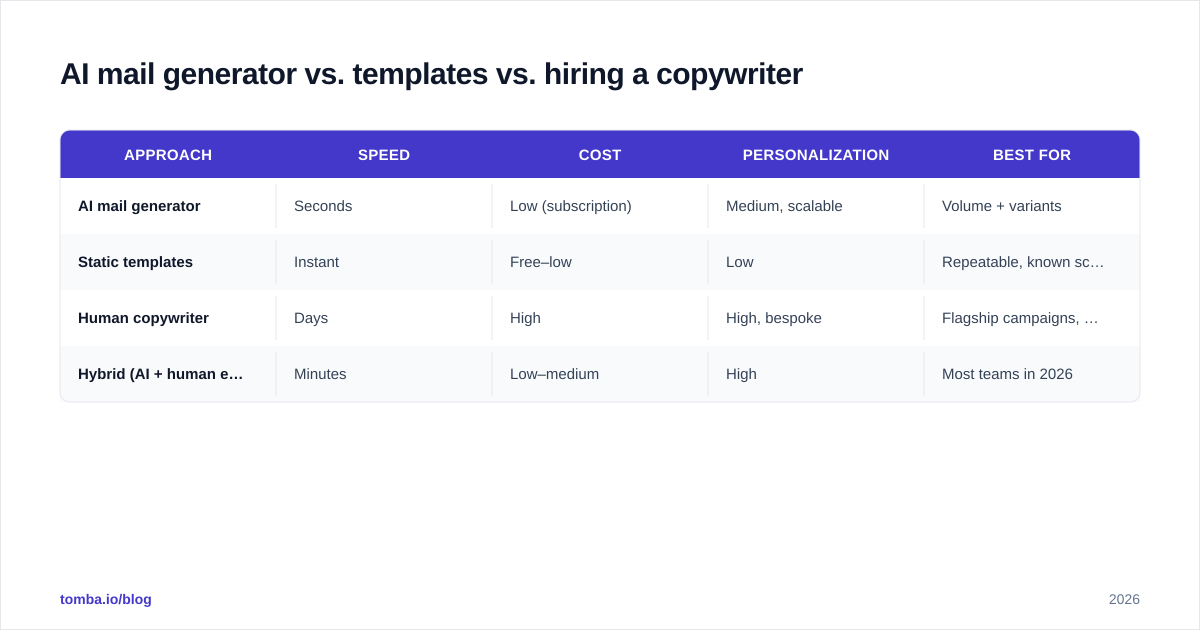
AI mail generator vs. templates vs. hiring a copywriter#
Three ways to solve "I need good emails." Each has a place.
| Approach | Speed | Cost | Personalization | Best for |
|---|---|---|---|---|
| AI mail generator | Seconds | Low (subscription) | Medium, scalable | Volume + variants |
| Static templates | Instant | Free–low | Low | Repeatable, known scenarios |
| Human copywriter | Days | High | High, bespoke | Flagship campaigns, brand voice |
| Hybrid (AI + human edit) | Minutes | Low–medium | High | Most teams in 2026 |
The honest answer for most teams is the hybrid row. Let AI handle the first 70% — structure, variants, tone shifts — and spend your human time on the 30% that actually moves reply rates: the personalized opener, the specific value claim, and a CTA that's easy to say yes to. Independent reviews on G2 reflect this: the highest-rated tools are ones people use as accelerators, not autopilots.
What should you check before sending AI-written email?#
Run this short gate on every draft, especially at scale:
- Does the opener reference something real? If it could be sent to anyone, rewrite it.
- Is there exactly one CTA? Multiple asks dilute the response.
- Did the AI invent any facts? Verify stats, names, and case studies.
- Is it short? Under 120 words for cold outreach is a safe target.
- Does it pass a spam check? Watch trigger words and link count.
- Are the addresses verified? No amount of copy fixes a bounce.
- Does it sound human? Read it aloud. If you wouldn't say it, don't send it.
That last point is the one AI struggles with most. Large language models drift toward a recognizable cadence — lots of "I hope this email finds you well," tidy rule-of-three lists, and over-smooth transitions. Cut them. The goal is an email that reads like a busy person typed it, not one a model generated. For background on how these models produce text, the Wikipedia overview of large language models is a solid primer.
Common mistakes to avoid#
- Treating output as final. It's a draft. Always edit.
- Scaling before testing. Send 20, measure replies, then scale the winner.
- Ignoring the list. Verification and enrichment matter more than copy polish.
- One tone for everyone. A CFO and a founder don't read the same way.
- Over-automating replies. Auto-drafting is fine; auto-sending sensitive replies is not.
How much does an AI mail generator cost?#
Pricing ranges from free browser tools to enterprise platforms. Standalone generators often bundle into a broader prospecting or deliverability suite, which is usually better value than paying for writing alone — because, again, the copy is only one part of the workflow.
If you want the writing and the data layer in one place, Tomba pairs email-finding and verification with free writing utilities like the subject line generator and cold email AI. Plans run from a free tier (25 searches/month) to Starter at $49/month and Growth at $99/month — full Tomba pricing is on the site. That covers the find-verify-write loop without stitching three subscriptions together.
The bottom line#
An AI mail generator is a genuine time-saver for first drafts, variants, and tone shifts — and a liability if you treat it as a send-and-forget machine. The teams getting real lift in 2026 use it as one stage in a clean workflow: find verified addresses, enrich with context, generate a draft, then edit like a human before it goes out.
Want the data half of that loop handled first? Start with the Tomba Email Finder to get accurate, verified professional emails by name or domain — so the great copy your AI mail generator writes actually reaches a real person and earns a reply. Spin up the free tier, build a clean list, and let the writing tools do the rest.
// get started
Find, verify and enrich your first contacts today
Start on the free plan with 25 searches a month, then scale when your team is ready.
Free plan · No credit card required · GDPR & CCPA
// about the author