AI Powered Cold Email Tools: Best 9 Picks for 2026
AI cold email tools promise to write, personalize, and send at scale. Here's which ones actually move reply rates in 2026 — and where the hype ends.
TL;DR
- AI powered cold email tools split into three jobs: writing copy, personalizing at scale, and managing sending infrastructure. Most tools are strong at one and weak at the others.
- AI copy alone does not raise reply rates. Clean data, good targeting, and warm sending domains do most of the work — AI just makes the manual parts faster.
- The best 2026 stacks pair an AI writer (or sequencer) with a reliable data layer for finding and verifying contacts. Garbage inputs produce confident, well-written emails to the wrong people.
- Pricing ranges from free tiers to $250+/mo. Sending-focused tools (Instantly, Smartlead) charge by inbox volume; data-focused tools charge by credits.
- Start with verified contact data, then layer AI personalization. A tool like the Tomba Email Finder feeds the rest of the stack accurate inputs.
What are AI powered cold email tools?#
AI powered cold email tools are software that uses machine learning to draft, personalize, send, or optimize outbound email at scale. Think of them as the difference between a single skilled writer hand-typing 30 emails a day and a small factory line that drafts a first version for 3,000 prospects overnight — you still inspect the output, but the slow manual steps are automated.
In practice, "AI cold email tool" is an umbrella term covering four distinct functions that vendors bundle differently:
- AI copywriting — generating subject lines, opening lines, and full email bodies from a prompt or a prospect's data.
- AI personalization — scraping a prospect's LinkedIn, website, or recent activity and weaving a relevant detail into each message.
- Sequencing and sending — managing multi-step campaigns, inbox rotation, and follow-ups across many sending accounts.
- Optimization — A/B testing, send-time prediction, and reply classification so you double down on what works.
No single tool dominates all four. Understanding which job you actually need solved is the first step to not overpaying for features you'll never open.
Do AI cold email tools actually improve reply rates?#
Short answer: not on their own. AI writing improves speed and consistency, not relevance. Reply rates are driven mostly by targeting and deliverability, and AI copy is the smallest lever of the three.
Here's the uncomfortable math. If you email the wrong 1,000 people with a flawless AI-written message, your reply rate is near zero. If you email the right 1,000 people with a mediocre message that lands in the inbox, you'll get replies. AI helps most when it sits on top of accurate data and a warm sending setup — it's an amplifier, not a foundation.
Where AI genuinely earns its keep:
- First-draft generation. Writing 50 variants of an opener used to take an afternoon. Now it takes a minute, and you edit instead of stare at a blank page.
- Personalization at volume. Pulling one specific, true detail per prospect — a recent funding round, a job change, a published article — is the single biggest copy-level lift, and AI makes it feasible across thousands of contacts.
- Reply triage. Classifying "interested" vs. "not now" vs. "unsubscribe" so reps spend time only on warm threads.
Where AI quietly hurts you:
- Generic "personalized" lines that every recipient recognizes as templated ("I loved your recent post!" with no specifics) actively lower trust.
- Volume without verification. AI lets you send more, faster — which torches your domain reputation faster too, if the list is dirty.
That last point is why your data layer matters more than your AI layer. Verifying contacts before you send protects email deliverability, and no amount of clever copy recovers a domain that's been flagged as a spam source.
Which AI powered cold email tools are best in 2026?#
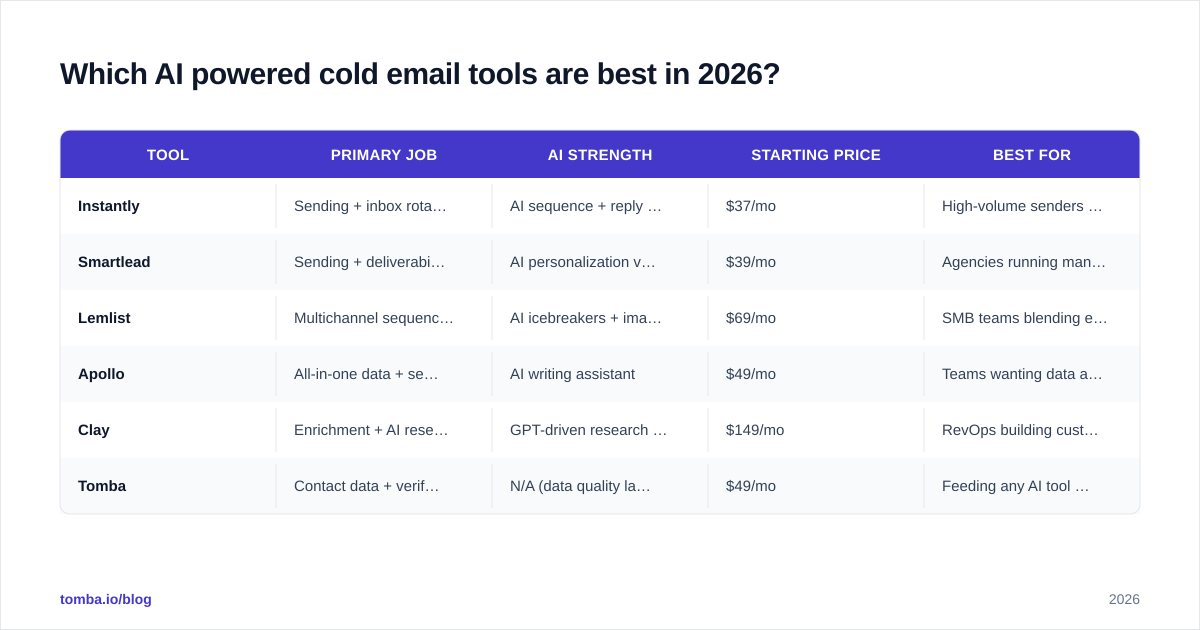
The strongest tools in 2026 cluster around two centers of gravity: sending platforms that added AI writing, and AI-first writers that bolt on lightweight sending. A third group — the data and enrichment layer — feeds both. You'll almost always combine one tool from at least two of these groups.
| Tool | Primary job | AI strength | Starting price | Best for |
|---|---|---|---|---|
| Instantly | Sending + inbox rotation | AI sequence + reply copy | $37/mo | High-volume senders scaling inboxes |
| Smartlead | Sending + deliverability | AI personalization variables | $39/mo | Agencies running many clients |
| Lemlist | Multichannel sequencing | AI icebreakers + image personalization | $69/mo | SMB teams blending email + LinkedIn |
| Apollo | All-in-one data + send | AI writing assistant | $49/mo | Teams wanting data and sending in one |
| Clay | Enrichment + AI research | GPT-driven research columns | $149/mo | RevOps building custom enrichment |
| Tomba | Contact data + verification | N/A (data quality layer) | $49/mo | Feeding any AI tool accurate inputs |
A few honest caveats on that table. Prices reflect entry tiers and change often, so confirm on each vendor's own page before you commit. Sending tools like Instantly and Smartlead bill on inbox volume, so a "cheap" plan gets expensive fast once you scale to dozens of mailboxes. And all-in-one platforms (Apollo, Clay) trade depth for breadth — their AI writing is competent, not category-leading, and their data accuracy varies by region.
Notice what's missing from the "AI" column for Tomba: it doesn't write your emails. That's the point. Its job is making sure the name, title, company, and address in every AI-generated message are real. You can read more about where Tomba gets its data if accuracy is your bottleneck.
)
How do you build an AI cold email stack that works?#
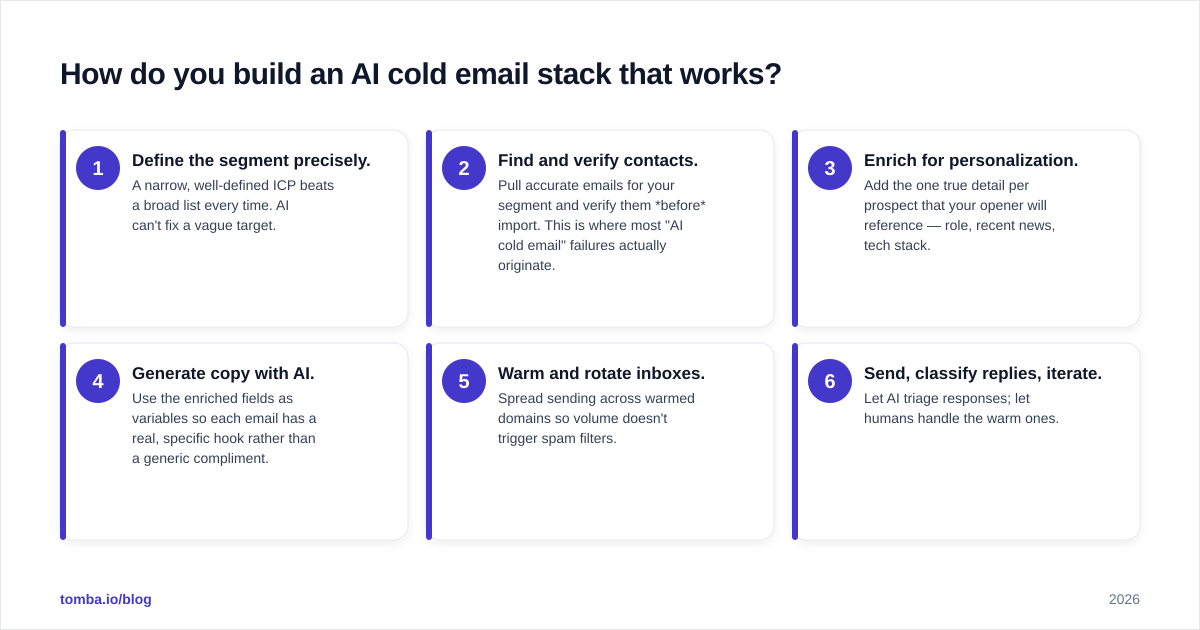
Build from the data outward, not from the AI inward. The sequence that consistently produces replies looks like this:
- Define the segment precisely. A narrow, well-defined ICP beats a broad list every time. AI can't fix a vague target.
- Find and verify contacts. Pull accurate emails for your segment and verify them before import. This is where most "AI cold email" failures actually originate.
- Enrich for personalization. Add the one true detail per prospect that your opener will reference — role, recent news, tech stack.
- Generate copy with AI. Use the enriched fields as variables so each email has a real, specific hook rather than a generic compliment.
- Warm and rotate inboxes. Spread sending across warmed domains so volume doesn't trigger spam filters.
- Send, classify replies, iterate. Let AI triage responses; let humans handle the warm ones.
Steps 2 and 3 are where teams underinvest and then blame the AI. If you skip verification, you'll send to spam traps and dead addresses, your bounce rate climbs, and your sender reputation collapses — at which point even perfectly targeted, AI-polished emails never reach an inbox.
A practical way to get steps 2 and 3 right without bolting on five tools: use a single data source that finds emails by domain or name, verifies them, and enriches the record. Tomba's domain search pulls every public address at a target company, the email verifier confirms each one is deliverable, and the result drops cleanly into whichever sending tool runs your sequences.
What features actually matter when comparing AI cold email tools?#
Ignore the feature-count marketing. Five things determine whether a tool earns its subscription:
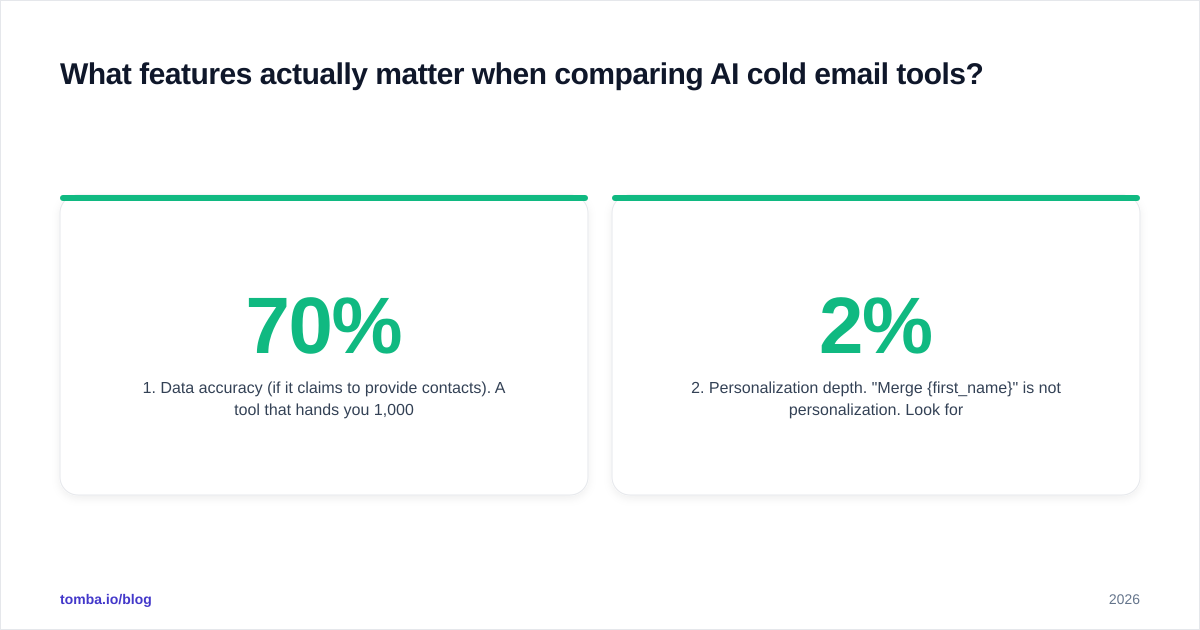
1. Data accuracy (if it claims to provide contacts). A tool that hands you 1,000 emails at 70% accuracy is worse than one that hands you 600 at 97%, because the bad 300 damage your domain. Ask for the verification method, not just the database size.
2. Personalization depth. "Merge {first_name}" is not personalization. Look for tools that can pull and insert a specific, variable fact per prospect. That's the difference between a 2% and a 6% reply rate.
3. Deliverability tooling. Inbox rotation, automatic warmup, SPF/DKIM checks, and bounce handling. The fanciest AI copy is worthless in the spam folder. Free tools like an SPF checker and a spam checker cover the basics before you pay for anything.
4. Reply handling. Can the tool classify and route responses, or do you still triage 400 replies by hand? AI triage is one of the genuinely high-ROI AI features.
5. Integrations. Your cold email tool has to talk to your CRM. Native connections to HubSpot, Salesforce, or Pipedrive — or at least a [
Zapier integration](https://tomba.io/integrations/zapier) — decide whether leads flow into your pipeline or rot in a CSV.
)
Where does AI copy help, and where does it fail?#
AI copy helps at the draft stage and fails at the judgment stage. Treat it as a fast intern, not a senior copywriter.
It's genuinely good at:
- Producing 20 subject-line variants so you can pick and test the best (a subject line generator does exactly this).
- Rewriting a wordy paragraph into two tight sentences.
- Adapting one core message to five different personas.
- Drafting follow-ups that reference the prior email without sounding robotic.
It reliably fails at:
- Knowing what's true. AI will confidently invent a detail about a prospect. Every personalized claim needs a real data source behind it, or you'll email someone congratulations for a promotion that never happened.
- Reading the room. Tone, timing, and what's appropriate for a specific industry are still human calls.
- Strategic angle. The reason someone should care about your product is a positioning decision, not a generation task.
The reliable pattern: feed AI verified, enriched data and a tight brief, let it draft, then have a human edit for truth and tone. Tools like a cold email AI writer accelerate the draft; your verified data keeps it honest. For a deeper library of frameworks, browse proven cold email templates and adapt rather than generate from zero.
According to outbound benchmarks compiled by platforms like HubSpot and reviewed across G2, the campaigns that win combine specificity with restraint — short, relevant, and verifiably true beats long, clever, and generic.
How much should you budget for an AI cold email stack?#
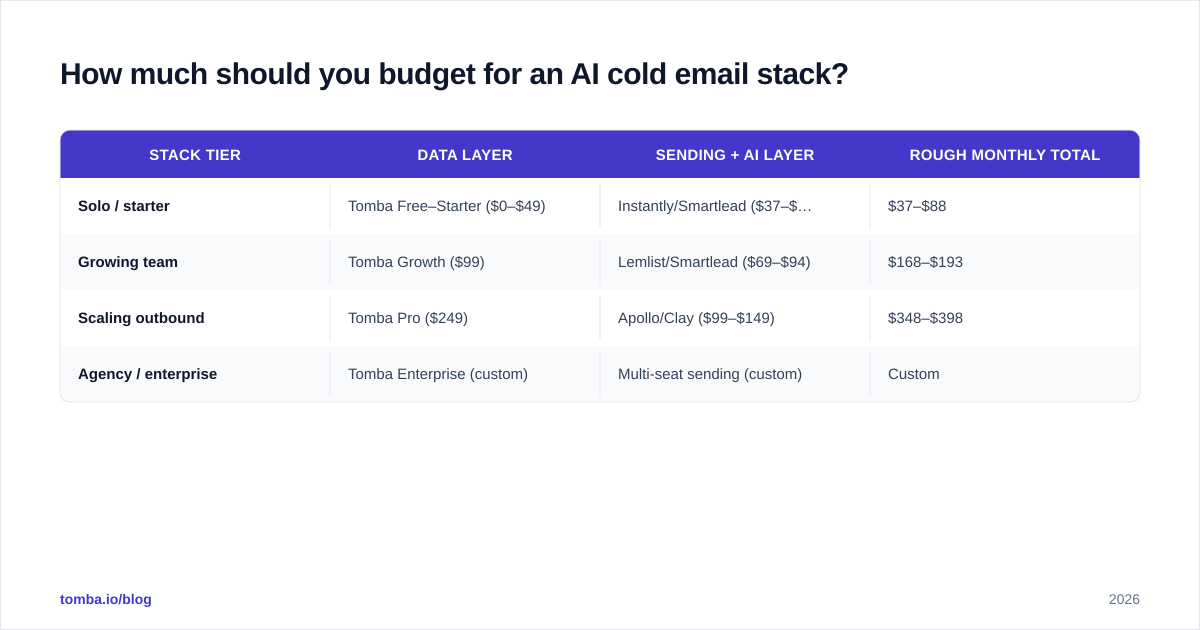
Budget for two line items, not one: a sending/writing tool and a data/verification layer. Combining them into a single number is how teams end up underfunding the part that actually drives replies.
| Stack tier | Data layer | Sending + AI layer | Rough monthly total |
|---|---|---|---|
| Solo / starter | Tomba Free–Starter ($0–$49) | Instantly/Smartlead ($37–$39) | $37–$88 |
| Growing team | Tomba Growth ($99) | Lemlist/Smartlead ($69–$94) | $168–$193 |
| Scaling outbound | Tomba Pro ($249) | Apollo/Clay ($99–$149) | $348–$398 |
| Agency / enterprise | Tomba Enterprise (custom) | Multi-seat sending (custom) | Custom |
On the data side, Tomba's tiers run Free (25 searches/mo), Starter $49/mo, Growth $99/mo, and Pro $249/mo — full Tomba pricing breaks down the credit limits per plan. The principle: spend enough on data that your AI never writes a polished email to a dead address.
A common mistake is pouring the whole budget into a flashy all-in-one and accepting its mediocre, unverified contact data as "good enough." It rarely is. A dedicated verification step pays for itself the first time it stops a campaign from bouncing 18% and getting your domain blacklisted.
What's the simplest way to start?#
Start small and verified, then scale. Don't buy a six-tool stack on day one.
A minimal, effective first setup:
- Pick one sending tool (Instantly or Smartlead are the safe defaults for deliverability).
- Use a free email checker and the email verifier to clean every list before import.
- Find your initial contacts with the Tomba Email Finder — by name, company, or domain.
- Draft copy with an AI writer, then edit each opener for one true, specific detail.
- Send a small batch (50–100), measure reply rate, and only scale what works.
This costs under $90/mo to start, keeps your domain safe, and tells you within two weeks whether your targeting and offer hold up — before you invest in heavier automation.
The bottom line#
AI powered cold email tools are worth it when they sit on top of accurate data and disciplined sending — and a liability when they don't. The AI writes faster; it does not aim better. Your reply rate is decided by who you email and whether the message arrives, and both of those depend on the quality of your contact data far more than the cleverness of your copy.
Get the inputs right first. The Tomba Email Finder gives every AI-generated email a verified, accurate recipient — find professional addresses by domain, name, or company, confirm they're deliverable, and feed your sequencing tool a list that actually converts. Start free with 25 searches and scale only what the replies justify.
// get started
Find, verify and enrich your first contacts today
Start on the free plan with 25 searches a month, then scale when your team is ready.
Free plan · No credit card required · GDPR & CCPA
// about the author