Aidentified vs Leadsforge 2026: Which Lead Tool Wins?
Aidentified leans on relationship intelligence; Leadsforge bets on AI list-building. Here's an honest 2026 breakdown of pricing, data, and fit — plus where a dedicated email finder beats both.
TL;DR
- Aidentified is built around relationship and wealth intelligence — it maps who your team already knows and scores prospects by life events and net-worth signals. Best for financial advisors, wealth managers, and warm-intro selling.
- Leadsforge is an AI list-building tool — you describe your ideal customer in plain language and it returns a contact list with emails. Best for fast-moving SDR teams that want volume.
- Neither is a pure email finder. Both bundle contact data into a broader workflow, which means accuracy and verification vary by record.
- Pricing models differ sharply: Aidentified sells seats and data tiers to teams; Leadsforge sells credits and monthly volume.
- If your bottleneck is finding and verifying reliable B2B emails — not sourcing a list — a dedicated tool like the Tomba Email Finder plugs the gap either of these leaves.
What are Aidentified and Leadsforge?#
Think of these two tools as different doors into the same room. Both promise to put qualified prospects in front of your reps, but they walk in from opposite directions.
Aidentified is a relationship-intelligence platform. Its core idea is that the warmest lead is the one someone on your team already has a connection to. It ingests your CRM, your team's networks, and a large consumer-plus-business graph, then surfaces prospects ranked by how reachable they are and by signals like job changes, liquidity events, and estimated net worth. It grew up serving wealth management and financial services, where a warm introduction is worth ten cold dials.
Leadsforge takes the generative-AI route. Instead of filters and boolean strings, you type something like "VP of marketing at Series B SaaS companies in the US" and it assembles a list with contact details. The pitch is speed and simplicity: less time configuring a database, more time emailing. It targets SDRs, founders, and lean growth teams who value throughput.
So the honest one-line framing: Aidentified sells warmth and depth; Leadsforge sells speed and volume. The rest of this comparison is about which of those actually matches your motion — and where both leave a gap you'll need to fill.
How do Aidentified and Leadsforge compare on features?#
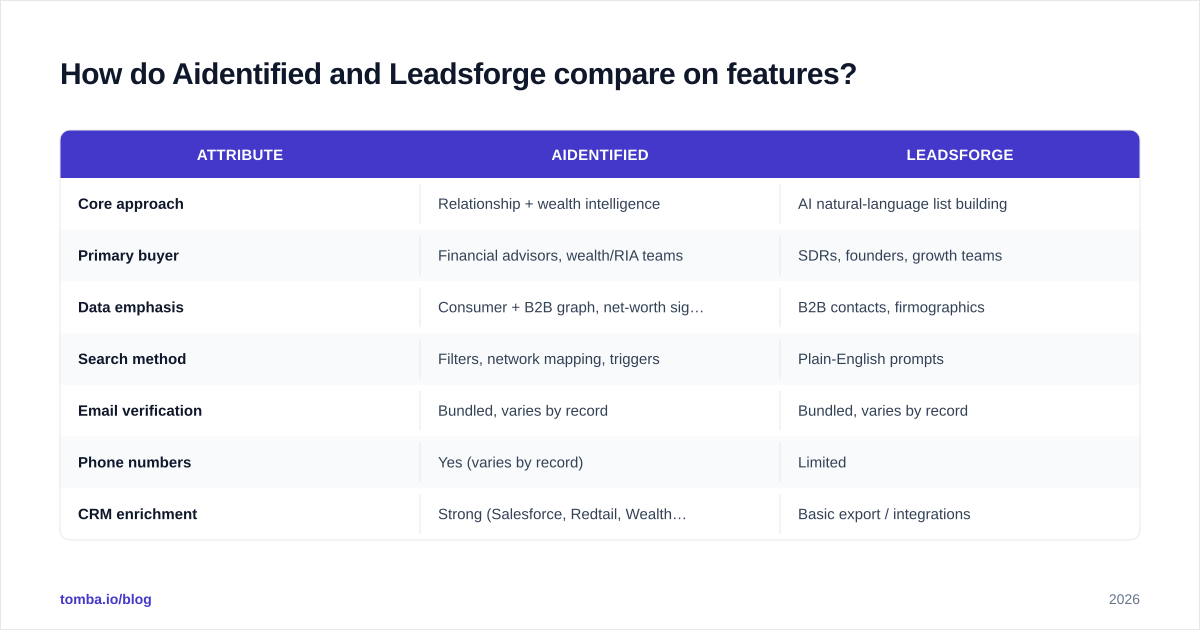
Here's the side-by-side. Treat vendor-published accuracy numbers with skepticism — they're measured on the vendor's own samples, not your territory.
| Attribute | Aidentified | Leadsforge |
|---|---|---|
| Core approach | Relationship + wealth intelligence | AI natural-language list building |
| Primary buyer | Financial advisors, wealth/RIA teams | SDRs, founders, growth teams |
| Data emphasis | Consumer + B2B graph, net-worth signals | B2B contacts, firmographics |
| Search method | Filters, network mapping, triggers | Plain-English prompts |
| Email verification | Bundled, varies by record | Bundled, varies by record |
| Phone numbers | Yes (varies by record) | Limited |
| CRM enrichment | Strong (Salesforce, Redtail, Wealthbox) | Basic export / integrations |
| Pricing model | Seats + data tiers (custom) | Credits / monthly volume |
| Best for | Warm-intro, high-value selling | High-volume cold outreach |
| Weak spot | Cost, learning curve | Data depth, verification consistency |
A few things worth calling out beyond the grid.
Relationship mapping is Aidentified's moat. If your selling model depends on referrals and second-degree connections — common in wealth management, commercial real estate, and high-ticket B2B — this is genuinely differentiated. Leadsforge doesn't try to compete here.
Speed is Leadsforge's moat. The natural-language interface removes the friction of learning a query language. For a two-person team that needs 200 contacts by Friday, that matters more than relationship graphs.
Both bundle contact data rather than specializing in it. That's the recurring caveat. When email and phone data is a feature inside a bigger platform, verification depth is usually shallower than a tool built only to find and verify contacts. You'll want a email verifier in the loop before you send at scale.
Which tool has better data quality and accuracy?#
Conclusion first: Aidentified tends to win on depth-per-contact, Leadsforge on speed-to-list — but neither replaces independent verification.
Data quality in lead tools breaks into three questions. Ask all three before you trust a number on a pricing page.
- Coverage — does the tool have the people you actually sell to? Aidentified's blended consumer-and-business graph is strong for US individuals and households, which suits financial services. Leadsforge skews toward standard B2B firmographics. If you sell to, say, European mid-market IT buyers, test both against a known sample list before committing.
- Freshness — how stale is the record? Job changes are the silent killer of cold outreach. A contact who left the company three months ago is a bounce and a wasted send. Aidentified's trigger-based model is built to catch these; Leadsforge's freshness depends on its underlying sources, which are less transparent.
- Verification — is the email deliverable right now? This is where bundled tools consistently underperform specialists. A list export marked "verified" often means "syntax-checked" or "verified at some point," not "SMTP-checked this week."
That third point is why experienced teams run a two-stage stack: source with one tool, then verify with another. Independent reviews on G2 and Capterra for almost every list-building product carry the same complaint — bounce rates higher than the marketing implied. It's not unique to these two; it's structural. Verification is a different engineering problem than sourcing, and most platforms optimize for the latter.
If you want to understand the mechanics behind why emails bounce and how verification actually works, the concept of email deliverability is the right rabbit hole. The short version: every unverified send chips away at your sender reputation, and reputation is the asset that determines whether your next campaign even reaches the inbox.
How do Aidentified and Leadsforge price?#
Pricing is where the two diverge most, and where you should be most careful.
Aidentified uses a seats-plus-data model with custom quotes. Because it serves regulated, high-value industries, deals are typically annual and negotiated. Expect the conversation to involve number of advisors, CRM integration scope, and data tiers. This is enterprise-flavored procurement — powerful, but not self-serve, and not cheap.
Leadsforge uses a credit or monthly-volume model, closer to the self-serve SaaS norm. You pick a plan, you get X contacts per month, you upgrade when you run dry. Easier to start, easier to predict for a small team, but costs scale with volume and the per-contact economics can get expensive once you're pulling thousands of records.
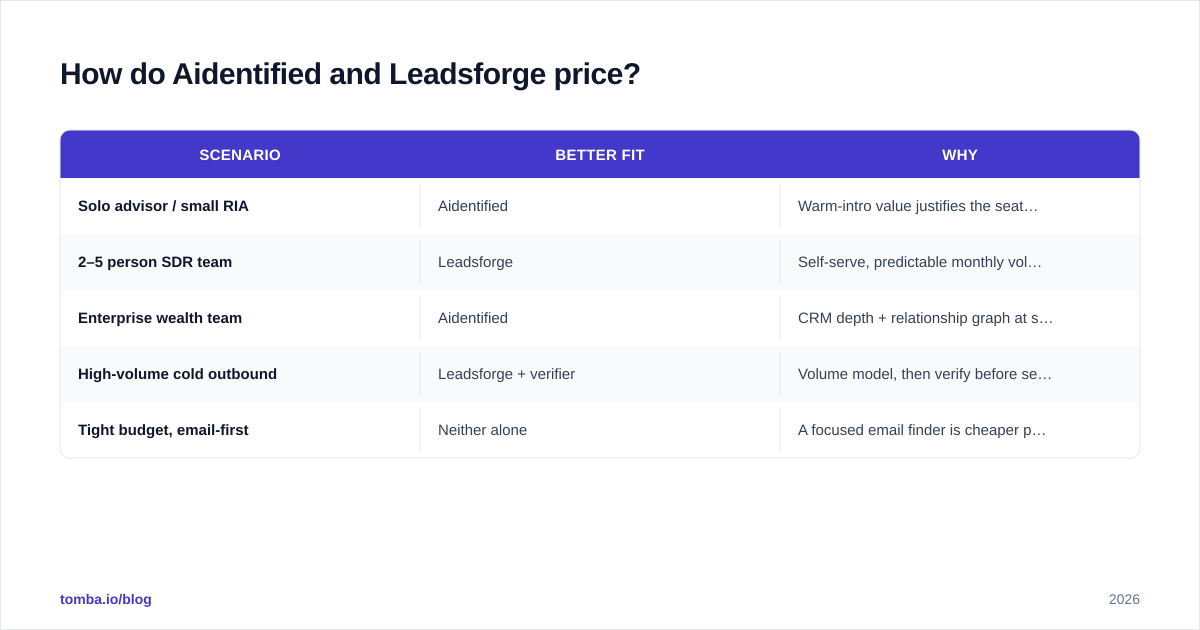
Here's the practical framing:
| Scenario | Better fit | Why |
|---|---|---|
| Solo advisor / small RIA | Aidentified | Warm-intro value justifies the seat cost |
| 2–5 person SDR team | Leadsforge | Self-serve, predictable monthly volume |
| Enterprise wealth team | Aidentified | CRM depth + relationship graph at scale |
| High-volume cold outbound | Leadsforge + verifier | Volume model, then verify before send |
| Tight budget, email-first | Neither alone | A focused email finder is cheaper per result |
That last row is the honest one. If your real need is "I have a list of companies and names, I just need accurate work emails," you're overpaying for relationship graphs or AI prompts you won't use. A specialist tool priced for that job — Tomba's pricing starts free at 25 searches/month and moves to $49/month Starter, $99/month Growth, and $249/month Pro — does the one thing cleanly without the platform tax.
Is Aidentified or Leadsforge better for cold email outreach?#
For pure cold outreach, Leadsforge is the closer fit — it's built for volume and the workflow assumes you're emailing strangers. Aidentified is optimized for the opposite: turning a cold prospect into a warm one via a shared connection before you reach out. Different philosophies.
But "better for outreach" hides a trap. The tool that builds your list is not the tool that protects your campaign. No matter which you pick, your outreach lives or dies on three things the list tool doesn't fully own:
- Verified, deliverable emails — run every list through verification before the first send. This is non-negotiable at any volume above a trickle.
- Warmed-up sending infrastructure — new domains and mailboxes need a ramp. Our email warmup calculator shows the timeline.
- Clean, segmented targeting — a smaller, better list beats a bigger, noisier one on reply rate every time.
This is the part of the stack both tools quietly assume you'll handle elsewhere. You can have the best AI-sourced list in the world, but if 18% of the emails bounce, mailbox providers read that as spammer behavior and throttle everything you send afterward.
What are the main pros and cons?#
A blunt summary of where each earns its keep and where it frustrates users.
Aidentified — pros
- Best-in-class relationship and referral mapping
- Strong net-worth and life-event signals for financial services
- Deep CRM integrations (Salesforce, Redtail, Wealthbox)
- Built for high-value, low-volume selling where each lead matters
Aidentified — cons
- Custom pricing and enterprise sales cycle
- Steeper learning curve
- Overbuilt if you just need contact data
- Niche fit outside wealth/financial services
Leadsforge — pros
- Natural-language search is genuinely fast to learn
- Self-serve, predictable for small teams
- Good for rapid list generation and experiments
- Lower barrier to entry than enterprise platforms
Leadsforge — cons
- Data depth and source transparency are limited
- Verification consistency varies — budget for a separate verifier
- Per-contact cost climbs at volume
- Thinner for non-standard or international segments
Notice the shared con: both want you to trust their bundled verification, and that's the one place you shouldn't. It's not a knock specific to these vendors — it's the nature of platforms that treat contact data as one feature among many.
Where does a dedicated email finder fit in?#
Here's the mental model: list-building tools and email finders solve adjacent problems, not the same one.
Imagine you're planning a dinner party. A list-building tool is the guest list — who to invite and why. An email finder is the address book — making sure the invitations actually arrive. You need both, and using a guest-list tool to look up addresses gets you a stack of returned mail.
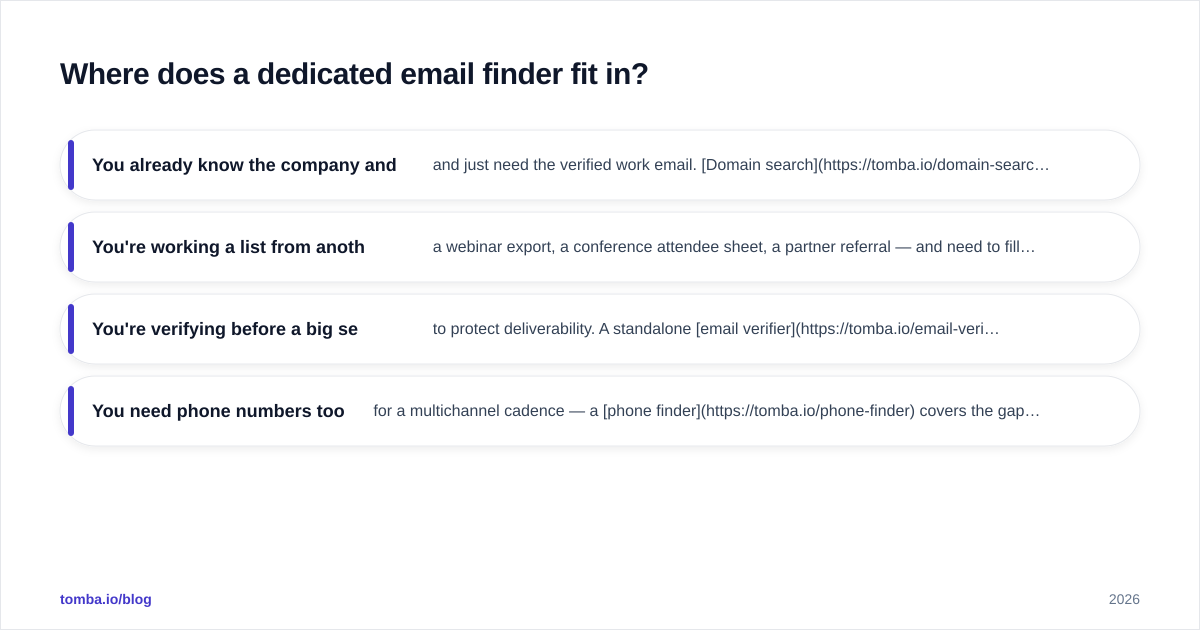
A focused email finder shines in the cases these platforms handle awkwardly:
- You already know the company and the person and just need the verified work email. Domain search returns every known address pattern for a company in seconds.
- You're working a list from another source — a webinar export, a conference attendee sheet, a partner referral — and need to fill in and verify emails. Bulk email finder handles thousands at once.
- You're verifying before a big send to protect deliverability. A standalone email verifier does SMTP-level checks that bundled tools usually skip.
- You need phone numbers too for a multichannel cadence — a phone finder covers the gap when your list tool is email-only.
The smartest stacks we see aren't all-in-one. They're two or three specialists chained together: source the prospects (Aidentified or Leadsforge), verify and enrich the contacts (a dedicated finder/verifier), then send through warmed infrastructure. Each tool does the one thing it's actually good at, and you stop paying the all-in-one tax on features you don't use.
So which should you choose?#
Conclusion, plainly:
- Choose Aidentified if you sell high-value deals where a warm introduction changes the outcome — financial advisory, wealth management, private banking, high-ticket B2B with referral-driven pipelines. The relationship graph is worth the price for that motion.
- Choose Leadsforge if you're a small, fast team that needs lists now and values a no-learning-curve interface over data depth — early-stage SaaS, lean SDR pods, founders doing their own prospecting.
- Choose neither as your whole stack. Both leave a verification and reliability gap. Pair your chosen tool with a dedicated finder and verifier, or you'll watch bounce rates erode the deliverability you spent months building.
If the honest answer is "I mostly just need accurate, verified B2B emails without the platform overhead," start with the Tomba Email Finder. Find professional emails by name, company, or domain; verify them before you send; pull phone numbers and enrich records when you need to — on a free tier of 25 searches/month before you ever pay. It's the address book that makes whatever guest list you build actually deliver. Try it on your next batch of leads and measure the bounce rate yourself — that one number tells you more than any vendor comparison chart.
// get started
Find, verify and enrich your first contacts today
Start on the free plan with 25 searches a month, then scale when your team is ready.
Free plan · No credit card required · GDPR & CCPA
// about the author