Airscale Reviews 2026: Features, Pricing & Alternatives
An honest look at Airscale in 2026 — what the LinkedIn-based prospecting and enrichment tool does well, where it falls short, real pricing, and the alternatives worth testing before you commit.
Airscale markets itself as the tool that turns LinkedIn into a clean, enriched, ready-to-send lead list. If you spend your days scraping Sales Navigator searches, cleaning spreadsheets, and stitching data sources together, that pitch lands. But marketing pages and real workflows are different things. These Airscale reviews cut past the homepage copy and look at what the platform actually does, what it costs, and where it leaves gaps you still have to fill.
TL;DR — Airscale at a glance#
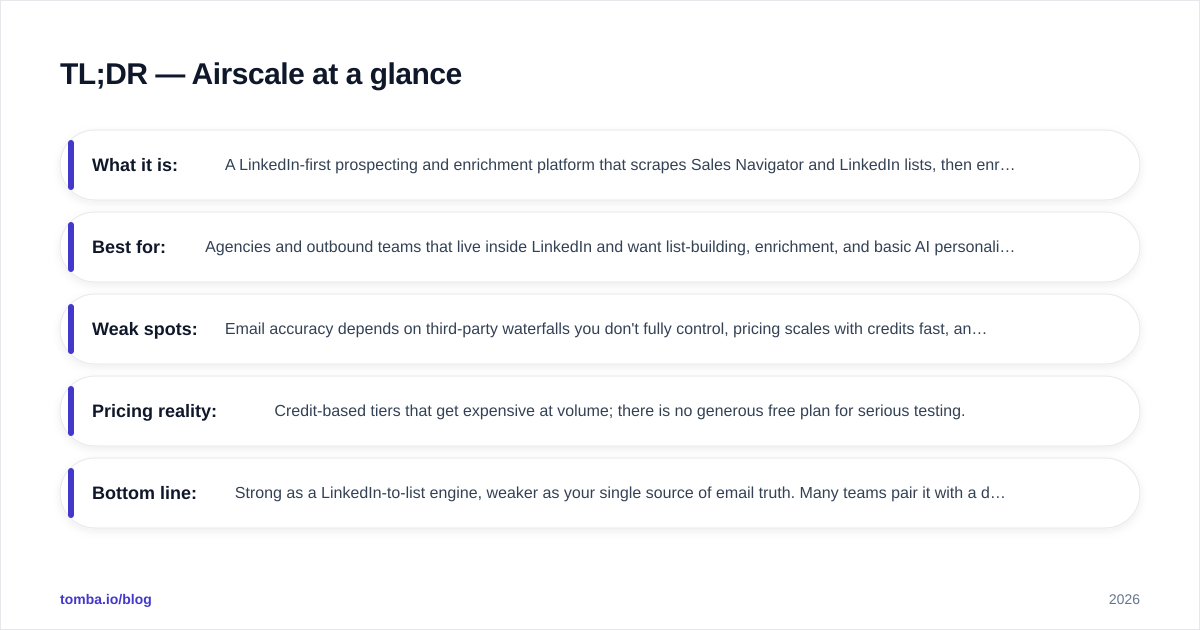
- What it is: A LinkedIn-first prospecting and enrichment platform that scrapes Sales Navigator and LinkedIn lists, then enriches contacts with emails and other data points using waterfall providers.
- Best for: Agencies and outbound teams that live inside LinkedIn and want list-building, enrichment, and basic AI personalization in one place.
- Weak spots: Email accuracy depends on third-party waterfalls you don't fully control, pricing scales with credits fast, and it is not a verification or API-first tool.
- Pricing reality: Credit-based tiers that get expensive at volume; there is no generous free plan for serious testing.
- Bottom line: Strong as a LinkedIn-to-list engine, weaker as your single source of email truth. Many teams pair it with a dedicated email finder and email verifier.
What is Airscale and who is it for?#
Airscale is a B2B prospecting platform built around LinkedIn. You point it at a Sales Navigator search, a LinkedIn group, an event attendee list, or a list of post engagers, and it pulls those profiles into a workspace. From there it enriches each contact — finding professional emails, sometimes phone numbers, and firmographic details — using a "waterfall" of data providers. It then offers AI fields so you can generate personalized first lines or custom variables for your cold outreach.
Think of it like a kitchen that takes raw ingredients (LinkedIn profiles) and plates a finished dish (an enriched, send-ready list). The appeal is obvious for anyone who has manually exported a CSV, run it through three enrichment tools, deduplicated it, and only then loaded it into a sequencer. Airscale compresses that chain into one screen.
The typical Airscale user is a lead-generation agency, an SDR team, or a solo founder running outbound. If LinkedIn is your primary prospecting channel and you build new lists weekly, Airscale is aimed squarely at you. If your motion is API-driven enrichment inside a product, or high-volume data enrichment across millions of records, it is a less natural fit.
How does Airscale's enrichment actually work?#
The core mechanic is the waterfall. Instead of relying on a single email database, Airscale queries multiple providers in sequence and keeps the first valid result. The logic is simple: if Provider A has no email for a contact, try Provider B, then C, and so on. Aggregating sources usually raises your overall match rate compared with any one database alone.
That sounds great, and for raw coverage it often is. But waterfalls have a catch most Airscale reviews skip over: you inherit the quality and the cost structure of whatever sits underneath. A waterfall optimizes for "did we find an email," not always "is this email safe to send to today." Coverage and deliverability are not the same metric. A found email that bounces still burns a credit, and worse, it dents your sender reputation.
This is why the teams getting the most out of any waterfall tool treat the output as a draft, not a final list. They run the enriched emails through dedicated verification before the first send. Airscale includes some validation, but it is not a specialist verifier, and catch-all domains in particular need closer scrutiny than a generic "valid/invalid" flag provides. A catch-all verifier exists for exactly this gray zone.
What does Airscale cost in 2026?#
Airscale uses credit-based pricing, where credits are consumed by enrichment actions. Plans bundle a monthly credit allowance plus seats and feature access. The published tiers move over time, so always confirm on the official Airscale site before buying, but the structure has stayed consistent: a low entry tier for light users, mid tiers for active agencies, and custom pricing for high volume.
The thing to model carefully is credit burn. One enriched contact can consume multiple credits when the waterfall hits several providers, and re-enriching stale data costs again. Teams that build a few thousand-contact lists per month can blow through a mid tier quickly. Budget by enriched contacts per month, not by the sticker price of the plan.
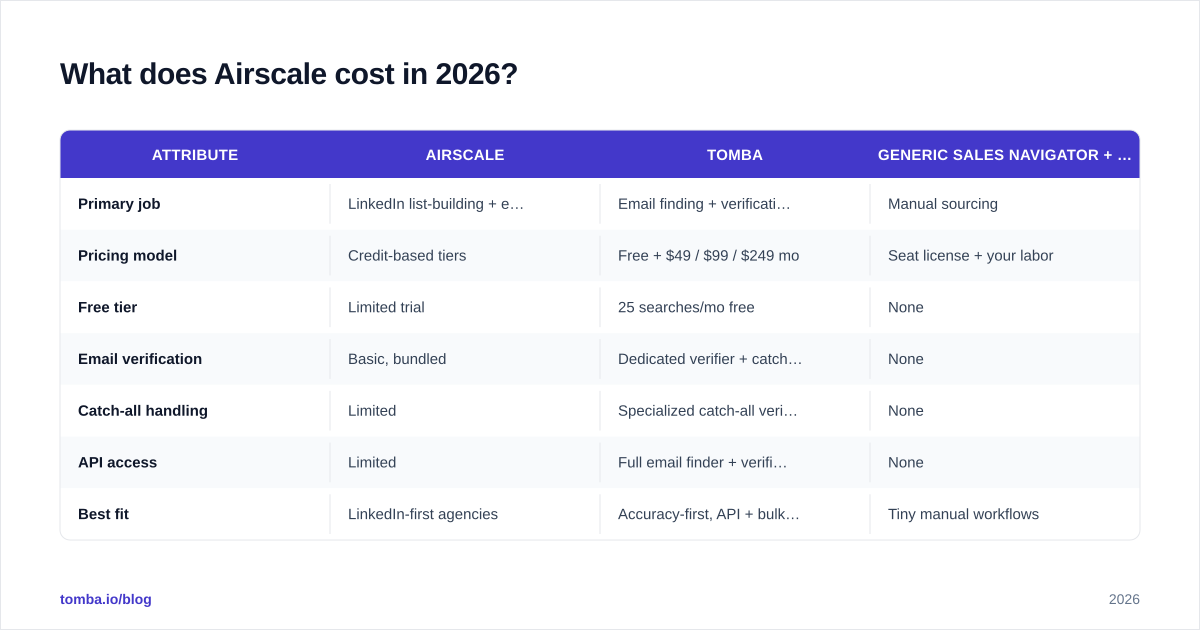
Here is how Airscale's positioning compares with a focused email-finding and verification stack:
| Attribute | Airscale | Tomba | Generic Sales Navigator + CSV |
|---|---|---|---|
| Primary job | LinkedIn list-building + enrichment | Email finding + verification | Manual sourcing |
| Pricing model | Credit-based tiers | Free + $49 / $99 / $249 mo | Seat license + your labor |
| Free tier | Limited trial | 25 searches/mo free | None |
| Email verification | Basic, bundled | Dedicated verifier + catch-all | None |
| Catch-all handling | Limited | Specialized catch-all verifier | None |
| API access | Limited | Full email finder + verifier API | None |
| Best fit | LinkedIn-first agencies | Accuracy-first, API + bulk teams | Tiny manual workflows |
The honest read: Airscale and a finder-plus-verifier stack are not strict competitors. Airscale wins on the LinkedIn capture step. A dedicated finder wins on accuracy, verification depth, and Tomba pricing predictability when you care about per-email cost rather than per-list convenience.
Is Airscale accurate enough to trust?#
Accuracy with Airscale is a moving target because it depends on the underlying providers and the freshness of the profile you imported. Three patterns show up repeatedly in user feedback:
- Coverage is strong on well-documented roles. Mid-to-senior professionals at established companies in the US and Western Europe enrich reliably.
- The long tail is thinner. Niche industries, SMB contacts, and some non-English regions return lower match rates — the same weakness almost every waterfall shares.
- Verification is the deciding factor. Two tools can "find" the same email; the one that tells you it is a risky catch-all or a role-based inbox saves you the bounce.
If your outbound depends on hitting inboxes, do not treat any single provider's "valid" flag as gospel. The safer pattern is finder → independent verifier → send. You can read more about how data sourcing affects accuracy in the way Tomba sources its data, which leans on SMTP-level checks rather than guessing from patterns alone.
What are the best Airscale alternatives?#
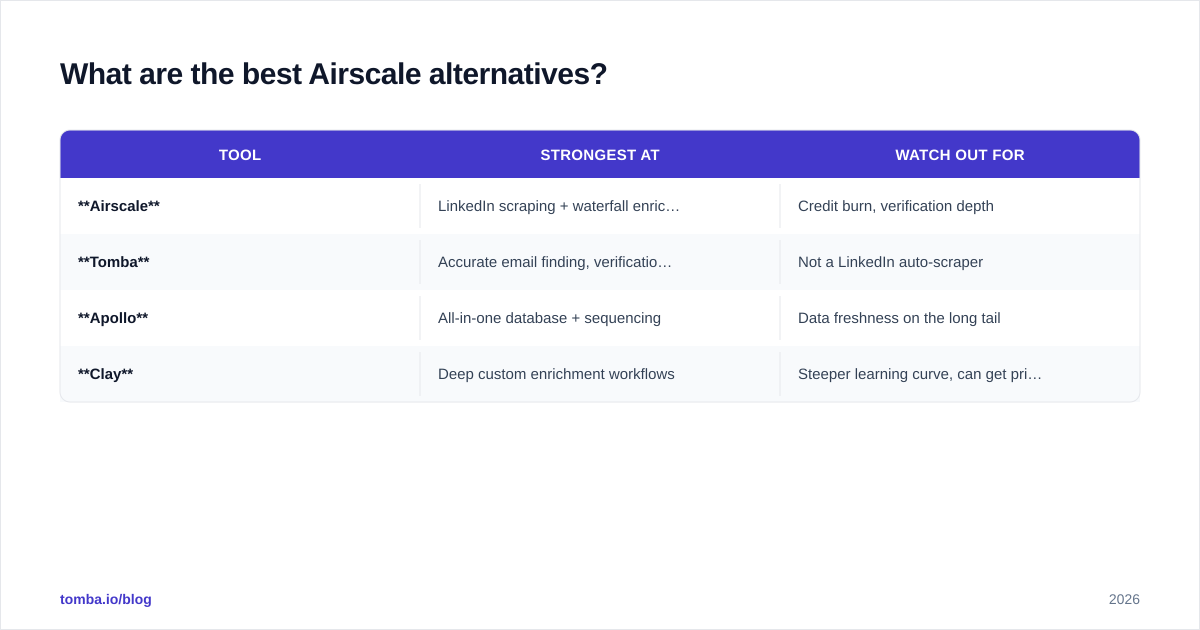
No single tool is right for every motion. Here is how the main alternatives stack up by job-to-be-done.
| Tool | Strongest at | Watch out for |
|---|---|---|
| Airscale | LinkedIn scraping + waterfall enrichment in one UI | Credit burn, verification depth |
| Tomba | Accurate email finding, verification, bulk + API | Not a LinkedIn auto-scraper |
| Apollo | All-in-one database + sequencing | Data freshness on the long tail |
| Clay | Deep custom enrichment workflows | Steeper learning curve, can get pricey |
A few notes on fit:
- If your gap is LinkedIn automation plus enrichment, Airscale or a tool like Clay handles the orchestration well.
- If your gap is email accuracy and verification at a predictable cost, a specialist is the better buy. Compare options on G2 and Capterra where reviewers describe real bounce rates, not marketing claims.
- If you came to Airscale to escape an all-in-one platform, the same logic that drives people to look for an Apollo alternative applies: you want control over the find-and-verify step rather than a bundled black box.

For teams that build lists in bulk, the workflow split matters more than any single feature. Capture leads where they live — LinkedIn, a conference list, a CSV — then run a clean enrichment-and-verification pass with a bulk email finder before anything touches your sequencer. That separation keeps your sending domain healthy and your reply rates honest.
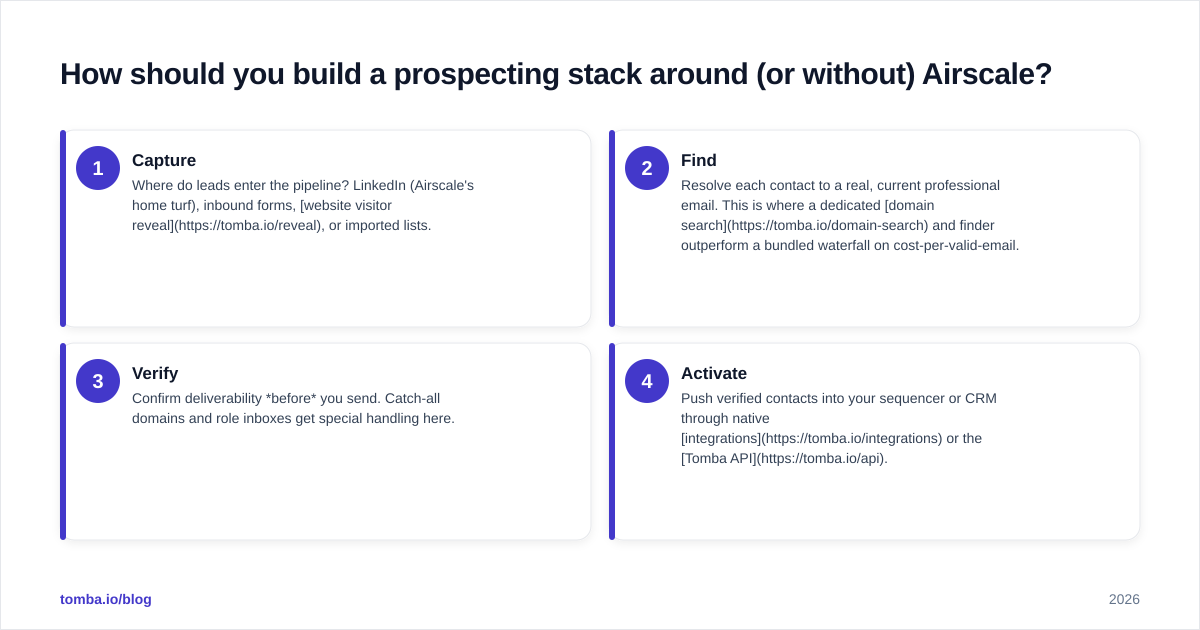
How should you build a prospecting stack around (or without) Airscale?#
Stop thinking in terms of "one tool to rule them all." The most resilient outbound stacks separate four jobs and pick the best tool for each.
- Capture — Where do leads enter the pipeline? LinkedIn (Airscale's home turf), inbound forms, website visitor reveal, or imported lists.
- Find — Resolve each contact to a real, current professional email. This is where a dedicated domain search and finder outperform a bundled waterfall on cost-per-valid-email.
- Verify — Confirm deliverability before you send. Catch-all domains and role inboxes get special handling here.
- Activate — Push verified contacts into your sequencer or CRM through native integrations or the Tomba API.
Airscale can own steps 1 and part of 2. Whether you let it own step 3 is the real decision. Teams sending at volume — where a 5% bounce difference means the inbox versus the spam folder — usually pull verification into a specialist tool and keep Airscale focused on what it does best.
Pros and cons of Airscale#
Pros
- Tight LinkedIn and Sales Navigator integration; list-building is genuinely fast.
- Waterfall enrichment lifts overall match rates versus a single source.
- Built-in AI fields for personalization variables save a step before sequencing.
- One workspace for capture and enrichment reduces tool-switching.
Cons
- Credit-based pricing gets expensive at agency volume; model your burn first.
- Verification is bundled, not specialist — catch-alls and risky domains need a second pass.
- Limited API depth compared with finder/verifier platforms built API-first.
- Accuracy on the long tail (SMB, niche regions) trails its coverage on common roles.
Frequently asked questions#
Is Airscale worth it in 2026? If LinkedIn is your main channel and you build lists weekly, yes — it removes real manual labor. If you mostly need accurate emails verified at a predictable per-contact cost, a dedicated finder and email verifier will serve you better and often cheaper.
Does Airscale replace an email verifier? Not fully. It validates, but it is not a specialist. For clean sending, verify enriched emails independently, especially catch-all domains.
What is the cheapest way to test the workflow? Start a free or low-tier plan on each tool you are comparing and enrich the same 100 contacts. Measure valid rate and bounce rate, not just "found" counts. Tomba's free tier (25 searches/mo) lets you benchmark accuracy at zero cost.
The bottom line#
Airscale is a capable LinkedIn-to-list engine. Where these Airscale reviews land is on the seam between finding data and trusting it: the platform shortens the capture-and-enrich chain, but it does not remove your responsibility to verify before you send. Treat its output as a strong draft, not a final list.
If accuracy, verification, and predictable cost-per-email are what you are optimizing for, run your next list through the Tomba Email Finder. Find professional emails by domain, name, or company, verify them in the same workflow, and push clean contacts straight into your CRM — without the credit-burn surprises. Start free with 25 searches a month, then scale on plans from $49/mo when the results prove out.
// get started
Find, verify and enrich your first contacts today
Start on the free plan with 25 searches a month, then scale when your team is ready.
Free plan · No credit card required · GDPR & CCPA
// about the author