9 Best Aiscraper Alternatives for Web Scraping in 2026
Aiscraper is fine for quick pulls, but it stalls on scale, structured exports, and contact data. Here are 9 Aiscraper alternatives compared on price, no-code workflows, and what they actually extract.
You opened Aiscraper because pointing an AI at a URL and getting clean rows back felt like magic. Then the magic met reality: a list that needed 40,000 rows, a site that changed its layout overnight, an export that came back as half-empty JSON, and a "contact" column that was just a generic info@ address. If that's where you are, you're not looking for a better prompt — you're looking for an Aiscraper alternative that holds up at scale.
This guide compares nine of them on the things that actually decide a scraping project: pricing, no-code vs. code, what they extract, and how they handle the part most scrapers ignore — turning raw page data into usable business contacts.
TL;DR#
- Aiscraper is a good starter, a weak finisher. It's great for ad-hoc pulls; it struggles with volume, scheduling, structured exports, and contact-grade data.
- No-code pick: Octoparse or Browse AI if you want point-and-click without writing a line.
- Developer pick: Apify or ScrapingBee if you want APIs, proxies, and CI-friendly runs.
- Enterprise data pick: Bright Data for proxy scale and compliance paperwork.
- Contact-data pick: Tomba — when the goal isn't "scrape a page" but "get verified emails and phone numbers for the people on it."
What is Aiscraper and where does it fall short?#
Aiscraper belongs to the new class of AI-first scrapers: you give it a URL or a natural-language instruction, and a model figures out the selectors for you. That removes the most annoying part of traditional scraping — hand-writing XPath and babysitting it when the DOM shifts.
The trade-off is control. AI extraction is probabilistic, so the same job can return slightly different shapes on different runs, and you don't always get the knobs you need: scheduled crawls, proxy rotation, pagination depth limits, webhook delivery, or a real API your engineers can wire into a pipeline. For a one-off research pull that's fine. For a recurring lead generation workflow that has to land the same clean columns every Monday, the wobble adds up.
The other gap is the one teams notice last: scraping a page gives you text, not contactable people. A scraped team page might list ten names and zero email addresses. Closing that gap is a separate job — and it's where general scrapers and dedicated contact tools part ways.
How should you choose an Aiscraper alternative?#
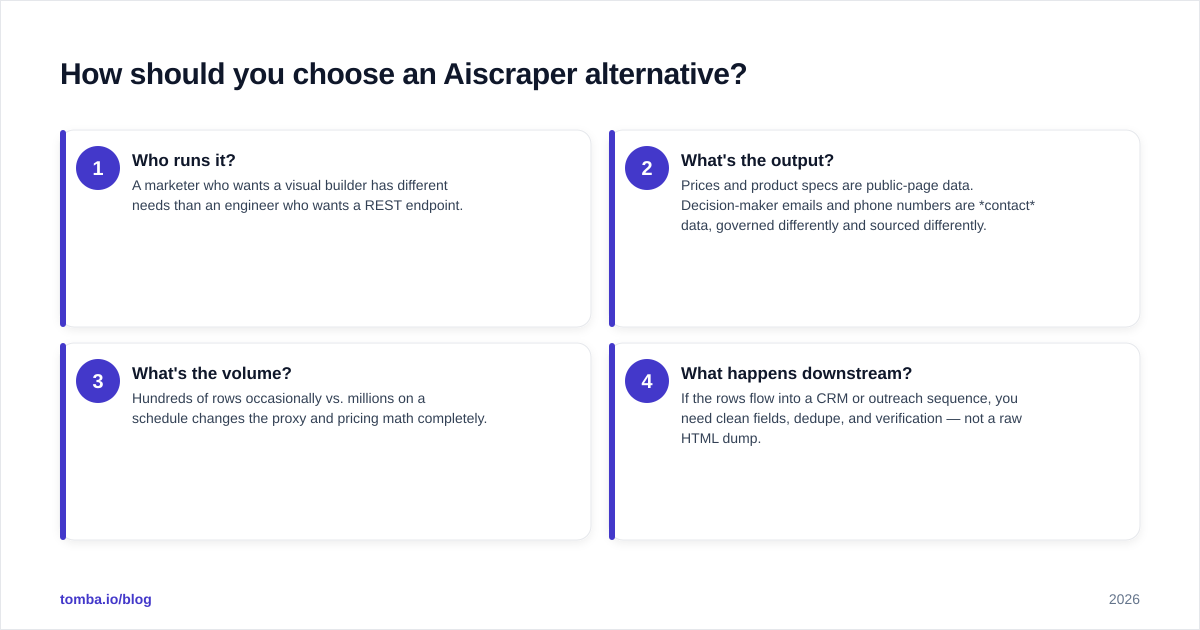
Don't start from "which tool is best." Start from what you're extracting and who consumes it. Four questions sort the field fast:
- Who runs it? A marketer who wants a visual builder has different needs than an engineer who wants a REST endpoint.
- What's the output? Prices and product specs are public-page data. Decision-maker emails and phone numbers are contact data, governed differently and sourced differently.
- What's the volume? Hundreds of rows occasionally vs. millions on a schedule changes the proxy and pricing math completely.
- What happens downstream? If the rows flow into a CRM or outreach sequence, you need clean fields, dedupe, and verification — not a raw HTML dump.
Map your answers against the table below before you commit to a plan.
Which Aiscraper alternatives are worth comparing in 2026?#
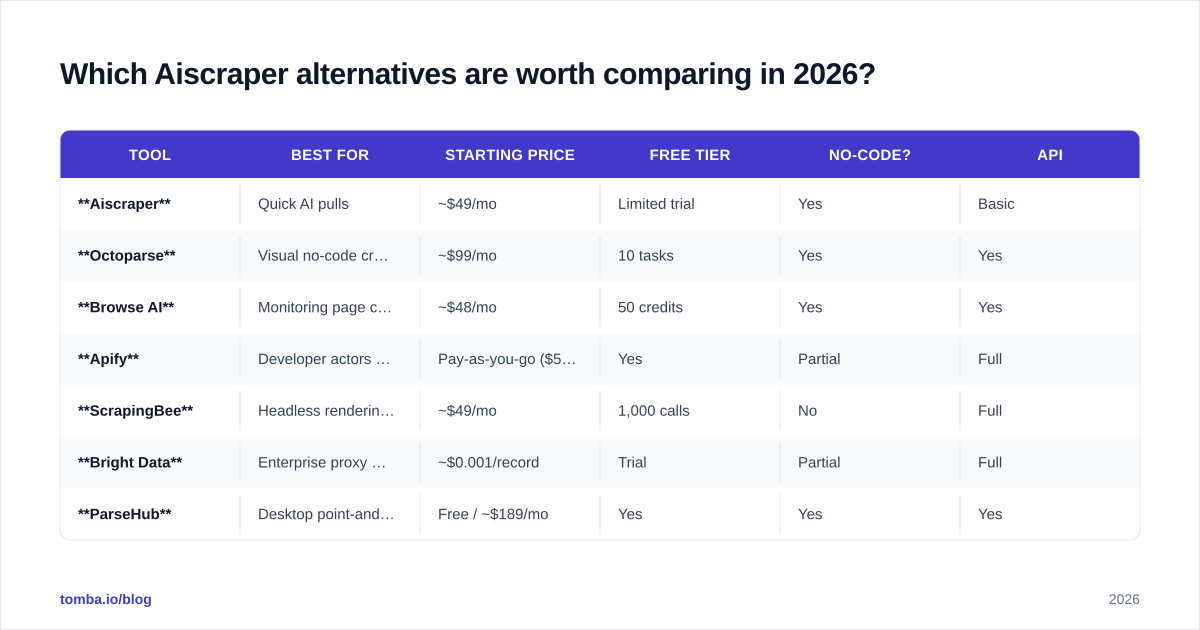
Here's the head-to-head on the attributes that matter. Prices are entry-tier list prices at time of writing and move around — treat them as ballpark, not gospel.
| Tool | Best for | Starting price | Free tier | No-code? | API |
|---|---|---|---|---|---|
| Aiscraper | Quick AI pulls | ~$49/mo | Limited trial | Yes | Basic |
| Octoparse | Visual no-code crawls | ~$99/mo | 10 tasks | Yes | Yes |
| Browse AI | Monitoring page changes | ~$48/mo | 50 credits | Yes | Yes |
| Apify | Developer actors & marketplace | Pay-as-you-go ($5 free) | Yes | Partial | Full |
| ScrapingBee | Headless rendering + proxies | ~$49/mo | 1,000 calls | No | Full |
| Bright Data | Enterprise proxy scale | ~$0.001/record | Trial | Partial | Full |
| ParseHub | Desktop point-and-click | Free / ~$189/mo | Yes | Yes | Yes |
| Diffbot | Knowledge-graph extraction | ~$299/mo | Trial | No | Full |
| Tomba | Verified contact data | $49/mo | 25 searches | Yes | Full |
A few notes the table can't hold:
- Octoparse is the closest no-code replacement for Aiscraper's ease, with stronger scheduling and cloud runs.
- Apify is a marketplace as much as a scraper — thousands of pre-built "actors" mean someone has probably already scripted your target site.
- Bright Data wins on raw scale and compliance documentation but is overkill (and overpriced) for small teams.
- Tomba isn't a general page scraper at all — it's the tool you reach for when the rows you scraped need real, verified humans attached to them.
Is a no-code or a developer-first scraper better?#
It depends entirely on who maintains it after launch.
Go no-code (Octoparse, Browse AI, ParseHub) if a non-engineer owns the workflow, the target sites are stable, and you value clicking over scripting. The ceiling is lower — complex auth flows and aggressive anti-bot defenses will eventually stump a visual builder — but the floor is much friendlier. Browse AI in particular shines when you care about change detection (alert me when this price moves) more than bulk extraction.
Go developer-first (Apify, ScrapingBee, Bright Data) if the job lives inside a larger system. These give you real APIs, proxy rotation, headless browser rendering for JavaScript-heavy sites, and the ability to run scrapes from CI. ScrapingBee is the gentlest on-ramp here — it's essentially "send a URL, get rendered HTML back," with proxies handled for you.
The honest middle ground: many teams run a no-code tool for discovery and a code-based one for production. There's no rule that says you pick one forever.
How do you turn scraped pages into usable contacts?#
This is the step every general scraper waves past, and it's where most scraping projects quietly die. You scraped 3,000 company pages. You have names, titles, and maybe a generic contact form. You do not have the one thing outreach needs: a deliverable email or a direct phone number.
You have three options, and only one of them scales:
- Guess the format (
first.last@company.com) and hope. Bounce rates punish this fast and torch your sender reputation. - Manually hunt each contact. Accurate, impossibly slow.
- Enrich programmatically. Feed your scraped names + domains into a contact-data tool that returns verified emails and phones.
Option three is where a tool like Tomba slots into a scraping stack. You're not asking it to scrape a layout — you're asking it to resolve "Jane Doe at acme.com" into a verified, scored email address. Tomba's data enrichment and bulk email finder take the messy CSV your scraper produced and hand back rows you can actually send to.
If your raw material is unstructured text rather than a tidy domain list, a free email extractor pulls every address out of pasted content before you even reach the enrichment step. And if you're building this into an automated pipeline, the Tomba API verifies and enriches inline, so the data never has to leave your flow as a manual export.
What does a real scraping-to-outreach pipeline look like?#
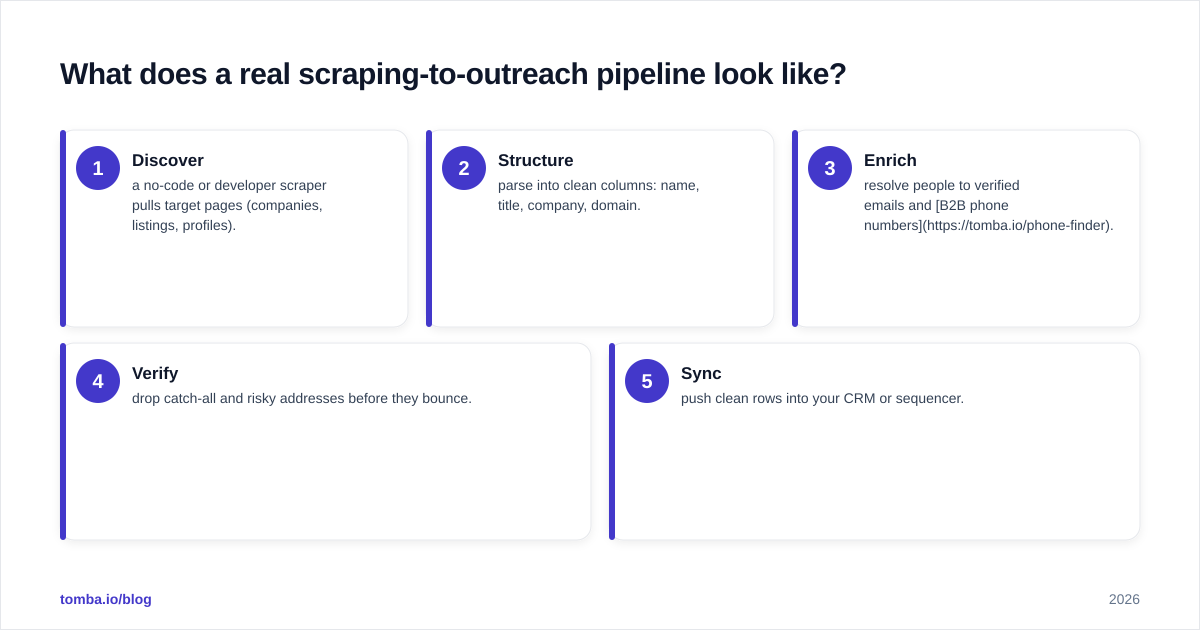
Here's the pattern that survives contact with production. Each stage has a clear owner and a clear output.
- Discover — a no-code or developer scraper pulls target pages (companies, listings, profiles).
- Structure — parse into clean columns: name, title, company, domain.
- Enrich — resolve people to verified emails and B2B phone numbers.
- Verify — drop catch-all and risky addresses before they bounce.
- Sync — push clean rows into your CRM or sequencer.
The scraper owns steps 1–2. A contact-data platform owns steps 3–4. Treating these as one tool is the mistake that makes people blame "the scraper" when the real problem was un-enriched data.
Aiscraper alternatives by use case — quick picks#
- I just want to point and click: Octoparse.
- I want alerts when a page changes: Browse AI.
- I'm a developer with a pipeline: Apify or ScrapingBee.
- I need enterprise proxy scale and paperwork: Bright Data.
- I scrape names but need verified emails and phones: Tomba.
- I want a structured knowledge graph, not raw HTML: Diffbot.
Most teams end up running two: one to gather pages, one to make the people on those pages contactable.
How much should you budget?#
Scraping costs split into two buckets that catch people off guard.
Extraction cost is what you pay the scraper — usually per request, per row, or per compute unit. Pay-as-you-go tools like Apify look cheap until a JavaScript-heavy site triples your compute per page. Flat-rate tools like Octoparse are predictable but cap your task count.
Proxy cost is the silent budget killer. Residential proxies, which you need for sites with serious anti-bot defenses, can dwarf the scraper subscription itself. Bright Data is transparent about this; cheaper tools bury it.
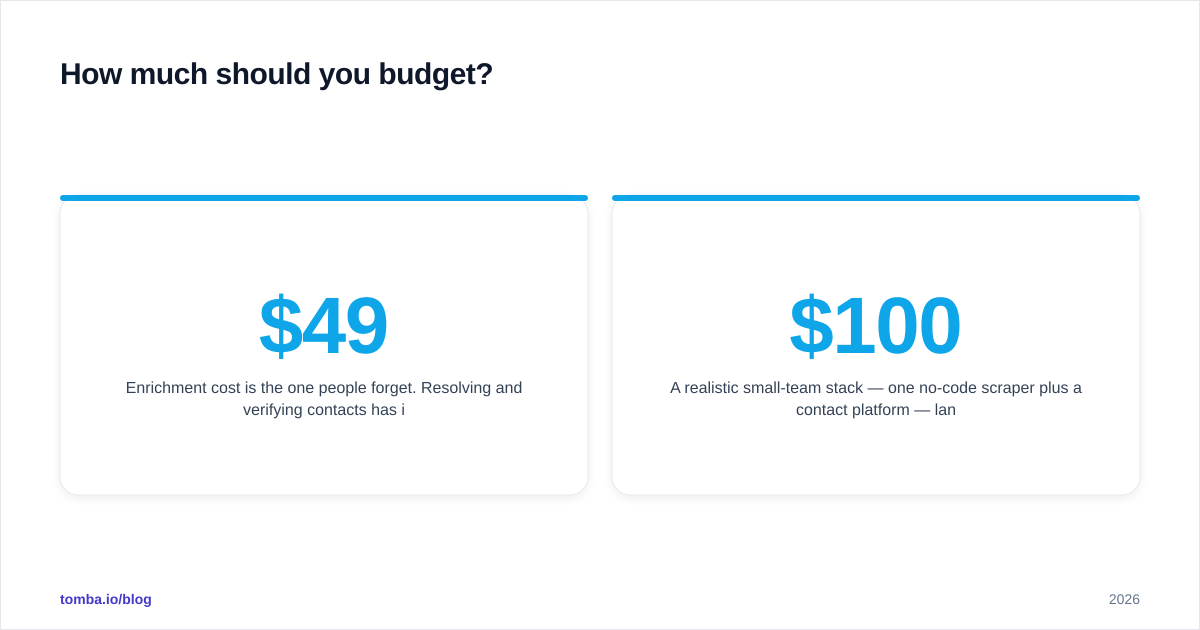
Enrichment cost is the one people forget. Resolving and verifying contacts has its own per-credit price. Tomba's pricing starts free at 25 searches/month, then $49/mo (Starter), $99/mo (Growth), and $249/mo (Pro), with credits covering finding and verification — so you're not paying twice to discover an email and then confirm it's real.
A realistic small-team stack — one no-code scraper plus a contact platform — lands around $100–$200/month all in. Enterprise residential-proxy operations run into the thousands. Size the proxy and enrichment lines before you commit, not after the first invoice.
How do these tools handle anti-bot defenses and compliance?#
Two practical realities to plan around.
Anti-bot: Modern sites fight scraping with rate limits, fingerprinting, and CAPTCHAs. AI scrapers like Aiscraper and visual tools like ParseHub handle gentle sites well but degrade on hardened targets. If your list includes aggressively-defended sites, you want a tool with managed residential proxies and headless rendering — that's ScrapingBee, Apify, or Bright Data territory. For background on the techniques and the cat-and-mouse around them, the Wikipedia overview of web scraping is a clear, neutral primer.
Compliance: Scraping public data is broadly legal in many jurisdictions, but personal data triggers GDPR/CCPA obligations the moment you store it. This is another reason to separate page-scraping from contact-resolution: a dedicated contact platform documents its data sources and verification logic, which matters when someone asks where a lead came from. Always check a vendor's compliance posture — vendor reviews on G2 and the developer docs on a platform like Apify will tell you more than the marketing page.
So which Aiscraper alternative should you pick?#
Conclusion first: match the tool to the stage, not the brand. No single product wins every column in the table, and the teams that get burned are the ones hunting for one tool to do discovery, extraction, enrichment, and verification at once.
- If you outgrew Aiscraper on ease, move to Octoparse or Browse AI.
- If you outgrew it on scale or integration, move to Apify, ScrapingBee, or Bright Data.
- If you outgrew it because the data wasn't contactable, you don't need a different scraper — you need an enrichment layer.
That last case is the most common, and the most overlooked. If your scraping projects keep ending with a spreadsheet full of names and no way to reach them, plug the gap with Tomba's Email Finder: drop in a domain or a name-plus-company, get back verified, deliverability-scored emails, and feed clean rows straight into your outreach — no guessing, no bounces, no torched sender reputation. Start on the free tier, wire it into your existing scraper, and let each tool do the one job it's actually good at.
Ready to find emails that actually work?
Join 150,000+ professionals who stopped guessing and started sending. Free credits on signup — no credit card required.
Get the Tomba newsletter
Practical outbound tactics and product updates — once every two weeks.
About the author