7 Best amoCRM Alternatives for B2B Sales Teams in 2026
amoCRM (now Kommo) is messaging-first, but it is not the only option. Here are 7 amoCRM alternatives compared on pricing, features, and best-fit use cases for 2026.
You are paying for amoCRM (rebranded Kommo) because it nails messenger-based selling. But if your pipeline lives in email, your team is scaling past a few seats, or you need deeper reporting and native integrations, the messaging-first design starts to feel like a cage. This guide breaks down seven serious amoCRM alternatives, what each one is actually good at, and how to pick without guessing.
TL;DR#
- amoCRM (Kommo) is built around chat and messenger pipelines; it is weak on advanced reporting, native US-market integrations, and email-led outbound.
- Pipedrive is the closest like-for-like swap for sales teams that want a clean visual pipeline without the messenger lock-in.
- HubSpot wins if you want a free tier today and a full marketing/sales/service suite tomorrow.
- Zoho CRM is the best value for feature-rich teams on a budget; Freshsales is the easiest AI-assisted on-ramp.
- The CRM you choose only performs as well as the contact data you feed it — pair any of these with a dedicated email finder and data enrichment layer.
Why look for an amoCRM alternative in 2026?#
amoCRM rebranded to Kommo for its global audience, and the product DNA hasn't changed: it is a messenger-centric CRM. If most of your deals start in WhatsApp, Instagram, or Telegram, that focus is a feature. For most B2B sales teams, it's a constraint.
The common reasons teams switch:
- Reporting is shallow. You get pipeline and activity views, but multi-touch attribution, custom revenue dashboards, and forecasting lag behind dedicated sales CRMs.
- Email-first outbound feels bolted on. If your motion is cold email plus follow-up sequences, you'll fight the UI.
- Integration gaps. The native app catalog skews toward messaging tools, not the US/EU sales stack (data providers, dialers, RevOps tooling).
- Pricing scales awkwardly once you add seats and the automation add-ons you actually need.
None of this makes amoCRM bad. It makes it specialized. The question is whether your motion matches that specialty.
How should you evaluate a CRM replacement?#
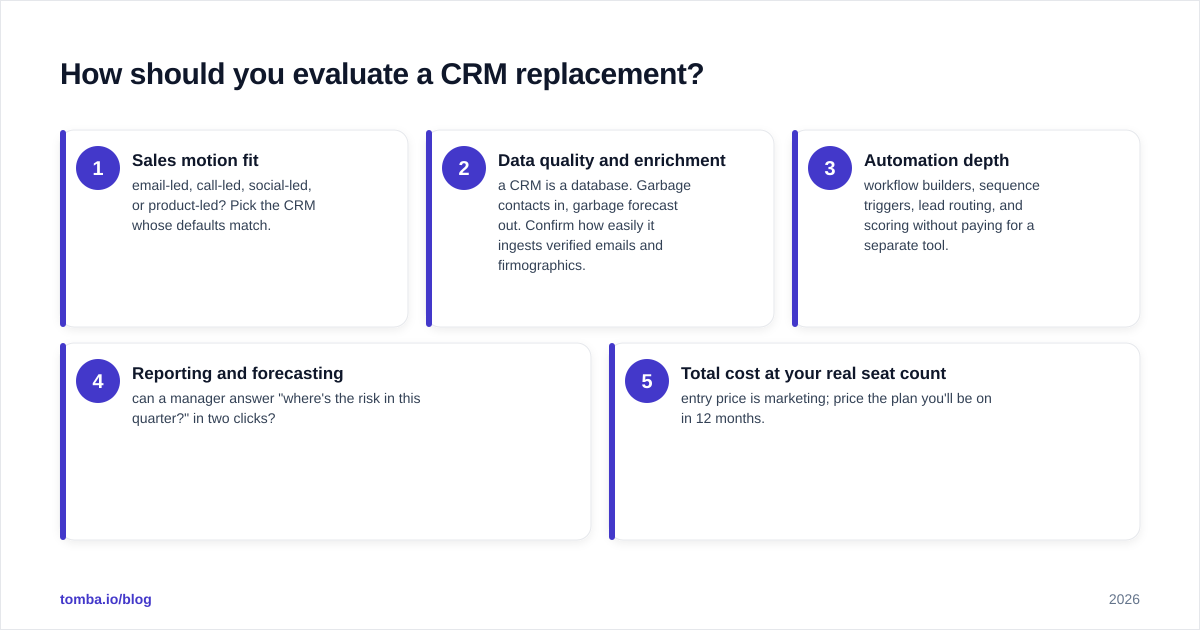
Before comparing logos, score each tool against the five factors that actually predict whether a CRM sticks. Reps abandon CRMs that create data-entry work and don't return insight — so weight adoption heavily.
- Sales motion fit — email-led, call-led, social-led, or product-led? Pick the CRM whose defaults match.
- Data quality and enrichment — a CRM is a database. Garbage contacts in, garbage forecast out. Confirm how easily it ingests verified emails and firmographics.
- Automation depth — workflow builders, sequence triggers, lead routing, and scoring without paying for a separate tool.
- Reporting and forecasting — can a manager answer "where's the risk in this quarter?" in two clicks?
- Total cost at your real seat count — entry price is marketing; price the plan you'll be on in 12 months.
What are the best amoCRM alternatives?#
Here's the shortlist, mapped to who each one is for.
| CRM | Starting price (per user/mo, billed annually) | Free tier | Best for | Weak spot |
|---|---|---|---|---|
| amoCRM / Kommo | $15 (Base) | No | Messenger-led selling | Reporting, US integrations |
| Pipedrive | $14 (Essential) | No (14-day trial) | Visual pipeline, SMB sales | Limited native marketing |
| HubSpot | $0 free / paid from ~$20 | Yes (generous) | All-in-one growth stack | Cost climbs at scale |
| Zoho CRM | $14 (Standard) | Yes (3 users) | Feature-per-dollar value | UI learning curve |
| Freshsales | $9 (Growth) | Yes (limited) | AI-assisted simplicity | Fewer deep integrations |
| Salesforce | $25 (Starter) | No | Enterprise customization | Complexity, admin overhead |
| Close | $19 (Base) | No (trial) | Call + email outbound teams | Smaller app ecosystem |
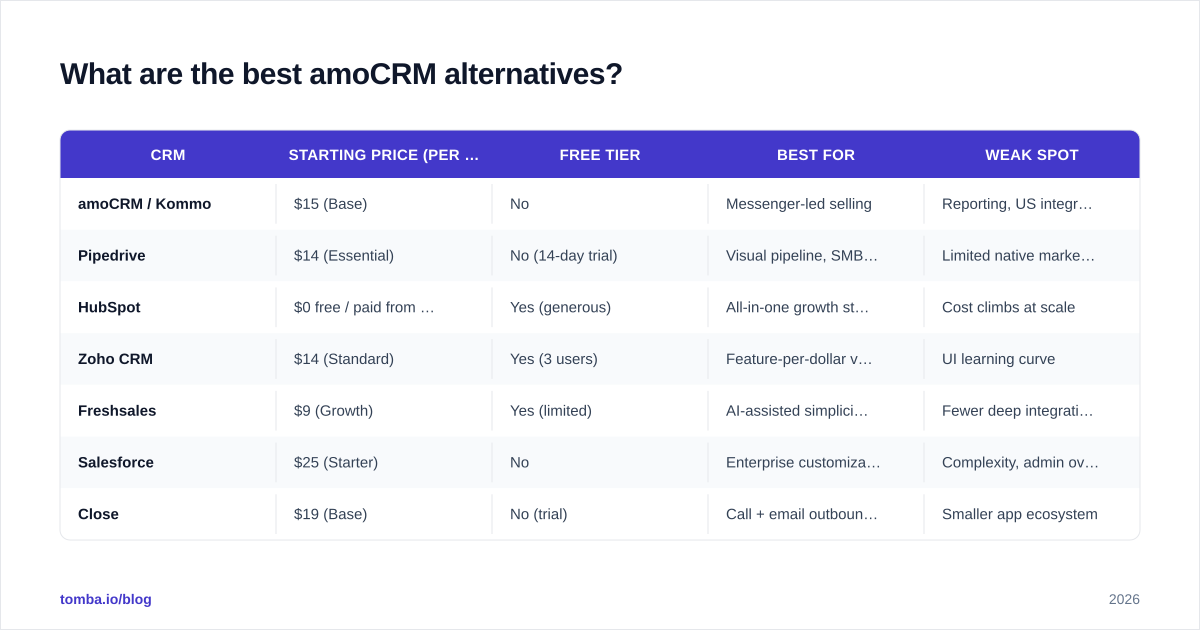
Prices reflect public list pricing for 2026 entry tiers and shift with promotions — always confirm on the vendor site.
Pipedrive — the closest drop-in replacement#
Pipedrive is what most ex-amoCRM teams land on. It's built around a drag-and-drop visual pipeline, it's fast to learn, and it doesn't assume your deals start in a chat window. Workflow automation, email sync, and a clean activity model cover the daily sales grind. You can wire it into your data stack through the Pipedrive integration so newly found contacts flow straight into deals.
Choose it if you want amoCRM's simplicity minus the messenger-first assumptions.
HubSpot — best free starting point#
HubSpot offers a genuinely usable free CRM and the broadest upgrade path: marketing, sales, service, and CMS on one record. For teams that expect to add email marketing and inbound later, consolidating early avoids a painful migration. The trade-off is cost — list prices rise quickly once you add seats and unlock advanced automation. Connect it via the HubSpot integration to keep contact records enriched automatically.
Zoho CRM — most features per dollar#
Zoho packs workflow automation, AI (Zia), multichannel support, and forecasting into low-cost tiers, and it slots into the wider Zoho One suite. The interface asks more of new users than Pipedrive does, but for budget-conscious teams that still want depth, the value is hard to beat.
Freshsales — easiest AI-assisted on-ramp#
Freshsales (Freshworks) leans on built-in AI scoring and a clean, opinionated UI. It's a strong pick for smaller teams that want contact scoring and sequences without configuring much. The integration catalog is thinner than Salesforce or HubSpot, so check your must-have tools first.
Salesforce — when you'll outgrow everything else#
If your roadmap includes complex territories, custom objects, and a RevOps team to run it, Salesforce is the platform with no ceiling. That power is also its cost: admin overhead and price. Don't buy it to replace amoCRM unless you're genuinely heading enterprise. The Salesforce integration keeps the data side handled.
Close — built for outbound calling and email#
Close is designed for high-velocity outbound teams: built-in calling, SMS, and email sequencing in one window. If your reps live on the phone and in the inbox rather than in social DMs, Close is the philosophical opposite of amoCRM — and that's exactly the point for many switchers.
Is amoCRM better than Pipedrive or HubSpot?#
It depends entirely on your channel mix. amoCRM is better than both for messenger-led sales — WhatsApp/Instagram/Telegram pipelines are its home turf, and the unified inbox is genuinely strong.
For email-led and call-led B2B sales, Pipedrive and HubSpot pull ahead on reporting, native integrations, and automation that doesn't assume a chat thread. Most teams reading this article are in the second camp — which is why they're reading it.
A quick decision shortcut:
- Deals start in DMs → stay on amoCRM/Kommo.
- Deals start in email, you want simple → Pipedrive.
- You want free now and a full suite later → HubSpot.
- You want maximum features on a tight budget → Zoho.
How do you migrate off amoCRM cleanly?#
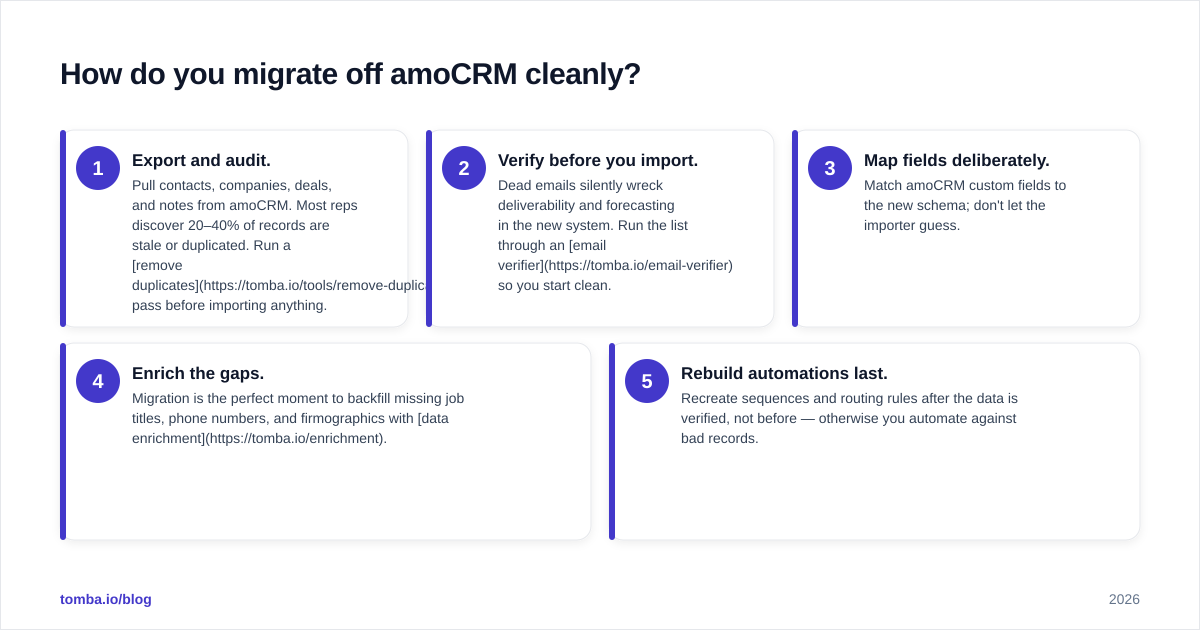
Switching CRMs fails on data, not features. Plan the move in this order:
- Export and audit. Pull contacts, companies, deals, and notes from amoCRM. Most reps discover 20–40% of records are stale or duplicated. Run a remove duplicates pass before importing anything.
- Verify before you import. Dead emails silently wreck deliverability and forecasting in the new system. Run the list through an email verifier so you start clean.
- Map fields deliberately. Match amoCRM custom fields to the new schema; don't let the importer guess.
- Enrich the gaps. Migration is the perfect moment to backfill missing job titles, phone numbers, and firmographics with data enrichment.
- Rebuild automations last. Recreate sequences and routing rules after the data is verified, not before — otherwise you automate against bad records.

This is the part teams underestimate. Whichever alternative you pick, its forecast, scoring, and automation are only as accurate as the underlying data. A modern CRM with a customer relationship management workflow still can't invent a correct email address — that has to come from a reliable source.
What does each alternative cost at real scale?#
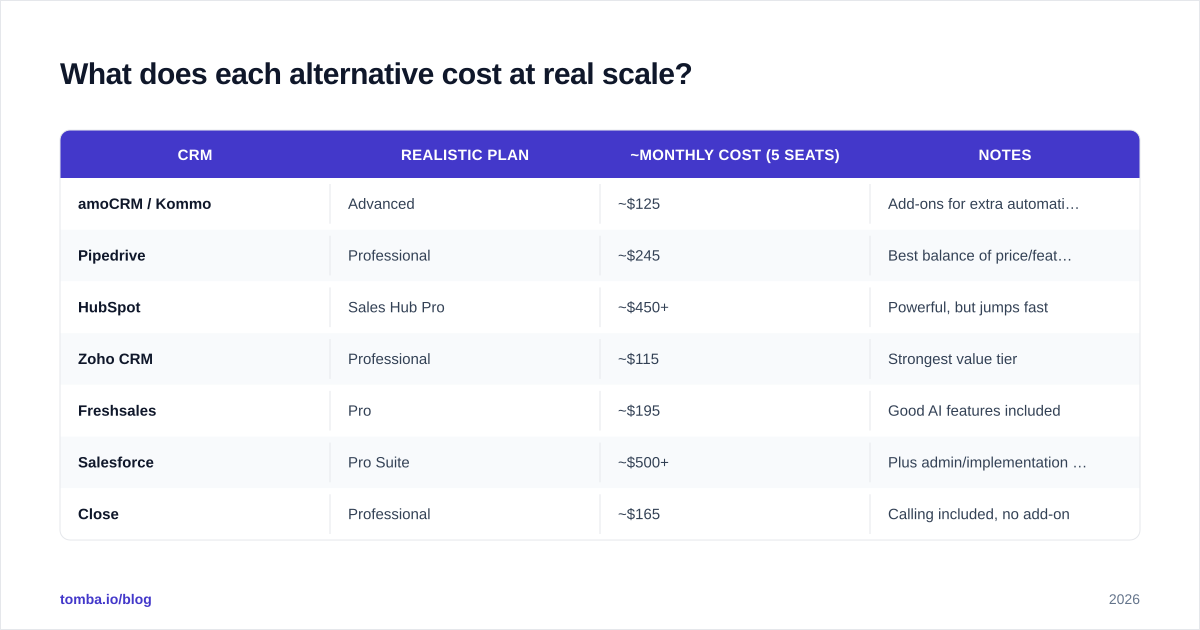
Entry pricing hides the real number. Here's a rough monthly cost for a 5-seat team on the plan most B2B teams actually need (mid-tier with automation), based on 2026 list pricing.
| CRM | Realistic plan | ~Monthly cost (5 seats) | Notes |
|---|---|---|---|
| amoCRM / Kommo | Advanced | ~$125 | Add-ons for extra automation |
| Pipedrive | Professional | ~$245 | Best balance of price/features |
| HubSpot | Sales Hub Pro | ~$450+ | Powerful, but jumps fast |
| Zoho CRM | Professional | ~$115 | Strongest value tier |
| Freshsales | Pro | ~$195 | Good AI features included |
| Salesforce | Pro Suite | ~$500+ | Plus admin/implementation cost |
| Close | Professional | ~$165 | Calling included, no add-on |
Numbers are directional — verify current pricing and check independent reviews on G2 before committing, since promotions and plan structures change frequently.
Which amoCRM alternative should you choose?#
Match the tool to the motion, not the hype:
- You want the smoothest switch with the least retraining → Pipedrive.
- You want to start free and grow into marketing + service → HubSpot.
- You want the most capability per dollar → Zoho CRM.
- You want AI scoring with near-zero setup → Freshsales.
- You're scaling toward enterprise complexity → Salesforce.
- Your team sells on the phone and inbox → Close.
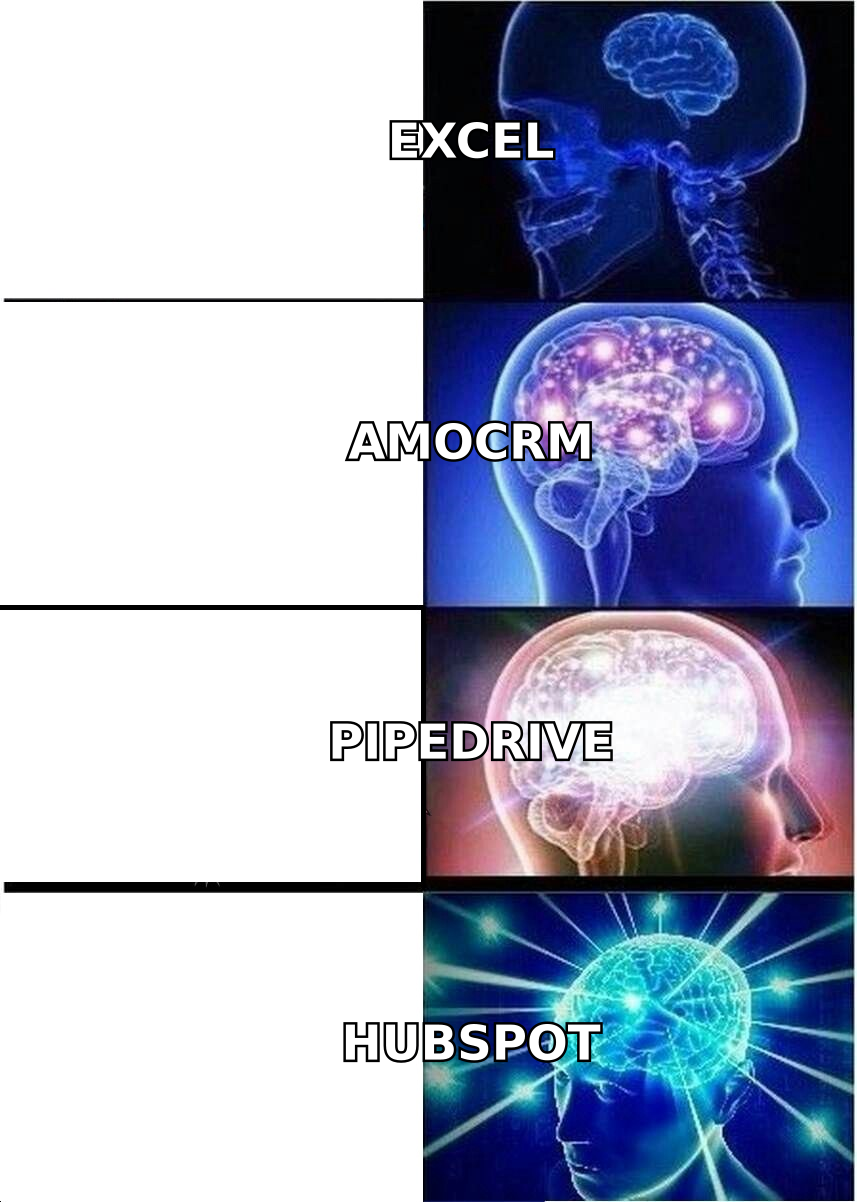
Whatever you pick, remember the uncomfortable truth this whole comparison circles back to: the CRM is a container. Its value comes from the verified, enriched contact data you put inside it.
Fill your new CRM with data that actually converts#
A clean pipeline starts with clean contacts. Use the Tomba Email Finder to find verified professional email addresses by name, domain, or company — then push them straight into Pipedrive, HubSpot, Salesforce, or whichever amoCRM alternative you land on. Start on the free tier (25 searches/month), and scale to the Starter plan at $49/month when you're ready; see full Tomba pricing for higher-volume tiers. Switch your CRM, but upgrade your data at the same time — that's the move that actually lifts your win rate.
// get started
Find, verify and enrich your first contacts today
Start on the free plan with 25 searches a month, then scale when your team is ready.
Free plan · No credit card required · GDPR & CCPA
// about the author