What Is Analytical CRM? A 2026 Guide to Data-Driven Sales
Operational CRM stores your data. Analytical CRM makes it pay. Here's how analytical CRM works, where it fits your stack, and how to choose one in 2026.
TL;DR
- Analytical CRM is the layer of customer relationship management focused on mining historical and live data — purchases, interactions, pipeline, support tickets — to drive decisions, not just store records.
- It sits next to operational CRM (the system reps live in) and collaborative CRM (the system that shares data across teams). You usually need all three.
- Core jobs: customer segmentation, churn prediction, lead scoring, sales forecasting, and campaign attribution.
- The data is only as good as its source. Garbage contacts in means garbage insight out — clean, enriched records are the precondition for every model.
- Below: how analytical CRM works, a tool comparison table, pricing, a buying framework, and where it breaks.
What is analytical CRM?#
Analytical CRM is the part of your customer relationship management stack that exists to interpret data rather than collect it. Think of operational CRM as the cash register — it records every transaction as it happens. Analytical CRM is the finance analyst who takes a year of register tapes and tells you which products to reorder, which customers are about to leave, and which store hours actually make money.
Technically, analytical CRM aggregates data from sales, marketing, and service touchpoints into a warehouse or data store, then applies reporting, OLAP (online analytical processing), and machine learning to surface patterns. The output is dashboards, scores, segments, and forecasts that humans (or downstream automations) act on.
If you want the textbook definition of the broader category, the CRM entry in our glossary lays out how the three CRM types relate. This post zooms into the analytical one.
How is analytical CRM different from operational and collaborative CRM?#
There are three recognized CRM types, and they answer different questions. Confusing them is the most common reason teams buy the wrong tool.
| Dimension | Operational CRM | Analytical CRM | Collaborative CRM |
|---|---|---|---|
| Primary job | Run daily sales/marketing/service tasks | Interpret data for decisions | Share customer data across teams |
| Core question | "What do I do next with this contact?" | "What patterns predict revenue?" | "Who else has touched this account?" |
| Typical users | Reps, SDRs, support agents | RevOps, analysts, leadership | Cross-functional teams |
| Example output | Task reminders, email sequences | Churn score, forecast, segments | Shared activity timeline |
| Example tools | HubSpot Sales, Pipedrive | Salesforce CRM Analytics, |
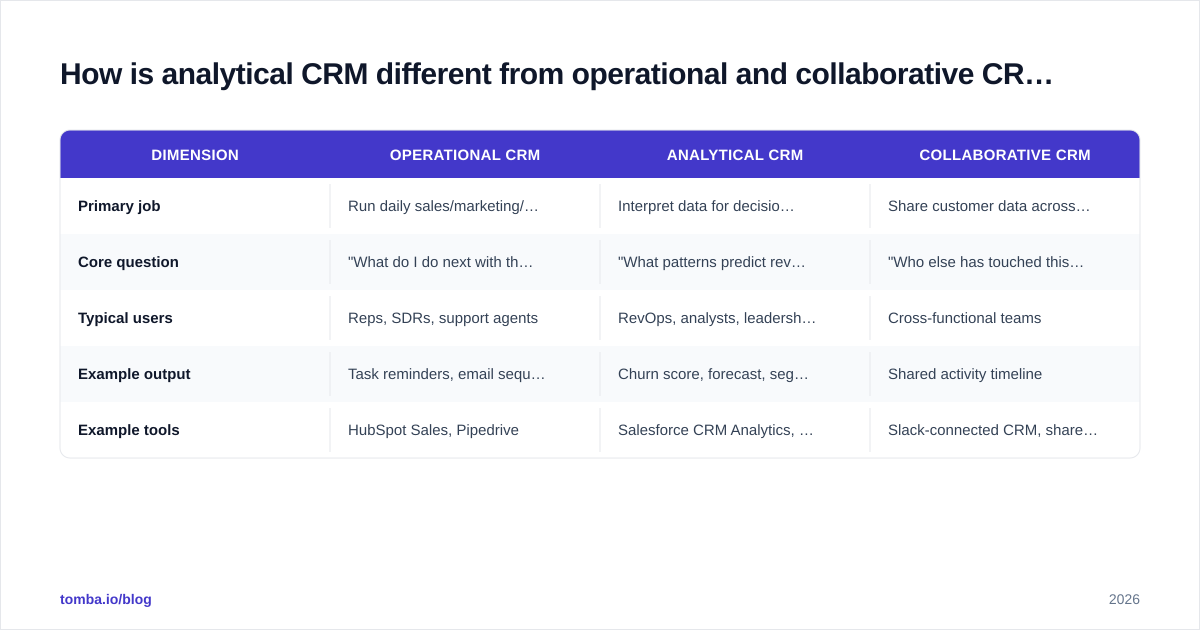
Zoho Analytics | Slack-connected CRM, shared inboxes |
Most platforms blend all three. HubSpot and Salesforce both ship operational workflows and analytics modules. The distinction matters because you should evaluate the analytical capabilities on their own merits — a CRM with a great pipeline UI can still have weak forecasting.
What can analytical CRM actually do?#
Five jobs cover ~90% of real-world use. Each one turns a pile of records into a decision.
1. Customer segmentation. Group accounts by behavior, value, industry, or lifecycle stage so messaging stops being one-size-fits-all. RFM (recency, frequency, monetary) segmentation is the classic starting point.
2. Lead scoring. Rank inbound and outbound leads by likelihood to convert, using firmographic and behavioral signals. This is where your lead scoring model lives. A clean scoring model is the difference between reps chasing everyone and reps chasing the right 20%.
3. Churn and retention modeling. Flag accounts whose usage, support, or engagement signals predict cancellation — early enough to intervene.
4. Sales forecasting. Project pipeline into committed revenue using historical win rates by stage, segment, and rep. Better forecasts mean better hiring and inventory decisions.
5. Campaign and channel attribution. Tie closed revenue back to the marketing touches that produced it, so budget flows to what works.
Why does data quality decide whether analytical CRM works?#
Conclusion first: the model is downstream of the data, and bad data quietly poisons every output. A churn model trained on duplicate accounts, a forecast built on stale contacts, or a segmentation run over records missing 40% of their firmographic fields will produce confident, wrong answers.
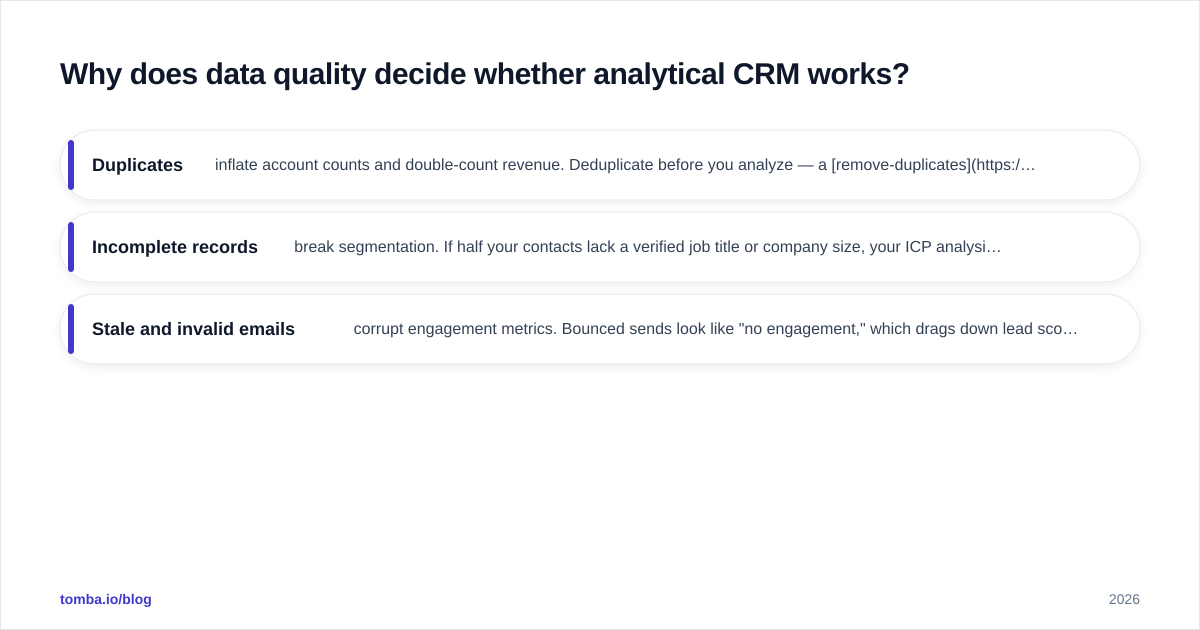
Three failure modes show up constantly:
- Duplicates inflate account counts and double-count revenue. Deduplicate before you analyze — a remove-duplicates pass on imported lists is a five-minute fix that saves a quarter of misreporting.
- Incomplete records break segmentation. If half your contacts lack a verified job title or company size, your ICP analysis is guesswork.
- Stale and invalid emails corrupt engagement metrics. Bounced sends look like "no engagement," which drags down lead scores for contacts who simply changed jobs.
This is why enrichment isn't a nice-to-have for analytical CRM — it's the foundation. Filling gaps with data enrichment and validating contactability with an email verifier before records hit the warehouse is the unglamorous work that makes every downstream model trustworthy. If your team is starting from a thin list, building it from a quality B2B database beats scraping noise you'll have to clean later.
According to Gartner research on data quality, poor data is a persistent drag on revenue operations — and analytical CRM amplifies whatever quality you feed it, good or bad.
What does analytical CRM cost in 2026?#
Pricing splits into three buckets: analytics modules bolted onto a full CRM suite, standalone BI tools pointed at CRM data, and the data-quality layer that feeds both. Here's a representative comparison.
| Tool | Type | Entry price | Best for |
|---|---|---|---|
| HubSpot (with reporting) | Suite + analytics | Free tier; paid from ~$20/seat/mo | SMBs wanting CRM + reporting in one |
| Salesforce CRM Analytics | Enterprise analytics add-on | From ~$75/user/mo | Large orgs with complex pipelines |
| Zoho Analytics | Standalone BI on CRM data | From ~$24/mo | Budget-conscious analytical depth |
| Tomba | Data quality + enrichment layer | Free (25 searches/mo); Starter $49/mo | Cleaning and enriching CRM data |
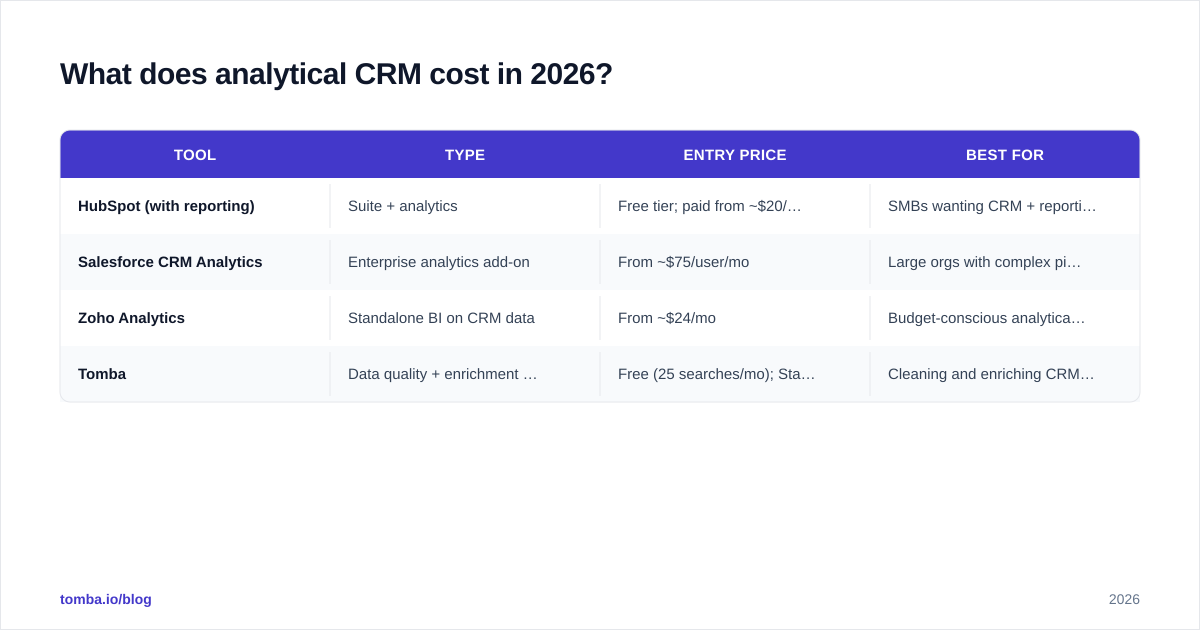
A note on the data layer, because it's often left out of the budget: analytics is only as valuable as the records under it. Tomba pricing runs Free (25 searches/mo), Starter at $49/mo, Growth at $99/mo, Pro at $249/mo, and Enterprise custom — a fraction of an enterprise analytics seat, and it's what keeps the warehouse clean enough for those seats to pay off.
How do you choose an analytical CRM? A buying framework#
Don't start with features. Start with the decision you can't currently make.
Step 1 — Name the decision. "We can't predict which trial accounts will convert" or "We don't know which channel produces our best customers." A tool that doesn't answer your specific question is shelfware no matter how slick the dashboards.
Step 2 — Audit your data readiness. Can the tool actually see clean, complete, deduplicated records? If your CRM is 60% complete, fix that first. No model overcomes missing inputs.
Step 3 — Match analytical depth to team maturity. A five-person team rarely needs CRM Analytics' predictive modeling. Reporting plus basic segmentation gets you 80% of the value. Buy the depth you'll actually staff.
Step 4 — Check the integration path. Your analytical layer must pull from where data already lives. A HubSpot integration or Salesforce integration that syncs enriched, verified contacts directly into the system of record beats manual CSV shuffling that goes stale in a week.
Step 5 — Pilot on one use case. Pick lead scoring or churn — one model, one team, 30 days. Measure lift against your current baseline before rolling out.
For a deeper look at how analytics ties into the broader operating model, the revenue operations discipline is where most analytical CRM programs find their home.
What are the limits and risks of analytical CRM?#
Three honest caveats, because no tool is magic.
Correlation isn't causation. A churn model can tell you accounts that stopped logging in canceled — it can't always tell you why. Use analytical CRM to surface questions, then have humans investigate the ones that matter.
Model drift is real. A lead-scoring model trained on 2024 buying behavior degrades as your market shifts. Plan to retrain quarterly, not "set and forget."
Privacy and consent constraints are tightening. Behavioral data carries compliance obligations. Analytical CRM that aggregates personal data needs the same GDPR/CCPA care as the operational systems it draws from. Build consent and retention rules into the pipeline, not as an afterthought.
According to analyst coverage from firms like Forrester, the highest-performing revenue teams treat analytics as a continuous loop — measure, act, re-measure — rather than a one-time dashboard purchase. The teams that fail buy the tool and never close the loop.
Frequently asked questions#
Is analytical CRM the same as business intelligence? They overlap but aren't identical. BI is general-purpose data analysis across any domain. Analytical CRM is BI specialized for customer and revenue data, usually with prebuilt CRM connectors, sales-specific metrics, and lead/churn models out of the box.
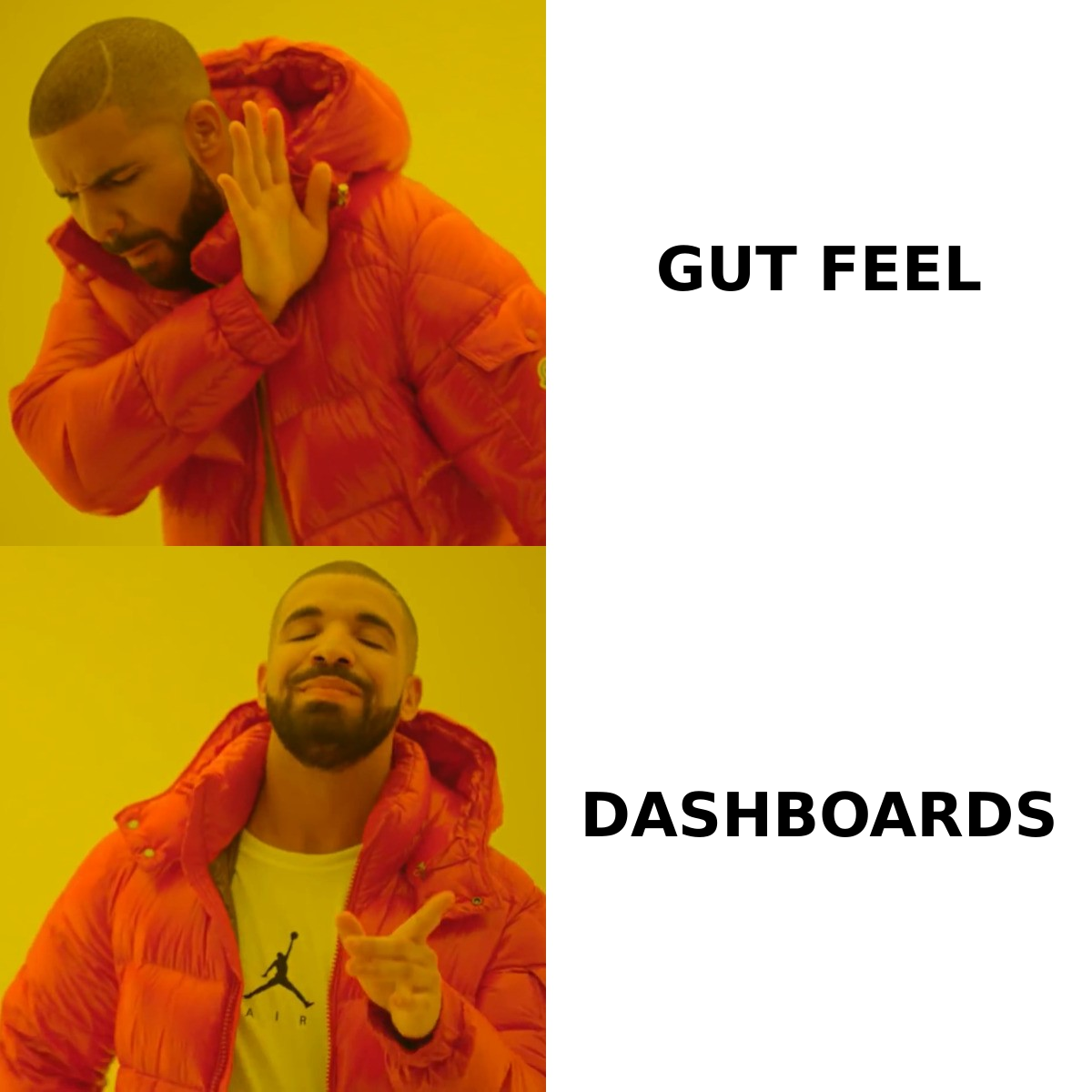
Do small teams need analytical CRM? Yes, but lightly. A small team rarely needs predictive modeling, but even basic segmentation and pipeline reporting beat gut feel. Start with the reporting your existing CRM already includes.
What's the first thing to fix before buying one? Data quality. Deduplicate, verify, and enrich your existing records first. Every dollar spent on analytics over dirty data is wasted, and the cleanup tools cost far less than the analytics seats.
Can analytical CRM improve cold outreach? Indirectly and significantly. Better segmentation and scoring tell you who to contact; verified, enriched contact data tells you how to reach them. The two compound.
Where Tomba fits#
Analytical CRM is only as smart as the records it analyzes — and that's exactly the layer Tomba owns. Before your data hits a warehouse or a scoring model, the Tomba Email Finder and verification suite fill the gaps, confirm contactability, and strip the duplicates and dead addresses that quietly wreck your segments and forecasts. Start free with 25 searches a month, wire it into your HubSpot or Salesforce integration, and let your analytical CRM run on data it can actually trust. Clean inputs, credible insight — that's the whole game.
Ready to find emails that actually work?
Join 150,000+ professionals who stopped guessing and started sending. Free credits on signup — no credit card required.
Get the Tomba newsletter
Practical outbound tactics and product updates — once every two weeks.
About the author