Apollo Email Finder Extension: Honest 2026 Review & Alternatives
A no-fluff 2026 breakdown of the Apollo email finder extension — how it works, what it costs, where accuracy slips, and the alternatives worth testing before you commit credits.
The apollo email finder extension is one of the most-installed prospecting tools on the Chrome Web Store, and for good reason: it sits inside LinkedIn and company sites where you already work and surfaces contact data in a click. But "installed a lot" and "right for your workflow" are different questions. This guide tests the extension on the things that actually matter — accuracy, credit cost, and what happens when the database runs thin.
TL;DR#
- The apollo email finder extension pulls emails and phone numbers from Apollo's database directly inside LinkedIn, company websites, and Gmail.
- It's strong for SDR teams already paying for Apollo's platform; the extension is a front-end to that database, not a standalone product.
- Accuracy is good on well-known companies but drops on SMBs, regional firms, and catch-all domains — verify before you send.
- Credits are the real cost. Email and mobile reveals burn from the same monthly pool, so heavy prospecting hits limits fast.
- If you mainly need verified emails by domain or name, a dedicated email finder is often cheaper and more accurate than a bundled extension.
What is the Apollo email finder extension?#
The Apollo extension is a Chrome add-on that connects your browser to Apollo.io's contact database. When you open a LinkedIn profile, a company website, or a Gmail thread, the extension reads the page context (name, company, domain) and matches it against Apollo's records to reveal a work email and, where available, a direct or mobile phone number.
Think of it like a translator standing next to you at a conference. You point at a badge (a LinkedIn profile), and it whispers the person's contact details from a directory it carries. The quality of that whisper depends entirely on how good and how fresh the directory is — which is the whole ballgame with any email-finder tool.
Technically, the extension does three jobs:
- Reveal — match the on-page person to a database record and show the email/phone.
- Capture — push that contact into an Apollo list or sequence, or sync to your CRM.
- Enrich — append firmographic data (title, company size, industry) to the record.
That tight loop is the extension's main selling point. You never leave the tab you're prospecting in, and the captured contact is already inside the system you'll use to email it.
How does the Apollo email finder extension work, step by step?#
Setup takes a few minutes:
- Install the extension from the Chrome Web Store and sign in with your Apollo.io account.
- Grant it permission to read LinkedIn and the sites you prospect on.
- Open any LinkedIn profile — a small Apollo panel appears with a "Access email" button.
- Click to reveal. The email (and phone, if available) populates, spending credits from your plan.
- Optionally add the contact to a list, sequence, or your connected CRM.
On a company website, the extension shifts to domain mode: it can surface multiple contacts at a target account rather than a single profile. That behavior overlaps heavily with a dedicated domain search, which lists every known email pattern and contact for a company in one pass.
The friction point is the reveal step. Every click that exposes an email or phone number costs a credit, and the panel doesn't always tell you up front whether the underlying record is verified or merely guessed from a pattern. That distinction matters more than any feature.
How accurate is the Apollo email finder extension?#
Accuracy is uneven, and it tracks company size and region. On large, well-documented US tech companies, the extension routinely returns verified, deliverable emails. On small businesses, non-English-market firms, and companies behind catch-all mail servers, hit rates and confidence both fall.

Two failure modes show up repeatedly:
- Pattern guessing presented as data. When the database lacks a confirmed address, many finders construct
first.last@domain.comfrom the company's known format. That guess is often right — but "often" is not "verified," and sending to it without a check inflates your bounce rate. - Catch-all blindness. Catch-all domains accept every address at the SMTP layer, so a basic verifier marks everything "valid." You need a dedicated catch-all verifier to separate real mailboxes from accept-all noise; a bundled extension rarely does this well.
The fix is simple and non-negotiable: run revealed addresses through a real email verifier before they enter a sequence. Protecting sender reputation is worth far more than the few seconds the check costs, because one bad send streak can tank deliverability for your whole domain.

What does the Apollo email finder extension cost?#
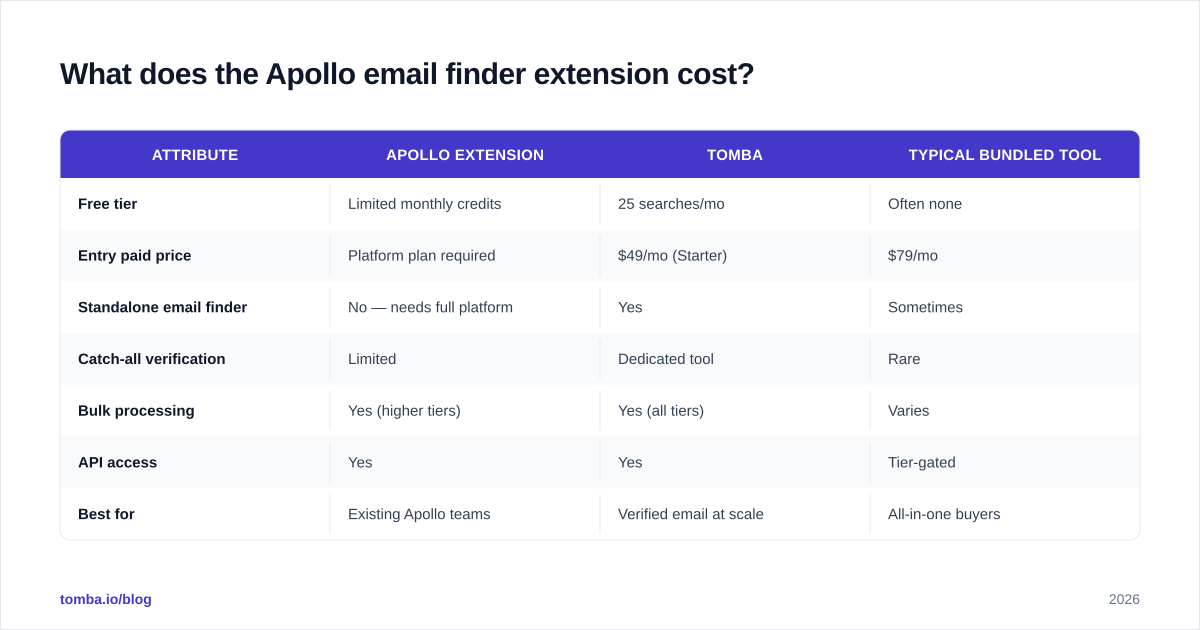
The extension itself is free — the cost is the Apollo plan behind it, and specifically the credits. Apollo meters email and mobile-number reveals against a monthly allotment that resets each cycle. Prospect heavily and you will hit the ceiling well before month-end, then either ration reveals or upgrade.
That credit model is where total cost of ownership sneaks up on teams. Below is a like-for-like comparison of the extension against a dedicated email-finder approach, focused on the attributes that drive real spend.
| Attribute | Apollo Extension | Tomba | Typical bundled tool |
|---|---|---|---|
| Free tier | Limited monthly credits | 25 searches/mo | Often none |
| Entry paid price | Platform plan required | $49/mo (Starter) | $79/mo |
| Standalone email finder | No — needs full platform | Yes | Sometimes |
| Catch-all verification | Limited | Dedicated tool | Rare |
| Bulk processing | Yes (higher tiers) | Yes (all tiers) | Varies |
| API access | Yes | Yes | Tier-gated |
| Best for | Existing Apollo teams | Verified email at scale | All-in-one buyers |

Two takeaways. First, if you already pay for Apollo's sequencing and data platform, the extension is essentially free leverage on that spend — use it. Second, if your core need is verified emails, paying for an entire engagement platform to access one feature is overkill. A focused tool starting at Tomba pricing of $49/mo gets you the finder, verifier, and catch-all checks without the platform tax. (Note the correct figure is $49/mo — ignore older posts quoting $39.)
Is the Apollo email finder extension better than the alternatives?#
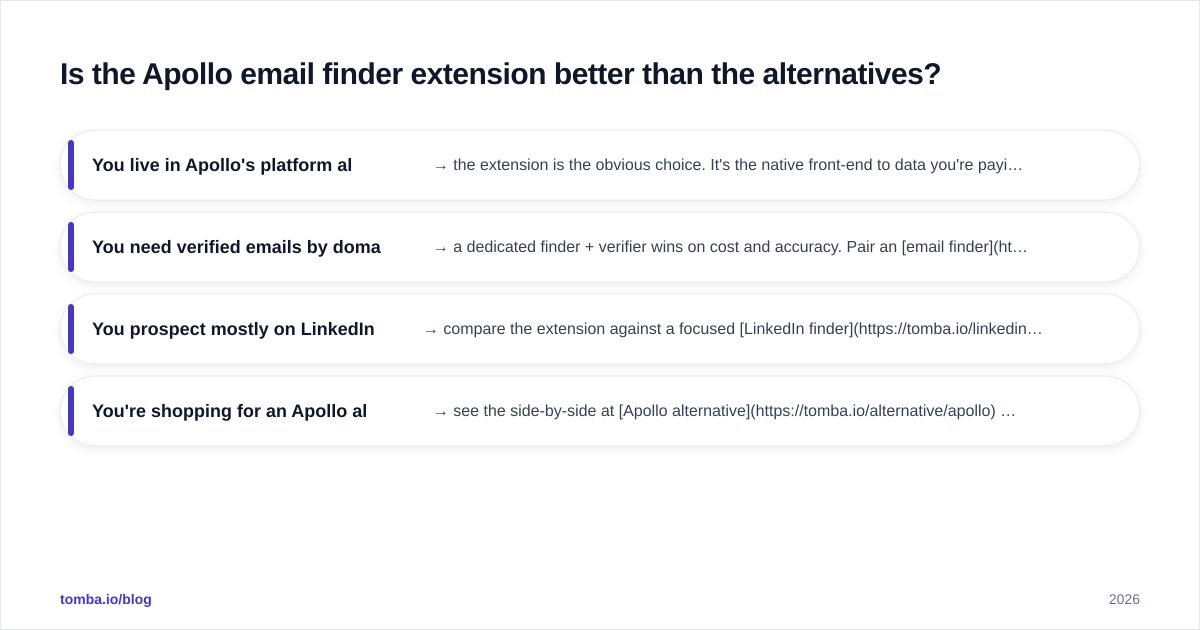
It depends on what job you're hiring it for. Use this decision frame before you commit credits or a contract.
- You live in Apollo's platform already → the extension is the obvious choice. It's the native front-end to data you're paying for, and the CRM/sequence sync is seamless.
- You need verified emails by domain or name, at volume → a dedicated finder + verifier wins on cost and accuracy. Pair an email finder with a bulk email finder run and verify everything before sending.
- You prospect mostly on LinkedIn → compare the extension against a focused LinkedIn finder that pulls verified work emails from profiles without forcing you into a broader platform.
- You're shopping for an Apollo alternative outright → see the side-by-side at Apollo alternative and weigh credit models carefully.
The honest read: Apollo's extension is excellent at capture and workflow and merely good at raw accuracy. Many teams get the best of both worlds by prospecting with Apollo's UX and verifying with a specialist tool before the send.

What are the best Apollo email finder extension alternatives in 2026?#
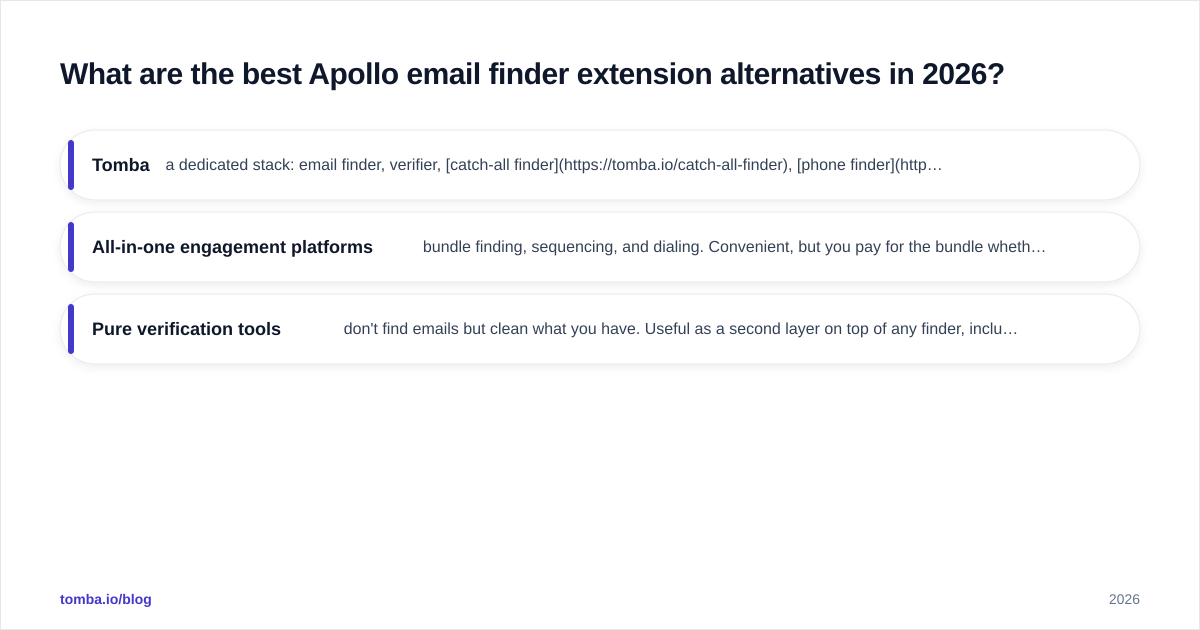
If you're evaluating beyond Apollo, judge each option on three axes — database coverage, verification depth, and credit fairness — rather than logo count.
- Tomba — a dedicated stack: email finder, verifier, catch-all finder, phone finder, and data enrichment. Strong when verified deliverability is the priority. Browser, API, Sheets, and Excel surfaces cover most workflows. Check independent reviews on G2 before deciding.
- All-in-one engagement platforms — bundle finding, sequencing, and dialing. Convenient, but you pay for the bundle whether or not you use every part, and the email accuracy is rarely best-in-class.
- Pure verification tools — don't find emails but clean what you have. Useful as a second layer on top of any finder, including Apollo's.
A practical 2026 setup many teams land on: use the apollo email finder extension (or a Chrome extension from a dedicated vendor) for in-context capture, then route every address through verification and catch-all verification before it touches a sequence. That keeps your bounce rate low and your domain healthy.
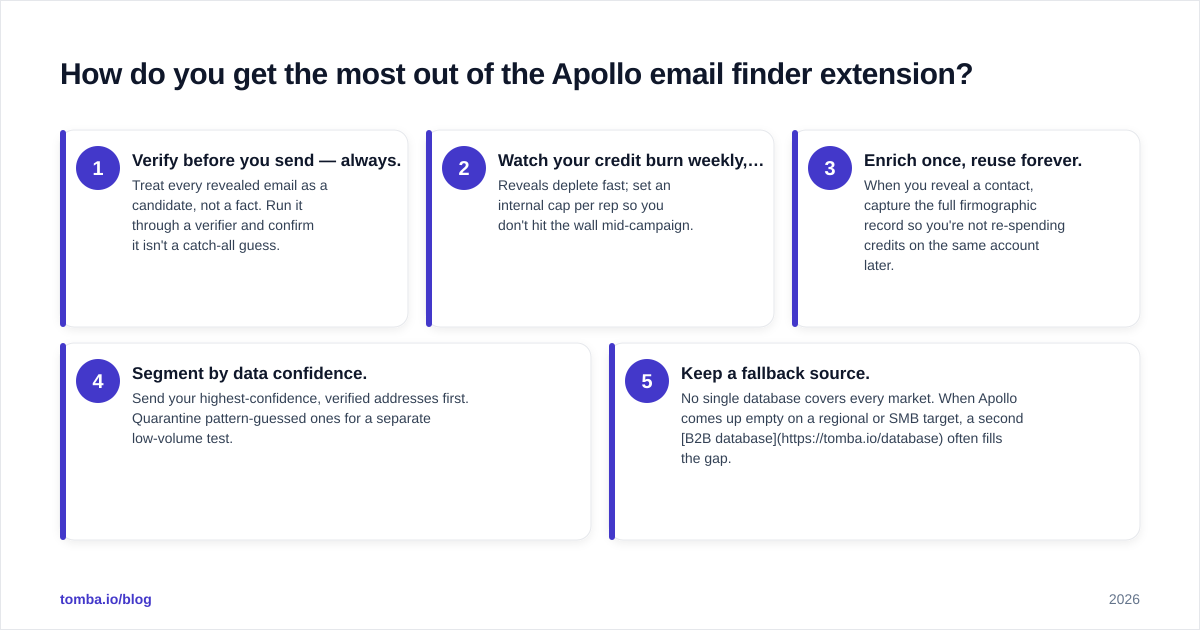
How do you get the most out of the Apollo email finder extension?#
Whether you stay on Apollo or pair it with a specialist, these habits separate clean pipelines from blacklisted domains:
- Verify before you send — always. Treat every revealed email as a candidate, not a fact. Run it through a verifier and confirm it isn't a catch-all guess.
- Watch your credit burn weekly, not monthly. Reveals deplete fast; set an internal cap per rep so you don't hit the wall mid-campaign.
- Enrich once, reuse forever. When you reveal a contact, capture the full firmographic record so you're not re-spending credits on the same account later.
- Segment by data confidence. Send your highest-confidence, verified addresses first. Quarantine pattern-guessed ones for a separate low-volume test.
- Keep a fallback source. No single database covers every market. When Apollo comes up empty on a regional or SMB target, a second B2B database often fills the gap.
For more on protecting your domain, the fundamentals of email deliverability explain why verification at the source beats damage control after a bounce spike. HubSpot's deliverability resources at hubspot.com cover the engagement side well if you want a broader playbook.
Frequently asked questions#
Is the Apollo email finder extension free? The extension is free to install, but revealing emails and phone numbers spends credits from a paid Apollo plan. The free Apollo tier includes limited credits.
Does the extension work outside LinkedIn? Yes. It works on LinkedIn profiles, company websites (domain mode for multiple contacts), and Gmail. Coverage and accuracy vary by surface.
Are the emails verified? Some are confirmed; others are constructed from a company's email pattern. Always run revealed addresses through a dedicated verifier before sending to avoid bounces.
What's the best alternative if I only need emails? A standalone finder plus verifier is usually cheaper and more accurate than a full platform. Compare options at the Apollo alternative page.
The bottom line#
The apollo email finder extension earns its install count: it's a genuinely good capture tool when you already live inside Apollo's platform, and its CRM sync removes real friction. Its weak spots are predictable — accuracy dips on smaller and regional accounts, catch-alls slip through, and credits drain faster than teams expect.
If your priority is verified, deliverable emails rather than an all-in-one suite, start with a dedicated stack. The Tomba Email Finder finds professional addresses by domain, name, or company, the built-in verifier and catch-all checks keep your bounce rate low, and the free tier (25 searches/mo) lets you benchmark accuracy against Apollo before you spend a dollar. Test both on your own target list — your bounce rate will tell you which one to keep.
// get started
Find, verify and enrich your first contacts today
Start on the free plan with 25 searches a month, then scale when your team is ready.
Free plan · No credit card required · GDPR & CCPA
// about the author