Appointment Request Email Template: 9 Examples for 2026
Steal 9 appointment request email templates that actually get replies in 2026 — plus the 5-part structure, timing rules, and follow-up cadence behind them.
TL;DR
- A strong appointment request email does one job: make saying "yes" to a specific time take less than 10 seconds of the reader's effort.
- The winning structure is five parts — context, reason, value, a concrete time proposal, and one frictionless CTA. Skip any of them and reply rates drop.
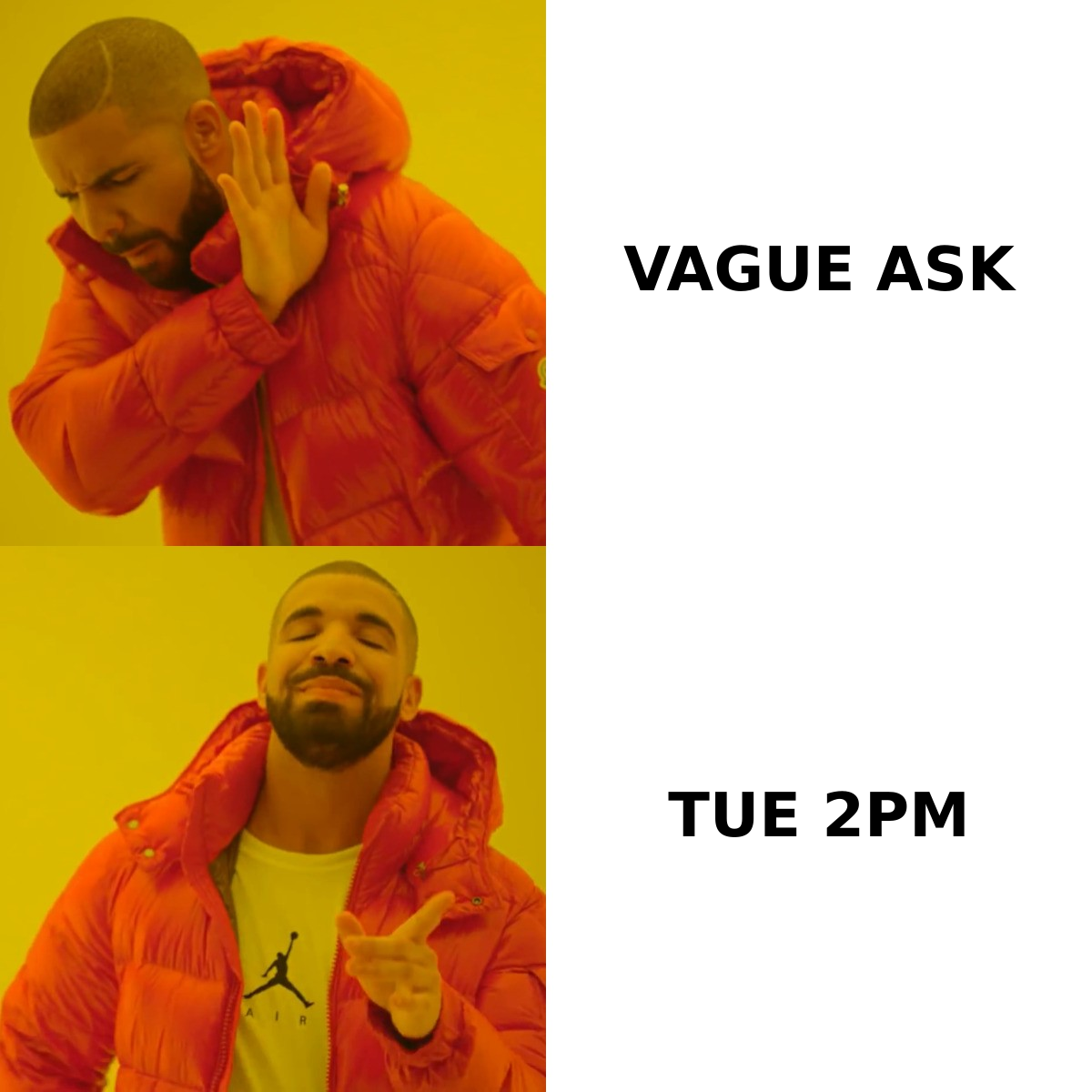
- Specificity beats politeness. "Are you free sometime next week?" loses to "Does Tuesday at 2:00 PM ET work, or is Thursday morning better?"
- Send Tuesday–Thursday, 8–10 AM in the recipient's timezone, and follow up 2–3 times spaced 3–4 days apart.
- The fastest way to ruin a great template is a wrong email address. Verify the contact before you hit send.
What is an appointment request email?#
An appointment request email is a short, single-purpose message asking someone to lock in a specific time to meet — a sales demo, a discovery call, an interview, a client check-in, or a partnership chat. Think of it like asking a friend to grab coffee: "want to meet sometime?" gets a shrug, but "coffee at 3 on Thursday?" gets a yes or a counter-offer. The second version moves the relationship forward because it gives the other person something concrete to react to.
The difference between a meeting that gets booked and an email that gets ignored is rarely the offer. It's the friction. Every extra decision you push onto the reader — what time, which platform, how long, why now — is a reason to close the tab and deal with it later. "Later" almost never comes.
This guide gives you a reusable appointment request email template, nine real-world variations, subject lines, and the timing and follow-up rules that decide whether your carefully written copy ever gets read.
What makes an appointment request email get a reply?#
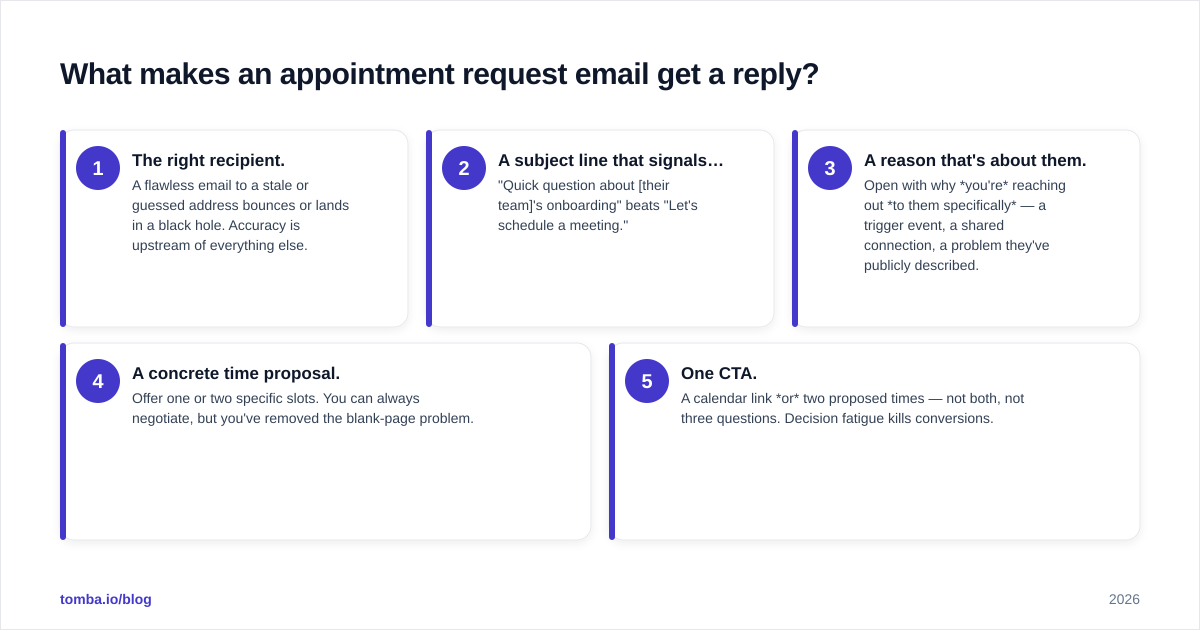
Five things, in order of impact:
- The right recipient. A flawless email to a stale or guessed address bounces or lands in a black hole. Accuracy is upstream of everything else.
- A subject line that signals relevance, not a pitch. "Quick question about [their team]'s onboarding" beats "Let's schedule a meeting."
- A reason that's about them. Open with why you're reaching out to them specifically — a trigger event, a shared connection, a problem they've publicly described.
- A concrete time proposal. Offer one or two specific slots. You can always negotiate, but you've removed the blank-page problem.
- One CTA. A calendar link or two proposed times — not both, not three questions. Decision fatigue kills conversions.
If you only change one habit after reading this, make it #4. Vague asks feel polite, but they shift work onto the reader.
What is the structure of a high-converting appointment request email?#
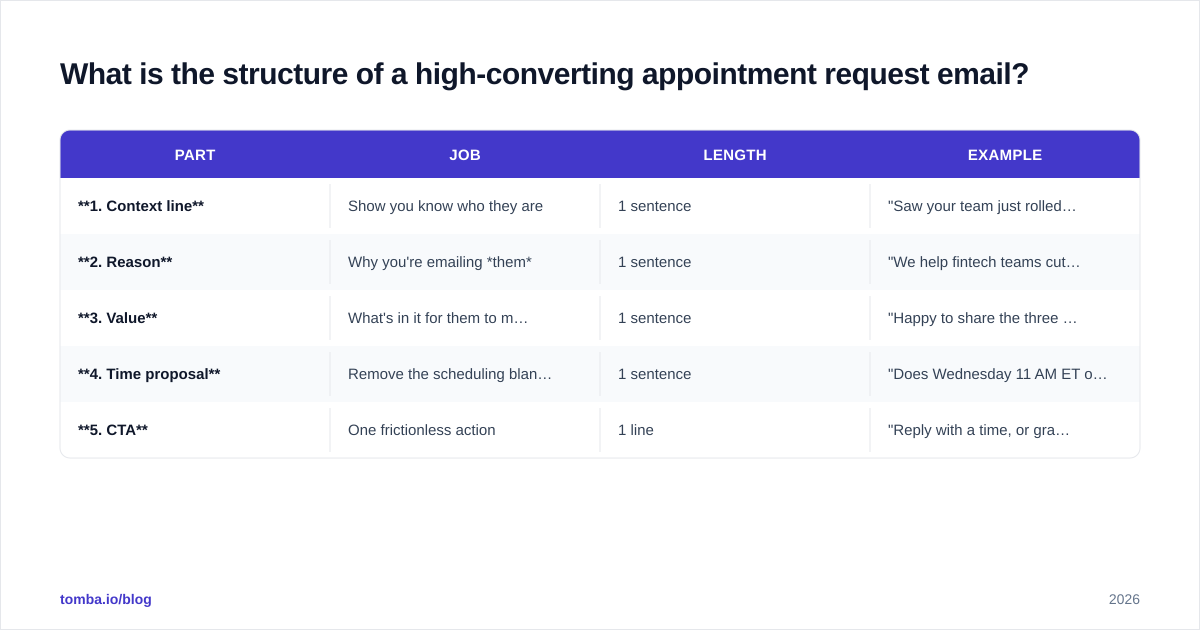
Every template below follows the same skeleton. Memorize it once and you can write a fresh request in two minutes.
| Part | Job | Length | Example |
|---|---|---|---|
| 1. Context line | Show you know who they are | 1 sentence | "Saw your team just rolled out the new self-serve checkout." |
| 2. Reason | Why you're emailing them | 1 sentence | "We help fintech teams cut checkout drop-off by ~18%." |
| 3. Value | What's in it for them to meet | 1 sentence | "Happy to share the three changes that moved the needle for similar teams." |
| 4. Time proposal | Remove the scheduling blank page | 1 sentence | "Does Wednesday 11 AM ET or Thursday 2 PM ET work?" |
| 5. CTA | One frictionless action | 1 line | "Reply with a time, or grab a slot here: [link]." |
Keep the whole thing under 120 words. On mobile, that's roughly one screen — no scrolling, no "I'll read it later."
A quick note on tone: write the way you'd talk. Read your draft aloud. If a sentence makes you wince or sounds like a press release, cut it. For more on tightening copy, our cold email templates library is a good place to pull structure from.
9 appointment request email templates you can copy#
Below are nine variations for the most common scenarios. Swap the brackets, keep the bones.
1. Cold sales demo request#
Subject: Quick idea for [Company]'s [team] pipeline
Hi [First name],
Noticed [Company] is hiring three more SDRs — usually a sign you're scaling outbound fast. We help teams at that stage book ~20% more meetings without adding headcount.
Worth a 15-minute look? Does Tuesday 10 AM ET or Wednesday 3 PM ET work? If easier, grab a slot here: [link].
[Your name]
2. Warm follow-up after a content download#
Subject: Your deliverability checklist — one quick add
Hi [First name],
Thanks for downloading the deliverability guide. Most people who grab it are wrestling with inbox placement right now — if that's you, I can walk through the two fixes that move the needle fastest.
15 minutes Thursday morning? I have 9 AM or 11 AM ET open.
[Your name]
3. Discovery call after a LinkedIn reply#
Subject: Following up from LinkedIn
Hi [First name],
Great chatting in the comments on your post about RevOps tooling. You mentioned data hygiene is a recurring headache — that's squarely what we fix.
Could we put 20 minutes on the calendar? Monday 1 PM or Tuesday 4 PM PT both work on my end.
[Your name]
4. Re-engaging a dormant lead#
Subject: Still worth a conversation?
Hi [First name],
We talked back in Q1 about [problem], and the timing wasn't right. A few things have changed on our side that map directly to what you described.
Open to a quick reset call next week? Wednesday or Friday morning, your pick.
[Your name]
5. Client check-in / QBR#
Subject: [Company] x [Your company] — 30-min check-in
Hi [First name],
We're coming up on the end of the quarter and I'd love to walk you through results and what's next. Targeting 30 minutes.
Does Thursday 2 PM or Friday 10 AM ET suit you? Calendar link if that's easier: [link].
[Your name]
6. Partnership / BD outreach#
Subject: Possible [Your company] x [Their company] fit
Hi [First name],
Our audiences overlap heavily — your customers consistently ask for what we do, and vice versa. I think there's a clean co-marketing play here.
Worth 25 minutes to explore? I'm flexible Tuesday–Thursday next week.
[Your name]
7. Recruiter / interview scheduling#
Subject: Next step for the [Role] conversation
Hi [First name],
Loved your background for the [Role] opening. I'd like to set up a 30-minute intro with the hiring manager.
Do any of these work: Monday 3 PM, Tuesday 11 AM, or Wednesday 4 PM ET? Happy to adjust around your schedule.
[Your name]
8. Event / conference meeting#
Subject: Coffee at [Event]?
Hi [First name],
Saw you'll be at [Event] next month — so will I. I'd love 20 minutes to compare notes on [shared topic].
Are you free Wednesday afternoon, or would Thursday over breakfast be better?
[Your name]
9. The ultra-short nudge#
Subject: 15 min this week?
Hi [First name],
Short version: I think we can help with [specific outcome]. Worth 15 minutes?
Tuesday 2 PM or Thursday 10 AM ET — which is easier?
[Your name]
Notice the pattern across all nine: one reason, one value line, one concrete time block, one CTA. The ultra-short nudge (#9) often out-performs the longer ones for cold prospects, because it asks for almost nothing.
When should you send an appointment request email?#
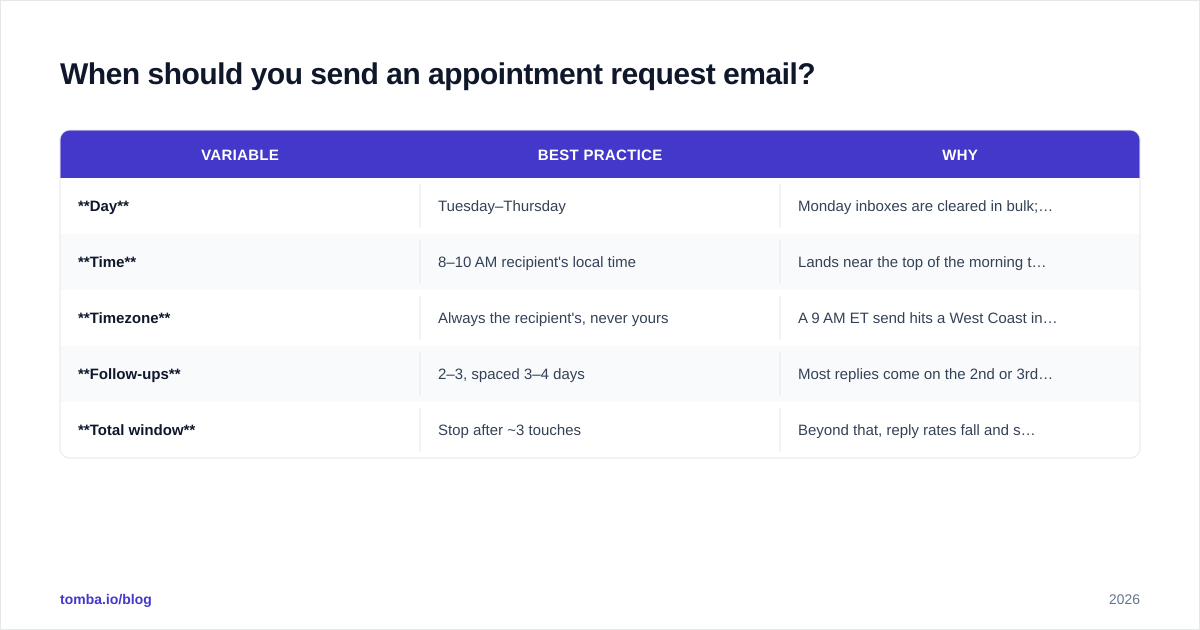
Timing won't save bad copy, but bad timing will bury good copy. The consensus from large-scale send data across sales tooling vendors is consistent:
| Variable | Best practice | Why |
|---|---|---|
| Day | Tuesday–Thursday | Monday inboxes are cleared in bulk; Friday attention drops |
| Time | 8–10 AM recipient's local time | Lands near the top of the morning triage |
| Timezone | Always the recipient's, never yours | A 9 AM ET send hits a West Coast inbox at 6 AM |
| Follow-ups | 2–3, spaced 3–4 days | Most replies come on the 2nd or 3rd touch, not the 1st |
| Total window | Stop after ~3 touches | Beyond that, reply rates fall and spam complaints rise |
Sending in the recipient's timezone matters more than people expect. If you're emailing across regions, segment your list by timezone and stagger sends. A tool that handles scheduling and personalization at scale removes the manual math.
For the deliverability side of timing — making sure the email actually reaches the inbox — review email deliverability fundamentals and check your domain's SPF record before any cold campaign.
How do you follow up without being annoying?#
Follow up like a polite professional, not a stalker: add value each time, never just "bumping this." A good three-touch cadence looks like this.
- Touch 1 (Day 0): The original request with two proposed times.
- Touch 2 (Day 3): A short nudge that adds a new angle — a relevant stat, a case study, or a different time window. "Realized I didn't offer afternoon slots — does 3 PM Thursday work?"
- Touch 3 (Day 7): The graceful close. "I'll assume the timing isn't right and stop here — feel free to reach out whenever it makes sense." This breakup email often pulls the most replies of the sequence, because it removes pressure.
The breakup email works for the same reason the ultra-short nudge works: it's low-friction and respects the reader's time. People reply to emails that make replying easy.
What kills an appointment request email?#
Avoid these and you're ahead of most senders:
- No specific time. "Let me know when you're free" makes the reader do your job.
- Multiple CTAs. Asking them to reply, book a slot, and check out a deck splits attention to zero.
- A wall of text. If it scrolls on mobile, it's too long. Cut to five sentences.
- Pitching the product instead of the meeting. The email's only job is to book time. Save the pitch for the call.
- Wrong or unverified email address. The best-written request in the world bounces if the address is dead. Bounces also damage your sender reputation, which hurts every future send.
That last point is the silent killer. Marketers obsess over copy and forget that a bad list caps their results no matter how good the writing is. Run your list through an email verifier before launch, and use a real email finder to source addresses instead of guessing formats.
How do you scale this without losing personalization?#
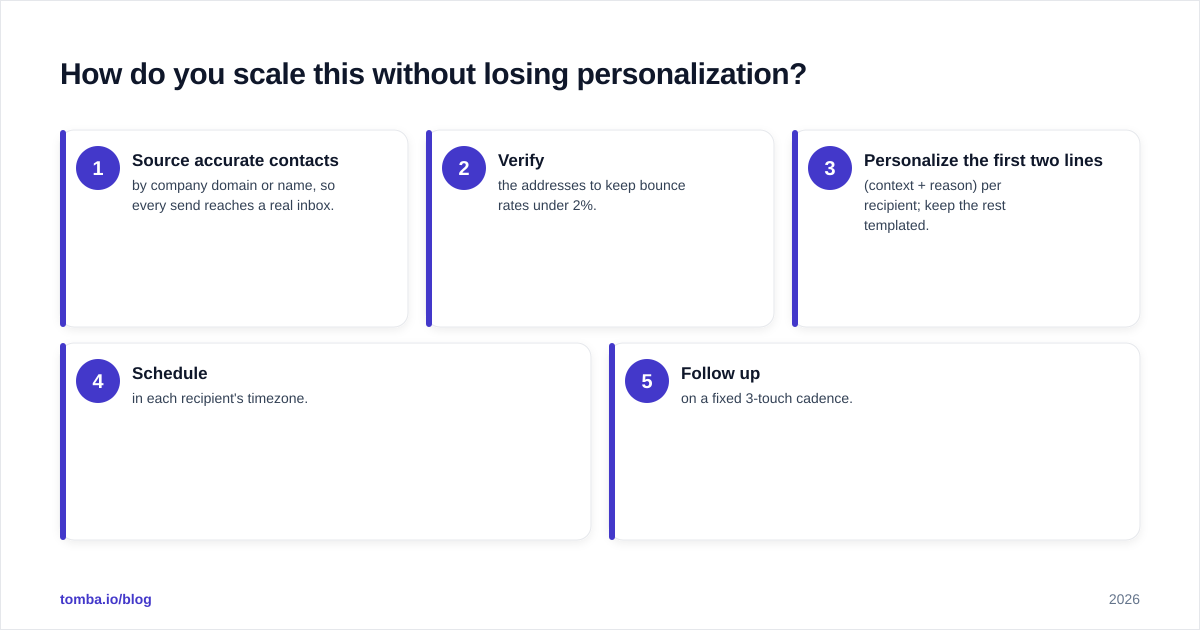
The tension in outbound is always volume versus quality. You can write one perfect appointment request email, or you can send 500 generic ones — and neither books meetings reliably. The fix is a repeatable system:
- Source accurate contacts by company domain or name, so every send reaches a real inbox.
- Verify the addresses to keep bounce rates under 2%.
- Personalize the first two lines (context + reason) per recipient; keep the rest templated.
- Schedule in each recipient's timezone.
- Follow up on a fixed 3-touch cadence.
Steps 1 and 2 are where most campaigns quietly fail, and they're the easiest to fix with the right data layer. You can compare plans and limits on the Tomba pricing page, and authoritative outbound benchmarks from HubSpot's sales research and peer reviews on G2 are worth a read before you set your reply-rate targets. For the mechanics of cold outreach generally, Wikipedia's overview of cold email is a neutral primer.
Frequently asked questions#
How long should an appointment request email be? Under 120 words — ideally five sentences. The shorter it is, the lower the friction to reply.
Should I include a calendar link or propose times? Pick one. For cold prospects, two proposed times feel more human. For warm leads who already trust you, a calendar link is faster.
What subject line works best? A relevant, non-salesy one. Reference the recipient's team, a trigger event, or the time itself ("15 min this week?"). Avoid "Let's schedule a meeting."
How many follow-ups are too many? Three total touches is the sweet spot. After that, reply rates fall and complaint rates climb.
Book more meetings with the right address every time#
Great copy gets you replies; the right contact data gets you delivered. Before you send a single appointment request, source and confirm the address with the Tomba Email Finder — find professional emails by name, company, or domain, then verify them so your carefully written request actually lands in front of a human. Start free with 25 searches a month, and scale up as your meeting calendar fills. The template is only as good as the inbox it reaches.
// get started
Find, verify and enrich your first contacts today
Start on the free plan with 25 searches a month, then scale when your team is ready.
Free plan · No credit card required · GDPR & CCPA
// about the author