Top Atompark Software Alternatives in 2026 (Tested & Ranked)
Atompark's desktop email tools feel dated in 2026. Here are the best cloud-based Atompark Software alternatives for finding, verifying, and reaching B2B contacts.
Atompark Software has been around since the early 2000s, and a lot of its toolkit still looks and feels like it. If you have ever wrestled with Atomic Mail Sender, Atomic Email Studio, or Atomic Email Hunter on a Windows machine, you already know the trade-off: powerful in theory, painful in practice. This guide ranks the Atompark Software alternatives that B2B teams actually reach for in 2026, and shows you where each one wins.
TL;DR#
- Atompark's biggest weakness is its desktop-first, Windows-only architecture — installs, license keys, and sending from your own SMTP put your domain reputation at risk.
- Best all-around replacement for the email-finding and prospecting layer: Tomba Email Finder, which is cloud-based, API-first, and built for accuracy.
- For bulk marketing sends, modern ESPs like Brevo and Mailchimp beat Atomic Mail Sender on deliverability and compliance.
- For SMS and transactional messaging, a programmable platform like Twilio is a cleaner fit than Atompark's legacy SMS modules.
- You almost never want a single Atompark replacement — you want a small stack: a finder, a verifier, and a sender.
What is Atompark Software, and what does it actually do?#
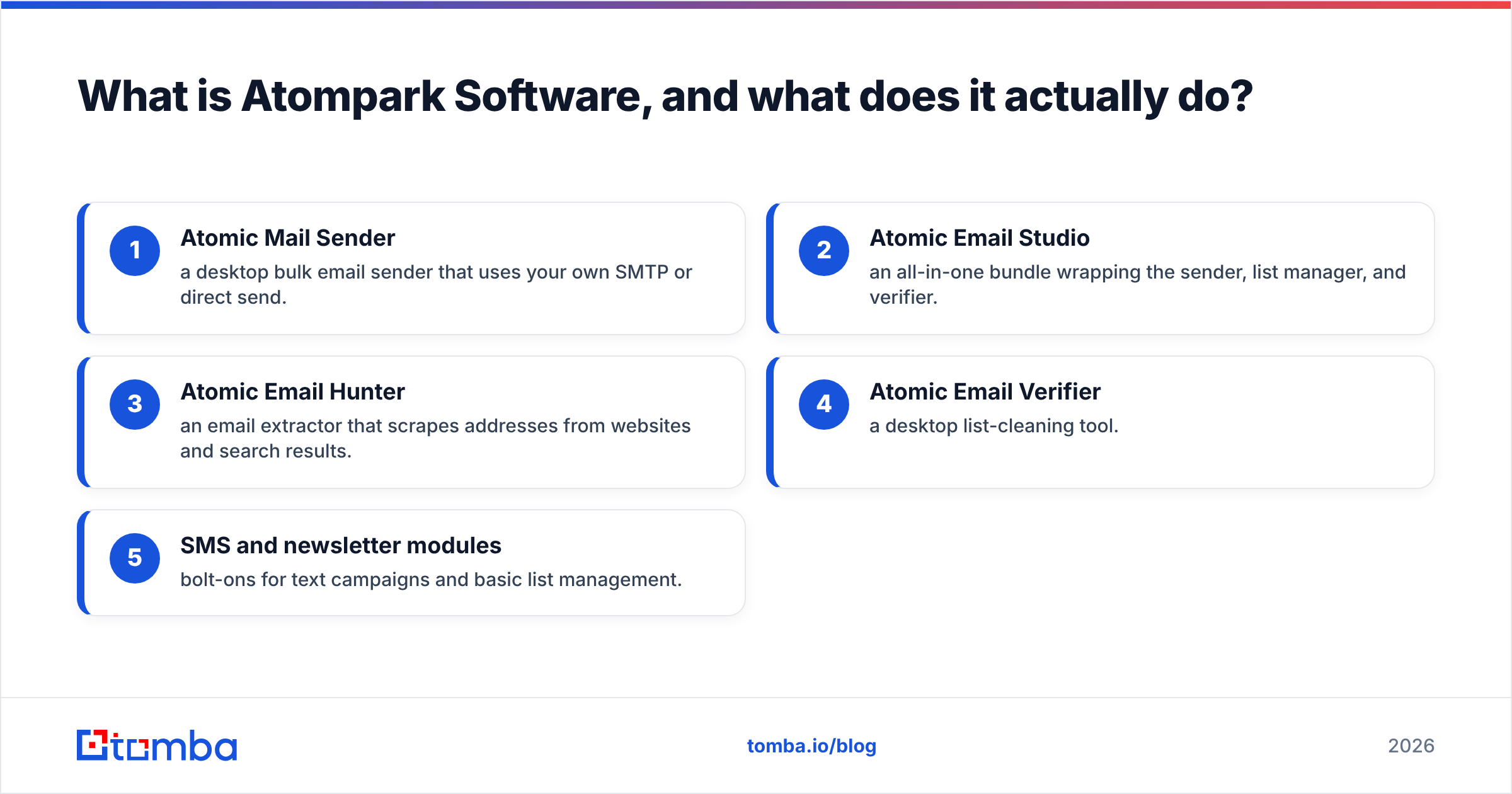
Atompark is a software company that sells a bundle of email and SMS marketing tools, most of them desktop applications for Windows. The lineup you have probably seen includes:
- Atomic Mail Sender — a desktop bulk email sender that uses your own SMTP or direct send.
- Atomic Email Studio — an all-in-one bundle wrapping the sender, list manager, and verifier.
- Atomic Email Hunter — an email extractor that scrapes addresses from websites and search results.
- Atomic Email Verifier — a desktop list-cleaning tool.
- SMS and newsletter modules — bolt-ons for text campaigns and basic list management.
The pitch is "own the software, send unlimited email." The catch in 2026 is that email no longer works that way. Mailbox providers score sender reputation, authentication, and engagement aggressively. A desktop app blasting from a residential IP or a shared SMTP relay is exactly the pattern spam filters are tuned to catch. You can read more about why in Tomba's primer on email deliverability.
)
Why look for Atompark Software alternatives in 2026?#
The short version: the world moved to the cloud and Atompark mostly didn't. Here are the concrete pain points teams cite when they switch.
- Windows-only desktop installs. No native macOS or Linux, no browser access, no real mobile story. Your data lives on one machine.
- Reputation risk. Sending bulk mail through Atomic Mail Sender ties your campaigns to your own IP and SMTP. One bad list and your domain's sender reputation takes the hit.
- Scraping-based email extraction. Atomic Email Hunter pulls addresses off pages without verifying that they are real, deliverable, or safe to contact. That fuels bounces and spam complaints.
- Thin verification. Desktop verifiers struggle with catch-all domains, greylisting, and modern anti-bot SMTP behavior.
- Dated workflow. No API-first design, limited integrations, and license-key friction when you add seats or machines.
None of this means Atompark never worked. It means the safer, faster path today is a cloud stack where finding, verifying, and sending are separate, specialized jobs.
What are the best Atompark Software alternatives?#
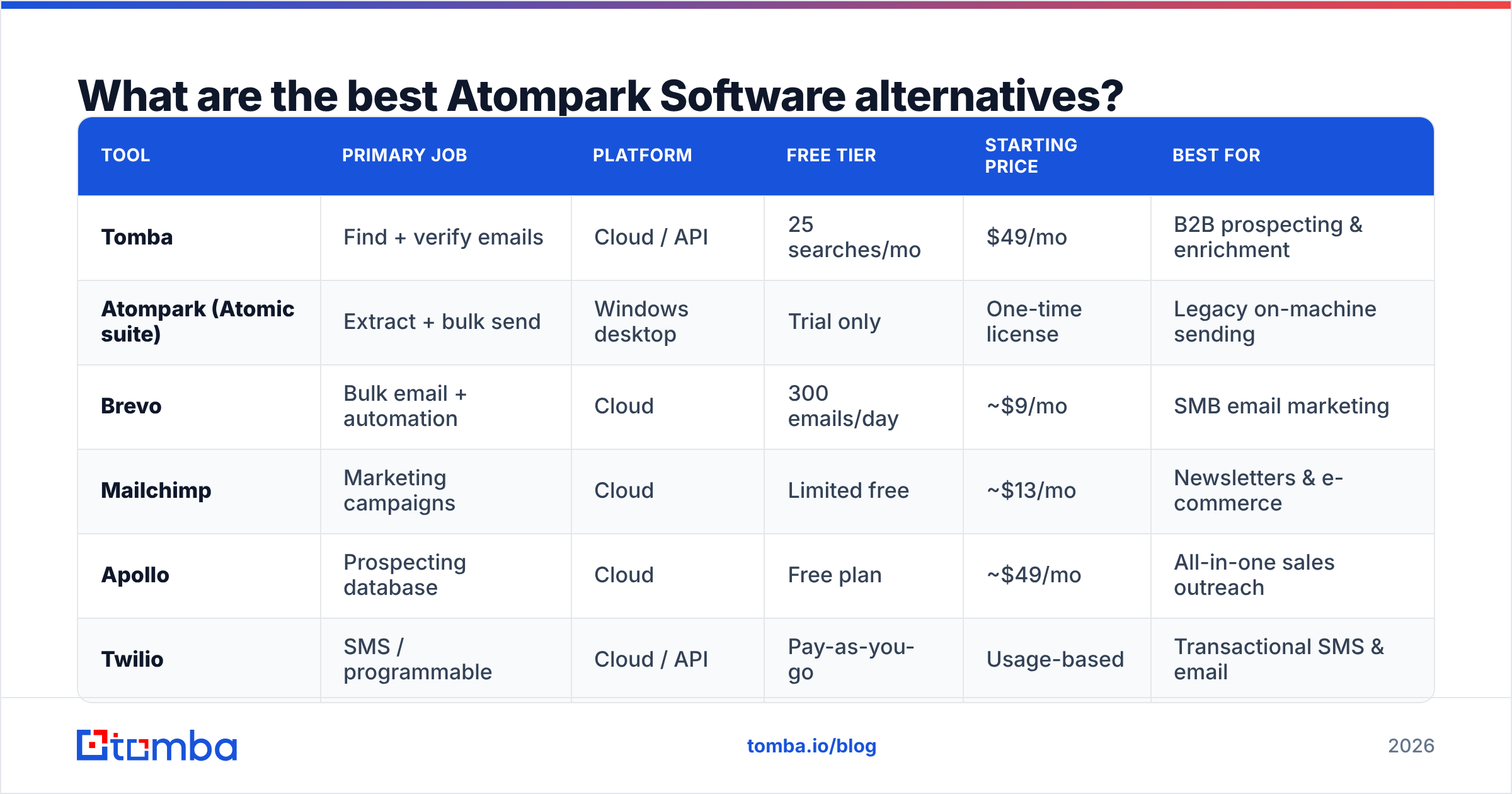
Here is the head-to-head. Because Atompark spans three different jobs (find, verify, send), the strongest setup usually combines tools rather than buying one monolith.
| Tool | Primary job | Platform | Free tier | Starting price | Best for |
|---|---|---|---|---|---|
| Tomba | Find + verify emails | Cloud / API | 25 searches/mo | $49/mo | B2B prospecting & enrichment |
| Atompark (Atomic suite) | Extract + bulk send | Windows desktop | Trial only | One-time license | Legacy on-machine sending |
| Brevo | Bulk email + automation | Cloud | 300 emails/day | ~$9/mo | SMB email marketing |
| Mailchimp | Marketing campaigns | Cloud | Limited free | ~$13/mo | Newsletters & e-commerce |
| Apollo | Prospecting database | Cloud | Free plan | ~$49/mo | All-in-one sales outreach |
| Twilio | SMS / programmable | Cloud / API | Pay-as-you-go | Usage-based | Transactional SMS & email |
1. Tomba — best replacement for finding and verifying contacts#
Where Atomic Email Hunter scrapes, Tomba finds and validates. You give it a name and a domain (or just a domain) and it returns professional email addresses with a confidence score, then runs them through an email verifier so you are not mailing dead addresses. It also handles the hard cases a desktop tool can't: a dedicated catch-all verifier and a clean domain search for mapping every contact at a company.
The whole thing is cloud-based and API-first, so it drops into your CRM, spreadsheet, or pipeline without a Windows install. Pricing is transparent: a free tier at 25 searches a month, then Starter at $49/mo, Growth at $99/mo, and Pro at $249/mo (full Tomba pricing here).
Pros: high match accuracy, real verification, works everywhere, REST API and integrations. Cons: focused on finding/verifying — you still pair it with an ESP for bulk sends.
2. Brevo — best for compliant bulk email#
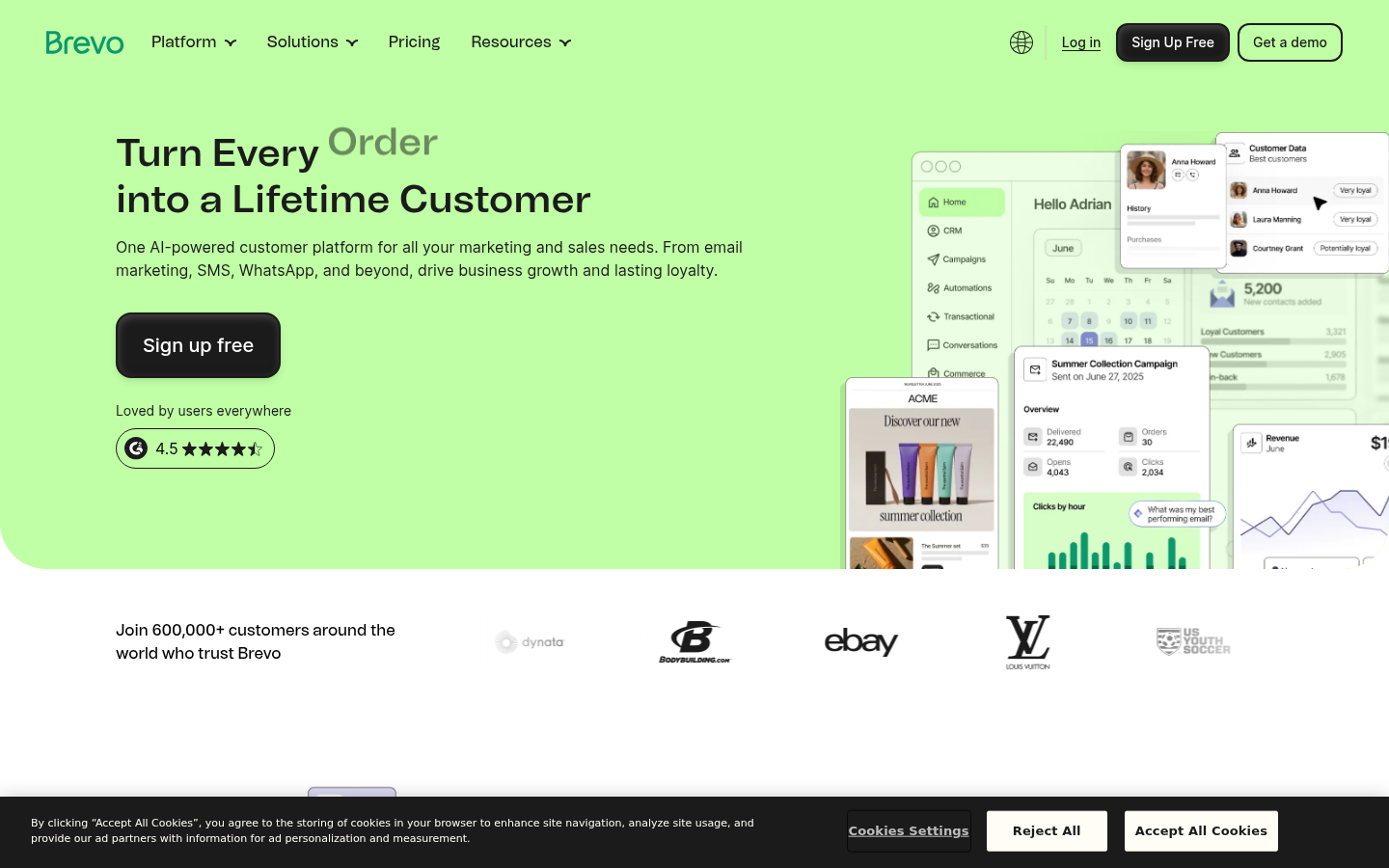
If your real use of Atomic Mail Sender was newsletters and promotions, Brevo (formerly Sendinblue) is the modern answer. It handles list management, automation, and crucially the deliverability infrastructure — authenticated sending domains, shared/dedicated IPs, and bounce handling — so you are not babysitting an SMTP relay.
3. Mailchimp — best for marketing-led teams#
Mailchimp is the household name for a reason: templates, audience segmentation, e-commerce hooks, and reporting that Atompark's desktop UI can't touch. It is pricier at scale, but the on-ramp is gentle and the deliverability is managed for you.
4. Apollo — best all-in-one prospecting#

Apollo bundles a contact database, email finder, and sequencing in one cloud app. It is heavier (and the data quality varies), but if you want prospecting plus outreach in a single seat, it covers more of the Atompark "find and send" combo than any single legacy tool. If you find Apollo's database limiting, see Tomba's Apollo alternative breakdown.
5. Twilio — best for SMS and programmable messaging#
Atompark's SMS modules were always an afterthought. Twilio is the opposite: a programmable, API-driven platform for SMS, voice, and transactional email that scales from a script to millions of messages with proper compliance tooling.
)
Is a single Atompark replacement enough, or do you need a stack?#
You need a stack, and that is the real mindset shift. Atompark sold the dream of one desktop bundle that does everything; modern teams deliberately split the work so each layer is best-in-class and your domain stays safe.
A clean 2026 replacement looks like this:
- Find: Use a cloud finder like Tomba to source verified, role-appropriate contacts instead of scraping raw pages.
- Verify: Run every list through real-time verification — including catch-all verification — before a single send.
- Send: Push the clean list into an ESP (Brevo, Mailchimp) or a sequencer (Apollo) that owns deliverability for you.
- Enrich: Layer in data enrichment so each contact carries the firmographics your reps need.
The reason this matters is reputation. When finding and sending are separated, you can clean aggressively at the front door, which keeps bounce and complaint rates low — the two metrics mailbox providers watch hardest, as both Google Postmaster guidance and ESP documentation repeatedly stress.
How do Atompark and a modern cloud stack compare on the things that matter?#
Below is the practical scorecard — the criteria that decide whether your email lands in the inbox or the void.
| Criteria | Atompark desktop suite | Modern cloud stack (e.g. Tomba + ESP) |
|---|---|---|
| Setup | Install + license key per machine | Sign up, use in minutes |
| Email sourcing | Scrape & extract (unverified) | Find + confidence score + verify |
| Verification | Basic, struggles with catch-all | Real-time, catch-all aware |
| Deliverability | Your IP / SMTP, you own the risk | Managed by ESP, authenticated |
| Integrations | Limited, desktop-bound | API, CRM, Sheets,Zapier |
| Maintenance | Manual updates, one machine | Always current, cloud |
| Compliance | Manual list hygiene | Built-in suppression & opt-out |
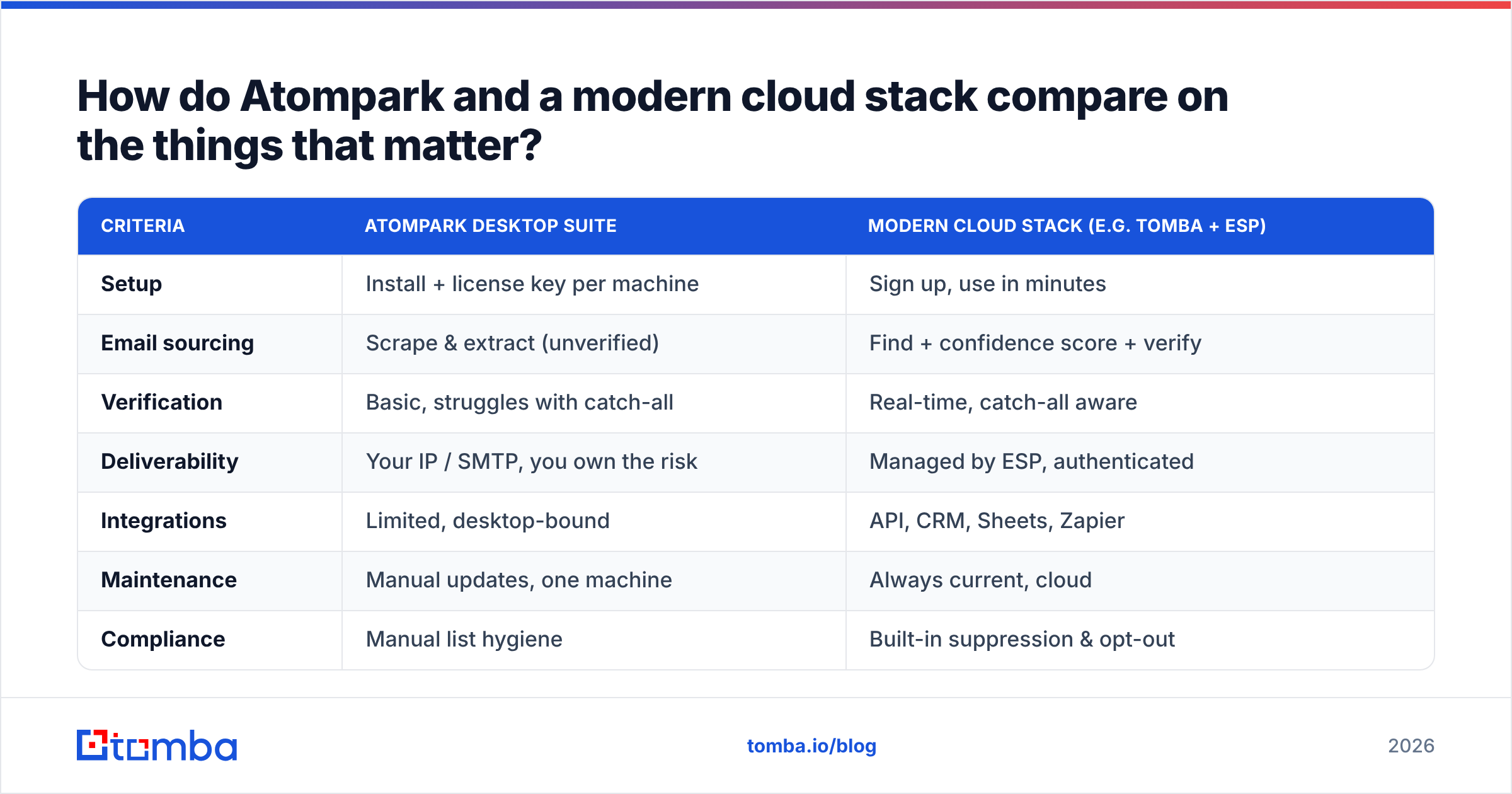
The takeaway isn't that Atompark is useless — it's that every column where it loses maps to a real cost: bounced sends, blocklisted domains, and hours of manual cleanup.
How do you actually migrate off Atompark?#
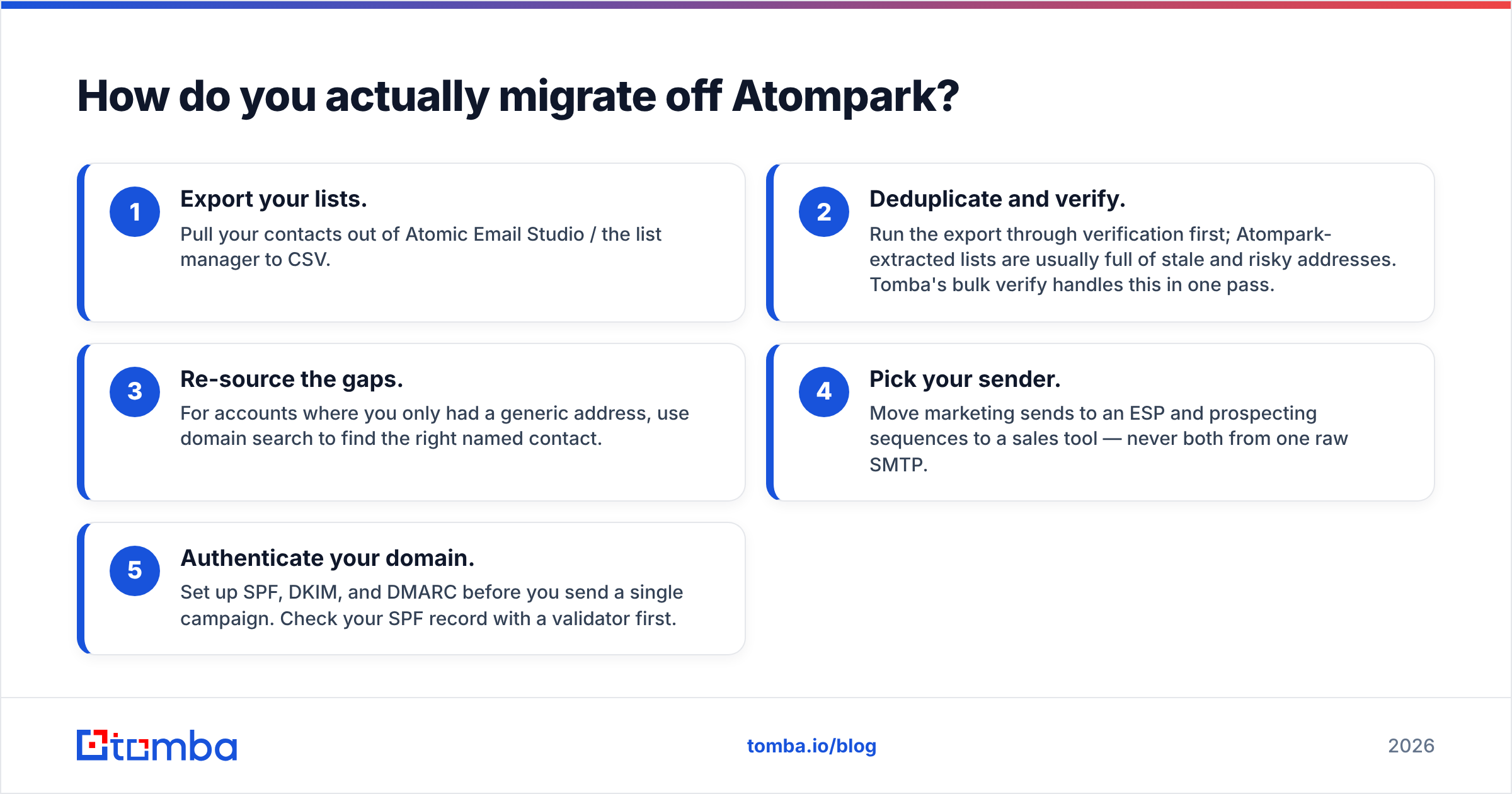
Migration is less scary than the license screen makes it look. Here is a five-step path.
- Export your lists. Pull your contacts out of Atomic Email Studio / the list manager to CSV.
- Deduplicate and verify. Run the export through verification first; Atompark-extracted lists are usually full of stale and risky addresses. Tomba's bulk verify handles this in one pass.
- Re-source the gaps. For accounts where you only had a generic address, use domain search to find the right named contact.
- Pick your sender. Move marketing sends to an ESP and prospecting sequences to a sales tool — never both from one raw SMTP.
- Authenticate your domain. Set up SPF, DKIM, and DMARC before you send a single campaign. Check your SPF record with a validator first.
Do this once and you trade a fragile desktop pipeline for a stack that scales without putting your domain on a blocklist.
Which Atompark alternative is right for you?#
- You mostly extracted and chased B2B contacts → start with a cloud email finder and verifier. This is the cleanest, most reputation-safe swap, and where Tomba fits best.
- You mostly sent newsletters → move to Brevo or Mailchimp for managed deliverability.
- You want one tool for prospecting + outreach → evaluate Apollo, but check data quality against your market.
- You leaned on SMS → Twilio or a dedicated SMS platform.
- You want the full review-the-field comparison → vendor directories like G2 and Capterra list current pricing and verified reviews for each option above.
For most B2B teams, the part of Atompark that was genuinely useful — finding and reaching the right person — is also the part that has the best modern replacement.
The bottom line#
Atompark Software earned its place a decade ago, but desktop bulk email is a liability in 2026. The smarter move is a small, specialized cloud stack: find verified contacts, clean them before they ever hit a campaign, then hand them to a sender that owns deliverability for you.
Start with the layer that protects your domain and feeds everything downstream. Tomba's email finder gives you accurate, verified B2B contacts on a free tier of 25 searches a month — no Windows install, no license key, no SMTP risk. Spin it up, run your old Atompark export through verification, and see how much of your list was costing you deliverability all along.
Ready to find emails that actually work?
Join 150,000+ professionals who stopped guessing and started sending. Free credits on signup — no credit card required.
Get the Tomba newsletter
Practical outbound tactics and product updates — once every two weeks.
About the author