Automated Event Outreach in 2026: The Complete Playbook
Trade shows and webinars generate leads you never follow up on. Here's how automated event outreach turns a badge scan into booked pipeline in 2026.
You spent $40,000 on a booth, three flights, and a week of your team's time. You came home with 280 scanned badges. Nine days later, half of them are cold and the other half forgot they met you. That gap — between collecting interest and acting on it — is where event ROI quietly dies.
Automated event outreach closes that gap. This is the practical playbook for 2026: what to automate before, during, and after an event, the data plumbing that makes it work, and the tools that turn a name tag into a booked meeting.
TL;DR#
- Speed is the whole game. Leads contacted within 24 hours of an event convert at multiples of those you reach a week later. Automation is what makes 24 hours realistic at volume.
- Enrichment is the missing link. A badge scan gives you a name and company; you still need a verified work email, role, and context. Tools like the email finder and data enrichment fill that in automatically.
- Three phases matter: pre-event targeting, in-event capture, and post-event sequencing. Most teams only automate one.
- Personalization scales when you template the structure and inject event-specific variables (session attended, booth conversation, shared connection).
- Measure replies, not sends. Track response rate and meetings booked, not raw email volume.
What is automated event outreach?#
Automated event outreach is the system that connects event signals — registrations, badge scans, session attendance, booth conversations — to a sequenced, multi-channel follow-up that runs with minimal manual effort.
Think of it like a restaurant's reservation system. A walk-in guest (a badge scan) is useless if nobody seats them, takes their order, and remembers they like the corner table. Automation is the host, server, and notes-card rolled into one: it captures who showed up, enriches what you know about them, and routes them to the right next step before they leave the block.
Technically, it's a pipeline: capture → enrich → segment → sequence → measure. Each stage hands clean data to the next. The reason most event follow-up fails is a broken handoff — usually between capture and enrich, where a half-complete CSV sits in someone's inbox until the leads go cold.
Why does manual event follow-up fail?#
The math is unforgiving. A two-day conference can produce 200–400 leads. If a single SDR researches, finds an email, writes a note, and sends for each one, you're looking at 8–12 minutes per lead. That's 30–80 hours of work — and the clock is running against you the entire time.
Here's what breaks down in practice:
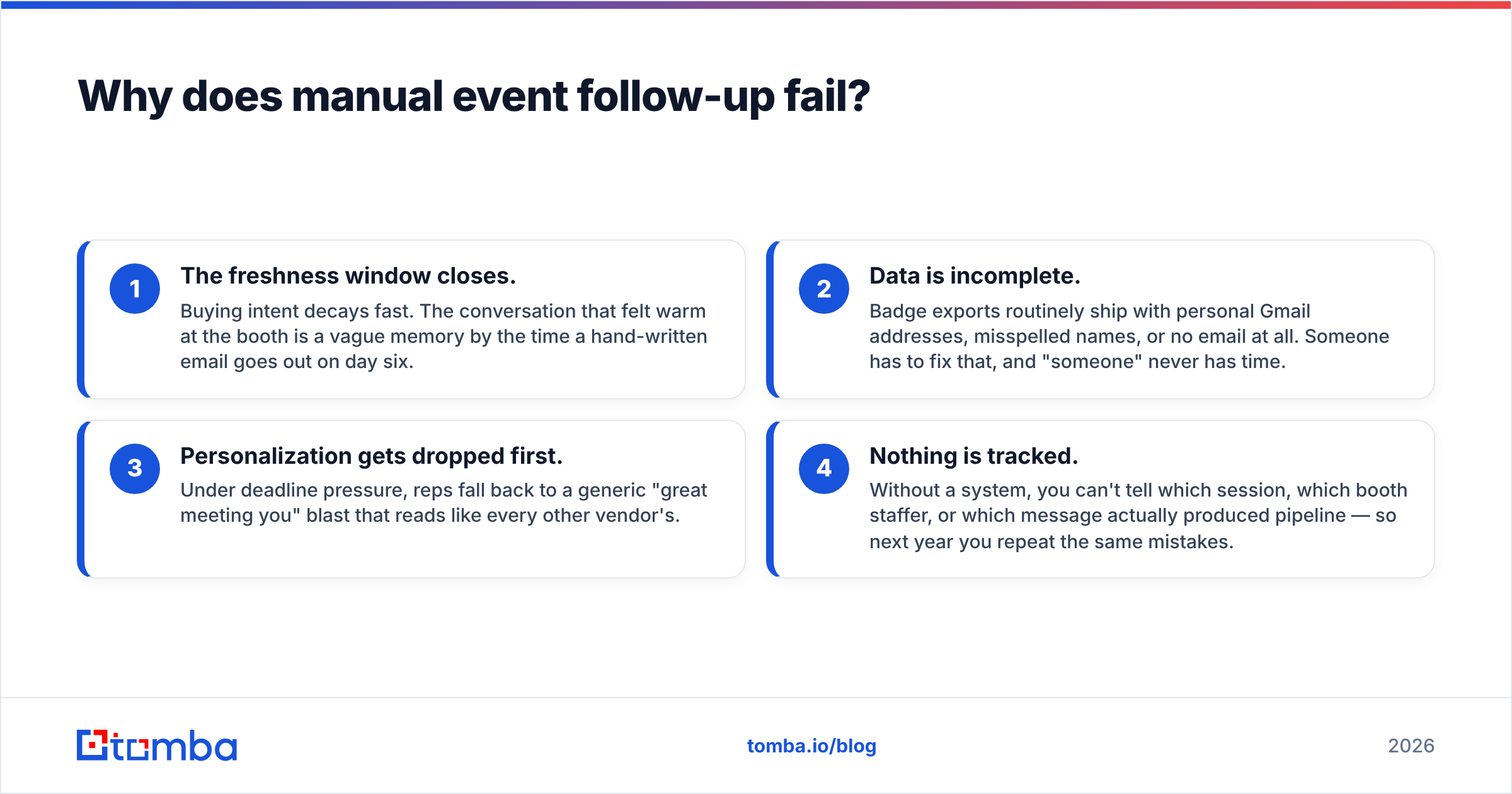
- The freshness window closes. Buying intent decays fast. The conversation that felt warm at the booth is a vague memory by the time a hand-written email goes out on day six.
- Data is incomplete. Badge exports routinely ship with personal Gmail addresses, misspelled names, or no email at all. Someone has to fix that, and "someone" never has time.
- Personalization gets dropped first. Under deadline pressure, reps fall back to a generic "great meeting you" blast that reads like every other vendor's.
- Nothing is tracked. Without a system, you can't tell which session, which booth staffer, or which message actually produced pipeline — so next year you repeat the same mistakes.
Automation doesn't replace the human judgment in event selling. It removes the 80% of the work that is pure logistics so your team can spend its time on the 20% that needs a brain.
How does automated event outreach work, stage by stage?#
The pipeline has five stages. Below is what each one does and where the leverage is.
| Stage | What happens | Automate with | Manual time saved |
|---|---|---|---|
| Capture | Badge scans, registration lists, lead-retrieval app exports land in one place | Lead-retrieval API, |
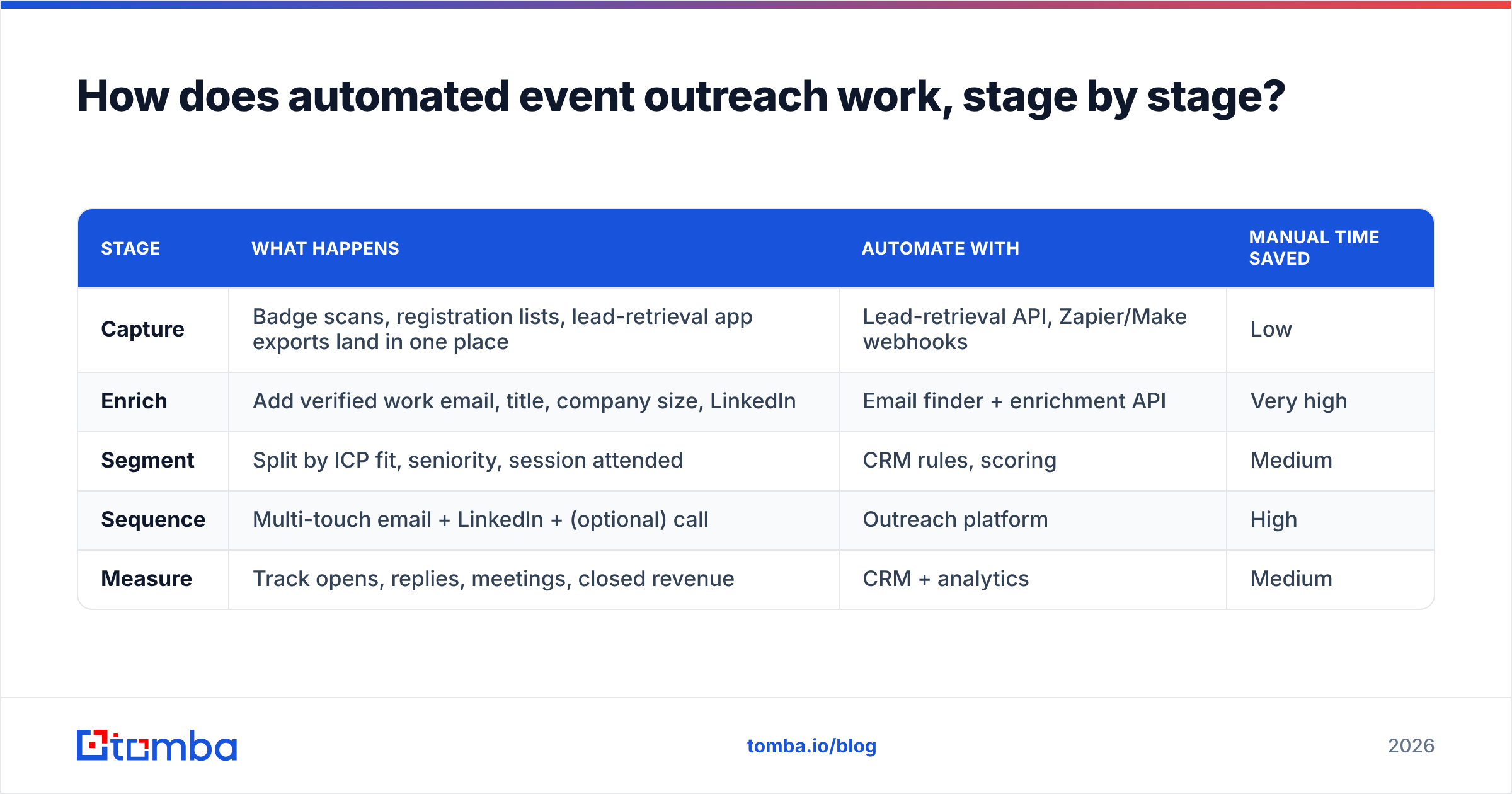
Zapier/Make webhooks | Low | | Enrich | Add verified work email, title, company size, LinkedIn | Email finder + enrichment API | Very high | | Segment | Split by ICP fit, seniority, session attended | CRM rules, scoring | Medium | | Sequence | Multi-touch email + LinkedIn + (optional) call | Outreach platform | High | | Measure | Track opens, replies, meetings, closed revenue | CRM + analytics | Medium |
The single highest-leverage stage is enrich. A raw badge scan is often just "Jane Doe, Acme Corp." To email Jane, you need her actual work address — and event lists are notoriously dirty. Running each record through an email finder and an email verifier turns a guess into a deliverable contact. For large lists, the bulk email finder processes thousands of rows in one pass instead of one-at-a-time lookups.
The data plumbing in plain terms#
- From a name + company, the email finder predicts and confirms the work email pattern (
jane@acme.com). - From a domain, domain search returns the relevant people if you only captured a company, not a person.
- Verification removes invalid and risky addresses before you send, protecting your sender reputation.
- Enrichment appends title, seniority, and company data so segmentation actually works.
Skip enrichment and everything downstream degrades: you segment on bad data, sequence to bounced addresses, and measure noise.
What should you automate before the event?#
Most teams treat outreach as a post-event task. The highest performers start before anyone lands at the venue.
- Pre-book meetings from the attendee list. Many events share or sell a registrant list. Run it through enrichment, match it to your ICP, and send a "we'll be at booth 412 — worth 15 minutes?" sequence two weeks out.
- Target by company, not just person. If you know which accounts are attending, use domain search to find the specific decision-makers there, even if they aren't the ones who registered.
- Warm up your sending domain. A sudden post-event spike from a cold domain looks like spam. Get sender reputation healthy beforehand — check the email warmup calculator to plan ramp volume.
Pre-event automation is what separates "we showed up" from "we showed up with 22 meetings already on the calendar."
What does in-event and post-event automation look like?#
During the event, the goal is frictionless capture. Whatever the lead-retrieval app spits out should flow — via webhook or API — straight into your enrichment and CRM stack in near real time, not into a spreadsheet someone emails on Friday.
Post-event, the goal is speed plus relevance. The winning pattern:
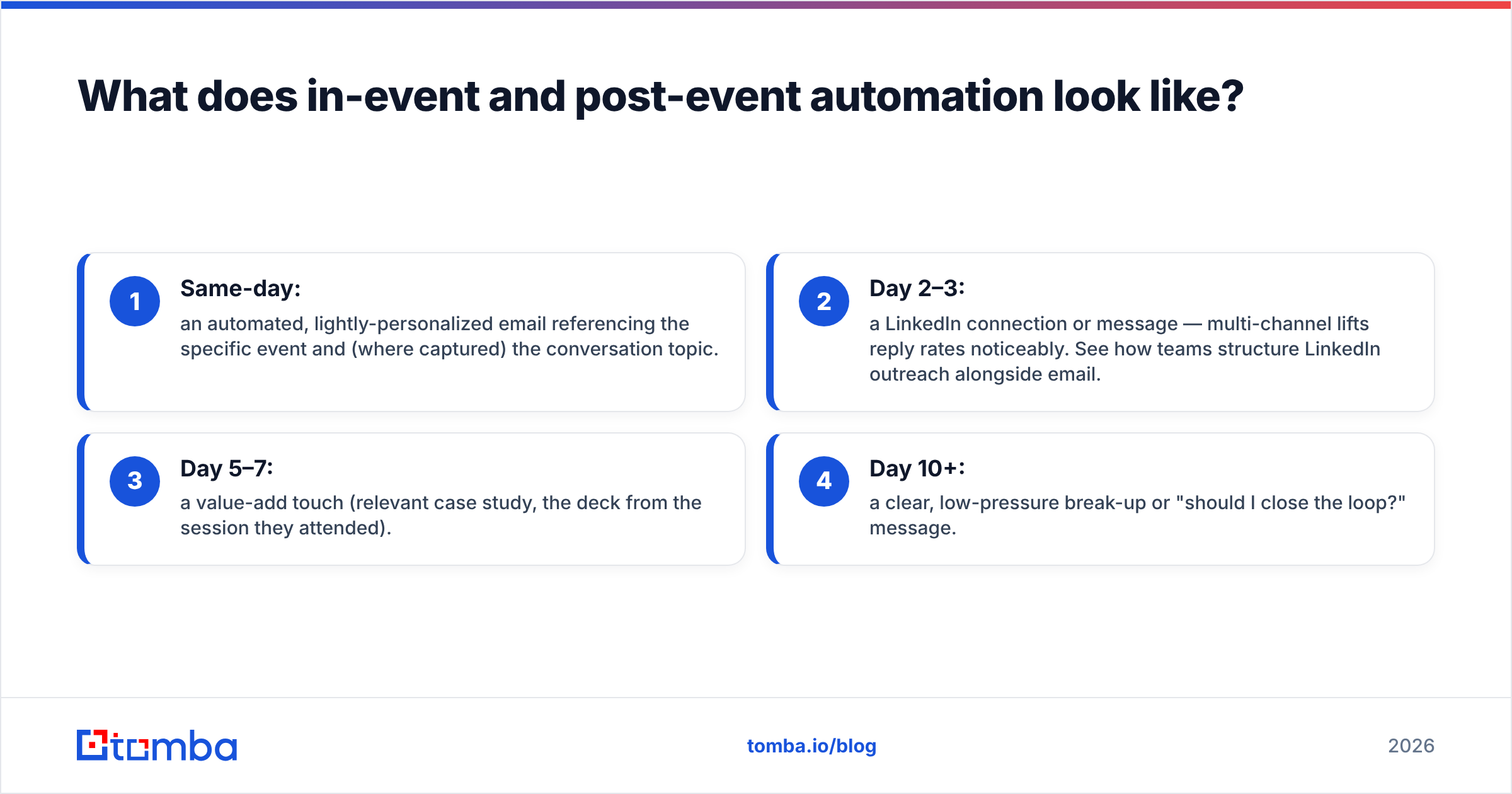
- Same-day: an automated, lightly-personalized email referencing the specific event and (where captured) the conversation topic.
- Day 2–3: a LinkedIn connection or message — multi-channel lifts reply rates noticeably. See how teams structure LinkedIn outreach alongside email.
- Day 5–7: a value-add touch (relevant case study, the deck from the session they attended).
- Day 10+: a clear, low-pressure break-up or "should I close the loop?" message.
Pushing all of this into your CRM keeps reps from stepping on each other; the HubSpot integration and Salesforce integration sync enriched contacts and sequence status automatically.
How do you keep automated outreach personal?#
The fear with automation is sounding like a robot. The fix is structural: automate the frame, personalize the injection points.
A good event follow-up template has fixed scaffolding and three to four dynamic variables:
{event_name}— "great to connect at SaaStr"{session_or_topic}— "your question during the RevOps panel about..."{booth_rep}— "you spoke with Marcus at our booth"{specific_value}— the one resource matched to their stated problem
When those variables are populated from enriched, captured data, an automated email reads like a human wrote it — because a human did write the structure; the system just filled the blanks. Generic blasts fail not because they're automated but because they have nothing specific to say. You can draft and test the scaffolding with a subject line tester and cold email AI before it ever goes out.
Which tools do you actually need?#
You don't need one monolithic platform. You need four capabilities that talk to each other. Here's how the categories compare.
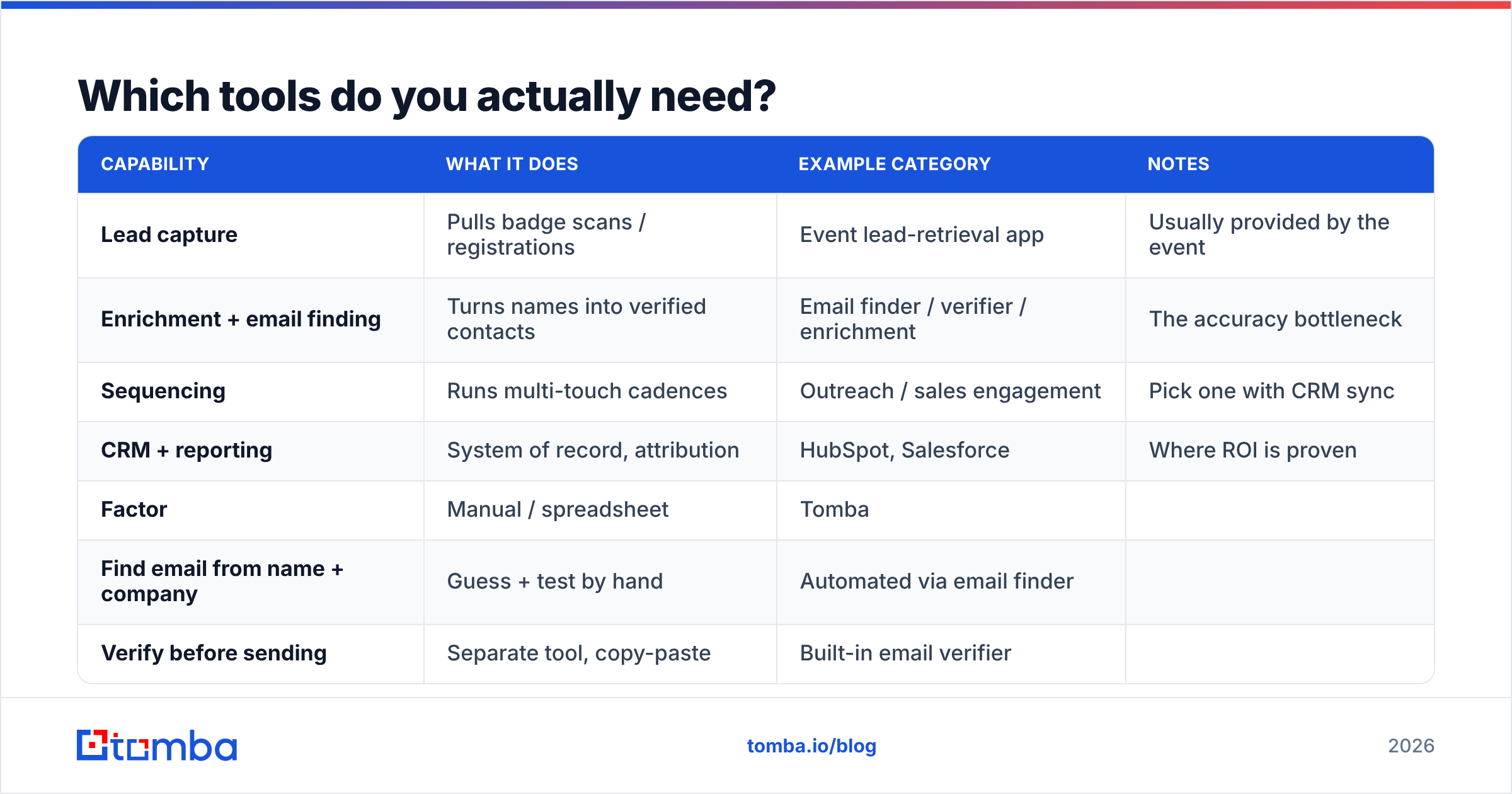
| Capability | What it does | Example category | Notes |
|---|---|---|---|
| Lead capture | Pulls badge scans / registrations | Event lead-retrieval app | Usually provided by the event |
| Enrichment + email finding | Turns names into verified contacts | Email finder / verifier / enrichment | The accuracy bottleneck |
| Sequencing | Runs multi-touch cadences | Outreach / sales engagement | Pick one with CRM sync |
| CRM + reporting | System of record, attribution | HubSpot, Salesforce | Where ROI is proven |
For the enrichment layer specifically, here's how a focused tool like Tomba lines up against piecing it together manually.
| Factor | Manual / spreadsheet | Tomba |
|---|---|---|
| Find email from name + company | Guess + test by hand | Automated via email finder |
| Verify before sending | Separate tool, copy-paste | Built-in email verifier |
| Bulk processing | One row at a time | Bulk email finder handles thousands |
| CRM sync | Manual CSV import | Native integrations + API |
| Starter price | "Free" but hours of labor | $49/mo on the Starter plan |
| Free tier | None | 25 searches/mo |
Pricing across Tomba plans runs Free (25 searches/mo), Starter $49/mo, Growth $99/mo, Pro $249/mo, and Enterprise custom — so you can validate the workflow on the free tier before committing budget.
When you evaluate any vendor in this stack, check independent reviews on G2 and weigh integration depth as heavily as raw features — a tool that doesn't sync to your CRM creates the exact data-handoff break that kills event follow-up in the first place. HubSpot's own research on sales follow-up and Salesforce's guidance on lead response time both reinforce the same point: speed and clean data beat volume every time.
How do you measure if it's working?#
Vanity metrics will lie to you. "We sent 280 emails" tells you nothing. Track the chain that leads to revenue:
- Deliverability — bounce rate under control means your enrichment and verification are doing their job.
- Reply rate — the real signal of relevance. Benchmark and improve it.
- Meetings booked — the only post-event metric most executives care about.
- Pipeline and closed revenue sourced to the event — attribute back to the specific show to decide next year's budget.
If meetings-booked is climbing while send volume holds flat, your automation is getting smarter, not just louder. That's the goal.
Common mistakes to avoid#
- Treating the badge list as final data. It's a starting point. Always enrich and verify before sending.
- Single-channel follow-up. Email-only leaves reply rate on the table. Layer in LinkedIn.
- Waiting for the "perfect" message. A good email on day one beats a perfect one on day seven.
- No segmentation. Blasting the same message to a CTO and an intern wastes both. Segment on enriched seniority data.
- Ignoring sender reputation. A cold domain firing 300 emails at once gets filtered. Warm up first.
Get your event pipeline moving#
Automated event outreach lives or dies on data quality. The fastest sequence in the world is worthless if it's aimed at bounced addresses and personal Gmails. Start by fixing the enrichment layer: feed your badge scans and registration lists into the Tomba Email Finder, verify every address, and sync clean, enriched contacts straight into your CRM. From there, your sequences run on contacts that actually exist — and your next event turns scanned badges into booked meetings instead of a spreadsheet nobody opens. Spin it up on the free tier, prove the workflow on your next show, then scale.
// get started
Find, verify and enrich your first contacts today
Start on the free plan with 25 searches a month, then scale when your team is ready.
Free plan · No credit card required · GDPR & CCPA
// about the author