B2B Data Cleansing in 2026: The Complete Playbook
Dirty CRM data quietly burns your sales budget. Here's a practical 2026 playbook for B2B data cleansing — what to fix, how often, and which tools earn their keep.
TL;DR
- B2B data cleansing is the ongoing process of removing duplicate, outdated, and invalid records from your CRM and marketing lists — and it directly controls deliverability, forecast accuracy, and rep productivity.
- The biggest wins come from four moves: deduplicate, verify emails, standardize fields, and enrich gaps. Do them in that order.
- B2B data decays roughly 22–30% per year as people change jobs, so a one-time scrub is wasted money. Build a recurring cadence instead.
- Verification before every send protects your sender reputation; enrichment after every import keeps records actionable.
- Tools matter, but process matters more. A cheap verifier on a strict schedule beats an expensive suite you run once a quarter.
What is B2B data cleansing?#
B2B data cleansing is the practice of finding and fixing records in your customer database that are wrong, duplicated, incomplete, or stale — so the people you contact actually exist, at the addresses you have, in the roles you think they hold.
Think of your CRM like a refrigerator. You stock it with fresh ingredients (new leads), but nothing stays fresh forever. Some items expire (people leave jobs), some get bought twice (duplicate records), and some labels fall off (missing job titles or phone numbers). Data cleansing is the weekly habit of throwing out what's spoiled and re-labeling what's unclear — not a once-a-year deep clean after everything already smells.
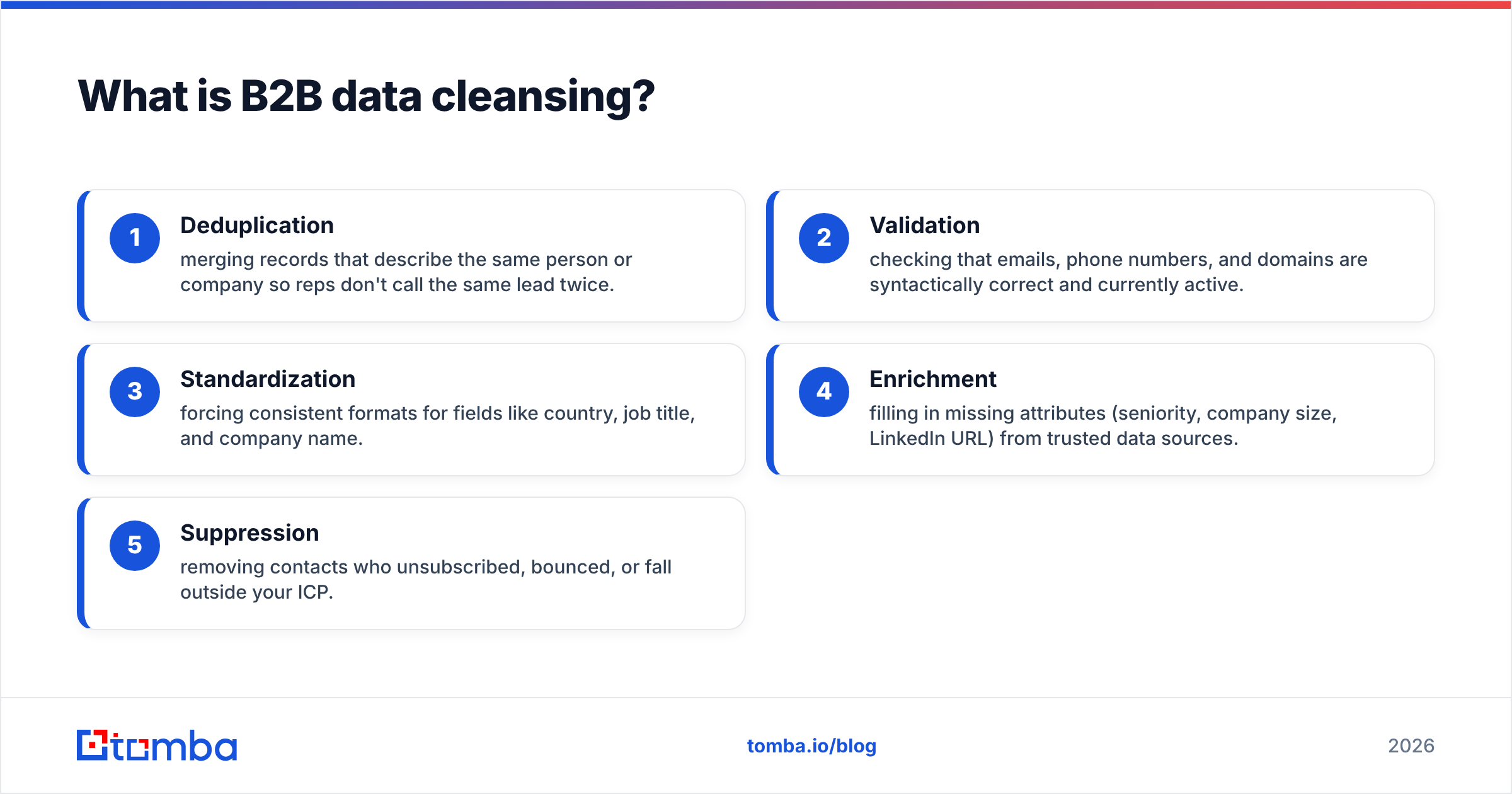
In practical terms, B2B data cleansing covers five operations:
- Deduplication — merging records that describe the same person or company so reps don't call the same lead twice.
- Validation — checking that emails, phone numbers, and domains are syntactically correct and currently active.
- Standardization — forcing consistent formats for fields like country, job title, and company name.
- Enrichment — filling in missing attributes (seniority, company size, LinkedIn URL) from trusted data sources.
- Suppression — removing contacts who unsubscribed, bounced, or fall outside your ICP.
Why does dirty B2B data cost you money?#
Bad data is expensive in three places at once: deliverability, productivity, and forecasting.
On deliverability, invalid addresses trigger hard bounces. Push your bounce rate past about 2% and mailbox providers start throttling or junking your mail, which drags down email deliverability for every campaign — including the clean contacts. One neglected list can poison the whole domain's reputation.
On productivity, reps waste time. According to widely cited research from Gartner, poor data quality costs organizations millions annually in rework and lost opportunity. When an SDR dials a disconnected number or emails someone who left 14 months ago, that's paid selling time spent on nothing.
On forecasting, duplicates and stale stages inflate your pipeline. If the same opportunity exists three times, your quarterly number is fiction — and so is the hiring or spend decision built on top of it.
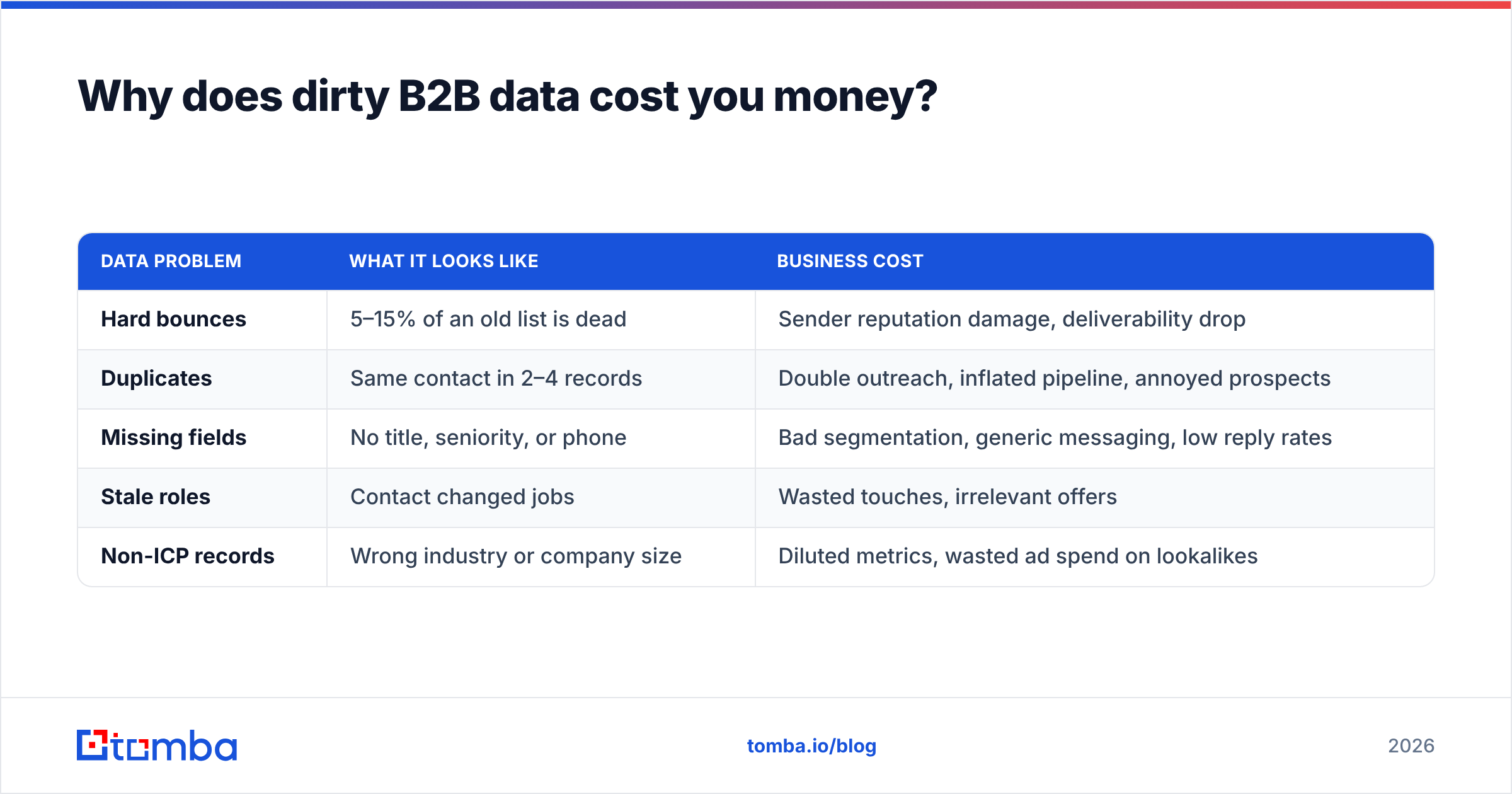
| Data problem | What it looks like | Business cost |
|---|---|---|
| Hard bounces | 5–15% of an old list is dead | Sender reputation damage, deliverability drop |
| Duplicates | Same contact in 2–4 records | Double outreach, inflated pipeline, annoyed prospects |
| Missing fields | No title, seniority, or phone | Bad segmentation, generic messaging, low reply rates |
| Stale roles | Contact changed jobs | Wasted touches, irrelevant offers |
| Non-ICP records | Wrong industry or company size | Diluted metrics, wasted ad spend on lookalikes |
How do you actually clean a B2B database?#
Run the four core steps in order — dedupe, verify, standardize, enrich — because each step makes the next cheaper and more accurate. Verifying a list before you deduplicate just means you pay to verify the same record twice.
Step 1 — Deduplicate first. Match on a stable key (work email is best; company domain plus normalized full name is a good fallback). Merge rather than delete so you keep activity history. A quick pass to remove duplicates before anything else shrinks the volume you process downstream.
Step 2 — Verify what remains. Run every email through an email verifier to catch hard-invalid mailboxes, role accounts, and risky catch-all domains. For domains that accept everything, a dedicated catch-all verifier gives you a confidence signal instead of a blind guess. Validate phone numbers in the same pass with a phone validator so your dialer isn't burning connects on dead lines.
Step 3 — Standardize fields. Normalize country names, strip "Inc./LLC" noise from company names, title-case job titles, and map free-text seniority into a fixed set (IC, Manager, Director, VP, C-level). Consistent fields are what make segmentation and routing reliable.
Step 4 — Enrich the gaps. Once records are clean and unique, fill in what's missing through contact enrichment — seniority, company size, industry, LinkedIn URL, and direct dials. Enrichment on top of dirty data just multiplies the mess, which is why it goes last.
For large databases, do all of this in batches rather than row by row. A bulk email finder and bulk verifier let you process tens of thousands of records in one job instead of choking your team's afternoon.

How often should you cleanse B2B data?#
Cleanse continuously at the point of entry, and run a full sweep quarterly — because B2B data decays at roughly 22–30% per year, so anything slower than quarterly means a meaningful share of your database is wrong at all times.
A workable cadence looks like this:
- On import: verify and dedupe every list before it touches the CRM. No exceptions. This is the cheapest possible moment to catch garbage.
- Before every send: re-verify any list older than 30 days. Roles change weekly; your snapshot from last quarter is already drifting.
- Monthly: suppress unsubscribes and recent bounces, and re-enrich records flagged as incomplete.
- Quarterly: full-database audit — dedupe pass, validation pass, standardization pass, and a sample review of accuracy against data accuracy benchmarks.
The teams that win treat cleansing as plumbing, not an event. Wiring verification into the moment of capture — a form submission, a Salesforce integration sync, a list upload — keeps the database clean by default instead of demanding heroic cleanup later.
Should you build data cleansing in-house or buy a tool?#
Buy for verification and enrichment; build for the workflow glue around them. Email and phone validation, plus identity enrichment, depend on live infrastructure and large reference datasets that are impractical to maintain yourself. The orchestration — when to run, how to route merges, which fields win in a conflict — is business logic you should own.
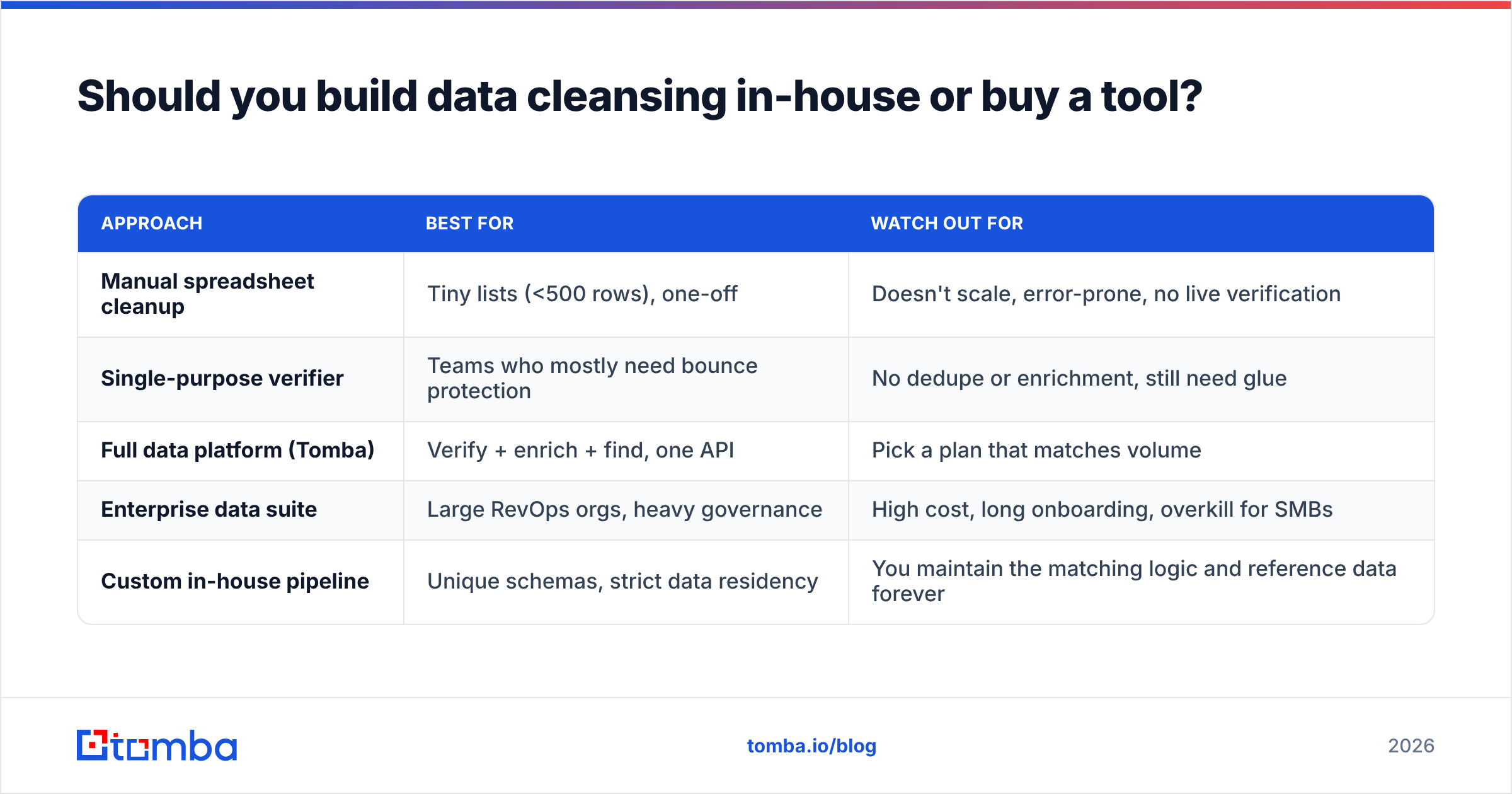
Here's how the common approaches compare:
| Approach | Best for | Watch out for |
|---|---|---|
| Manual spreadsheet cleanup | Tiny lists (<500 rows), one-off | Doesn't scale, error-prone, no live verification |
| Single-purpose verifier | Teams who mostly need bounce protection | No dedupe or enrichment, still need glue |
| Full data platform (Tomba) | Verify + enrich + find, one API | Pick a plan that matches volume |
| Enterprise data suite | Large RevOps orgs, heavy governance | High cost, long onboarding, overkill for SMBs |
| Custom in-house pipeline | Unique schemas, strict data residency | You maintain the matching logic and reference data forever |
For most B2B teams, a single platform that can find, verify, and enrich from one API is the sweet spot. Tomba covers that span: the email finder and domain search source fresh contacts, the verifier and catch-all checks keep them deliverable, and enrichment fills the gaps — all reachable through the Tomba API so cleansing can run automatically inside your existing stack.
What metrics tell you the data is actually clean?#
Track these four and you'll know whether your process works without guessing:
- Bounce rate — target under 2% on every send. Rising bounces mean your verification cadence slipped.
- Duplicate rate — duplicates as a share of total records. A healthy CRM sits near 1–2%; above 5% your matching rules need work.
- Field completeness — percentage of records with all ICP-critical fields populated. Aim for 90%+ on the fields your routing and scoring depend on.
- Match-to-meeting rate — of verified, enriched contacts worked, how many convert to meetings. This is the downstream proof that clean data is also correct data.
If you want a sender-side health check before a big campaign, a quick sender reputation scan and a blacklist checker run will surface problems your bounce rate hasn't caught yet.
What are the most common B2B data cleansing mistakes?#
The expensive errors are rarely technical — they're process gaps.
Cleaning once and calling it done. A scrub is a snapshot. Without a recurring cadence, decay erases your work within a quarter.
Enriching before deduplicating. You pay to enrich three copies of the same person, then have to merge conflicting enriched fields. Dedupe first, always.
Trusting catch-all domains blindly. A catch-all server accepts every address, so naive verification marks junk as "valid." Use a catch-all finder and a confidence score instead of treating "accepted" as "real."
Deleting instead of suppressing. Hard-deleting bounced or unsubscribed contacts loses the history you need to avoid re-importing them next quarter. Suppress and tag; don't erase.
No single source of truth. When marketing, sales, and RevOps each clean their own export, you get three diverging databases. Centralize cleansing on the CRM of record and sync outward via tools like HubSpot integration or Zapier integration.
For benchmarks on what "good" looks like across vendors, third-party review sites like G2 are a reasonable sanity check before you commit budget.
Clean data starts before the record exists#
The cheapest dirty record is the one you never create. Most cleansing pain traces back to capturing bad data in the first place — unverified form fills, scraped lists, and exports nobody validated.
Close that gap at the source. Use the Tomba Email Finder to source contacts that are verified the moment you find them, then let the verifier and enrichment keep them accurate over time. With a free tier of 25 searches you can test the workflow on a real list this week, and the Starter plan at $49/mo covers most growing teams; Growth ($99/mo) and Pro ($249/mo) scale up as your volume does. Wire it into your CRM through the API and your database stays clean by default — not because someone remembered to scrub it, but because dirty data never gets in.
// get started
Find, verify and enrich your first contacts today
Start on the free plan with 25 searches a month, then scale when your team is ready.
Free plan · No credit card required · GDPR & CCPA
// about the author