B2B Database Guide 2026: Build, Buy, and Verify Leads
A B2B database is only as good as its accuracy. Here's how to build, buy, and verify one in 2026 without torching your deliverability or your budget.
The B2B Database in 2026: How to Build, Buy, and Verify One That Actually Converts
A B2B database is the contact and company data your go-to-market team runs on — names, job titles, work emails, phone numbers, firmographics, and intent signals. Get it right and your reps spend their time selling. Get it wrong and they spend their day bouncing emails, dialing dead numbers, and apologizing to the wrong "VP of Marketing."
This guide is the practical version: what a B2B database actually is, where the data comes from, how to keep it accurate, and how to compare the build-vs-buy options without overpaying.
TL;DR#
- A B2B database is structured contact + company data used for prospecting, enrichment, and routing — its value lives and dies on accuracy, not row count.
- Three ways to get one: build it yourself, buy a static list, or use an on-demand provider/API. On-demand wins for freshness.
- Data decays ~2.5%+ per month. Roughly 25–30% of a B2B database goes stale every year, so verification is a recurring cost, not a one-time chore.
- Always verify before you send. Pair a finder with an email verifier to protect deliverability and sender reputation.
- Compare on accuracy, freshness, coverage, and price — in that order. A cheap database full of dead rows is the most expensive option you can buy.
What is a B2B database?#
A B2B database is a structured collection of business contact and company records you can search, filter, and export for sales and marketing. Think of it like a library card catalog for buyers: each "card" is a person or company, and the metadata (title, industry, headcount, location, tech stack) is what lets you find exactly the segment you want instead of wandering the stacks.
A useful record usually contains:
- Contact identity — full name, job title, seniority, department.
- Reachability — verified work email, direct dial or mobile, LinkedIn URL.
- Firmographics — company name, domain, industry, employee count, revenue band, HQ location.
- Technographics — the tools and platforms a company runs (CRM, cloud, analytics).
- Intent and timing signals — hiring, funding, job changes, web research behavior.
- Provenance — where the data came from and when it was last verified.
That last field is the one most teams ignore and later regret. A record without a "last verified" date is a guess wearing a suit.
/blog/generated/memes/2026-06-16/b2b-database-meme-1.png
Why does B2B database accuracy matter more than size?#
Because you send to the bad rows, not the good ones — and the bad rows cost you. A 5-million-record database sounds impressive until 30% of the emails bounce, your domain reputation tanks, and your real prospects stop seeing your messages at all.
Data decay is relentless. People change jobs, companies rebrand, domains migrate, and mailboxes get deprovisioned. Industry estimates put B2B data decay at roughly 2.5–3% per month, which compounds to about a quarter to a third of your database every year. A list you bought in January is meaningfully wrong by summer.
The downstream damage from bad data:
- Hard bounces above ~2% drag your sender reputation and push good mail to spam.
- Wasted rep hours dialing disconnected numbers and emailing former employees.
- Skewed reporting — your "low reply rate" might be a data problem masquerading as a copy problem.
- Compliance exposure — emailing people whose data you can't source is a GDPR/CAN-SPAM risk.
The fix isn't a bigger database. It's a verified one. Run new contacts through email verification and re-verify on a schedule, and treat accuracy as an operating cost rather than a setup step.
Where does B2B database data come from?#
Most providers blend several sources, and the blend is what determines quality. Here's the honest breakdown of the common inputs and what each is good (and bad) at.
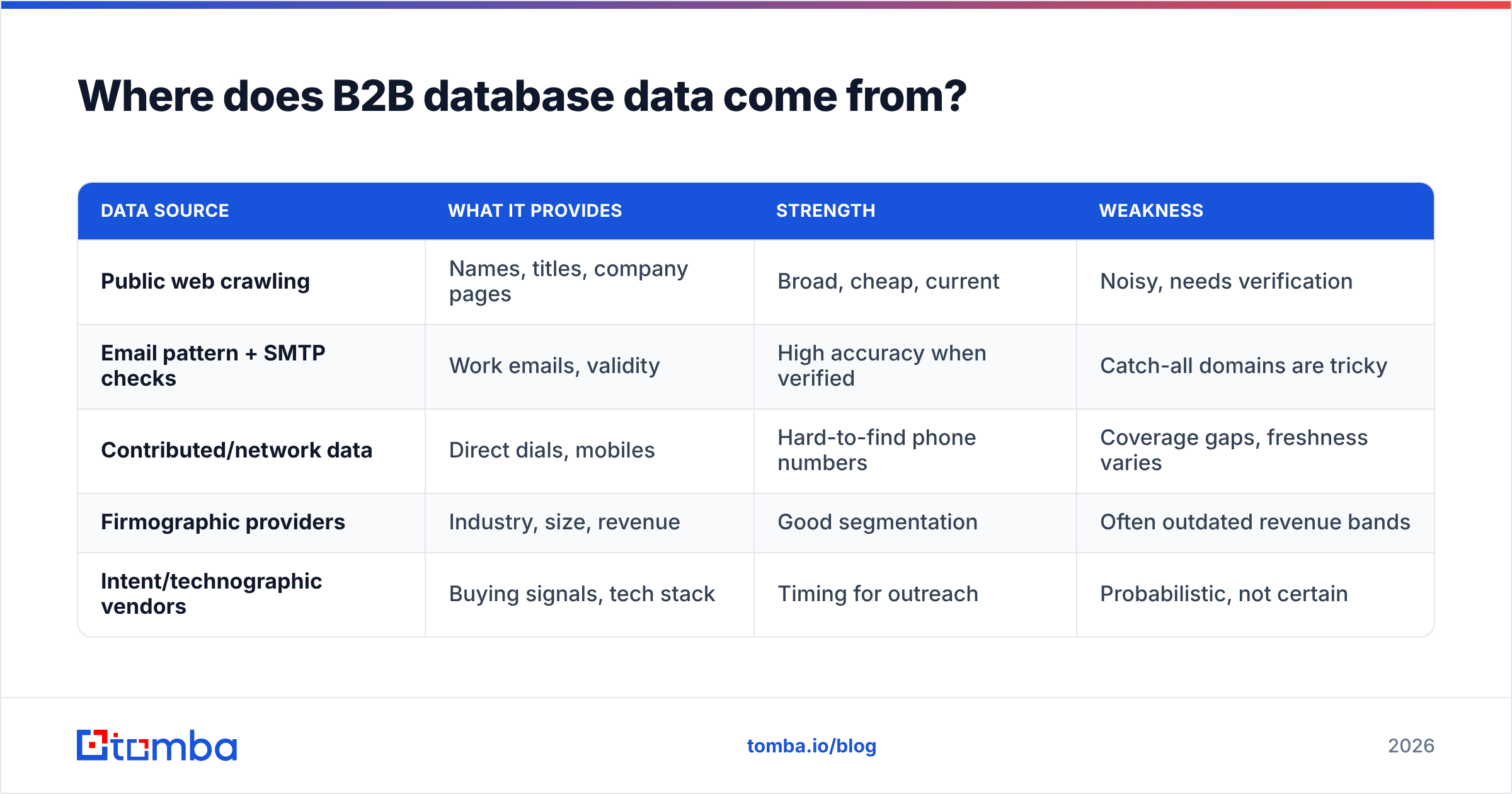
| Data source | What it provides | Strength | Weakness |
|---|---|---|---|
| Public web crawling | Names, titles, company pages | Broad, cheap, current | Noisy, needs verification |
| Email pattern + SMTP checks | Work emails, validity | High accuracy when verified | Catch-all domains are tricky |
| Contributed/network data | Direct dials, mobiles | Hard-to-find phone numbers | Coverage gaps, freshness varies |
| Firmographic providers | Industry, size, revenue | Good segmentation | Often outdated revenue bands |
| Intent/technographic vendors | Buying signals, tech stack | Timing for outreach | Probabilistic, not certain |
A real-time finder verifies an email at the moment you request it instead of handing you a row that's been rotting in a CSV since last quarter. That's the difference between a domain search that returns live, checked addresses for a company and a static export you have to clean yourself. If you want to understand a vendor's blend, look at how they describe their data sources — transparency there is a good proxy for quality.
Should you build, buy, or use an on-demand B2B database?#
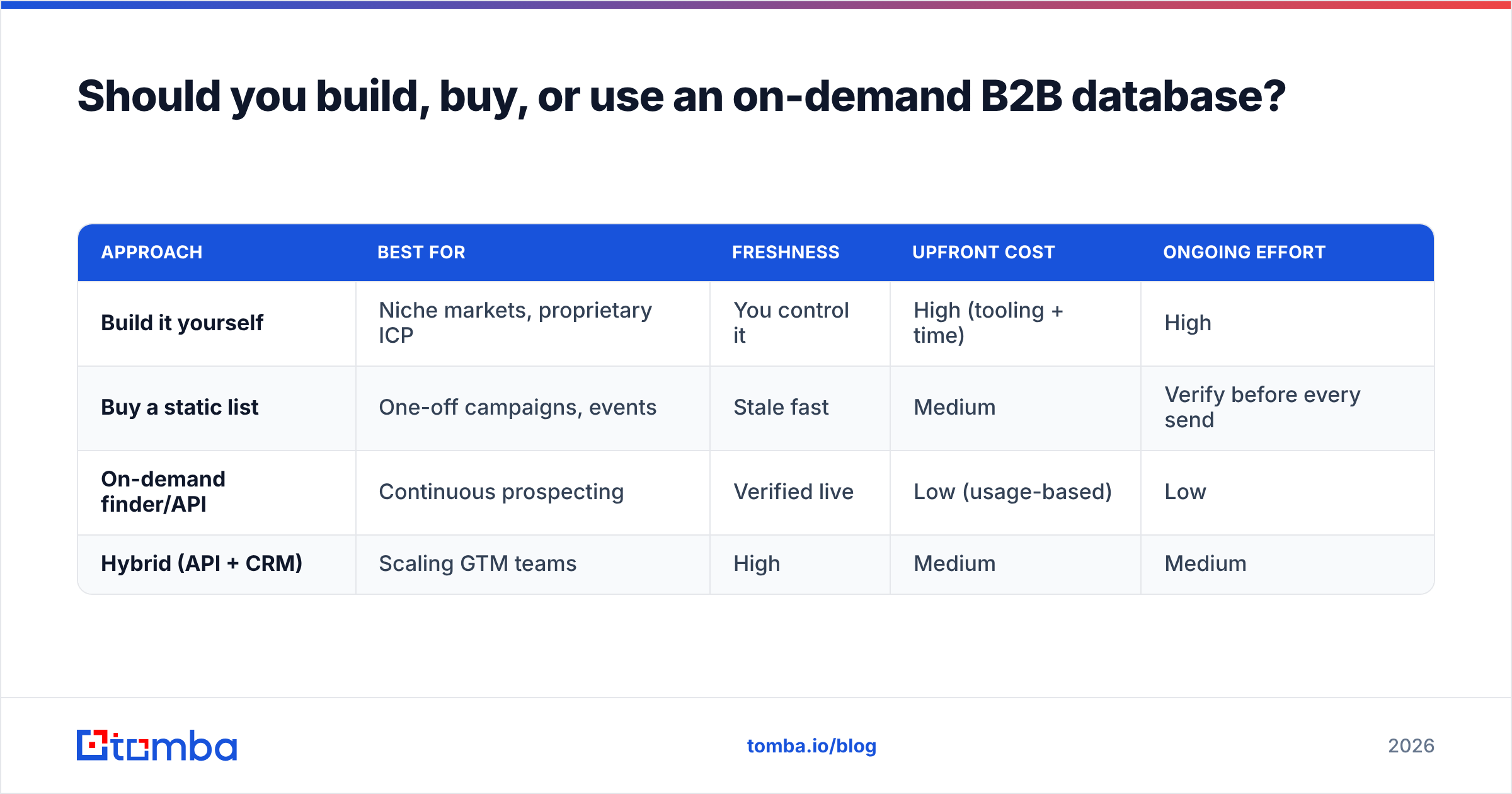
Use on-demand for freshness, build for proprietary edge, and buy a static list only when you need a one-time snapshot for a fixed campaign. Most teams end up with a hybrid: an on-demand API for live lookups plus their own CRM as the system of record.
| Approach | Best for | Freshness | Upfront cost | Ongoing effort |
|---|---|---|---|---|
| Build it yourself | Niche markets, proprietary ICP | You control it | High (tooling + time) | High |
| Buy a static list | One-off campaigns, events | Stale fast | Medium | Verify before every send |
| On-demand finder/API | Continuous prospecting | Verified live | Low (usage-based) | Low |
| Hybrid (API + CRM) | Scaling GTM teams | High | Medium | Medium |
Build makes sense when your ideal customer profile is so specific that no vendor covers it well — you scrape, structure, and verify your own records. The tradeoff is that you now own a data-engineering project forever.
Buy a static list when you genuinely need a frozen snapshot — a conference attendee list, a market map for a board deck. Just assume it's decaying the moment it's delivered, and verify before you touch it.
On-demand is the default for active outbound. You query by name, company, or domain and get a verified result back, so you're never sending to data older than your last lookup. Tools like the Tomba Email Finder, a Chrome extension, or a bulk email finder for list-building all sit here, and a B2B database you can query on demand keeps freshness high without a data-engineering team.
/blog/generated/memes/2026-06-16/b2b-database-meme-2.png
How do you keep a B2B database clean over time?#
Treat it like a garden, not a statue: it needs weeding on a schedule or it dies. The maintenance loop that keeps a database usable:
- Verify on entry. Every new record passes through an email check before it's marked usable. Use a free email checker for spot checks and an API for volume.
- Handle catch-all domains deliberately. Catch-all servers accept everything, so a basic check can't confirm a real inbox. A dedicated catch-all verifier reduces the guesswork.
- Re-verify quarterly. Re-run your active segments every 60–90 days to catch job changes and deprovisioned mailboxes.
- Deduplicate ruthlessly. Merge duplicate companies and contacts so reporting and routing stay sane; a remove-duplicates tool handles the obvious cases.
- Enrich the gaps. When a record is missing a title, phone, or firmographic, run data enrichment to fill it rather than discarding the lead.
- Track provenance. Store where each field came from and when it was verified — future-you will need it for compliance and debugging.
A clean database also protects the part of outbound you can't easily measure: email deliverability. Low bounce rates and consistent sending volume keep you in the inbox, and that starts with the data, not the copy.
How should you compare B2B database providers?#
Score providers on accuracy first, then freshness, coverage, and price — and demand a free trial so you can test against your own ICP, not their cherry-picked demo. A vendor's headline "contact count" tells you almost nothing; a 10-record sample you can verify tells you everything.
A practical evaluation checklist:
- Accuracy / bounce guarantee. Do they verify emails, and will they credit you for invalid ones? Validate a sample yourself with a free email checker.
- Freshness. Is data verified at query time or pulled from a static dump? Ask directly.
- Coverage for your segment. Great US coverage means nothing if you sell into EU SMBs. Test your actual market.
- Phone data. If your motion is phone-led, evaluate the phone finder and phone validator quality separately — email and phone quality rarely match.
- Integrations and access. Native HubSpot / Salesforce syncs, a real email finder API, and a Chrome extension determine whether the data actually reaches your reps.
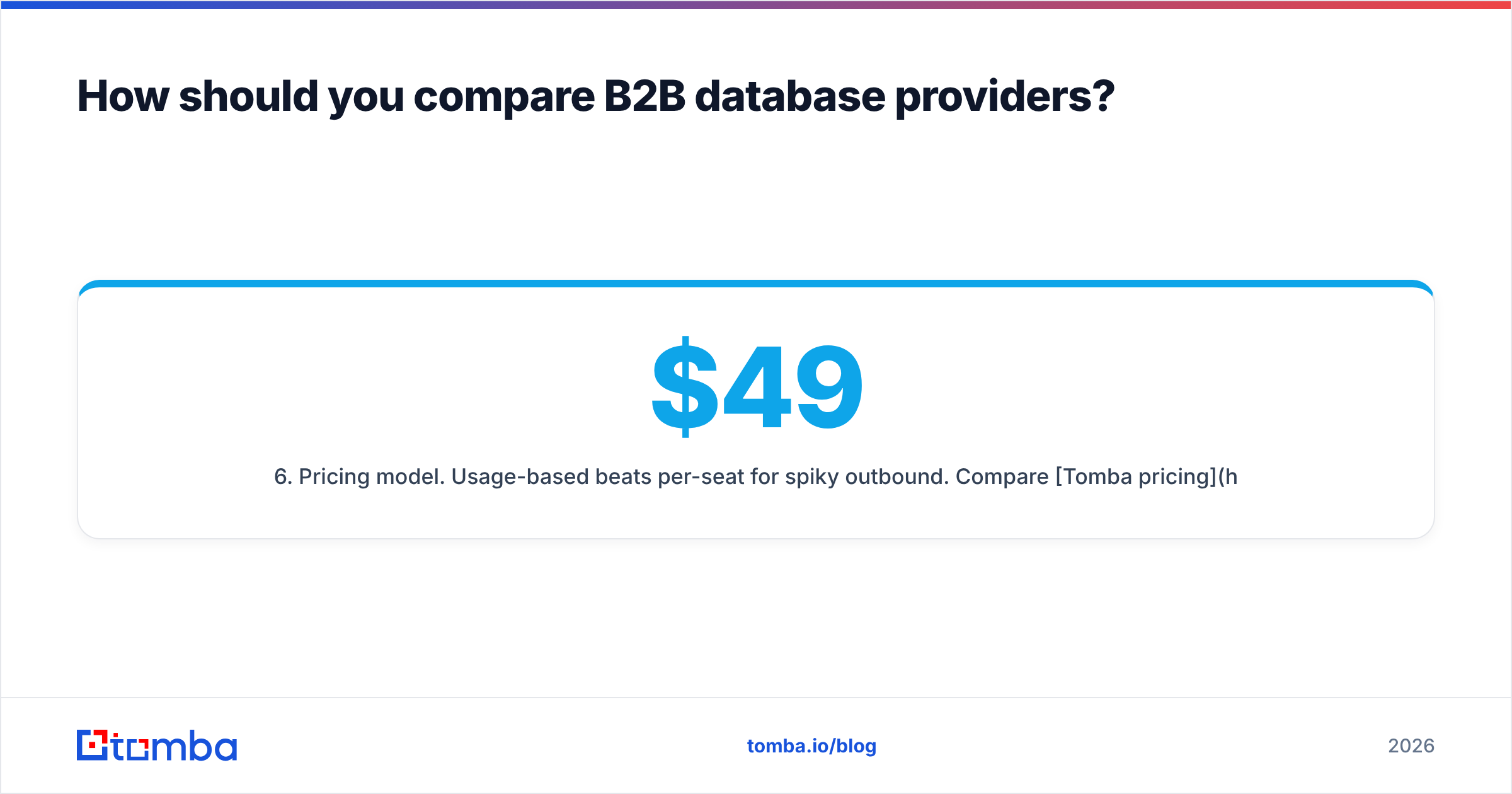
- Pricing model. Usage-based beats per-seat for spiky outbound. Compare Tomba pricing (Free tier with 25 searches/mo, Starter at $49/mo, Growth $99/mo, Pro $249/mo) against per-record list costs over a full year, not a single month.
For independent signal beyond vendor claims, cross-reference reviews on G2 and Capterra, and read how analysts like Gartner frame B2B data quality. Vendor marketing tells you the ceiling; third-party reviews tell you the floor.
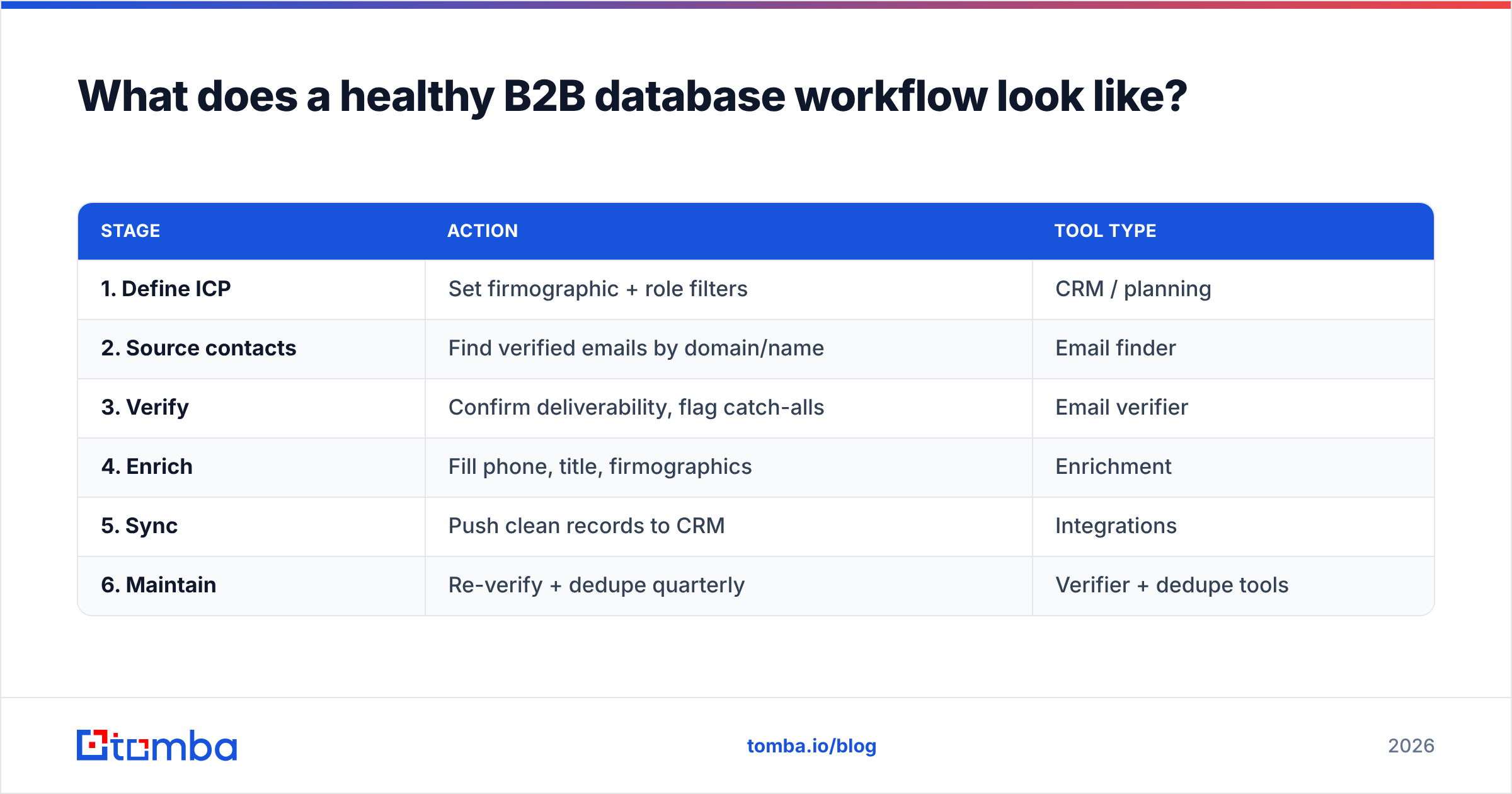
What does a healthy B2B database workflow look like?#
The end-to-end flow most efficient teams run:
| Stage | Action | Tool type |
|---|---|---|
| 1. Define ICP | Set firmographic + role filters | CRM / planning |
| 2. Source contacts | Find verified emails by domain/name | Email finder |
| 3. Verify | Confirm deliverability, flag catch-alls | Email verifier |
| 4. Enrich | Fill phone, title, firmographics | Enrichment |
| 5. Sync | Push clean records to CRM | Integrations |
| 6. Maintain | Re-verify + dedupe quarterly | Verifier + dedupe tools |
Notice that "buy a giant list" isn't a stage. The modern workflow sources narrowly, verifies aggressively, and keeps the system of record clean — quality over volume at every step.
Common B2B database mistakes to avoid#
- Buying on row count. Five million records means five million chances to bounce if they're unverified.
- Skipping catch-all handling. Sending to unconfirmed catch-all domains inflates bounces invisibly.
- One-and-done verification. Data you verified in Q1 is wrong by Q3. Re-verify.
- No provenance tracking. If you can't say where a contact came from, you can't defend it under GDPR.
- Ignoring phone-email mismatch. Strong email coverage doesn't guarantee good direct dials — test both.
- Treating the database as static. It's a living asset; budget for maintenance like you budget for the seats.
Get a B2B database that stays accurate#
If your reps are bouncing emails and dialing dead numbers, the problem usually isn't your messaging — it's your data. Start with verified, on-demand sourcing: use the Tomba Email Finder to pull live, checked work emails by name, company, or domain, pair it with the built-in verifier to protect your deliverability, and enrich the gaps so every record your team touches is complete. The Free tier gives you 25 searches a month to test it against your own ICP before you commit — build your B2B database on data that's fresh the day you send, not the day someone scraped it.
Ready to find emails that actually work?
Join 150,000+ professionals who stopped guessing and started sending. Free credits on signup — no credit card required.
Get the Tomba newsletter
Practical outbound tactics and product updates — once every two weeks.
About the author