Best B2B Email Finder Tool in 2026: Accuracy, Pricing & Picks
A neutral, data-backed breakdown of how B2B email finder tools work, what actually drives accuracy, and how the top picks compare on price and coverage in 2026.
You can have the sharpest cold email copy in your industry and still get nowhere if half your addresses bounce. The contact list is the foundation, and a B2B email finder tool is how you build that foundation without scraping LinkedIn by hand for hours. This guide explains how these tools work, what separates an accurate one from a wasteful one, and how the leading options compare in 2026.
TL;DR#
- A B2B email finder tool turns a name plus a company domain into a verified professional email address, usually with a confidence score.
- Accuracy is the only metric that matters long-term — a "cheap" tool that returns 70% valid emails costs you more in bounced sends and burned domain reputation.
- Pricing models split into credit-based (pay per lookup) and seat-based (pay per user); credit models are friendlier for small teams and spiky workloads.
- The strongest tools pair finding with built-in email verification so you never export an unchecked address.
- For most B2B teams, the best value combines high accuracy, transparent credit pricing, and a real free tier — which is where Tomba Email Finder lands.
What is a B2B email finder tool?#
A B2B email finder tool is software that locates a person's professional email address using public and proprietary data signals. You give it an input — a full name and a company domain, a LinkedIn URL, or just a company website — and it returns the most likely work email along with a confidence rating.
Think of it like a phone directory that rebuilds itself every day. Instead of a static printed book, the tool crawls the public web, cross-references corporate email patterns, checks mail servers, and reconciles all of that against a contact database. The output is a single address you can actually send to.
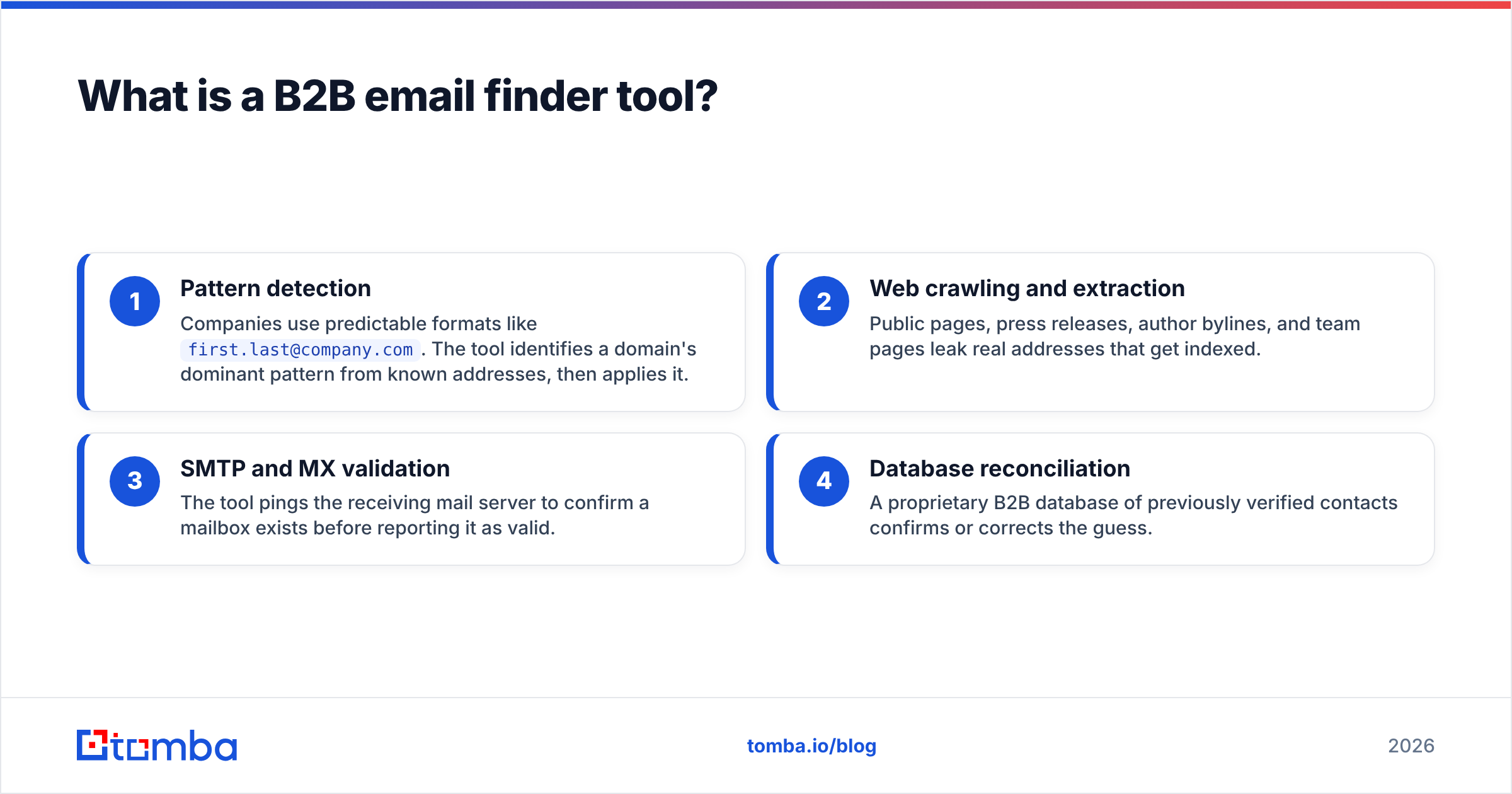
Under the hood, most tools combine four techniques:
- Pattern detection — Companies use predictable formats like
first.last@company.com. The tool identifies a domain's dominant pattern from known addresses, then applies it. - Web crawling and extraction — Public pages, press releases, author bylines, and team pages leak real addresses that get indexed.
- SMTP and MX validation — The tool pings the receiving mail server to confirm a mailbox exists before reporting it as valid.
- Database reconciliation — A proprietary B2B database of previously verified contacts confirms or corrects the guess.
A guessed pattern alone is a coin flip. The tools worth paying for layer verification on top of the guess, so what you export is checked rather than hoped for.
)
How does a B2B email finder actually find emails?#
The honest answer: it stacks probabilities until confidence is high enough to act on. Say you want to reach Jane Smith, VP of Marketing at acme.com. The tool already knows from prior data that Acme uses firstinitiallast@acme.com. It generates jsmith@acme.com, then verifies that mailbox responds at the SMTP layer. If the server accepts it and the address appears in the database with a recent timestamp, you get a high confidence score.
Where it gets hard is catch-all domains. Some company mail servers accept every address you throw at them, valid or not, which defeats simple SMTP checks. That is why a dedicated catch-all verifier matters — it uses additional signals to judge whether a catch-all address is real rather than blindly trusting the "accepted" response.
The quality of a tool's underlying data sources decides everything downstream. According to industry analysts at Gartner, B2B contact data decays at roughly 30% per year as people change jobs — so a database that is not continuously refreshed will quietly degrade no matter how clever its matching logic is.
What makes a B2B email finder tool accurate?#
Accuracy comes down to verification depth, data freshness, and how honestly the tool scores its own guesses. A tool that returns an answer for every query is suspicious — real contact data has gaps, and a good tool tells you when it is unsure instead of inventing an address.

Here are the factors that separate accurate tools from the rest:
- Verification built in, not bolted on — The best tools verify every result before showing it, so the find step and the verify step are one motion.
- Confidence scoring you can trust — A numeric score (for example 95%) lets you set a threshold and skip risky sends.
- Catch-all handling — Tools that flag catch-all domains save you from sending to addresses that will silently fail.
- Recency signals — A "last seen" date tells you whether the contact data is current or stale.
- Bounce-rate transparency — Vendors confident in their accuracy publish expected bounce rates; vague ones don't.
If you only check one thing before buying, run a sample of 50 known-good contacts through the free tier and measure the real bounce rate yourself. Marketing claims are easy; a clean SMTP test is not.
Which B2B email finder tool is best in 2026?#
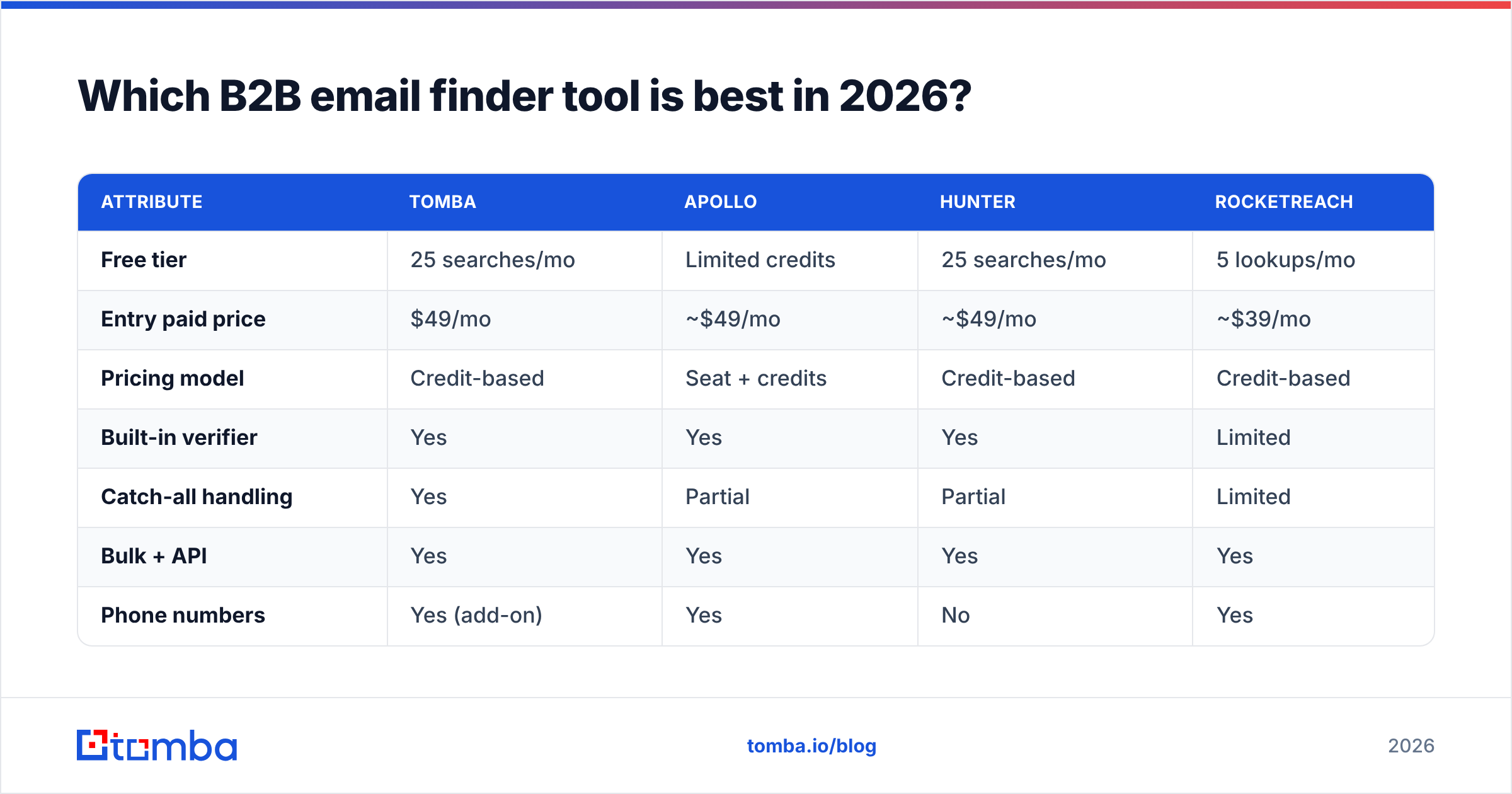
The best tool depends on team size, budget model, and whether you need finding alone or a full prospecting suite. Below is a neutral comparison of four widely used options across the attributes that drive real cost and outcomes.

| Attribute | Tomba | Apollo | Hunter | RocketReach |
|---|---|---|---|---|
| Free tier | 25 searches/mo | Limited credits | 25 searches/mo | 5 lookups/mo |
| Entry paid price | $49/mo | ~$49/mo | ~$49/mo | ~$39/mo |
| Pricing model | Credit-based | Seat + credits | Credit-based | Credit-based |
| Built-in verifier | Yes | Yes | Yes | Limited |
| Catch-all handling | Yes | Partial | Partial | Limited |
| Bulk + API | Yes | Yes | Yes | Yes |
| Phone numbers | Yes (add-on) | Yes | No | Yes |
A few honest notes. Apollo bundles email finding into a broader sales engagement platform, which is great if you want sequencing in the same tool but heavier than you need if you only want addresses — see how teams weigh that trade-off in our Apollo alternative breakdown. Hunter is a clean, focused finder with a strong reputation. RocketReach leans on aggregated profile data and shines for personal emails and phone numbers; teams who want a leaner option often look at a RocketReach alternative.
For pure email-finding accuracy with transparent credit pricing and a usable free tier, Tomba is the value pick. You can see the full Tomba pricing tiers — Free (25 searches/mo), Starter at $49/mo, Growth at $99/mo, Pro at $249/mo, and custom Enterprise — without a seat minimum that punishes small teams.
)
How is pricing structured, and what should you actually pay?#
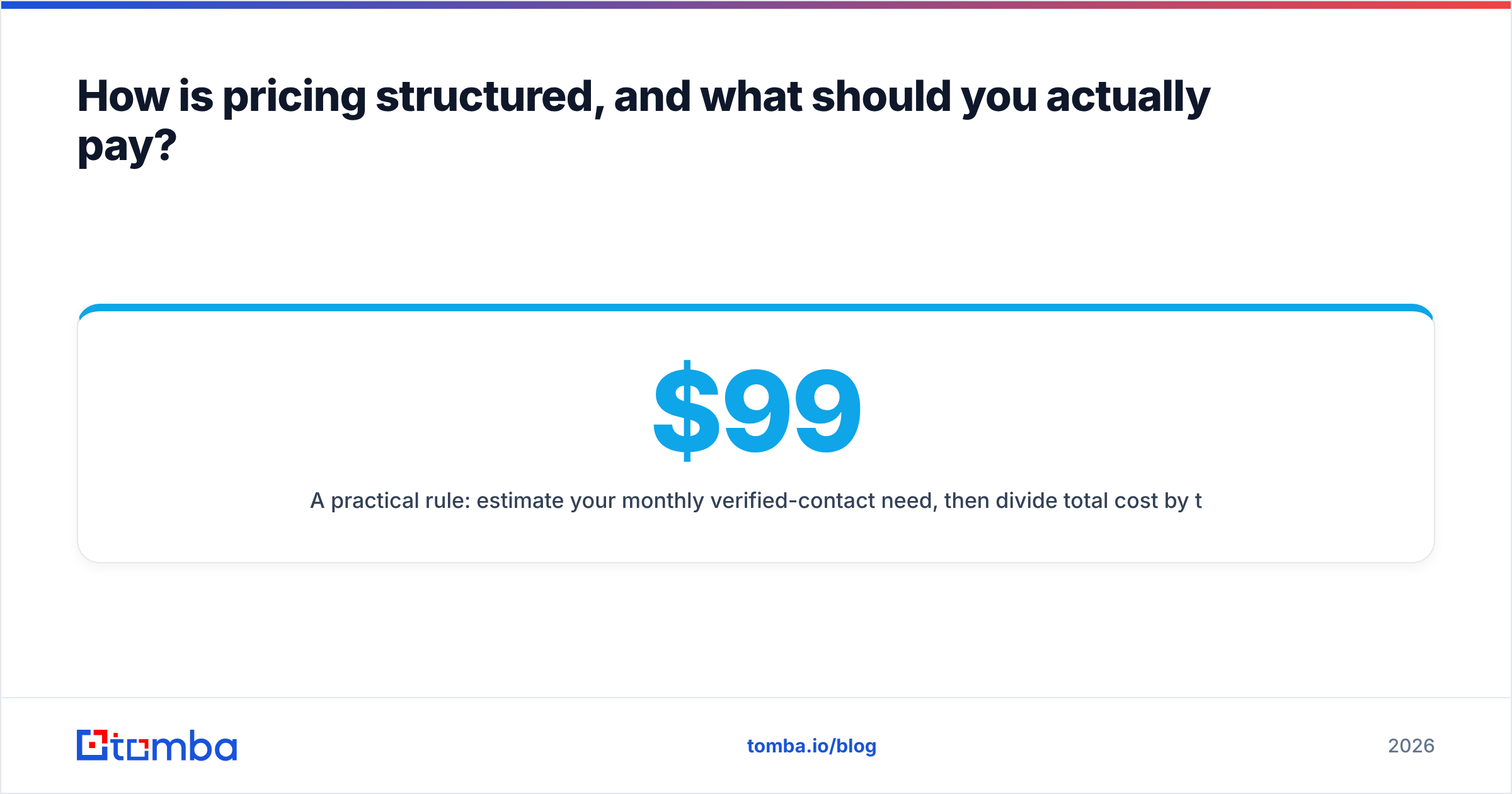
Pricing splits into two camps, and the right one depends on how spiky your prospecting is. Credit-based tools charge per lookup, so you pay for what you use — ideal for small teams and campaign bursts. Seat-based tools charge per user per month, which makes sense for large SDR teams running constant volume but wastes money when usage is uneven.
A practical rule: estimate your monthly verified-contact need, then divide total cost by that number to get a true cost-per-valid-email. A $99 plan that delivers 5,000 accurate emails ($0.02 each) beats a $49 plan that delivers 1,500 with a 25% bounce rate (closer to $0.04 each once you discard the duds).
Watch for these pricing traps:
- Counting unverified results as credits — You should only pay for emails the tool is confident about.
- Charging for catch-all guesses — Some tools bill for low-confidence catch-all hits that you can't safely send to.
- Annual lock-in before a real test — A genuine free tier, like Tomba's 25 monthly searches, lets you validate accuracy first.
If you process large lists, look closely at the bulk email finder workflow and per-credit rate rather than the headline monthly price — that's where the real cost lives.
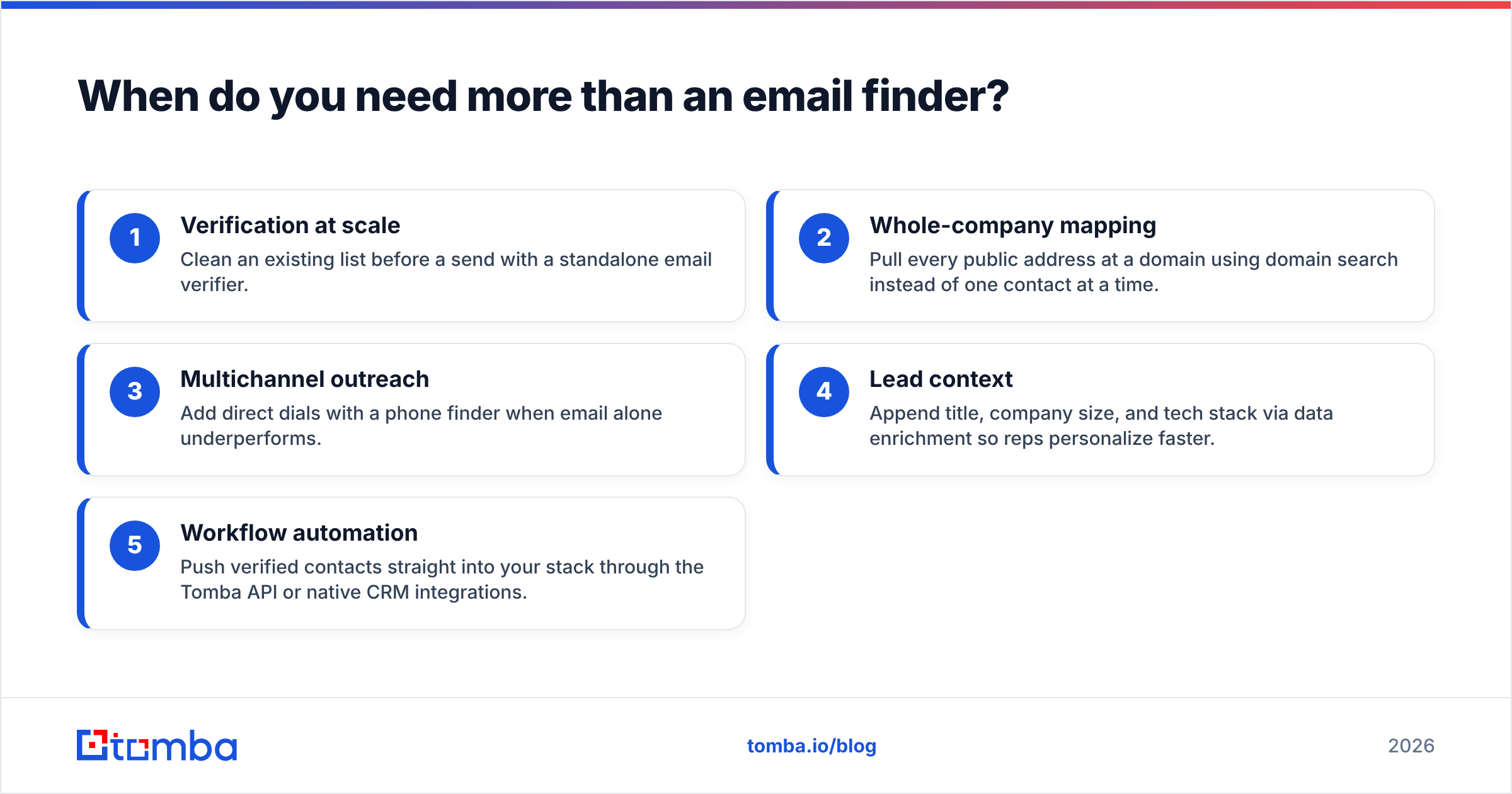
When do you need more than an email finder?#
You need more than finding when your workflow includes enrichment, phone outreach, or CRM sync. Finding an email is step one; a complete pipeline usually wants context around the contact.
Common adjacent needs and the tools that solve them:
- Verification at scale — Clean an existing list before a send with a standalone email verifier.
- Whole-company mapping — Pull every public address at a domain using domain search instead of one contact at a time.
- Multichannel outreach — Add direct dials with a phone finder when email alone underperforms.
- Lead context — Append title, company size, and tech stack via data enrichment so reps personalize faster.
- Workflow automation — Push verified contacts straight into your stack through the Tomba API or native CRM integrations.
The reason to keep these under one roof is data consistency. When your finder, verifier, and enrichment all draw from the same source, you avoid the reconciliation mess of stitching three vendors together. Platforms like HubSpot and Salesforce become far more useful when the contact data flowing in is already verified at the point of capture.
How do you evaluate a tool before committing?#
Run a structured 30-minute test instead of trusting reviews alone. Reviews on sites like G2 are a useful starting filter, but your own list behaves differently than anyone else's.
A repeatable evaluation:
- Build a control set — Gather 50 contacts whose emails you already know are valid.
- Run them through the free tier — Measure how many the tool finds and how many match your known-good answers.
- Send a verification ping — Use the tool's verifier (or a separate one) and record the predicted bounce rate.
- Check the gaps — Note how the tool handles contacts it can't find. Does it stay silent, or invent an address?
- Test the export path — Confirm the data lands cleanly in your CRM or sequencer.
A tool that scores 90%+ on your control set with honest "not found" responses on the rest is worth paying for. One that finds everything but bounces 20% of sends is actively harming your sender reputation.
The bottom line#
A B2B email finder tool is only as good as the verified addresses it puts in your CRM. Prioritize accuracy and verification depth over the lowest sticker price, test on your own data before committing, and pick a pricing model that matches your actual usage pattern. Credit-based pricing with a real free tier protects small and mid-size teams from overpaying.
If you want a finder that pairs high accuracy with verification, catch-all handling, and transparent credit pricing — without seat minimums — start with the Tomba Email Finder. The free tier gives you 25 searches a month to run the exact control-set test described above, so you can prove the accuracy on your own list before spending a dollar.
Ready to find emails that actually work?
Join 150,000+ professionals who stopped guessing and started sending. Free credits on signup — no credit card required.
Get the Tomba newsletter
Practical outbound tactics and product updates — once every two weeks.
About the author