B2B Lead Generation Database: Best Sources & Tools in 2026
A B2B lead generation database is only as good as its accuracy and freshness. Here's how the top providers compare on coverage, price, and data quality in 2026.
A B2B lead generation database is the engine room of any outbound motion. It is the difference between reps emailing real decision-makers and reps burning hours on bounced addresses and disconnected phone numbers. But "database" gets thrown around loosely — some are static lists you buy once, others are live platforms that re-verify contacts every quarter. The gap between the two is measured in deliverability, win rate, and wasted budget.
This guide breaks down what a B2B lead generation database actually is, how the major providers compare in 2026, and how to judge data quality before you sign a contract.
TL;DR#
- A B2B lead generation database is a searchable repository of business contacts (emails, phone numbers, titles, firmographics) used to build targeted prospect lists.
- The three things that matter most are accuracy, freshness, and coverage of your ICP — not raw record count.
- Static purchased lists decay ~22–30% per year; live, re-verified databases stay usable far longer.
- Big platforms (ZoomInfo, Apollo, Cognism) bundle databases with sequencing; focused tools (Tomba, Lusha) win on per-contact cost and verification.
- Pay-per-valid-contact or credit models beat flat seat licenses for teams under 10 reps.
What is a B2B lead generation database?#
A B2B lead generation database is a structured collection of business-contact and company records you can search and filter to build prospect lists. Think of it like a library catalog: instead of wandering the shelves (manually scraping LinkedIn), you query by industry, headcount, job title, location, or tech stack and pull exactly the records you need.
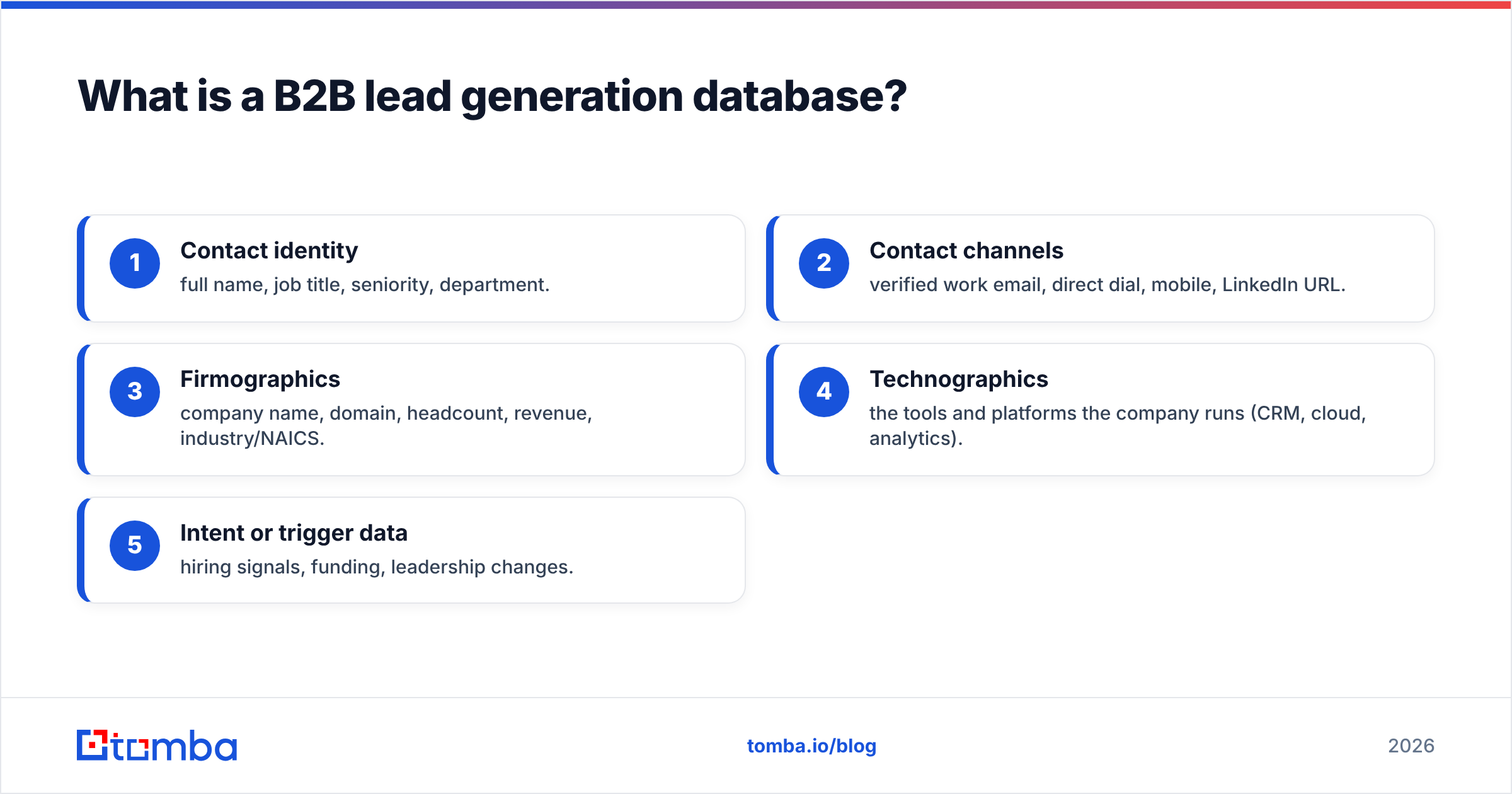
A useful database stores several layers of data per record:
- Contact identity — full name, job title, seniority, department.
- Contact channels — verified work email, direct dial, mobile, LinkedIn URL.
- Firmographics — company name, domain, headcount, revenue, industry/NAICS.
- Technographics — the tools and platforms the company runs (CRM, cloud, analytics).
- Intent or trigger data — hiring signals, funding, leadership changes.
The first two layers determine whether you can actually reach a prospect. The last three determine whether the prospect is worth reaching. A database that nails firmographics but ships 30% invalid emails will still tank your sender reputation — which is why email deliverability depends as much on your data source as on your warmup.

What makes a B2B database accurate (and why it decays)?#
Accuracy is the single metric that separates a good database from an expensive liability. Business contact data is perishable — people change jobs, companies rebrand, and email formats shift after acquisitions. Industry research consistently puts B2B data decay at roughly 22–30% per year, meaning a list you bought in January is materially worse by summer.
There are two ways providers fight decay:
- Static snapshots — you buy a one-time export. Cheap up front, but it starts rotting the moment you download it.
- Continuously re-verified databases — records are re-checked on a rolling schedule via SMTP validation, catch-all detection, and source cross-referencing. Costs more, stays accurate.
This is where verification tooling matters. Even with a strong source, you should run lists through an email verifier before any send, and use a catch-all verifier for domains that accept everything at the SMTP layer. Skipping this step is the most common reason cold campaigns land in spam. If you want the mechanics, the our data page explains how sources are cross-referenced to reduce false positives.
A practical accuracy checklist before you trust any vendor:
- Bounce guarantee — does the provider refund or re-credit invalid emails?
- Verification timestamp — when was each record last validated, not just created?
- Catch-all handling — does it flag risky domains instead of marking them "valid"?
- GDPR/CCPA compliance — is there a lawful basis and an opt-out path?
- Phone validation — are direct dials checked, or just scraped?
How do the top B2B lead generation databases compare in 2026?#
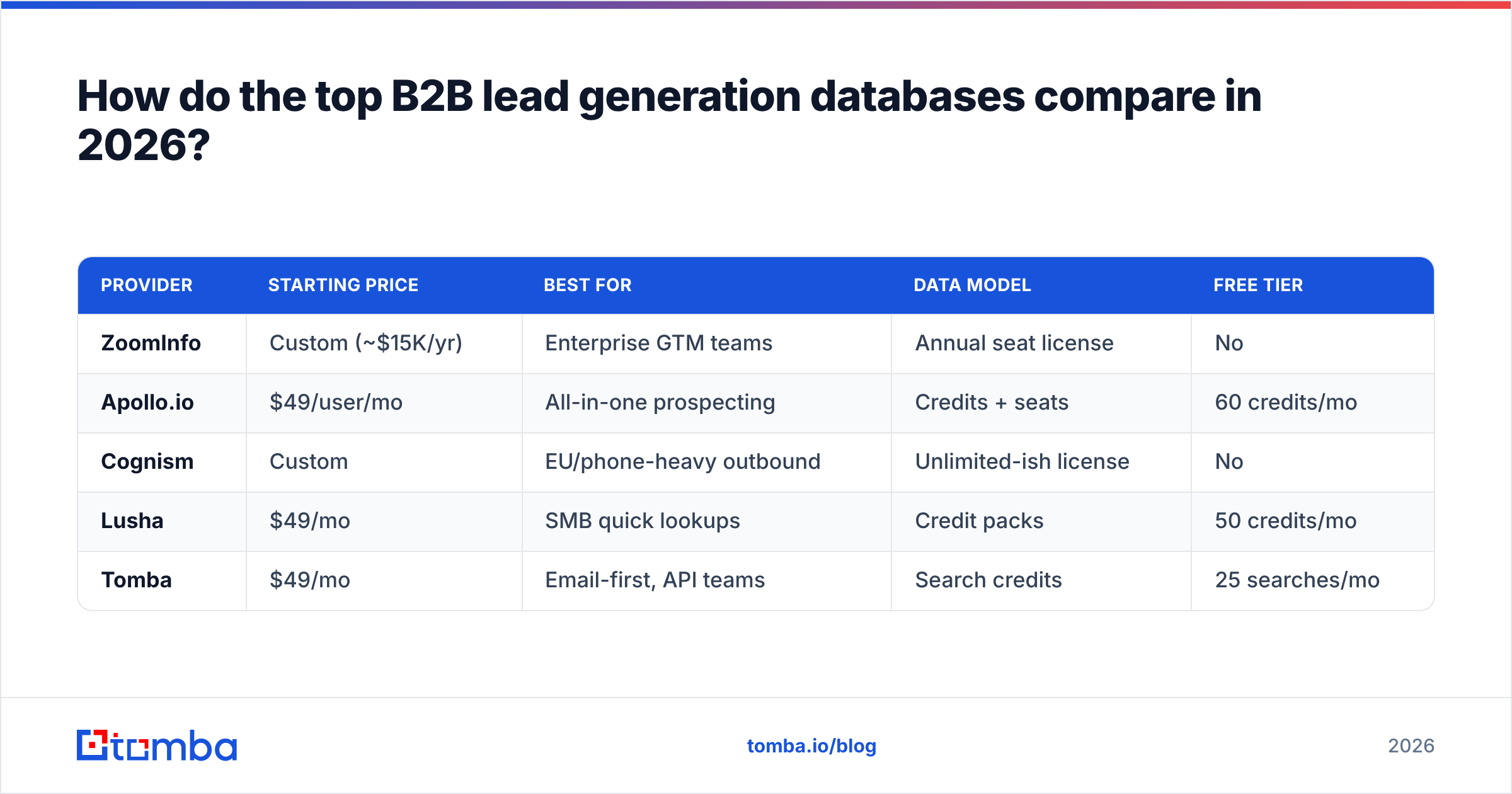
No single database wins on every axis. Enterprise platforms trade per-contact cost for breadth and workflow features; focused tools trade breadth for price and verification depth. Here's how the most common options stack up.
| Provider | Starting price | Best for | Data model | Free tier |
|---|---|---|---|---|
| ZoomInfo | Custom (~$15K/yr) | Enterprise GTM teams | Annual seat license | No |
| Apollo.io | $49/user/mo | All-in-one prospecting | Credits + seats | 60 credits/mo |
| Cognism | Custom | EU/phone-heavy outbound | Unlimited-ish license | No |
| Lusha | $49/mo | SMB quick lookups | Credit packs | 50 credits/mo |
| Tomba | $49/mo | Email-first, API teams | Search credits | 25 searches/mo |
A few takeaways from the table:
- ZoomInfo and Cognism are priced for funded teams; expect annual contracts and procurement cycles. If that's your scale and you want alternatives, compare a ZoomInfo-style workflow against lighter tools before committing.
- Apollo bundles the database with sequencing, so it doubles as a light sales engagement platform — convenient, but the data ceiling is lower than dedicated providers.
- Lusha and Tomba sit at the same $49 entry point but optimize differently: Lusha leans browser-extension lookups, Tomba leans verified email discovery plus an email finder API for programmatic enrichment.
For credit-conscious buyers, check the full Tomba pricing tiers — Free (25 searches/mo), Starter $49/mo, Growth $99/mo, Pro $249/mo — against how many net-new contacts you actually need each month. Most teams overbuy seats and underuse data.

Should you buy a static list or use a live database?#
Use a live, re-verified database unless you have a one-off, time-boxed campaign — and even then, verify before you send.
The math is simple. A static list of 10,000 contacts at, say, 90% accuracy on day one drops below 70% usable within a year. If your cold email engine assumes clean data, those 3,000 dead addresses generate hard bounces that signal mailbox providers your domain is risky. One bad list can suppress deliverability for every campaign that follows.
A live database avoids this by re-verifying on a schedule and exposing freshness metadata so you can filter out stale records. The trade-off is recurring cost — but the alternative (rebuilding sender reputation after a bounce spike) is far more expensive in lost pipeline.
When a static export does make sense:
- A trade-show follow-up where you need the list once and discard it.
- Enriching an existing CRM segment you'll verify anyway.
- Academic or market-research pulls with no email send attached.
Even in those cases, route the export through bulk verification first. It costs pennies per record and protects the asset you can't easily rebuild: your domain's standing.
How do you build a targeted list from a database?#
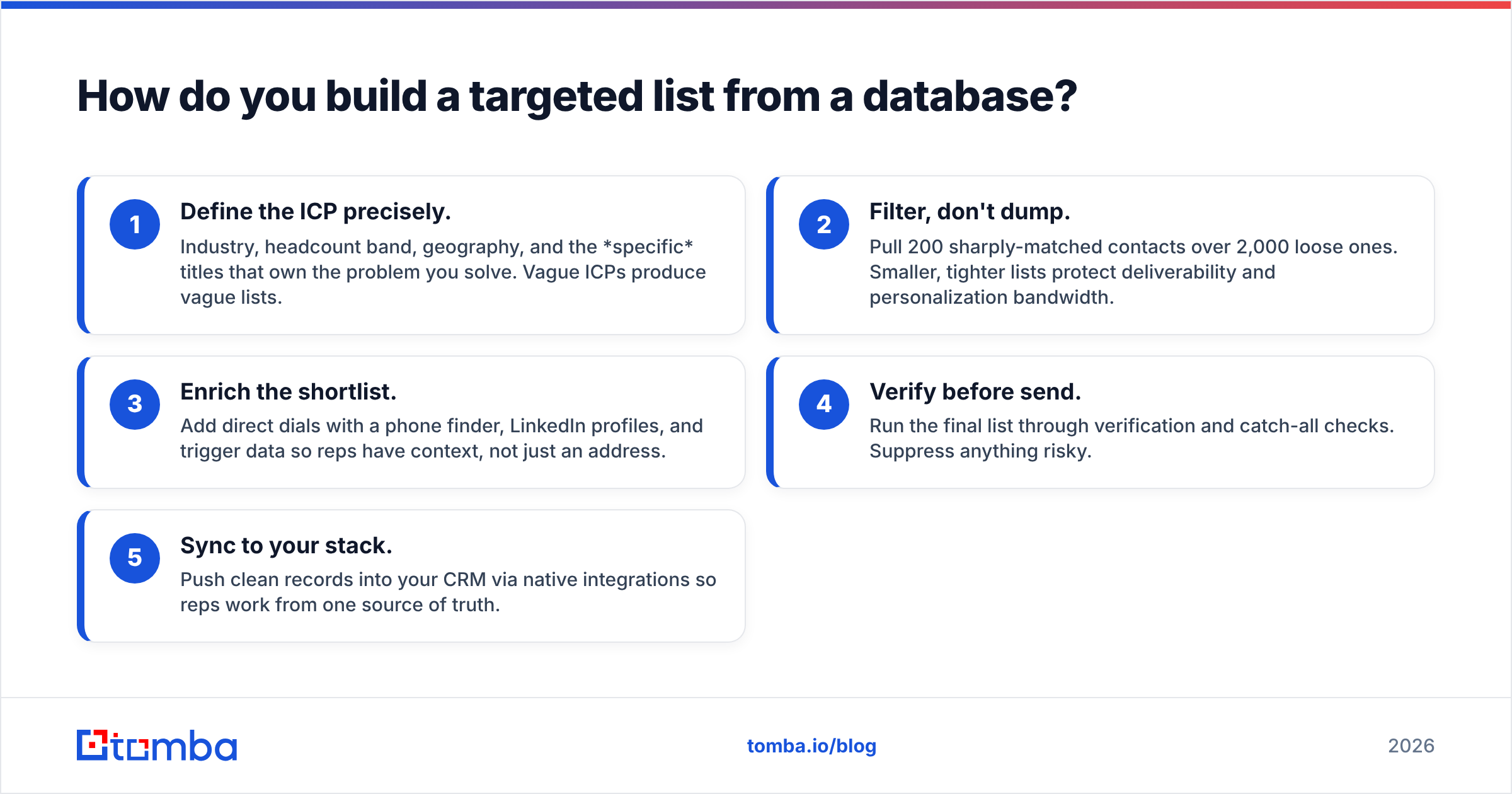
A database is raw material; targeting is what turns it into pipeline. The workflow that consistently produces high reply rates looks like this:
- Define the ICP precisely. Industry, headcount band, geography, and the specific titles that own the problem you solve. Vague ICPs produce vague lists.
- Filter, don't dump. Pull 200 sharply-matched contacts over 2,000 loose ones. Smaller, tighter lists protect deliverability and personalization bandwidth.
- Enrich the shortlist. Add direct dials with a phone finder, LinkedIn profiles, and trigger data so reps have context, not just an address.
- Verify before send. Run the final list through verification and catch-all checks. Suppress anything risky.
- Sync to your stack. Push clean records into your CRM via native integrations so reps work from one source of truth.
If you work company-by-company rather than building broad lists, a domain search returns every discoverable email pattern at a target account — useful for account-based plays where you need multiple stakeholders at one logo. For broader context on how this fits a full pipeline, G2's lead intelligence category is a solid neutral benchmark for feature comparisons, and HubSpot's guide to B2B lead generation covers the demand-gen side that feeds your database work.
What should you actually pay for a B2B database?#
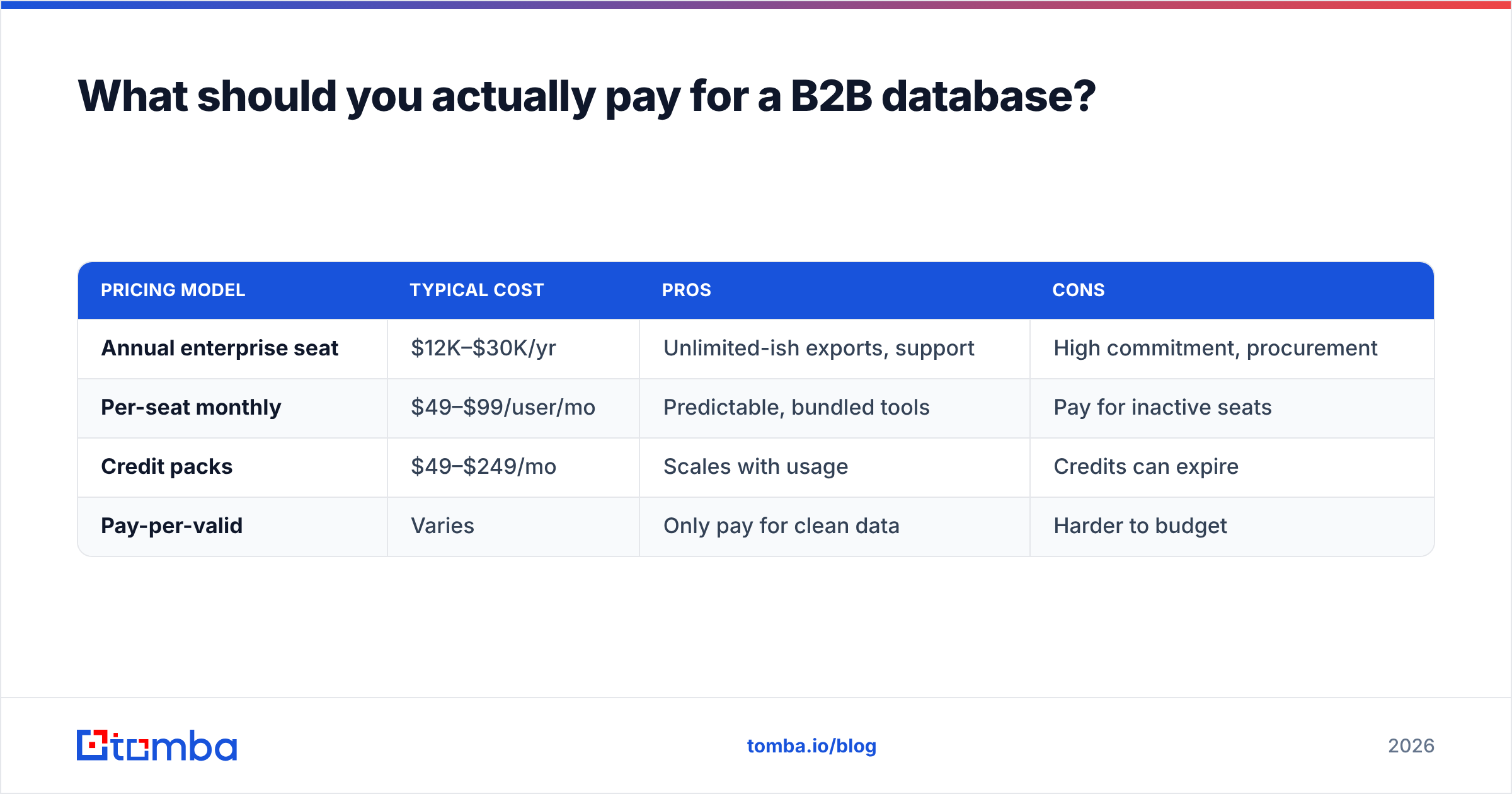
Pay for valid contacts, not record counts. Vendors love advertising "275M+ contacts," but a number that large is meaningless if only a fraction match your ICP and verify clean.
Here's how the main pricing models compare for a team that needs ~1,000 net-new verified contacts per month:
| Pricing model | Typical cost | Pros | Cons |
|---|---|---|---|
| Annual enterprise seat | $12K–$30K/yr | Unlimited-ish exports, support | High commitment, procurement |
| Per-seat monthly | $49–$99/user/mo | Predictable, bundled tools | Pay for inactive seats |
| Credit packs | $49–$249/mo | Scales with usage | Credits can expire |
| Pay-per-valid | Varies | Only pay for clean data | Harder to budget |
For teams under ~10 reps, a credit or pay-per-valid model almost always beats an enterprise seat license. You avoid paying for records you never touch, and you can scale spend up during prospecting sprints and down during closing-heavy months. Larger orgs with dedicated SDR pods may justify the flat enterprise rate once monthly contact volume crosses tens of thousands.
Whatever model you choose, model the cost per verified, ICP-matched contact, not the sticker price. A $99/mo plan that delivers 1,000 clean matches is cheaper per usable lead than a $49/mo plan that delivers 1,000 records where 300 bounce. Wikipedia's overview of lead generation is a useful primer if you need to align stakeholders on terminology before the budget conversation.
How do you keep a B2B database clean over time?#
Treat data hygiene as a recurring process, not a one-time purchase. The highest-performing teams re-verify their active CRM on a quarterly cadence and enrich on every new record creation.
A maintenance routine that works:
- On entry — enrich and verify every new lead at the point it hits your CRM, using data enrichment to fill firmographic gaps automatically.
- Quarterly — bulk re-verify the active pipeline and suppress anyone who has bounced or changed roles.
- Continuously — monitor reply and bounce rates as a leading indicator; a creeping bounce rate means your source is decaying faster than expected.
This discipline compounds. Clean data lifts deliverability, deliverability lifts reply rates, and higher reply rates improve your win rate — all from the same upstream investment in database quality.
Which B2B lead generation database is right for you?#
Match the tool to your motion:
- Enterprise GTM with budget and a RevOps team → ZoomInfo or Cognism for breadth and workflow depth.
- All-in-one prospecting on a mid-market budget → Apollo, accepting a lower data ceiling for bundled sequencing.
- Email-first outbound, API-driven enrichment, or lean teams → a focused email-discovery tool that charges for verified contacts.
If you fall in that last bucket — and most growing sales teams do — start where the cost-per-valid-contact is lowest and the verification is built in. Tomba's email finder finds professional addresses by name, domain, or company, verifies them in the same flow, and exposes everything through an API, CLI, and Chrome extension so it slots into the stack you already run. The Free tier gives you 25 searches a month to test data quality against your own ICP before you spend a dollar. Pull a sample list, verify it, send it, and let the bounce rate decide. That's the only benchmark that matters.
// get started
Find, verify and enrich your first contacts today
Start on the free plan with 25 searches a month, then scale when your team is ready.
Free plan · No credit card required · GDPR & CCPA
// about the author